7 best AI photo booth tools in 2026: software and rentals compared
We compare the 7 best AI photo booth tools for 2026, from Snappic to LumaBooth, with real AI costs per guest and what an AI photo booth rental costs.
 Written byFahad HashmiContributing writer, AI in energy and industry
Why you can trust The AI Future
Our writers research every product, link each claim to its source and correct mistakes openly. Companies can't pay for coverage or see reviews before they're published.
Read our editorial policy
An AI photo booth takes a normal booth photo, sends it to an image model, and hands the guest back a restyled portrait: a superhero, an oil painting, a magazine cover or a clean corporate headshot. For most event pros, I think Snappic is the strongest all-round AI photo booth platform, LumaBooth is the cheapest serious option, and Simple Booth is the easiest iPad setup for brands and venues.
It's really two systems bolted together: booth software that captures, prints and shares, and a cloud AI step that bills per image. The software price is on the pricing page. The AI price grows with your guest count. Below we rank seven tools on both, and cover AI photo booth rental if you would rather hire than run one.
Key takeaways
- AI is usually metered. Simple Booth charges $0.10 per credit, and Foto Master publishes a per-generation rate card. Budget per guest, not per month.
- AI needs internet. Snappic says AI-FX requires an internet connection, and Simple Booth's offline mode covers every feature except AI effects. Venue Wi-Fi is now part of your kit list.
- Entry prices range from about $17 to $189 a month for AI-capable software, depending on platform and tier.
- Guest photos are personal data. Face swap and portrait effects should only ever run on people who chose to step into the booth.
Our ranking method
Nobody at The AI Future ran hands-on tests for this roundup, and we've no original screenshots of these apps. We compared each tool using official pricing and help pages, App Store ratings and written user reviews, and published comparisons, as of late October 2026. We scored each one on six criteria:
- AI depth: number of preset styles, custom prompts, guest inputs and group support.
- AI cost clarity: whether per-image AI pricing is published or hidden behind a sales call.
- Hardware support: iPad, Windows, DSLR and mirrorless cameras, 360 rigs and direct printing.
- Total cost per event: software plus AI for a realistic guest count.
- Reliability signals: App Store ratings and what reviewers say goes wrong at live events.
- Guest data controls: moderation, opt-ins, privacy choices and data purging.
Prices are in US dollars, exclude tax and SMS overages, and change often. Check the vendor's page before you commit.
The 7 best AI photo booth tools at a glance
| # | Tool | Category | Best for | Free tier | Starts at |
|---|---|---|---|---|---|
| 1 | Snappic | Booth software | Booth businesses selling AI upgrades | No | $69/mo |
| 2 | LumaBooth | Booth software | Low-cost, multi-platform booths | Yes (limited) | $17/mo |
| 3 | Simple Booth | iPad booth app | Brands, venues and one-off events | No | $24/week |
| 4 | Touchpix | 360 booth app | 360 and video booth operators | No | $36.66/mo |
| 5 | Snapbar | Activation platform | Corporate and trade show activations | No | Quote |
| 6 | Foto Master | Hardware and cloud | Operators who want a published AI rate card | No | $39/mo |
| 7 | Breeze Booth | Booth software | Custom builds and fixed installs | No | Quote |
Notes: LumaBooth's free option is an unlimited, watermarked trial. Snappic, Simple Booth, Touchpix and Foto Master offer time-limited trials only. LumaBooth's $17 is the Windows plan billed annually, and Foto Master's $39 is Cloud Starter billed annually ($468 a year). Breeze doesn't publish prices on its site.
The best AI photo booth tools in 2026, ranked
Snappic – best for booth businesses selling AI upgrades
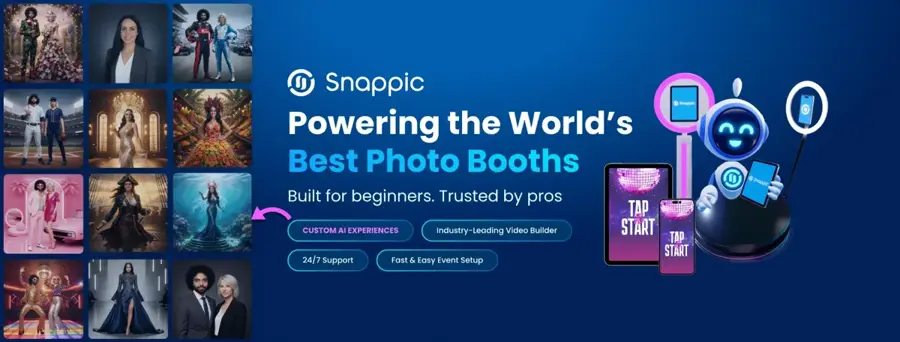
Snappic is photo booth software for iPad, DSLR, 360 and robot-arm booths, with an AI-FX engine built for operators who want to upsell AI portraits to clients. See it at snappic.com.
Strengths
Snappic treats AI as a product you sell. Its AI page lists 80+ preset AI filters such as glamour shots, magazine covers and trading cards, and the render runs on Snappic's servers so the booth is free for the next guest while the image is processed and sent by SMS or email. The Business plan also adds green screen with AI background removal, moderation, roaming mode and payments, with an AI video feature in closed beta on higher tiers (details are on the pricing page).
The catch is cost visibility, and honestly $189 a month for AI-FX is steep. AI-FX is limited to Business and above, and a competitor's comparison page notes that Snappic's AI credit costs aren't publicly listed (treat that as a rival's claim and ask Snappic directly). Support seems to be where reviewers are most positive. The Snappic Booth app holds a 4.5 rating from about 100 App Store ratings, and one wedding operator wrote: "The software itself is phenomenal but what really sets them apart is their customer service."
Key features
- AI-FX: 80+ presets, personalised with names and logos.
- Server-side rendering: the booth keeps capturing while AI images process.
- Wide hardware support: iPad, DSLR, GoPro, 360 and glam robot arm.
- Moderation and surveys: on Business and up.
- Branded microsites: event galleries for your clients.
Pros
- Deepest set of ready-made, sellable AI experiences
- Strong reputation for live-event support
- Covers almost every booth format
Cons
- AI starts at $189 a month, not on the $69 Starter plan
- AI usage limits and credit costs aren't spelled out on the pricing page
Snappic pricing: No free plan (14-day free trial), then paid plans from $69/month, with AI-FX from $189/month (checked October 2026). See pricing
LumaBooth – best for low-cost, multi-platform booths
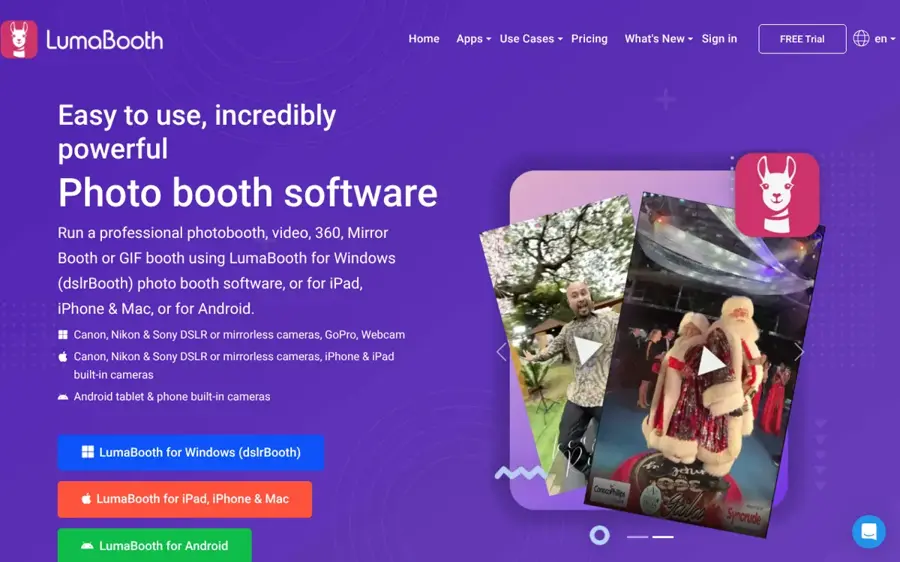
LumaBooth (formerly dslrBooth on Windows) is booth software for Windows, iPad, iPhone, Mac and Android, with 170+ AI portrait presets included. See it at lumabooth.com.
Strengths
Price is the headline. Plans start at $17 a month for Windows and $18 a month for Apple and Android, billed annually, and each includes two devices. LumaBooth's own comparison page says AI portraits cost a flat $0.10 each and that its free trial is unlimited but watermarked. In 2026 the company renamed dslrBooth to LumaBooth for Windows and added custom AI portraits, where you build a prompt from a subject, scene and style, attach guest questions, and even upload a reference image, such as a team jersey, so the output matches the real thing.
The iOS app has a 4.6 rating from about 1,600 App Store ratings. One reviewer called it "by far one of the best Photo Booth programs out there". Its main gap is the enterprise tooling that Snappic and Simple Booth sell to agencies: fewer white-label and multi-client controls. I'd say that gap only matters if you serve agencies.
Key features
- 170+ AI presets: superheroes, historical eras, art styles, trading cards.
- Custom AI looks: prompt builder with guest inputs and reference images.
- AI background removal: no green screen needed.
- Direct USB printing: DNP, Citizen and HiTi printers from an iPad or Mac.
- Browser dashboard: set up events before you arrive.
Pros
- Lowest software cost on this list
- Runs on four platforms, two devices per plan
- Unlimited watermarked trial lets you rehearse a full event
Cons
- The $0.10 AI price comes from LumaBooth's own comparison page, so confirm it in-app
- Fewer agency and white-label features
LumaBooth pricing: Free (watermarked trial), then paid plans from $17/month billed annually (checked October 2026). See pricing
Related: Best AI image generators
Simple Booth – best for brands, venues and one-off events
Simple Booth HALO is an iPad photo booth app with AI effects, a layout designer and DSLR support, sold on weekly, monthly or yearly plans. See it at simplebooth.com.
Strengths
Simple Booth is the only pick with weekly plans: Core from $24 a week, Plus from $49 a week. That suits a single wedding or launch. Its AI pricing is the most transparent here. Credits cost $0.10 each and don't expire, and its help centre spells out the models: Google's Nano Banana at 1 credit for individuals, Nano Banana 2 at 2 credits and Nano Banana Pro at 3 credits for groups of up to five. Upper tiers add things compliance teams ask for: dynamic AI input forms on Pro, and age gates, moderation and PII purging on Select. Guests can also choose whether their photos go into the public gallery.
Reviews show the risk of metered AI. The app has a 4.7 rating from about 2,400 App Store ratings, but recent written reviews are mixed after a redesign. One operator wrote: "The one saving grace was the AI effects. However it stopped working halfway thru our event citing lack of credits."
Key features
- AI Effect Studio: custom prompts from scratch, on Plus and above.
- Model choice: trade speed for quality per event.
- Guest privacy toggle: guests decide on gallery inclusion.
- Compliance tools: moderation, opt-ins and PII purging on Select.
- DSLR and mirrorless support plus AirDrop, QR, SMS and WhatsApp sharing.
Pros
- Weekly plans for one-off events
- Clear, published AI credit pricing
- Strong data controls for enterprise programmes
Cons
- iPad only, one device per license
- Credits running out stops all AI features mid-event
- Recent reviews complain about a redesign
Simple Booth pricing: No free plan (7-day free trial), then paid plans from $24/week or $49/month (checked October 2026). See pricing
Touchpix – best for 360 and video booth operators
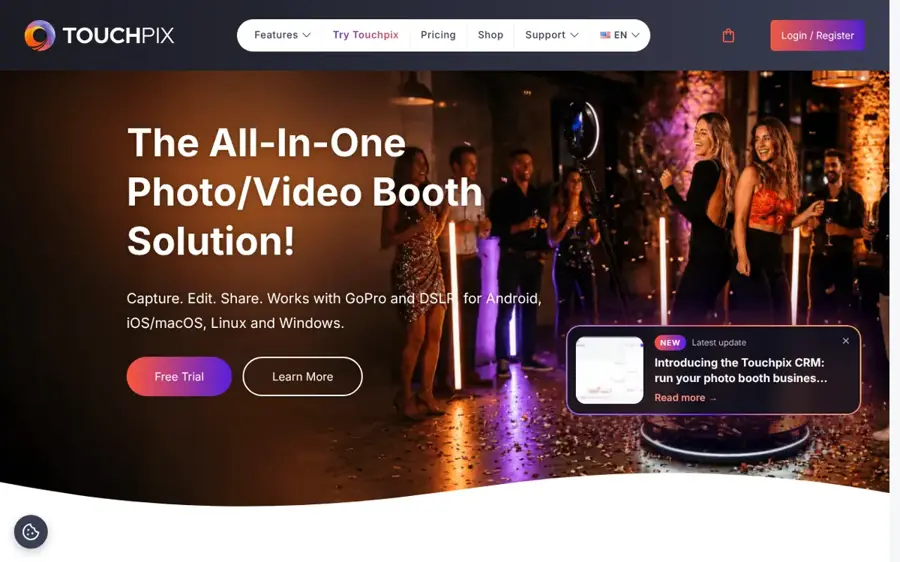
Touchpix is a 360 and photo booth app for iOS, Android, Windows, macOS and Linux, with AI face replacement and offline background removal. See it at touchpix.com.
Strengths
Touchpix is a 360 app first, with AI on top. Its features page lists AI face replacement scenes, background removal that runs offline with no green screen, Bluetooth 360 triggering and offline sharing. Every plan includes Photo AI, and pricing is by number of active events with unlimited devices, which helps if you run several booths at one venue.
Touchpix has the highest App Store score on this list, 4.8 from about 6,800 ratings. Recent written reviews are harsher, including complaints about billing and connections. One long-time user wrote: "It works just fine as a 360 Photo Booth with a Go Pro connection to a single iPad. But it constantly loses connection to its sharing station."
Key features
- AI face replacement: themed scenes for photo and video.
- Offline background removal: no internet or green screen.
- Six capture modes: still, AI photo, boomerang, video, GIF and slow-mo.
- Five platforms and unlimited devices per license.
Pros
- Best fit for 360 booths
- AI on every plan
- Very large base of App Store ratings
Cons
- Video modes need MultiPass ($73.33/month annually) or above
- Recent reviews flag sharing-station drops and auto-renewal surprises
Touchpix pricing: No free plan, then paid plans from $36.66/month billed annually ($439.90/year) (checked October 2026). See pricing
Snapbar – best for corporate and trade show activations
Snapbar is an experiential marketing platform that runs AI photo booths, AI trading cards, persona quizzes and event headshots as branded, lead-capturing activations. See it at snapbar.com.
Strengths
Snapbar isn't software you install on your own booth. It's a managed platform for marketers. Its AI photo booth shapes each portrait with personal inputs such as stories, quizzes and survey answers, and the wider platform adds AI video, AI stories and event headshots. Every activation includes 150 credits, 7 days of live access, user-level moderation, lead capture and an analytics dashboard. Each participant uses one credit.
We found no independent rating for Snapbar on the sites we checked. Its own homepage publishes client testimonials, such as an event producer saying "The AI Photo Booth was A HUGE success at the Final Four", which you should read as marketing.
Key features
- Personalised AI portraits: driven by quiz and survey answers.
- Lead capture and analytics on every activation.
- Moderation included as standard.
- Extra formats: AI trading cards, AI video and event headshots.
Pros
- Built for measurable brand activations
- Moderation and lead capture included
- Guests can join from their own phones
Cons
- Quote-based pricing
- Extras add up: $1,000 per additional AI style, $1,000 for white labelling
Snapbar pricing: No free plan; then quote-based, built from experience, timeline and credits (checked October 2026). See pricing
Related: Best free AI headshot generators
Foto Master – best for operators who want a published AI rate card
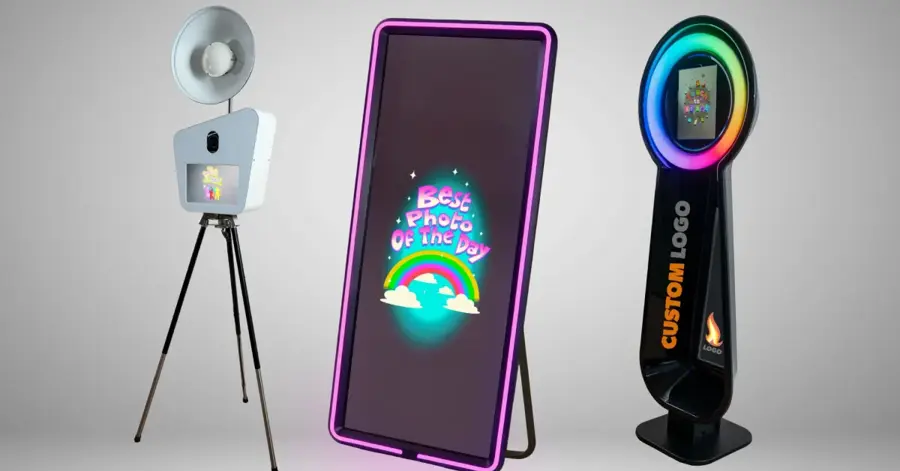
Foto Master builds photo booth hardware and runs Foto Master Cloud, which manages events, galleries, payments and pay-per-use AI. See it at fotomaster.com.
Strengths
Foto Master publishes the most detailed AI price list we found. On Cloud Starter, AI background removal costs $0.07 per generation, caricature $0.10, and AI face swap or professional portrait $0.15. Higher plans cut those rates by up to 57% (Pro) or 71% (Scale). One credit equals one dollar and covers AI or SMS. Starter is $49 month-to-month or $468 a year, and is included for 12 months with qualifying hardware.
On the hardware side, a roundup by Lilach Bullock describes Foto Master's range as AI photo booths alongside mirror and 360 booths, aimed at people buying booths for a rental business. We found no independent user rating for Foto Master Cloud.
Key features
- Per-generation AI pricing that falls as you move up a plan.
- Hardware and software together: booths plus the FMX app and cloud.
- Remote booth management and unlimited events.
- Payments at the booth: Nayax reader on FMX, Stripe online on Pro.
Pros
- Every AI feature has a published price
- Hardware and software from one vendor
- Cloud included with qualifying hardware for a year
Cons
- Trial needs a credit card and outputs are watermarked
- Most value if you also buy Foto Master hardware
Foto Master pricing: No free plan (14-day trial); then Cloud plans from $39/month billed annually or $49 month-to-month (checked October 2026). See pricing
Breeze Booth – best for custom builds and fixed installs
Breeze Booth is an iPad and iPhone booth app from Breeze Software, with RemotePro for Windows and a cloud AI add-on called Breeze FX. See it at breezesoftware.com.
Strengths
Breeze is for operators who want to design the whole guest flow, from custom interfaces to multi-language profiles. Breeze FX adds prompt-based transformations with reference images and masking, cartoon styles, face swap and an AI image moderation step that blocks inappropriate images from being saved, printed or shared. The App Store listing says AI background removal comes at no additional cost, and a recent update added direct USB printing to DNP printers and Stripe Terminal payments.
The trade-off is opacity and a thin review base. Breeze publishes no prices on its site, and the iOS app shows a 3.6 rating from only five App Store ratings, too few to judge.
Key features
- Breeze FX: prompts, reference images, masking and cartoon styles.
- AI image moderation before anything prints or shares.
- Custom interfaces and multi-language profiles.
- Direct DNP printing with printer pooling.
Pros
- Deep customisation for fixed installs
- Built-in AI moderation
- Free AI background removal
Cons
- No public pricing
- Very few public user ratings
Breeze Booth pricing: Prices aren't published on the Breeze site; contact Breeze for a quote (checked October 2026). See Breeze Booth
Choosing the right AI photo booth tools
Start with your hardware, not the AI
If you own a 360 rig, Touchpix and Snappic support it. If you run Windows with a DSLR, LumaBooth for Windows is the low-cost route. If you only have an iPad, Simple Booth is the simplest. The AI layer is similar across tools: most send a photo to a cloud model and wait for a result.
Budget per guest with a worked example
Say you run a 300-guest wedding and expect 1.5 AI images per guest, so 450 generations.
| Tool and plan | Software | AI cost | Total |
|---|---|---|---|
| Simple Booth Plus, weekly, Nano Banana (1 credit) | $49 | 450 × $0.10 = $45 | $94 |
| Simple Booth Plus, weekly, Nano Banana Pro (3 credits) | $49 | 1,350 × $0.10 = $135 | $184 |
| LumaBooth, one month of an annual plan | $18 | 450 × $0.10 = $45 | $63 |
| Foto Master Cloud Starter, monthly, AI caricature | $49 | 450 × $0.10 = $45 | $94 |
Model choice can triple your AI bill at the same guest count, but AI cost likely stays small next to rental fees, which is probably why operators sell it as an upsell. Simple Booth's one-time bonus credits and Snappic's unlisted AI costs are left out.
Check moderation and consent tools
Anything with face swap or prompt-based effects can produce something off-brand. Snappic, Snapbar, Breeze and Simple Booth's Select tier all offer moderation. I'd switch it on at corporate and family events.
Free vs paid: what you actually get
None of these tools has a true free plan for commercial events. What you get for free is a trial: LumaBooth's is unlimited but watermarked, Snappic and Foto Master give 14 days, and Simple Booth gives 7 days, capped at 15 photos per day according to LumaBooth's comparison. Use the trial to rehearse your full setup, including the printer and the AI step.
Paying gets you three things: no watermark, branding and white labelling, and the AI itself, which is usually billed on top.
If you only want to make a few AI portraits of yourself, a general AI image generator is cheaper. Our guide to AI art styles helps you pick a look either way.
The limits
- Credits run out. On Simple Booth, if credits run out, all credit-based features stop working. Top up before the doors open.
- Connections drop. AI renders in the cloud, and sharing stations depend on the local network, as the Touchpix review above shows.
- Groups confuse models. Simple Booth limits its group-capable models to five people. Large group shots may come back distorted.
- Likeness drifts. Stylised effects can make guests look unlike themselves. Show your client samples first.
Consent and guest data
A booth collects photos of real people's faces. The UK ICO defines personal data as any information relating to "an identified or identifiable natural person", and a clear face photo fits. Tell guests where images go, who sees them and when they're deleted. A sign by the booth is probably enough for most events, though I'd check local rules. For more on the legal side, see our guide to GDPR and AI services.
Only run face swap and portrait effects on guests who chose to use the booth, and never on photos of people who didn't agree. Making intimate or deceptive images of real people without consent is harmful and illegal in many places. None of the tools here should be used that way.
AI photo booth rental: what it costs
If you're hosting one event, I'd rent. An AI photo booth rental is simpler than buying software: the firm brings the booth, runs it and staffs it. Thumbtack puts the national average for photo booth rental at $361 to $605, with a high end of about $912, and notes many firms charge hourly with a two- or three-hour minimum. AI booths usually sit at the upper end of that range.
For an AI photo booth rental in New York, expect more. A New York booth company's 2026 guide puts mid-range NYC packages at $600 to $1,200 and premium mirror or 360 booths at $1,200 to $3,500+, with extra hours at $75 to $200. Agencies such as Scarlett Entertainment list AI booths in New York with face swaps, themed backgrounds and AI headshots. Before you book, ask which AI effects are included, how long each guest waits, and when the images are deleted.
Final verdict
I'd pick Snappic if you're a booth business that wants the most AI experiences to sell, though $189 a month for AI-FX isn't small. If cost matters most, LumaBooth gives you AI portraits on four platforms for under $20 a month, which I think is the better deal for a one-person operation. Pick Simple Booth for iPad events and weekly billing, Touchpix for 360 booths, and Snapbar for managed brand activations. Foto Master and Breeze suit operators building around their own hardware. Whichever you pick, rehearse with the trial, top up credits early and tell guests what happens to their photos.
FAQ
What is an AI photo booth?
An AI photo booth is a photo booth that sends each guest's photo to an AI image model and returns a transformed version, such as a superhero, a painting, a themed scene or a polished headshot. Guests usually receive it by QR code, text or email within seconds, and many booths can print it on the spot.
How much does an AI photo booth rental cost?
Thumbtack puts the US national average for photo booth rental at $361 to $605, and AI booths usually cost more than standard ones. In New York City, local guides put mid-range packages at $600 to $1,200 and premium booths above $1,200. Get quotes that list the AI effects, hours and prints included. I'd treat any quote that leaves out the AI effects as incomplete.
Do AI photo booths work without internet?
Mostly not. AI effects run in the cloud, and both Snappic and Simple Booth say their AI features need a connection. Some tasks work offline, such as Touchpix's background removal, but generative portraits don't. Bring a reliable hotspot or ask the venue for a wired line.
Is it legal to use face swap at events?
Using face swap on willing guests who step into a booth is a common, consent-based use. Guest photos are still personal data, so explain how images are stored and shared. Never use these tools on photos of people who didn't agree, or to make intimate or deceptive images.
Sources
- Photo booth software pricing plans (Snappic)
- AI photo booth: turn event photos into viral AI art (Snappic)
- Snappic home (Snappic)
- Snappic Booth (Apple App Store)
- AI PhotoBooth vs Snappic comparison (AI PhotoBooth)
- Pricing for our photo booth apps (LumaBooth)
- LumaBooth vs Simple Booth HALO (2026) (LumaBooth)
- What's new with LumaBooth (LumaBooth)
- AI photo booth entertainment, AI portraits (LumaBooth)
- LumaBooth home (LumaBooth)
- LumaBooth Event Photo Booth (Apple App Store)
- Photo booth software plans and pricing (Simple Booth)
- Account credits (Simple Booth Help Center)
- Simple Booth home (Simple Booth)
- Simple Booth HALO (Apple App Store)
- Features, Touchpix 360 photo booth app (Touchpix)
- Pricing, Touchpix 360 photobooth app (Touchpix)
- Touchpix home (Touchpix)
- Touchpix photo and video booth (Apple App Store)
- Snapbar: the experiential marketing platform for events (Snapbar)
- AI photo booth software for events, trade shows and conferences (Snapbar)
- Snapbar platform pricing (Snapbar)
- Pricing, Foto Master Cloud (Foto Master)
- Foto Master home (Foto Master)
- AI photo booths (2026): 9 options for events and operators (Lilach Bullock)
- Breeze Booth (Breeze Software)
- Breeze FX (Breeze Software)
- Breeze Booth (Apple App Store)
- What is personal data? (ICO)
- 2026 photo booth rental prices (Thumbtack)
- How much do photo booth rentals cost in NYC? (Champagne Clicks Photo Booths)
- Book AI photobooth New York (Scarlett Entertainment)