Best AI body shape visualization generators in 2026: 8 picks for fit, fitness and learning
The best AI body shape visualization generators for virtual try-on, fashion design, 3D fitness scans and anatomy learning, with prices and privacy notes.
 Written byMuhammad Usman SiddiquiFounder and editor-in-chief
Why you can trust The AI Future
Our writers research every product, link each claim to its source and correct mistakes openly. Companies can't pay for coverage or see reviews before they're published.
Read our editorial policy
Short answer: if you want an AI body shape visualization generator for your own fitness progress, start with Bodymapp. It turns a phone scan into a 3D avatar and tracks measurements over time, so you're not relying on the scale alone. I think that's the most useful trick on this list. If you just want to see how clothes will look on you before you buy, use Google's free Try On tool. Fashion designers should look at CLO, and students of anatomy should look at BioDigital Human.
This guide covers legitimate body and 3D avatar visualisation: clothing fit and virtual try-on, fashion design, fitness tracking with 3D body scanning, and medical or educational models. It doesn't cover tools that "undress", sexualise or reshape photos of other people, and we don't link to them. We compared eight tools using official product pages, pricing pages, app store listings and published user reviews. Everything's as of late October 2026.
Key takeaways
- Bodymapp is the best consumer pick: a compatible iPhone and a few minutes give you a 3D avatar and up to 20 metrics, from $49.99 a year.
- Google Try On looks like the best free option for clothing fit. You upload one full-length photo and preview real products on yourself.
- Most serious body scanners are sold to businesses, so you'll usually meet Styku, Fit3D and 3DLOOK (priced by subscription or scan volume) at a gym, clinic or retailer.
- Two well-known tools are gone: Google shut its Doppl try-on app in April 2026, and Meshcapade's online platforms closed after it joined Epic Games.
- Stick to measurements, not targets. These tools are best for spotting trends and getting fit right, not for chasing a "perfect" body.
Ranking method
Nobody at The AI Future ran hands-on tests for this roundup, and we don't have any original screenshots to show you. We compared each body visualisation tool using official docs, pricing pages, app store listings and published reviews, as of October 2026. Our ranking weighed these:
- The purpose had to be legitimate: fit, design, health tracking or education, with no sexualised features.
- Accessibility mattered, meaning whether an individual can use it or only a business.
- Output quality covered 3D model detail, number of measurements and any published accuracy claims.
- We checked whether pricing is public and easy to understand.
- Privacy counted too: what body data is collected and how the vendor describes handling it.
- User sentiment came from app store reviews and third-party feedback, where we could find it.
Accuracy figures below are vendor claims unless we say otherwise. Prices are in US dollars and can vary by country.
Our top picks at a glance
| # | Tool | Category | Best for | Free tier | Starts at |
|---|---|---|---|---|---|
| 1 | Bodymapp | Phone 3D body scan | Fitness progress at home | Yes (limited) | $19.99/mo |
| 2 | Google Try On | Virtual try-on | Seeing clothes on yourself | Yes | Free |
| 3 | CLO | 3D fashion design | Designing garments on avatars | No | $25/mo |
| 4 | 3DLOOK Mobile Tailor | Measurement API | Brands and tailors | No | Custom |
| 5 | Styku | Pro 3D scanner | Clinics and wellness studios | No | $199/mo |
| 6 | Fit3D SNAP | Tablet body scanner | Gyms on a budget | No | $83/mo |
| 7 | BioDigital Human | 3D anatomy | Medical education | Yes (limited) | $19.99/yr |
| 8 | MakeHuman | Open-source 3D humans | Free avatars for design and teaching | Yes | Free |
The best AI body shape visualization generators in 2026, ranked
Bodymapp – best for fitness progress at home
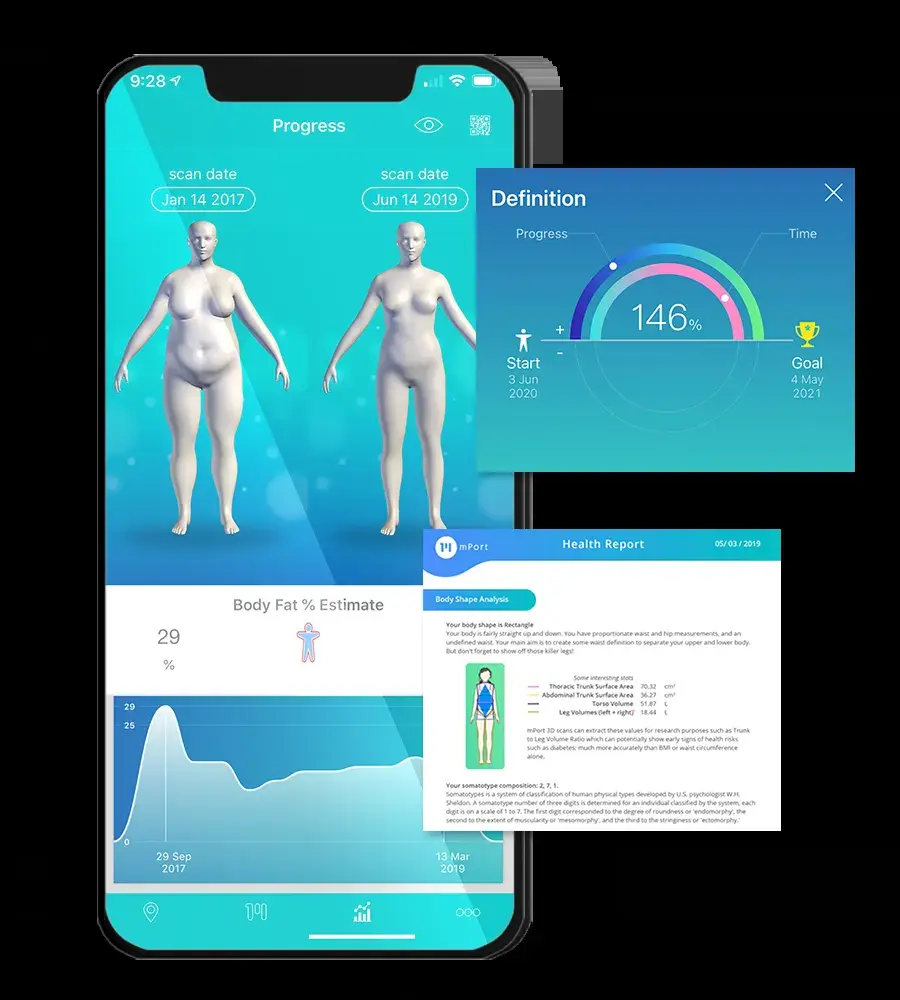
Bodymapp is an iPhone app that uses the front TrueDepth camera to build a 3D avatar of your body and track measurements and body composition over time.
Standout points
Bodymapp is the easiest way for an individual to get a real 3D body scan without visiting a gym. On its App Store listing you can track "over 20 different metrics", including body fat, skeletal muscle mass, BMR and circumferences, and compare 3D avatars side by side. The homepage makes the useful point: your avatar helps you "visualize the changes you can’t see in the mirror", which matters when the scale barely moves. It also saves measurements you can use for online clothes shopping.
The catch is hardware. It needs an iPhone with working Face ID (iPhone X or later, not SE models), and there's no Android version. Reviews are mixed on accuracy: one App Store reviewer wrote "Sometimes it works well sometimes it really doesn’t", while another said "I think they have really improved the app." I'd treat the numbers as trends, not lab results. Verdict: probably the best personal 3D body scanner if you own a recent iPhone.
Key features
- A lifelike 3D avatar of your body you can compare over time.
- More than 20 metrics, including body fat, muscle mass, waist-hip ratio and circumferences.
- Posture and body composition reports with fitness suggestions.
- Apple Health sync, which writes your data to the Health app.
- Saved body measurements for online sizing.
Pros
- Real 3D scan with just a phone
- Tracks shape changes as well as weight
- Cheap annual plan
Cons
- iPhone only, with Face ID required
- Accuracy varies, per user reviews
- Free tier is limited; unlimited scans need Premium
Bodymapp pricing: Free download; Premium from $19.99/month, $29.99/quarter or $49.99/year in the US App Store (checked October 2026). See pricing
Google Try On – best for seeing clothes on yourself
Google Try On is a free feature in Google Search, Shopping and Images that shows how a real product would look on you, from one full-length photo you upload.

Standout points
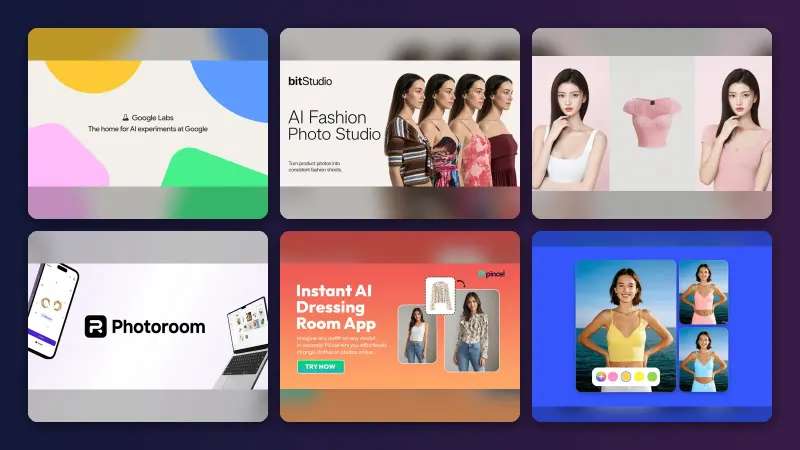
For clothing fit and style, this is the tool most people should try first, because it costs nothing and works on products you're already browsing. Google says it's powered by "a custom image generation model for fashion" that understands how materials "fold, stretch and drape on different bodies", according to its Malaysia launch post from June 2026. You tap the "try it on" icon on a product listing, upload a full-length photo of yourself, and see the result in moments. You can save looks and share them.
It started in the US with the I/O 2025 announcement, added shoes and expanded to Australia, Canada and Japan in October 2025, TechCrunch reported, and has since reached more markets, including Malaysia. Google's separate Doppl app is no longer an option: Google discontinued it on 30 April 2026, Jetstream reported. We couldn't find a verified user rating for Try On itself. Verdict: probably the default free choice for previewing outfits on your own body.
Key features
- It shows apparel on your own full-length photo.
- You can try on sneakers, heels and loafers as well as clothes.
- It works across billions of Shopping Graph listings.
- You can save favourite looks and send them to friends.
- A shop link jumps to the merchant when you're ready to buy.
Pros
- Completely free
- Works on products from many retailers
- No app to install
Cons
- Only available in some countries
- A generated image, not a measurement or size guide
- Only use photos of yourself
Google Try On pricing: Free; there's no paid plan (checked October 2026). See how it works
Related: Best AI clothes changers for try-on Best AI body editors for your own photos
CLO – best for designing garments on avatars
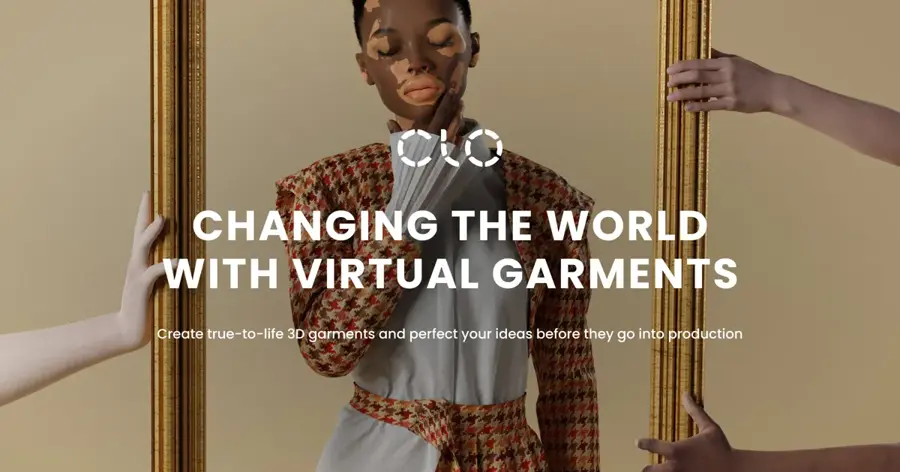
CLO is professional 3D fashion design software that drapes digital garments on adjustable avatars so designers can check fit, proportion and fabric behaviour before making a sample.
Standout points
If your goal is designing clothes rather than buying them, CLO is the standard to beat. Its homepage pitches "realistic drape, accurate proportions, and precise colorways" for line reviews, an AI studio for ideation, and production-ready specs for factories. The pricing page says it has "8M+ designers". Body visualisation here is a means to an end: you shape an avatar to match a size range or fit model, then see how a pattern sits on it.
We couldn't access an independent rating page for CLO, so treat feedback with care. On its own site, CLO quotes a senior 3D design manager at Daehan Global who expects 3D to "power demand testing, digital assortment, and even pre-selling before production". Verdict: worth paying for if you design garments; I'd call it overkill if you just want to see yourself in a jacket.
Key features
- Adjustable 3D avatars let you check fit across sizes.
- Fabric simulation shows drape and stretch before you cut a sample.
- An AI studio helps jumpstart concepts and pattern blocks.
- Specs go to production from the same 3D asset.
- A learning platform offers tutorials and community resources.
Pros
- Industry-standard fashion 3D tool
- Student pricing available
- Reduces physical sampling
Cons
- Steep learning curve
- Companies with 2+ staff need an Enterprise plan
- No free plan listed
CLO pricing: No free plan; Student $25/month, Individual $50/month, Enterprise and Academic on quote (checked October 2026). See pricing
3DLOOK Mobile Tailor – best for brands and tailors
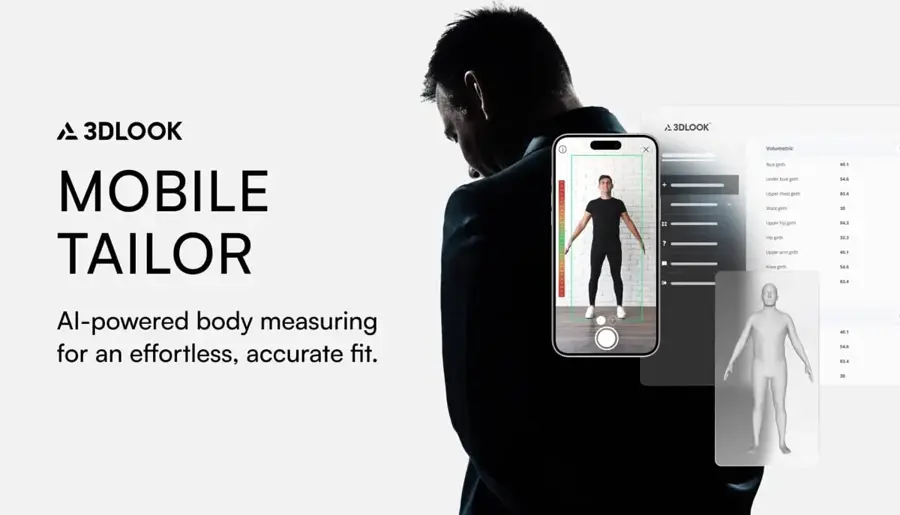
3DLOOK Mobile Tailor is a business tool that builds a 3D body model and dozens of measurements from two smartphone photos, so customers can get measured remotely.
Standout points
3DLOOK solves the fit problem from the retailer side. A shopper takes a front and side photo, guided by voice prompts, and the Mobile Tailor page says the AI returns a 3D model and "over 85 measurements" in under 60 seconds. Brands can add a "Get Measured" widget to their site, send links by SMS or email, or use a QR code in store. It targets made-to-measure, bridal, uniforms and custom apparel.
3DLOOK also sells FitXpress for health and fitness apps, where it claims body measurements are 96–97% accurate on its homepage; those are vendor figures, not independent tests. We found no verified third-party rating. Verdict: the pick for clothing businesses that want remote measurements, not for individuals.
Key features
- Front and side photos do the scan, with no special hardware.
- It returns 80+ measurements plus a 3D model view and export.
- A web widget embeds measuring in an online store.
- Links and QR codes let you measure customers remotely or in store.
- Higher tiers add an API and SDKs for custom apps.
Pros
- Works with any smartphone
- Built for apparel fit
- Scales from small shops to enterprise
Cons
- Business-only product
- Prices not shown publicly on the page we read
- Accuracy claims are the vendor's own
3DLOOK Mobile Tailor pricing: No free plan; plans by scan volume, from Basic (up to 100 scans a month) to Enterprise; contact 3DLOOK for prices (checked October 2026). See pricing
Styku – best for clinics and wellness studios
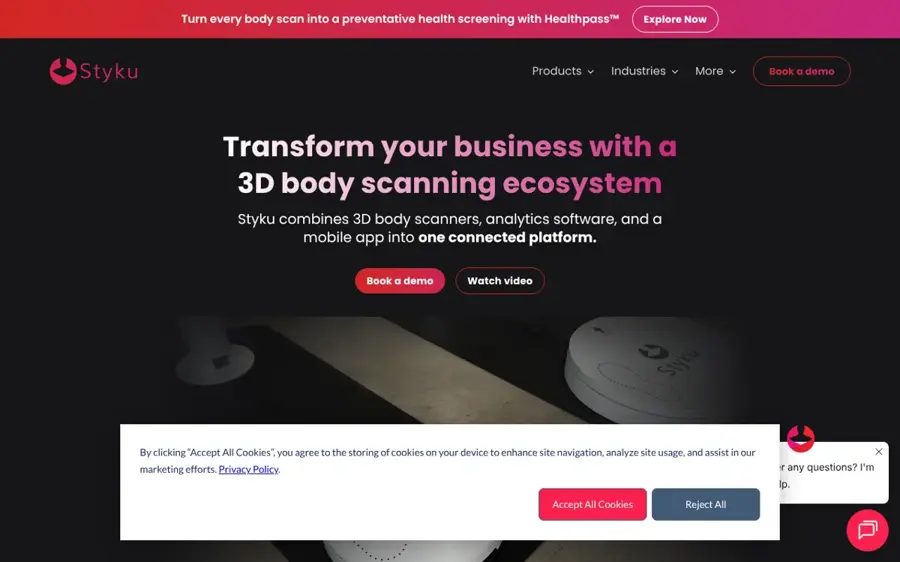
Styku combines a 3D body scanner, coaching software and a client app, used by gyms, spas, clinics and wellness businesses to show progress visually.
Standout points
If you've ever been scanned at a wellness studio, there's a good chance it was a machine like this. Styku says it delivers "validated accuracy, non-invasive measurements, and clear visuals customers can understand", on its homepage, and now adds a Healthpass health screen. The appeal for clients is seeing shape and composition change even when weight barely moves; one client testimonial published by Styku says "seeing her progress quantified has been the biggest motivator".
Pricing is public, which is rare. The pricing page lists an Access plan at $199 a month and an Elite plan at $349 a month on a limited-time offer (normally $499), with extra modules and health screens priced separately. Verdict: a strong choice for clinics that want detailed scans and reporting; individuals should look for a studio that has one.
Key features
- Patented hardware handles fast full-body scans.
- Each scan gets a per-scan health report.
- A posture module adds alignment analysis as an add-on.
- A client app gives customers visual progress tracking.
- Side-by-side 3D comparison shows scans over time.
Pros
- Public, detailed pricing
- Unlimited scans on both plans
- Strong progress visuals for clients
Cons
- Business-only
- Modules and health screens add cost
- Needs floor space for hardware
Styku pricing: No free plan; Access from $199/month; Elite $349/month for a limited time (checked October 2026). See pricing
Fit3D SNAP – best for gyms on a budget
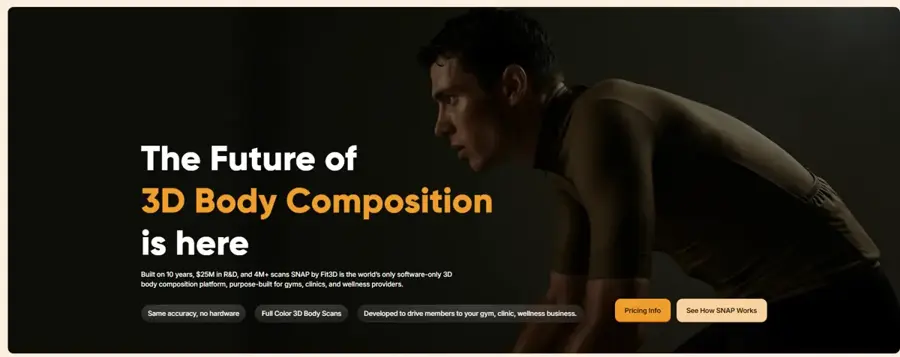
Fit3D SNAP is a tablet-based 3D body scanning system for gyms and wellness businesses that replaces the old full-size scanning booth with cameras and cloud processing.
Standout points
Fit3D's pitch is "The Scanner. Without the Scanner." Its homepage says SNAP runs on a tablet with high-resolution cameras and cloud processing, so a business can skip expensive hardware. The pricing page claims over 5 million scans, 5,000+ businesses and "<2% error margin". Prism Labs, which builds mobile body composition tech, says on its site that SNAP is "powered by Prism Labs".
We found no independent rating for SNAP, and the accuracy figure is Fit3D's own. Still, it's the cheapest professional option here. Verdict: probably the budget route for small gyms that want 3D progress scans, though the accuracy claim deserves a sceptical eye.
Key features
- A tablet setup on a wall mount or floor stand takes minimal space.
- Cloud processing means no large scanning booth is required.
- Members get 3D scans they can track over time.
- Fit3D says you can launch in 24 hours.
- It's built to keep members engaged.
Pros
- Lowest professional entry price here
- Small footprint
- Large installed base
Cons
- Business-only
- Accuracy claim not independently verified
- Full pricing details need a sales call
Fit3D SNAP pricing: No free plan; subscriptions "as low as $83/month" (checked October 2026). See pricing
BioDigital Human – best for medical education
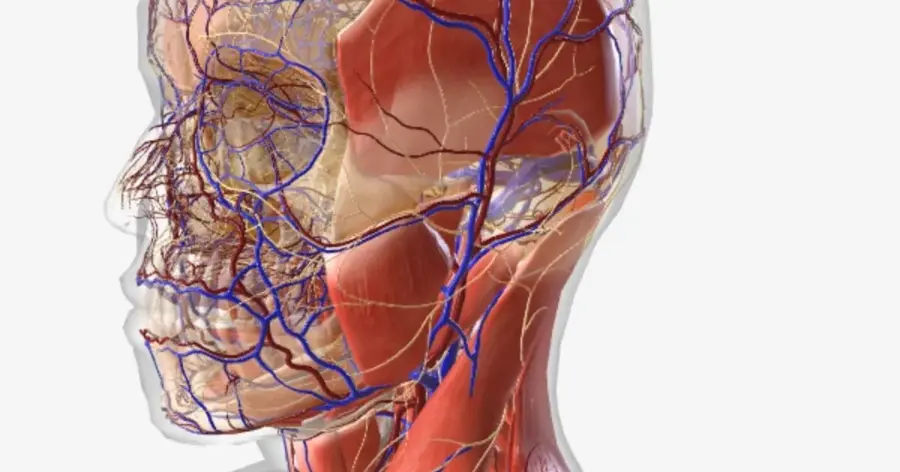
BioDigital Human is an interactive 3D model of human anatomy, health conditions and treatments, used by students, teachers and clinicians on the web and on phones and tablets.
Standout points
For medical or educational visualisation, BioDigital is the clear pick. The pricing page offers a free Personal plan with male and female anatomy, 500+ anatomy and physiology models, 10 model views a month and five saved models. BioDigital says more than 5 million students, teachers, clinicians and professionals use it, on its homepage. You can peel back layers, dissect and draw on models, which makes it useful for explaining a procedure to a patient.
App Store feedback is mostly warm. One reviewer who works in an orthopaedic office called it a "GREAT CLINICAL TOOL!!!", while another complained the older app was glitchy. Verdict: the best free 3D body model for learning anatomy.
Key features
- Complete male and female 3D anatomy models are organised by system.
- Interactive models cover diseases and treatments.
- Human Studio lets you customise models for a lesson.
- Quiz Builder tests you or a class.
- It supports 8 languages, including Spanish, Chinese and Japanese.
Pros
- Generous free plan
- Web, iOS and Android
- Clinically focused content
Cons
- Free plan is capped at 10 views a month
- Publishing and APIs need School or Business plans
BioDigital Human pricing: Free; Personal Plus $19.99/year via the iOS app; School and Business plans on quote (checked October 2026). See pricing
Related: AI in education
MakeHuman – best for free avatars for design and teaching
MakeHuman is free, open-source software for creating realistic 3D human figures, now also available as the MPFB extension for Blender.
Standout points
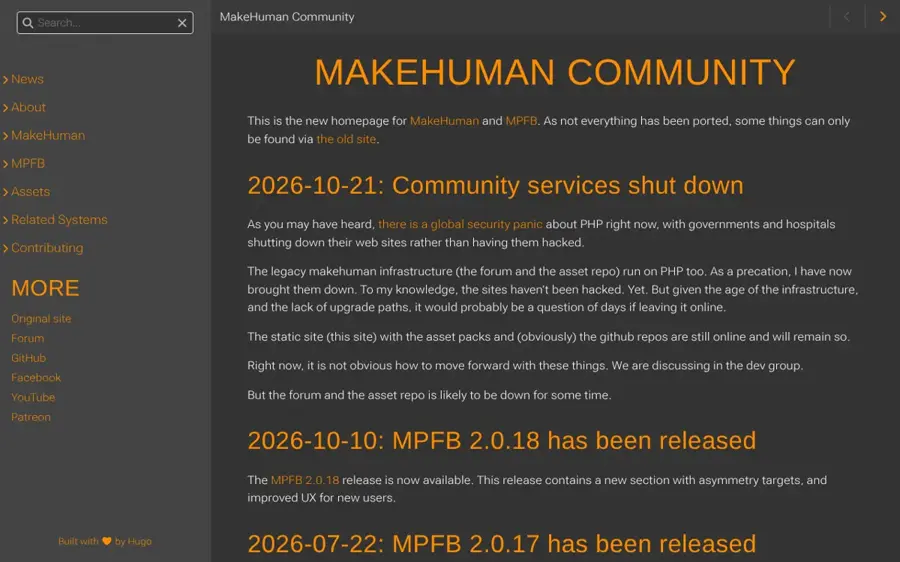
MakeHuman is the zero-cost option for anyone who needs neutral, adjustable 3D human bodies for character design, garment mock-ups, art reference or teaching. It's not AI in the generative sense; you shape a body with parameters. The project's news page says MPFB 2.0.18 shipped on 10 October 2026 and that MPFB reached the Blender extensions top 50 with "some 86k downloads". The code is on GitHub.
One warning: on 21 October 2026 the maintainers took the legacy forum and asset repository offline as a security precaution, while the static site and GitHub repos stay up. Verdict: the best free choice if you're comfortable in Blender.
Key features
- Sliders adjust the proportions of parametric bodies.
- The MPFB extension brings MakeHuman into Blender.
- You can rig, pose and animate characters.
- Asset packs add clothes, expressions and more.
- The code is open source and available on GitHub.
Pros
- Completely free
- Works offline
- Active development in 2026
Cons
- Community forum currently offline
- Blender skills help a lot
- No body-scan or try-on features
MakeHuman pricing: Free and open source (checked October 2026). Download
Related: Best AI avatar generators from photos
Choosing the right AI body shape visualization generator
Start with the job
Choose Bodymapp if you want to track your own fitness. Choose Google Try On if you want to see clothes on yourself. Choose CLO if you design clothes, BioDigital Human if you study or teach anatomy, and MakeHuman if you need free 3D figures. If you run a business, compare Styku, Fit3D SNAP and 3DLOOK.
Measurements beat pictures for fit
A generated try-on image shows style, not size. For fit, you need measurements. Bodymapp saves yours, and 3DLOOK gives retailers 80+ of them. I'd use both kinds of tool together when buying expensive clothes online.
Check the hardware
Bodymapp needs a Face ID iPhone. Google Try On only needs a photo. Styku and Fit3D need a business that owns the kit, so search for a local studio rather than buying one.
Read the privacy section
A body scan is sensitive health data. Bodymapp's App Store privacy label lists health and fitness data linked to your identity and contact info that may be used to track you. Read what each app collects before you scan, and delete scans you no longer need.
Free vs paid: what you actually get
| Need | Free option | What paying adds |
|---|---|---|
| Clothes on your body | Google Try On | Nothing; there is no paid tier |
| Fitness tracking | Bodymapp free download | Unlimited scans, avatar comparison and health metrics ($49.99/year) |
| Anatomy learning | BioDigital Personal (10 views/month) | Unrestricted library ($19.99/year on iOS) |
| 3D figures for design | MakeHuman | CLO adds fabric simulation and production tools ($25–$50/month) |
| Business scanning | None | Fit3D from $83/month, Styku from $199/month |
Budget angle: most individuals never need to pay more than $50 a year. Bodymapp's annual plan costs about the same as two and a half months on its monthly plan, so pay yearly only if you'll scan regularly.
Body image, consent and responsible use
On body image: these tools work best as a mirror for change, not a target generator. Several pitch "goal visualisation", but you don't need to model an extreme or idealised body to benefit.
Research on photo editing is a useful warning: in a 2020 Flinders University study of 130 young women, the extent of selfie editing predicted the rise in facial dissatisfaction, according to the published abstract, and the lead researcher said editing "is not a benign process but has negative consequences", per Flinders University.
If scanning or comparing avatars makes you feel worse, stop, and talk to someone you trust or a health professional. Any weight or body composition goal is best set with a doctor or dietitian, not an app.
On consent: only scan or upload your own body, or someone who has clearly agreed. Altering other people's photos without consent is harmful, and making intimate or deceptive images of real people is illegal in many places. In the US, the Take It Down Act makes sharing nonconsensual intimate imagery, including AI-generated images, a crime, and since May 2026 platforms must remove reported images within 48 hours, PetaPixel reports. We don't cover or link to tools that undress people or create sexual images. For editing your own photos, see our guide to AI body editors.
Final verdict
If you only pick one, I'd pick Bodymapp: for $49.99 a year it turns your iPhone into a 3D body scanner that tracks shape as well as weight. Honestly, Google Try On is probably the easier sell if clothes are your only goal, since it's free. Choose CLO if you design clothes. BioDigital Human suits anatomy study. Businesses should start with Fit3D SNAP on a budget or Styku for deeper reporting. Whatever you use, focus on trends and fit, and keep your scans private; that matters more than which tool wins.
FAQ
What is an AI body shape visualization generator?
It's software that turns photos, scans or measurements into a 3D model or image of a body. Legitimate uses include virtual try-on, fashion design, fitness progress tracking and anatomy education.
Is there a free AI body shape visualization generator?
Yes. Google Try On is free for previewing clothes on your own photo, BioDigital Human has a free Personal plan, and MakeHuman is free and open source. Bodymapp has a free download with limited features.
How accurate are phone body scans?
They're good for tracking change over time but aren't lab tests. Vendors publish their own accuracy claims, and Bodymapp reviewers report mixed results, which is why I'd read any single number sceptically. Scan in the same conditions each time.
Can I use these tools on someone else's photo?
Only with their clear consent. Creating intimate or deceptive images of real people without permission is harmful and illegal in many places, including under the US Take It Down Act.
What happened to Google Doppl?
Google discontinued Doppl on 30 April 2026, less than a year after launch. Try On still works.
Which tool is best for fashion design?
CLO is the strongest option on this list, with adjustable avatars and fabric simulation, from $25 a month for students. For free 3D figures, try MakeHuman with Blender.
Sources
- Bodymapp - 3D Body Scanning App (Bodymapp)
- Bodymapp - At home body scans (Apple App Store)
- Bodymapp - Ratings & Reviews (Apple App Store)
- You can now virtually try on clothes and shoes with this new AI shopping feature (Google Malaysia blog)
- Shop with AI Mode, use AI to buy and try clothes on yourself virtually (Google)
- Google’s virtual try-on shopping tool expands to more countries, now lets you try on shoes (TechCrunch)
- Google’s AI Try-On App Doppl to Shut Down on April 30, 2026 (Jetstream)
- Meshcapade (Meshcapade)
- CLO | 3D Fashion Design Software (CLO)
- Pricing and Plans (CLO)
- Mobile Tailor - AI-Powered Body Measuring Solution (3DLOOK)
- 3DLOOK Pricing | FitXpress & Mobile Tailor Plans (3DLOOK)
- 3DLOOK - AI-powered 3D body scanning solution (3DLOOK)
- 3D Body Scanning for Fitness, Health, & Wellness (Styku)
- Pricing (Styku)
- Fit3D Overview - 3D Body Scanning Technology (Fit3D)
- Snap Subscription (Fit3D)
- Mobile Body Composition & Health Tracking (Prism Labs)
- BioDigital | Interactive 3D Anatomy (BioDigital)
- Plans & Pricing (BioDigital)
- BioDigital - 3D Human Anatomy (Apple App Store)
- BioDigital - Ratings & Reviews (Apple App Store)
- MakeHuman Community (MakeHuman)
- makehumancommunity/makehuman (GitHub)
- Uploading your best self: Selfie editing and body dissatisfaction (Flinders University)
- Editing selfies is counter productive: study (Flinders In Touch)
- Social Media Platforms Must Now Remove Sexual Deepfakes Within 48 Hours (PetaPixel)