7 best AI body editors in 2026 for natural touch‑ups of your own photos
The best AI body editor apps for fixing lighting, posture, outfits and backgrounds in your own photos, with honest pricing, free tiers and the rules on edited images.
 Written byMuhammad Usman SiddiquiFounder and editor-in-chief
Why you can trust The AI Future
Our writers research every product, link each claim to its source and correct mistakes openly. Companies can't pay for coverage or see reviews before they're published.
Read our editorial policy
Short answer: I think most people should start with Facetune. It covers the edits that actually make a photo of you better, like lighting, small reshape tweaks, object removal and outfit try-on, in one app. If you want a free AI body editor that works in the browser, use CapCut's body editor. If you edit client portraits for a living, look at Evoto. (Honestly, I'd skip body reshaping for most photos; lighting and background do more.)
This guide is about editing your own photos: fixing a slouch, evening out bad light, trying on an outfit before you buy it, swapping a messy background or removing a stray blemish. It isn't about changing your body into someone else's, and it doesn't cover tools that alter other people's images. We compared seven apps using official product pages, pricing pages, app store listings and user reviews, as of late October 2026.
Key takeaways
- Facetune is the best all-rounder. It mixes retouch, lighting, background removal and a new outfit try-on feature, but subscriptions aren't cheap.
- CapCut is the best free starting point. Its web body editor is free to try and lets you describe edits in plain words.
- Picsart is the pick for outfits and backgrounds. AI Try-On and background tools matter more for most photos than body reshaping.
- Less is more. Even the vendors advise small slider moves. Research links heavy selfie editing to worse mood, so I'd keep edits light.
- Only edit images you have the right to edit. Altering photos of other people without consent is harmful, and sexual deepfakes are now a federal crime in the US.
Our ranking method
Nobody at The AI Future ran hands-on tests for this roundup, and we've no original screenshots to show you. We compared each body editor AI tool using official docs, pricing pages, app store listings and published user reviews, as of October 2026. We judged them on six criteria.
- Everyday usefulness: lighting, posture, background, outfit try-on and minor retouch, not just slimming sliders.
- Natural results: whether the tool protects the background and offers fine intensity control.
- Free tier: what you can do before paying, and whether exports carry a watermark.
- Price clarity: how easy it is to see and cancel what you pay.
- User sentiment: app store review volume and the complaints that come up again and again.
- Responsible design: whether the product nudges you toward subtle edits rather than dramatic reshaping.
The 7 best AI body editors at a glance
| # | Tool | Category | Best for | Free tier | Starts at |
|---|---|---|---|---|---|
| 1 | Facetune | Mobile and web editor | All-round selfie touch-ups | Yes (limited) | $25/mo |
| 2 | CapCut | Web and mobile editor | Free prompt-based edits | Yes | $7.99/mo |
| 3 | Picsart | Creative suite | Outfit try-on and backgrounds | Yes (limited) | $10.50/mo |
| 4 | YouCam Perfect | Mobile and web editor | Subtle proportion fixes | Yes (limited) | In-app pricing |
| 5 | AirBrush | Mobile editor | Fixing angle and perspective | Yes (limited) | $6.99/mo |
| 6 | BeautyPlus | Mobile and web editor | Quick free web edits | Yes (limited) | In-app pricing |
| 7 | Evoto | Desktop pro retouching | Photographers | No | $80/yr |
The best AI body editors in 2026, ranked
Facetune – best for all-round selfie touch-ups
Facetune from Lightricks is a photo and video editor for selfies that combines retouching, lighting, background tools and outfit try-on, on mobile and now in the browser.
Strengths
Facetune wins because it treats your body as one part of the photo, not the whole job. Its App Store listing pairs a subtle reshape tool with precision lighting, object and background removal, and a new Custom Outfits feature that lets you upload an outfit photo "and see yourself wearing it in seconds". That's useful for online shopping, not just vanity. Lightricks says the app averages 4.6 on the App Store with over 2 million ratings across Apple and Google, according to its homepage.
The complaints are about billing and parity. One Google Play reviewer warned: "Android doesn't have same features as iPhone." Others describe cancelling a web subscription as tedious. Verdict: probably the best single app if you'll use it weekly; overkill for one photo.
Key features
- Reshape: small, natural-looking adjustments to features and posture.
- Lighting: relight a flat or harsh photo without reshooting.
- Remove and Vanish: erase photobombers, clutter or the whole background.
- Custom Outfits: virtual try-on from a screenshot of clothes you like.
- Headshots: turn a casual photo of you into a professional-style portrait.
Pros
- Broadest set of everyday tools on this list
- Works on iPhone, Android and the web
- 7-day free trial opens up everything
Cons
- Most expensive monthly plan here
- Android lacks some iPhone features, per user reports
- Web subscriptions can be awkward to cancel
Facetune pricing: Free download with limited features; then subscriptions from $25/month, $40 per quarter or $77.99 per year (checked October 2026). See pricing
Related: Best free AI headshot generators Best AI picture editing tools
CapCut – best for free prompt-based edits
CapCut is ByteDance's video and photo editor, and its free online body editor lets you describe a change in plain words instead of dragging sliders.
Strengths
CapCut's AI body editor online free page says the tool runs on the Seedream 4.5 model inside CapCut's photo editor. You upload a photo, type what you want, and refine with follow-up prompts. CapCut suggests stating whether the background and aspect ratio should stay the same. After that you can use the manual tools for lighting, colour balance and background removal, which is where most photos gain the most. The page also pitches posture fixes, which I think is a better use of the tool than reshaping.
User sentiment on the main app is split. One Google Play reviewer wrote "This app is great, I wouldn't trade it for another", while another complained the app is "riddled with AI slop". Verdict: the cheapest way to try an AI body changer for a single photo.
Key features
- Prompt editing: describe a posture or framing fix in words.
- Background protection: edits aim to leave surroundings untouched.
- Lighting and colour tools: manual correction after the AI pass.
- Background removal: swap a cluttered room for a clean backdrop.
- Video support: the same ideas carry over to clips.
Pros
- Free to start in the browser
- Natural-language edits need no skill
- Strong all-round photo and video toolkit
Cons
- Prompt results can be unpredictable
- Requires an account
- Advanced AI features use credits
CapCut pricing: Free, then paid plans from $7.99/month in the App Store; the web Pro plan is listed at $19.99/month (checked October 2026). See pricing
Related: CapCut AI video maker guide Best AI image generators
Picsart – best for outfit try-on and backgrounds
Picsart is an all-in-one photo, video and design app with AI retouch, AI Try-On for outfits, and strong background tools.

Strengths
If what you really want is to see how a jacket looks on you or to put yourself in front of a cleaner backdrop, Picsart is the better tool. Its App Store listing highlights AI Retouch for portraits, AI Try-On to "experiment with outfits and styles instantly", and a background remover plus Smart Background for natural-looking backdrops. You get templates and design tools too, so the same app handles a profile picture and a social post.
The scale is huge: over 1 billion downloads and 12.1 million reviews on Google Play. One reviewer called it "A great app, easiest way to edit things and make images", then listed recent bugs. Long-time users also complain about features moving behind the paywall. Verdict: pick it for try-on and backgrounds, not for body reshaping.
Key features
- AI Try-On: preview outfits on your own photo.
- AI Retouch: skin, face and detail clean-up.
- Background remover: clean cutouts in one tap.
- Smart Background: generate a new backdrop that blends in.
- Batch Editor: edit up to 50 images at once on paid plans.
Pros
- Best try-on and background tools here
- Doubles as a design app
- Cheaper than Facetune on annual billing
Cons
- Users report bugs and payment glitches
- Many once-free features now need a plan
- Busy interface for simple edits
Picsart pricing: Free, then Pro from $10.50/month billed yearly ($15 month to month) (checked October 2026). See pricing
Related: Best AI clothes changers for try-on Best AI picture editing tools
YouCam Perfect – best for subtle proportion fixes
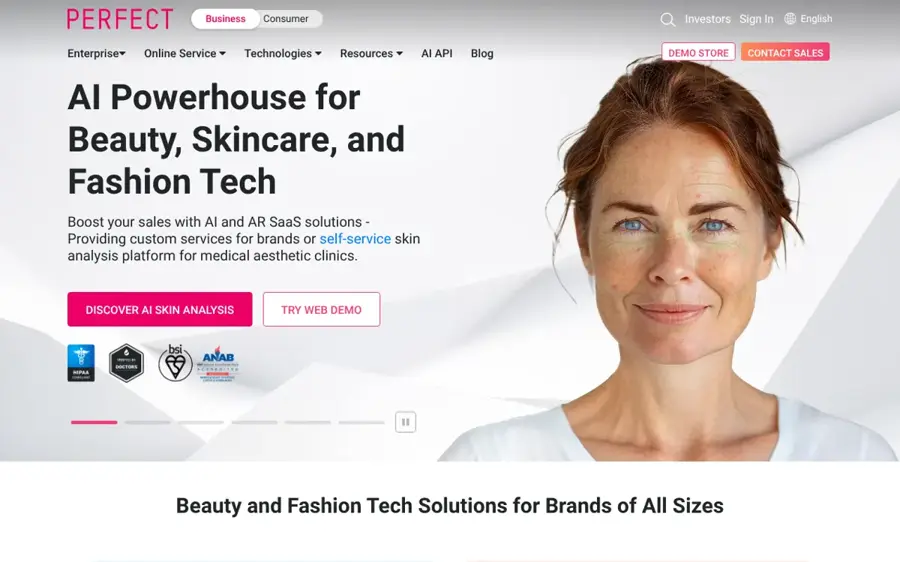
YouCam Perfect from Perfect Corp is a photo editor and beauty camera with a body reshape tool, object remover, background tools and AI enhancements, plus a web version called YouCam Online Editor.
Strengths
YouCam earns its spot for unusually sensible guidance, which surprised me. Its body reshape page tells you to "Make small, incremental slider adjustments rather than one large drag", to check edits at 100% zoom, and, for fitness photos, to apply the same adjustment to before and after shots so the comparison reflects real progress. The tool auto-detects people and is built to avoid background warping, which is the usual giveaway of an edited photo.
On Google Play it has over 100 million downloads and 2.05 million reviews. One user editing family photos said "it's really easy to do all sorts of stuff", while another reported unexpected subscription charges. Verdict: the most responsible slider-based editor, if you check your subscription settings.
Key features
- Body reshape sliders: waist, shoulders, neck, posture and more, with fine control.
- Person selection: choose who to edit in a group shot.
- Background protection: designed to avoid warped walls and lines.
- AI background removal: swap in a new backdrop.
- Photo restore and touch-up: fix blurry or old photos.
Pros
- Clear advice on keeping edits natural
- Mobile app and web editor
- Broad toolkit beyond body edits
Cons
- Pricing is shown only in the app or after sign-in
- Some users report surprise renewals
- Contains ads on the free tier
YouCam Perfect pricing: Free with ads; then premium plans priced in the app; we couldn't confirm a public US price (checked October 2026). See pricing
AirBrush – best for fixing angle and perspective
AirBrush is a mobile and web photo editor for selfies with a Body Tuner, background tools and retouching.

Strengths
The most honest use of a body editor is undoing what a bad angle did. AirBrush's online body editor pitches exactly that: correcting perspective distortions caused by "Angles, lighting, or posture". Its Background Freeze feature keeps the original background intact while you adjust, and the App Store listing adds background blur and swap. Wide-angle phone lenses stretch whatever sits near the edge of the frame, so a light perspective fix can make a photo look more like you, not less.
It's a Google Play Editors' Choice app with over 100 million downloads and 1.58 million reviews on Google Play. The recurring complaint is ads: one long-time user wrote of "The insufferable video ads just to save your photo to your gallery." Verdict: probably good value if you pay to remove the ads.
Key features
- Body Tuner: targeted, adjustable edits to individual areas.
- Background Freeze: locks the background while you edit.
- Perspective fixes: undo distortion from close or wide shots.
- Background blur and swap: cut distractions behind you.
- Web editor: edit in the browser without the app.
Pros
- Cheapest monthly subscription on the list
- Background Freeze prevents warped edges
- Editors' Choice on Google Play
Cons
- Heavy ads on the free tier
- Users report crashes tied to ads
- Marketing leans on slimming and muscle tools
AirBrush pricing: Free with ads; then in-app plans from $6.99/month or $28.99/year in the US App Store (checked October 2026). See pricing
BeautyPlus – best for quick free web edits
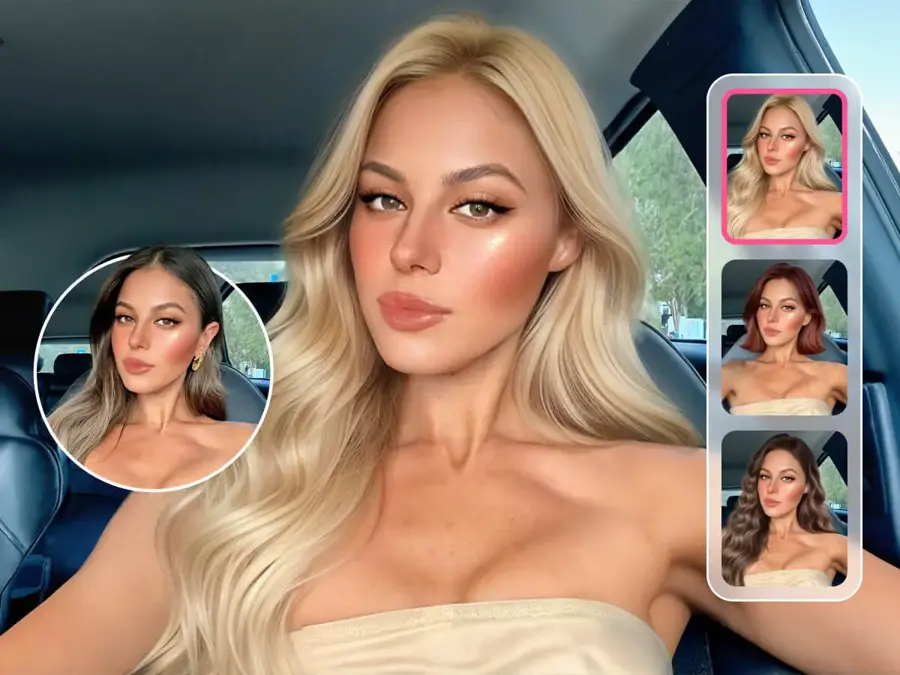
BeautyPlus is a selfie photo and video editor with a free online body editor, intensity control and background-preserving edits.
Strengths
BeautyPlus lets you edit in the browser without installing anything. Its body editor page stresses intensity control, so you can keep changes subtle, and says the tool preserves the background to avoid warping. The free tier has limited AI access and exports with a watermark, per its pricing page; paid Pro adds 200 credits a month, unlimited photo enhancement and watermark-free HD exports.
With more than 500 million downloads and 5 million reviews on Google Play, it has a big following. One switcher wrote "this one IS AMAZING. Worth every penny", while another said the yearly plan is hard to pay up front and the monthly option costs more overall. Verdict: fine for a quick fix, I'd say; check the watermark before you post.
Key features
- Intensity control: dial edits down to barely visible.
- Background preservation: aims to avoid bent lines and objects.
- Photo enhancer: sharpen and clean up low-quality shots.
- AI Object Remover: clear clutter from the frame.
- Background removal: available in its PinBoard tool.
Pros
- No install needed for basic edits
- Fine intensity control
- Large, active user base
Cons
- Free exports carry a watermark
- Users report more features moving behind the paywall
- Public US prices aren't clearly listed
BeautyPlus pricing: Free with watermark; then Pro and Max plans priced at checkout; we couldn't confirm the US monthly price (checked October 2026). See pricing
Evoto – best for photographers
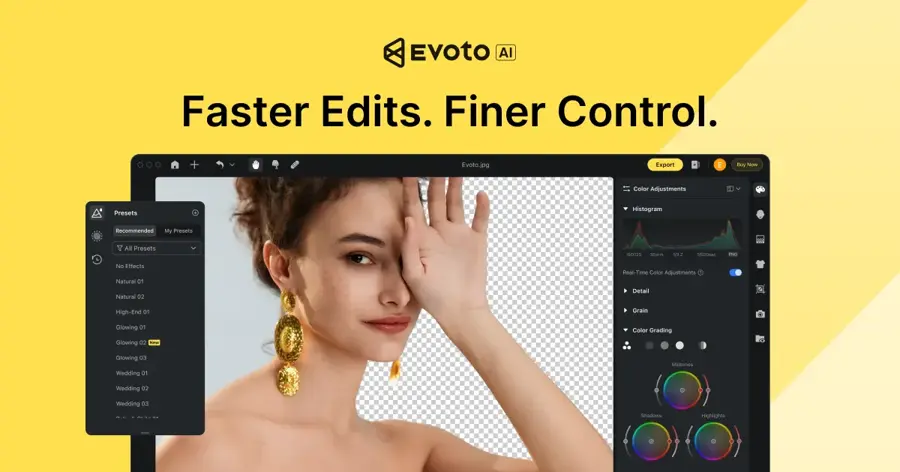
Evoto is AI retouching software for professional photographers that handles culling, per-face retouching, body adjustments and batch processing across whole galleries.
Strengths
Evoto is the only tool here built for people editing clients' photos, which means consent should already be part of the job: the client hired you and approves the final images. Its homepage promises per-face retouching that keeps "real texture", and its body editing guide covers automatic body detection, real-time preview and presets for consistent edits across a shoot. Consistency is the real win for a wedding or branding gallery, I think.
On Trustpilot Evoto scores 3.6 from 371 reviews. One photographer wrote: "I can now edit wedding and newborn galleries in literally moments." A newer reviewer found it "very hard to use" during the trial. Verdict: worth the trial if you edit hundreds of portraits a month; skip it for personal selfies.
Key features
- Per-face retouching: individual adjustments instead of one global filter.
- Body adjustments: automatic detection with real-time preview.
- Presets: apply the same subtle edits across a whole set.
- Batch processing: culling, retouching and delivery in one workflow.
- Credit system: credits roll over while subscribed.
Pros
- Built for consistent, client-approved edits
- Saves hours on large galleries
- 7-day trial with 50 free credits
Cons
- No ongoing free plan
- Steeper learning curve, per some reviewers
- Credit pricing takes planning
Evoto pricing: No free plan (7-day trial); then Starter from $80/year with 800 credits, listed at $89 before the current discount (checked October 2026). See pricing
Choosing the right AI body editor
Start with the problem, not the slider
Most photos you dislike have a lighting, angle or background problem, not a body problem. Choose Facetune or CapCut if you want lighting fixes, Picsart if you want try-on or a new background, and AirBrush if a wide-angle lens distorted the shot. Reach for reshape tools last.
Look for background protection
Bent door frames and wavy tiles are the classic sign of a reshaped photo. YouCam, AirBrush, BeautyPlus and CapCut all advertise background-preserving edits. If an app doesn't, skip it.
Check the subscription before the trial ends
Billing is the top complaint across these apps in app store reviews. Note the renewal date, and if you subscribed on the web, check how to cancel there. Facetune, for example, asks for cancellation at least 48 hours before renewal on its pricing page.
Pick by your main goal
- Choose Facetune if you edit photos of yourself every week and want one app.
- Choose CapCut if you have one photo to fix and don't want to pay.
- Choose Picsart if outfits and backgrounds matter more than your shape.
- Choose Evoto if you're a photographer editing client galleries.
Free vs paid: what you actually get
Every app here except Evoto lets you start free, but "free" usually means one of three limits: ads, watermarks or credits.
| Tool | What free gets you | What paying adds |
|---|---|---|
| Facetune | A mix of free tools; 7-day full trial | All AI tools and editing features |
| CapCut | Free web body editor and basic tools | AI credits, premium templates, 1 TB storage |
| Picsart | Standard editing tools | Premium assets, monthly credits, batch editing |
| AirBrush | Core tools with ads | Ad-free editing and premium features |
| BeautyPlus | Limited AI, watermarked exports | Monthly credits, HD exports without watermark |
| Evoto | 7-day trial, 50 credits | Credit bundles for batch retouching |
On budget: if you only need to fix a photo or two, a free tier is enough. AirBrush is the cheapest monthly plan we could verify at $6.99 in the US App Store, while Facetune's annual plan at $77.99 works out far cheaper than its $25 monthly price.
Body image, consent and the rules on edited photos
Editing isn't neutral. In a 2020 study in the journal Body Image, Flinders University researchers had 130 women aged 18 to 30 take and edit selfies, and found the extent of editing predicted the rise in facial dissatisfaction, according to the published abstract. Lead researcher Marika Tiggemann said editing "is not a benign process but has negative consequences", per Flinders University. If editing photos of yourself leaves you feeling worse, that's a reason to step back, and talking to someone you trust or a health professional can help.
Norway amended its Marketing Act so that promotional posts showing a body with modified size, shape or skin must carry a label, with fines for breaches, as It's Nice That reported. In the UK, the Advertising Standards Authority ruled in 2021 that influencers' beauty filters in tanning ads by Skinny Tan and We Are Luxe were misleading because they exaggerated the product's effect, according to law firm RPC. If you post edited photos for a brand, check the local rules first.
Use these tools only on photos of yourself, or on photos where the person has clearly agreed to the edit. Editing images of other people without consent is harmful and is illegal in many places, especially when the result is intimate or deceptive. In the US, the Take It Down Act makes it a crime to share nonconsensual intimate imagery, including AI-generated images, and since May 2026 platforms must remove reported images within 48 hours, PetaPixel reports. We don't cover or link to tools that undress people or create sexual images.
For more on keeping edits believable, see our guide on how to make an AI photo look real.
Final verdict
If you only pick one, pick Facetune: it handles lighting, background, try-on and light retouching in a single app, and the annual plan keeps the cost reasonable, as far as I can tell. Use CapCut if you want a free AI body editor online for a one-off fix. Choose Picsart if outfits and backdrops are your real goal. Whatever you use, keep the sliders low, leave the background alone and stick to photos of yourself.
FAQ
What is the best AI body editor?
For most people, Facetune is the best AI body editor because it combines subtle reshape, lighting, background removal and outfit try-on. CapCut is the best free option, and Evoto is the best for professional photographers.
Is there an AI body editor online free?
Yes. CapCut, AirBrush and BeautyPlus all offer free web body editors. Expect limits: an account, ads, credits or watermarks.
How do I make a body edit look natural?
Fix lighting and angle first, then make small adjustments and compare at full size. YouCam's own guidance is to use small, incremental slider moves, and to watch for warped background lines.
Can I edit someone else's body in a photo?
Only with their clear consent. Editing other people's images without permission is harmful, and creating intimate or deceptive images of real people is illegal in many places, including under the US Take It Down Act.
Do I have to disclose edited body photos?
It depends on where you live and why you post. Norway requires labels on retouched bodies in promotional posts, and the UK ad regulator has ruled filtered beauty ads misleading. For personal posts, there's usually no legal duty, but honesty helps.
Are AI body changer apps bad for your mental health?
Research suggests heavy editing can hurt. A Flinders University study found the more women edited their selfies, the more their facial dissatisfaction increased. Light, occasional edits are probably a safer habit than reshaping every photo.
Sources
- Your Everyday Editing Tool Companion (Facetune)
- Facetune Pricing: Compare Facetune Costs & Plans (Facetune)
- Facetune: Photo & Video Editor (Apple App Store)
- Facetune: Hair, Photo Editor (Google Play)
- AI Body Editor Online Free – Reshape Photos with CapCut (CapCut)
- CapCut Pricing (CapCut)
- CapCut: Photo & Video Editor (Apple App Store)
- CapCut - Video Editor (Google Play)
- Picsart pricing (Picsart)
- Picsart AI Photo Editor, Video App (Apple App Store)
- Picsart AI Photo Editor, Video (Google Play)
- AI Body Shape Editor: No Background Warp (YouCam / Perfect Corp)
- YouCam Perfect - Photo Editor (Google Play)
- Free Online Body Editor (AirBrush)
- Airbrush: Face Photo Editor (Apple App Store)
- Airbrush: Face & Photo Editor (Google Play)
- Free Body Editor | Reshape Body Editor Online (BeautyPlus)
- BeautyPlus Pricing: Free & Pro Plans (BeautyPlus)
- BeautyPlus-Selfie Photo Editor (Google Play)
- Evoto AI (Evoto)
- Payment Options (Evoto)
- Best Free AI Body Editor to Reshape Your Body in Photo (Evoto blog)
- Evoto Reviews (Trustpilot)
- Uploading your best self: Selfie editing and body dissatisfaction (Flinders University)
- Editing selfies is counter productive: study (Flinders In Touch)
- Norway passes a law that forces influencers to label their retouched photos (It's Nice That)
- ASA upholds use of filters in social media beauty ads as misleading (RPC)
- Social Media Platforms Must Now Remove Sexual Deepfakes Within 48 Hours (PetaPixel)