Grok AI video generation feature review 2026: pricing, limits and verdict
Grok Imagine makes 15-second videos with sound, but not for free. We weigh the Grok AI video generation feature's plans, weekly limits, quality and complaints.
 Written byFahad HashmiContributing writer, AI in energy and industry
Why you can trust The AI Future
Our writers research every product, link each claim to its source and correct mistakes openly. Companies can't pay for coverage or see reviews before they're published.
Read our editorial policy
Our verdict on Grok Imagine video (SpaceXSI)
Grok Imagine's video feature is fast, inexpensive per second and good for short, sound-on social clips, especially if you already pay for X. Skip it if you need long or photoreal footage, a free tier or predictable usage, because weekly caps and strict moderation are the top complaints.
Pricing No free video; The X Subscription Plus $8/mo (images), Premium $30/mo (images and video), Super $100/mo, Ultra $200/mo; API video from $0.02/sec
Visit Grok Imagine video (SpaceXSI)The Grok AI video generation feature lives inside Grok Imagine, and it turns a text prompt, a still image or a set of reference pictures into a short clip with sound, up to 15 seconds long. It isn't free in late 2026: going by the plans page, video is marketed from the Premium tier of The X Subscription at $30 a month. It's fast and cheap per clip, but weekly usage caps and strict moderation are probably what annoys paying users most. I'd call it a good tool with a stingy meter.
Nobody at The AI Future tested Grok Imagine hands-on for this review. We built it from SpaceXSI's official pages and developer docs (SpaceXSI is the company formerly called xAI), published hands-on tests by other reviewers, app-store ratings and about 60 recent user reviews, all checked in late October 2026. Where someone else ran a test, we say who. If you'd rather have the click-by-click walkthrough, there's our guide on how to use Grok Imagine.
The Grok AI video generation feature
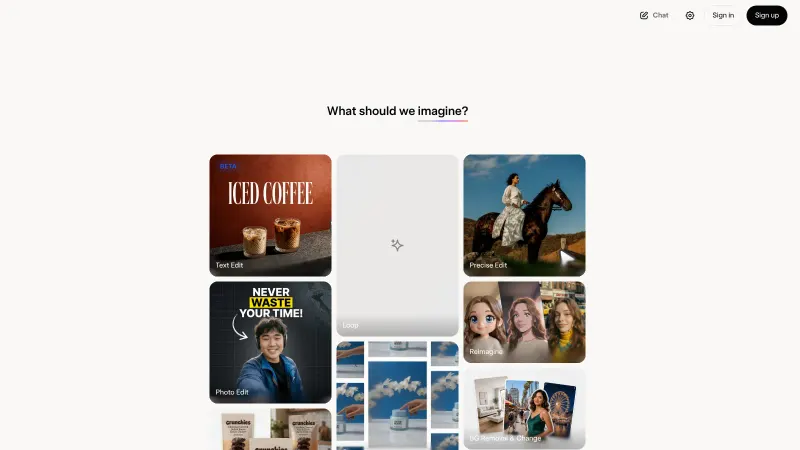
Grok Imagine is two models behind one prompt box: an image model and a video model. You can ask for a picture, then animate it, or skip the picture and describe the whole shot. The Grok product page says Grok "generates images, video, and code in the same thread", so you can also request a clip in a normal chat.
The video model has gone through three versions in 2026.
- Grok Imagine Video (1.0): up to 720p, generated audio, and the only version that can edit or extend an existing clip, per the SpaceXSI video docs.
- Video 1.5: released as an API preview in June (SpaceXSI), then rolled out as "Video 1.5 Fast" on grok.com/imagine and the iOS and Android apps. SpaceXSI says it makes 6-second, 720p videos "in about 25 seconds, down from 40+ seconds" on the previous model (SpaceXSI).
- Video 1.5 with references: added in August. It brought text-to-video without a starting image, image and voice references, and native 1080p (SpaceXSI).
Every image and video carries a visible Grok watermark. There's no setting to remove it, and, as the Grok FAQ tells it, removing it breaks the Acceptable Use Policy.
Key features
Text-to-video and image-to-video
Image-to-video is the core mode. The still you supply becomes the first frame and your prompt describes what happens next, so the output always keeps the image's aspect ratio. In text-to-video, the newer models render a first frame from your prompt and then animate it (SpaceXSI Docs). That two-step design is probably why a strong first image tends to matter more than a long prompt.
Native audio and lip-sync
Sound is generated in the same pass as the pictures. SpaceXSI says sound effects, ambience and dialogue "land on the action" in 1.5 (SpaceXSI), and the API model supports lip-synced speech (SpaceXSI Docs). In Alici's published image-to-video tests, synced sounds such as chewing and hoofbeats landed on cue, but one clip came back with music only, so the reviewer called native sound effects "a capability, not a guarantee" (Alici).
Reference images and voices
References let you lock a face, a product or a location while changing the action. The consumer launch post mentions up to seven references per generation (SpaceXSI), while the developer docs list up to 14 reference images and 3 voice references on grok-imagine-video-1.5 through the API (SpaceXSI Docs). Voice references from your own audio files are only available on request.
Frame control, editing and extension
Through the API, Video 1.5 can pin the first frame, the last frame and up to four keyframes in between, which also makes simple loops possible. The older 1.0 model can edit a source clip of up to 8.7 seconds or extend a clip by 2 to 10 seconds (SpaceXSI Docs).
Workflow tools
With Video 1.5, SpaceXSI added Projects in the sidebar, parallel generations so you don't wait for one clip before starting the next, and a searchable library of everything you've made (SpaceXSI).
Grok video pricing and plans
Grok is now sold as part of The X Subscription, which bundles Grok, Cursor and X. Existing SuperGrok and X Premium plans continue unless you switch (SpaceXSI Docs; UsagePricing). Here's what each tier means for video, checked October 2026:
| Tier | Price | Video generation |
|---|---|---|
| Free | $0 | No. The plans page lists only limited Chat and agent requests |
| Plus | $8/month ($80/year) | Imagine is in the shared pool, but video isn't marketed at this tier |
| Premium | $30/month ($300/year) | "Make stunning AI images & videos", with 4x the usage of Plus |
| Super | $100/month ($1,000/year) | 15x the usage of Plus, plus priority access at peak times |
| Ultra | $200/month ($2,000/year) | 50x the usage of Plus |
Prices come from the official pricing page and the X Subscription docs, and exclude tax. A few Trustpilot reviewers mention a $15 first-month offer on Premium, so check the checkout page.
Usage caps
There's no fixed daily video count. Since June 2026, paid plans get one weekly usage pool shared across Chat, Imagine, Voice and Build, and "generating a high-quality video" uses far more of it than a chat message (Grok FAQ). You can see the percentage used, a per-product breakdown and your reset date under Settings; then Usage. When the pool runs dry, you wait, buy Extra Usage Credits (from $5, web only) or upgrade.
Resolution has its own cap. Per the FAQ, "720p videos automatically fall back to 480p once you hit the 720p cap for your tier." SpaceXSI doesn't publish how many clips that cap allows, which I find frustrating.
API pricing for developers
API usage is billed separately from the subscription. Per-second video rates on the SpaceXSI models page are:
- grok-imagine-video-1.5-lite: $0.020 per second (1080p by upscaling 720p)
- grok-imagine-video: $0.050 per second (up to 720p)
- grok-imagine-video-1.5: $0.080 per second (native 1080p, references, voices)
Worked example: say you need 20 finished 10-second clips for a product launch, and you expect three attempts per keeper. That's 60 generations × 10 seconds = 600 seconds of video. On 1.5-lite, 600 × $0.02 = $12. On the older model, $30. On full Video 1.5, $48. My takeaway: draft on the cheap model, and cut your retry rate before you upgrade anything.
Performance and independent testing
We can't give you our own benchmark numbers, so here's what other testers found.
- Alici reports that the 1.5 preview took the top spot on the Image-to-Video Arena leaderboard with an Elo of about 1,330 as of May 31, 2026 (Alici). On the image side, SpaceXSI says Image 2.0 ranks second in both text-to-image and image editing on Arena as of August 7 (SpaceXSI).
- SpaceXSI's own speed figure is about 25 seconds for a 6-second 720p clip on Video 1.5 Fast (SpaceXSI).
- In Alici's five image-to-video tests, the reviewer found motion and sound strong but said the model "softens faces under fast motion" and recommended finishing 1080p work elsewhere (Alici). Alici sells access to Grok and rival models, so it likely isn't fully neutral.
Weak spots
- Moderation can eat your budget. Robo Rhythms explains that Imagine checks the prompt first and the rendered frames second, so a clip blocked after rendering still counts against your weekly pool (Robo Rhythms). PiunikaWeb found users saying failed and moderated videos also seem to count toward the 720p cap (PiunikaWeb).
- The 720p cap can arrive fast. In May, subscribers told PiunikaWeb they hit the 720p limit after 10 to 20 generations and were dropped to 480p, with one calling the restrictions "insane" (PiunikaWeb).
- Clips are short: fifteen seconds is the ceiling on the models listed, so longer stories need stitching in an editor.
- On trust and safety, Grok faced investigations by the European Commission, the UK's Ofcom, Ireland's Data Protection Commission and others in early 2026 over sexualised deepfakes, and Indonesia blocked access, according to a Reuters factbox. Grok also has a "spicy" mode, and making sexual or deceptive images of real people is harmful and illegal in many places. Only animate photos of people who have given consent.
Best suited to
| If you... | Grok Imagine video is... |
|---|---|
| Already pay for X Premium or SuperGrok | A strong add-on. You might already have access |
| Make short social clips in volume | A good fit, thanks to fast generation and sound in one pass |
| Build apps that need video | Worth testing. The API starts at $0.02 per second |
| Need long, photoreal or broadcast-grade footage | Not the best choice. The 15-second cap and soft faces hurt |
| Want something free | Not an option. Video is behind a paywall |
If you're new to AI video in general, our guide on how to generate video with AI covers the basics, and you can add narration later with our guide to adding AI voice to a video.
Grok AI video alternatives
- Kling AI: the closest rival for cinematic, realistic clips, and it still has a free plan with 66 credits a day; paid plans start at $10 a month, per eesel AI's pricing guide. See our Kling 3.0 review.
- Runway: better for creators who want editing tools around generation. It has 125 one-time free credits, then Standard at $15 a month ($12 billed annually) on the Runway pricing page.
- Google Gemini with Veo: Google's AI Plus and AI Pro plans include video generation, according to the Google AI plans page. That seems a sensible choice if you already pay for Google storage.
For a wider comparison, see our picks of the best AI video generators and the best free AI video generators.
Verdict
Grok's video feature is quick, cheap per second and genuinely useful for short, sound-on social clips, especially if you already pay for X. The weak spots are the opaque weekly pool, the 720p cap and moderation that can charge you for clips you never see. We rate it 3.5 out of 5. Honestly, I'd buy Premium only if you make short clips often and can live with the caps, and I'd skip it if you need long or photoreal footage, a free tier or predictable costs.
FAQ
Is Grok AI free in 2026?
Partly. The free tier of The X Subscription includes limited Grok Chat and agent requests, according to the pricing page, and the Grok FAQ mentions free-tier limits only for Chat and Voice. Image generation starts with the $8 Plus plan, and video is marketed from Premium at $30 a month.
Is Grok AI free to use?
You can sign up and chat with Grok for free on grok.com or in the iOS and Android apps, within limited usage. Grok Imagine, Grok Bot and higher limits need a paid tier of The X Subscription. If you hit a weekly limit on a paid plan, you can still use the free Chat and Voice limits, says the FAQ.
Is Grok AI video generation free?
Not as far as we can verify in October 2026. The official plans page lists "Make stunning AI images & videos" from Premium ($30 a month). Developers pay per second through the API instead, from $0.02 per second. For no-cost options, see our guide to making free AI videos.
What are the Grok AI video generation limits in 2026?
Clips run 1 to 15 seconds at 480p, 720p or 1080p depending on the model (SpaceXSI Docs). On consumer plans, video draws on a weekly pool shared with other Grok products, and 720p clips drop to 480p once you hit your tier's 720p cap (Grok FAQ). Higher tiers get 4x to 50x the usage of Plus.
What image generation model does Grok AI use?
Grok uses SpaceXSI's own Grok Imagine models. The newest is Imagine Image 2.0, which runs as the Quality mode on grok.com/imagine and in the apps, and is called grok-imagine-image-2.0 in the API (SpaceXSI). The older grok-imagine-image-quality model retires from the API on November 2, 2026 (SpaceXSI Docs).
What AI model does Grok use for image generation?
The same in-house family. Grok Imagine Image 2.0 is the default for high-quality images, and the cheaper Grok Imagine Image 1.0 remains in the API at $0.02 per image, versus $0.04 for Image 2.0 (SpaceXSI models page). For video, the matching model is Grok Imagine Video 1.5. Grok doesn't use a third-party image model.
What video reviewers say
Videos load from YouTube only when you press play.
Ratings around the web
Ratings as of 4 Nov 2026. Scores change over time; follow the links for the latest.
What users are saying
We read about 60 recent Trustpilot reviews (pages 1 to 3, mostly September and October 2026) plus PiunikaWeb's and Robo Rhythms' write-ups of Reddit and user complaints about Grok Imagine. Paying video users praise speed and output quality, but most complaints concern weekly limits, moderated clips that still cost usage, and billing. Trustpilot skews negative, while the app stores average 4.9, so the real picture is more mixed than this sample.
Common praise
- Fast generation and good-looking short clips
- Strong value for heavy users who make videos every week
- Many features (chat, Imagine, Bot, Build) in one subscription
Common complaints
- Weekly usage pool and 720p cap run out quickly
- Moderated or failed generations still use up allowance
- Billing problems and hard-to-reach support
Based on: Trustpilot reviews of Grok, Trustpilot reviews of Grok (page 2), Trustpilot reviews of Grok (page 3), PiunikaWeb: SuperGrok 720p video rate limits, Robo Rhythms: Grok Imagine wasted credits
What we like
- Fast generation: about 25 seconds for a 6-second 720p clip on Video 1.5 Fast, per SpaceXSI
- Sound effects, ambience and lip-synced dialogue generated in the same pass
- Text, image, reference-image and voice-reference inputs
- Cheap API pricing from $0.02 per second
- Bundled with X Premium benefits and Cursor in one subscription
What could be better
- No free video generation; video is marketed from the $30 Premium tier
- Opaque weekly usage pool, and 720p drops to 480p after an unpublished cap
- Users report moderated or failed clips still using up their allowance
- Clips max out at 15 seconds, and testers report soft faces in fast motion
Sources
- Pricing: Compare Plans (SpaceXSI)
- Pricing, The X Subscription (SpaceXSI Docs)
- FAQ - Grok Website / Apps (SpaceXSI Docs)
- Grok — Useful AI Chatbot with Voice & Image Generation (SpaceXSI)
- Video Overview (SpaceXSI Docs)
- Models and pricing (SpaceXSI Docs)
- Grok Imagine 1.5 Preview (SpaceXSI)
- Grok Imagine Video 1.5 (SpaceXSI)
- Imagine Video 1.5 with References (SpaceXSI)
- Imagine Image 2.0 (SpaceXSI)
- grok-imagine-image-quality Retirement on November 2, 2026 (SpaceXSI Docs)
- Acceptable Use Policy (SpaceXSI)
- SuperGrok gives way to The X Subscription: Plus $8, Premium $30, Super $100, Ultra $200 (UsagePricing)
- How to Use Grok Imagine Video 1.5: The Complete Guide (2026) (Alici.AI)
- Users frustrated as SuperGrok hits rate limits for 720p video after 10-20 cycles (PiunikaWeb)
- Grok Imagine Wasted Credits and How to Stop Losing Your Quota (Robo Rhythms)
- Factbox: Elon Musk's Grok faces global scrutiny for sexualised AI deepfakes (Reuters via Yahoo Finance)
- Grok Reviews (Trustpilot)
- Grok - Apps on Google Play (Google Play)
- Grok App (Apple App Store)
- Kling AI pricing (2026): A complete guide to all plans, credits, and real costs (eesel AI)
- AI Image and Video Pricing (Runway)
- Google AI Pro & Ultra plans (Google)
- Grok AI Video Generator Tutorial: Grok Imagine Guide to Create Viral Videos 2026 (YouTube, Moe Lueker)
- How to Prompt Grok Imagine for Better Images & Videos (2026 Guide) (YouTube, GuideLab)