Best AI chatbot builders in 2026: 8 picks for every budget
The best AI chatbot builder for your team, from Chatbase and Botpress to ManyChat and Copilot Studio, with current pricing, user reviews and clear verdicts.
 Written byBurhan AqibSenior writer, policy and analysis
Why you can trust The AI Future
Our writers research every product, link each claim to its source and correct mistakes openly. Companies can't pay for coverage or see reviews before they're published.
Read our editorial policy
Short answer: the best AI chatbot builder for most small businesses is Chatbase. It's the fastest way to turn your website, help docs and PDFs into a working support bot, and its Hobby plan costs $32 a month on annual billing. If you've a developer and want full control, pick Botpress. If your customers live on Instagram, pick ManyChat. Honestly, I'd start with Chatbase unless one of those two cases fits you.
That's the quick version. Your best pick depends on three things: who will build it, where the conversations happen, and how you want to be billed. Pricing is where most buyers get caught out; nearly every tool on this list now charges by conversation, credit or outcome on top of a base plan, so the sticker price is rarely the real bill.
Below are eight builders worth a shortlist in late 2026, with current pricing, user feedback and a verdict on who each suits.
Key takeaways
- Chatbase is the easiest start. Point it at your content and you've an AI support agent with integrations for Shopify, HubSpot, Zendesk, Slack and WhatsApp.
- Botpress and Voiceflow are for builders. Both give you visual flows plus code-level control, but expect a learning curve and usage-based costs.
- Budget for usage, not just the plan. Extra conversations, AI chats and credits add up fast. Botpress charges $65 per 100 extra conversations on Plus; Landbot charges $0.10 per extra AI chat.
- Pick your channel first. ManyChat wins on Instagram and Messenger, Landbot on structured web and WhatsApp flows, Copilot Studio inside Microsoft 365.
- Free plans are for testing. They exist for six of our eight picks, but caps of 25 to 100 conversations a month won't carry a live business, I'd say.
Our ranking method
Nobody at The AI Future ran hands-on tests for this roundup, and we didn't take our own screenshots. We compared each chatbot builder using official pricing and product pages, independent pricing trackers, published reviews and user ratings on Trustpilot, Capterra, G2 and the Shopify App Store, as of late October 2026. The scoring covered six areas:
- Ease of building, meaning how quickly a non-developer can get a useful bot live.
- AI chatbot training, meaning how well it learns from your own website, documents and help center.
- Control and flexibility, from custom logic and code to model choice and API access.
- Channels and integrations, covering web chat, WhatsApp, social, helpdesks and CRMs.
- Price predictability, or how easy it's to forecast the monthly bill.
- User sentiment, based on what paying customers say in reviews.
Prices are in US dollars and can vary by region and billing cycle. Several vendors changed their pricing in 2026, so confirm on the vendor's page before you buy.
The 8 best AI chatbot builders at a glance
| # | Tool | Category | Best for | Free tier | Starts at |
|---|---|---|---|---|---|
| 1 | Chatbase | No-code AI agent | Training a bot on your own content | Yes (limited) | $32/mo |
| 2 | Botpress | Visual + code builder | Developer-led teams | Yes (limited) | $150/mo |
| 3 | Voiceflow | Agent design platform | Agencies and CX teams | No | $60/mo |
| 4 | Tidio | Live chat + AI agent | Small business support | Yes | $24.17/mo |
| 5 | Intercom Fin | AI agent + helpdesk | Paying per resolution | No | $19/mo |
| 6 | Landbot | No-code flow builder | Lead capture and WhatsApp flows | Yes (limited) | $36/mo |
| 7 | ManyChat | Social DM automation | Instagram and Messenger | Yes (limited) | $14/mo |
| 8 | Microsoft Copilot Studio | Enterprise agent builder | Microsoft 365 organizations | No | $200/mo |
The best AI chatbot builders in 2026, ranked
Chatbase – best for training a bot on your own content
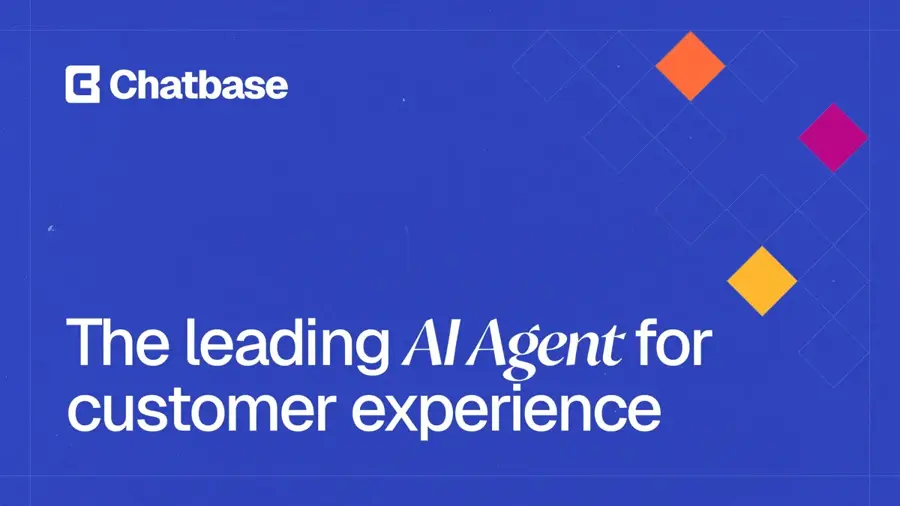
Chatbase is a no-code platform for building AI support agents trained on your website, docs and files, then deploying them across chat, email and voice. Start at chatbase.co.
Strengths
Chatbase does the one job most buyers want, fast: feed it your content and get an agent that answers customer questions. Its pricing page lists native integrations with Shopify, Zendesk, Intercom, HubSpot, Salesforce, Stripe, Slack, WhatsApp, Messenger, Instagram, Calendly and WordPress, and each agent can run AI Actions such as looking up data mid-conversation. Chatbase also says your data "is only accessible to your AI agent and not used to train models."
User feedback is mostly positive. Chatbase holds a 4.1 TrustScore from 74 Trustpilot reviews, and one reviewer wrote: "The app is great and evolving to be better. Support is reliable and kind." Trustpilot's own summary also notes some users struggle to get help with advanced technical issues.
Key features
- It trains on websites, help centers, documents and PDFs.
- Hobby gets five AI Actions per agent, with more on higher plans.
- Integrations cover helpdesks, CRMs, Shopify, Stripe and messaging apps.
- Phone and campaign features sit on higher tiers.
- Enterprise adds SSO, audit logs and HIPAA eligibility.
Pros
- Fastest path from your content to a live bot
- Long integration list out of the box
- Clear credit-based plans
Cons
- Hobby is limited to 700 message credits and one agent
- Removing Chatbase branding costs an extra $99/month
- Big jump from Hobby to the $150 tier
Chatbase pricing: Free, then paid plans from $32/month billed yearly ($40 monthly) for 700 message credits; Basic is $150/month and Business $500/month; extra credits cost $40 per 1,000 (checked October 2026). See pricing
Verdict: if you only pick one AI chatbot builder for customer support, I'd pick Chatbase. The jump from Hobby to the $150 tier probably stings, though.
Botpress – best for developer-led teams
Botpress is an AI agent platform with a visual flow builder that lets you drop into code at any step, plus a newer AI helpdesk called Desk. Explore it at botpress.com.
Strengths
Botpress seems the right tool when chatbot logic has to work exactly right. According to YourGPT's 2026 review, every node in the visual builder accepts custom JavaScript, agents can run on GPT, Claude, Gemini or open-source models, and one build deploys to web chat, WhatsApp, Slack, Messenger, Teams and Telegram. The same review puts Botpress at roughly 4.5/5 on G2 from more than 470 reviews, with "outdated documentation and unpredictable AI usage costs" as the top complaints.
Pricing changed on May 14, 2026 for new workspaces, YourGPT reports: AI usage is now bundled into conversation allowances. The official pricing page says Plus includes 250 conversations and $25 of AI usage a month, and you're never cut off: packs of 100 conversations are added automatically near your limit. You also can't turn that auto-recharge off.
Key features
- Studio offers drag-and-drop flows with JavaScript in any node.
- You can switch LLMs per agent.
- Desk is one inbox for bot and human conversations.
- Built-in tables and knowledge bases handle storage and vector search.
- White-label webchat comes with the Plus plan.
Pros
- Deep control without leaving the builder
- Generous free plan for prototyping (100 conversations, 3 agents)
- Unlimited AI agents on paid plans
Cons
- Steeper learning curve than no-code rivals
- Overage packs are automatic and can't be paused
- Large jump from Plus to Team
Botpress pricing: Free, then Plus from $150/month billed annually ($189 monthly); Team $750/month annually ($939 monthly) (checked October 2026). See pricing
Verdict: choose Botpress if you've a developer and need logic a no-code tool can't express. The automatic overage packs would put me off, to be fair.
Related: How to create an AI agent
Voiceflow – best for agencies and CX teams
Voiceflow is a platform for designing, testing and running chat and voice AI agents, aimed at product teams, support leaders and agencies building for clients. See voiceflow.com.
Strengths
Voiceflow mixes "agentic playbooks with deterministic workflows," in its own words, and lets you choose among major LLM providers or bring your own model. Its pricing page now splits buyers into agencies (free trial, white-labeling, multi-client workspaces) and businesses (book a demo), and lists SOC 2, ISO 27001, GDPR and HIPAA compliance. Development, staging and production environments make it a good fit for teams that ship agents like software.
Ratings look strong, though the sample is small. Ringly reports G2 reviewers rate it 4.7/5 across 90+ reviews, with ease of use the most mentioned strength, and Voiceflow has a 4.1 TrustScore from 15 Trustpilot reviews. Dograh's review notes users "report that Claude Sonnet 4 consumes credits rapidly," so model choice affects your bill.
Key features
- The agent builder pairs playbooks with scripted workflows under global guardrails.
- You can use major LLM providers or your own model.
- LLM-powered evaluations and conversation analytics cover observability.
- Dev, staging and production pipelines are built in.
- Agency tools include client workspaces, billing and white-label handoff.
Pros
- Chat and voice agents in one platform
- Strong compliance list
- Built for client work
Cons
- No public plan prices on the official page
- Credit use varies with the model you pick
- Overkill for a simple FAQ bot
Voiceflow pricing: No free plan (free trial); then the official page no longer lists prices; Ringly reported Pro at $60/month and Business at $150/month in April 2026 (checked October 2026). See pricing
Verdict: pick Voiceflow if you build agents for clients or run a CX team that needs voice and chat with real testing workflows. I'd guess agencies get the most out of it.
Tidio – best for small business support
Tidio combines live chat, a helpdesk, no-code Flows and Lyro, an AI agent that answers common questions and hands off to humans. Try it at tidio.com.
Strengths
Tidio suits teams that want a bot and a live chat inbox in one place, without hiring a developer. Tidio claims its customers average a 75% resolution rate with Lyro; treat that as a vendor figure. Flows add no-code automations for lead capture, quote requests and missed conversations.
Tidio has 1,357 reviews on the Shopify App Store. One merchant wrote: "Tidio, especially its AI agent, is a great help for me as a one-man brand." Another warned that "Tidio provided incorrect information" about a $400 custom order, which is a reminder to check what your bot says about orders and policies. For store owners, our roundup of AI chatbots for ecommerce covers Tidio's Shopify features in more depth.
Key features
- Lyro answers from a knowledge base and hands off to humans.
- Flows handle no-code conversion paths and data collection.
- Chat, email and social land in one inbox.
- Lyro and Flows can be bought separately.
Pros
- Real free plan for live chat
- Easy for non-technical teams
- Support and sales automation together
Cons
- AI conversations are capped by plan
- Separate add-ons make pricing confusing
Tidio pricing: Free, then paid plans from $24.17/month on annual billing; Lyro AI Agent starts at $32.50/month for 50 AI conversations; the Shopify App Store lists plans from $29/month (checked October 2026). See pricing
Verdict: probably the safest choice for a small team that wants AI and live chat for under $50 a month.
Related: Best AI chatbots for ecommerce
Intercom Fin – best for paying per resolution
Intercom pairs its Fin AI Agent with a full helpdesk, and Fin can also run on top of Salesforce, HubSpot, Freshdesk and other helpdesks. See intercom.com.
Strengths
Fin has the cleanest AI pricing here, in my view. Intercom charges $0.99 per outcome and says you pay nothing if Fin can't answer, fails an action or the customer asks for a human, with at most one charge per conversation. Spending limits and alerts keep costs predictable, and Fin Voice is available through sales at $1.99 per voice outcome. Startups with under $10M raised and 15 or fewer staff can apply for Intercom's Early Stage discount.
Sentiment is mixed. Fin has a 2.9 TrustScore from 529 Trustpilot reviews; Trustpilot's summary says reviewers like the interface and features but complain about slow responses to support requests.
Key features
- Billing is outcome-based, at $0.99 per resolved conversation.
- It works with your existing helpdesk, so you needn't switch to Intercom's inbox.
- It learns your support content and answers across channels.
- Ecommerce actions such as refunds, shipping edits and order creation run via the Shopify app.
Pros
- You only pay when Fin resolves something
- Spending caps and alerts
- Set up in under an hour, per Intercom
Cons
- Seat fees on top of outcomes if you use Intercom's helpdesk
- Mixed Trustpilot reviews
- Less flow-building control than Botpress or Voiceflow
Intercom Fin pricing: No free plan (14-day trial); then Essential from $19 per seat/month on annual billing ($29 monthly), plus $0.99 per Fin outcome (checked October 2026). See pricing
Verdict: choose Fin if you already have a helpdesk and want AI costs tied to results.
Related: Best AI chatbots for ecommerce
Landbot – best for lead capture and WhatsApp flows
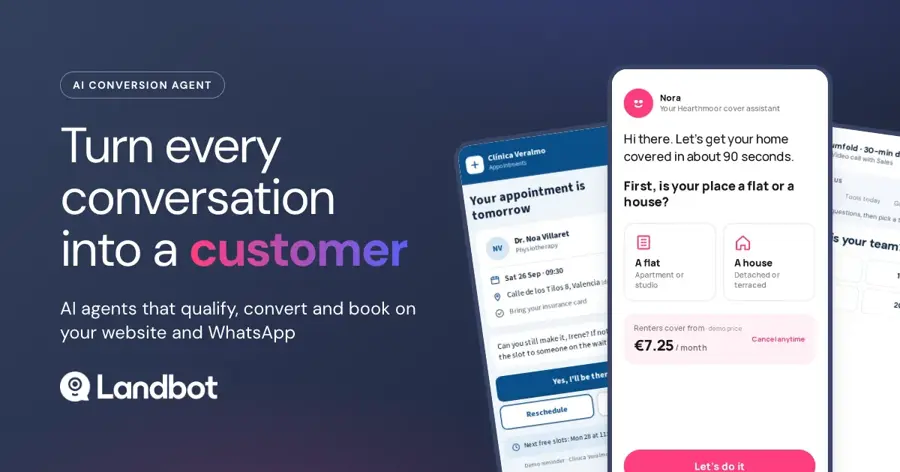
Landbot is a no-code builder for web and WhatsApp chatbots that blends button-based flows with AI agents grounded in your knowledge base. Visit landbot.io.
Strengths
Landbot suits teams that want AI only where it helps. Its pricing page says you can "combine button-based flows for the critical paths with AI only where it helps," which keeps lead forms and bookings predictable. It's a European platform with GDPR and SOC 2, and says chats aren't used to train models. Paid trials last 14 days, then you drop to the free plan rather than being charged.
Watch the meters. eesel AI's pricing breakdown explains that regular chats, AI chats and WhatsApp messages are billed separately, and worked through an example of $433 a month on an $88 plan. On Capterra, one chatbot consultant wrote: "The sore spot with Landbot in my opinion is the price, especially if we work in teams and the chatbot has multiple operators, for which we pay additional fees."
Key features
- Hybrid flows use buttons for critical steps and AI for open questions.
- WhatsApp comes with a test number on Free and your own number from Professional WA.
- A shared inbox for human handoff starts at Starter.
- CRM integrations (HubSpot, Salesforce, Pipedrive, Zoho and webhooks) arrive on Professional.
- Landbot's team can build the bot for you through Agent Studio.
Pros
- Predictable, structured flows for lead generation
- Strong WhatsApp support
- Free plan after trial, no card needed
Cons
- Three separate usage meters
- Extra seats cost $25/month each
- Branding stays on Starter
Landbot pricing: Free, then Starter from $36/month billed annually ($45 monthly), Professional $88/month annually ($110 monthly), Professional with WhatsApp $176/month annually (checked October 2026). See pricing
Verdict: probably the right pick when your bot is mostly a guided form with some AI on top.
ManyChat – best for Instagram and Messenger
ManyChat is a bot builder AI for social DMs, automating conversations on Instagram, Facebook Messenger, WhatsApp and SMS. Find it at manychat.com.
Strengths
If your sales happen in Instagram DMs and comments, ManyChat is the specialist. Under its current pricing, Featurebase reports that AI is included from the Pro plan, which covers 2,500 active contacts and three channels; the old $29 AI add-on belongs to legacy plans. You pay by active contacts, not stored ones, so inactive followers don't count.
User reviews are the weak spot. ManyChat has a 2.1 TrustScore from 309 Trustpilot reviews, and recent reviewers focus on billing. One wrote: "Cool idea but terribly executed." Read the contact rules before you switch on growth tools that pull in every new follower.
Key features
- Automation is social-first: comment-to-DM, keywords and growth tools.
- AI is included on Pro and up, with no separate add-on on current plans.
- It covers Instagram, Facebook, WhatsApp and SMS.
- Integrations include Shopify, Zapier and Google Sheets.
Pros
- Best fit for creators and social sellers
- Low entry price
- Inactive contacts aren't billed
Cons
- Frequent billing complaints on Trustpilot
- AI needs Pro, not Essential
- Older accounts may sit on a different pricing model
ManyChat pricing: Free (25 active contacts); then Essential from $14/month billed annually ($17 monthly); Pro with AI from $29/month annually ($39 monthly) (checked October 2026). See pricing
Verdict: the obvious choice for Instagram-led brands, as long as you watch your active contact count. I'd read the billing terms twice before paying.
Microsoft Copilot Studio – best for Microsoft 365 organizations
Copilot Studio is Microsoft's low-code platform for building custom agents, workflows and apps, formerly known as Power Virtual Agents. Learn more at microsoft.com.
Strengths
If your company runs on Microsoft 365, Copilot Studio is the natural place to build internal agents for IT, HR or finance. Microsoft's product page says 90% of the Fortune 500 has used it and offers a $200 Azure credit for new accounts. A Guide to Cloud explains that agents used by Microsoft 365 Copilot licensed staff inside Teams, SharePoint and Copilot are "largely zero-rated," while customer-facing agents consume Copilot Credits.
Costs can swing widely. CloudZero's analysis says one credit buys a scripted FAQ answer but a reasoning-model response costs 100, and concludes: "The same agent can run $8 per month or $800 depending entirely on how it's built." We couldn't find a verifiable user review to quote, so CloudZero's analysis is the main caution.
Key features
- Agents, workflows and apps are built and managed in one studio.
- You can publish agents to Copilot, Teams and SharePoint.
- Autonomous agents run on triggers and schedules.
- Security and compliance controls are aimed at IT.
Pros
- Deep fit with Microsoft 365 and Dynamics
- Internal agents can be zero-rated for licensed users
- Free to build and test on a trial
Cons
- Credit costs are hard to forecast
- Requires an Azure subscription
- Overkill for a small business website bot
Microsoft Copilot Studio pricing: No free plan (trial for building); then pay-as-you-go at $0.01 per Copilot Credit, or a $200/month pack of 25,000 credits (checked October 2026). See pricing
Verdict: pick Copilot Studio only if Microsoft 365 is already your company's home base.
Related: Microsoft AI review
Choosing the right AI chatbot builder
Decide who will build and maintain it
This is the biggest fork, I think. If a marketer or support lead will own the bot, choose Chatbase, Tidio, Landbot or ManyChat. If a developer will own it, Botpress and Voiceflow give you far more control. If you aren't sure what an agent can do yet, our guide on how to create an AI agent walks through the basics.
Start with your channel
Where do your customers already message you? Website chat favors Chatbase, Tidio and Intercom Fin. Instagram and Messenger favor ManyChat. WhatsApp-heavy businesses should compare Landbot and Botpress. Internal employee agents belong in Copilot Studio if you use Microsoft 365.
Model the real monthly bill
Take your monthly conversation volume and price it on each shortlist. A bot handling 1,000 chats a month on Botpress Plus would exceed the 250 included conversations, triggering automatic packs at $65 per 100. Intercom's per-outcome model can be cheaper when the bot resolves only part of your traffic. Do this math before you commit to annual billing.
Plan for AI chatbot training and upkeep
Every builder here learns from your content, but the bot is only as good as that content. Clean up your help center first, keep policies current and review transcripts weekly. Chatbots built on large language models can still give confident wrong answers; our explainer on how LLMs work covers why. If you also want AI assistants to recommend your business, see our guide to answer engine optimization tools.
Free vs paid: what you actually get
Free plans are good for one thing: proving the bot can answer your questions before you pay. The table shows each free tier's limits as of October 2026:
| Tool | Free plan limit | What paying adds |
|---|---|---|
| Botpress | 100 conversations, 3 seats, 3 agents | WhatsApp, white-label chat, more conversations |
| Landbot | 1 seat, web only, test WhatsApp number | AI chats, integrations, your own WhatsApp number |
| ManyChat | 25 active contacts | Unlimited automations, AI from Pro |
| Tidio | Live chat basics | Lyro AI conversations, Flows, higher limits |
| Chatbase | Limited free plan | Message credits, advanced models, integrations |
The pattern seems consistent: free tiers cap volume hard and keep the vendor's branding on your widget, while paid plans add the channels, integrations and conversation volume a real business needs. For most small teams, a realistic budget is probably $30 to $150 a month, plus usage overages.
If you only need a personal assistant rather than a bot for your customers, you don't need a builder at all. See our list of AI tools like ChatGPT instead. And if you're after character chat for fun, that's a different category; our Character AI review covers it.
Final verdict
I'd start with Chatbase. It turns existing content into a working support agent faster than anything else here, and the plans are easy to read. The catch is the gap between the $32 Hobby plan and the $150 tier, which I think will push some small teams toward Tidio instead.
Botpress is the one I'd keep for developers; the automatic overage packs make it a risky first bot. Fin is tempting if you already run a helpdesk, since you pay only for resolved conversations. Landbot, ManyChat and Copilot Studio are specialists, so pick them when the channel decides it for you. Whatever you choose, start on a free plan or trial, load your real content, and test it with your ten most common customer questions before you pay.
FAQ
Which AI chatbot builder is best?
For most small businesses, Chatbase is the best AI chatbot builder because it trains on your website and documents with no code and starts at $32 a month on annual billing. Developers should look at Botpress, social sellers at ManyChat, and Microsoft 365 companies at Copilot Studio. Match the tool to your channel and team skills.
Can I build an AI chatbot for free?
Yes, for testing. Botpress, Landbot, ManyChat, Tidio and Chatbase all offer free plans, but limits are tight: Botpress caps you at 100 conversations a month and ManyChat at 25 active contacts. Free bots also carry vendor branding. You'll probably pay once real customers start using the bot.
How does AI chatbot training work?
Most builders let you upload documents, add website URLs or connect a help center. The tool indexes that content so the AI can retrieve relevant passages and answer from them, rather than retraining the model itself. Better source content means better answers, so keep your FAQs and policies accurate and review transcripts regularly.
How much does an AI chatbot builder cost?
Entry plans run from about $14 to $150 a month, as of October 2026. On top of that, most tools charge for usage: extra conversations, AI chats, credits or resolved outcomes. Intercom charges $0.99 per Fin outcome, and Copilot Studio charges $0.01 per credit. Estimate your monthly volume first.
Do I need to code to build an AI chatbot?
No. Chatbase, Tidio, Landbot and ManyChat are built for non-developers and use visual editors or simple content uploads. Code helps when you need custom logic or integrations, which is where Botpress and Voiceflow shine. Copilot Studio is low-code but works best with IT support.
Sources
- Pricing - Chatbase (Chatbase)
- Chatbase Pricing 2026: Free–$400/mo Plans Compared (CostBench)
- Chatbase Reviews (Trustpilot)
- Botpress Pricing (Botpress)
- Botpress Pricing 2026: Free–$939/mo Plans Compared (CostBench)
- Botpress Review 2026: Pricing, Pros & Cons (YourGPT)
- Pricing | Voiceflow (Voiceflow)
- Voiceflow pricing in 2026: plans, credits, and real costs (Ringly)
- Voiceflow Review: Pros, Cons, Pricing and Features (Dograh)
- Voiceflow Reviews (Trustpilot)
- Tidio Pricing (Tidio)
- Reviews: Tidio: AI Chatbot & Live Chat (Shopify App Store)
- Intercom Pricing | Plans for every team size (Intercom)
- Fin AI Agent & Intercom (Shopify App Store)
- Fin Reviews (Trustpilot)
- AI Agent & Chatbots Pricing for Web & WhatsApp (Landbot)
- Landbot pricing 2026: plans, AI chats, WhatsApp, and real costs (eesel AI)
- Landbot Reviews 2026 (Capterra)
- Manychat Pricing 2026: Plans, Fees, and Real Costs (Featurebase)
- ManyChat Pricing 2026: Plans, Free–$199/mo (CostBench)
- ManyChat Reviews (Trustpilot)
- Microsoft Copilot Studio | Create AI Agents (Microsoft)
- Is Copilot Studio Free? Pricing, Credits & PAYG Explained (A Guide to Cloud)
- Microsoft Copilot Studio Pricing In 2026: Credits, Plans, And Costs (CloudZero)