7 best AI message generators in 2026, compared and ranked
The best AI message generators for emails, texts and replies in 2026, from free ChatGPT to inbox tools in Gmail and Outlook, with prices.
 Written byMuhammad Usman SiddiquiFounder and editor-in-chief
Why you can trust The AI Future
Our writers research every product, link each claim to its source and correct mistakes openly. Companies can't pay for coverage or see reviews before they're published.
Read our editorial policy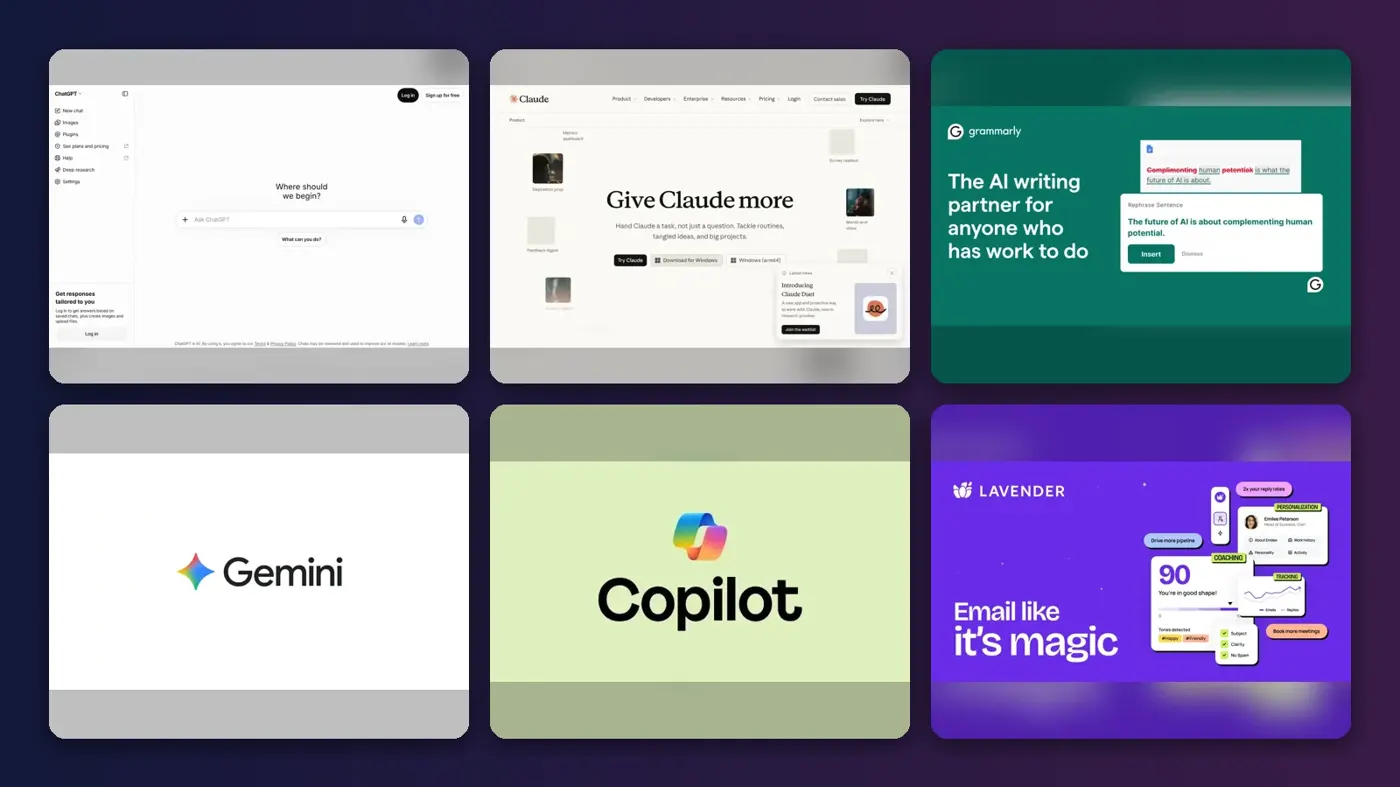
Short answer: the best AI message generator for most people in 2026 is ChatGPT. It writes emails, texts, LinkedIn notes and awkward replies in seconds, and its free plan is enough for everyday use. If tone matters more than speed, pick Claude. If you live in Gmail or Outlook, use the AI already built into your inbox before you pay for anything else. Honestly, I'd try ChatGPT's free plan first either way.
An AI message generator turns a rough instruction ("decline the Thursday meeting politely") into a ready-to-send draft. The seven tools below all do that, but they differ a lot in where they work, what they cost and how much control you get over tone. We compared them using official product pages, pricing pages, app store ratings and user reviews, as of late October 2026.
Key takeaways
- Start free. ChatGPT, Claude, Gemini, Copilot and HyperWrite all have free plans that cover a few messages a day.
- $20 a month is the standard price for a serious general assistant. Grammarly Pro is cheaper at $12 a month, and ChatGPT Go costs $8.
- Use what your inbox already has. Gmail's "Help me write" and Copilot in Outlook draft replies without copying and pasting.
- Sales teams need a specialist. Lavender scores and coaches cold emails in a way general chatbots don't.
Our ranking method
Nobody at The AI Future ran hands-on tests or took screenshots for this roundup. We built the ranking from official documentation, published pricing (checked in October 2026), app store and Chrome Web Store ratings, and written user reviews. The scoring covered these areas:
- Draft quality, meaning how natural and on-topic the messages are, based on vendor claims and user feedback.
- Tone control, meaning how easily you can make a message more formal, friendlier or shorter.
- Placement, meaning whether it runs inside your email, browser and phone, or only in its own app.
- Free plan, meaning how much you get before you pay.
- Price, meaning what the cheapest useful paid plan costs.
- User sentiment, based on public ratings and the complaints that come up again and again.
General assistants rank highest because they handle every kind of message. Specialists rank lower overall but can beat everything else in their own niche. Prices are in US dollars, and they can vary by country or promotion, so check the vendor's page before you buy.
The 7 best AI message generators at a glance
| # | Tool | Category | Best for | Free tier | Starts at |
|---|---|---|---|---|---|
| 1 | ChatGPT | General assistant | Most people, any message | Yes | $8/mo |
| 2 | Claude | General assistant | Tone-sensitive messages | Yes | $20/mo |
| 3 | Grammarly | Writing assistant | Messages in every app | Yes (limited) | $12/mo |
| 4 | Google Gemini | Inbox AI | Gmail users | Yes (limited) | $20/mo |
| 5 | Microsoft Copilot | Inbox AI | Outlook users | Yes (limited) | $19.99/mo |
| 6 | Lavender | Sales email coach | Cold sales emails | Yes (limited) | $27/mo |
| 7 | HyperWrite | Browser extension | Quick replies in Chrome | Yes (limited) | $16/mo |
Notes: Gemini's free "Help me write" in Gmail is limited to US personal accounts. Copilot's $19.99 is Microsoft 365 Premium; the work version costs about $30 per user on top of a business plan. Lavender and HyperWrite prices are for annual billing.
The best AI message generators in 2026, ranked
ChatGPT – best for most people
ChatGPT is OpenAI's general assistant, and it's the fastest way to turn a one-line idea into an email, text or social reply. Try it at chatgpt.com.
Strengths
ChatGPT wins on range. The same chat window handles a thank-you text, a salary negotiation email and a reply to an angry customer, and you can keep asking for edits ("shorter", "less formal", "add a deadline") until it sounds right. Its price ladder is also the most flexible: according to AI Business Weekly, ChatGPT costs $0 on Free, $8 for Go and $20 for Plus, with Pro tiers from $100.
Users clearly like it. The iOS app holds a 4.8 out of 5 rating on the App Store from more than 11 million ratings, and Apple's listing pitches it for "crafting the perfect response". One catch: the same pricing guide notes that Free and Go accounts can show ads, and only Plus and above are ad-free.
Key features
- Free allows unlimited everyday chats, enough for most personal messaging, with limits on uploads and images.
- You can ask for rewrites in plain English until the tone fits.
- Memory lets it remember your role and preferences, so drafts need less context.
- Voice mode lets you dictate a rough idea on your phone and get a written message back.
- Apps cover web, iOS, Android and desktop.
Pros
- Handles any kind of message, personal or work
- Cheapest paid entry point at $8 a month
- Huge user base and mature apps
Cons
- Free and Go plans can show ads
- Works in its own app, so you copy and paste into email
- Default drafts can sound generic without a clear prompt
Verdict: if you only pick one AI message generator, I'd pick ChatGPT.
ChatGPT pricing: Free, then paid plans from $8/month (checked October 2026). See pricing
Related: ChatGPT with GPT-6 review Best AI like ChatGPT
Claude – best for tone-sensitive messages
Claude is Anthropic's AI assistant, and it's the pick when a message has to sound careful, human and on-brand. Try it at claude.ai.
Strengths
Some messages are hard because of what's at stake, not because of length: a resignation note, feedback to a colleague, a reply to a complaint. Claude is built for that kind of work. Its App Store listing says it "refines tone, structure, and clarity, iterating with you until your voice comes through", and the app is rated 4.7 out of 5 from about 291,000 ratings.
Claude has a free plan, and Pro costs $20 a month according to AI Productivity. Anthropic's pricing page shows that Pro adds Claude for Microsoft Outlook and Claude in Chrome, which helps if you want drafts inside your inbox rather than in a separate tab.
Key features
- Tone control is strong: it's good at softening, firming up or simplifying a message on request.
- Projects and memory let you save your style notes once and reuse them.
- Claude for Outlook (Pro) drafts and replies in your work inbox.
- Connectors link Gmail, Calendar and Drive for context-aware drafts.
- The free plan includes web search, memory and voice mode.
Pros
- Natural, less templated writing style
- Good at sensitive, high-stakes messages
- Outlook and Chrome add-ons on Pro
Cons
- Free plan usage limits are tight for heavy users
- No cheap tier below $20 a month
Verdict: I'd choose Claude when the wording matters more than the speed.
Claude pricing: Free, then paid plans from $20/month (checked October 2026). See pricing
Related: Claude AI review
Grammarly – best for messages in every app
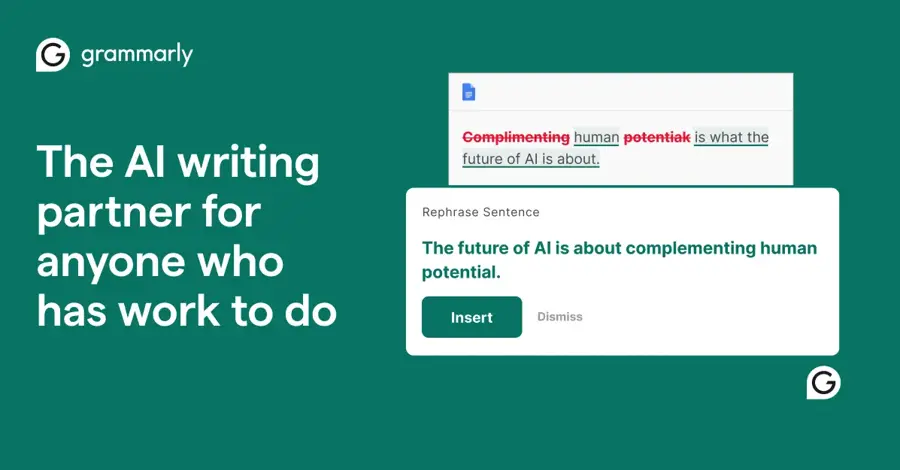
Grammarly is a writing assistant that works inside your browser, email, Slack and phone keyboard, and it now generates text from prompts as well as fixing it. See grammarly.com.
Strengths
Grammarly's advantage is placement. You don't open a new app; it sits where you're already typing. The plans page lists AI text generation at 100 prompts a month on Free and 2,000 prompts per member a month on Pro, which starts at $12. It also offers free AI writing tools for formal letters, rewording and paragraphs.
Ratings are mixed. The iOS keyboard app is rated 4.7 out of 5 on the App Store, but the Chrome extension sits at 3.9 out of 5, and one recent reviewer wrote: "Used to be great. Now the Ai features ruin it." Another called it "a great tool to have whn you are in a rush to send out an text or email".
Key features
- It works everywhere: browser extension, desktop app and mobile keyboard.
- Tone detection shows how your message is likely to come across.
- Prompt-based drafts get 100 prompts a month free and 2,000 on Pro.
- Full-sentence rewrites are on Pro.
- Brand tones and style guides are for teams.
Pros
- No copy and paste between apps
- Fixes grammar and tone in the same step
- Cheaper than a general AI assistant
Cons
- Generation is less flexible than ChatGPT or Claude
- Some users report noisy AI suggestions
- Free prompt allowance runs out fast
Verdict: probably the best choice if you want help in every text box, not in a chat window.
Grammarly pricing: Free, then paid plans from $12/month (checked October 2026). See pricing
Related: Grammarly AI review Best grammar AI tools
Google Gemini – best for Gmail users
Gemini is Google's AI assistant, and its "Help me write" feature drafts and refines emails directly in Gmail. Try the app at gemini.google.com.
Strengths
If your inbox is Gmail, this is the shortest path from idea to sent message. Google's Gmail help page explains that "Help me write" can generate a new draft or refine an existing one, with one-click Formalize, Friendly and Shorten options. The catch: on a personal Google Account it's "restricted to the US only"; elsewhere you need an eligible Workspace or Google AI plan.
Google AI Pro costs $20 a month, according to Engadget, and Google's plans page also lists a cheaper AI Plus tier in more than 160 countries. The Gemini app is rated 4.7 out of 5 on the App Store from more than 2.3 million ratings.
Key features
- Help me write in Gmail drafts new emails or replies in the compose window.
- Quick refiners are Formalize, Friendly and Shorten buttons.
- Personalised drafts can draw on context from your Google apps.
- The Gemini app handles texts, social posts and longer messages.
- Workspace plans cover teams on Google Workspace.
Pros
- Lives inside Gmail, so no copy and paste
- Free for US personal accounts
- Simple tone buttons for fast edits
Cons
- Free Gmail drafting is US-only for personal accounts
- Less useful if you don't use Google apps
Verdict: Gmail users should probably try this before paying for anything else.
Google Gemini pricing: Free, then paid plans from $20/month for AI Pro (checked October 2026). See pricing
Related: Gemini vs ChatGPT
Microsoft Copilot – best for Outlook users
Copilot is Microsoft's AI assistant, available free on the web and built into Outlook for Microsoft 365 subscribers. Try it at copilot.microsoft.com.
Strengths
Copilot does for Outlook what Gemini does for Gmail. Microsoft's support guide shows you can click "Draft with Copilot", type a prompt and then adjust tone or length, or use "Help me write" and "Help me reply" in a chat pane. You can also highlight text and ask Copilot to rewrite just that part.
Pricing depends on who you are. A Copilot pricing guide from A Guide to Cloud says the free Copilot app costs nothing, Microsoft 365 Premium (about $19.99 a month) puts Copilot in your personal Office apps, and the work version, Microsoft 365 Copilot, is about $30 per user a month on top of a business plan. The Copilot app is rated 4.7 out of 5 on the App Store.
Key features
- Draft with Copilot generates emails inside new and classic Outlook.
- Help me reply drafts responses that use the thread for context.
- Tone and length controls adjust a draft in one click.
- Rewrite a selection fixes one paragraph without touching the rest.
- On the business plan, it can draw on your organisation's files.
Pros
- Built into Outlook and the Office apps
- Free Copilot app for occasional messages
- Work version respects company security settings
Cons
- Confusing product names and plan structure
- Work version is expensive per seat
- Draft with Copilot doesn't support plain-text emails in new Outlook
Verdict: likely the obvious choice if your day runs on Outlook.
Microsoft Copilot pricing: Free, then paid plans from about $19.99/month (checked October 2026). See pricing
Related: Microsoft AI and Copilot review
Lavender – best for cold sales emails
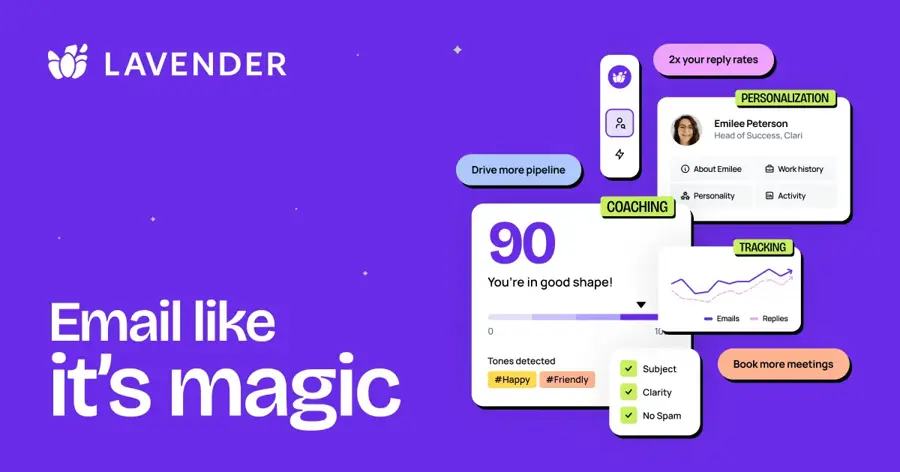
Lavender is an AI email coach for salespeople that scores your outreach emails, suggests fixes and helps personalise them. See lavender.ai.
Strengths
General chatbots write a decent sales email. Lavender tells you whether it's likely to get a reply. Its Chrome extension grades each email, flags anything that "hurts your chance of getting a reply", and pulls in prospect data for personalisation. The extension is rated 4.5 out of 5 on the Chrome Web Store. One user wrote: "Didn't realized writing emails could be fun. The score is my new daily challenge."
The free tier is thin. Another reviewer complained "they are offering nothing for free". PricingSaaS lists a free Basic plan, Starter at $27 a month billed annually ($29 monthly) and Individual Pro at $45 a month billed annually.
Key features
- The email score is a live grade with tips to improve it.
- The Personalization Assistant brings prospect data into your inbox.
- Personality insights give hints on how to write to each buyer.
- Ora is Lavender's AI sales agent for drafting outreach.
- Team analytics let managers see what works across reps.
Pros
- Built specifically for sales outreach
- Coaching helps you write better yourself
- Works wherever you send email, per its Chrome listing
Cons
- Free plan is very limited
- Expensive if you only send a few emails
- Little use outside sales
Verdict: probably worth it for SDRs and founders who live in cold outreach, and I doubt anyone else needs it.
Lavender pricing: Free, then paid plans from $27/month billed annually (checked October 2026). See pricing
Related: Best AI sales assistants
HyperWrite – best for quick replies in Chrome
HyperWrite is an AI writing assistant and Chrome extension that autocompletes and drafts messages as you type on any website. See hyperwriteai.com.
Strengths
HyperWrite is a lighter option for people who want help in the browser without a full chatbot. The extension is rated 4.1 out of 5 on the Chrome Web Store. One September 2026 reviewer said it "helps a lot in the normal messaging communication and usually it gives a suggestions to the point", and another called it "worth the subscription fee".
Toolradar, which verified the numbers against the official page in October 2026, lists a free plan, Premium at $16 a month billed annually ($19.99 monthly) and Ultra at $29 a month billed annually. HyperWrite's own pricing page says the free account gets limited monthly credits on a basic model.
Key features
- Autocomplete suggests the next sentence as you type.
- Hundreds of AI tools offer templates for emails, replies and headlines.
- Real-time research can add sources to longer drafts.
- Personas save writing styles, with more on Ultra.
- The Chrome extension works across most websites.
Pros
- Works on almost any site in Chrome
- Cheaper than most general assistants on annual billing
- Fast for short replies
Cons
- Free credits run out quickly
- Lower ratings than the big assistants
- Mostly Chrome-centred
Verdict: a handy budget extension, but most people get more from ChatGPT's free plan.
HyperWrite pricing: Free, then paid plans from $16/month billed annually (checked October 2026). See pricing
Related: Best AI writers
Choosing the right AI message generator
Start with where you write
If most of your messages are emails, check your inbox first. Gmail has "Help me write" and Outlook has Copilot. Writing everywhere, including Slack and your phone? Grammarly fits better. Writing one-off messages of every type? ChatGPT or Claude, I'd say, and the choice between them comes down to tone.
Match the tool to the stakes
A birthday text and a resignation email are different jobs. Choose ChatGPT for volume and speed. Choose Claude when a message could damage a relationship if the tone is off. Choose Lavender if replies to cold emails drive your income.
Give it context, not just a task
These tools write better drafts when you say who the message is for, what you want them to do and what tone to use. Google's own Gmail guide recommends naming the recipient, the action and words like "formal" or "casual". Our guide on writing better prompts for ChatGPT, Claude and Gemini goes deeper.
Reading before you send
AI drafts can invent details, misread a thread or sound too polished. Read it once. Fix names and dates, and add one personal line. That takes 20 seconds and protects your reputation. For proofreading-focused tools, see our best grammar AI tools.
Free vs paid: what you actually get
For personal messages, free plans are enough. Paid plans make sense when you write many messages a day, need the tool inside your work inbox or want team controls.
| Tool | Free plan gives you | Paying adds |
|---|---|---|
| ChatGPT | Unlimited everyday chats, with ads | Go ($8) raises limits; Plus ($20) removes ads and adds advanced reasoning |
| Claude | Chat, memory, web search and voice, with tight usage limits | Pro ($20) adds more usage, Opus models and Claude for Outlook |
| Grammarly | Grammar fixes, tone detection, 100 AI prompts a month | Pro ($12) adds 2,000 prompts, full-sentence rewrites and tone changes |
| Google Gemini | Gemini app; Help me write in Gmail for US personal accounts | AI Pro ($20) adds higher limits and wider Gmail access |
| Microsoft Copilot | Copilot app on web and mobile | Microsoft 365 Premium (about $19.99) adds Copilot in Outlook and Office |
| Lavender | Basic plan with limited coaching | Starter ($27 annual) adds full email scoring and coaching |
| HyperWrite | Limited monthly credits on a basic model | Premium ($16 annual) adds more credits and better models |
The budget rule is simple. Spend nothing until you hit a limit at least twice a week. Then pay for the one tool you already open most. Paying for two general assistants at $20 each rarely makes sense for messaging alone.
Final verdict
I'd start with ChatGPT. It's free, handles any kind of message and costs only $8 a month if you outgrow the free plan. The main annoyance is copying and pasting into your email, which is the one good reason to reach for Gemini in Gmail or Copilot in Outlook instead. Claude is what I'd use for sensitive messages where tone is everything, though its $20 floor is steep. Grammarly makes sense if you want help in every text box. Lavender is a specialist for sales outreach, and HyperWrite is a reasonable budget extension, but it isn't where I'd start.
For longer writing jobs such as blog posts and reports, see our roundup of the best AI writers.
FAQ
What is an AI message generator?
It writes a message for you from a short instruction. You describe the goal, the recipient and the tone, and it returns a draft email, text, chat reply or social post. Most are built on large language models, and you should edit the draft before sending it.
What is the best free AI message generator?
ChatGPT's free plan is the best free option for most people because it allows unlimited everyday chats and handles any message type. If you use Gmail in the US, its free "Help me write" feature is more convenient for email. Grammarly's free plan includes 100 AI prompts a month.
Can AI write text messages and replies for me?
Yes. ChatGPT, Claude, Gemini and Copilot can all draft texts and replies on your phone, and Grammarly's keyboard works inside messaging apps. Give the tool the message you received and say how you want to respond. Check names, dates and tone before you hit send.
Is it okay to send AI-written messages?
Usually, yes, for everyday work and personal messages, as long as the content is accurate and you stand behind it. Be more careful with personal apologies, condolences and anything where the reader expects your own words. Some workplaces also have rules on putting company data into AI tools.
Are AI message generators safe for work emails?
They can be, but check your employer's policy first. Work versions such as Microsoft 365 Copilot and Gemini for Workspace include business data protections. Avoid pasting confidential client or customer information into a personal chatbot account, and turn off model training where the tool allows it.
Sources
- ChatGPT Pricing: Full Breakdown of Every Plan, Cost and Limit (AI Business Weekly)
- ChatGPT App (Apple App Store)
- Plans & pricing (Claude by Anthropic)
- Claude Review 2026: Free + $20/mo AI Assistants (AI Productivity)
- Claude by Anthropic App (Apple App Store)
- Grammarly Prices and Plans (Grammarly)
- Free AI Writing & Text Generation Tools (Grammarly)
- Grammarly: AI Keyboard & Voice App (Apple App Store)
- Reviews: Grammarly AI Writing Assistant and Grammar Checker App (Chrome Web Store)
- Draft emails with Gemini in Gmail (Gmail Help)
- Google AI Pro & Ultra plans (Google)
- The Google AI Ultra plan now starts at $100 a month (Engadget)
- Google Gemini App (Apple App Store)
- Draft an email message with Copilot in Outlook (Microsoft Support)
- Microsoft Copilot pricing tiers explained (A Guide to Cloud)
- Microsoft Copilot App (Apple App Store)
- Lavender (Chrome Web Store)
- Reviews: Lavender (Chrome Web Store)
- Lavender Pricing Plans & History (PricingSaaS)
- Pricing (HyperWrite)
- Hyperwrite pricing (Toolradar)
- Reviews: HyperWrite AI Writing Assistant and Autocomplete (Chrome Web Store)