Best AI apps for iPhone in 2026: ChatGPT, Gemini, Claude and Apple Intelligence reviewed
The best AI apps for iPhone in 2026, from ChatGPT, Gemini, Claude and Perplexity to Apple Intelligence, with App Store ratings, prices and device requirements.
 Written byDr. Alap ZahidReviews And Guides Editor
Why you can trust The AI Future
Our writers research every product, link each claim to its source and correct mistakes openly. Companies can't pay for coverage or see reviews before they're published.
Read our editorial policy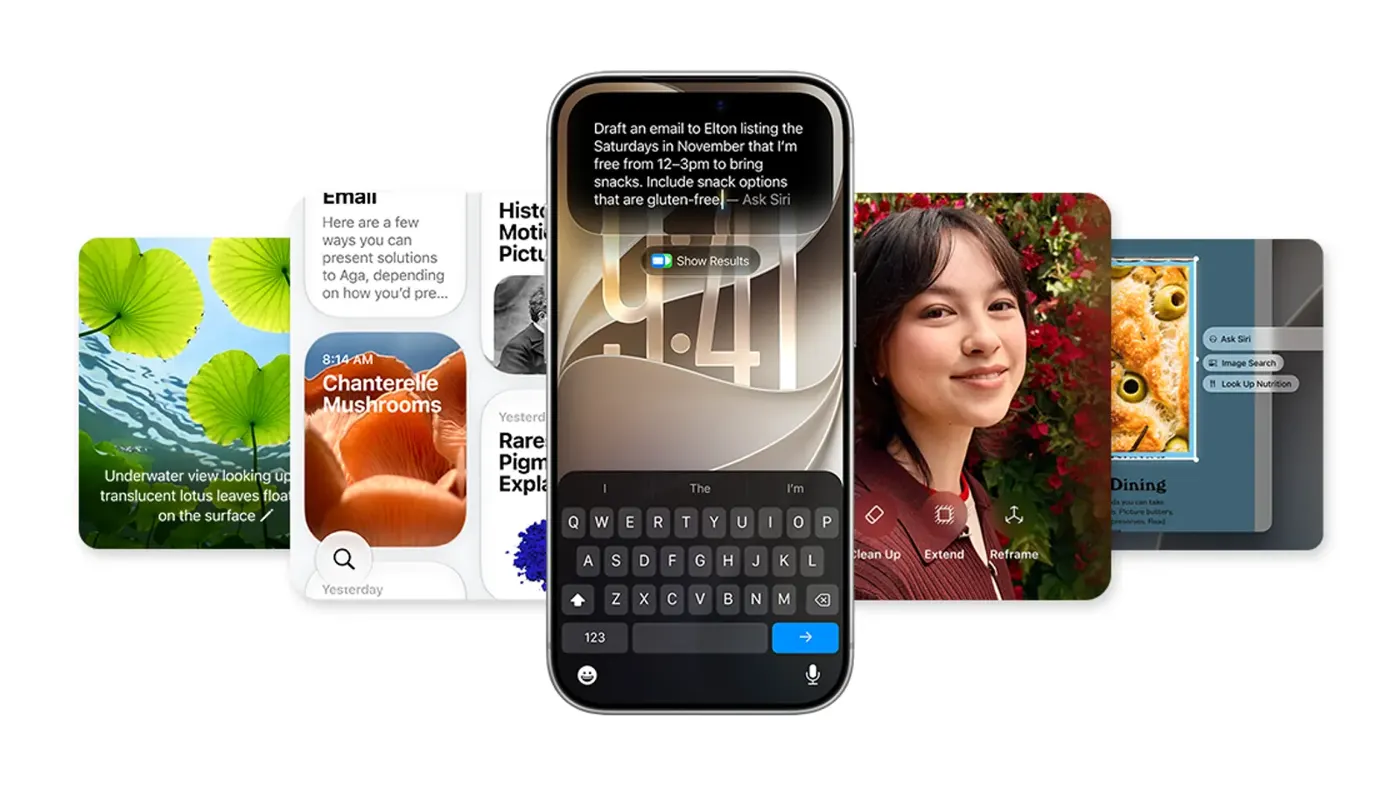
Our verdict on Best AI apps for iPhone (ChatGPT, Gemini, Claude, Perplexity, Apple Intelligence)
ChatGPT is the best all-round AI app for iPhone, Gemini is the best free option for images, Claude is best for writing and Perplexity for sourced answers. Owners of an iPhone 15 Pro or newer should try the free Apple Intelligence and Siri AI before paying; skip paid plans if you only need quick answers.
Pricing All free to download; ChatGPT Go $8/mo, Plus $19.99/mo; Google AI Plus $4.99/mo, Pro $19.99/mo; Claude Pro $20/mo; Perplexity Pro $20/mo; Apple Intelligence free with daily limits (App Store in-app prices, October 2026)
Visit Best AI apps for iPhone (ChatGPT, Gemini, Claude, Perplexity, Apple Intelligence)If you want the short answer: the best AI app for iPhone in late 2026 is still ChatGPT for most people, with Google Gemini a close second if you want free image generation and Claude the pick if writing quality matters most. Perplexity is the one to grab for answers with sources. Before you download anything, though, remember that your iPhone probably has a capable assistant built in: Apple Intelligence and the new Siri AI arrived with iOS 27.
Nobody at The AI Future ran a hands-on test for this review, so I won't pretend I timed anything with a stopwatch or fed these apps 50 prompts over breakfast. Instead, we compared the apps using their official App Store listings, Apple's own support pages, vendor pricing pages, other reviewers' hands-on tests and user ratings, all as of late October 2026. Where someone else did the testing, I'll name them.
So this is less "I tried it" and more "here's what the evidence says, and here's what I'd install if it were my phone." Honestly, that's the more useful thing to read anyway.
The best AI apps for iPhone
An AI app is any app that uses a machine learning model to do something you'd normally do yourself: write an email, answer a question, edit a photo, transcribe a meeting or generate an image from a description. On iPhone they come in three flavours:
- Chat assistants like ChatGPT, Claude, Gemini and Perplexity. You type or talk, and they answer, write, summarise and analyse.
- Built-in AI, meaning Apple Intelligence, which lives inside iOS itself and powers Writing Tools, notification summaries, photo clean-up and Siri AI.
- Specialist AI utilities that do one job well, such as an AI image generator, an iPhone AI photo editor or a transcription app.
This review covers the four big chat apps, Apple Intelligence, and three utilities that fill gaps the chatbots leave: Adobe Firefly for images, Google Photos for free AI photo editing, and Otter for transcription. Every pick is a mainstream, general-purpose app from an established company.
The best AI apps for iPhone at a glance
| App | Best for | App Store rating | Free version | Paid from (in-app) |
|---|---|---|---|---|
| ChatGPT | All-round assistant, images, voice | 4.8 (about 11.8M ratings) | Yes | $8/mo (Go) |
| Google Gemini | Free image tools, Google apps | 4.7 (about 2.4M) | Yes | $4.99/mo (AI Plus) |
| Claude | Writing, analysis, coding | 4.7 (about 292K) | Yes | $20/mo (Pro) |
| Perplexity | Answers with cited sources | 4.8 (about 521K) | Yes | $20/mo (Pro) |
| Apple Intelligence | Built-in writing, photos, Siri AI | Built into iOS | Yes | Free (daily limits) |
| Adobe Firefly | AI image and video generation | 4.7 (about 11K) | Yes | $4.99/mo |
| Google Photos | Free AI photo editing | 4.8 (about 1.6M) | Yes | $1.99/mo (storage) |
| Otter | Transcribing meetings and lectures | 4.8 (about 88K) | Yes | $16.99/mo |
Ratings and in-app prices come from each app's US App Store listing, checked late October 2026. In-app prices can differ from prices on the vendor's website.
Key features, app by app
ChatGPT: the safe default
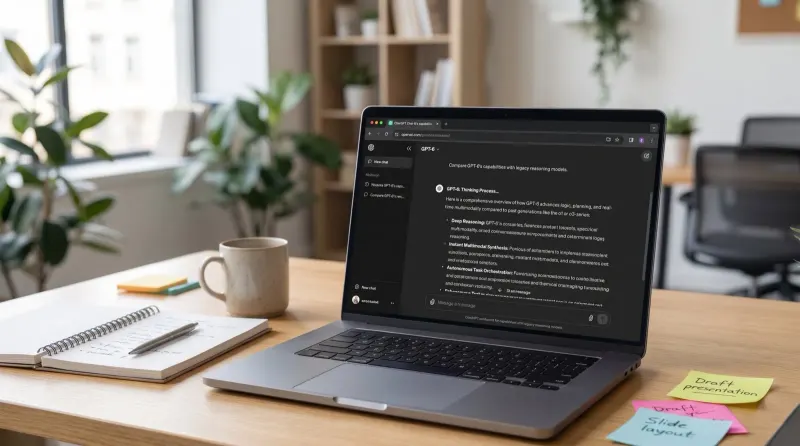
OpenAI's ChatGPT app has a 4.8 rating from roughly 11.8 million ratings, which is a ridiculous number (and probably the strongest argument for it). The listing promises image generation from a description, Advanced Voice Mode for real-time conversation, and photo upload so you can, say, transcribe a handwritten recipe or ask about a landmark. It needs iOS 18 or later.
The free tier is generous for text. In OpenAI's help centre, Free and Go users both have unlimited everyday text chats, while Go adds higher limits for image generation, file uploads and data analysis. One thing to know: OpenAI says ads are being tested with eligible Go users in some regions. ChatGPT also plugs into Apple Intelligence through the ChatGPT extension.
Beebom's reviewer, who used it daily, called it "a must-have app on your iPhone" and singled out its image generation. If you only install one app from this list, I'd make it this one; it's the low-risk choice.
Google Gemini: the best free AI image app
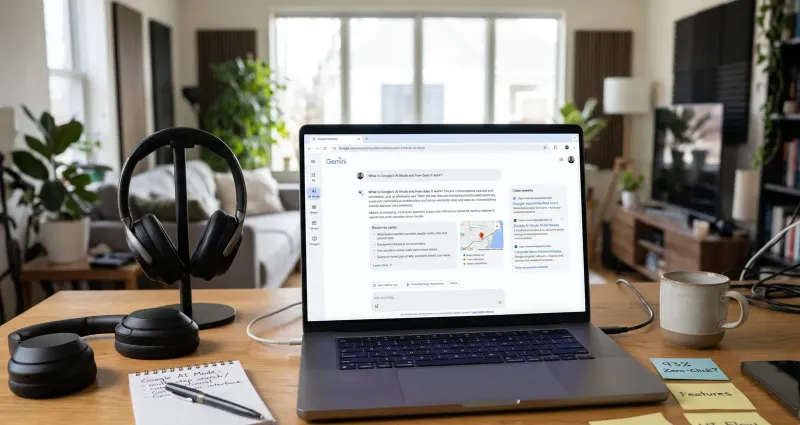
Google Gemini sits at 4.7 from about 2.4 million ratings and needs iOS 18.2 or later. Its App Store listing names Gemini 3.8 Flash and Gemini Omni as the current models, with Gemini 4 Argon featured for paid users, and it leans hard into creative tools: image generation and editing with Nano Banana 2, video generation with Gemini Omni for paying subscribers, and music with Lyria 3.
The free plan is the headline. Google's subscriptions page lists image generation and editing, Deep Research, Gemini Live and Canvas at no cost. If you've been searching for the best AI image generator for iPhone that won't charge you on day one, start here. Gemini Live also lets you share your camera or screen and talk about what you see, and connected Google apps (Gmail, Calendar, Photos, YouTube) make it far more useful if you already live in Google's world.
The catch is spelled out in Google's own listing: Gemini "does not currently support iOS device actions like setting alarms or sending SMS directly". It's a brilliant app, not a Siri replacement.
Claude: the best writer in your pocket
Anthropic's Claude app has a 4.7 rating from around 292,000 ratings. It's built for writing, research, coding help and visual analysis: upload a photo, PDF or screenshot and it extracts text, reads charts and explains what it sees. You can connect Google Drive, Gmail and Calendar, and talk to it hands-free with voice.
The free plan includes web search, voice mode, memory, Claude Docs and Slides, and up to five Projects, using the Sonnet and Haiku models. Pro adds Opus and Research. What Claude won't do is generate photos or images, so pair it with Gemini or Firefly if you need pictures. Our full Claude AI review goes deeper on the models and the usage limits, which are the most common complaint.
Perplexity: answers you can check
Perplexity has a 4.8 rating from about 521,000 ratings and promises cited sources for every answer, plus Deep Research, Labs for building reports, and an assistant that can draft emails and book reservations. It runs models from several AI companies rather than just one.
Beebom's reviewer called it "my most-used app on my iPhone", praising a voice mode that can play songs from Apple Music, add events to Apple Calendar and send emails to contacts. The same review notes it can't be set as the default assistant. Worth flagging for parents: Perplexity's App Store listing carries an 18+ age rating, while ChatGPT is 13+. For a deeper head-to-head, see Perplexity AI vs ChatGPT.
Apple Intelligence and Siri AI: already on your phone
Here's how to use AI on iPhone without downloading anything. Apple Intelligence is built into iOS, and the next generation arrived with iOS 27, which Apple released as a free update on September 14, 2026. On Apple's support page, the feature list covers Writing Tools and automatic proofreading, summaries in Mail and Messages, Live Translation in Messages, Phone and FaceTime, natural-language search in Photos, Image Playground and Genmoji, plus new advanced photo-editing tools (Spatial Reframing, Extend and improved Clean Up). If you want an Apple AI photo editor, Clean Up in the Photos app is it.
Device requirements matter. According to Apple, Apple Intelligence in iOS 27 runs on iPhone Duo, iPhone 16 models or later, iPhone 15 Pro, iPhone 15 Pro Max and iPhone Air, and needs up to 8 GB of storage on most iPhones (up to 14 GB on iPhone Duo, iPhone 17 Pro models and later, and iPhone Air). Your device language and Siri language also have to match a supported language. Older phones, from the iPhone 15 and 15 Plus down to the iPhone 11, get iOS 27 without Apple Intelligence or the new Siri.
Siri AI is the big one, but it's still labelled beta.
It's opt-in: Gizmodo explains you turn it on under Settings, Apple Intelligence & Siri, Try New Siri, and you may land on a waitlist. It launched in English, isn't available in the EU, and Apple says server-based features like Siri AI and Image Playground are subject to daily usage limits, with expanded access "available for a fee in the future."
Is it any good? Techlicious, which ran the iOS 27 beta on an iPhone 17 Pro, wrote that "Siri is finally good", putting it roughly on par with what Google has offered. The same review found Siri only reaches into Apple's own Mail app (so Gmail users miss out) and that battery life took a hit on the beta. That seems a fair summary of where things stand: much better, not finished.
Adobe Firefly: AI images and video, made for iPhone
Adobe Firefly is an iPhone-only app rated 4.7 from about 11,000 ratings. It generates images and video from text prompts, removes backgrounds and adds details to photos. Adobe says its own models are trained on licensed content, and the app also offers partner models from Google, OpenAI, Luma and Runway. It's the most "creative tool" app here, and a good fit if you make content for social media or work. Our guide to AI image generators compares it with the rest of the field.
Google Photos: the free iPhone AI photo editor
Google Photos is rated 4.8 from about 1.6 million ratings and gives every Google account up to 15 GB of free storage. Its AI editing tools include Magic Eraser for removing distractions, Unblur for fixing soft shots and Portrait Light for relighting faces. Search works in plain language: type "kayaking on a lake" and it finds the photo. If your iPhone doesn't support Apple Intelligence, this is the easiest way to get AI photo clean-up for free.
Otter: transcription that does the note-taking
Otter has a 4.8 rating from about 88,000 ratings. It records and transcribes meetings, interviews and lectures in real time, writes summaries and lets you ask questions about a specific meeting. It works in English, Spanish, French and Japanese. Students and journalists are the obvious fans; Beebom notes that accuracy might drop with heavy accents. Read our Otter AI review for the free plan limits.
Pricing and plans
Every app here is free to download. These are the paid tiers shown as in-app purchases on each US App Store listing, checked October 2026.
| App | Free version includes | Paid plans (in-app) |
|---|---|---|
| ChatGPT | Unlimited everyday text chats, limited images and uploads | Go $8/mo, Plus $19.99/mo, Pro tiers from $100 |
| Google Gemini | Image generation and editing, Deep Research, Gemini Live, Canvas | Google AI Plus $4.99/mo, Pro $19.99/mo, Ultra $199.99/mo |
| Claude | Sonnet and Haiku, web search, voice, memory, up to 5 Projects | Pro $20/mo, Max $124.99/mo, Ultra $249.99/mo |
| Perplexity | Cited answers, voice, Discover | Pro $20/mo, Max $200/mo |
| Apple Intelligence | All features, with daily limits on server-based ones | None yet; Apple says expanded access will cost extra later |
| Adobe Firefly | Basic generation | Firefly Mobile $4.99/mo or $49.99/yr; credit packs from $4.99 |
| Google Photos | 15 GB storage, Magic Eraser, Unblur, Portrait Light | Storage from $1.99/mo; Google AI Plus (2 TB) $9.99 |
| Otter | Live transcription with limits | Pro $16.99/mo or $99.99/yr; Business $30/mo |
Two tips. First, some vendors charge more inside the App Store than on their own websites (Claude Max, for instance, appears at $124.99 in-app), so check the web price before you subscribe. Second, the best free AI apps for iPhone are genuinely usable without paying: ChatGPT for text, Gemini for images, Google Photos for edits and Apple Intelligence if your phone supports it.
Performance and independent testing
Since we didn't run our own tests, here's what hands-on reviewers and the ratings tell us.
- Ratings are uniformly high. Every third-party app here sits between 4.7 and 4.8 on the App Store. That likely tells you they're stable and broadly liked, not which is smartest.
- Siri AI looks like a real step up, with gaps. Techlicious found it follows context across a conversation but stumbles at controlling third-party apps. Apple's own page confirms daily caps on cloud features.
- Perplexity integrates well with iOS. Beebom highlights its voice mode working with Apple Music, Calendar and Contacts, something a lot of chatbots can't do.
- Gemini is a creative tool but not a phone controller, and Google says so itself on the listing.
- Claude wins on writing and loses on images. It has no native image generation, so it's only a partial answer if you want an AI picture app.
Our sister comparisons go into model quality in more detail: Claude AI vs ChatGPT and Gemini AI vs ChatGPT.
Who should use which app
- If you want one app that does everything: ChatGPT.
- If you want a free AI photo generator app: Gemini first, Firefly if you need more control or video.
- If you write for work or school: Claude.
- If you research or fact-check: Perplexity.
- If you have an iPhone 15 Pro or newer: try Apple Intelligence and Siri AI before paying for anything.
- If you sit in lots of meetings or lectures: Otter.
Alternatives worth considering
- Microsoft Copilot: rated 4.7 from about 1.4 million ratings and built around Word, Excel, PowerPoint and Outlook. Best if your work runs on Microsoft 365. See our Microsoft AI review.
- Canva: a design app with AI photo and video tools, handy for quick social graphics.
- Any ChatGPT-style chatbot from our list of AI tools like ChatGPT, if none of the big four click for you.
Verdict
Here's what I'd do with a fresh iPhone. Install ChatGPT first, then add Gemini for images. If you write a lot, add Claude; if you research a lot, add Perplexity. Then open Settings and see whether your phone qualifies for Apple Intelligence, because Siri AI, Writing Tools and Clean Up cost nothing and work across every app.
Who should skip all this? Probably anyone on an older iPhone who just wants Siri to set timers. And if you're privacy-conscious, read each app's privacy label first: the ChatGPT and Gemini listings both say they collect data linked to your identity, including location and usage data. Whichever apps you pick, you'll get more out of them with better prompts, so try our guide to writing better AI prompts.
FAQ
How to use AI on iPhone?
Check whether your iPhone supports Apple Intelligence (iPhone 15 Pro or later), update to iOS 27 and turn it on in Settings, Apple Intelligence & Siri. That gives you Writing Tools, summaries, photo Clean Up and Siri AI. For anything else, download a free app like ChatGPT, Gemini, Claude or Perplexity from the App Store.
What is the best AI app for iPhone?
For most people it's ChatGPT: it's free, rated 4.8 from about 11.8 million App Store ratings, and handles chat, voice and images. Gemini is best for free AI images, Claude for writing, Perplexity for cited sources.
What are AI apps?
AI apps use machine learning models to do tasks you'd normally do yourself, like answering questions, writing text, editing photos, generating images or transcribing audio. On iPhone they include chat assistants such as ChatGPT, built-in features like Apple Intelligence, and specialist tools like Adobe Firefly or Otter.
What is the best free AI app for iPhone?
ChatGPT's free plan offers unlimited everyday text chats. Gemini's free plan includes image generation and editing, Deep Research and Gemini Live. If your phone supports it, Apple Intelligence is free and built in, though server-based features have daily limits.
Which iPhones support Apple Intelligence?
Apple lists iPhone Duo, iPhone 16 models or later, iPhone 15 Pro, iPhone 15 Pro Max and iPhone Air. You need iOS 27 for the newest features, up to 8 GB of free storage on most models (up to 14 GB on some), and matching device and Siri languages.
Ratings around the web
Ratings as of 7 Nov 2026. Scores change over time; follow the links for the latest.
What we like
- Every major chat app has a usable free version
- Gemini's free plan includes image generation and editing
- Apple Intelligence is built in and free on supported iPhones
- App Store ratings of 4.7 to 4.8 across the third-party picks
- Specialist apps cover photo editing and transcription gaps
What could be better
- Apple Intelligence needs an iPhone 15 Pro or newer
- Siri AI is still beta, English-first, waitlisted and not in the EU
- Gemini and other chatbots can't control core iPhone actions
- Some in-app prices are higher than web prices
Sources
- ChatGPT App - App Store (Apple)
- Claude by Anthropic App - App Store (Apple)
- Google Gemini App - App Store (Apple)
- Perplexity: AI Agent & Search App - App Store (Apple)
- Adobe Firefly AI Video & Photo App - App Store (Apple)
- Google Photos: Backup & Edit App - App Store (Apple)
- Otter Transcribe Voice Notes App - App Store (Apple)
- Microsoft Copilot App - App Store (Apple)
- Apple Intelligence and Siri (Apple)
- Get started with the next generation of Apple Intelligence (Apple Support)
- What is ChatGPT Go? (OpenAI Help Center)
- Plans & pricing (Claude by Anthropic)
- Google AI Pro & Ultra subscriptions (Google Gemini)
- Apple Confirms iOS 27 Release Date (iPhone in Canada)
- iOS 27's Smarter Siri Is Live, and Apple Is Already Limiting How Much You Can Use It (Latin Times)
- iOS 27 public beta is here: Is the new Siri worth the bugs? (Techlicious)
- The Long-Delayed New Siri Makes Its Public Debut (Gizmodo)
- We Tested and Ranked the 8 Best AI Apps for iPhone in 2026 (Beebom)