7 best AI face swapper tools for photos in 2026: free and paid picks
The best AI face swapper tools for photos in 2026, compared on free plans, group swaps, pricing and consent. Magic Hour leads; Remaker is best pay-as-you-go.
 Written byMuhammad Usman SiddiquiFounder and editor-in-chief
Why you can trust The AI Future
Our writers research every product, link each claim to its source and correct mistakes openly. Companies can't pay for coverage or see reviews before they're published.
Read our editorial policy
Short answer: I think the best AI face swapper for photos in 2026 is Magic Hour if you want something free. It swaps faces in a photo with no sign-up and no watermark, and it handles group shots. If you want to pay only when you need to, Remaker's credit packs start at $5.99. If you already design in Canva, its face swap app saves you a trip to another tool, which counts for a lot.
We compared seven photo face swap tools using official product pages, published pricing, independent roundups and user feedback, as of late October 2026. Nobody at The AI Future ran hands-on tests for this piece. Where a test or rating comes from someone else, we name them and link to it. This page covers still images only. If you need to swap faces in clips, see our sister guide to the best AI face swap video tools.
One rule before anything else: only swap faces you have the right to use. That means your own face, friends and family who have said yes, or images you've licensed. Making intimate or deceptive images of real people without their consent causes real harm, and it's illegal in a growing number of places.
Key takeaways
- Magic Hour looks like the best free start, with free photo swaps, no account, no watermark, plus single, multi-face and head swap modes.
- Photo swaps are much cheaper than video, since several tools give photo swaps away free and only charge for video, HD or commercial use.
- Credit packs suit occasional users: Remaker's packs start at $5.99 and don't expire.
- Labelling is now a legal duty in the EU, because since 2 August 2026 published deepfakes must be disclosed as AI-made under the EU AI Act.
Our ranking method
We didn't upload photos to these tools ourselves. We ranked them on what we could verify from public sources in October 2026, using six criteria.
- Free photo value. Whether you can swap a photo free, without an account, and without a watermark.
- Photo features. Multi-face swaps for group shots, head swap, batch processing and output resolution.
- Price. The cheapest paid route, and whether it's a subscription or a one-off credit pack.
- Quality signals. Independent roundups such as DIY AI and Unite.AI, plus app store ratings where we could find them.
- Safety and consent. Content rules, consent reminders and commercial-use terms.
- Privacy. What the vendor says about storing and training on your uploads.
A caveat: some of the most detailed comparisons online come from face swap vendors, including Magic Hour. We use them for prices and limits, not quality verdicts. We also left out tools that market adult content or offer to "undress" people, and we don't cover or link them.
The 7 best AI face swapper tools at a glance
| # | Tool | Category | Best for | Free tier | Starts at |
|---|---|---|---|---|---|
| 1 | Magic Hour | AI image and video suite | Free photo swaps, group shots | Yes | $19/mo |
| 2 | Remaker | AI image and video editor | Pay-as-you-go and group photos | Yes | $5.99 credit pack |
| 3 | Canva | Online design platform | Swaps inside social posts | Yes | $18/mo |
| 4 | Akool | Business AI video platform | Batch and brand campaigns | Yes (limited) | $12/mo |
| 5 | Vidnoz | Browser AI video platform | Free multi-face in a bigger suite | Yes (limited) | $9.99/mo |
| 6 | Picsart | Photo editor app | Replacing faces with AI-made ones | Yes (limited) | $10.50/mo (yearly) |
| 7 | Reface | Mobile face swap app | Meme and template swaps on a phone | Yes (limited) | $7.58/mo (yearly) |
The best AI face swapper tools in 2026, ranked
Magic Hour – best for free photo face swaps
Magic Hour is an AI image and video suite whose browser face swap replaces one or more faces in a photo for free. Find it at magichour.ai.

Strengths
Magic Hour's face swap page promises photo swaps that are free, need no sign-up and carry no watermark. That's rare. DIY AI, checking plans in September 2026, put the free allowance at five photo swaps a day and named it the best free no-sign-up option. The same page offers multiple face swap for group shots, head swap and body swap, so you can fix a whole family photo and not just one face.
The terms are clear too. Paid plans and credit packs permit commercial use, but Magic Hour adds that "You must have rights to the source media and every face you use." Over on the pricing FAQ, it says it doesn't use your uploads or outputs to train AI models. Verdict: the first tool I'd open for any photo swap, though the free limit of five a day is small.
Key features
- Free photo swaps with no account and no watermark
- Multiple face swap, which replaces every face in a group shot at once
- Head and body swap, for replacing a whole head or a whole person
- Commercial use on paid plans and credit packs
- A photo API from $0.009 an image, per Magic Hour
Pros
- Genuinely free photo swaps with clean downloads
- Group, head and body modes in one place
- Clear statement that uploads aren't used for training
Cons
- Most published detail comes from the vendor itself
- Free video swaps are short and watermarked
- Results depend heavily on lighting and angle, as Magic Hour itself notes
Magic Hour pricing: Free photo swaps, then paid plans from $19/month (Creator), with one-time credit packs from $10, per Magic Hour (checked October 2026). See pricing
Related: Magic Hour AI review Best AI face swap video tools
Remaker – best for pay-as-you-go and group photo swaps
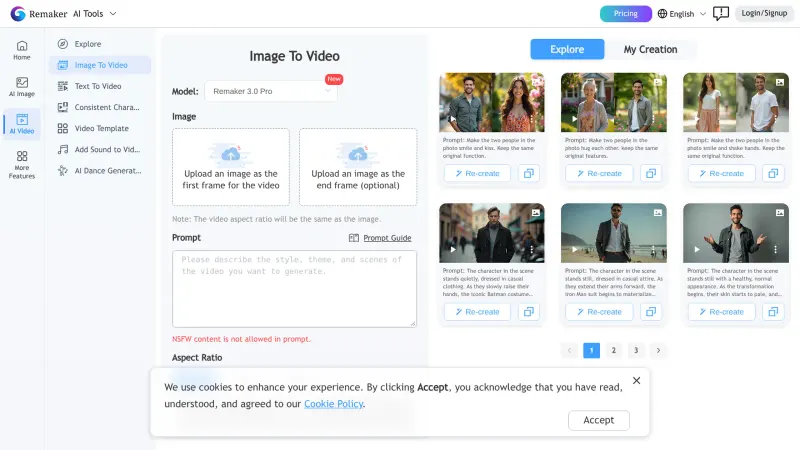
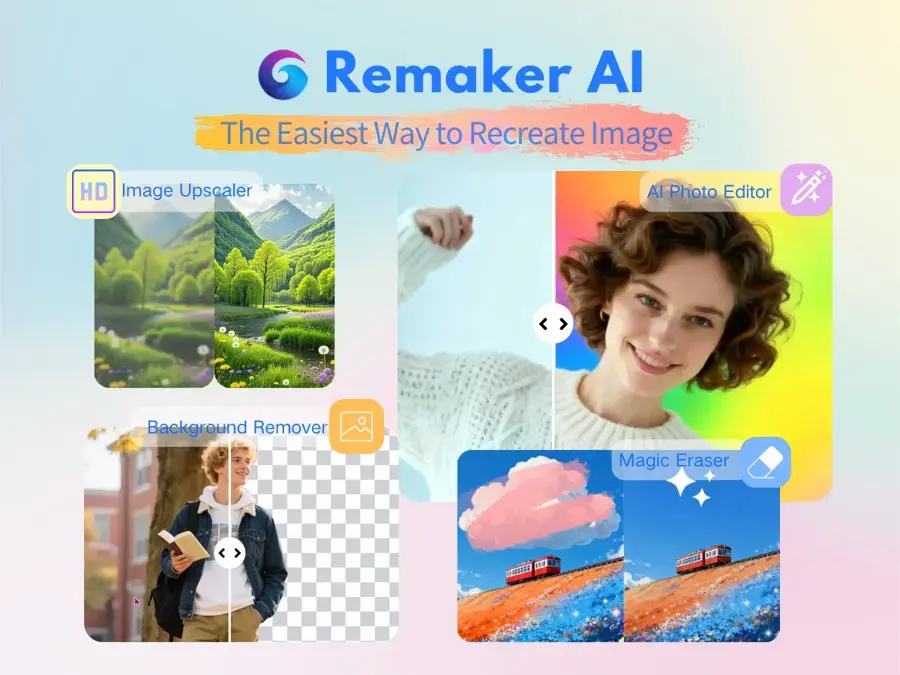
Remaker is an all-in-one AI image and video editor with free single-face photo swaps and paid multi-face, batch, GIF and video modes. Find it at remaker.ai.
Strengths
Remaker's free face swap page advertises photo swaps with "No sign up, no watermark". DIY AI calls it the best starting point for static photos. Its Multiple Face Swap mode is pitched at fixing group photos where someone blinked, and Remaker also suggests it for consistent corporate headshots. GIF face swaps need you to sign in.
Paid credits don't expire, which suits people who swap a few images a year. On iPhone, the Remaker: AI Face Swap app held a 4.4 out of 5 rating from 289 ratings on the App Store. One warning from a summary of Remaker pricing checked October 21, 2026: its terms and pricing FAQ conflict on refunds, so read both before buying. Verdict: probably the best value if you hate subscriptions, and honestly the refund muddle would put me off a big pack.
Key features
- Free photo swap with no sign-up and no watermark
- Multiple face swap, which fixes several faces in one group photo
- Batch and GIF modes for many images or animated memes
- Non-expiring credits: buy once, use whenever
- An iPhone app with its own credit packs
Pros
- Free, clean single-face photo swaps
- Credits never expire
- Strong group photo tools
Cons
- Unclear refund policy
- Multi-face and video modes cost credits
- App and web credit prices differ
Remaker pricing: Free photo swaps; then one-time credit packs from $5.99 for 200 credits, per Magic Hour (checked October 2026). See pricing
Related: Remaker AI review Best AI face swap video tools
Canva – best for face swaps inside social posts and designs
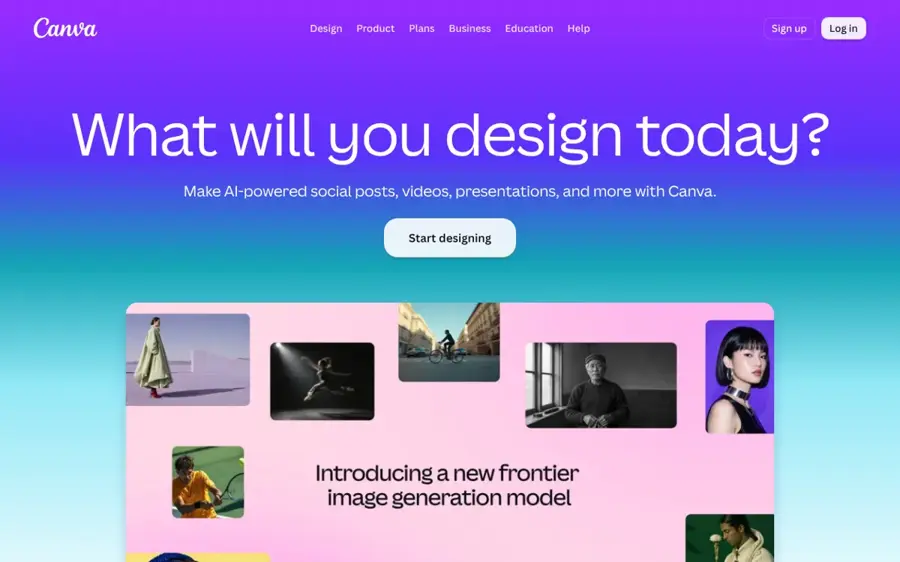
Canva is the online design platform, and its face swap app lets you swap faces in a photo without leaving your design. Find it at canva.com.
Strengths
The appeal is workflow. On the face swap page, Canva pitches the app for memes, profile pictures and fixing a blurred face or half-closed eyes, and you can then tidy the image with Magic Edit and Magic Eraser, which Canva marks as Pro features. The face swap app itself isn't marked Pro on that page, but check inside the editor before you count on it being free.
Canva's own FAQ is blunt about use: "Make sure you swap faces with consent and avoid using the tool for anything misleading, harmful, or deceptive." It isn't a specialist swapper, so I'd expect fewer controls than Magic Hour or Remaker. Verdict: pick it if the swap is one step in a bigger design.
Key features
- A face swap app for swapping faces with friends, pets or characters
- Blur fix, which replaces a blurred face with a clear one
- Magic Edit (Pro), which changes parts of the photo with a prompt
- Magic Eraser (Pro), which removes clutter after the swap
- Templates, so you can drop the result straight into a post
Pros
- No new tool to learn if you already use Canva
- Built-in editing to finish the image
- Clear consent guidance from the vendor
Cons
- Fewer face swap controls than specialists
- Refinement tools need Pro
- Free use of the app isn't spelled out
Canva pricing: Free plan; then Pro at $18/month or $180/year for one person, per Piktochart (checked October 2026). See pricing
Related: Best AI picture tools
Akool – best for batch swaps and brand campaigns
Akool is a business AI platform where photo and video face swap sit alongside avatars and translation, built for teams. Find it at akool.com.
Strengths
Unite.AI ranked Akool first in its October 2026 face swap roundup for the breadth of its toolkit, while warning that credit use varies by tool and model. For photos, Akool's face swap page lists JPG, PNG and WebP support, automatic multi-face swaps in group photos, output up to 4K depending on the source, and a ReAge mode that makes the swapped face look older or younger.
Batch processing is the reason to pay. If you localise a campaign with a model who has signed off on it, you can produce many variants without a reshoot. For a casual swap, it's more platform than you need. Verdict: the pick, I'd say, for agencies and brands with licensed faces.
Key features
- Face, character and head swap: three swap types in one studio
- Multi-face swaps that handle group photos automatically
- Batch processing of many images in one run
- ReAge mode, which adjusts the apparent age of the swapped face
- An API for automated workflows
Pros
- Built for commercial, team use
- Batch and API options
- High-resolution output
Cons
- Credit costs vary and are hard to predict
- Complex for one-off swaps
- Free output is limited and watermarked, per our video guide
Akool pricing: Free plan, then paid plans from $12/month (Starter), per PricingSaaS (checked October 2026). See pricing
Related: Akool AI review Best AI face swap video tools
Vidnoz – best for free multi-face swaps in a bigger suite
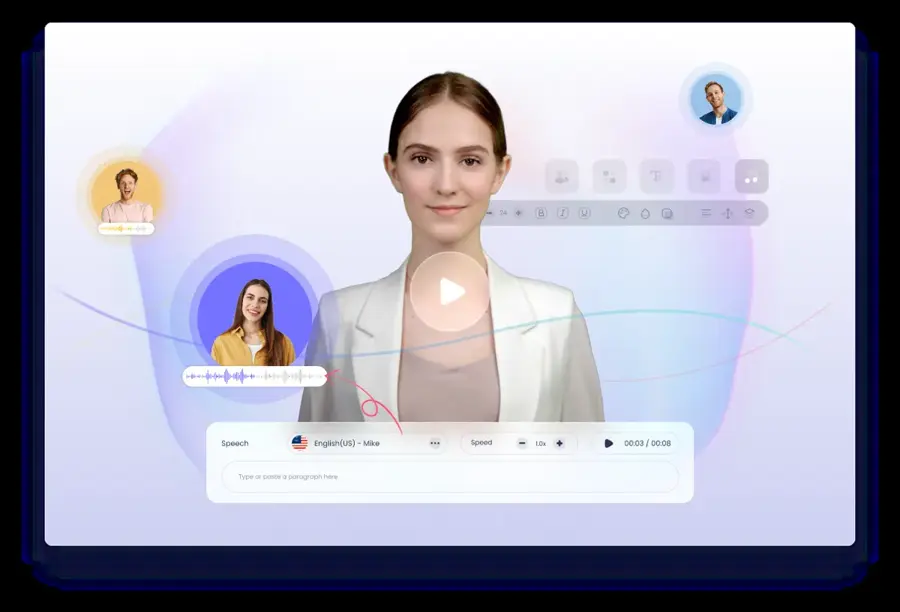
Vidnoz is a browser AI video platform with a free face swap tool for photos, videos and group shots. Find it at vidnoz.com.
Strengths
Vidnoz's face swap page offers photo face swap, video face swap and multiple face swap tabs, takes JPG, PNG and WebP images, and has an HD option for output above 1080p. It also advertises batch swaps and "Daily free usage". DIY AI notes that watermark-free export is a paid benefit.
The catch is vague limits. Vidnoz doesn't publish a number for its daily free allowance, per Atlas Cloud, which sells a competing API, so weigh its framing. Verdict: likely worth it if you also want Vidnoz's video and avatar tools.
Key features
- Photo and multi-face swap in the same browser tool
- An HD option for output above 1080p
- Batch swaps of several faces in one click
- JPG, PNG and WebP image formats
- Avatars and video tools on the same account
Pros
- Free to try with no install
- Multi-face and batch included
- Useful if you need video tools too
Cons
- Free limits aren't published
- Watermark-free export costs money
- More video platform than photo editor
Vidnoz pricing: Free daily use, then paid plans from $9.99/month, per Atlas Cloud (checked October 2026). See pricing
Related: Vidnoz AI review
Picsart – best for replacing faces with AI-made ones
Picsart is a photo and video editor for web and mobile whose AI Replace tool swaps a face for one you describe in words. Find it at picsart.com.

Strengths
Picsart works differently from the rest. Looking at the face swap guide, you brush over a face in the web editor or app, then type a description or pick a preset to generate a new face. You aren't pasting in a specific person. That makes it a safer way to anonymise strangers in a street photo or invent a character, and a poor fit if you want your own face in a scene.
The same AI Replace tool also changes objects, hair and backgrounds, so it earns its keep beyond face swaps. Verdict: choose it for fictional or anonymised faces, not lookalikes; it's the one I'd pick for street photos.
Key features
- AI Replace, where you brush a face and describe the new one
- Presets, so you can pick a replacement instead of typing
- The same tool on web and mobile
- Batch Editor for bulk edits of up to 50 images, listed in Picsart's plan comparison
- Wider editing of objects, hair and backgrounds too
Pros
- Lower risk of impersonation
- Full photo editor around it
- Works on phone and web
Cons
- Can't put a chosen real face into a photo
- Results depend on your prompt
- Heavy AI use needs the pricier Ultra plan
Picsart pricing: Free to start; then Pro at $15/month, or $10.50/month billed yearly; Ultra at $75/month or $60/month billed yearly, per Picsart (checked October 2026). See pricing
Related: Best AI picture tools Best AI image generators
Reface – best for meme and template swaps on your phone
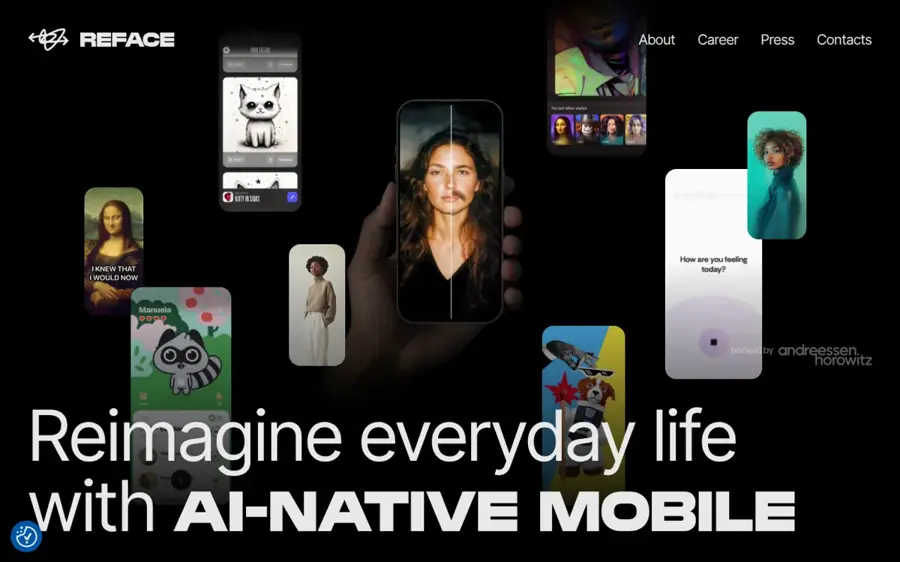
Reface is a mobile face swap app that puts your selfie into photo, GIF and video templates, with a web version called Unboring. Find it at reface.ai.
Strengths
DIY AI calls Reface the easiest mobile choice for casual social edits. In a Fritz AI review, the reviewers found the swaps on popular templates convincing, but weaker with multiple faces or low-light selfies. The same review flags the downsides: ads and watermarks on the free tier, weekly subscriptions that add up, billing complaints and "Serious privacy concerns around facial data collection and retention".
If you go ahead, the annual plan is far better value than the weekly one, and you'll want to check your app store subscriptions after any trial. Verdict: fun for memes, but I wouldn't use it for anything you care about, given the privacy complaints.
Key features
- A template library of movie scenes, memes and GIFs, refreshed often
- Unlimited photo swaps on the web Basic plan, per Fritz AI
- AI avatars, which are stylised portraits from your selfies
- Restyle and aging effects, to see yourself older or in another style
- iOS, Android and web versions, with separate subscriptions per surface
Pros
- Fastest route to a shareable meme
- Large, frequently updated templates
- Works without an account to start
Cons
- Free output has ads and watermarks
- Weekly plans get expensive
- Privacy and billing complaints
Reface pricing: Free with ads; then web Basic about $7.58/month billed yearly ($90.99/year); mobile about $12.99/month or $24.99/year, per Fritz AI (checked October 2026). See pricing
Related: Best AI avatar generators from a photo Best AI face swap video tools
Choosing the right AI face swapper
Decide what the photo is for first; the right tool follows.
Match the tool to the job
- Choose Magic Hour if you want a free, clean photo swap today, including group shots.
- Choose Remaker if you swap now and then and prefer credits that never expire.
- Choose Canva if the swap is going straight into a post, poster or invitation.
- Choose Akool if you run campaigns with licensed models and need batches.
- Choose Vidnoz if you also want video and avatar tools on one account.
- Choose Picsart if you want a new, AI-made face and not a real one.
- Choose Reface if you just want quick memes on your phone.
Start with a good source photo
Most tools do better with a sharp, front-facing, evenly lit face. Magic Hour itself says results depend on lighting, angle, visibility and source quality. Match the head angle of the two photos as closely as you can, and avoid hair or hands over the face. For a cleaner base image, our guide to the best AI picture tools covers enhancers and upscalers.
Check commercial rights and privacy
Free tiers often exclude commercial use. Magic Hour, for example, grants it only on paid plans and credit packs. Read how long your uploads are kept. A face is biometric data, so if a vendor won't say what it does with your photos, I'd assume it keeps them.
Know when you need video instead
Photo swaps are cheap and fast. Video is a different job, priced per second and far more prone to glitches. If moving footage is the goal, go to our AI face swap video guide instead of stretching a photo tool.
Consent, the law and watermarking
Consent is the whole game. Legitimate uses are easy to list: fixing a blink in your own family photo, trying a look on yourself, a party invitation with friends who agreed, or a campaign with a model who signed a release. If a real person in the final image hasn't agreed, don't make it. Don't create sexual or intimate images of a real person, and don't make someone appear to endorse something or be somewhere they weren't.
The law now backs this up. In the US, the TAKE IT DOWN Act targets non-consensual intimate images, including AI-made ones, and it requires covered platforms to remove reported content and make reasonable efforts to remove identical copies "within 48 hours", as WilmerHale explains.
In the EU, the AI Act's transparency rules in Article 50 have applied since 2 August 2026. As CEPIC puts it, image, audio or video "constituting a deep fake" must be disclosed as "artificially generated or manipulated", and fines can reach 15 million euros or 3 per cent of worldwide turnover. A realistic swap of a real person that could pass as genuine looks like exactly what that rule covers. For the wider picture, see our explainer on AI regulation.
Watermarking is the other half. Under the same Article 50, AI providers must mark outputs "in a machine-readable format" so they can be detected as AI-made. Providers already on the market before 2 August 2026 have until 2 December 2026 to comply, CEPIC notes. The law doesn't mandate one technology, but standards such as IPTC metadata and C2PA Content Credentials are the common route.
Two habits help: don't strip that metadata when you edit, and add a visible "AI-edited" label when you post a realistic swap. If you want to check images yourself, our guide on how to tell if a photo is AI generated walks through it. This is not legal advice.
Free versus paid
For photos, free is often enough. That's the big difference from video, where free tiers are short, low-res and watermarked.
| Free tiers | Paid tiers | |
|---|---|---|
| Single-face photo swap | Often free and clean (Magic Hour, Remaker) | Same, plus higher volume |
| Group and batch swaps | Limited (unpublished daily use on Vidnoz) | Full multi-face and batch (Akool, Remaker, Vidnoz) |
| Watermark | None on Magic Hour or Remaker photos; yes on Reface | No |
| Resolution | Standard | HD to 4K (Vidnoz HD, Akool) |
| Commercial use | Often excluded | Usually included, check terms |
On budget, the numbers are small, and I'd start free. Remaker's $5.99 pack covers 200 credits. Akool's Starter plan is $12 a month and Magic Hour's Creator plan is $19 a month. Pay for a subscription only if you swap every week or need commercial rights and batches. Otherwise, stay free and buy a credit pack when you hit a wall.
Final verdict
If you only pick one, I'd pick Magic Hour. It gives you free, watermark-free photo swaps with group and head swap modes, and its terms are clear about rights and training. Use Remaker when you want to pay per swap, Canva when the swap belongs in a design, and Akool for licensed campaign work. Picsart is probably the right call when you want a made-up face and not a real one.
The tool is the easy part. Use your own face or faces you have permission to use, keep the AI labels intact, and say so when you post. If you're making portraits from scratch instead, our roundup of the best AI image generators is a good next stop.
FAQ
What is the best AI face swapper for photos in 2026?
For most people, Magic Hour. It swaps faces in photos free, with no sign-up and no watermark, and supports group shots. Remaker is the best pay-as-you-go option, and Akool suits business teams.
Is there a free AI face swapper with no watermark?
Yes, for photos. Magic Hour and Remaker both advertise free photo swaps without a watermark or account. Reface's free tier adds watermarks, and free video swaps are usually watermarked everywhere.
Can I swap faces in a group photo?
Yes. Magic Hour, Remaker, Akool and Vidnoz all offer multi-face swaps that replace several faces in one image. Everyone in the photo should agree to it.
Is using an AI face swapper legal?
Swapping your own face, or a face you have permission to use, is generally legal. Intimate or deceptive images of real people made without consent are harmful and illegal in many places, including under the US TAKE IT DOWN Act. In the EU, realistic deepfakes must be disclosed as AI-made since 2 August 2026. This is not legal advice.
Do face swap apps keep my photos?
It depends on the vendor. Magic Hour says it doesn't train on your uploads, while Fritz AI raised privacy concerns about Reface's handling of facial data. Read the privacy policy before you upload, and avoid sensitive images.
Can I use face swapped photos commercially?
Only on a plan that grants commercial rights, and only with consent from everyone whose face appears. Magic Hour, for example, allows commercial use on paid plans and credit packs but requires rights to every face you use.
Sources
- AI Face Swap - Free Online, No Watermark, No Sign Up (Magic Hour)
- Magic Hour pricing (Magic Hour)
- 13 Best AI Face Swap Tools in 2026 (Magic Hour)
- Face Swap Online Free (Remaker)
- Remaker AI Face Swap: How It Works, Free Plan Limits, and Best Alternatives (Magic Hour)
- Remaker: AI Face Swap (Apple App Store)
- Face swap: Transform faces in a few clicks (Canva)
- Canva Pricing 2026: Plans, Costs, and Hidden Fees (Piktochart)
- Best Free Face Swap for Photos & Videos Online (Akool)
- Akool Pricing Plans & History (2026) (PricingSaaS)
- Free Face Swap Online for Realistic Photo/Video Refacing (Vidnoz)
- Vidnoz Will Swap Faces Free. Good Luck Finding the Limit (Atlas Cloud)
- How to face swap with AI: A step-by-step guide (Picsart Blog)
- Picsart pricing (Picsart)
- Reface App Review: The Good, the Pricey, and the Privacy Problem (Fritz AI)
- Best AI Face Swap Apps in 2026: Photo & Video Tested (DIY AI)
- 10 Best AI Face Swap Tools (October 2026) (Unite.AI)
- The TAKE IT DOWN Act Goes Live (WilmerHale)
- The Transparency Obligations of the AI Act Take Effect on 2 August 2026 (CEPIC)
- Content Credentials: Verify Media Authenticity (Content Credentials)