Best AI voicemail generators in 2026: 6 picks for every budget
The best AI voicemail generators for natural business greetings, from free tools to ElevenLabs, plus the FCC rules on AI voices and voice cloning.
 Written byBurhan AqibSenior writer, policy and analysis
Why you can trust The AI Future
Our writers research every product, link each claim to its source and correct mistakes openly. Companies can't pay for coverage or see reviews before they're published.
Read our editorial policy
Short answer: if you want the most natural AI voicemail greeting and you're happy to pay a few dollars, I'd pick ElevenLabs. If you just need a clean business greeting today for free, use Quo's free voicemail generator and download the file. Everything else on this list fills a specific gap: a polished studio, a cheap pay-as-you-go option, or a tool that's free for commercial use.
An AI voicemail generator turns a typed script into a spoken audio file with text-to-speech. You write the greeting, pick a voice, download an MP3 or WAV and upload it to your carrier, VoIP app or business phone system. A good greeting rarely needs to run past 20 to 25 seconds, as this AiZolo guide points out, so even small free allowances go a long way.
This guide also covers the part most roundups skip: what the law says about AI voices in outbound calls, ringless voicemail drops and cloning someone else's voice. A greeting on your own line is fine. Blasting AI-voiced messages to strangers isn't.
Key takeaways
- ElevenLabs looks like the quality pick, with a paid Starter plan listed at $6 a month that adds a commercial license and instant voice cloning of your own voice.
- A usable greeting costs $0. Quo, KrispCall and TTSMaker all offer free generators, and TTSMaker says its audio is free for commercial use.
- If you already pay for a phone system, check it first: Quo builds natural-sounding text-to-speech straight into its voicemail and phone menu settings, so you don't need a separate tool.
- Greeting your own callers is fine, but robocalls are another matter. The FCC confirmed in 2024 that AI-generated voices count as "artificial" under the TCPA, and it ruled in 2022 that ringless voicemails need prior consent.
- Only clone a voice you've got the right to use: your own, or a colleague's who has agreed in writing.
Our ranking method
Nobody at The AI Future ran hands-on tests for this roundup, and we have no original screenshots to show. We compared each tool using official product, help and pricing pages, Trustpilot ratings and published third-party write-ups, as of late October 2026. We scored each one on six criteria:
- Voice quality: how natural the voices are, based on vendor claims and user feedback.
- Voicemail fit, meaning templates, background music, short-script handling and easy downloads.
- Free tier: whether you can make and download a usable greeting without paying.
- Commercial rights: whether a business may legally use the audio on its phone line.
- Price for a small business, or what one greeting, or a handful of greetings a year, really costs.
- User sentiment, based on public ratings and recurring complaints on Trustpilot.
Prices are in US dollars and change often. Check the vendor's page before you buy.
The 6 best AI voicemail generators at a glance
| # | Tool | Category | Best for | Free tier | Starts at |
|---|---|---|---|---|---|
| 1 | ElevenLabs | Voice platform | Most natural voices | Yes (limited) | $6/mo |
| 2 | Murf AI | Voiceover studio | Polished business greetings | Yes (limited) | $19/mo |
| 3 | Quo | Business phone system | Free generator plus phone line | Yes | $19/user/mo |
| 4 | KrispCall | Cloud phone system | Budget phone line with a free generator | Yes (limited) | $12/user/mo |
| 5 | Narakeet | Text-to-speech tool | Pay-as-you-go, no subscription | Yes (limited) | $6 one-off |
| 6 | TTSMaker | Free TTS website | Free greetings for commercial use | Yes | Free |
The best AI voicemail generators in 2026, ranked
ElevenLabs – best for the most natural voices
ElevenLabs is a full voice AI platform whose text-to-speech and voice cloning produce some of the most lifelike greetings you can make without a microphone.
Strengths
For a 20-second greeting, voice quality is the whole product, and ElevenLabs seems to lead there. It covers 74 languages, going by its pricing, and its voice cloning page claims instant cloning works from "just a 10-second recording." That means you can make a greeting that sounds like you without ever recording the greeting itself. The free plan gives you 10,000 credits a month, which the pricing table puts at roughly 10 minutes of audio. That's plenty for a few takes.
The catch is the business side. ElevenLabs has a 3.0 TrustScore from 1,219 reviews on Trustpilot, with complaints focused on credits and subscriptions. One October 2026 reviewer summed it up as "Great product, confusing docs." For voicemail, you'll barely touch your credit limit, so I'd guess the billing frustrations matter less than they do for heavy users.
Key features
- A large voice library lets you pick by accent, age and tone, or design a new voice.
- Instant voice cloning is available from the Starter plan, using a short sample of your own voice.
- It supports 74 languages, which is useful if you serve callers in more than one language.
- Exports are 128 kbps audio at 44.1kHz on every plan, per the pricing page.
- A commercial license is included from Starter upward.
Pros
- Best-in-class realism for short scripts
- Free plan covers several greeting drafts a month
- Clone your own voice for consistent re-recordings
Cons
- Commercial license isn't listed on the free plan
- Credit-based billing confuses some users
- Far more product than a single greeting needs
ElevenLabs pricing: Free, then paid plans from $6/month (Starter, with a discounted first month; Creator is $22/month). Checked October 2026. See pricing
Related: Best AI voice generators compared Best free AI text-to-speech tools
Verdict: if voice quality is your top priority, start here.
Murf AI – best for polished business greetings
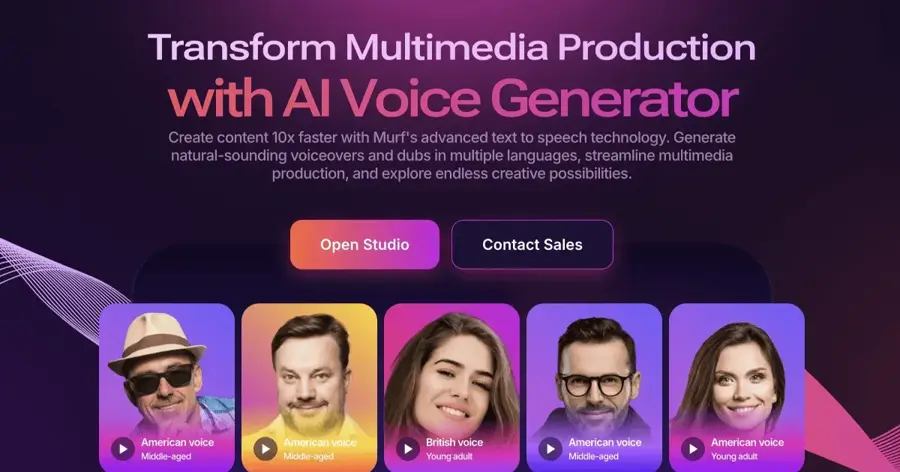
Murf AI is a voiceover studio for businesses, with a large stock voice library and editing tools that suit greetings, phone menus and on-hold messages.
Strengths
Murf pitches voicemail directly, with a dedicated guide to AI voicemail greetings. On the pricing page, you get 150+ voices in 35+ languages. As a voiceover studio rather than a quick one-off generator, that probably makes it a good fit if you need a set of matching recordings: main greeting, after-hours, holiday and phone menu prompts in one consistent voice.
Users rate it well. Murf has a 4.6 TrustScore from 186 reviews on Trustpilot, where one reviewer wrote that they "found it very easy to get professional-sounding audio quickly." The downside is the free plan. A Smallest.ai breakdown of Murf's plans says it gives you 10 minutes of generation with no downloads and no commercial rights, so you have to pay to actually use a greeting.
Key features
- It offers 150+ voices in more than 35 languages and accents.
- Murf publishes a voicemail guide with advice on writing and voicing greetings.
- A Canva add-on is handy if your team already works in Canva.
- Commercial rights are included from the Creator plan.
- Murf lists SOC 2 Type II and ISO 27001 security certifications.
Pros
- Strong user ratings
- Built for business voiceovers, including phone greetings
- Easy to keep several greetings in one consistent voice
Cons
- Free plan doesn't allow downloads
- $29 a month on monthly billing is steep for one greeting
Murf AI pricing: Free (no downloads); then Creator from $19/month billed yearly, or $29 month to month, per Smallest.ai's summary of Murf's pricing. Checked October 2026. See pricing
Related: Best AI voice generators compared
Verdict: I'd pay for one month, record every greeting you need, then cancel.
Quo – best free generator plus a phone line
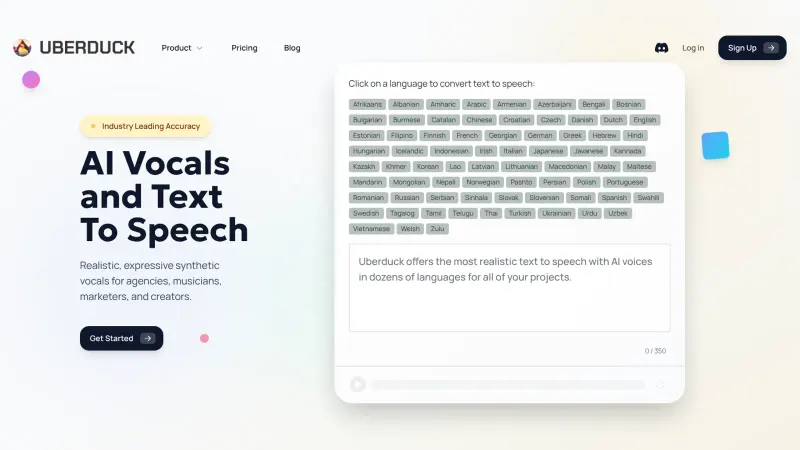
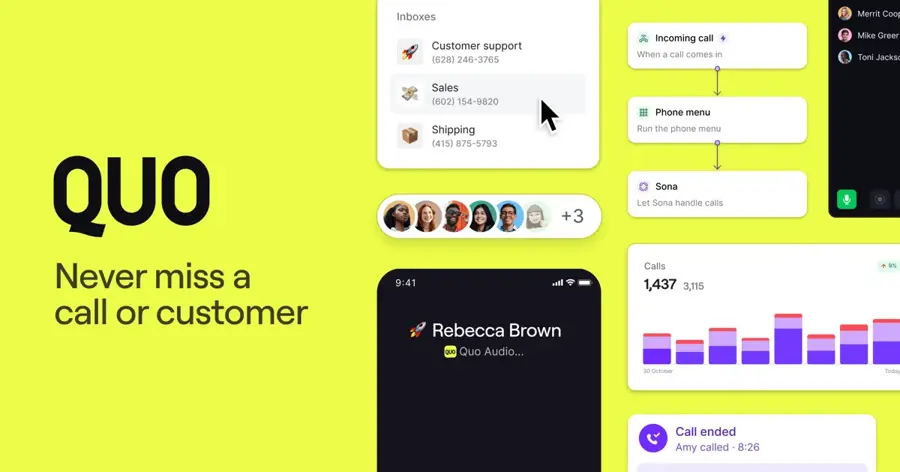
Quo (formerly OpenPhone) is a business phone system that offers a free web-based AI voicemail generator and natural text-to-speech greetings inside its app.
Strengths
Quo's free voicemail generator is probably the fastest route to a usable greeting. You type your script, choose a voice and optional background music, generate and download. Quo's page says "Create as many voicemails as you need," and the page includes ready-made scripts for standard, customer service and holiday greetings. The limit: it currently supports English only.
If you become a customer, you don't even need the file. In Quo's help center, the guide says its newer text-to-speech works in voicemail, phone menus and play-audio steps, with four natural voices plus one legacy voice. You control pacing with punctuation rather than speech markup. Quo holds a 4.2 TrustScore from 1,122 reviews on Trustpilot; one September 2026 reviewer called the app "very easy to use, convenient and affordable," while flagging occasional downtime.
Key features
- The free web generator gives unlimited greetings, voice choice and optional music.
- Built-in text-to-speech lets you edit the greeting text in the app, regenerate and save.
- The generator page has standard, support and holiday script templates.
- The Sona AI agent answers calls when a voicemail isn't enough.
Pros
- Genuinely free greeting downloads
- No re-uploading when you change hours
- Well-rated by business users
Cons
- Free generator is English only
- Fewer voices than dedicated voice platforms
- In-app greetings require a paid phone plan
Quo pricing: Free generator; then phone plans from $19/user/month billed yearly ($23 month to month), with a 7-day free trial. Checked October 2026. See pricing
Related: Best AI phone answering systems Best AI call assistants
Verdict: probably the best free AI voicemail generator for most small businesses.
KrispCall – best budget phone line with a free generator
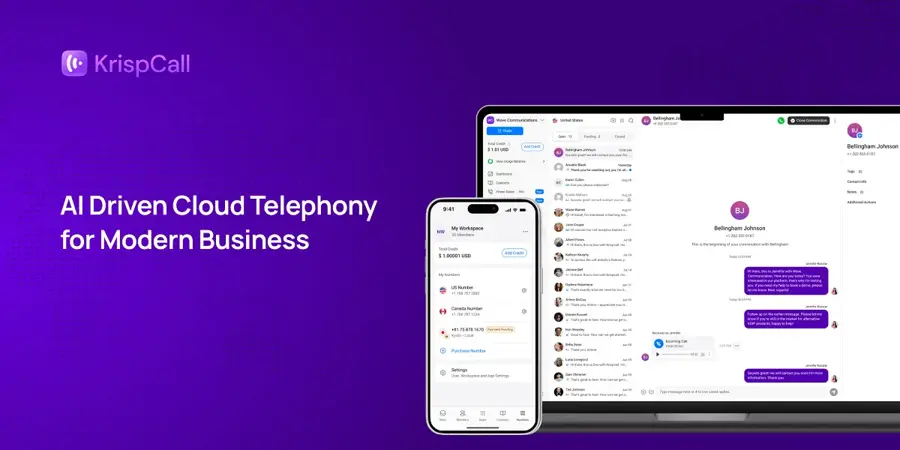
KrispCall is a cloud phone system with a free online voicemail greeting generator that offers male and female voices plus background music.
Strengths
KrispCall's voicemail greeting generator works much like Quo's: write a script, pick a voice, add music, preview and download. It's tighter, though. The tool caps scripts at 300 characters and limits free attempts, so it suits people who already know what they want to say. That cap isn't a real problem for a greeting, which should be short anyway.
The bigger draw is price. KrispCall's Starter plan is $12 per user a month billed yearly ($15 monthly) and includes one US, Canadian or UK number per user. It has a 4.3 TrustScore from 571 reviews on Trustpilot, where one reviewer who calls overseas leads wrote that "KrispCall was a super easy set up."
Key features
- The free generator offers male or female voices and optional background music.
- Scripts can run to 300 characters, which is enough for a standard greeting.
- Phone plans are cheap, and Starter includes 200 inbound minutes per user a month.
- International numbers are covered, with one free US, CA or UK number per user.
Pros
- Lowest-priced phone plan here
- Free generator for a quick greeting
- Good user ratings
Cons
- Only a few free generator attempts
- Small voice selection
KrispCall pricing: Free generator (limited attempts); then phone plans from $12/user/month billed yearly. Checked October 2026. See pricing
Related: Best AI outbound calling tools Best AI phone answering systems
Verdict: pick it if you want a cheap business number and a greeting in one place.
Narakeet – best pay-as-you-go option
Narakeet is a text-to-speech and narrated-video tool with 900 voices in 100 languages, sold as one-off credit packs instead of subscriptions.
Strengths
Most voice tools want a monthly fee. Narakeet doesn't. In the pricing FAQ, the 6 USD package gives you 30 minutes of audio at $0.20 a minute, charged per second of final audio. A 20-second greeting therefore costs pennies, and a single pack could probably cover a small team's greetings for years. Honestly, that's the most sensible model on this list for a one-off job. Commercial use requires a paid pack; free accounts get 20 conversions with a 1 KB script limit and no commercial rights.
Reviews are thin and mixed. Narakeet has a 2.7 TrustScore from just 16 reviews on Trustpilot. One September 2026 reviewer who bought the £6 pack wrote, "I was extremely disappointed with the quality of the service." Use the free conversions to check that you like the voices before you buy.
Key features
- With 900 voices in 100 languages, it has one of the widest language ranges here.
- Per-second billing means you pay only for the audio you create.
- There's no subscription, since credit packs are one-time payments.
- SSML and batch creation on commercial accounts suit many greetings at once.
- Unused credits can be refunded within 14 days, per Narakeet's FAQ.
Pros
- Cheapest paid route to commercial rights
- Huge language coverage
- No recurring charges to forget about
Cons
- Few public reviews, and some negative
- Free tier forbids commercial use
- Voice quality reports vary
Narakeet pricing: Free (20 conversions, non-commercial); then one-off packs from $6 for 30 minutes. Checked October 2026. See pricing
Related: Best free AI text-to-speech tools
Verdict: the smart buy if you need commercial rights but hate subscriptions.
TTSMaker – best free option for commercial use
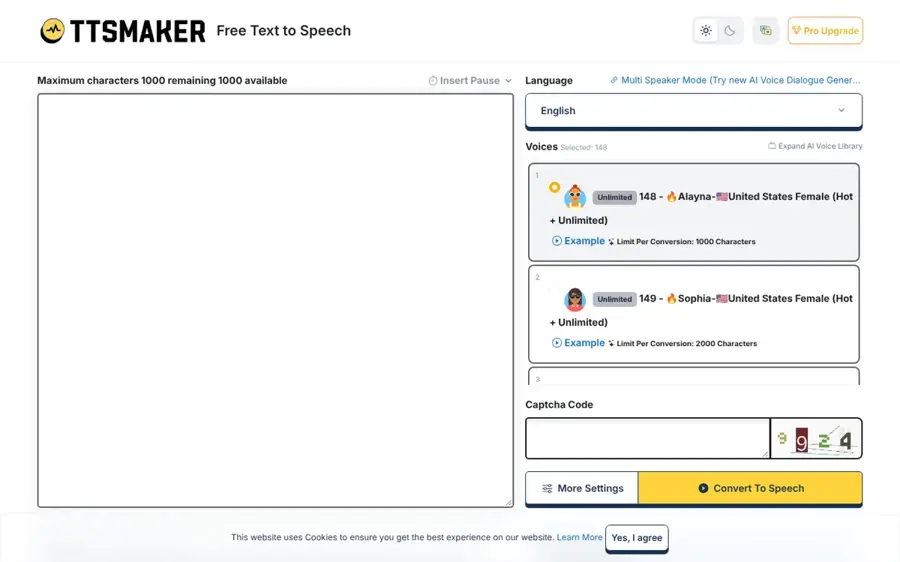
TTSMaker is a free online text-to-speech site that lets you convert, preview and download audio in many languages, with commercial use allowed.
Strengths
TTSMaker's selling point is its license. The site says you may use its audio "for any lawful purpose, including commercial use, with no fees and no additional permission required." The free limit's 20,000 characters a week, and some voices have no limit at all. A greeting is a few hundred characters, so the cap is irrelevant for voicemail. You can also adjust speaking rate and volume before downloading.
There's little independent feedback to go on. TTSMaker has only one review on Trustpilot, which is too few to mean anything. Voices on free TTS sites also tend to sound less natural than ElevenLabs or Murf, so preview a few before settling.
Key features
- Free commercial use is stated on the homepage.
- The limit's 20,000 characters a week, and some voices are unlimited.
- Speed and volume controls sit under More Settings.
- Downloadable audio is ready to upload to your phone system.
- An API is available for developers.
Pros
- Completely free
- Clear commercial-use statement
- Speed and volume controls on free audio
Cons
- Voices less lifelike than paid leaders
- Almost no independent reviews
TTSMaker pricing: Free (20,000 characters a week). Checked October 2026. See pricing
Related: Best free AI text-to-speech tools Best AI voice generators compared
Verdict: the zero-cost pick when you need commercial rights and can accept a plainer voice.
Choosing the right AI voicemail generator
Start with your phone system
Check whether your carrier or VoIP provider already offers text-to-speech greetings. Quo, for example, generates them right in its call flow builder. Built-in TTS saves you the download-and-upload step every time your hours change, and I think that alone justifies checking first.
Check the commercial license
A business greeting is commercial use. Murf's free plan has no commercial rights, per Smallest.ai, and Narakeet's free accounts don't either. ElevenLabs lists the commercial license from Starter. TTSMaker states free commercial use. Read the terms before you publish a greeting on a business line.
Match the voice to your caller
A law firm and a surf shop need different voices. Preview three or four options, read your script aloud first, and keep it under 25 seconds. Spell out tricky names phonetically if the AI stumbles.
Think about languages
If you serve callers in several languages, Narakeet (100 languages) and ElevenLabs (74) give you the most room. Quo's free generator is English only.
Decide whether to clone your voice
Cloning your own voice keeps your greeting personal and lets you update it by typing. Only clone voices you own or have written permission to use. See the legal section below.
Free vs paid: what you actually get
For a single greeting, free is usually enough. Here's the trade-off in plain terms:
| Need | Free option | Paid option |
|---|---|---|
| One English business greeting | Quo or KrispCall generator | Not needed |
| Commercial rights with no subscription | TTSMaker | Narakeet ($6 one-off) |
| Most natural voice | ElevenLabs free (personal use) | ElevenLabs Starter ($6/mo) |
| Full set of greetings and menus in one voice | Not practical | Murf Creator ($19–$29/mo) |
| Greeting in your own voice | Not available | ElevenLabs Starter |
Free tools typically limit voices, languages, attempts or commercial rights. Paid tools add realism, cloning, more languages and studio-style editing. A sensible budget move, I think: subscribe for one month, produce every greeting you need, download them all and cancel.
The legal limits: robocalls, ringless voicemail and voice cloning
Using an AI voice for your own voicemail greeting is a normal, low-risk use. The rules change once you send AI-voiced messages to other people. This is general information, not legal advice.
AI voices in robocalls
In February 2024, the FCC issued a unanimous declaratory ruling confirming that AI-generated voices are "artificial" under the Telephone Consumer Protection Act, as Cooley explains. The TCPA restricts calls that use an artificial or prerecorded voice without the called party's prior express consent, unless an exemption applies. The ruling followed AI robocalls imitating President Biden's voice before the New Hampshire primary. In practice, if you use an AI voice for outbound calls, you'd need the same consent as for any prerecorded call.
Ringless voicemail drops
Some sales tools drop messages straight into voicemail boxes without ringing the phone. On November 21, 2022, the FCC ruled that ringless voicemails to wireless phones are "calls" made with an artificial or prerecorded voice, according to Gordon Rees Scully Mansukhani. They're covered by the TCPA and illegal without the consumer's prior express consent. Pair that with the 2024 AI ruling, and an AI-voiced ringless voicemail campaign without consent carries real legal risk.
Cloning someone's voice
Clone only your own voice or a voice you've got clear, written permission to use. US federal law is still catching up: in June 2026 the Senate Judiciary Committee unanimously advanced the NO FAKES Act, which would make people and companies liable for unauthorized digital replicas of someone's voice, per Holland & Knight. For now, there isn't a uniform federal framework, leaving a patchwork of state right-of-publicity and privacy laws. Impersonating a real person in a greeting, a call or a message can also amount to fraud.
Final verdict
If you can only pick one, I'd pick ElevenLabs. It has the most natural voices, a free tier for drafts and a $6 plan that covers commercial use and cloning your own voice.
- Choose Quo if you want a free greeting in two minutes, or a phone system with text-to-speech built in.
- Choose Murf AI if you need a full set of matching greetings and phone menu prompts.
- Choose KrispCall if you want the cheapest business number plus a quick free greeting.
- Choose Narakeet if you want commercial rights without a subscription.
- Choose TTSMaker if your budget is exactly zero.
Want a wider view of voice tools? See our guide to the best AI voice generators, or if you want callers to talk to an AI instead of leaving a message, our AI phone answering system roundup.
FAQ
What is an AI voicemail generator?
An AI voicemail generator is a text-to-speech tool that turns a written greeting into a spoken audio file. You type your script, choose a voice, generate the audio and download it as an MP3 or WAV. You then upload that file to your mobile carrier, VoIP app or business phone system as your voicemail greeting.
Is there a free AI voicemail generator?
Yes. Quo's web generator lets you create and download as many English greetings as you need for free. KrispCall offers a few free attempts, and TTSMaker gives you 20,000 free characters a week with commercial use allowed. ElevenLabs has a free plan too, though its commercial license starts on the paid Starter plan.
Can I use my own voice for an AI voicemail greeting?
Yes, with voice cloning. ElevenLabs says its instant voice cloning works from a 10-second recording and is included from the Starter plan. Upload a clean sample of your own voice, then type any greeting and generate it in your voice. Only clone voices you own or have written permission to use.
Is it legal to use an AI voice for voicemail?
Using an AI voice for your own voicemail greeting is generally fine. The legal risk comes from outbound messages. In the US, the FCC treats AI-generated voices as artificial under the TCPA, and ringless voicemail drops count as calls, so both need the recipient's prior express consent. Check local rules or ask a lawyer before any campaign.
How long should a voicemail greeting be?
Keep it short: about 20 to 25 seconds is a good ceiling. State your name or business, say you can't take the call, ask for a name, number and reason for calling, and say when you'll call back. Shorter greetings also cost less on credit-based AI tools.
How do I upload an AI voicemail greeting to my phone?
Most business VoIP systems, such as Quo and KrispCall, let you upload an audio file in their voicemail settings. Many mobile carriers only let you record a greeting by speaking into the phone. In that case, play the AI file through a speaker into your phone while recording, in a quiet room.
Sources
- ElevenLabs Pricing for Creators & Businesses of All Sizes (ElevenLabs)
- Voice Cloning: Create Your AI Voice Clone in Minutes (ElevenLabs)
- ElevenLabs Reviews (Trustpilot)
- Murf AI Pricing & Plans (Murf AI)
- Create Engaging Voicemail Voice Over Greetings with AI (Murf AI)
- Murf AI Pricing: Plans, Cost & What You Get in 2026 (Smallest.ai)
- Murf.ai Reviews (Trustpilot)
- Free AI Business Voicemail Greeting Generator (Quo)
- How to use text to speech for custom call flow messages (Quo Resource Center)
- Quo Pricing (Quo)
- Quo Reviews (Trustpilot)
- Free online voicemail greeting service with realistic voices (KrispCall)
- KrispCall Pricing (KrispCall)
- KrispCall Reviews (Trustpilot)
- Narakeet text to speech (Narakeet)
- Pricing - Premium Text to Speech and Video Automation (Narakeet)
- Narakeet Reviews (Trustpilot)
- Free Text to Speech Online (TTSMaker)
- Ttsmaker Reviews (Trustpilot)
- AI Voicemail Generator: Create Professional Greetings Fast in 2026 (AiZolo)
- FCC: AI-Generated Robocalls Illegal Under the TCPA (Cooley)
- FCC Declares that Ringless Voicemails are Calls that Require Consumer Consent (Gordon Rees Scully Mansukhani)
- Senate Committee Advances Bill to Protect Name, Image, Likeness and Voice Against Unauthorized AI Use (Holland & Knight)