Best AI executive assistants in 2026: 7 picks for email, calendar and meetings
The best AI executive assistant for your inbox, calendar, meeting prep and follow-ups, with prices checked on official pages in October 2026.
 Written byMuhammad Usman SiddiquiFounder and editor-in-chief
Why you can trust The AI Future
Our writers research every product, link each claim to its source and correct mistakes openly. Companies can't pay for coverage or see reviews before they're published.
Read our editorial policy
Short answer: if you want one AI executive assistant that clears your inbox, records your meetings and keeps a running list of follow-ups, start with Fyxer. It works on top of Gmail and Outlook, drafts replies in your tone and has a free plan. If email is your whole job, pay for Superhuman instead. If your problem is the calendar, not the inbox, Reclaim is the cheapest serious option. I'd start with Fyxer for most people, though I think it's a close call against Superhuman for heavy email users.
A human executive assistant handles four jobs: email, calendar, meeting prep and follow-ups. As far as I can tell, no single AI tool does all four equally well yet, so the right pick depends on which job eats most of your week. Below are seven AI administrative assistants that each cover at least two of those jobs, with prices checked on official pages in late October 2026.
Key takeaways
- Fyxer looks like the best all-rounder, with email triage, reply drafts, meeting notes and follow-ups in one tool, from $37 per person per month billed annually.
- Most tools now bill in credits: Fyxer, Lindy, Motion and Howie all meter usage, so heavy users should check what a month of real work costs.
- Nothing here sends email on its own by default: Fyxer drafts but doesn't send, and Lindy waits for approval before any action with outside impact.
- You can start free: Fyxer, Reclaim and Read AI all have free plans; Lindy and Howie give one-time trial credits instead.
Our ranking method
Nobody at The AI Future ran hands-on tests for this roundup. We compared each tool using official product and pricing pages, published independent reviews and user ratings on sites like Capterra, G2 and Trustpilot, as of late October 2026. We scored each one on six criteria:
- Email handling: triage, labels and reply drafts that sound like you.
- Calendar control: scheduling, rescheduling and protecting focus time.
- Meeting prep and follow-up: notes, briefs and action items that don't get lost.
- Safety: whether the assistant asks before it sends, books or changes anything.
- Price clarity: how easy it's to predict the monthly bill, especially with credits.
- User sentiment: ratings and complaints on independent review sites.
Tools that cover more of an executive assistant's job rank higher. Specialists rank lower overall, but they can still be the right choice if they match your bottleneck. Prices are in US dollars and can change by country or promotion.
The 7 best AI executive assistants at a glance
| # | Tool | Category | Best for | Free tier | Starts at |
|---|---|---|---|---|---|
| 1 | Fyxer | Email and meetings | All-round inbox and follow-ups | Yes (limited) | $37/person/mo |
| 2 | Superhuman | Email client | Heavy email users | No | $25/member/mo |
| 3 | Lindy | AI agent | Delegating multi-step work | No | $29.99/user/mo |
| 4 | Reclaim | AI calendar | Protecting your time | Yes | $10/seat/mo |
| 5 | Motion | Planner and calendar | Tasks and projects | No | $19/seat/mo |
| 6 | Howie | Scheduling assistant | Scheduling over email | No | $25/mo |
| 7 | Read AI | Meeting assistant | Meeting prep and recaps | Yes | $15/user/mo |
Notes: Fyxer, Superhuman, Reclaim and Read AI prices are for annual billing. Lindy gives $50 of trial credits for seven days, and Howie gives $25 of starting credits, but neither has an ongoing free plan. Motion offers a free trial only.
The best AI executive assistants in 2026, ranked
Fyxer – best for an all-round inbox and follow-up assistant
Fyxer is an AI assistant that sits on top of Gmail or Outlook, sorts your email, drafts replies in your tone, records meetings and keeps a live follow-up list. Start at fyxer.com.
Strengths
Fyxer is the closest thing on this list to a full executive assistant, and that's why it's first. Its pricing page bundles replies drafted in your tone, automatic labeling, meeting recording and a follow-up list it refreshes continuously, all in the Pro plan. The company says it's trusted by over 25,000 companies, and Fireflies reports that it dropped the "AI" from its name in January 2026.
Ratings are solid. Fireflies, a competitor, notes that Fyxer holds 4.1 out of 5 on Trustpilot across 709 reviews. The same review points out that Fyxer won't send mail for you. I'd call that a safety feature, though others will see a ceiling. What to watch is the new credit system: inbox sorting costs 0.2 credits per email, while a chat message costs 20.
Key features
- Inbox sorting: labels incoming mail so you see what needs a reply first.
- Drafts in your voice: writes replies you review and send yourself.
- Meeting recording: joins video calls and turns them into notes and follow-ups.
- Follow-up list: updates as threads and meetings change.
- Flows: automations you can run on repeat (5 credits per run).
Pros
- Covers email, meetings and follow-ups in one place
- Works with the Gmail or Outlook you already use
- Free plan with 400 credits a month
- 14-day trial of the Team plan with unlimited credits
Cons
- Credit pricing makes heavy chat use harder to predict
- Does not send emails on your behalf
- Team plan jumps to $64 per person per month annually
Fyxer pricing: Free (400 credits/month), then paid plans from $37/person/month billed annually, or $49 monthly (checked October 2026). See pricing
Related: Best AI business assistants Best AI tools for productivity
Verdict: if you only pick one AI executive assistant, pick Fyxer.
Superhuman – best for heavy email users
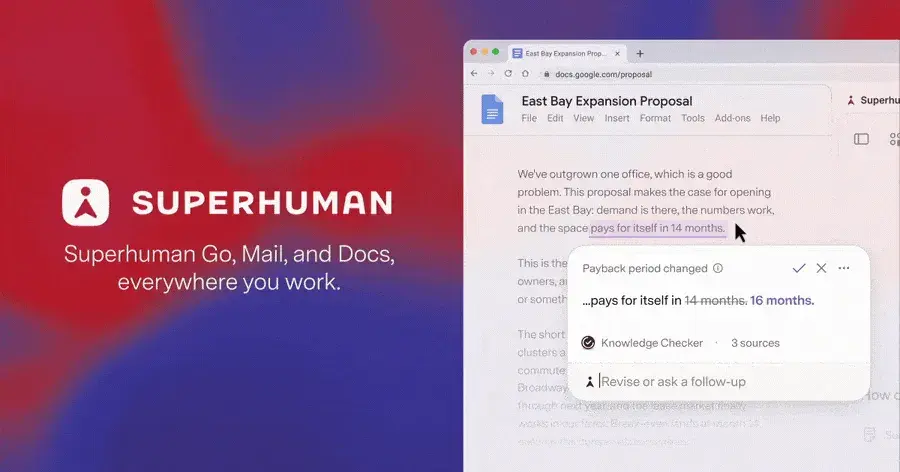
Superhuman Mail is a fast email client for Gmail and Outlook with AI that triages, drafts and follows up for you. See it at superhuman.com.
Strengths
Superhuman replaces your email app instead of sitting on top of it. That's a bigger change, but it probably pays off if you live in your inbox. The product page lists Split Inbox for VIPs and teams, follow-up reminders when nobody replies, shared Snippets and Send Later. Superhuman is now part of the wider Superhuman suite after Grammarly acquired it in July 2025 and later took on its name.
The AI that matters most for an executive is on the Business plan. According to Fast.io's review, Auto Drafts writes replies in the background and Ask AI lets you query your whole inbox in plain English; both are Business-only. User sentiment is strong but thin, with only 23 reviews to go on: Capterra shows 96% positive sentiment, with value for money scoring 4.1, its lowest category.
Key features
- Split Inbox: separates email from VIPs, your team and key tools.
- Auto Drafts: replies prepared before you open the email (Business).
- Ask AI: natural-language search across your inbox (Business).
- Follow-up reminders: nudges you when a reply doesn't arrive.
- Calendar and scheduling: included from the Starter plan.
Pros
- Very fast workflow built around keyboard shortcuts
- Works with Gmail and Outlook accounts
- Strong team features like shared email and comments
Cons
- No free plan, and Capterra lists no free trial
- Best AI features need the $33 Business plan
- Does not record or summarize meetings
Superhuman pricing: No free plan, then paid plans from $25/member/month billed annually; Business is $33 (checked October 2026). See pricing
Related: Grammarly AI review (Superhuman Go)
Verdict: worth the money if you send and answer email for most of the day.
Lindy – best for delegating multi-step work
Lindy is an AI teammate that works across email, Slack, iMessage and your meetings, and can run scheduled routines like daily briefs. Try it at lindy.ai.

Strengths
Lindy is the most flexible tool here, I think. Its pricing page lists inbox management, replies drafted in your voice, meeting scheduling, prep and follow-up, daily briefs and nudges, and 1,500+ integrations. Crucially for an executive, anything with outside impact, like sending an email or posting to a channel, waits for your approval.
Ratings are split, and the reason is credits. Crevio's October 2026 review found Lindy at 4.9 out of 5 on G2 (171 reviews) but 2.7 on Trustpilot (47 reviews). It also noted that Lindy's pricing page showed different plans on different visits, sometimes $49.99 for 5,000 credits. Light tasks go a long way. Heavy research and long workflows burn credits fast, which probably explains the split.
Key features
- Inbox management: triage plus drafts in your voice, across 2 to 5 inboxes depending on plan.
- Meeting help: scheduling, recording, notes, prep and follow-up.
- Routines: daily briefs, Monday reports and Friday nudges on a schedule.
- Approvals: outside actions wait for a human yes.
- Security: SOC 2 and GDPR compliant, with HIPAA on Enterprise.
Pros
- Does far more than email and calendar
- Approvals built in for anything risky
- Works where you already talk, including Slack and iMessage
Cons
- Credit costs vary widely by task
- Mixed reviews on Trustpilot about reliability and billing
- Every active workspace user is billed a seat
Lindy pricing: No free plan ($50 trial credits for 7 days), then paid plans from $29.99/user/month for 3,000 credits (checked October 2026). See pricing
Related: Best build-your-own AI assistants Best AI business assistants
Verdict: choose Lindy if you want to hand off whole tasks, not just emails, and you'll watch the credit meter.
Reclaim – best for protecting your time on the calendar
Reclaim is an AI calendar assistant for Google Calendar and Outlook that schedules focus time, habits, tasks and meetings around each other. Start at reclaim.ai.

Strengths
Reclaim handles the calendar half of the executive assistant job, and it does it well. It defends focus time and lunch as your week fills, reschedules tasks when meetings move and runs smart recurring meetings. Its pricing page also lists Delegated Access for EAs and admins on the Business plan, which matters if a human assistant still manages your calendar alongside the AI.
In our full Reclaim AI review we rated it 4.0 out of 5. On Capterra it scores 4.7 from 10 reviews, with users praising automatic rescheduling and complaining about a fiddly setup and no native mobile app.
Key features
- Focus time and habits: blocks that move but don't disappear.
- Smart Meetings: recurring meetings that find the best slot each time.
- Scheduling links: Calendly-style booking pages.
- Delegated Access: lets an EA or admin manage your calendar (Business).
- Free plan: 5 AI agents and a one-week scheduling range.
Pros
- Usable free plan
- Cheaper per seat than Motion
- Works with both Google Calendar and Outlook
Cons
- Does not handle email triage or drafting
- Free plan only schedules one week ahead
- Setup takes time before it behaves
Reclaim pricing: Free, then paid plans from $10/seat/month billed yearly, or $12 monthly (checked October 2026). See pricing
Related: Reclaim AI review Best AI scheduling assistants
Verdict: the best value pick if your calendar, not your inbox, is the problem.
Motion – best for planning tasks and projects
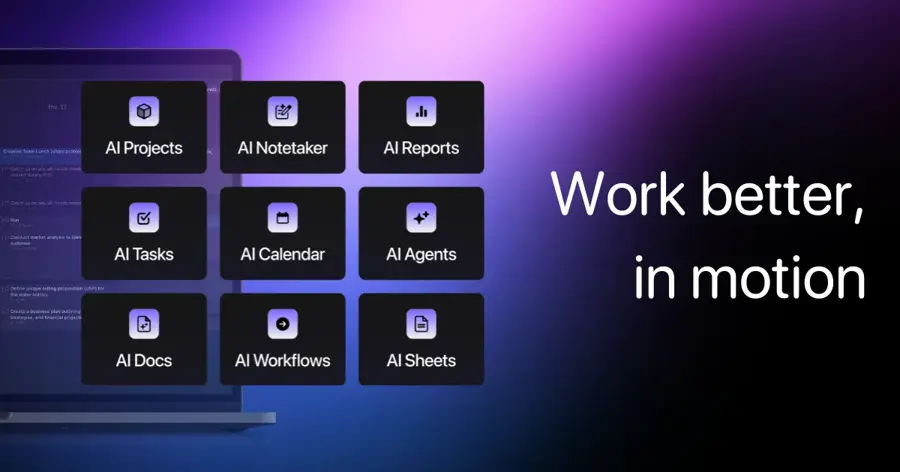
Motion is an AI planner that combines tasks, projects, calendar, meeting notes and docs, and fits your to-do list into your calendar automatically. See usemotion.com.
Strengths
Motion suits executives who run projects as well as meetings; the price seems steep for anyone else. Its pricing page lists AI chat, AI projects and tasks, an AI calendar with meetings, docs and notes, and a task planner, with 7,500 AI credits per seat each month on Pro AI. The Business plan adds team capacity planning, dashboards and time tracking.
Motion scores 4.3 out of 5 from 89 reviews on Capterra. One reviewer, a law firm president, summed up the trade-off: "The cost is pretty steep, and it doesn't do as much as some other software, but overall, for its purpose, it's great."
Key features
- Auto-scheduling: unfinished tasks move forward on your calendar until done.
- Meeting notetaker: notes inside the same app as your tasks.
- Projects and docs: a light project tool with AI writing built in.
- Credits: 7,500 per seat per month on Pro AI, 15,000 on Business.
- Apps: iOS, Android and desktop.
Pros
- Tasks, projects and calendar in one place
- Strong at moving work around when plans change
- Mobile and desktop apps
Cons
- No free plan, only a trial
- Reviewers call it expensive
- Some web features missing on mobile, per Capterra reviews
Motion pricing: No free plan, then paid plans from $19/seat/month (checked October 2026). See pricing
Related: Best AI scheduling assistants Best AI tools for productivity
Verdict: pick Motion if your day is projects and deadlines, not just meetings.
Howie – best for scheduling over email
Howie is an AI scheduling assistant you CC on email or text: it reads the thread, checks your calendar, offers times and sends the invite. See howie.com.

Strengths
Howie copies what a human assistant does best, which is nice: you add it to a thread and it handles the back-and-forth. Its homepage says it finds times across messy group threads, follows up when people go quiet, adds holds and travel time, and briefs your day. It also remembers rules such as a limit on back-to-back hours.
The big limit's platform. Carly's September 2026 review (Carly sells a competing assistant) says Howie runs on Gmail and Google Calendar only, with no Outlook support. It quotes a LinkedIn user: "It doesn't feel like software. It feels like you're working with a real assistant."
Key features
- CC scheduling: loop Howie into any email thread.
- Group threads: waits for everyone, then books.
- Follow-ups: nudges people who go quiet.
- Calendar upkeep: holds, buffers, travel time and focus blocks.
- Custom identity: an assistant name at your domain for $20/month extra, per Carly.
Pros
- Feels like a human assistant to the people you email
- Handles group scheduling well
- Plain-English scheduling rules
Cons
- Google Workspace only, no Outlook
- Credit-based pricing without a published per-meeting cost
- Scheduling only, no inbox triage
Howie pricing: No free plan ($25 starting credits); then team plans from $25/month for 1,250 shared credits, according to Carly's September 2026 review; Howie's own pricing page didn't load for us (checked October 2026). See Howie
Related: Best AI scheduling assistants
Verdict: the best pick for Google Workspace users whose week is full of external meetings.
Read AI – best for meeting prep and recaps
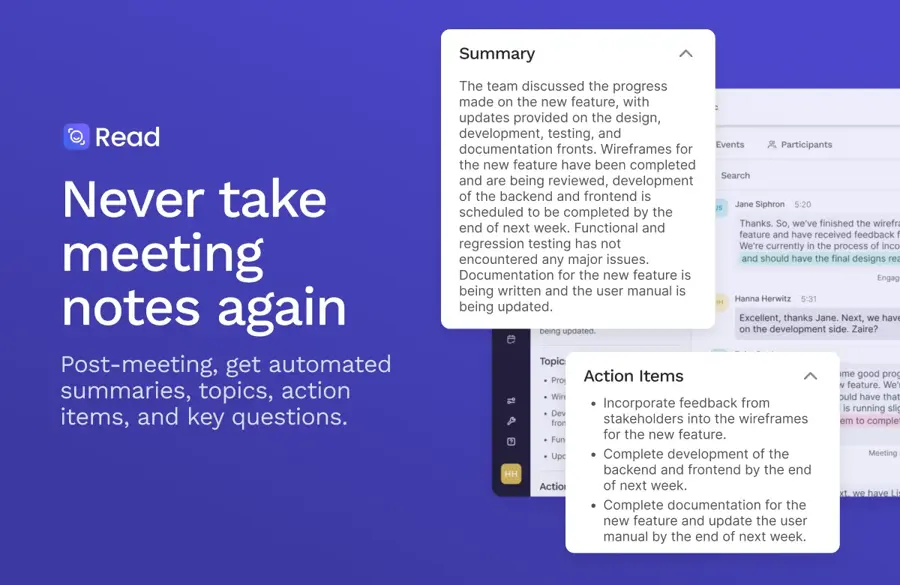
Read AI is a meeting assistant that joins Zoom, Teams and Google Meet, writes summaries and action items, and lets you search across meetings, email and messages. Start at read.ai.
Strengths
Read AI covers the meeting side of an executive assistant's job. Going by its plans page lists summaries for meetings, email and messaging, a Chrome extension that brings insights into Gmail and Google Calendar, and Ask Read, a search that connects your meetings, emails and messages. That search is what makes it useful for prep: you can pull up what was agreed last time before you walk in.
We rated it 3.5 out of 5 in our Read AI review. On G2 it scores 4.0 from 43 reviews, but support scores lag rivals, and users have long complained about the bot joining meetings uninvited.
Key features
- Meeting reports: summary, topics, action items and key questions.
- Ask Read: search across meetings, email and messages.
- Gmail and Calendar extension: scheduling insights in Google Calendar.
- Meeting coach: talking speed, filler words and engagement metrics.
- Apps: Windows, macOS, Android and iOS.
Pros
- Free plan with 5 meetings a month
- Cheap Pro tier
- Works across Zoom, Teams and Meet
Cons
- Free plan caps meetings at one hour
- Complaints about the bot joining uninvited
- Does not draft or triage email
Read AI pricing: Free (5 meetings/month), then paid plans from $15/user/month billed annually, or $19.75 monthly (checked October 2026). See pricing
Related: Read AI review Otter AI review
Verdict: add Read AI if meetings, not email, are where follow-ups slip.
Choosing the right AI executive assistant
Find your real bottleneck first
Track one normal week. If most lost time goes to email, choose Fyxer or Superhuman. If it's rescheduling, choose Reclaim or Howie, and if it's meetings that end without clear next steps, choose Read AI. All of the above? Fyxer or Lindy.
Check what you already pay for
Plenty of companies already have AI inside their email suite. Gemini is built into Gmail on Google Workspace business plans, and Microsoft 365 Copilot Business returned to $21 per user per month billed yearly after a promotion ended on September 30, according to Collab365. These are decent AI office assistants for drafting and summaries, but they seem to do less proactive triage and follow-up than the specialists above. Our Microsoft AI review covers Copilot in more depth.
Match your email and calendar platform
Fyxer, Superhuman and Reclaim support both Google and Microsoft accounts. Howie is Google-only. If your company runs on Outlook, check this first.
Decide how much the AI may do alone
An assistant that sends emails or moves meetings without asking can cause real damage with clients. Fyxer only drafts, Lindy asks for approval on outside actions, and Reclaim's AI changes can be previewed first, as our Reclaim review explains. Start with drafts and approvals, and loosen controls once you trust it.
Model the credit bill
Credits make light users' bills cheap and heavy users' bills unpredictable. Before you commit, estimate a month of your real work against each vendor's credit table, then add a buffer.
Free vs paid: what you actually get
| Tool | Free option | What paying adds |
|---|---|---|
| Fyxer | Free plan, 400 credits a month (about 20 chat messages or 6 hours 40 minutes of recording) | 3,000 credits, drafts in your tone, meeting follow-ups, shared spaces |
| Reclaim | Free plan: 1 user, 5 AI agents, 1-week scheduling range | Up to 8- or 12-week range, more calendar syncs, Delegated Access on Business |
| Read AI | Free plan: 5 meeting transcripts a month, 1-hour meetings | Unlimited transcripts, premium integrations, longer meetings |
| Lindy | $50 of credits for 7 days | 3,000 credits a month per user, pooled across your team |
| Howie | $25 of starting credits (per Carly) | Shared credit pool for scheduling |
| Superhuman, Motion | No free plan | Full product from the first paid tier |
For most people, I'd say free plans are a trial in disguise. They prove the assistant understands your email or calendar, but limits on credits, meetings or scheduling range kick in within days for a busy executive. Budget $25 to $40 per month if you want an assistant that keeps up with a full week.
Final verdict
Most people should start with Fyxer: it covers email, meetings and follow-ups and has a free plan to prove itself. Choose Superhuman if you want the fastest email client and will pay for Business to get Auto Drafts. Choose Lindy if you want an assistant that runs whole routines across Slack and your tools.
For the calendar, Reclaim is the value pick and Howie is the most human-feeling scheduler on Google Workspace. Add Read AI if meetings are where things fall through the cracks. Two tools, one for the inbox and one for the calendar, will probably still cost less than a part-time human assistant.
FAQ
What is an AI executive assistant?
An AI executive assistant is software that handles parts of a human assistant's job: sorting email, drafting replies, scheduling meetings, taking meeting notes and tracking follow-ups. Most connect to Gmail or Outlook and your calendar. They draft and suggest instead of acting alone.
Can an AI executive assistant replace a human assistant?
Not fully, in my view. AI tools are good at repetitive work like triage, scheduling and meeting notes, but they struggle with judgment, relationships and messy priorities. Some executives use AI to take routine work off a human assistant's plate. Reclaim even offers Delegated Access so a human EA can manage your calendar alongside it.
What are the best AI tools for executive assistants?
If you're an executive assistant yourself, look at tools that support delegation. Reclaim's Business plan includes Delegated Access for EAs and admins, Superhuman has shared email and comments for teams, and Read AI can send meeting recaps to the right people. Fyxer's Team plan assigns shared follow-ups with clear owners.
Is my email safe with an AI assistant?
It depends on the vendor, so read each security page. Lindy says your data is encrypted, never sold and never used to train models, and it's SOC 2 and GDPR compliant. Fyxer offers private cloud options on Enterprise. Check admin controls before connecting a company account, and ask IT if you're unsure. A work inbox holds contracts, salary talk and client details, so it's worth ten minutes of reading before you click connect.
How much does an AI executive assistant cost?
Free plans exist from Fyxer, Reclaim and Read AI. Paid plans on this list start at $10 per seat per month for Reclaim and reach $37 per person per month for Fyxer Pro, billed annually. Lindy and Howie can cost more if you use them heavily.
Sources
- Fyxer | Pricing (Fyxer)
- Fyxer | The AI assistant across all your work (Fyxer)
- Fyxer AI Review + Best Alternatives in 2026 (Fireflies)
- Superhuman Mail | Pricing (Superhuman)
- Superhuman Mail | Get Ahead of Your Inbox (Superhuman)
- Superhuman AI Review 2026 (Fast.io)
- Superhuman Software Pricing, Alternatives & More 2026 (Capterra)
- Pricing - Lindy (Lindy)
- Lindy AI Review 2026: Pricing, Credits & Honest Verdict (Crevio)
- Pricing - Pick the right plan for you (Reclaim)
- Reclaim reviews (Capterra)
- Pricing | Motion (Motion)
- Motion Reviews 2026 (Capterra)
- Howie | AI Calendar Secretary for Email Scheduling (Howie)
- Howie AI Review (2026): Pricing, Features & Limits (Carly)
- Plans & Pricing (Read AI)
- Fellow vs Read AI (G2)
- Microsoft cuts Copilot Business price by $3 for three months (Collab365 Spaces)
- Compare Flexible Pricing Plan Options (Google Workspace)