Reclaim AI review 2026: features, pricing, free plan, pros and cons
Reclaim AI is a free-to-start AI calendar that defends focus time and habits on Google Calendar and Outlook. We weigh Reclaim 2.0, the new prices and its limits.
 Written byFahad HashmiContributing writer, AI in energy and industry
Why you can trust The AI Future
Our writers research every product, link each claim to its source and correct mistakes openly. Companies can't pay for coverage or see reviews before they're published.
Read our editorial policy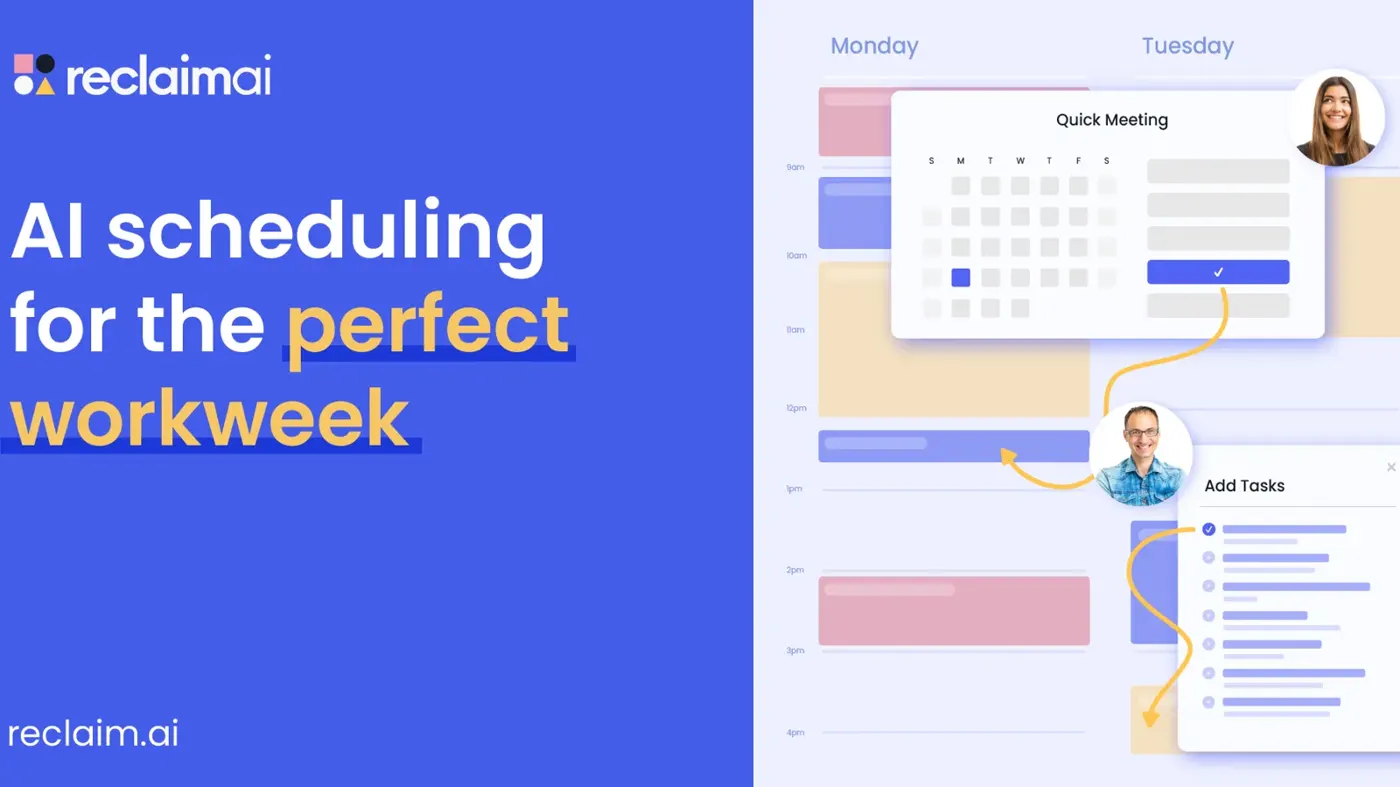
Our verdict on Reclaim.ai
Reclaim AI is one of the most complete AI calendar assistants in late 2026, with a usable free plan and a safer AI Assistant in Reclaim 2.0. Use it if your week is a moving target on Google Calendar or Outlook; skip it if you manage your day from your phone or your calendar is all fixed meetings.
Pricing Free (Lite); Starter $10/seat/mo yearly ($12 monthly); Business $15/seat/mo yearly ($18 monthly); Enterprise $22/seat/mo yearly
Visit Reclaim.aiReclaim AI is an AI calendar assistant that sits on top of Google Calendar or Outlook and schedules your focus time, habits, tasks, buffers and recurring meetings, then moves them around when your week changes. It has a free plan, paid seats start at $10 per user per month on annual billing, and Dropbox has owned it since August 2024. I think it's the most complete tool of its kind right now, though it asks for patience up front.
It's a scheduler with priorities, not a new calendar app. You tell Reclaim what matters and how flexible each item is. It writes real events into your calendar and keeps re-solving the puzzle every time a meeting lands. When that works, you stop playing calendar Tetris by hand. When your rules are wrong, it moves things in ways you didn't expect.
Nobody at The AI Future ran a hands-on test for this Reclaim AI review. We put it together from Reclaim's official pricing page and help center, other reviewers' published write-ups and user reviews on Capterra and Software Finder, as of late October 2026. Where a claim comes from someone else, we link it.
Reclaim AI at a glance
| Item | Details |
|---|---|
| Our rating | 4.0 / 5 |
| Best for | Knowledge workers and small teams on Google Calendar or Outlook whose weeks keep getting eaten by meetings |
| Free plan | Yes (Lite): 1 user, 5 AI agents, 1-week scheduling range |
| Paid plans | Starter $10, Business $15, Enterprise $22 per seat per month, billed yearly (checked October 2026) |
| Calendars | Google Calendar and Outlook |
| Owner | Dropbox (acquired 2024) |
| Website | reclaim.ai |
About Reclaim AI
Reclaim describes itself in its help center as "an AI calendar assistant that helps you plan, protect, and adapt your time." Henry Shapiro and Patrick Lightbody founded it in 2019, and TechCrunch reported in August 2024 that Dropbox had acquired it, with the whole 22-person team joining Dropbox. Reclaim said then that it planned to keep developing the product and supporting existing users. It still runs under its own brand at reclaim.ai, and the homepage now claims it is "Trusted by +600,000 users across 70,000 companies", up from the 320,000 people and 43,000 companies quoted at the time of the deal.
The bigger recent change is Reclaim 2.0. According to the Reclaim 2.0 FAQ, anyone who signed up after May 2026 is on the new version, and older accounts can upgrade from a banner in the app. Version 2.0 bundles a full calendar view (the Planner), a chat-based AI Assistant, background "Agents" and analytics in one place.
The mental model is simple. Your calendar holds two kinds of time:
- Fixed time is meetings other people booked, and Reclaim mostly leaves these alone.
- Flexible time covers focus blocks, habits like lunch, task work and buffers. Reclaim owns these and moves them within the windows and priorities you set.
Each flexible item has a priority from P1 (critical) to P4 (low). When time gets tight, higher priorities win and lower ones move, shrink or skip, depending on the rules you gave them.
Key features
Agents: focus time, habits, buffers and smart meetings
Agents are Reclaim's name for its scheduling automations. Habits, Buffers, Focus, Smart Meetings, Meeting Quality and Defend Meeting Overload are the ones in the help center. A Habit is a recurring solo event, such as lunch between 11:00 and 14:00, with rules for what happens on a conflict: move within the window, shorten to a minimum, skip, or defend the time. Focus agents work toward a weekly deep-work target. Smart Meetings find a slot for recurring meetings across attendees and move them when someone's calendar changes.
One detail I like: a Habit can show as "free" while there's slack in your day, so colleagues can still book you, and switch to "busy" when the day fills up. Reviewers on Capterra single out this behaviour as the main reason they keep paying.
AI Assistant and Preview Mode
Reclaim 2.0 adds a chat assistant. You can type requests like "Find 30 minutes to meet with Bob this week" or "Analyze my time this week", examples taken from Reclaim's FAQ. To my mind the safety mechanism matters more than the chat. Changes from the assistant are staged in Preview Mode first, so attendees aren't notified until you review and apply them. That addresses an older complaint, quoted in a review by Saner.ai, that a burst of reshuffling could flood you with calendar notifications.
Tasks and integrations
Reclaim pulls tasks from project tools and books time for them before their due dates. Looking at the pricing page, the free Lite plan gets Google Tasks, Slack, Zoom and Google Meet, while paid plans add Todoist, Asana, ClickUp, Jira and Linear. Task recommendations can also come from action items in your meetings.
Scheduling links and calendar sync
Scheduling links work like Calendly, but the slots respect your focus time and habits, not just your meetings. Calendar Sync copies busy blocks between calendars, for example a personal Google account and a work Outlook account, so neither one double-books you.
MCP access from other AI tools
Reclaim now supports the Model Context Protocol, so you can drive it from ChatGPT, Claude, Copilot or Gemini, going by the help center. Changes go through Preview Mode first.
Analytics
Every plan gets weekly productivity reports and time stats. Team plans add team analytics, and Enterprise adds workforce analytics, benchmarks and exports, per the plan comparison.
Reclaim AI pricing and plans
Reclaim's pricing page lists four plans. Prices below are per seat per month, checked October 2026. Yearly billing is advertised as saving 20%.
| Plan | Yearly billing | Monthly billing | Main limits |
|---|---|---|---|
| Lite | Free | Free | 1 user, 5 AI agents, 1-week scheduling range, 1 calendar sync, 1 scheduling link, limited integrations, community support |
| Starter | $10 | $12 | Up to 10 seats, 10 agents per seat, 8-week range, 3 calendar syncs, 3 scheduling links, all integrations |
| Business | $15 | $18 | Up to 100 seats, 100 agents per seat, 12-week range, unlimited syncs and links, webhooks, team OOO calendar, delegated access for assistants |
| Enterprise | $22 | Contact sales | Over 100 seats, unlimited agents, SSO and SCIM, org-chart aware scheduling, dedicated support |
Prices have gone up.
When Dropbox bought the company, TechCrunch noted team plans started at $8 per person per month, and a Saner.ai review written earlier in 2026 still listed Starter at $8 and Business at $12 on annual billing. Some third-party sites also quote different Enterprise prices, so check the official page before you budget.
The free plan in detail
The free plan is a real product, not a trial. You get Focus Time, Habits, Buffer Time, Smart Meetings and Meeting Quality agents, two connected calendars and limited AI Assistant use. The limit that bites first is the 1-week scheduling range. Reclaim only plans one week ahead, so a task due in three weeks won't get time booked until it's close. If you plan further out, you need Starter (8 weeks) or Business (12 weeks).
Odd, though: the pricing page still shows an Attendee User "launch promo" running "through July 31st", which had passed when we checked. Attendee Users are people without a paid seat who join Smart Meetings of three or more, and they're sold in packs. If your team relies on group Smart Meetings, confirm current Attendee User pricing with sales.
Worked example: a team of five
- Starter, yearly: 5 seats × $10 × 12 months = $600 per year.
- Starter, monthly: 5 × $12 × 12 = $720 per year, so yearly billing saves $120.
- Business, yearly: 5 × $15 × 12 = $900 per year.
Reclaim's homepage claims users get "7.6h more focus time/week". That's a vendor figure, not an independent measurement. Still, the break-even bar is low: at $10 a month, Starter probably pays for itself if it saves a $40-an-hour worker about 15 minutes a month.
Performance and independent testing
We didn't run our own tests, and we found no large independent benchmark of AI calendar tools. What exists is a mix of reviewer write-ups and user reviews, and they agree on the broad picture.
- Rescheduling works well once it's configured. A Capterra reviewer called it "an automated assistant that plays "calendar Tetris" for me", and several Software Finder reviewers say it replaced manual time blocking or a human assistant.
- Setup takes real effort. One Software Finder reviewer reported spending "at least 5 to 10 hours" tuning it. Dupple lists the learning curve as a weakness, and AI Indigo warns you may spend more time fixing the AI's schedule than you save if your calendar is mostly fixed meetings.
- Google comes first, Outlook second. Outlook has been supported since August 2025, according to Saner.ai, but Dupple and a Capterra reviewer both describe it as less mature than the Google integration.
- Mobile is weak. Saner.ai reported no native mobile app as of early 2026, and a Capterra review calls the missing app "the biggest drawback". We couldn't find a native app on Reclaim's official site; you see Reclaim's events in your normal calendar app, but managing priorities happens in the web app.
AI Indigo suggests a sensible two-week test you can run yourself: track planning time and missed tasks for one week without Reclaim, then one week with three habits and five tasks, and keep it only if planning time drops.
The limits
A scheduler is a constraint solver, and it fails in predictable ways:
- Over-constrained weeks leave it nothing to move. Agents won't schedule when no time fits the allowed hours or minimum duration, as far as the help center is concerned.
- Bad rules cause trouble. A habit window set outside your working hours, or a "daily" habit that should be weekdays only, can scramble the calendar, as one Software Finder reviewer found.
- Overdue tasks slip quietly. Several reviewers on Software Finder and in the Saner.ai roundup say missed deadlines aren't flagged loudly, so a task can slide without much warning, which I'd find annoying on a deadline-heavy week.
- There are no task dependencies. A Capterra reviewer notes you can't make Task B wait for Task A.
- Calendars beyond Google and Outlook are out. Only those two providers appear in the FAQ, so iCloud-only users can't use it.
Who Reclaim AI is for
| If you... | Reclaim is... |
|---|---|
| Juggle meetings, deep work and many small tasks on Google Calendar | A strong fit |
| Manage recurring 1:1s across a team | A strong fit (Smart Meetings) |
| Want a free AI scheduler for light personal use | Worth trying on Lite |
| Plan work more than a week ahead | Paid plan needed |
| Live in Outlook only | Workable, but less polished |
| Manage your day mainly from your phone | A poor fit |
| Have a calendar that is almost all fixed meetings | Probably not worth the setup |
For a broader view of the category, see our guide to the best AI scheduling assistants and our list of AI tools for productivity.
Reclaim AI alternatives worth considering
- Motion also auto-schedules tasks into your calendar, with more project-management features. Dupple lists it from $19 a month, so it costs more. Pick it if you want tasks and projects in the same tool.
- Sunsama is a deliberate daily planner with less automation, from $20 a month billed annually per Dupple. Pick it if you'd rather plan your day by hand with a guided ritual.
- Notion Calendar is a clean calendar that ties into Notion docs and databases, compared with Reclaim by AI Indigo. Pick it if your work already lives in Notion; see our Notion AI review.
If you need help beyond the calendar, our roundup of AI executive assistants covers tools that also handle email and admin, and our Granola AI review looks at AI meeting notes.
Verdict: who should use it and who should skip it
Reclaim AI is probably the most complete AI calendar app you can buy in late 2026, and I'd happily recommend it to anyone with a chaotic week. The core idea, flexible blocks with priorities that defend themselves, is well executed, the free plan is usable, and Preview Mode makes the AI Assistant much safer on a live calendar. Paid seats cost more than they did a year ago but still undercut Motion.
Use it if your week is a moving target and you're on Google Calendar or Outlook. Skip it if you run your day from your phone, use iCloud, or have a calendar so full of fixed meetings that there's nothing left to optimise. I'd give it a week of setup before judging it; that's where most of the grumbling in the reviews seems to come from.
FAQ
What is Reclaim AI?
It's an AI calendar assistant that works on top of Google Calendar and Outlook, scheduling focus time, habits, tasks and meetings by your priorities. Dropbox has owned it since 2024.
Is Reclaim AI free?
Yes. The Lite plan is free forever for one user. It includes five AI agents (focus time, habits, buffers, smart meetings and meeting quality), one calendar sync, one scheduling link and limited integrations. The main catch is that it only schedules one week ahead, against eight weeks on Starter.
How much does Reclaim AI cost?
As of October 2026, Starter costs $10 per seat per month billed yearly or $12 monthly, Business costs $15 yearly or $18 monthly, and Enterprise is listed at $22 per seat per month billed yearly. Prices rose from the $8 entry price quoted in 2024, so check the official pricing page.
Is Reclaim AI still around after the Dropbox acquisition?
Yes. It still runs under its own brand at reclaim.ai, and Reclaim 2.0 shipped in 2026 with an AI Assistant, Preview Mode and MCP support.
Does Reclaim AI work with Outlook?
Yes. Reclaim supports both Google Calendar and Outlook calendars, and you can connect several accounts. Reviewers say the Google integration is still the more mature of the two, so Outlook-only users should test the free plan before committing a team.
Does Reclaim AI have a mobile app?
Reviews from early 2026 report no native iOS or Android app, and we couldn't find one on Reclaim's official site. Events Reclaim creates show up in your phone's normal calendar app, but changing priorities, tasks and settings is done in the web app.
Ratings around the web
Ratings as of 5 Nov 2026. Scores change over time; follow the links for the latest.
What users are saying
We read 27 user reviews: all 10 on Capterra (2023 to 2026) and 17 on Software Finder, plus the complaints collected in Saner.ai's 2026 roundup. Most reviewers praise automatic rescheduling and protected focus time, with a sizeable minority calling it useful but fiddly. These are small, positive-leaning samples; we could not read G2, Trustpilot or app-store reviews.
Common praise
- Automatic rescheduling of tasks and habits when meetings move
- Protected focus time and lunch breaks
- Smart recurring 1:1s and Calendly-style booking links
Common complaints
- Long, fiddly setup of habits and priorities
- No native mobile app
- Free plan too limited and paid plan pricey for personal use
Based on: Capterra reviews of Reclaim, Software Finder reviews of Reclaim ai, Saner.ai: Honest Reclaim.ai reviews
What we like
- Flexible focus time and habits that defend themselves as your week fills up
- Usable free plan with five AI agents
- Preview Mode stages AI Assistant changes before they hit your live calendar
- Works with both Google Calendar and Outlook, plus MCP access from ChatGPT, Claude and others
- Cheaper per seat than Motion
What could be better
- Free plan only schedules one week ahead
- Setup takes hours of tuning before it behaves
- No native mobile app reported by reviewers
- Prices rose from $8 to $10 per seat on the entry plan
Sources
- Pricing - Pick the right plan for you (Reclaim.ai)
- Reclaim – AI Calendar for Work & Life (Reclaim.ai)
- Reclaim 2.0 FAQ (Reclaim.ai Help Center)
- Dropbox acquires Index Ventures-backed AI scheduling tool Reclaim.ai (TechCrunch)
- Reclaim reviews (Capterra)
- Reclaim ai Reviews & Ratings (Software Finder)
- Honest Reclaim.ai Reviews: Is it worth it in 2026? (Saner.ai)
- Reclaim.ai Review 2026: Features, Pricing & Alternatives (Dupple)
- Reclaim.ai Review 2026: Does AI Calendar Automation Actually Save Time? (AI Indigo)