9 best free AI voices in 2026, compared side by side
The best free AI voices in 2026, from ElevenLabs and Clipchamp to open models like Kokoro, with real free limits, licences and paid upgrade costs.
 Written byFahad HashmiContributing writer, AI in energy and industry
Why you can trust The AI Future
Our writers research every product, link each claim to its source and correct mistakes openly. Companies can't pay for coverage or see reviews before they're published.
Read our editorial policy
Here's the short version. If you want the most natural free AI voices and only need a few minutes of audio a month, start with ElevenLabs; if you're making videos, Microsoft Clipchamp's free voiceovers are the easiest route; and if you can run code, open models like Kokoro and Chatterbox cost nothing at all. Which is the best AI voice over? For pure quality, ElevenLabs currently tops the Artificial Analysis text-to-speech leaderboard, but its free plan is small and doesn't include a commercial licence.
That trade-off (quality versus allowance versus usage rights) shows up in every tool below. I've ranked nine options using official pricing pages, a public blind-listening leaderboard and user reviews, all checked in late October 2026. If you just want a quick answer on whether free voiceover tools exist at all, our explainer on free AI voice over generators covers the basics.
Key takeaways
- ElevenLabs gives you 10,000 credits a month for free, which works out to roughly 10 minutes of speech, but you need the $6 Starter plan for commercial use.
- Clipchamp's AI voiceover feature is free for every user, with 400 voices in 80 languages and watermark-free 1080p exports.
- TTSMaker allows 20,000 characters a week and says its audio is free for commercial use, which is rare at this price.
- Google Cloud and Azure have large monthly free quotas for developers, but you have to set up billing first.
- Kokoro and Chatterbox are open models you can run yourself with no usage limits beyond your own hardware.
Our ranking method
Nobody at The AI Future ran hands-on tests or recorded sample audio for this roundup. We compared each tool using its official pricing and feature pages, the Artificial Analysis voice arena (where listeners vote blind on paired clips), Trustpilot pages and GitHub activity, as of late October 2026. These were the criteria:
- Free allowance is how many minutes or characters you get each month without paying.
- Voice quality is judged from blind-vote leaderboards, not marketing samples.
- Usage rights cover whether free output can go into a monetised video or a client project.
- Setup cost is the effort needed to get your first clip: a browser tab, a billing account or a Python install.
- Upgrade path is what the cheapest paid plan costs and what it adds.
- User feedback comes from public review sites and repository stars.
The 9 best free AI voices at a glance
| # | Tool | Category | Best for | Free tier | Starts at |
|---|---|---|---|---|---|
| 1 | ElevenLabs | Voice platform | Most natural voices | Yes (limited) | $6/mo |
| 2 | Microsoft Clipchamp | Video editor | Video voiceovers | Yes | Microsoft 365 Personal |
| 3 | Fish Audio | Voice platform | Huge community voice library | Yes (limited) | $15/mo |
| 4 | TTSMaker | Web TTS | Free commercial use | Yes | Free |
| 5 | Google Cloud Text-to-Speech | Developer API | High-volume projects | Yes | $4 per 1M chars |
| 6 | Kokoro | Open model | Running offline | Yes | Free |
| 7 | Chatterbox | Open model | Self-hosted voice cloning | Yes | Free |
| 8 | Azure Speech | Developer API | Microsoft-based apps | Yes | Pay as you go |
| 9 | Descript | Audio and video editor | Podcast fixes | Yes (limited) | $16/mo |
The best free AI voices in 2026, ranked
ElevenLabs – best for the most natural voices
ElevenLabs is a voice platform for text to speech, voice design, dubbing and cloning, and its free plan is the easiest way to hear what the top-ranked models sound like. Start at elevenlabs.io.
Strengths
On the Artificial Analysis leaderboard, Eleven v4 Turbo and Eleven v4 hold the top two places, with Elo scores of 1336 and 1334 from more than 2,000 blind votes each. That's likely a lead you'd hear, since the next model sits at 1305. Free accounts get 10,000 credits a month, which the plan comparison puts at about 10 minutes of audio, plus three Studio projects.
User sentiment is more mixed. ElevenLabs sits at 3.0 on Trustpilot, and one October 2026 reviewer summed it up as "Great product, confusing docs." Another complained that a single video prompt ate "half of my credits", which I'd take as a warning to watch the meter.
Key features
- Free text to speech, speech to text, sound effects and voice design.
- Around 10 minutes of generated speech each month on the free plan.
- 74 languages listed across every plan.
- Instant voice cloning starts on the Starter plan.
- Paid plans add a commercial licence and dubbing.
Pros
- Top-ranked voice quality in blind listening tests.
- Free plan covers sound effects and music too.
- Cheap first paid step at $6 a month.
Cons
- No commercial licence on the free plan.
- Ten minutes a month runs out fast on long scripts.
- Trustpilot reviewers complain about credit use.
ElevenLabs pricing: Free, then paid plans from $6/month (checked October 2026). See pricing
Related: Best AI voice generators compared Best free AI text-to-speech tools
Microsoft Clipchamp – best for video voiceovers
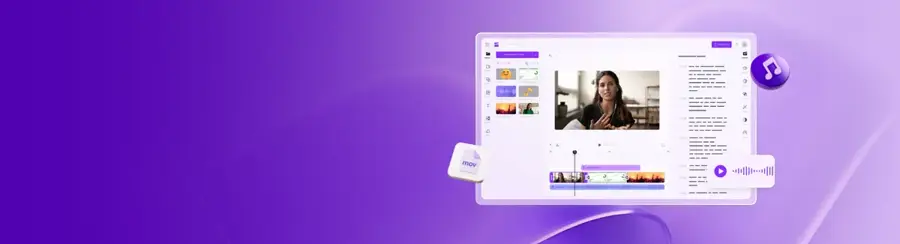
Microsoft Clipchamp is a browser-based video editor with a built-in AI voiceover generator that's free for everyone with a personal Microsoft account. Try it at clipchamp.com.
Strengths
For anyone making YouTube or TikTok videos, Clipchamp's main advantage is that the voice lands straight on your timeline. Going by the feature page, you choose from 400 voices across 80 languages, adjust pitch and emotion, and set speed anywhere from 0.5x to 2x. Free exports go up to 1080p with no watermark.
Clipchamp holds a 4.8 rating from more than 7,000 reviews on Trustpilot. One recent reviewer wrote that "It has all the good features of other editing softwares, at the cost of nothing." (Trustpilot flags that the company hasn't invited reviews recently, so the sample may not be representative.)
Key features
- AI text to speech is free for all users.
- 400 voices in 80 languages.
- Pitch, emotion and speed controls.
- Watermark-free exports up to 1080p.
- Audio-only and transcript exports.
Pros
- No separate voice tool or file juggling needed.
- Strong user ratings.
Cons
- Voice controls are basic next to a dedicated voice platform.
- 4K exports and premium stock need Microsoft 365.
- No voice cloning.
Microsoft Clipchamp pricing: Free, with premium features included in Microsoft 365 Personal and Family subscriptions (checked October 2026). See pricing
Related: How to add AI voice in video Best free AI video generators
Fish Audio – best for a huge community voice library
Fish Audio is a text-to-speech and voice cloning platform that hosts more than 2,000,000 user-uploaded voices, with a free tier for personal projects. Visit fish.audio.
Strengths
The free tier on the plans page gives you 8,000 credits a month, or up to 7 minutes of generation, with a 500-character cap per generation and three public voice slots. Its S2.1 Pro model sits at 1188 Elo on the Artificial Analysis arena, tied in that range with Eleven v3, which is respectable for the price.
The reviews are rough, though. Fish Audio scores 2.1 on Trustpilot from 31 reviews, and one October 2026 title reads "Extremely poor voice quality and unreliable AI results". Small sample, but I suspect it's not noise. Our Fish AI review goes deeper.
Key features
- 8,000 free credits a month, about 7 minutes of speech.
- Over 2,000,000 community voices to pick from.
- Voice cloning from short samples.
- 30+ languages supported.
Pros
- Enormous choice of character voices.
- No credit card needed for the free tier.
- Paid plan is cheaper than many rivals.
Cons
- Free output is for personal, non-commercial use only.
- 500 characters per generation means chopping scripts up.
- Poor Trustpilot score with complaints about billing and clone quality.
Fish Audio pricing: Free, then paid plans from $15/month, or $11/month billed annually (checked October 2026). See pricing
Related: Fish AI review Best AI voice generators compared
TTSMaker – best for free commercial use
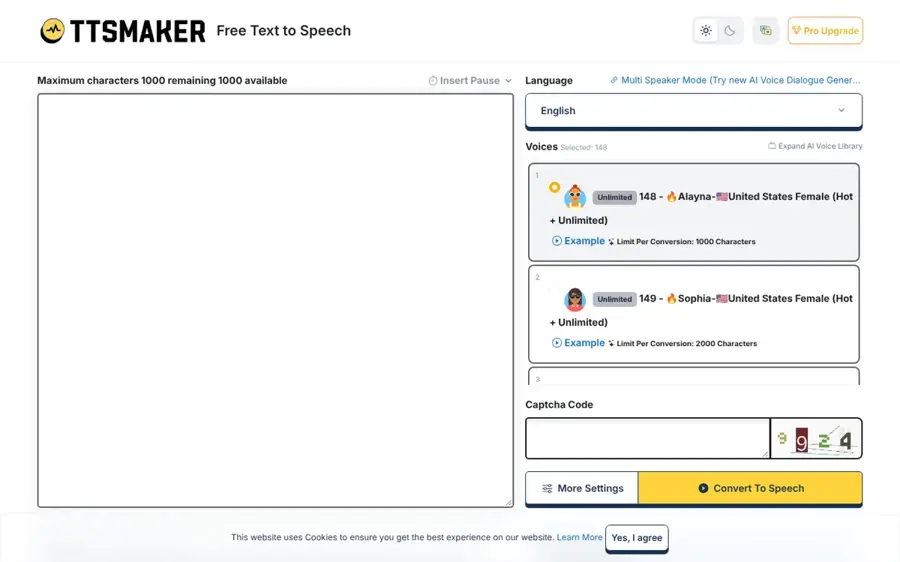
TTSMaker is a simple web text-to-speech tool with a weekly free character allowance and a licence that allows commercial use. Use it at ttsmaker.com.
Strengths
TTSMaker's appeal is the licence. On its homepage, the free limit is 20,000 characters per week (some voices are unlimited), and it says you can use the audio "for any lawful purpose, including commercial use, with no fees and no additional permission required." Few free tools say that so plainly.
I couldn't find a reliable third-party rating for TTSMaker; its main review pages blocked automated access. So treat the voice quality as unverified and listen to a sample before you build a channel on it.
Key features
- 20,000 free characters per week.
- Some voices have no limit at all.
- Free commercial use of generated audio.
- An API and email support are available.
Pros
- Clear commercial-use terms on the free plan.
- No account needed to try it.
Cons
- No independent quality ratings found.
- Long texts can take a few minutes to convert.
- Basic voice controls.
TTSMaker pricing: Free; we didn't find a published paid plan (checked October 2026). See pricing
Related: Best free AI text-to-speech tools
Google Cloud Text-to-Speech – best for high-volume projects
Google Cloud Text-to-Speech is a developer API with a monthly free character allowance on most voice families, from Standard voices up to Chirp 3: HD. Details at cloud.google.com/text-to-speech.
Strengths
The free quota is big. Looking at Google's price table, Chirp 3: HD voices are free for the first 1 million characters a month, and WaveNet and Standard voices are free up to 4 million. After that, WaveNet costs $4 per million characters. The catch: you must enable billing, and the newer Gemini-TTS models have no free usage at all.
Chirp 3: HD scores 1062 Elo on the Artificial Analysis arena, well below Google's own Gemini 3.8 Flash TTS at 1283. So the free voices are the older, plainer ones.
Key features
- 1 million free Chirp 3: HD characters a month.
- 4 million free WaveNet or Standard characters a month.
- Gemini-TTS models with prompt-based style control (paid only).
Pros
- Largest free quota in this list.
- Very low price after the free tier.
Cons
- Billing account required, so overages charge automatically.
- No browser studio for non-developers.
- Free voices rank low on blind votes.
Google Cloud Text-to-Speech pricing: Free monthly quota, then pay as you go from $4 per million characters (checked October 2026). See pricing
Related: Best free AI models Best free AI text-to-speech tools
Kokoro – best for running offline
Kokoro is an open-weight text-to-speech model with 82 million parameters and Apache-licensed weights, so you can run it on your own machine for free. Get it from Hugging Face.
Strengths
Kokoro seems tiny next to the commercial models. The model card lists v1.0, released on 27 January 2025, with 8 languages and 54 voices,. Hosted versions run under $1 per million characters, and the card notes that 1,000 characters is roughly a minute of audio. Run it yourself and the price is zero.
The GitHub repository has about 9,800 stars. One warning from the model card: sites with "kokoro" in their domain aren't affiliated with the project and may be scams.
Key features
- 82 million parameters, small enough for modest hardware.
- Apache 2.0 licence, commercial use allowed.
- 54 voices across 8 languages.
- Runs in a free Google Colab notebook.
Pros
- No usage limits or accounts.
- Permissive licence.
Cons
- Needs Python and some setup.
- No voice cloning.
- Fake Kokoro websites to watch out for.
Kokoro pricing: Free and open source (checked October 2026). See pricing
Related: Best open source AI tools
Chatterbox – best for self-hosted voice cloning
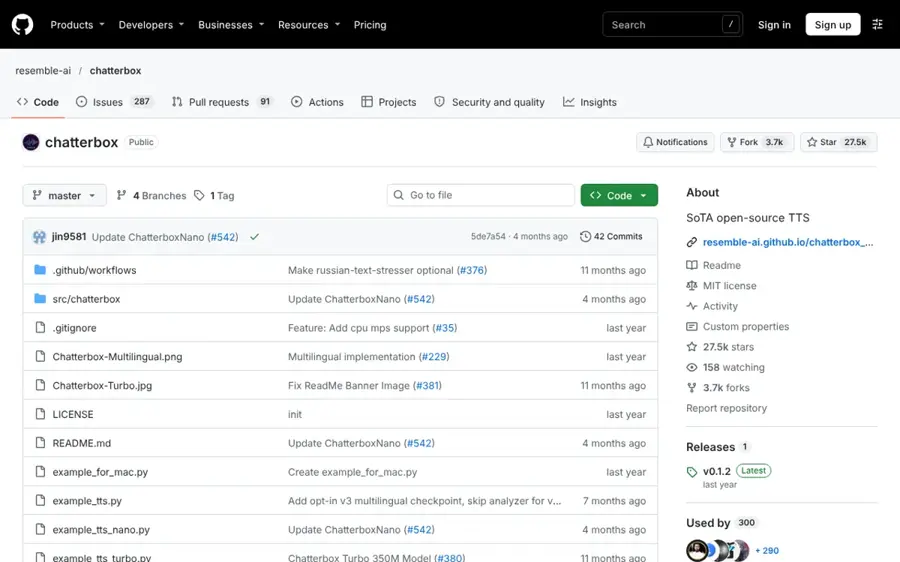
Chatterbox is a family of open-source text-to-speech models from Resemble AI, released under the MIT licence, with voice cloning built in. Find it on GitHub.
Strengths
Chatterbox is the open option for cloning. In the repository README, the latest Multilingual V3 is a 0.5B model aimed at cross-language voice cloning, and the 350M Turbo model supports tags like [laugh] and [cough]. The repo has about 27,500 stars.
Chatterbox HD sits at 1110 Elo on the Artificial Analysis leaderboard, ahead of Google's free Chirp 3: HD voices. I'd only clone your own voice, or one you have written permission to use; our guide to making an AI voice of someone covers consent.
Key features
- MIT licence for the code and models.
- Multilingual V3 for cloning across languages.
- Turbo model with paralinguistic tags.
- Gradio apps for a local web interface.
Pros
- Free cloning with no monthly cap.
- Better blind-vote score than some paid APIs.
- Active development.
Cons
- Needs a decent GPU for comfortable speed.
- Setup is harder than a web app.
- Cloning brings real misuse risks.
Chatterbox pricing: Free and open source (checked October 2026). See pricing
Related: Best open source AI tools
Azure Speech – best for Microsoft-based apps
Azure Speech is Microsoft's cloud speech service, and its free F0 tier includes neural text to speech every month. See the Azure Speech pricing page.
Strengths
On the price list, the free F0 tier gives you 0.5 million neural text-to-speech characters a month, plus 5 hours of speech to text. Using Kokoro's rule of thumb (1,000 characters is about a minute), that's around 500 minutes of narration. Azure HD 2.5 scores 1145 Elo on the Artificial Analysis arena, above Google's free tier voices.
Paid per-character prices didn't load when we checked, so I can't quote them.
Key features
- 0.5 million free neural characters a month.
- Neural HD voices on paid usage.
- Custom and personal voice options (limited access).
Pros
- Decent free quota with no expiry.
- Higher blind-vote score than Google's free voices.
Cons
- Azure account setup is fiddly.
- Custom voices need an application.
- Developer-only, no simple studio.
Azure Speech pricing: Free F0 tier, then pay as you go (checked October 2026). See pricing
Related: Best free AI text-to-speech tools
Descript – best for podcast fixes
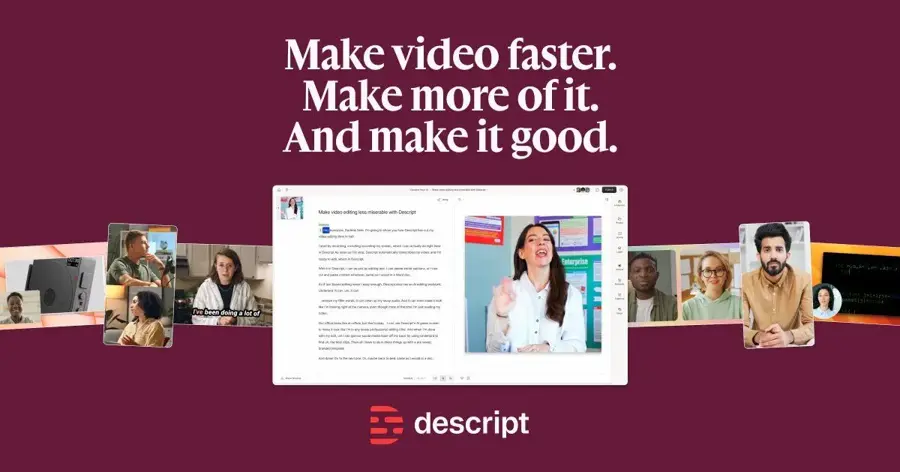
Descript is a text-based audio and video editor with AI speech for fixing or adding lines without re-recording. Try it at descript.com.
Strengths
Descript isn't a voice generator first. It's an editor, and AI speech is one tool inside it. The free plan on the pricing table gives 60 media minutes a month, 100 one-time AI credits and 25+ stock AI speakers; custom voice clones need a paid plan.
Users aren't kind. Descript has 2.6 on Trustpilot, and one July 2026 reviewer said it "Feels a bit like a beta program - not a solid, pro platform like the audio programs im used to using." See our Descript review for the full picture.
Key features
- 60 media minutes a month on the free plan.
- 25+ stock AI speakers for free users.
- Text-based editing of audio and video.
- Voice clones and regenerate on paid plans.
Pros
- Edit audio by editing a transcript.
- Good for patching a single bad line.
Cons
- AI credits on free are one-time, not monthly.
- Poor Trustpilot score with bug complaints.
- Overkill if you only need text to speech.
Descript pricing: Free, then paid plans from $16/month billed annually (checked October 2026). See pricing
Related: Descript AI review
Choosing the right free AI voices
Count characters before you pick a plan
Free plans are measured in characters, credits or minutes, so convert your script first. A five-minute YouTube voiceover is about 5,000 characters if you use the 1,000-characters-per-minute rule from the Kokoro model card. Here's how that one script fits each free tier:
| Tool | Free allowance | 5-minute scripts per period |
|---|---|---|
| ElevenLabs | About 10 minutes a month | About 2 a month |
| Fish Audio | Up to 7 minutes a month | 1 a month, in 500-character chunks |
| TTSMaker | 20,000 characters a week | About 4 a week |
| Azure Speech | 0.5 million characters a month | About 100 a month |
| Google Cloud (Chirp 3: HD) | 1 million characters a month | About 200 a month |
| Kokoro or Chatterbox | No limit | Limited by your hardware |
The gap is enormous. Publish weekly and the consumer plans probably won't last the month.
Check the licence before you monetise
ElevenLabs puts the commercial licence on its $6 Starter plan, and Fish Audio's free plan is personal use only. TTSMaker, Kokoro (Apache 2.0) and Chatterbox (MIT) are the clear options for commercial work at no cost. Honestly, this matters more than voice quality for most creators, because a takedown or a strike costs more than $6.
Match the tool to where the audio ends up
If the voice goes into a video, use Clipchamp and skip the export-import step; our guide to making AI videos for YouTube walks through the rest. If it's a podcast correction, Descript fits. If it's an app, pick an API.
Clone only voices you have rights to
Use your own voice, or get written consent; cloning someone without it can break platform rules and, in many places, the law. (For sung vocals, see our Suno AI review.)
Free vs paid: what you actually get
Paying mostly buys three things: more minutes, commercial rights and cloning. ElevenLabs' $6 Starter tier triples the free credits to 30,000 and adds instant cloning, while Fish Audio's $15 Plus plan jumps from 8,000 to 250,000 credits and lifts the per-generation cap from 500 to 15,000 characters.
What you don't get by paying is a guaranteed better voice. On the Artificial Analysis leaderboard, the free, open Chatterbox HD outscores several paid commercial models. I think most hobbyists can stay free for a long time; the upgrade only makes sense once you're publishing for money or running out of minutes every month.
Common failure points
Free AI voices fail in predictable ways. Character caps (like Fish Audio's 500 per generation) force you to split scripts, and the joins can change tone between chunks. Credit systems also surprise people: on ElevenLabs' Trustpilot page, one reviewer called losing half a month's credits on one prompt "a rip off".
APIs that need billing are the other trap. Google charges automatically once you pass the free characters, so set a budget alert first.
Final verdict
For most people, I'd start with ElevenLabs for quality and Clipchamp for anything that ends up as a video. If you need commercial rights without paying, TTSMaker is the simplest pick, though I'd want to hear its voices before committing. And if you're comfortable with Python, Kokoro or Chatterbox give you unlimited audio for free, which still feels a little too good to be true. For a wider look at paid tools too, see our AI voice generator roundup.
FAQ
Which is the best AI voice over?
Going by blind listening votes, ElevenLabs is the best AI voice over right now: Eleven v4 Turbo and Eleven v4 hold the top two spots on the Artificial Analysis leaderboard. Its free plan gives about 10 minutes a month, and commercial use starts at $6 a month. For free commercial use, TTSMaker or the open model Kokoro are simpler choices.
Can I use free AI voices on YouTube?
It depends on the licence. Fish Audio's free plan is personal use only, and ElevenLabs needs a paid plan for commercial rights. TTSMaker says its free audio can be used commercially, and Kokoro's Apache licence and Chatterbox's MIT licence both allow it. Clipchamp's voiceovers are free inside the editor, so check Microsoft's terms for monetised channels.
Which AI is best for voice over in videos?
Microsoft Clipchamp is probably the most practical free choice. Its AI voiceover tool is free for all users, has 400 voices in 80 languages, and drops audio straight onto your timeline, with watermark-free 1080p exports.
Is there unlimited free AI voice over software?
Yes, if you run it yourself. Kokoro and Chatterbox are open models with no usage caps, so your only limit is your computer. Among web tools, TTSMaker says some of its voices have unlimited free use, while its standard limit is 20,000 characters per week. Most other free plans reset monthly.
Sources
- ElevenLabs Pricing for Creators & Businesses of All Sizes (ElevenLabs)
- Pricing & Plans (Fish Audio)
- Free Text to Speech Online (TTSMaker)
- Microsoft Clipchamp pricing (Microsoft)
- AI voiceover generator: Text to speech for video (Clipchamp)
- Review pricing for Text-to-Speech (Google Cloud)
- hexgrad/Kokoro-82M (Hugging Face)
- hexgrad/kokoro (GitHub)
- resemble-ai/chatterbox: SoTA open-source TTS (GitHub)
- Pricing: Azure Speech in Foundry Tools (Microsoft Azure)
- Descript Pricing: Plans for Every Creator (Descript)
- Text to Speech Leaderboard (Artificial Analysis)
- ElevenLabs Reviews (Trustpilot)
- Fish Reviews (Trustpilot)
- Clipchamp Reviews (Trustpilot)
- descript Reviews (Trustpilot)