8 best free AI grammar checkers in 2026, compared side by side
The best free AI grammar checker for most people is LanguageTool. We compare eight free plans, including QuillBot, Grammarly and Google Docs, and their real limits.
 Written byMuhammad Usman SiddiquiFounder and editor-in-chief
Why you can trust The AI Future
Our writers research every product, link each claim to its source and correct mistakes openly. Companies can't pay for coverage or see reviews before they're published.
Read our editorial policy
Short answer: the best free AI grammar checker for most people is LanguageTool, because its free plan works in more than 30 languages, runs in your browser and word processor without an account, and scored 19 out of 20 in Scribbr's published grammar test. If you mostly write in English and want the cleanest one-click fix, QuillBot's free checker is the other strong pick. Grammarly's free plan is still the easiest to live with if you type in a lot of different apps.
We compared eight free checkers using their official plan pages, help docs and one published head-to-head test, as of late October 2026. Nobody here ran them hands-on. I'll be blunt about the limits too, because "free" means very different things on these sites: 2,000 characters at a time on one, 500 words twice a day on another.
Key takeaways
- LanguageTool has the most useful free plan for multilingual writers, with a 2,000-character limit per text field.
- QuillBot and Scribbr (which runs on QuillBot's engine) caught all 20 errors in Scribbr's own test, though you should weigh that result knowing who ran it.
- Grammarly Free covers grammar, spelling, punctuation, conciseness and tone detection, plus 100 AI prompts a month.
- Google Docs and Microsoft Word for the web already include a free grammar check, so you may not need another tool for basic proofreading.
- Hemingway's free editor is a readability checker; its AI grammar checker is in the paid Plus plan.
Our ranking method
We didn't run hands-on tests for this roundup. Instead, we read each tool's free plan details on its official pages, checked prices in October 2026, and leaned on Scribbr's published 20-error test where it covered a tool. We ranked them on six criteria:
- Free plan limits are how much text you can check, and how often, without paying.
- Accuracy is how well the checker did in published, attributed tests.
- Coverage is where it works: browser, Word, Google Docs, mobile or desktop apps.
- Languages are the number of languages and English dialects it supports.
- Upgrade cost is the price of the cheapest paid plan, in case you outgrow the free one.
- Sign-up friction is whether you can paste text and check it without creating an account.
The 8 best free AI grammar checkers at a glance
| # | Tool | Category | Best for | Free tier | Starts at |
|---|---|---|---|---|---|
| 1 | LanguageTool | Grammar checker | Multilingual writers | Yes (limited) | $5.83/mo |
| 2 | QuillBot | Grammar and paraphrasing | Quick one-click fixes | Yes (limited) | $8.33/mo |
| 3 | Grammarly | Writing assistant | Checking text in any app | Yes (limited) | $12/mo |
| 4 | Scribbr | Academic grammar checker | Long essays and theses | Yes | Free |
| 5 | Google Docs | Built-in checker | Writers already in Docs | Yes | Free |
| 6 | Microsoft Editor | Built-in checker | Word and Edge users | Yes (limited) | $9.99/mo |
| 7 | ProWritingAid | Style and fiction editor | Novelists and long-form writers | Yes (limited) | $10/mo |
| 8 | Hemingway Editor | Readability editor | Making writing simpler | Yes (limited) | $8.33/mo |
The best free AI grammar checkers in 2026, ranked
LanguageTool – best for multilingual writers
LanguageTool is a grammar, spelling and style checker for more than 30 languages that runs in browsers, Word, LibreOffice and its own apps. Try it at languagetool.org.
Strengths
In Scribbr's test of free grammar checkers, LanguageTool detected and corrected 19 of 20 errors, catching every spelling, word choice and punctuation mistake in the sample. Scribbr's one complaint was usability: there's no "Fix All Errors" button, and each fix takes two clicks.
The free Basic plan is genuinely usable. Looking at the plan comparison, you get grammar and punctuation checks with a 2,000-character limit per text field, a limited Picky Mode and three AI sentence rephrasings a day, and you don't need an account to use it in Chrome, Firefox, Edge, Safari, Word or LibreOffice. On Capterra, 80% of 50 user reviews are positive, but value for money scores a weaker 3.6, which I'd guess reflects the jump from free to Premium.
Key features
- It checks grammar, spelling and style in 30+ languages.
- The free plan checks up to 2,000 characters per text field.
- Browser extensions and Word and LibreOffice add-ons work without signing up.
- Free accounts get desktop apps for Windows and macOS plus an iOS app.
- You get three AI sentence rephrasings a day on Basic.
Pros
- Strong showing in Scribbr's test (19 of 20)
- Best language coverage on this list
- No account needed for the extensions
Cons
- 2,000 characters per field is roughly 300 words
- No one-click "fix all" in Scribbr's test
- Monthly Premium billing is pricey at $24.90
LanguageTool pricing: Free (Basic), then Premium from $5.83/month billed annually ($69.90/year), or $24.90 month to month, as tracked by PricingSaaS (checked October 2026). See pricing
Verdict: if you write in more than one language, start here and don't look back.
Related: Best grammar AI tools Best writing tool alternatives
QuillBot – best for quick one-click fixes
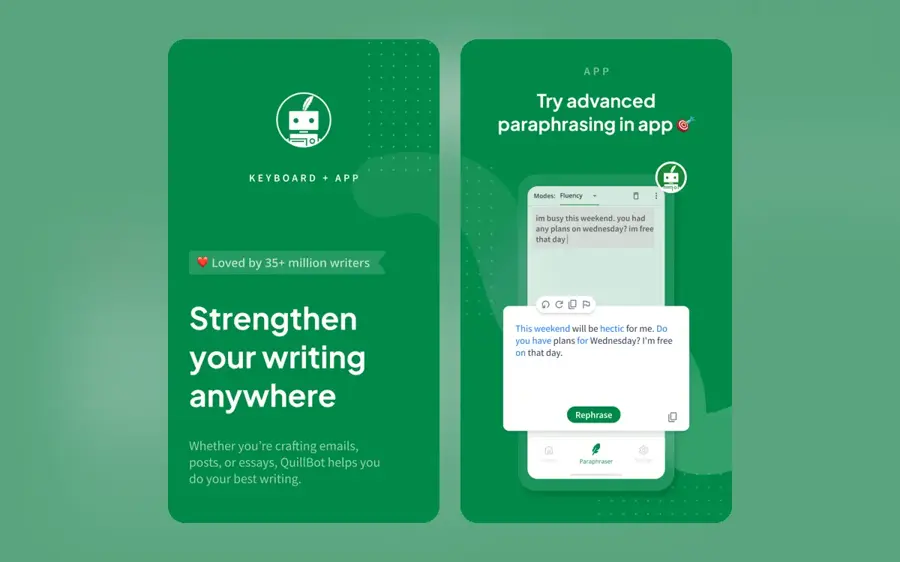
QuillBot is a writing toolkit best known for paraphrasing, with a free grammar checker you can use without signing up. Try it at quillbot.com.
Strengths
QuillBot came top in Scribbr's comparison, noticing and fixing all 20 errors. Scribbr also liked its "Fix All Errors" button, the browser extension and the fact that you can paste text straight in. One caveat, though: Scribbr's own grammar checker is "powered by QuillBot", so this isn't a fully independent result. I still think it's useful, just not the final word.
The free plan is broader than a grammar tool. CostBench's breakdown lists basic grammar fixes, paraphrasing up to 125 words in two modes, summaries up to 1,200 words and 20 AI chats. Advanced grammar recommendations are paid.
Key features
- The grammar checker needs no sign-up.
- A "Fix All Errors" button applies every correction at once.
- The free paraphraser handles 125 words at a time.
- A browser extension brings checks to other sites.
Pros
- Top score in Scribbr's test (20 of 20)
- Fastest way to clean up a pasted draft
- Useful extras like the paraphraser and summarizer
Cons
- Advanced grammar suggestions need Premium
- Monthly Premium costs $19.95
- The best test result comes from a site that uses QuillBot's engine
QuillBot pricing: Free, then Premium from $8.33/month billed annually, or $19.95 month to month (checked October 2026). See pricing
Verdict: the best free option for English-only writers who want to paste, click once and move on.
Related: Best grammar AI tools
Grammarly – best for checking text in any app
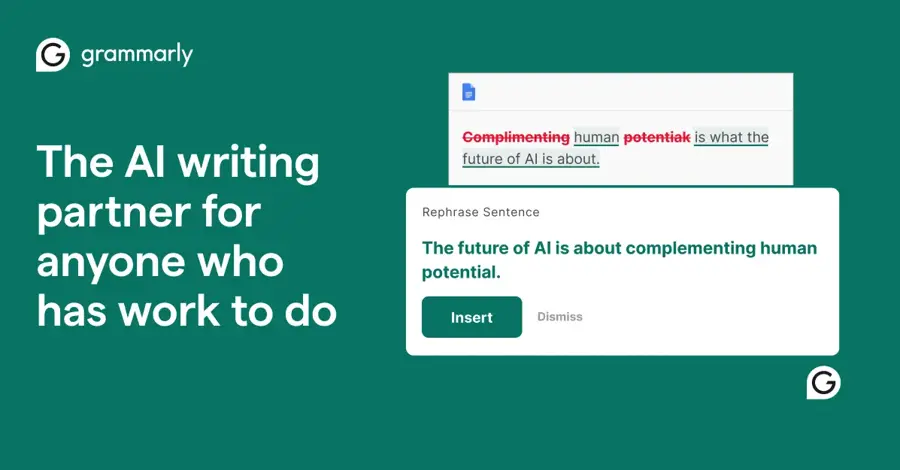
Grammarly is a writing assistant that checks grammar, spelling and tone as you type across desktop apps, browsers and mobile. Try it at grammarly.com.
Strengths
Grammarly's reach is the selling point. It works on 1 million+ websites and apps, including Word, Gmail, Slack and Google Docs, and it checks English plus more than 20 other languages. The free plan covers grammar, spelling, punctuation, conciseness and tone detection; on the plans page you also get 100 generative AI prompts a month.
Accuracy is where it slips. In Scribbr's test, the free version fixed 11 of 20 errors, well behind LanguageTool and QuillBot. Honestly, that gap surprised me. It's why Grammarly sits third here despite being the name most people know, and the one most students install first. For the full picture, including the paid plan and AI detector, see our Grammarly AI review.
Key features
- Free checks cover grammar, spelling, punctuation and conciseness.
- Tone detection tells you how your writing comes across.
- The free plan includes 100 AI prompts a month.
- Apps and extensions run on Mac, Windows, browsers and phones.
Pros
- Works almost anywhere you type
- Tone detection on the free plan
- 100 free AI prompts each month
Cons
- Only 11 of 20 errors fixed in Scribbr's test
- Full-sentence rewrites and plagiarism checks need Pro
- Free plan nudges you toward Pro suggestions
Grammarly pricing: Free, then Pro from $12/month (checked October 2026). See pricing
Verdict: pick it for convenience across apps, but pair it with a second checker for anything important.
Related: Grammarly AI review Best writing tool alternatives
Scribbr – best for long essays and theses
Scribbr is an academic writing service whose free AI grammar checker handles text of any length with no sign-up. Try it at scribbr.com.
Strengths
For students, the standout detail is length. Going by the checker's own page, there's no character or word limit, no registration and no ads, and it supports US, UK, Canadian and Australian English. It shows a 4.4 rating from 15,537 reviews, though that's Scribbr's own figure, so take it as a rough signal.
Because it runs on QuillBot's engine, it matched QuillBot's 20 of 20 in Scribbr's test. The obvious catch: Scribbr wrote that test.
Key features
- There's no word limit on the free checker.
- It supports four English dialects.
- You can accept every suggestion with one click.
- Paid AI proofreading of uploaded documents adds a citation check.
Pros
- Paste a whole dissertation chapter at once
- Ad-free, with no sign-up
- Good for UK and Australian spelling
Cons
- Web-only for the free grammar check, so no in-app checking as you type
- Accuracy claims come from Scribbr itself
Scribbr pricing: The grammar checker is free; document proofreading and other services are paid (checked October 2026). See pricing
Verdict: my pick for checking a long paper in one go.
Related: Scribbr AI review Best free AI tools for students
Google Docs – best for writers already in Docs
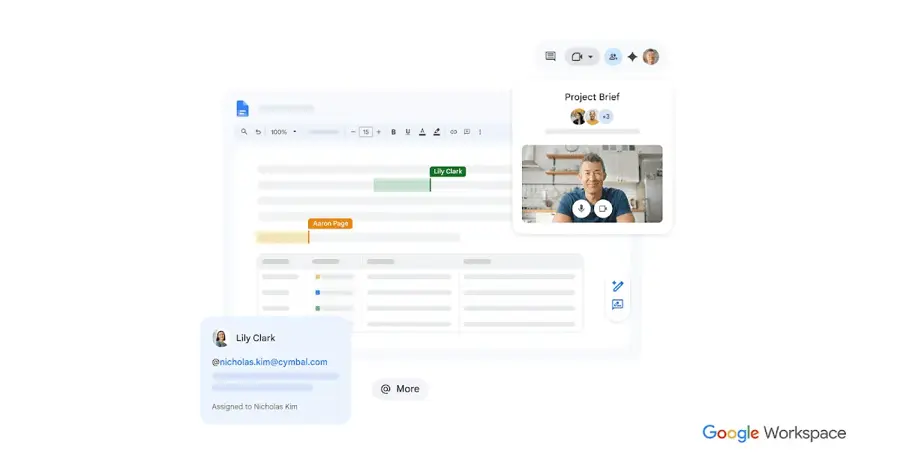
Google Docs has a built-in spelling and grammar checker that's free with any Google account. Try it at docs.google.com.
Strengths
You probably already have this one. On Google's help page, spelling and grammar suggestions cover English, Spanish, French, German, Portuguese and Italian, with spelling mistakes underlined in red and grammar issues in blue. Press Tab to accept a fix, or add words to a personal dictionary.
It's basic. There's no tone feedback or style report, and no published head-to-head test covered it, so I can't tell you how its accuracy compares. For quick emails and shared documents, though, it's often enough.
Key features
- Suggestions work in six languages.
- Red underlines mark spelling and blue marks grammar.
- Tab accepts a suggestion instantly.
- A personal dictionary stops false flags on names and jargon.
Pros
- Nothing to install
- Free with a Google account
- Works for everyone editing a shared doc
Cons
- Only six languages
- No style, tone or clarity suggestions
Google Docs pricing: Free with a Google account (checked October 2026). See details
Verdict: fine for everyday writing in Docs; add LanguageTool or Grammarly if you need more.
Microsoft Editor – best for Word and Edge users
Microsoft Editor is the AI grammar and spelling checker built into Word, Outlook and the Edge browser. Try it at microsoft.com.
Strengths
Microsoft's support article covers more than 20 languages, and signing in to Word for the web with a free Microsoft account gets you basic spelling and grammar checks. Clarity, conciseness, formality and vocabulary suggestions need a Microsoft 365 subscription.
One thing changed recently. Microsoft retired the Editor extensions for Edge and Chrome on 31 October 2025 and moved the feature into Edge's built-in writing assistance. If you're on Chrome, that means Editor no longer follows you around the web (a shame, in my view, since the free extension was decent).
Key features
- Basic grammar and spelling are free in Word for the web.
- Edge has Editor built in under Settings, Languages.
- It supports more than 20 languages.
- Microsoft 365 adds clarity, formality and readability statistics.
Pros
- Already inside Word and Edge
- Free tier needs only a Microsoft account
- Wide language support
Cons
- The Chrome extension is gone
- Style suggestions are locked behind Microsoft 365
- No published independent accuracy test found
Microsoft Editor pricing: Free basics, then advanced suggestions with Microsoft 365 Personal at $9.99/month or $99.99/year (checked October 2026). See pricing
Verdict: if you live in Word or Edge, it's free and already there.
Related: Microsoft AI review
ProWritingAid – best for novelists and long-form writers
ProWritingAid is a grammar checker and style editor aimed mainly at fiction writers, with story critique tools and 25+ writing reports. Try it at prowritingaid.com.
Strengths
The free plan's tight. ProWritingAid's free tier includes grammar, spelling and punctuation, a thesaurus, 40+ document types, 10 rephrases a day and two runs per line-editing report each day on 500 words of text. That's enough to sample the reports, but probably not enough for a manuscript.
The grammar check itself didn't do well in Scribbr's test: it fixed just 3 of 20 errors. So I'd treat it as a style tool.
Key features
- Free grammar, spelling and punctuation checks.
- Line-editing reports run twice a day on 500 words.
- You get 10 free rephrases and 3 Sparks a day.
- Document types (40+) tailor the suggestions.
- Writing Sessions track your word count over time.
Pros
- Detailed style reports for fiction
- A one-off $399 lifetime option exists
- Annual plans are fairly cheap
Cons
- Only 3 of 20 errors fixed in Scribbr's test
- 500-word report limit on the free plan
- Monthly billing is steep at $30
ProWritingAid pricing: Free, then Premium from $10/month billed yearly ($120) or $30 monthly (checked October 2026). See pricing
Verdict: skip it if you only need grammar; consider it if you're writing a novel.
Related: Best writing tool alternatives Best grammar AI tools
Hemingway Editor – best for making writing simpler
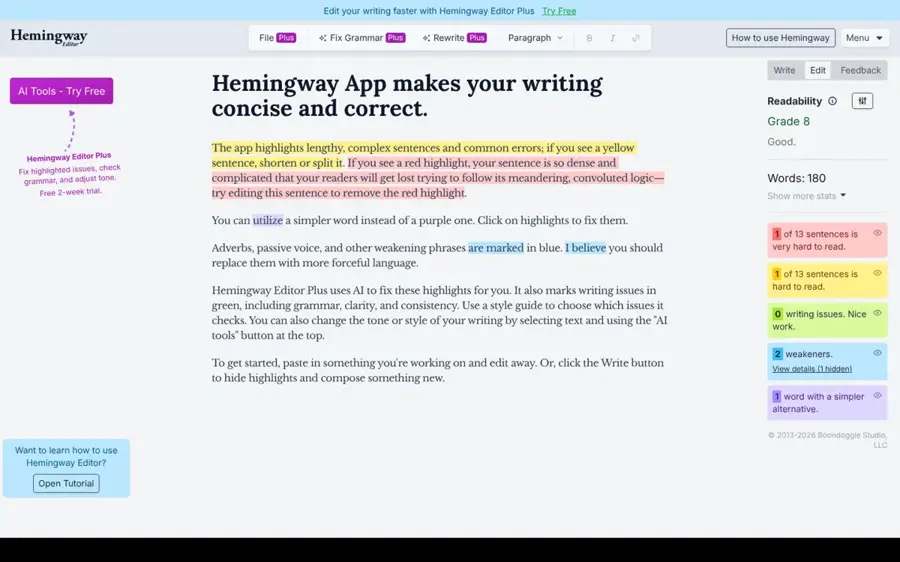
Hemingway Editor scores your readability and highlights wordy sentences and passive voice; its paid Plus plan adds an AI grammar checker. Try it at hemingwayapp.com.
Strengths
Be clear on what you're getting. Going by Hemingway's billing FAQ, the free version scores readability and flags wordy sentences, passive voice and words with simpler alternatives. The advanced grammar checker, and AI rewrites, belong to Editor Plus, which has a free two-week trial with no credit card on the homepage.
Grammar fixes on Plus are unlimited, while AI rewrites use "AI sentences" (5,000 a month on the base plan). I think it's the right tool for cutting a bloated draft, not for catching typos.
Key features
- The free editor gives a readability grade.
- It highlights hard-to-read sentences and passive voice.
- Plus adds an AI grammar checker with unlimited fixes.
- Plus includes 5,000 AI sentence rewrites a month.
Pros
- Great at showing where writing gets dense
- Free editor needs no account
- Two-week Plus trial with no card
Cons
- No real grammar check on the free version
- Plus costs $10 a month on monthly billing
Hemingway Editor pricing: Free editor, then Editor Plus from $100/year ($8.33/month) or $10 monthly (checked October 2026). See pricing
Verdict: a great second pass for clarity, not your main grammar checker.
Choosing the right AI grammar checker
Match the free limit to your longest document
LanguageTool stops at 2,000 characters per field and ProWritingAid's reports stop at 500 words, while Scribbr has no cap. If you check long essays, that difference matters more than anything else.
Install one checker where you type
Grammarly and LanguageTool both work as browser extensions. Pick one, not both; running two extensions on the same text box tends to produce overlapping underlines and a lot of noise.
Use a second checker for important work
Only QuillBot and Scribbr caught everything in Scribbr's test, and that result comes from a QuillBot-powered site. For a job application or thesis, I'd run the text through two different checkers. It takes a minute.
Check your school's rules before using AI rewrites
Fixing commas is one thing; letting a paraphraser rewrite whole paragraphs is another, and some courses treat that as AI-generated work. Grammar fixes can occasionally change how detectors read your text too, which we cover in why writing gets flagged as AI.
Free vs paid: what you actually get
The free plans all handle the basics: spelling, punctuation and common grammar errors. What you're paying for is mostly style help, longer limits and unlimited AI rewrites.
| Tool | Free plan limit | What paid adds | Cheapest paid |
|---|---|---|---|
| LanguageTool | 2,000 characters per field, 3 AI rephrases a day | 150,000 characters, full Picky Mode | $5.83/mo yearly |
| QuillBot | Basic grammar, 125-word paraphrases | Advanced grammar, unlimited paraphrasing | $8.33/mo yearly |
| Grammarly | Core checks, 100 AI prompts a month | Rewrites, tone changes, plagiarism, 2,000 prompts | $12/mo |
| Scribbr | No length limit | Document proofreading services | Free checker |
| ProWritingAid | Reports twice a day on 500 words | Unlimited reports and rephrases | $10/mo yearly |
| Hemingway Editor | Readability only | AI grammar checker, 5,000 AI sentences | $8.33/mo yearly |
Most students and casual writers probably don't need to pay. If you write for work every day, I'd say LanguageTool's annual Premium is the best value, at under $6 a month on yearly billing; Grammarly Pro at $12 makes more sense when you want tone rewrites and plagiarism checks in one place.
Final verdict
If you only pick one, pick LanguageTool. Its free plan is the most balanced of the eight: good accuracy in the one published test, 30+ languages and no account needed. Choose QuillBot if you write in English and want a fast paste-and-fix tool; choose Grammarly if you'd rather have checks follow you into every app, and accept that its free version missed more errors in Scribbr's test. Honestly, I'd keep Scribbr bookmarked for long papers either way, since nothing else here takes a whole chapter for free.
FAQ
Is there a completely free AI grammar checker?
Yes. Scribbr's grammar checker is free with no word limit or sign-up, and Google Docs includes a free spelling and grammar check. LanguageTool, QuillBot and Grammarly have free plans with limits.
Which free grammar checker is the most accurate?
In Scribbr's published test, QuillBot (and Scribbr's QuillBot-powered checker) fixed 20 of 20 errors, LanguageTool 19 and Grammarly 11. It's one test of one sample text, run by a site with a stake in the result, so treat it as a guide.
Is Grammarly free good enough?
For catching typos and basic grammar in emails and messages, probably yes. It fixed 11 of 20 errors in Scribbr's test, so for important documents I'd add a second check with LanguageTool or QuillBot.
Does Microsoft still have a free Editor extension for Chrome?
No. Microsoft retired the Editor extensions for Edge and Chrome on 31 October 2025. Free basic grammar checks still work in Word for the web and are built into Edge.
Can a free grammar checker get my writing flagged as AI?
Simple grammar fixes are unlikely to, but heavy AI rewriting or paraphrasing might. AI detector accuracy is contested and false positives happen, so keep your drafts and check your school or employer's policy on AI tools.
Sources
- Premium - LanguageTool (LanguageTool)
- LanguageTool Pricing Plans & History (2026) (PricingSaaS)
- LanguageTool Software Pricing, Alternatives & More 2026 (Capterra)
- 10 Best Free Grammar Checkers | Tested & Reviewed (Scribbr)
- Free AI Grammar Checker (Scribbr)
- Is QuillBot Free? Free Plan Limits & When to Upgrade (2026) (CostBench)
- Grammarly Prices and Plans (Grammarly)
- Free Grammar Checker (Grammarly)
- Check your spelling & grammar in Google Docs (Google Docs Editors Help)
- Microsoft Editor checks grammar and more in documents, mail, and the web (Microsoft Support)
- Microsoft Editor browser extensions for Edge and Chrome will be retired (Topedia Blog)
- Microsoft 365 Personal Price 2026 (Recurdash)
- Pricing | ProWritingAid (ProWritingAid)
- Editor Plus Billing FAQs (Hemingway Editor Help)
- Hemingway Editor Plus (Hemingway Editor)
- Hemingway Editor (Hemingway Editor)