Best CPQ AI software in 2026: 8 picks for every sales team
The best CPQ AI software in 2026, from DealHub and Salesforce Revenue Cloud to budget-friendly Zoho CRM, with prices, AI features and real user ratings.
 Written byMuhammad Usman SiddiquiFounder and editor-in-chief
Why you can trust The AI Future
Our writers research every product, link each claim to its source and correct mistakes openly. Companies can't pay for coverage or see reviews before they're published.
Read our editorial policy
Short answer: if you sell subscriptions or usage-based plans and want the most AI built into quoting, start with DealHub. If your team already lives in Salesforce, Revenue Cloud is the obvious pick at $150 per user per month, and HubSpot users can switch on AI-generated quotes in Revenue Hub Professional for $85 a seat. Everything else on this list of CPQ AI software is a specialist: Conga for huge catalogs, Tacton for manufacturers, PandaDoc for proposal-heavy sales and Zoho CRM for tight budgets.
CPQ stands for configure, price, quote. It's the software that stops a rep from selling a bundle you can't build, applying a discount nobody approved, or sending a quote with last year's price list. The AI part is newer. In 2026 it mostly means three things: drafting quotes from deal context, suggesting prices or discounts from past wins, and letting admins change pricing rules in plain English. Most vendors do one of those well and talk loudly about the rest (so I've tried to separate shipped features from roadmap promises).
Key takeaways
- Your CRM decides most of this choice, so Salesforce and HubSpot teams should look at their native options before anything else.
- DealHub has the deepest AI feature list among mid-market CPQ tools right now, including an admin agent that went live for all customers in October 2026.
- Real enterprise CPQ is expensive: Salesforce Revenue Cloud is $150 to $200 per user per month on top of a Sales Cloud licence.
- Zoho CRM is the cheapest way to get proper CPQ features, with price rules available from $23 per user per month on annual billing.
- Only HubSpot, PandaDoc and Zoho have free tiers, and none of them include CPQ on the free plan.
Our ranking method
Nobody at The AI Future ran hands-on tests for this roundup. We compared each tool using vendor pricing and product pages, published comparisons, press releases and verified user reviews on Capterra, as of late October 2026. I've ranked them on seven criteria:
- Configuration depth, meaning how well the tool handles bundles, dependencies and product rules.
- Pricing and discount control, including approval workflows and guardrails.
- Shipped AI features, as opposed to announced ones.
- CRM and ERP fit with Salesforce, HubSpot, Microsoft Dynamics or SAP.
- Time to first live quote, judged from vendor material and user reviews.
- Price transparency and total cost.
- User sentiment, using Capterra ratings and review text.
The 8 best CPQ AI software tools at a glance
| # | Tool | Category | Best for | Free tier | Starts at |
|---|---|---|---|---|---|
| 1 | DealHub | Quote-to-revenue platform | SaaS and subscription quoting | No | Custom |
| 2 | Salesforce Revenue Cloud | CRM-native CPQ | Salesforce teams | No | $150/user/mo |
| 3 | HubSpot Revenue Hub | CRM-native quoting | HubSpot teams | Yes (limited) | $85/seat/mo |
| 4 | Conga CPQ | Enterprise CPQ | Huge, complex catalogs | No | $85/user/mo |
| 5 | PandaDoc | Proposals and e-signature | Proposal-led quoting | Yes (limited) | $19/user/mo |
| 6 | Zoho CRM | CRM with built-in CPQ | Small budgets | Yes (limited) | $14/user/mo |
| 7 | Everstage | CPQ plus commissions | Linking quotes to pay | No | Custom |
| 8 | Tacton | Manufacturing CPQ | Configurable industrial products | No | Custom |
Notes: "Starts at" is the cheapest paid plan, which isn't always the cheapest plan with CPQ. Zoho's CPQ starts at $23, PandaDoc's needs Enterprise, and Conga's $85 comes from Capterra, since Conga only quotes on request.
The best CPQ AI software in 2026, ranked
DealHub – best for SaaS and subscription quoting
DealHub is a quote-to-revenue platform that rolls CPQ, contracts, subscriptions and billing into one system, with AI pricing and conversational quoting built in. See it at dealhub.io.
Strengths
DealHub has moved faster on AI than anyone else here. On its plans page, AI pricing optimization, AI conversational quoting and AI revenue analytics are listed as standard capabilities, next to usage-based, tiered and fixed pricing. In September 2026 the company announced MCP for Admin, which lets admins create and change pricing rules, approval workflows and guided selling flows from prompts; it was due to reach all customers in October. I'd watch that one closely, because CPQ projects usually stall in admin backlogs.
The money's there too. DealHub raised a $100 million growth round led by Riverwood Capital in January 2026. Users seem happy: it holds a 4.7 out of 5 on Capterra from 97 reviews, where one reviewer wrote, "The ability to customize workflows and generate accurate quotes quickly is a standout feature."
Key features
- AI pricing optimization and conversational quoting.
- Guided selling playbooks and multi-dimensional price books.
- Renewals, amendments and co-terminated expansions.
- Built-in DealSign e-signature plus a DocuSign integration.
Pros
- Covers quoting through billing and revenue recognition in one place.
- Strong support scores on Capterra (4.9 for customer service).
- Handles hybrid subscription and usage pricing well.
Cons
- No public pricing, and Capterra lists no free trial.
- One Capterra reviewer complained, "It's not possible to re-open rejected quotes and end users are not liking that."
DealHub pricing: No free plan; Growth and Scale plans are quote-only (checked October 2026). See pricing
Related: Best AI sales assistants
Verdict: if you sell SaaS and you're not locked into Salesforce CPQ, this is where I'd start.
Salesforce Revenue Cloud – best for Salesforce teams
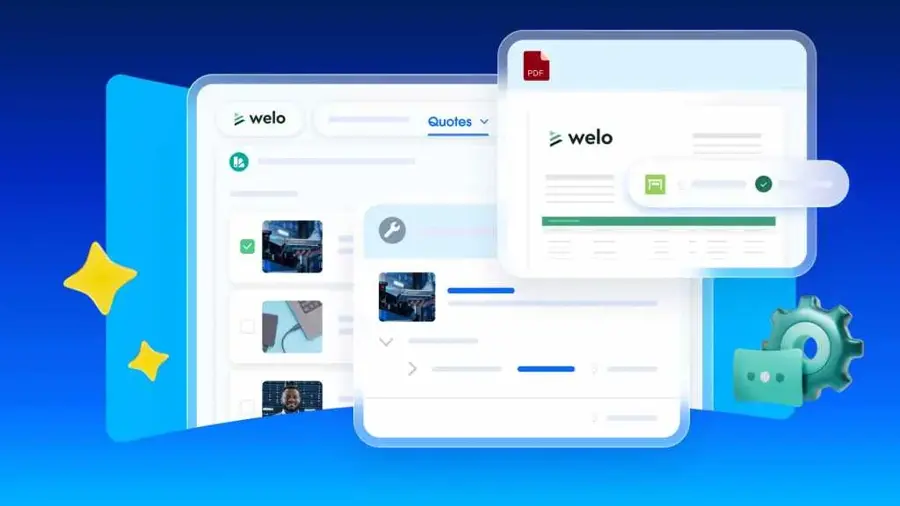
Revenue Cloud is Salesforce's paid add-on for quoting, configuration, contracts and billing on top of Sales Cloud. Find it at salesforce.com.
Strengths
If your deals already sit in Salesforce, keeping quotes there avoids an entire integration project. Revenue Cloud comes in two editions: Growth at $150 per user per month and Advanced at $200, with the AI and analytics features in Advanced, going by Salesforce's own price list. Conga's comparison of AI CPQ tools credits Salesforce with Agentforce AI for quote generation and updates. Salesforce also put its older standalone CPQ into end-of-sale in March 2025, as Everstage's roundup explains.
The catch is cost and complexity. Revenue Cloud scores 4.4 on Capterra across 83 reviews, but the complaints are consistent. One reviewer from August 2026 said "some of the more advanced configuration options require either technical expertise or support from a Salesforce partner to set up properly."
Key features
- Quoting and product configurator on Salesforce data.
- Order capture and subscription management in Growth.
- Contracts, consumption billing and invoicing in Advanced.
- Agentforce AI for drafting and updating quotes.
Pros
- No sync problems between CRM and quoting.
- Covers the full quote-to-cash process on one data model.
Cons
- Requires a Sales Cloud, Service Cloud or CRM licence on top.
- No free trial of Revenue Cloud itself.
- Annual contract required, and setup usually needs a partner.
Salesforce Revenue Cloud pricing: No free plan; paid plans from $150/user/month billed annually (checked October 2026). See pricing
Related: Salesforce AI review Best AI sales assistants
Verdict: the right call for Salesforce shops with an admin team, and probably overkill for anyone under 50 reps.
HubSpot Revenue Hub – best for HubSpot teams
Revenue Hub is HubSpot's quoting, billing and payments product, with AI-generated quotes on the paid tiers. It's at hubspot.com.

Strengths
This isn't heavy-duty CPQ. Still, for a HubSpot team sending a few dozen quotes a month, it's probably enough. Professional costs $85 per seat per month on annual billing ($95 monthly) and includes AI-generated quotes, quote templates, approvals, tiered pricing and e-signature, while Enterprise at $140 adds advanced approvals and quote rules, per HubSpot's plans. Sales Hub buyers get a launch discount: Professional drops to $57 a seat.
HubSpot CRM as a whole sits at 4.5 on Capterra from 4,492 reviews. A typical comment notes that "some advanced features require higher-tier plans, the core CRM provides significant value", which is fair. Quote rules only arrive on Enterprise.
Key features
- AI-generated quotes from deal records.
- Single-page quote editor and quote templates.
- Standard approvals on Professional, advanced approvals on Enterprise.
- Automated sales tax and built-in payment collection.
Pros
- No integration work if you already use HubSpot.
- 14-day free trial on both paid tiers.
- Transparent, published pricing.
Cons
- Shallow configuration logic next to dedicated CPQ tools.
- Quote rules locked to the $140 Enterprise tier.
- Payment platform fee of 0.5% per transaction after the first year.
HubSpot Revenue Hub pricing: Free for billing, then quoting from $85/seat/month billed annually (checked October 2026). See pricing
Related: Best AI sales assistants
Verdict: the default for HubSpot users until you outgrow it.
Conga CPQ – best for huge, complex catalogs
Conga CPQ (formerly Apttus) is an enterprise configure-price-quote tool for large catalogs and long-term agreements, now sold as Conga Smart CPQ. Visit conga.com.
Strengths
Conga's pitch is scale. In its own comparison, the company says Smart CPQ handles catalogs of up to 100,000 SKUs and quotes with up to 10,000 line items, and that its neural-network pricing AI "analyzes over 400 million data points" to recommend account-specific prices with 90% prediction accuracy. Those are vendor claims, not independent results, so I'd ask for a reference customer in your industry before believing the 90% figure.
Users are cooler on it than on DealHub. Conga CPQ has a 4.2 on Capterra from just 20 reviews, and one long-time user put it bluntly: "Apttus CPQ has a lot of functionality - but not always where we need it."
Key features
- Neural-network pricing recommendations.
- Constraint-based configuration for large catalogs.
- High-volume quoting for RFPs and bids.
- Contract lifecycle management with ERP sync.
Pros
- Built for very large quotes and catalogs.
- Works across multiple CRMs and ERPs.
- AI pricing is a core product feature.
Cons
- No free trial, according to Capterra.
- Pricing isn't published on Conga's site.
- Small, mixed review base compared with rivals.
Conga CPQ pricing: No free plan; Capterra lists a starting price of $85/user/month (checked October 2026). See pricing
Verdict: worth a shortlist spot if your quotes run to thousands of lines; too much for everyone else.
PandaDoc – best for proposal-led quoting
PandaDoc is a document automation and e-signature tool for proposals, quotes and contracts, with CPQ sold as an add-on. Try it at pandadoc.com.
Strengths
If your quotes are really proposals (lots of branded content, a pricing table, a signature box), PandaDoc fits better than a heavy CPQ engine. Plans run from a free eSign tier to Starter at $19 per user per month and Business at $49, both billed annually, per Bind's 2026 breakdown. The CPQ module costs extra, though. Vantagepoint's review says CPQ is a premium add-on for Enterprise and App Volume customers, so the $19 headline won't get you price rules.
It's the most reviewed tool here, with a 4.5 on Capterra from 1,260 reviews. The weak spot is post-send editing, which one user called out: "I do not love that it is not easy to edit a sent contract and also contracts expire which creates issues with having to resend and confusing clients."
Key features
- Drag-and-drop proposal and quote editor.
- Legally binding e-signature with view tracking.
- Native apps for Salesforce and HubSpot.
- CPQ add-on for product catalogs and pricing rules.
Pros
- Fast to learn, going by reviews.
- Published pricing with a free eSign plan.
- SOC 2 Type II and HIPAA compliant, per Vantagepoint.
Cons
- CPQ isn't included in the standard plans.
- API access and bulk sending sit outside the entry plan, according to Bind.
- Editing sent documents is awkward.
PandaDoc pricing: Free eSign, then paid plans from $19/user/month billed annually; CPQ requires Enterprise (checked October 2026). See pricing
Verdict: pick it for good-looking proposals; skip it if configuration rules are your real problem.
Zoho CRM – best for small budgets
Zoho CRM is a full CRM that includes configure-price-quote tools with built-in price rules, plus the Zia AI assistant on higher tiers. It's at zoho.com/crm.
Strengths
Nothing else on this list gets you CPQ this cheaply. CPQ is listed among Zoho's features, matching products to customer needs with "built-in price rules", on its editions page. Automation Atlas places CPQ on the Professional plan at $23 per user per month billed annually, with the full Zia AI assistant on Enterprise at $40. A ten-person team on Professional would pay about $230 a month. That price surprised me, honestly; it's less than two Revenue Cloud seats.
There's a trade-off. Zoho CRM has 4.3 on Capterra from 7,008 reviews, and one reviewer summed up the main gripe: "Zoho CRM's biggest drawbacks are its steep learning curve due to a cluttered interface and inconsistent customer support response times for non-premium users."
Key features
- CPQ with price rules for matching products to requirements.
- Zia predictions for lead conversion and deal closing.
- AI agents that run tasks, from the Standard plan up.
- Approval processes and Blueprint process enforcement.
Pros
- Lowest cost per seat for CPQ features.
- CRM and quoting in one product.
Cons
- Configuration depth is basic next to Conga or Tacton.
- Interface feels cluttered to many reviewers.
- Full Zia AI needs the Enterprise plan.
Zoho CRM pricing: Free for up to 3 users, then paid plans from $14/user/month billed annually; CPQ from $23 (checked October 2026). See pricing
Related: Best AI sales assistants
Verdict: the budget pick, as long as your products don't need complex rules.
Everstage – best for linking quotes to pay
Everstage started as a sales commission platform and now sells an AI-native CPQ that shows reps what each deal pays while they build the quote. See everstage.com.
Strengths
The idea is neat. Because quoting and incentive compensation share one system, a rep can see commission impact before sending a discount. Everstage says in its CPQ guide that its AI drafts quotes using CRM, call and email context, and that RevOps can manage pricing rules and approvals without consultants. It's aimed at teams of 50 to 500 reps.
Be careful with the ratings, though. Everstage's 4.8 on Capterra from 1,022 reviews is mostly about commissions, not CPQ. A representative line: "It has improved transparency for the sales team, provided a more consistent way to communicate commission results, and reduced our reliance on spreadsheets and manual calculations." I'd treat the CPQ product as newer and less proven.
Key features
- AI quote drafting from CRM, call and email context.
- No-code pricing rules and discount guardrails.
- Commission impact shown during quoting.
- Built-in e-signature with no per-signature limits.
Pros
- Unique quote-plus-commission view.
- Self-serve setup for RevOps.
- High satisfaction scores on the commission side.
Cons
- Custom pricing only, with no free trial listed on Capterra.
- Most published reviews cover commissions, not CPQ.
Everstage pricing: No free plan; custom, quote-based pricing (checked October 2026). See pricing
Verdict: interesting for SaaS teams that fight about commissions, though I'd want a reference call first.
Tacton – best for configurable industrial products
Tacton is a CPQ and product configuration suite for manufacturers that sell engineer-to-order and configure-to-order products. It's at tacton.com.

Strengths
Manufacturing CPQ is a different job: the quote has to match something a factory can actually build. Tacton combines generative AI with constraint-based configuration, "keeping every recommendation grounded in what is valid and buildable", as its homepage puts it. Conga's own comparison names it the pick for industrial manufacturers with engineer-to-order complexity, which is a fair compliment from a rival.
Reviews are few. Tacton CPQ has 4.4 on Capterra from 13 reviews, with one user writing: "Overall Quote generation time is reduced. Customer support from Tacton should be improved."
Key features
- Constraint-based configuration for huge numbers of variants.
- Generative AI for product knowledge and modelling.
- 3D visualization and CAD automation.
- Configured order fulfilment into a manufacturing BOM.
Pros
- Purpose-built for engineer-to-order sales.
- Fewer rules to maintain thanks to constraint logic.
Cons
- Pricing is contact-only, according to Capterra.
- One reviewer said the UI "needs to be changed".
- Admins need serious modelling skills.
Tacton pricing: No free plan; pricing on request (checked October 2026). See pricing
Verdict: if you sell machines, not software, this is the one to call.
Choosing the right CPQ AI software
Start with the CRM you already pay for
Most CPQ pain comes from syncing quotes with deals. If you're on Salesforce, Revenue Cloud or a Salesforce-native tool saves months; on HubSpot, try Revenue Hub's 14-day trial before buying anything else.
Match configuration depth to your catalog
A SaaS company with three plans and two add-ons doesn't need a constraint engine. A manufacturer with 40,000 parts does. I think a lot of mid-size teams buy far more configuration power than they'll use, then pay a partner every time a price changes.
Ask to see the AI working on your data
Every vendor here says "AI". Ask for a demo where the AI drafts a quote or suggests a discount using a sample of your own past deals. If they can only show slides, the feature probably isn't ready.
Budget for setup as well as seats
One Salesforce Revenue Cloud reviewer on Capterra wrote that the product "needs a lot of management and specifically at least one person or a team to keep it running for the organisation." That's typical of enterprise CPQ. As a rough rule, I'd plan for an admin and a few months of setup on anything priced above $100 a seat.
Free vs paid: what you actually get
Free CPQ barely exists. HubSpot's free plan handles billing and payments, but quoting starts on the $85 Professional tier. Zoho's free plan covers three users of basic CRM, with CPQ arriving on the $23 Professional plan. PandaDoc gives you free e-signatures only.
Paying gets you the parts that matter: price rules, approval chains, bundles, renewals and the AI features. DealHub, Everstage, Tacton and Conga won't publish a firm number at all, so I'd get at least two competing quotes before signing; enterprise CPQ pricing is usually negotiable.
| Tool | Free option | Cheapest plan with CPQ or quoting |
|---|---|---|
| HubSpot Revenue Hub | Billing and payments, 2 users | $85/seat/mo (annual) |
| Zoho CRM | Basic CRM, 3 users | $23/user/mo (annual) |
| PandaDoc | eSign only | Enterprise plus CPQ add-on (custom) |
| Salesforce Revenue Cloud | None | $150/user/mo plus CRM licence |
| DealHub, Conga, Everstage, Tacton | None | Custom quote |
Final verdict
If you only pick one, pick DealHub. It ships more working AI than its mid-market rivals, and its 4.7 Capterra score backs that up. Salesforce and HubSpot customers should start with their native tools, though, because skipping a sync layer is worth more than any single AI feature. Zoho is the sensible budget answer. I'd only bring in Conga or Tacton if your catalog is huge or your products come off a factory floor.
FAQ
What is CPQ AI software?
CPQ AI software is configure-price-quote software that uses AI to speed up or improve quoting. Typical features are quote drafting from CRM data, price or discount suggestions from past deals, and prompt-based rule changes for admins.
How much does CPQ software cost?
It ranges widely. Zoho CRM includes CPQ from $23 per user per month on annual billing, HubSpot quoting starts at $85 per seat, and Salesforce Revenue Cloud costs $150 to $200 per user per month plus a CRM licence. DealHub, Conga, Everstage and Tacton price on request, so expect a sales call and an annual contract.
Is there free CPQ software?
Not really. HubSpot, Zoho and PandaDoc have free plans, but none include CPQ features: HubSpot's free tier covers billing, Zoho's covers basic CRM for three users, and PandaDoc's covers e-signatures. HubSpot's 14-day trial of its paid quoting tiers is the easiest free way to try AI quoting.
Is Salesforce CPQ still available?
Not for new customers. Salesforce moved its standalone CPQ product into end-of-sale status in March 2025, and new buyers are directed to Revenue Cloud, according to Everstage's 2026 CPQ comparison. Existing customers still get support.
Do small businesses need CPQ?
Probably not, if you sell a handful of products at fixed prices. A CRM's built-in quote templates will do. CPQ starts paying off once you have bundles, tiered or usage pricing, discount approvals, or more than a few reps quoting at once. For small teams that do need it, Zoho CRM and HubSpot Revenue Hub are the cheapest starting points.
Sources
- Revenue Lifecycle Management Pricing (Salesforce)
- Revenue Hub pricing (HubSpot)
- DealHub AI Pricing (DealHub)
- DealHub MCP Brings Agentic Control to Quote-to-Revenue (GlobeNewswire via Intrado)
- DealHub.io Secures $100M Growth Round Led by Riverwood Capital (TechIntelPro)
- 8 Best AI-Powered CPQ Solutions: Comparison (Conga)
- Get Conga pricing (Conga)
- Conga CPQ Pricing (Capterra)
- Best CPQ Software in 2026: Top Platforms Compared (Everstage)
- Zoho CRM Pricing and Editions (Zoho)
- How much does Zoho CRM cost in 2026? (Automation Atlas)
- PandaDoc Pricing 2026: Plans, Costs and Alternatives (Bind)
- PandaDoc for Salesforce: Document Automation, CPQ, e-Signature (Vantagepoint)
- Tacton - CPQ Transforming the Buyer Experience (Tacton)
- Tacton CPQ Pricing (Capterra)
- DealHub Reviews 2026 (Capterra)
- Salesforce Revenue Cloud Reviews 2026 (Capterra)
- HubSpot CRM Reviews 2026 (Capterra)
- Conga CPQ Reviews 2026 (Capterra)
- PandaDoc Reviews 2026 (Capterra)
- Zoho CRM Reviews 2026 (Capterra)
- Everstage Reviews 2026 (Capterra)
- Tacton CPQ Reviews 2026 (Capterra)