7 best AI budgeting apps in 2026, compared side by side
The best AI budgeting apps in 2026 compared: Monarch, Copilot Money, Rocket Money, Origin, YNAB, Cleo and PocketGuard, with prices, bank links and privacy.
 Written byMuhammad Usman SiddiquiFounder and editor-in-chief
Why you can trust The AI Future
Our writers research every product, link each claim to its source and correct mistakes openly. Companies can't pay for coverage or see reviews before they're published.
Read our editorial policy
For most people, I think the best AI budgeting app in 2026 is Monarch. It pairs a solid budget with an AI Assistant that answers questions about your own spending, it works for couples at no extra cost, and it costs $99.99 a year. On an iPhone or Mac? Copilot Money is the one to pick. If subscriptions and bills are what keep creeping up, start with Rocket Money's free plan.
Below, seven AI budgeting tools sit side by side, with prices, bank-connection partners and privacy details pulled from each company's own pages and app store listings, as of late October 2026.
This article is general information, not financial advice, and it doesn't recommend any investment.
Key takeaways
- Monarch looks like the safest all-round pick: it has the highest App Store rating on this list, three bank-data providers and a clear written policy on how its AI handles your data.
- The AI in these apps now takes actions, not just draws charts. Copilot's Money Assistant, Rocket Money's Rowan and Monarch's AI Assistant can recategorize transactions, build budgets or start cancellations, but they ask for your approval first.
- Plan on around $100 a year: Monarch, YNAB, Origin and Copilot all land between $99 and $109. Only Rocket Money and Cleo have real free plans.
- All seven apps use read-only connections through aggregators such as Plaid, MX, Finicity or Akoya, so none of them can move money out of your bank account on their own.
Ranking method
Nobody at The AI Future tested these apps hands-on for this roundup. We compared them using official pricing, help-center and security pages, App Store listings and ratings, and published coverage, as of late October 2026, and judged each app on six criteria:
- Budgeting core: how good the actual budget is without the AI.
- Useful AI: whether the AI answers questions from your real data or takes chores off your plate, instead of being a chatbot bolted on for show.
- Bank connections: which aggregators the app uses and how many institutions it covers.
- Privacy and security: read-only access, encryption, SOC 2 reports and whether data is sold or used for AI training.
- Price and value: what you pay per year and what the free plan really includes.
- User ratings: App Store scores and the number of ratings behind them.
Prices are in US dollars and can differ by country, by app store and with promotions. Confirm the price at checkout.
Our top picks at a glance
| # | Tool | Category | Best for | Free tier | Starts at |
|---|---|---|---|---|---|
| 1 | Monarch | All-in-one budgeting | Most people and couples | No | $14.99/mo |
| 2 | Copilot Money | Budgeting with AI agent | iPhone and Mac users | No | $18/mo |
| 3 | Rocket Money | Subscriptions and bills | Cutting recurring costs | Yes | $7/mo |
| 4 | Origin | AI financial planning | Whole-picture planning | No | $12.99/mo |
| 5 | YNAB | Zero-based budgeting | Hands-on budgeters | No | $14.99/mo |
| 6 | Cleo | Chat-first money coach | Young earners | Yes (limited) | $5.99/mo |
| 7 | PocketGuard | Simple budgeting | Low cost and lifetime plan | No | $6.25/mo |
Notes: annual plans cut the monthly cost for most apps (Monarch $99.99/year, Copilot $109/year in the App Store, Origin and PocketGuard from $74.99 to $99/year, YNAB $109/year). Rocket Money Premium uses pay-what-you-think-is-fair pricing, and PocketGuard's $6.25 is its yearly plan worked out per month.
The 7 best AI budgeting apps in 2026, ranked
Monarch – best for most people and couples
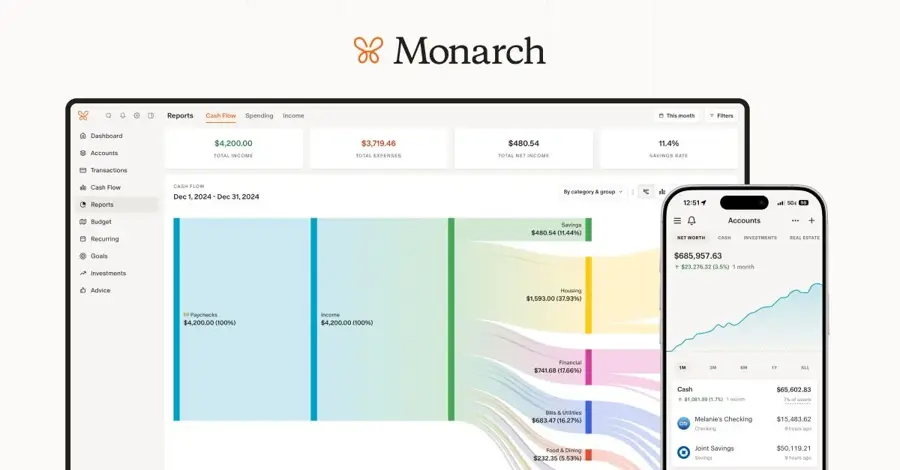
Monarch is a paid, ad-free money app that brings every account, budget and goal into one view and adds an AI Assistant on top. Get it at monarch.com.
The case for it
Monarch's AI works in three layers, as its help center lays out: background categorization and merchant clean-up, an AI Assistant you can chat with, and proactive savings tips. The company says the Assistant "can't move money, pay bills or make trades, and it always asks before changing anything in your account." It uses models from OpenAI, Anthropic and Google, and those providers are contractually barred from training on your chats. In late October 2026 Monarch also published an MCP connector that lets you plug your Monarch data into Claude, ChatGPT, Cursor or Gemini CLI, read-only by default. If you already use Claude for analysis, that's a strong extra (I'd call it the most interesting thing Monarch has shipped this year).
Ratings back this up. Monarch scores 4.9 out of 5 from more than 116,000 ratings on the App Store, the highest on this list. One reviewer quoted on Monarch's pricing page says: "This is the app I’ve always wanted. Well worth the price!" Verdict: if you're only picking one app, I'd pick this one.
Key features
- AI Assistant: asks and answers questions about spending, cash flow and net worth.
- Two budget styles: Flex or Category budgeting.
- Household sharing: add a partner or an advisor at no extra cost.
- Three data providers: Plaid, Finicity and MX, and you can switch between them.
- Plus tier: forecasting, business tracking and deeper investment analysis.
Pros
- Highest App Store rating of the group
- SOC 2 certified, read-only and ad-free, per its security page
- Clear written rules on AI data use
- Works on web, iOS and Android
Cons
- No free plan, only a 7-day trial
- Plus costs $199.99 a year
- Finicity-linked accounts don't work through the MCP connector yet
Monarch pricing: No free plan; $14.99/month or $99.99/year; Plus is $199.99/year in the App Store (checked October 2026). See pricing
Related: Best AI accounting software Claude AI review
Copilot Money – best for iPhone and Mac users
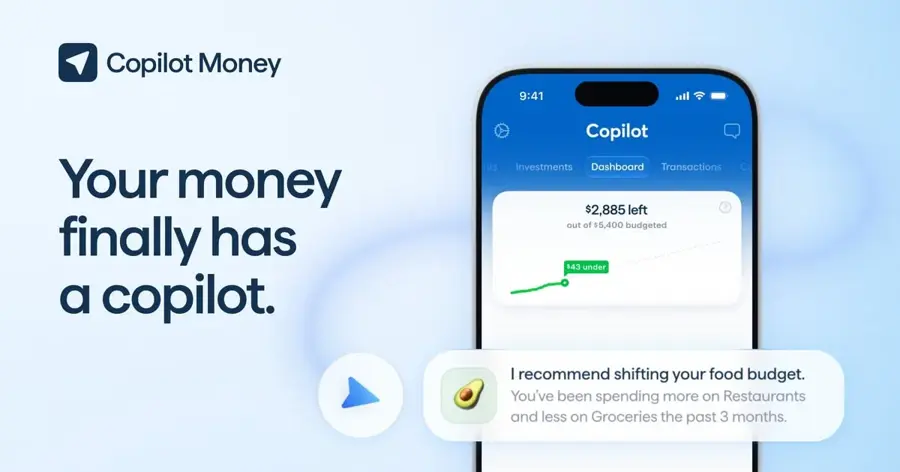
Copilot Money is a polished Apple-first finance app whose Money Assistant builds your budget, answers questions and fixes transactions once you approve. Get it at copilot.money.
The case for it
Copilot's new Money Assistant acts more like an agent than a chatbot. It can rename, move or delete transactions from inside the chat, follow standing instructions such as tagging next week's purchases, and post a daily briefing of category fixes and matched refunds. You can even pick its personality. The catch: it's on iOS only for now. Copilot's homepage promises: "No tiers, no add-ons, no AI credits." So every subscriber gets the full app, which seems fair.
Copilot holds 4.8 stars from about 30,800 ratings on the App Store. A reviewer quoted on Copilot's site wrote that "now with the new AI assistant, the great advice on improvements I can make to my budget/spending" sold them on it. Verdict: probably the best-designed app here, if you're in Apple's world and in the US.
Key features
- Money Assistant: chat, in-chat edits, standing instructions and charts.
- Copilot Intelligence: auto-categorization that learns your habits.
- Bank coverage: Plaid for most banks, plus Mastercard, MX and Akoya, and direct links to Apple Card, Capital One, Public and Coinbase.
- Investments and net worth: performance tracking against market indexes.
- Human support: real people in the in-app chat.
Pros
- Most capable AI assistant among pure budgeting apps
- Data not sold, not used for ads and not used to train external AI models
- Data encrypted at rest and in transit
- One-month free trial
Cons
- US institutions only and no Android app
- Money Assistant is iPhone-only for now
- Price varies by channel, so check before you renew
Copilot Money pricing: No free plan; $18/month or $109/year in the App Store (checked October 2026). Some guides, such as Mezzi's September 2026 note, still cite $13/month or $95/year on the web, and Copilot offers legacy pricing to uninterrupted subscribers. See pricing
Related: Best AI apps for iPhone
Rocket Money – best for cutting recurring costs
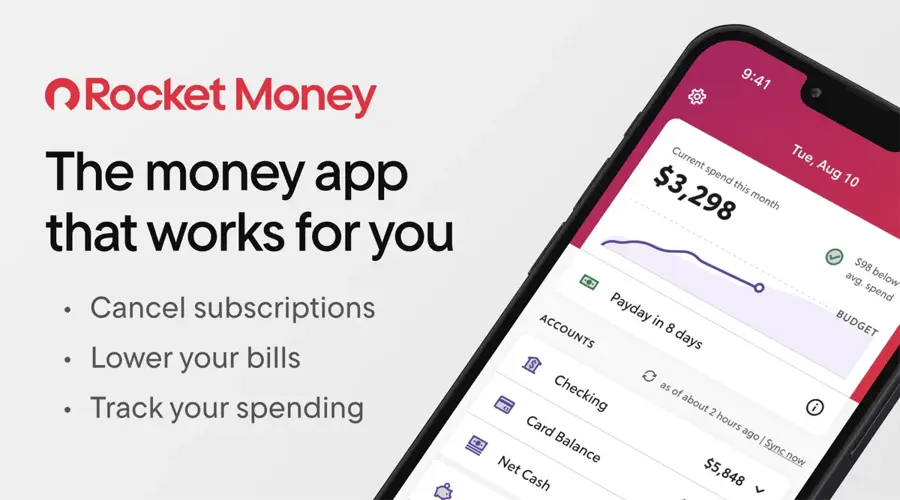
Rocket Money tracks your spending, finds forgotten subscriptions and negotiates bills, and its new AI agent Rowan does that work by text message. Get it at rocketmoney.com.
The case for it
Rocket Money launched Rowan in late summer 2026, an AI financial agent that lives in your text messages and was built using Anthropic models. FinTech Global reported that Rowan comes with a new $15-a-month Premium+ tier, which also drops the success fee on bill negotiation. Rowan can flag price increases and expiring free trials, build a budget, and start cancellations or refund requests. Rocket Money says: "Anything that touches your money waits for your go-ahead."
It's also the only top pick with a usable free plan: account linking, balance alerts, subscription tracking and spend tracking. The app has 4.5 stars from more than 400,000 ratings on the App Store. One member quoted on Rocket Money's homepage said: "Rocket Money saved me over $200 in the first week alone!" Verdict: start here if subscriptions are your leak, then decide whether Rowan is worth $15. Personally, I'd stay on the free plan until you've seen what it finds.
Key features
- Rowan (Premium+): an AI agent you text to answer questions, cancel and negotiate.
- Subscription finder: spots recurring charges and helps cancel them.
- Bill negotiation: a concierge team tries to lower your bills.
- Budgets and net worth: category budgets, savings goals and credit score.
- Connections: Plaid, Akoya for Fidelity and Experian for credit data.
Pros
- Real free plan
- Rowan takes actions, not just answers
- 256-bit AES encryption at rest and TLS in transit
- Huge user base and rating count
Cons
- Bill negotiation carries a success fee below Premium+
- Budgeting is less flexible than Monarch or YNAB
- Rowan costs extra at $15/month
Rocket Money pricing: Free; Premium is pay-what-you-think-is-fair, typically $7 to $14/month according to Wall Street Survivor; Premium+ with Rowan is $15/month (checked October 2026). See pricing
Related: What is agentic AI?
Origin – best for whole-picture planning
Origin combines budgeting, net worth, tax filing and estate planning with an AI advisor that looks across all of your accounts. Get it at useorigin.com.

The case for it
Origin is broader than a budget app. Its AI Advisor comes through an SEC-registered investment adviser, Origin Investment Advisory, and the company says the advisor scored 98.3% on the CFP exam in its own benchmark. That's Origin's own claim, and we couldn't check it against an independent audit. The advisor can give investment suggestions, so I'd treat it as one input, not a stand-in for your own judgment or a human planner.
On the budgeting side you get spending tracking, AI-built budgets, subscription tracking and free partner access. Origin is SOC 2 compliant, read-only and uses Plaid, MX and Finicity, covering over 13,000 institutions. It holds 4.6 stars from about 4,000 ratings on the App Store. One user quoted on Origin's homepage wrote: "I love being able to query the AI in natural language rather than try to parse things put in a bunch of filters." Verdict: likely the best value, but only if you'll actually use the tax and estate tools too.
Key features
- AI Advisor: natural-language questions across spending, savings and goals.
- Budgeting and spending: AI-built budgets and subscription tracking.
- Taxes: free DIY filing included, with a $189 expert add-on.
- Estate planning: wills and trusts at member prices.
- Human CFP sessions: $119 each, booked in the app.
Pros
- Most features for one flat fee
- Three data aggregators
- Partner access included
- Never sells data, per Origin
Cons
- No free plan
- Advisor's investment suggestions need careful scrutiny
- Origin says sessions stay logged in by default
- Smaller rating base than rivals
Origin pricing: No free plan; $12.99/month or $99/year with a 7-day trial; Origin's blog currently advertises $1 for the first year as a promotion (checked October 2026). See pricing
Related: Explainable AI in finance
YNAB – best for hands-on budgeters
YNAB (You Need A Budget) is the classic zero-based budgeting app, where every dollar gets a job before you spend it. Get it at ynab.com.
The case for it
YNAB is here as the benchmark, not for its AI. Going by its own site, there's no AI assistant as of late October 2026. What it does offer is a method that works if you engage with it, plus solid sharing: one subscription covers up to six people, and college students get a free year. Bank import is read-only through Plaid and MX, and direct import supports select US, Canadian, UK and EU banks.
YNAB has 4.8 stars from more than 62,000 ratings on the App Store. A user quoted in that listing says: "A year of YNAB costs less than a massage and is a heck of a lot better for reducing stress." Verdict: pick it if you want to change your habits yourself, and pair it with a general chatbot when you want AI help. I don't think it needs its own assistant.
Key features
- Zero-based budgeting: plan every dollar ahead of time.
- Sharing: up to six people on one subscription.
- Loan Planner: see time and interest saved on debt.
- Targets: savings and spending goals with progress tracking.
- Import options: direct import or file-based import worldwide.
Pros
- Proven method with a big community
- Doesn't sell your financial data
- Free year for college students
- 34-day free trial, no card needed on the web
Cons
- No AI assistant
- Steeper learning curve
- Uses targeted advertising to find new users, which some state laws count as a "share"
YNAB pricing: No free plan; $14.99/month or $109/year (checked October 2026). See pricing
Related: Best ChatGPT alternatives
Cleo – best for young earners
Cleo is a chat-first money app with a cheeky personality that tracks spending, coaches you and offers cash advances. Get it at meetcleo.com.

The case for it
Cleo leans into conversation. You talk to it like a friend, and its "roast me" mode calls out bad habits. The Pro plan adds advanced AI features, including voice chat and conversation memory, so answers get more personal over time. Accounts link through Plaid, and Cleo is clear that it's a fintech company, not a bank.
Look closely at the paid tiers, though. Much of their value is cash advances, which come with express fees of $4.49 to $14.99 for same-day transfers. Cleo has 4.7 stars from more than 267,000 ratings on the App Store, and one reviewer quoted on its homepage put it simply: "There's nothing like getting Roasted by Cleo." Verdict: fun and motivating for building habits, but I'd skip the cash advances if you can.
Key features
- AI chat: ask about spending in plain language, with voice on Pro.
- Chat memory: Pro remembers your goals and patterns.
- Debt Reset: a personal plan to pay down debt on paid tiers.
- Savings: high-yield savings through Thread Bank on Pro and Builder.
- Cleo Card: a credit-builder card on Builder.
Pros
- Engaging, judgment-light coaching
- Free plan to start
- Large user base
- Also available in the UK
Cons
- Paid tiers built around cash advances
- Express fees add up on small advances
- Lighter on detailed budgeting than Monarch
Cleo pricing: Free; Plus from $5.99/month (per FinCompareLab), Pro $8.99/month and Builder $14.99/month per Cleo's help center (checked October 2026). See pricing
Related: Best AI apps for iPhone
PocketGuard – best for low cost and a lifetime plan
PocketGuard is a straightforward budgeting app that shows what is safe to spend after bills and goals, with AI chat included. Get it at pocketguard.com.

The case for it
PocketGuard wins on price. Its yearly plan works out to $6.25 a month, and it sells a $149.99 lifetime option, which is rare in this category. Looking at the prices, Premium includes AI chat and priority human support, and the app's Spending Pace feature predicts whether you'll stay on budget before the month ends. PocketGuard connects through Finicity, Plaid, Salt Edge and Apple Wallet with read-only access.
It holds 4.6 stars from about 7,600 ratings on the App Store, where its listing quotes Forbes: "PocketGuard is the best budgeting app for tracking spending." Verdict: the budget pick if you want simple, cheap and done.
Key features
- Safe-to-spend: what is left after bills, goals and essentials.
- Spending Pace: predicts overspending before month end.
- Budget methods: zero-based, envelope, 50/30/20 or custom.
- Debt payoff plan: shows a debt-free date.
- Bills and subscriptions: detection, cancellation and bill lowering.
Pros
- Cheapest yearly plan here
- Lifetime purchase option
- Works on web, iPhone, Apple Watch and Android
Cons
- No free plan, only a 7-day trial
- AI is basic compared with Copilot or Monarch
- Smaller rating base
PocketGuard pricing: No free plan; $12.99/month, $74.99/year (about $6.25/month) or $149.99 lifetime (checked October 2026). See pricing
Bank connections and data protection
Every app on this list connects to your bank through a third-party aggregator. That means your bank login goes to the aggregator or straight to your bank, not to the budgeting app. Here's what each one says about itself.
| App | Bank connections | Security notes | AI and data |
|---|---|---|---|
| Monarch | Plaid, Finicity, MX | Read-only, SOC 2 Type 2, encrypted at rest and in transit | AI providers barred from training on your data; chats deletable |
| Copilot Money | Plaid, Mastercard, MX, Akoya, direct links | Encrypted at rest and in transit; no stored bank logins | Not sold, not used to train external AI models |
| Rocket Money | Plaid, Akoya (Fidelity) | 256-bit AES at rest, TLS in transit | Rowan built on Anthropic models; acts only with approval |
| Origin | Plaid, MX, Finicity | Read-only, SOC 2 compliant, encrypted | Data not sold, per Origin |
| YNAB | Plaid, MX | Read-only, encrypted; full deletion on request | No AI assistant |
| Cleo | Plaid | Banking via Thread Bank, Member FDIC | Pro keeps chat memory |
| PocketGuard | Finicity, Plaid, Salt Edge, Apple Wallet | Read-only, PIN, biometrics, remote wipe | Data not sold, per PocketGuard |
Sources: Monarch, Copilot, Rocket Money, Origin, YNAB, Cleo and PocketGuard.
Choosing the right AI budgeting app
Start with the problem, not the AI
Name your real leak first. Forgotten subscriptions? Rocket Money tackles that on day one. Not knowing where the money goes? Monarch or Copilot will show you. Lack of discipline? YNAB's method probably matters more than any assistant.
Check your bank connects well
An AI budget is only as good as its data, and that's easy to forget. Apps with several aggregators, like Monarch, Origin and Copilot, have a better chance of reaching a small bank or a brokerage. Monarch even publishes a connection status dashboard. Use the free trial to link your trickiest account before you pay; that's the test I'd run first.
Read the AI data policy
Check whether data is sold, whether AI providers can train on it, and whether you can delete chat history. Monarch and Copilot answer all three in writing. If you want to understand why explanations matter in money tools, our guide to explainable AI in finance covers the basics.
Keep approval in your hands
Newer assistants are agentic: they recategorize, cancel and negotiate for you. All the ones here ask before acting, but keep notifications on and review bulk changes. Monarch warns that it can't undo changes an outside AI tool makes through its connector.
Match your devices and household
Copilot has no Android app and its assistant is iPhone-only. Monarch, YNAB and Origin include a partner at no extra cost, and YNAB stretches to six people.
Free vs paid: what you actually get
Only two apps here have a free plan worth using. Rocket Money's free tier covers account linking, balance alerts, subscription tracking and spend tracking, while budgets beyond a cap, real-time sync and net worth need Premium. Cleo's free tier gives you the AI chat and basic tracking, with savings rates, Debt Reset and coaching behind paid plans.
Everything else is subscription-only with a trial: 7 days for Monarch, Origin and PocketGuard, a month for Copilot and 34 days for YNAB. Monarch and Copilot both argue that paid apps don't need to sell your data, and that's a fair point. Most serious budgeters will probably end up on a plan of about $100 a year. If you want AI help without another subscription, you can export transactions to a general assistant such as ChatGPT or Claude. Just remove account numbers first and remember those chats fall under that assistant's own privacy terms.
Final verdict
I'd start most people on Monarch. The mix of budgeting, careful handling of your data and household features is hard to beat at $99.99 a year. Copilot Money is the better call if you're all-in on Apple and want an assistant that does the tidying for you. Rocket Money is the smartest free starting point, and if bills are where your money leaks, Rowan might justify Premium+. Whatever you pick, connect your hardest account during the trial, and take any AI suggestion as a prompt to think, not an instruction.
FAQ
What is the best AI budgeting app in 2026?
Monarch is the best all-round pick for most people. It combines flexible budgets, an AI Assistant that answers questions from your real data and free partner sharing for $99.99 a year. Copilot Money is the top choice for iPhone and Mac users, and Rocket Money is the best free option.
Is there a free AI budgeting app?
Yes. Rocket Money has a free plan with account linking, subscription tracking and balance alerts, and Cleo has a free tier with AI chat and basic tracking. Monarch, Copilot, Origin, YNAB and PocketGuard only offer free trials, from 7 days to 34 days.
Are AI budgeting apps safe to connect to my bank?
The apps here use read-only connections through aggregators such as Plaid, MX, Finicity or Akoya, so they never see your bank password and can't move money on their own. Several publish encryption details and SOC 2 reports. Still, use two-factor login and only link the accounts you need.
Do these apps use my data to train AI?
Monarch says its AI providers are contractually barred from training on your conversations, and Copilot says your data isn't used to train external AI models. Policies differ by app, so read each one's privacy page before you link accounts, especially if you share data with outside tools.
Can an AI budgeting app replace a financial advisor?
No. These apps are good at organizing spending and spotting patterns, and Origin's AI Advisor operates under an SEC-registered adviser. But AI answers can be wrong, and they don't know your whole situation. For big decisions, talk to a qualified human professional.
Sources
- Monarch Pricing: Personal Finance App Plans (Monarch)
- Security (Monarch)
- AI in Monarch (Monarch Help Center)
- Monarch MCP Connector (Monarch Help Center)
- Understanding Data Providers and Connections (Monarch Help Center)
- Monarch Plus Tier (Monarch Help Center)
- Monarch: Budget & Track Money (App Store)
- Copilot Money: Your money finally has a copilot (Copilot Money)
- Money Assistant Overview (Copilot Help Center)
- How Do You Get My Financial Data? (Copilot Help Center)
- Copilot: Track & Budget Money (App Store)
- Copilot Money Renewal: Check Your Price Before Switching (Mezzi)
- Subscription Manager and Custom Budgeting App (Rocket Money)
- Rowan by Rocket Money: AI Financial Assistant (Rocket Money)
- We're committed to your security (Rocket Money)
- Rocket Money launches AI agent to manage finances (FinTech Global)
- Rocket Money Premium vs Premium+: What You Get With Rowan (Wall Street Survivor)
- Rocket Money - Bills & Budgets (App Store)
- Origin Financial: All-in-One Financial Platform (Origin)
- Your Most-Asked Questions About Origin, Answered (Origin)
- Why Origin Is the Best Personal Finance App in 2026 (Origin)
- Origin: AI Budget and Track (App Store)
- Pricing (YNAB)
- Security (YNAB)
- YNAB (App Store)
- Cleo makes money better (Cleo)
- Cleo: Plans and pricing (Cleo)
- What is Cleo Pro? (Cleo Help Center)
- Cleo Pricing 2026 (FinCompareLab)
- Cleo AI: Cash Advance & Budget (App Store)
- Pricing Plans (PocketGuard)
- Keeping Your Finances Safe & Secure (PocketGuard)
- PocketGuard - Budget App (App Store)