6 best AI pose changers in 2026: free and paid picks compared
The best AI pose changer for most people is free Google Gemini. We compared six tools on presets, likeness, free credits and price.
 Written byRahis SaifiCo-founder and news editor
Why you can trust The AI Future
Our writers research every product from its official pages, independent tests and user reports, link each claim to its source and correct mistakes openly. Unless an article says otherwise, we haven't tested the product hands-on ourselves. Companies can't pay for coverage or see reviews before they're published.
Read our editorial policy
Short answer: the best AI pose changer for most people is Google Gemini, because it's free, it edits an uploaded photo from one plain sentence, and Google's Nano Banana models are good at keeping the face and outfit intact. If you'd rather click a preset than write a prompt, Aragon's pose editor is the easiest of the dedicated tools, and it gives you free daily credits.
The rest are specialists. ChatGPT handles awkward, specific poses well, Fotor is the cheapest paid option at $3.99 a month on yearly billing, VEED connects poses to video, and Dreamina copies a pose from a second reference image. I think most readers only need one of them.
Key takeaways
- Google Gemini and ChatGPT both change poses in uploaded photos on their free plans, using nothing more than a written instruction.
- Dedicated pose changers from Aragon, Fotor and VEED add preset poses such as hands on hips, crossed arms or sitting, so you don't have to write a prompt.
- Dreamina is the one to use if you want to match a pose from another photo, because it reads body position from a second reference image.
- Paid plans for the tools here start between $3.99 and $15 a month, though several prices only apply on yearly billing.
- Only change poses in photos of yourself or of people who've agreed, and never make intimate or deceptive images of real people.
Our ranking method
Nobody at The AI Future ran hands-on tests for this roundup, so there are no original screenshots here. We compared each AI pose changer using its official product and pricing pages, third-party pricing trackers, independent reviews and Trustpilot ratings, as of late October 2026. We ranked them on these criteria:
- Pose control, meaning whether you can pick presets, describe a custom pose or copy one from a reference photo.
- Likeness, or how well the tool claims (and reviewers report) it keeps the face, clothes and background unchanged.
- Ease of use for someone with no editing experience.
- Free tier value, including daily credits and watermarks.
- Paid value, comparing the cheapest plan's price with what it includes.
- User feedback from Trustpilot and independent reviews.
Prices are in US dollars and can vary by country, app store and billing period. They were checked in October 2026.
The 6 best AI pose changers at a glance
| # | Tool | Category | Best for | Free tier | Starts at |
|---|---|---|---|---|---|
| 1 | Google Gemini | AI assistant | Free pose changes from a sentence | Yes | $4.99/mo |
| 2 | ChatGPT | AI assistant | Complex, specific poses | Yes (limited) | $8/mo |
| 3 | Aragon | AI photo editor | One-click preset poses | Yes (limited) | $15/mo |
| 4 | Fotor | Online photo editor | Group photos on a budget | Yes (limited) | $3.99/mo |
| 5 | VEED | Video and image editor | Turning poses into video | Yes (limited) | $12.25/mo |
| 6 | Dreamina | AI image and video generator | Copying a pose from a reference photo | Yes (limited) | $15/mo |
Notes: Fotor's $3.99 and VEED's $12.25 are yearly billing rates; month to month they're $10.99 and $25. ChatGPT's $8 is the Go plan.
The best AI pose changers in 2026, ranked
Google Gemini – best for free pose changes from a sentence
Gemini is Google's AI assistant, and it edits uploaded photos with its Nano Banana image models, including changing how a person stands or sits. Try it at gemini.google.com.
Strengths
Image generation and editing sit on the free tier on Google's plans page, so you can upload a photo and type "make her sit on the steps with her arms resting on her knees" without paying. Nano Banana 2 is also the engine behind several paid pose tools; Overchat's pose generator guide, for example, says its tool runs on it and regenerates only the person while leaving everything else alone. Going straight to Gemini gets you a similar model with no middleman.
It's not perfect. In TechRadar's side-by-side comparison, Nano Banana 2 "was usually faster" than ChatGPT but its edits could look stylised, with smoothed faces. And Gemini's Trustpilot score is just 1.4, though that covers the whole assistant (I wouldn't read much into it for image edits specifically).
Key features
- Free photo editing with Nano Banana image models.
- Pose changes described in everyday language, with no presets to learn.
- Blending several images into one, which helps when you want a person placed in a new scene.
- Google AI Plus doubles usage over the free tier and adds 400GB of storage.
Pros
- The strongest free option for pose edits, as far as I can tell.
- Same model family that powers several paid pose apps.
- Cheap upgrade at $4.99 a month.
Cons
- Faces can come out slightly smoothed.
- Google doesn't publish exact free image limits.
- AI Plus may lose manual access to Pro models on November 13, 2026, per a notice reported by ProPakistani.
Google Gemini pricing: Free, then paid plans from $4.99/month for Google AI Plus, with AI Pro at $19.99/month, per ProPakistani's October 2026 price check (checked October 2026). See pricing
Verdict: if you only try one AI pose changer, try this one first, because it costs nothing.
Related: Gemini AI vs ChatGPT
ChatGPT – best for complex, specific poses
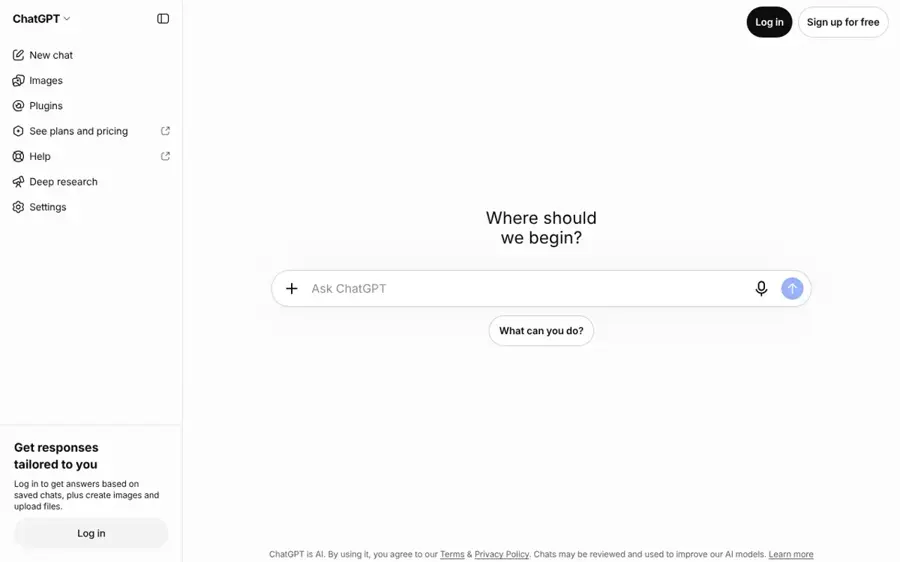
ChatGPT is OpenAI's assistant, and its built-in image tool can redo an uploaded photo with a new pose from a written request. Try it at chatgpt.com.
Strengths
ChatGPT's advantage is that it follows long, fussy instructions well. That matters for poses, because "left hand on the railing, right hand in pocket, weight on the back foot, looking over the shoulder" is a lot to get right. SmartScope's plan check confirms image generation works on every tier, Free included. In TechRadar's test using the same starting photos, ChatGPT Images 2.0 won the lighting, cinematic and product rounds against Nano Banana 2, and the reviewer said it "kept edging ahead."
The flip side is that it can wander. eWeek's six-prompt test found ChatGPT tends to add extra elements nobody asked for. ChatGPT also has a 1.6 rating on Trustpilot from 3,899 reviews, which, like Gemini's, reflects the whole assistant.
Key features
- Upload a photo and describe the new pose in plain language.
- Image generation is available on every plan, including Free.
- You can refine the result with follow-up messages in the same chat.
- Plus and higher plans add a slower "images with thinking" mode.
Pros
- Handles detailed, multi-part pose instructions.
- Strong lighting and perspective in independent tests.
- Free plan includes image editing.
Cons
- OpenAI doesn't publish exact image caps for any plan.
- Sometimes adds objects or details you didn't request.
ChatGPT pricing: Free, then paid plans from about $8/month for Go and $20/month for Plus, per CometAPI's plan rundown (checked October 2026). See pricing
Verdict: the pick when your pose is too specific for a preset.
Related: ChatGPT with GPT-6 review Best AI like ChatGPT
Aragon – best for one-click preset poses
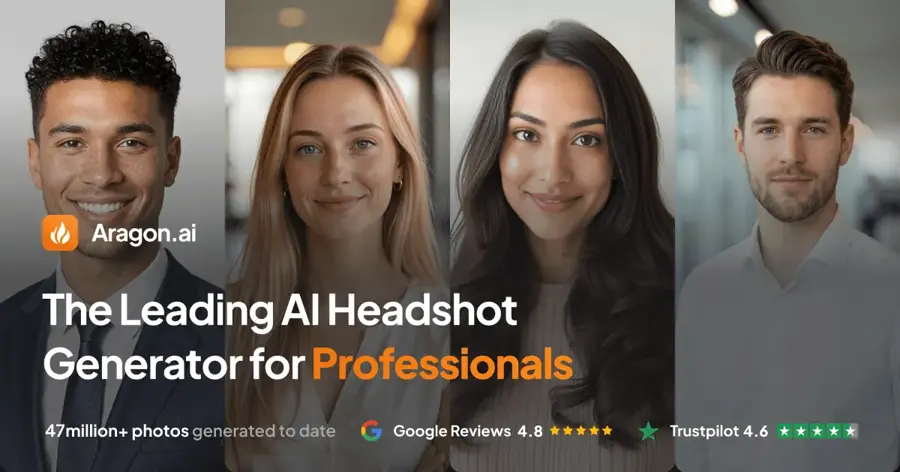
Aragon is best known for AI headshots, and its photo editor includes a dedicated pose changer with preset poses and free daily credits. Try it at aragon.ai.
Strengths
Aragon's pose changer page keeps things simple. You upload a photo that shows your arms and body, then pick from options like natural, crossed arms, hands on hips, hands in pockets, hands together or a slight turn, or type a pose yourself. The company says your face, hair, outfit and background "stay in place while the body position changes." For fixing a stiff arm on a LinkedIn photo, that's probably all you need.
Users mostly like Aragon. It has 4.6 on Trustpilot from 7,351 reviews, although that's mainly for its headshot packs. One October reviewer admitted "some of my initial headshots didn't look quite like me" before fixing it with Aragon's review feature. Fritz AI's review goes further, putting a realistic headshot keeper rate at 10 to 25%, well below Aragon's own claim. That's for full headshot batches, not single pose edits, but I'd keep it in mind.
Key features
- Preset poses including crossed arms, hands on hips, hands in pockets and a slight turn.
- A text box for describing your own pose.
- Accepts JPG, PNG, WEBP and HEIC files.
- The subscription includes 75+ AI editing tools and models like Nano Banana, GPT Image, Flux and Seedream, according to Fritz AI.
Pros
- The easiest preset workflow of the dedicated tools.
- Free tier gives 16 credits per active day, per Fritz AI.
- Strong Trustpilot rating with thousands of reviews.
Cons
- Subscription credits don't roll over month to month.
- Preset list focuses on arms and posture, not full-body action poses.
- Likeness can drift, judging by reviews of its headshot product.
Aragon pricing: Free daily credits, then the Aragon Lite editing subscription from $15/month, per Fritz AI; headshot packs are a separate one-time purchase from $35 (checked October 2026). See pricing
Verdict: choose Aragon if you want a better pose for a professional photo without writing prompts.
Related: Aragon AI review Best free AI headshot generators
Fotor – best for group photos on a budget
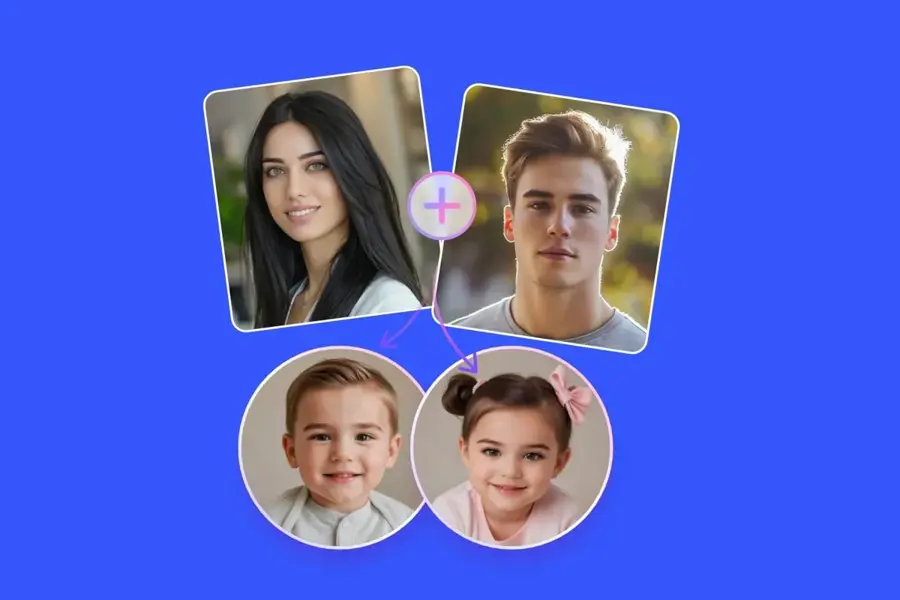
Fotor is a long-running online photo editor with an AI pose changer that works on single people, groups, illustrations and even pets. Try it at fotor.com.
Strengths
Fotor's pose changer covers more ground than the others. Fotor says it can change poses for "two or more people in the same photo," handle anime and illustration art, and repose a dog or cat. You type the action you want, and it adjusts the body. The price is the other draw: Fotor Pro costs $3.99 a month on yearly billing, according to PricingSaaS, which last captured Fotor's prices on November 2, 2026.
Reviews are mixed. Fotor sits at 3.5 on Trustpilot from 1,594 reviews, and one April reviewer complained: "Prompts are often ignored or misinterpreted - stubbornly!" Another opened with "Firstly, Fotor is cheap." Trustpilot's own summary flags frustration over annual renewals and refunds, so set a reminder if you buy yearly.
Key features
- Text-prompt pose changes for half-body and full-body photos.
- Multi-person pose editing in a single image.
- Works on illustrations, anime art and pets as well as photos.
- Unused credits roll over for up to five months while you're subscribed.
Pros
- Cheapest paid plan in this roundup.
- Handles groups and animals, which the others don't advertise.
- Rolling credits soften the monthly limit.
Cons
- The $3.99 rate needs yearly billing; monthly is $10.99.
- Trustpilot reviewers report ignored prompts and renewal complaints.
Fotor pricing: Free with limited credits, then paid plans from $3.99/month billed yearly or $10.99 month to month, per PricingSaaS (checked October 2026). See pricing
Verdict: the budget pick, and the only one here that pitches pet and group reposing.
Related: Best AI picture tools Best AI image from photo tools
VEED – best for turning poses into video
VEED is a browser-based video editor whose AI image tools include a pose changer with preset and custom poses. Try it at veed.io.
Strengths
VEED's AI pose changer offers presets (standing, sitting, walking, running, jumping, hands on hips, crossed arms) plus prompts like "Leaning against a wall." You can also test different AI models on the same photo to see which looks most natural, which I like. The real reason to choose it, though, is what comes after: you can animate the reposed image into a talking-head clip or a full video scene without leaving the editor.
VEED rates 4.2 on Trustpilot from 3,919 reviews. One October reviewer said editing is mostly smooth "although it can be frustrating at times as there seemed to be glitches every so often." Pricing moves often: PricingSaaS has logged 16 pricing changes since October 2024.
Key features
- Preset poses including standing, sitting, walking, running and jumping.
- Custom poses from a text prompt, with hair, expression or clothing changes in the same request.
- A choice of AI models for each edit.
- Reposed images can feed straight into VEED's AI video tools.
Pros
- The widest set of action presets here.
- Good fit if your end product is a video.
- No credit card needed to start.
Cons
- Pricing is per user and changes often.
- Paying for a video editor is overkill if you only need stills.
- AI credits don't carry over between billing periods.
VEED pricing: Free, then paid plans from $12.25/month per user billed yearly or $25 month to month for Creator, per PricingSaaS (checked October 2026). See pricing
Verdict: worth it if your reposed photo is going into a video; otherwise, Gemini is cheaper.
Related: Best AI image animators Best image to video AI tools
Dreamina – best for copying a pose from a reference photo
Dreamina is CapCut's AI image and video generator, and its pose changer applies the pose from one image to the person in another. Try it at dreamina.capcut.com.
Strengths
Dreamina takes a different approach. On its pose changer page, you upload your original photo and a pose reference, and the AI "reads body alignment, posture, and limb direction" from the reference. That's handy when you can't describe a pose in words but you've got a picture of it. Dreamina says its Seedream 5.0 model keeps facial features and clothing consistent, and an Inpaint tool lets you regenerate just an arm or leg.
Its user reviews are poor, though. Dreamina has 1.5 on Trustpilot from only 36 reviews, and one October reviewer wrote: "The model often does not follow prompts, but that is somewhat to be expected." Another complained about being charged after a $1 trial. Thirty-six reviews is a small sample, but the billing complaints are worth taking seriously.
Key features
- Pose transfer from a second reference image.
- Seedream 5.0 model for keeping the subject's look consistent.
- Inpaint tool for fixing individual limbs.
- Free credits for testing before you pay.
Pros
- The best option when you have an example pose to copy.
- Selective inpainting saves full regenerations.
- Also makes video, if you want to animate the result later.
Cons
- Very low Trustpilot score, with billing complaints.
- Introductory offers make the real monthly price easy to miss.
Dreamina pricing: Free credits, then the Basic plan at $15/month in the US with 1,575 credits, after any introductory offer (checked October 2026). See pricing
Verdict: use it for pose matching, and check the renewal price before you subscribe.
Related: Best AI image generators Best AI photoshoot tools
Choosing the right AI pose changer
Pick presets for quick fixes and prompts for anything unusual
If you just want crossed arms or hands on hips, Aragon and VEED get you there in a couple of clicks. Anything odder, like a superhero landing or sitting sideways on a bike, is easier to write out in Gemini or ChatGPT. For pose ideas you've already seen elsewhere, Dreamina's reference-image method is the shortcut. Our guide to AI photo prompts has tips for wording those instructions.
Start with a clear, full-body photo
Both Aragon and VEED ask for a clear shot where the body is visible; VEED says the tool works best with "full-body or three-quarter shots." A cropped selfie gives the AI nothing to work with below the shoulders. Good, even lighting helps too.
Check the face before you publish
Every tool here regenerates part of the person, so likeness can slip. Zoom in on eyes, hands and fingers before you post anything. If the face looks off, regenerate or try a smaller change. Atlas Cloud's write-up makes the point that a single photo can't show the sides of a face, so a big pose swing forces the AI to guess, and someone who knows the person should check the result.
Only repose people who've agreed
Use your own photos, photos of people who've given permission, or images you've licensed. Changing someone's pose to put them in a misleading situation, or making intimate or sexual images of a real person without consent, is harmful and illegal in many places. We don't cover apps built for that. If you also need outfit or body edits, our guides to AI clothes changers and AI body editors follow the same consent-first approach.
Free vs paid: what you actually get
All six tools let you start without paying. The difference is mostly volume.
| Tool | What free gets you | Cheapest paid plan |
|---|---|---|
| Google Gemini | Image editing with lower usage limits | AI Plus, $4.99/mo |
| ChatGPT | Image editing with an undisclosed cap | Go, about $8/mo |
| Aragon | 16 credits per active day | Lite, $15/mo |
| Fotor | Limited free credits | Pro, $3.99/mo yearly or $10.99 monthly |
| VEED | Free account, no card needed | Creator, $12.25/mo yearly or $25 monthly |
| Dreamina | Free credits for testing | Basic, $15/mo |
Honestly, if you only need to fix a pose or two each month, I'd stay on a free plan. Paying makes sense when you're reposing product or model shots every week, because that's when free caps start getting in the way. For a full set of new photos rather than fixes, our roundup of AI photoshoot tools covers services that generate whole batches.
Final verdict
Start with Google Gemini. It's free, its Nano Banana models already power several paid pose apps, and I suspect most people will never need more. If you want presets instead of prompts, Aragon is the easiest dedicated pose changer, and Fotor is the one I'd pick on a tight budget. VEED and Dreamina are worth paying for only if you need video output or pose matching from a reference photo.
FAQ
Can I change a pose in a photo with AI for free?
Yes. Google Gemini and ChatGPT both edit uploaded photos on their free plans, and Aragon gives 16 credits per active day according to Fritz AI. Fotor, VEED and Dreamina also include limited free credits. Expect daily or monthly caps.
Which AI pose changer keeps my face the same?
All six claim to keep the face, outfit and background consistent, but none can guarantee it. TechRadar's comparison noted Gemini's Nano Banana 2 can smooth faces, and eWeek found ChatGPT sometimes adds things you didn't ask for. Smaller pose changes are likely to keep likeness better than dramatic ones.
Can AI change the pose of more than one person in a photo?
Fotor says its pose changer works on two or more people in the same photo, and on pets. The other dedicated tools focus on one person. With Gemini or ChatGPT, you can try naming each person in your prompt, such as "the man in the blue shirt."
Can I copy a pose from another picture?
Yes, with Dreamina. You upload your photo plus a pose reference, and it applies the reference's body position to your subject. Gemini can also blend several images, so you can try asking it to match a pose from a second photo.
Is it legal to change someone's pose with AI?
It depends on where you live and how you use the result. Editing your own photos or images you're licensed to use is generally fine. Making intimate or deceptive images of real people without consent is harmful and illegal in many places, so get permission before editing anyone else.