6 best AI passport photo tools in 2026, compared side by side
The best AI passport photo tools for 2026, compared on price, checks and guarantees, plus the US and UK rules that ban AI edits to your face.
 Written byDr. Alap ZahidReviews And Guides Editor
Why you can trust The AI Future
Our writers research every product from its official pages, independent tests and user reports, link each claim to its source and correct mistakes openly. Unless an article says otherwise, we haven't tested the product hands-on ourselves. Companies can't pay for coverage or see reviews before they're published.
Read our editorial policy
Short answer: if you want an AI passport photo you can submit without worrying, PhotoAiD is the one I'd start with, because a human checks every photo after the AI crops it. If you're in the US and need prints mailed to you, Passport Photo Online is the simpler buy. And if money's tight, a free cropper like 123PassportPhoto does the one job you really need.
One warning before anything else. The AI in these tools should only crop, resize and tidy the background. It mustn't touch your face. The UK wants photos "unaltered by computer software", and the US State Department told applicants on X in May not to use AI or editing tools on passport photos, as TravelPirates reported. A smoothed-out selfie that looks great can still get your application held up for weeks.
Key takeaways
- PhotoAiD and Passport Photo Online both pair an AI crop with a human compliance check, and both offer an acceptance guarantee.
- Visafoto costs a flat $9 per photo and covers a long list of unusual visa formats, though its paid edits go further than I'd like for a US passport.
- Free tools such as 123PassportPhoto and IDPhoto4You crop to the right size, but nobody checks the result for you.
- The US bans AI-edited and filtered passport photos, and the UK requires photos that haven't been altered by software, so face retouching is out.
- If you're applying for a UK passport online, you can take the photo inside the application itself and the system crops it for you.
Our ranking method
Nobody at The AI Future ran hands-on tests for this roundup, and there are no original screenshots here. We compared each passport photo AI service using its own product pages, the official US and UK photo rules, Trustpilot ratings and published coverage, as of early November 2026. These were the criteria:
- Editing restraint is whether the tool limits itself to cropping, sizing and background, or advertises changes to how you look.
- Compliance checking is whether a person or a rules engine checks the photo before you submit it.
- Country coverage is how many passport, visa and ID formats the tool knows.
- Price clarity is whether you can see the real cost before you upload a photo of your face.
- Guarantees cover refunds or free retakes if a government office rejects the photo.
- User ratings come from Trustpilot, where we read recent reviews rather than just the score.
The 6 best AI passport photo tools at a glance
| # | Tool | Category | Best for | Free tier | Starts at |
|---|---|---|---|---|---|
| 1 | PhotoAiD | AI plus human check | Most people | No | Shown at checkout |
| 2 | Passport Photo Online | AI plus human check | US prints by mail | No | $16.95 |
| 3 | Visafoto | Automated editor | Unusual visa formats | No | $9 |
| 4 | Smartphone iD | AI plus human check | France and ePhoto codes | Yes (limited) | 4.99 euros |
| 5 | 123PassportPhoto | Free cropper | Free auto-crop | Yes | Free |
| 6 | IDPhoto4You | Free cropper | Full manual control | Yes | Free |
The best AI passport photo tools in 2026, ranked
PhotoAiD – best for most people
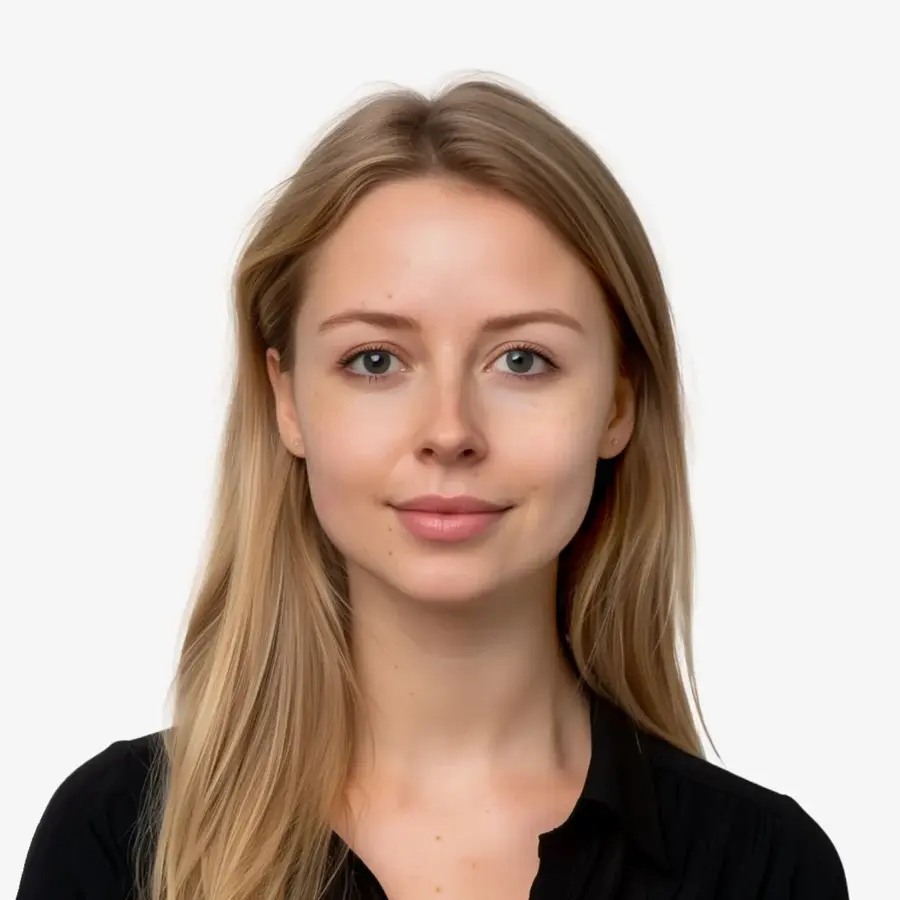
PhotoAiD is a web and mobile app that crops and sizes your selfie with AI and then has a human expert review it. Try it at photoaid.com.
Strengths
The pitch is narrow, which I like. On the homepage, PhotoAiD says its AI "will crop, resize, and adjust the background of your image", and then an expert reviews the photo and gives feedback in under a minute. That's close to the limit you want: geometry and background, with no promises to make you look better. It also tells you to keep a front camera 16 to 20 inches from your face and says portrait mode isn't acceptable, which is the kind of practical guidance that probably saves more rejections than any algorithm.
Ratings are strong. PhotoAiD sits at 4.7 from 13,456 reviews on Trustpilot (it's a paid Trustpilot subscriber, for what it's worth). One reviewer, Tracy McConnell, wrote in June 2026 that "it did the job after me having my passport photo rejected by the passport office", though she also thought the price could be lower.
Key features
- The AI crops the photo, resizes it and handles the background.
- A human expert checks every order before you get it.
- You can download a digital file or order prints to your address.
- Formats cover US passports, US visas, driving licences and more.
- It comes with an acceptance guarantee.
Pros
- Edits are limited to crop, size and background
- Human review catches shadows and posture problems
- Large review base with a high score
Cons
- I couldn't find a public price list, so you only see the cost at checkout
- No free tier for official photos
- You're uploading a biometric-quality image of your face to a company's servers
Verdict: if you only pick one, pick this.
PhotoAiD pricing: No free plan; the price is shown at checkout and I couldn't confirm a public list price (checked November 2026). See pricing
Related: Best AI picture tools for editing photos
Passport Photo Online – best for US prints by mail
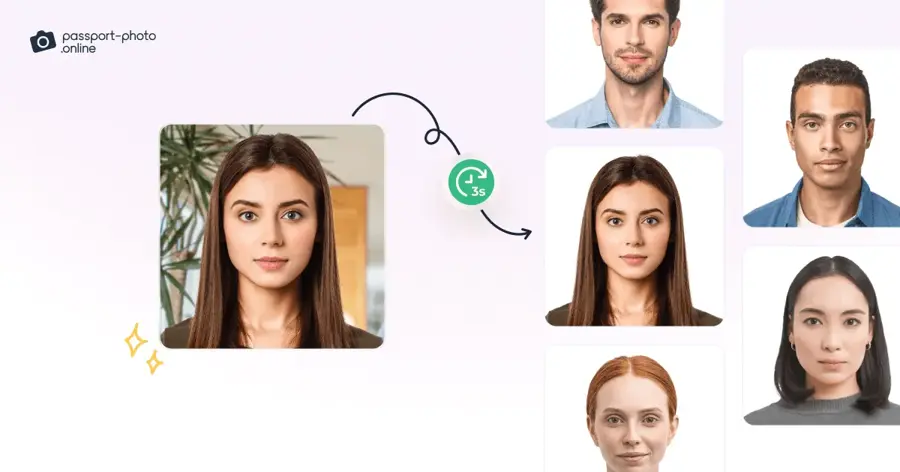
Passport Photo Online is a website and app that turns a selfie into a passport, visa or ID photo, with AI checks and human verification, and can post you the prints. Try it at passport-photo.online.
Strengths
This is the most transparent of the paid services on price. Going by its US passport page, a digital photo costs $16.95 and adding two printed copies brings it to $19.95, with four or six prints for a little more. That's about what a pharmacy charges, so you're paying for convenience (and for not driving anywhere with a toddler).
It's also the most reviewed tool here: 4.8 from 21,017 reviews on Trustpilot. Nabil Sheikh wrote that "I was able to take a photo of myself using my laptop and complete the payment for the whole process in less than five minutes." My one worry is the wording on the homepage, which says its AI "will fine-tune your photo". I'd guess that means lighting and framing, but it's vague, and vague isn't great when the US bans edits.
Key features
- You can take a selfie or upload one from your phone or laptop.
- AI centres your face, fixes the background and sets the exact size.
- In-house staff check each photo for compliance.
- Printouts can be delivered to your door.
- It promises double your money back if a photo is rejected.
Pros
- Clear US pricing
- Prints delivered, so no trip to a pharmacy
- Highest review count of any tool here
Cons
- $16.95 for one digital file isn't cheap
- "Fine-tune" is vague about what the AI changes
- No free option for official photos
Verdict: the safe, slightly pricey choice for US applicants who want paper in the post.
Passport Photo Online pricing: No free plan; $16.95 for a digital US passport photo, or $19.95 with two prints (checked November 2026). See pricing
Related: Best free AI headshot generators Best AI photo retouching tools
Visafoto – best for unusual visa formats
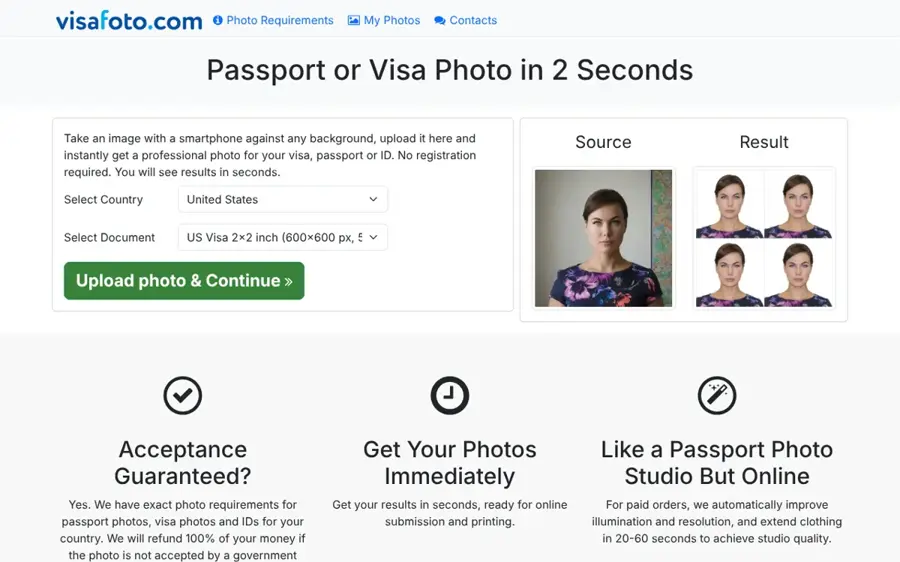
Visafoto is an online service, running since 2013, that turns your photo into a passport, visa or ID photo for dozens of countries. Try it at visafoto.com.
Strengths
Visafoto's strength is breadth. The homepage lists specific formats such as Indian OCI, Pakistan NADRA NICOP, Saudi e-visas for two different portals, and Myanmar visas. If your document is obscure, that list is the reason to look here. The price is easy to understand, too: a flat $9 per photo, and you print the 4x6 template yourself at a store like Walgreens.
Here's my hesitation. For paid orders, Visafoto says it will "improve illumination and resolution, and extend clothing". Extending clothing means generating pixels that weren't in your original photo, and I wouldn't use that for a US passport. On Trustpilot it scores 4.7 from 703 reviews, and one reviewer, Seun O, wrote: "I needed a photo done for my passport renewal. Nothing I tried worked." Their review goes on to credit the support staff for helping fix it.
Key features
- It scales and crops to each country's exact size.
- It fixes the background and a tilted head.
- For online submissions it sets the file size in kilobytes.
- It gives you a printable 4x6 or 10x15 cm template.
- It refunds you if a government agency rejects the photo.
Pros
- Flat $9 price
- Very wide list of visa and ID formats
- Reviewers praise the support team
Cons
- Paid edits include extending clothing and boosting resolution, which goes beyond a crop
- No human check is advertised on the homepage
- You handle printing yourself
Verdict: great for a tricky visa, but I'd think twice before using it for a US passport.
Visafoto pricing: No free plan; $9 per photo, one-time (checked November 2026). See pricing
Smartphone iD – best for France and ePhoto codes
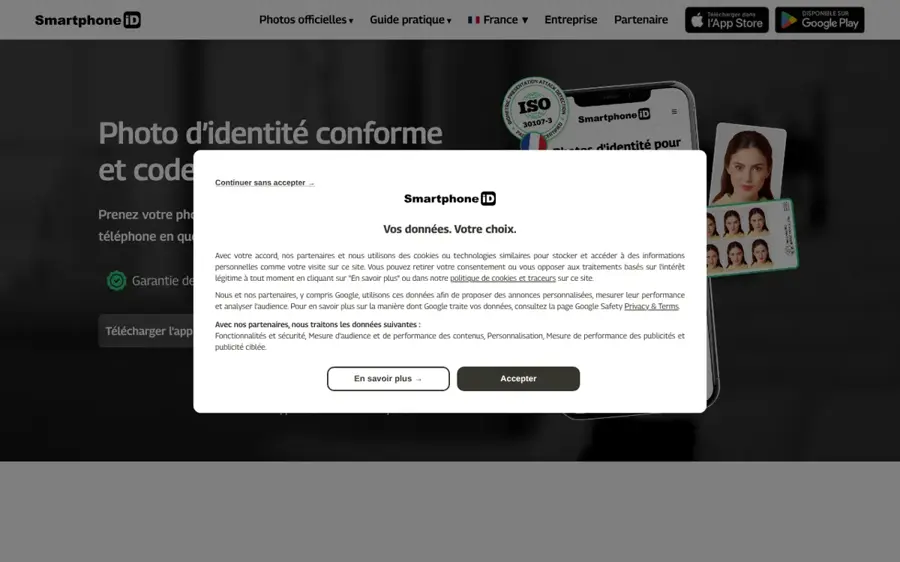
Smartphone iD is a Paris-based app and website that makes compliant ID photos and, for French documents, the ePhoto code that official sites ask for. Try it at smartphone-id.com.
Strengths
If you're dealing with French paperwork, this is probably the most useful tool here. Its site says the photos meet ANTS requirements for things like driving licences, it can issue an ePhoto code for ANEF residence-permit applications, and prices in France start at 4.99 euros. Experts check and crop each photo, and retakes are free with no limit.
Reviews are mixed but mostly good: 4.3 from 1,513 reviews on Trustpilot, with 12% one-star. One unhappy reviewer, Serge, wrote that "I had to retake the photo over 6 times, the AI continuing to crop the picture in a way that your own system rejects." Others say it worked where Paris photo booths didn't. I think that split is normal for this category.
Key features
- It creates ePhoto codes for French official applications.
- Each photo gets an AI check plus expert review.
- Retakes are free and unlimited.
- A free version covers informal photos that don't need expert review.
- It also has a 4x6 printable template for US passport photos.
Pros
- Cheap in France
- Handles the ePhoto code, which most rivals can't
- Free version for non-official uses
Cons
- Some users report repeated AI cropping errors
- Much of the site is in French first
- Prices outside France weren't clear to me
Verdict: the obvious pick for French documents, and a decent backup elsewhere.
Smartphone iD pricing: Free version for informal photos, then compliant photos from 4.99 euros in France (checked November 2026). See pricing
Related: Best AI generated headshot tools
123PassportPhoto – best for free auto-crop
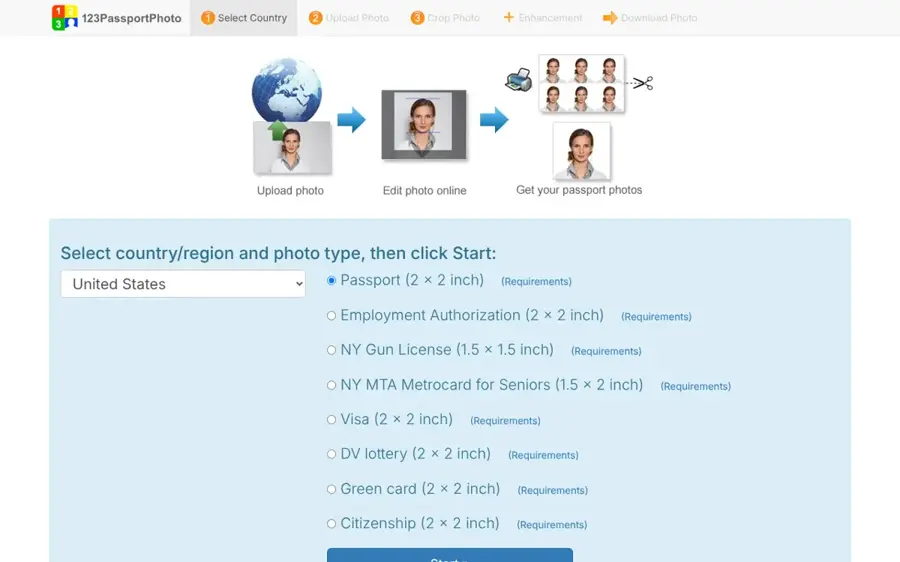
123PassportPhoto is a free web tool, around since 2008, that detects your face and crops the photo to the right passport size for more than 50 countries. Try it at 123passportphoto.com.
Strengths
It does the one thing most people need: get the head the right size in the frame. On its homepage, it describes auto-cropping with face detection that you can still adjust by hand, output suitable for 600 dpi printing, and a 4R (4x6) sheet of photos you cut out yourself. You print it at a photo counter for very little. There's also an optional background removal feature listed as premium, though I couldn't find what it costs.
I couldn't find a Trustpilot page or another third-party rating for it, so you're relying on its long history and your own eye. Nobody reviews the result for you. That's fine if your photo's already good (plain wall, even light, no glasses).
Key features
- Face detection crops automatically, with manual adjustment.
- It supports more than 50 countries, including the US, UK and Australia.
- It exports a printable 4x6 sheet.
- Background removal and white-background options are listed as premium.
- It accepts JPG files under 10MB and 4000 x 3000 pixels.
Pros
- Free for the core crop
- Auto-crop saves measuring the head yourself
- Clear photo-taking tips, including for babies
Cons
- No compliance check or guarantee
- JPG only
- No third-party ratings I could find
Verdict: the best free option when your original photo is already compliant.
123PassportPhoto pricing: Free; premium background features exist, but I couldn't confirm their price (checked November 2026). See pricing
IDPhoto4You – best for full manual control
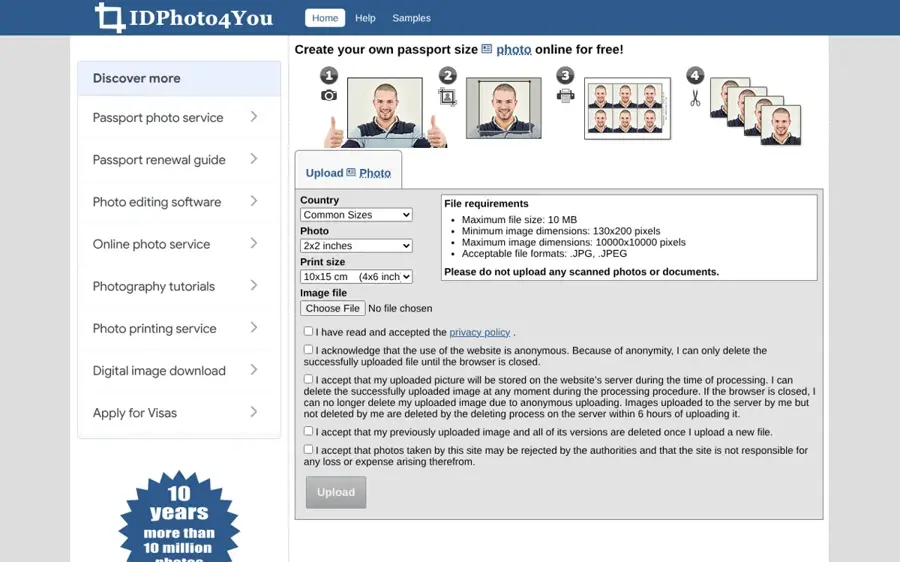
IDPhoto4You is a free website that crops your photo to passport, visa and ID standards for 73 countries, with you setting the crop by hand. Try it at idphoto4you.com.
Strengths
Strictly, this isn't much of an AI tool any more. The site says it no longer uses face detection to pick the crop frame, so you drag it yourself. Oddly, that makes it the purest option here, because nothing automated touches your image beyond what you choose. It says it's made over 11 million photos in eleven years, and it gives sensible security advice, like avoiding public Wi-Fi when you upload.
The trade-off is obvious. A UC Strategies piece pointed out that free tools like Pics4Pass and IDPhoto4You "lack background removal, compliance guarantees, or printing". It also has brightness and contrast sliders; I'd leave those alone for a UK or US passport.
Key features
- Standards cover 73 countries.
- You set the crop frame manually.
- Brightness and contrast sliders are available.
- It outputs several print sizes.
- A simple mode handles CV and social media photos.
Pros
- Completely free
- No automated changes to your face
- Good tutorials, including one for infants
Cons
- No face detection, so cropping is fiddly
- No background fix, check or guarantee
Verdict: for careful people with a good photo who don't want to pay a cent.
IDPhoto4You pricing: Free, with no paid plan (checked November 2026). See pricing
Related: Best AI picture tools for editing photos
The official rules your photo must meet
Every tool above is only as good as the photo you feed it, and the rules are stricter than most people expect.
US passport photos
The core specs, summarised by VisaVerge from the State Department's photo requirements, are a 2 x 2 inch (51 x 51 mm) colour photo taken in the last six months, a head of 1 to 1 3/8 inches from chin to crown, and a plain white or off-white background with no shadows. Glasses have been banned since November 1, 2016. The editing rule is the one that matters here: no filters, no retouching, and no AI-generated or AI-edited photos. VisaVerge says the ban even covers fixing red-eye in software; you're meant to retake the photo instead.
For online renewal, files can be JPG, PNG, HEIC or HEIF between 54KB and 10MB, and the State Department's own upload tool lets you crop and reposition the image. So cropping is plainly fine. Background replacement is greyer: TravelPirates reads the guidance as ruling it out too. My advice is to shoot against a real white wall so the tool has nothing to fix.
UK passport photos
HM Passport Office is just as clear. GOV.UK asks for a digital photo that's clear, in colour and "unaltered by computer software", at least 600 x 750 pixels and between 50KB and 10MB, against a plain light-coloured background. If you take it on your own device during the online application, you shouldn't crop it, because it's cropped for you. GOV.UK also says photos from a booth or shop are more likely to be approved than ones from your own device. That's a useful nudge.
The line AI mustn't cross
Put the two sets of rules together and the safe job for AI is small: crop, resize, set the file size, and at most clean up a background that was already plain. Skin smoothing, eye brightening, teeth whitening, face reshaping and "AI headshots" are all off the table. The reason's practical (border officers have to match your face to the photo), and I don't see either country relaxing it.
Choosing the right AI passport photo tool
Pick a tool that tells you exactly what it changes
PhotoAiD spells out crop, resize and background. Visafoto mentions extending clothing. Passport Photo Online says "fine-tune". Those differences matter more than the logo.
Pay for a human check if your trip is close
A rejected photo can stall an application for weeks, and VisaVerge notes that staff examine uploaded photos even after the online tool's basic checks pass. If you're travelling in a month, $10 to $20 for a reviewed photo with a guarantee is probably money well spent.
Use the free route when the government gives you one
UK applicants applying online can take the photo inside the application, and US renewals have a built-in crop tool. Honestly, for a straightforward UK adult renewal, I'd try the official route before paying anyone.
Read recent reviews, not the star score
Scores hide problems. PersoFoto, for example, has a 2.4 on Trustpilot, and one reviewer in September 2026 complained of a "50 USD a month subscription" charge. That's one review, but it's exactly the sort of thing to check before you hand over card details.
Free vs paid: what you actually get
Free tools give you a correctly sized crop and a print template. That's it. They won't tell you about the shadow behind your ear or the slight head tilt, and they don't refund anything. Paid services, at roughly $9 to $20, add a compliance check (often by a person), digital files sized for online upload, and a guarantee if the photo's rejected. Some also post prints.
| What you get | Free tools | Paid services |
|---|---|---|
| Crop to country size | Yes | Yes |
| Background clean-up | Sometimes, often premium | Yes |
| Human compliance check | No | PhotoAiD, Passport Photo Online, Smartphone iD |
| Acceptance guarantee | No | Usually |
| Printed photos posted | No | Some |
My take: if you've got a plain wall, daylight and a friend to hold the phone, free's enough.
Final verdict
Most people should start with PhotoAiD, because its AI does only the safe jobs and a person checks the result. US applicants who want prints delivered should pick Passport Photo Online and accept the $16.95. If your paperwork's French, use Smartphone iD. If it's a strange visa, Visafoto's list of formats is hard to beat, but I'd skip its clothing extension for a passport. Whatever you use, make sure the face in the photo is the one the camera captured, because I think that's the single rule an AI tool can't fix for you.
For the wider picture on AI and photos, see our guides to the best AI image generators and how to tell if a photo is AI generated.
FAQ
Can I use AI to make my passport photo?
You can use AI to crop and resize a real photo of yourself, and that's how most passport photo apps work. You can't use AI to generate the photo or change your face. The US bans AI-edited and filtered photos, and the UK requires photos unaltered by software, so any skin smoothing or retouching risks rejection.
Is it OK if an app removes the background?
It's a grey area. Many apps replace the background, and the UK only requires a plain, light background. For US passports, TravelPirates reads the State Department's guidance as banning background replacement too. The safest route is to shoot against a real white or off-white wall so the app only needs to crop.
Will a passport photo taken at home be accepted?
Often, yes. GOV.UK lets you take one on your own device during an online application, though booth or shop photos are more likely to be approved. US online renewals accept uploads from 54KB to 10MB.
How much does an AI passport photo cost?
Free croppers like 123PassportPhoto and IDPhoto4You cost nothing beyond printing. Visafoto charges $9 per photo, Smartphone iD starts at 4.99 euros in France, and Passport Photo Online charges $16.95 for a digital US passport photo or $19.95 with two prints, as of November 2026.
Can I use an AI headshot as my passport photo?
No. AI headshot generators create a new image that only looks like you, which is exactly what passport rules forbid. The State Department says no AI-generated photo is acceptable, according to VisaVerge. Keep AI headshots for LinkedIn and use a real, unedited photo for your passport.