The 7 best AI classes for beginners in 2026: free and paid picks
Seven AI classes for beginners compared on price, hours and prerequisites, from free no-code intros to Harvard and Google courses for people who already code.
 Written byFahad HashmiContributing writer, AI in energy and industry
Why you can trust The AI Future
Our writers research every product from its official pages, independent tests and user reports, link each claim to its source and correct mistakes openly. Unless an article says otherwise, we haven't tested the product hands-on ourselves. Companies can't pay for coverage or see reviews before they're published.
Read our editorial policy
Here's the short version. If you've never studied AI, the best AI classes for beginners are Elements of AI (free, no maths or code) and Google AI Essentials ($49 a month on Coursera, and most people finish inside a month). If you can already write some Python, skip straight to Google's free Machine Learning Crash Course or Harvard's CS50 AI.
Everything else depends on one question: do you want to understand AI, use AI tools at work, or build AI yourself? Those are three different classes, and picking the wrong one is the main way beginners waste a month. I've ranked seven options below, with prices, hours and the prerequisites the course pages don't always put up front.
For a wider list that includes paid bootcamps, see our best AI courses for beginners roundup.
Key takeaways
- Elements of AI from the University of Helsinki is free, needs no programming and gives you a free certificate, so it's the lowest-risk place to start.
- Google AI Essentials costs $49 a month in the US and Canada after a 7-day free trial, and it takes roughly 8 hours, so one month is usually enough.
- Anthropic's AI Fluency course is free and takes about 3 to 4 hours; it teaches how to work with chatbots well rather than how AI is built.
- Harvard's CS50 AI and Google's Machine Learning Crash Course are free but expect you to know Python already, so they're poor first classes for true beginners.
Our ranking method
Nobody at The AI Future sat through these courses for this roundup, so there's no hands-on testing claim here. We compared each class using its official course page, published reviews, learner ratings and enrolment numbers, as of early November 2026, and scored it on these criteria:
- Beginner fit is how little you need to know before lesson one.
- Cost covers the real price of finishing, including the certificate.
- Time is the published hours, and whether they match what reviewers report.
- Depth is whether you come out understanding how AI works, beyond which buttons to press.
- Hands-on practice counts exercises, projects or graded work.
- Credential value looks at who issues the certificate and what you must do to earn it.
- Outside evidence means independent reviews and learner ratings, not just the course's own marketing.
The 7 best AI classes for beginners at a glance
| # | Tool | Category | Best for | Free tier | Starts at |
|---|---|---|---|---|---|
| 1 | Elements of AI | AI literacy | Total beginners, no code | Yes | Free |
| 2 | Google AI Essentials | Workplace AI skills | Using AI tools at work | Yes (limited) | $49/mo |
| 3 | AI for Everyone | AI literacy | Managers and non-technical roles | Yes (limited) | $49/mo |
| 4 | Anthropic AI Fluency | AI collaboration | Working well with chatbots | Yes | Free |
| 5 | Google Machine Learning Crash Course | Machine learning | A first technical step | Yes | Free |
| 6 | Harvard CS50 AI | Computer science | Python users who want rigour | Yes | Free |
| 7 | fast.ai Practical Deep Learning | Deep learning | Coders who want to build models | Yes | Free |
Prices are in US dollars and were checked in early November 2026. The two Coursera classes can be audited or tried free for a short time, which is why they show a limited free tier.
The best AI classes for beginners in 2026, ranked
Elements of AI – best for total beginners
Elements of AI is a free series of online courses from MinnaLearn and the University of Helsinki that explains what AI is and what it can't do, with no complicated maths or programming in part one.
Strengths
It's the course I'd hand to a parent or a colleague who's curious but nervous. Going by the course homepage, over 2 million people have signed up and graduates come from more than 170 countries, which is a large track record for a free class launched in spring 2018. You get real concepts (search, probability, neural networks) explained in plain language, with exercises you answer in your own words.
Self-Made Success, which reviewed the certificate, scored it 64 out of 100 and called it "one of the strongest choices for nontechnical AI literacy", while marking it down for the roughly 30-hour workload. That's fair. Thirty hours is a lot for a free intro, but it's also why the certificate means something.
Key features
- Part 1, Introduction to AI, needs no programming at all.
- Part 2, Building AI, covers the actual algorithms and suggests basic Python.
- The certificate is free if you complete at least 90% of exercises and get at least half right.
- Some answers are peer-reviewed by other learners.
- It's self-paced, with no deadlines.
Pros
- Completely free, including the certificate.
- University backing from Helsinki.
- Teaches limits of AI, not just hype.
- Works for people with zero technical background.
Cons
- About 30 hours is long for a first taste.
- Peer review can delay your certificate.
- No practice with current tools like ChatGPT or Gemini.
Elements of AI pricing: Free, with no paid plan for individual learners (checked November 2026). See pricing
Related: AI training courses guide Free AI courses explained
Google AI Essentials – best for using AI at work
Google AI Essentials is a short, self-paced Coursera program taught by Google staff that shows you how to use generative AI tools for everyday work tasks, with a certificate from Google at the end.

Strengths
This one's about doing, not theory. The enrolment page lists five modules: Introduction to AI, Maximize Productivity With AI Tools, Discover the Art of Prompting, Use AI Responsibly and Stay Ahead of the AI Curve. You practise inside Gemini on tasks like drafting emails and planning events. Reliablesoft's review puts the total at about 8 hours, quotes a 4.8 rating from 25,448 Coursera reviews, and notes that enrolment includes 3 months of Google AI Pro.
There's a catch, though. The same Reliablesoft review points out that Google launched a bigger Google AI Professional Certificate in February 2026 for the same $49 a month, and it argues that's usually the better value if you're paying anyway. I think that's right for anyone who already uses chatbots weekly; for someone starting cold, the shorter course is probably less intimidating. One small irritation: Google's own pages disagree on length, saying "under 5 hours" in one place and "under 10 hours" on Coursera.
Key features
- Five modules with hands-on activities in Gemini.
- A full module on prompting, including few-shot prompts.
- A responsible-use module on bias, privacy and security.
- A certificate from Google you can add to LinkedIn.
- Three months of Google AI Pro included with enrolment, per Reliablesoft.
Pros
- Zero experience required.
- Short enough to finish in a weekend or two.
- A widely recognised name on the certificate.
- Practical tasks you can reuse straight away.
Cons
- Too basic if you already prompt chatbots daily.
- Tied closely to Google's own tools.
- No coding or machine learning content.
Google AI Essentials pricing: 7-day free trial, then $49/month in the US and Canada; prices may be lower elsewhere (checked November 2026). See pricing
Related: Google AI courses guide AI prompt engineering for beginners
AI for Everyone – best for managers and non-technical roles
AI for Everyone is Andrew Ng's non-technical DeepLearning.AI course on Coursera, covering what AI can and can't do and how to spot useful AI projects in an organisation.
Strengths
It's one of the most reviewed AI courses anywhere. The Coursera course page shows 53,525 reviews, with 81.85% at five stars and well under 1% at one star. One learner wrote that it gives "a good overview of key issues in AI" and is useful for "non-technical business leaders" (Coursera review). EduBracket's review lists it at about 10 hours across four weeks, with a free audit option that skips the certificate.
Where it's weaker is age and focus. The course is about AI strategy and project selection, so it explains supervised learning well but says less about using today's chatbots. The Interview Guys, who reviewed it for job seekers, put it bluntly: "It's not a technical certification. Don't treat it like one." I'd agree, and I'd add that it pairs well with Google AI Essentials if you want both the why and the how.
Key features
- Four modules, taught by Andrew Ng.
- Covers machine learning concepts without code or maths.
- Includes frameworks for choosing and scoping AI projects.
- Discusses AI's effect on jobs and society.
- Free to audit; the certificate needs a paid subscription.
Pros
- Very clear explanations for non-engineers.
- Huge base of learner reviews.
- Short enough for a single weekend.
- Good preparation for talking to technical teams.
Cons
- Little on modern generative AI tools.
- No hands-on projects.
- The certificate isn't a technical credential.
AI for Everyone pricing: Free to audit, then $49/month for the certificate via Coursera, according to EduBracket; Coursera Plus annual was advertised at $239 on the course page (checked November 2026). See pricing
Related: AI vs machine learning vs deep learning Best AI courses for beginners
Anthropic AI Fluency – best for working well with chatbots
Anthropic AI Fluency: Framework and Foundations is a free course from the company behind Claude that teaches how to delegate to AI, describe tasks clearly, judge the output and use it responsibly.
Strengths
The course is built around what Anthropic calls the 4D framework: Delegation, Description, Discernment and Diligence. TeachersFirst's review describes 12 lessons taking about 3 to 4 hours, with videos, practice exercises and a final quiz where you need 8 out of 10 to get a certificate (retakes are allowed). eWeek, republishing The Neuron, said the course includes a "Bad Prompt Makeover" exercise and has you write a personal statement on ethical AI use.
Why rank it fourth and not higher? It teaches judgement, which most beginner classes skip, but it barely explains how models work under the hood. Anthropic also offers a separate "AI capabilities and limitations" course on Claude Academy for that. One practical note: the old Skilljar site says it'll stop working in early December 2026, so sign up at academy.claude.com instead. It's also listed on Coursera at 3 hours, with 12,006 enrolled as of early November.
Key features
- Twelve short lessons built on the 4D framework.
- A section on effective prompting techniques.
- Practice exercises and downloadable reference guides.
- A free certificate after an 8-out-of-10 quiz.
- Spin-off versions for students, educators and nonprofits.
Pros
- Free, including the certificate.
- Short: one long evening or two short ones.
- Teaches you to question AI output.
- Mostly vendor-neutral ideas, even though Anthropic made it.
Cons
- Light on how AI actually works.
- The platform is moving, so old links may break.
- Fewer independent reviews than the Coursera giants.
Anthropic AI Fluency pricing: Free (checked November 2026). See pricing
Related: Claude AI review AI prompt engineering guide
Google Machine Learning Crash Course – best as a first technical step
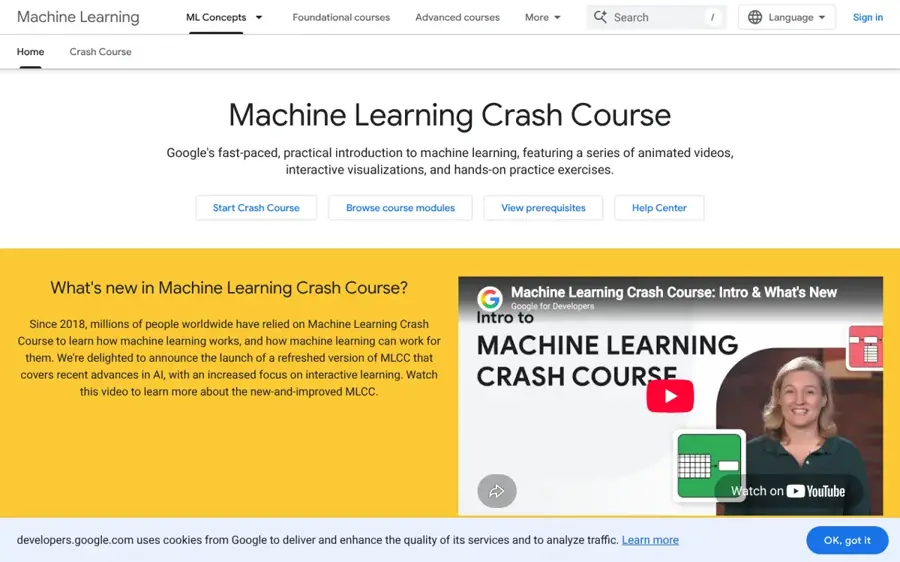
Machine Learning Crash Course is Google's free, practical introduction to machine learning, with animated videos, interactive visualisations and coding exercises that run in your browser.
Strengths
It's free, modular and recently refreshed. Google says millions of people have used it since 2018, and the new version adds an Intro to Large Language Models module that goes from tokens to Transformers. Exercises run in Colab, so you don't install anything. The modules on linear regression, classification metrics and overfitting are the parts I'd point most beginners to, because they explain why a model is wrong, not just how to train one.
But read the prerequisites page first. It says plainly: "You should be a good programmer." It also expects comfort with linear equations, histograms and means, and recommends a shorter Introduction to Machine Learning course before you start. I couldn't find a large independent learner rating for this course, so the ranking leans on its content and Google's own description.
Key features
- Self-contained modules you can take in any order.
- A new module on large language models.
- Browser-based Python exercises in Colab.
- Coverage of ML fairness and production systems.
- Interactive visualisations of concepts like gradient descent.
Pros
- Free with no sign-up wall.
- Up-to-date LLM material.
- No setup thanks to Colab.
- Good bridge from theory to code.
Cons
- Assumes you can already program.
- No certificate.
- Some maths will slow down true beginners.
Google Machine Learning Crash Course pricing: Free (checked November 2026). See pricing
Related: AI, machine learning and deep learning explained
Harvard CS50 AI – best for Python users who want rigour
CS50's Introduction to Artificial Intelligence with Python is Harvard's free OpenCourseWare class on the algorithms behind AI, from graph search to neural networks and large language models, taught through Python projects.
Strengths
This is the most demanding class on the list, and that's the point. The edX listing shows 1,673,331 learners enrolled, seven weeks of material and 10 to 30 hours a week. Self-Made Success gave it 87 out of 100, its highest score among free AI credentials, mainly because the free CS50 certificate requires at least 70% on every graded programming project.
So is it a beginner class? Only if you already code. The course page lists the prerequisite as "CS50x or at least one year of experience with Python." If you've never written a loop, take CS50x first; it's free too. Paid routes exist (an edX verified certificate and Harvard Extension credit), but you don't need them for the free certificate.
Key features
- Seven weeks of lectures by David J. Malan and Brian Yu.
- Graded Python projects on search, logic, probability and machine learning.
- A free CS50 certificate, separate from the paid edX one.
- Transcripts in a dozen or so languages on edX.
Pros
- Free, with real graded projects.
- Strong name recognition.
- Builds a portfolio as you go.
- Vendor-neutral foundations.
Cons
- Needs about a year of Python first.
- Heavy weekly workload.
- Not accredited credit unless you pay Harvard Extension.
Harvard CS50 AI pricing: Free; optional paid edX certificate and Harvard credit routes (checked November 2026)
Related: AI engineer course guide
fast.ai Practical Deep Learning – best for coders who want to build models
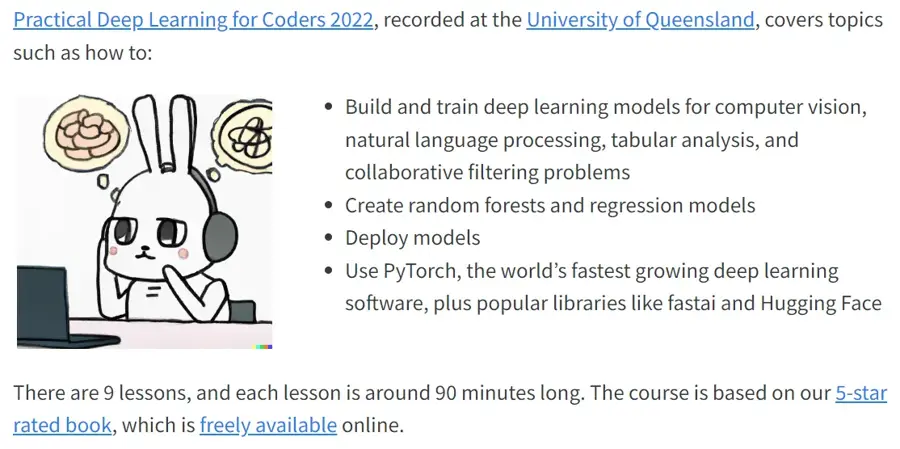
Practical Deep Learning for Coders is a free fast.ai video course that teaches you to build, train and deploy deep learning models with PyTorch, fastai and Hugging Face.
Strengths
It flips the usual order: you build first and get theory later. The course site says there are 9 lessons of around 90 minutes each, that you'll have built and deployed your own model by the end of lesson 2, and that you don't need university maths. Peter Norvig, quoted on the same page, wrote that the companion book "shows examples first, and only covers theory in the context of concrete examples."
Two warnings. It's for people with some coding experience, so it isn't a true zero-to-one class. And part 1 was recorded in 2022, which is old in AI terms; I suspect the core skills hold up, but don't expect anything on today's chatbots or agents.
Key features
- Nine lessons of about 90 minutes.
- Covers vision, language, tabular data and recommendation models.
- Uses free cloud tools, so no special hardware.
- A free companion book.
- An active forum where students share projects.
Pros
- Free and very hands-on.
- You ship a working model fast.
- Teaches the maths only when it's needed.
Cons
- Needs coding experience.
- Recorded in 2022.
- No certificate.
fast.ai Practical Deep Learning pricing: Free (checked November 2026). See pricing
Related: AI engineer course explained
Choosing the right AI class for beginners
Decide between understanding, using and building
These are separate goals, and the classes split cleanly along them. A simple decision table:
| Your goal | Coding needed | Start with | Then try |
|---|---|---|---|
| Understand what AI is | None | Elements of AI | AI for Everyone |
| Use AI tools at work | None | Google AI Essentials | Anthropic AI Fluency |
| Build models | Python | Machine Learning Crash Course | CS50 AI or fast.ai |
Check prerequisites before the price
Free doesn't help if you stall in week one. CS50 AI and the Machine Learning Crash Course both say you should already program, and Elements of AI part 2 recommends basic Python. If you're not there yet, our guide to coding AI is a gentler start.
Budget for hours, not just dollars
Here's a worked example with the published numbers. Google AI Essentials runs about 8 hours. At 2 hours a week you'd need 4 weeks, which is one $49 payment after the 7-day trial. Squeeze it into 7 days and it costs nothing. CS50 AI is free, but at 10 to 30 hours a week for seven weeks, that's 70 to 210 hours. The cheap course in money can be the expensive one in time.
Pick a certificate that proves work
Certificates differ a lot. A pass on an 8-out-of-10 quiz (AI Fluency) says less than 70% on every graded project (CS50 AI). If you want something for a CV, choose the one with graded work, and be ready to talk about what you built.
Free vs paid: what you actually get
Five of the seven classes here are free outright. With the free ones you get full lessons and, for Elements of AI, AI Fluency and CS50 AI, a free certificate too. What you mostly pay for on Coursera is the certificate and graded assessments; EduBracket notes you can audit AI for Everyone free without a certificate.
Paying $49 a month makes sense, I think, when an employer wants a recognisable certificate or when the bundled extras matter to you (Google AI Essentials includes three months of Google AI Pro, per Reliablesoft). If you're learning for yourself, the free options cover more ground than the paid ones.
Honestly, that surprised me.
Limits of beginner AI classes
No beginner class makes you job-ready on its own. The Coursera classes teach vocabulary and tool habits, not engineering. The technical ones assume programming skills many beginners don't have. And AI moves fast: fast.ai's part 1 dates from 2022, and AI for Everyone predates the chatbot boom, so you'll need to top up on current tools yourself.
For that, our roundup of free AI tools for students covers what's worth practising on.
Final verdict
If you're starting from nothing, I'd take Elements of AI first; it's free, it's honest about what AI can't do, and the certificate takes real effort. Add Google AI Essentials if your job wants proof you can use AI tools, since $49 for a month is a small cost for a Google-branded certificate. Coders should go straight to the Machine Learning Crash Course and then CS50 AI. My one strong opinion: don't pay for anything until you've finished a free class, because finishing is the hard part, and you'll know far better what you want next.
FAQ
Which AI courses are best for beginners?
For complete beginners, Elements of AI (free, no coding) and Google AI Essentials ($49 a month, about 8 hours) are the strongest picks. AI for Everyone suits managers. If you already know Python, Google's Machine Learning Crash Course and Harvard's CS50 AI are free and go much deeper into how AI works.
Is there a good AI for beginners course that is free?
Yes. Elements of AI, Anthropic's AI Fluency, Google's Machine Learning Crash Course, Harvard CS50 AI and fast.ai are all free. Elements of AI and AI Fluency need no coding and give free certificates. CS50 AI also offers a free certificate, but it expects about a year of Python experience first.
Are there flexible AI courses for beginners and professionals?
Every class on this list is self-paced, so you can fit it around a job. Google AI Essentials and AI Fluency are short enough for busy professionals, at roughly 8 hours and 3 to 4 hours. Elements of AI has no deadlines. CS50 AI is the least flexible in practice: it's self-paced too, but at 10 to 30 hours a week it's hard to combine with full-time work, so I'd save it for a quieter stretch of the year.
How long does an AI course for beginners take?
Anywhere from an evening to a few months. AI Fluency takes about 3 to 4 hours, Google AI Essentials about 8, Elements of AI about 30, and CS50 AI seven weeks.
Do I need to know maths or coding to take an AI class?
Not for the beginner classes. Elements of AI part 1, Google AI Essentials, AI for Everyone and AI Fluency need no coding or advanced maths. Google's Machine Learning Crash Course asks you to be a good programmer and comfortable with algebra, and CS50 AI expects about a year of Python.