8 best AI image from photo tools in 2026, compared and ranked
Want an AI image from photo uploads? We compared ChatGPT, Gemini, Firefly, Midjourney and four more on edits, free plans and price.
 Written byRahis SaifiCo-founder and news editor
Why you can trust The AI Future
Our writers research every product from its official pages, independent tests and user reports, link each claim to its source and correct mistakes openly. Unless an article says otherwise, we haven't tested the product hands-on ourselves. Companies can't pay for coverage or see reviews before they're published.
Read our editorial policy
Short answer: if you want an AI image from photo uploads with the least fuss, start with ChatGPT. You upload a picture, describe the change, and it usually keeps the person or product recognisable. If you don't want to pay anything, Google Gemini is the strongest free option, and Google AI Plus now costs just $4.99 a month in the US.
Everything else here is a specialist. Adobe Firefly suits Photoshop users, Midjourney reimagines photos as art, and Leonardo AI and Krea give art fans free daily generations. I'd guess you only need one.
Key takeaways
- ChatGPT and Google Gemini handle most photo-to-image edits with a single sentence of instruction, and both have free tiers.
- Independent head-to-head tests by TechRadar and eWeek split between ChatGPT Images 2.0 and Google's Nano Banana 2, so neither is a clear winner for every job.
- Midjourney has no free plan and treats your photo as inspiration, so it's a poor pick if you need the original subject preserved exactly.
- Only edit photos you have the right to use, and never make intimate or deceptive images of real people without their consent.
Our ranking method
Nobody at The AI Future ran hands-on tests for this roundup, and there are no original screenshots here for that reason. We compared each AI picture from picture app using official pricing and help pages, independent tests and Trustpilot ratings, as of late October 2026, judging each on these criteria:
- Faithfulness asks whether the edit keeps the face, product or scene from your original photo.
- Ease of use covers how much prompting or setup a beginner needs.
- Style range looks at how far the tool can push a photo, from small fixes to full art styles.
- Free tier value weighs what you get before paying, including watermarks and daily limits.
- Paid value compares the cheapest plan's price with its limits and licence, alongside third-party user ratings.
Prices are in US dollars, they can change by country and app store, and they were checked in October 2026.
The 8 best AI image from photo tools at a glance
| # | Tool | Category | Best for | Free tier | Starts at |
|---|---|---|---|---|---|
| 1 | ChatGPT | AI assistant | Realistic edits from a sentence | Yes (limited) | $8/mo |
| 2 | Google Gemini | AI assistant | Free photo edits | Yes | $4.99/mo |
| 3 | Adobe Firefly | Creative suite | Photoshop users | Yes (limited) | $9.99/mo |
| 4 | Canva | Design app | Turning photos into designs | Yes (limited) | $144/yr |
| 5 | Midjourney | Image generator | Artistic reinterpretations | No | $10/mo |
| 6 | Leonardo AI | Image generator | Free daily AI art | Yes | $12/mo |
| 7 | Krea | Multi-model studio | Trying many models in one place | Yes | $9/mo |
| 8 | Picsart | Mobile photo editor | Editing on your phone | Yes (limited) | $10.50/mo |
Notes: ChatGPT's $8 is the Go plan, and Picsart's $10.50 is Pro billed yearly ($15 month to month).
The best AI image from photo tools in 2026, ranked
ChatGPT – best for realistic edits from a sentence
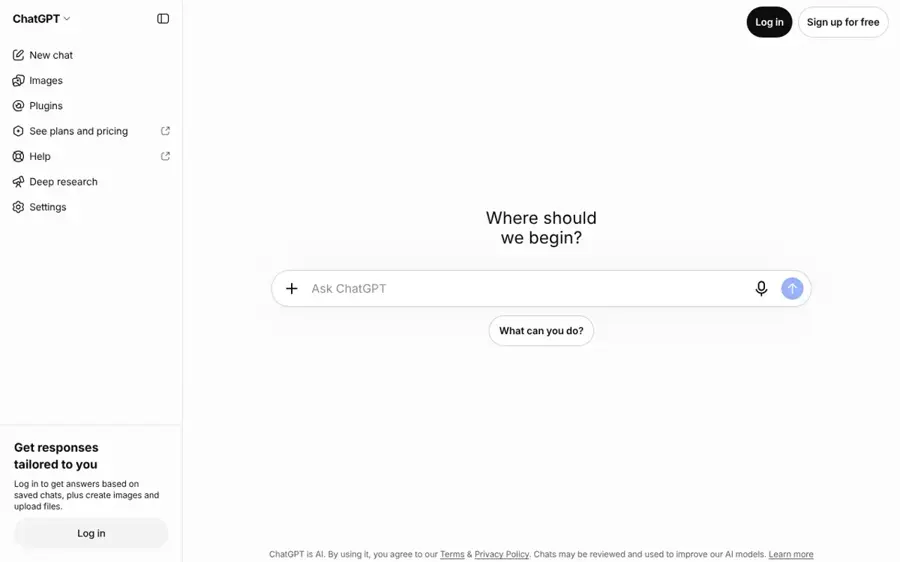
ChatGPT is OpenAI's assistant, and its built-in image tool can transform an uploaded photo from a plain-language request. Try it at chatgpt.com.
Strengths
OpenAI's own App Store listing sells the feature simply: you can generate images from a description "or transform existing ones with a few simple words." That's the whole appeal, and SmartScope's plan check confirms image generation works on every tier, Free included. In a TechRadar comparison using the same starting photos, ChatGPT Images 2.0 won the lighting, cinematic and product tests against Google's Nano Banana 2, and drew on the seasonal change. Nano Banana 2 "was usually faster," the reviewer noted, but ChatGPT "kept edging ahead."
It isn't flawless. eWeek's six-prompt test found ChatGPT tends to add extra elements nobody asked for, though it won the background replacement round. ChatGPT also holds a 1.6 rating on Trustpilot from 3,899 reviews. Honestly, I'd treat that as a gripe board for the whole assistant, not its images.
Key features
- You upload a photo and describe the change in normal language.
- Image generation is available on every plan, including Free.
- Plus, Pro and Business plans add "images with thinking", a slower mode that reasons through the request first.
Pros
- Probably the easiest tool here for a complete beginner.
- Strong at keeping lighting and perspective believable in independent tests.
- Free plan includes image editing.
Cons
- OpenAI doesn't publish exact image caps for any plan.
- Sometimes adds objects or changes poses you didn't request.
ChatGPT pricing: Free, then paid plans from about $8/month for Go and $20/month for Plus, per CometAPI's plan rundown (checked October 2026). See pricing
Verdict: if you only pick one tool for photo edits, pick this one.
Related: ChatGPT with GPT-6 review Best AI like ChatGPT
Google Gemini – best for free photo edits
Gemini is Google's assistant, and it edits uploaded photos with Nano Banana image models. Try it at gemini.google.com.
Strengths
Image generation and editing are listed under the free tier on Google's plans page, which makes Gemini the most capable free option on this list as far as I can tell. The iPhone app says Nano Banana 2 can apply camera and lighting controls and "create mockups by blending multiple images." In eWeek's test, Nano Banana 2 followed the brief more closely on the product photo and the headshot edit.
Paying is cheap now. Google cut AI Plus from $7.99 to $4.99 a month in the US and doubled its storage to 400GB,. On the downside, TechRadar found its edits can look stylised, with smoothed faces. Gemini also sits at 1.4 on Trustpilot.
Key features
- Free photo editing and generation with Nano Banana models.
- Blending several photos into one image, such as product mockups.
- Camera and lighting controls described in plain language.
Pros
- The most generous free tier among the big assistants.
- Good at following layout and product-photo briefs in eWeek's test.
- Paid plans start at $4.99 a month and include 400GB of storage.
Cons
- Edits can look smoothed or over-stylised.
- Google doesn't spell out exact free image limits.
Google Gemini pricing: Free, then paid plans from $4.99/month for Google AI Plus (checked October 2026). See pricing
Verdict: the pick if your budget is zero.
Related: Gemini AI vs ChatGPT
Adobe Firefly – best for Photoshop users
Firefly is Adobe's family of generative models and web app, built into Photoshop and the rest of Creative Cloud. Try it at firefly.adobe.com.
Strengths
Firefly makes the most sense when your photo is already in Photoshop. Digital Camera World points to Generative Fill for placing a product in a new setting and Generative Expand for adding space around a shot.
The free plan is vague, though. Dupple's breakdown notes Adobe gives free daily generations across image, video and audio but publishes no daily count. Trustpilot is unkind as well: the Firefly page has a 1.7 score from only 30 reviews, and one recent reviewer called it "Unbelievably shocking for a paid-for service." (Thirty reviews is a tiny sample, for what it's worth.)
Key features
- Generative Fill adds or replaces objects in part of a photo.
- Generative Expand extends the edges of a picture.
- Firefly Standard includes 2,000 monthly credits for premium features.
- Creative Cloud plans include their own Generative Credits for Photoshop users.
Pros
- Fits straight into Photoshop and Lightroom work.
- Unlimited standard features on paid Firefly plans.
- Cheap entry plan at $9.99 a month.
Cons
- Credit rules are confusing across Firefly and Creative Cloud plans.
- Adobe doesn't publish the free daily allowance.
Adobe Firefly pricing: Free, then paid plans from $9.99/month for Firefly Standard (checked October 2026). See pricing
Verdict: worth it if you already pay Adobe, skippable if you don't.
Related: How to use Photoshop AI
Canva – best for turning photos into designs
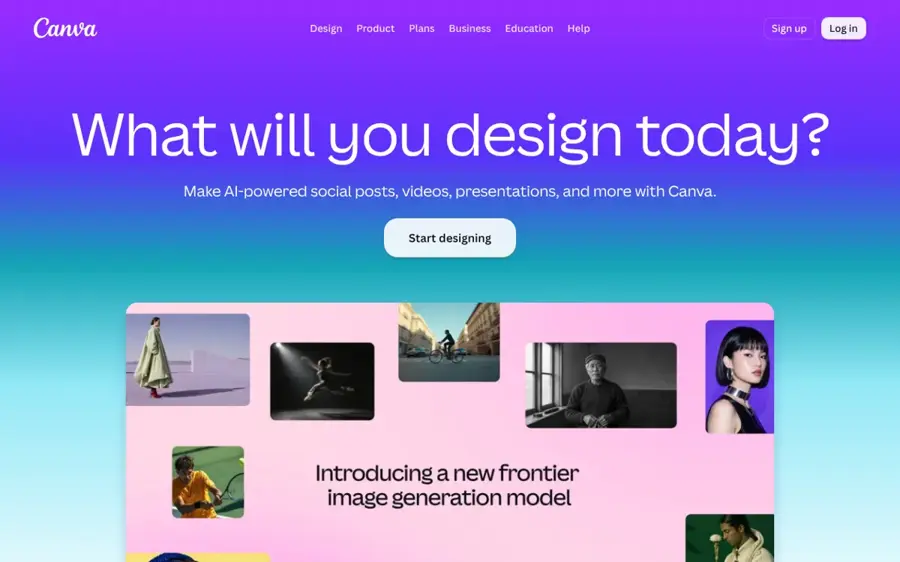
Canva is a drag-and-drop design app with AI image tools that can start from a text prompt or a reference photo. Try it at canva.com.
Strengths
Canva's AI image generator lets you begin with "a text prompt or a reference photo," and Magic Edit swaps backgrounds or changes an object's colour from a short written prompt. The new image then drops straight into a poster or social post, which I think is why it suits small businesses better than a pure generator.
Canva rates 4.0 on Trustpilot from 8,119 reviews. One October reviewer said they "just wish there were less premium required things," which matches the plans page: the Free plan only gets "Limited access" to AI, while Pro gets 10x more.
Key features
- Text to Image accepts a reference photo as a starting point.
- Magic Edit changes part of an image from a short prompt.
- Magic Eraser removes unwanted objects.
- More than 20 preset styles such as Photo, Cinematic and Watercolor.
Pros
- Easiest path from edited photo to finished design.
- Solid user ratings compared with the AI assistants.
- Free plan covers basic AI use.
Cons
- Free AI allowance is small.
- Harder AI tasks eat more of the shared monthly AI allowance.
Canva pricing: Free, then Canva Pro at $144/year for one person (checked October 2026). See pricing
Verdict: choose Canva if the photo is only step one of a bigger design.
Related: Best AI image generators
Midjourney – best for artistic reinterpretations
Midjourney is a subscription image generator that can use your photos as image prompts, style references or edit references. Try it at midjourney.com.
Strengths
Midjourney is the tool to use when you want a photo reimagined, not retouched. According to its image prompt guide, the app uses your picture "as inspiration to guide new creations, not to copy them exactly." For closer control, the newer Edit model can change an existing image from written instructions or work from up to four reference images.
Its reputation with paying users is poor, though. Midjourney scores 1.7 on Trustpilot from 373 reviews, and one September reviewer wrote: "It doesn't follow prompt instructions." There's no free plan, either.
Key features
- Image Prompts blend one or more photos with a text prompt.
- The Edit model takes up to four reference images.
- Style References copy the look of a photo rather than its content.
- Relax mode gives unlimited image generations on Standard and above.
Pros
- Probably the widest artistic range on this list.
- Unlimited relaxed image generations from the $30 Standard plan.
- Annual billing saves 20%.
Cons
- No free plan.
- Reinterprets photos instead of faithfully editing them.
Midjourney pricing: No free plan; paid plans from $10/month for Basic (checked October 2026). See pricing
Verdict: great for art, wrong for headshots.
Related: Best AI photo to painting tools
Leonardo AI – best for free daily AI art
Leonardo AI is an image generator for artists and creators that runs on a daily or monthly token allowance. Try it at leonardo.ai.
Strengths
If you're asking which is the best free AI for art, Leonardo AI deserves a look. A 2026 pricing breakdown on DEV Community lists 150 free tokens a day, which it estimates at roughly 15 polished images, against 8,500 monthly tokens on the $12 Apprentice plan. Free images carry a watermark and no commercial licence.
Users seem happy. Leonardo has a 4.7 rating on Trustpilot from 1,568 reviews, with plenty of praise for its support team; one October reviewer said Leonardo has "the most intuitive interface" of the AI design apps they'd used.
Key features
- 150 free tokens that reset every day.
- A choice of image models at different token costs.
- Upscaling and background removal for extra tokens.
- Custom model training on paid plans.
Pros
- Generous daily free allowance.
- Highest Trustpilot score of any pick here.
- Commercial licence from the cheapest paid plan.
Cons
- Free images are watermarked.
- Token costs vary by model and are hard to predict.
Leonardo AI pricing: Free, then paid plans from $12/month or $10/month billed yearly (checked October 2026). See pricing
Verdict: the best playground for free daily AI art.
Related: Leonardo AI review Best AI image generators
Krea – best for trying many models in one place
Krea is a web studio that bundles its own image models with third-party ones like Nano Banana 2 and video models, plus real-time generation. Try it at krea.ai.
Strengths
Krea's draw is choice. Going by the plans, the free tier gives you 100 units a day with access to all image models, its in-house Krea 3 model for generating and editing images, and real-time models that update "as you type or draw." Paid plans add LoRA training on your own characters or styles.
Krea rates 3.6 on Trustpilot from 177 reviews. One October reviewer called it their go-to for "mixing my original art with new style and concepts," while another wrote that it's "to much expensive." Both seem fair to me.
Key features
- Free daily allowance of 100 compute units.
- Real-time image generation from typing or drawing.
- Access to Krea 3 and outside models such as Nano Banana 2.
- LoRA training for your own characters or styles.
Pros
- Many image models under one account.
- Real-time mode is useful for sketch-to-image work.
- Cheap entry plan.
Cons
- Unit costs differ a lot between models.
- Mixed Trustpilot feedback on price.
Krea pricing: Free, then paid plans from $9/month, with lower prices on yearly billing (checked October 2026). See pricing
Verdict: ideal if you like comparing models side by side.
Related: Best AI tools to combine two images Best AI image generators
Picsart – best for editing on your phone
Picsart is a photo and video editing app with an AI assistant, Aura, that edits and generates images in a chat. Try it at picsart.com.
Strengths
If you'd rather stay on your phone, Picsart is the most complete AI images from photo app here. Its App Store listing says Aura uses Nano Banana for image generation, alongside background removal, object removal, AI effects and AI try-on.
Picsart scores 4.4 on Trustpilot from 1,781 reviews. One September reviewer called it the "Best overall graphic design and photo editor available for sure." Pricing is messy, though, with Plus, Gold and Pro tiers (even weekly ones) in the App Store.
Key features
- Aura chat assistant for creating and editing images.
- Nano Banana image generation inside the app.
- Background remover and object eraser.
- Batch editor for up to 50 images on paid plans.
Pros
- Strong mobile app with classic editing tools included.
- Good Trustpilot rating.
- Free to download and start.
Cons
- Confusing mix of plans and weekly subscriptions.
- Paid plans run on a fixed monthly credit allowance.
Picsart pricing: Free, then paid plans from $10.50/month billed yearly or $15 month to month (checked October 2026). See pricing
Verdict: the best fit if your phone is your camera and your studio.
Related: Best AI picture tools AI apps for iPhone
Choosing the right AI image from photo tool
Decide between faithful edits and full reinvention
Want the same person in a new background? Use ChatGPT, Gemini or Firefly. If a painting that only borrows your photo's mood is fine, Midjourney or Leonardo AI give you more range. For painterly styles specifically, our list of AI photo to painting tools goes further, and for profile pictures there's a separate guide to AI avatar generators from photos.
Write the change, not the whole picture
Assistant-style tools respond best to an instruction like "replace the background with a park at golden hour," which is the exact prompt TechRadar used. Midjourney's docs want the whole final image described instead. Our guide to AI photo prompts has more examples.
Check the licence before you use an image commercially
Leonardo's free images can't be used commercially, according to the DEV Community breakdown. Midjourney requires the Pro or Mega plan for companies earning over $1 million a year. Krea's commercial licence comes with paid plans. If an image is going on a product page or in an ad, I'd pay for the plan rather than gamble.
Only edit photos you have the right to use
Stick to your own photos, pictures of people who've agreed, and images you've licensed. Making intimate, sexual or deceptive images of real people without consent is harmful, and it's illegal in many places. We don't cover apps built for that.
Free vs paid: what you actually get
Gemini, ChatGPT, Leonardo AI, Krea and Firefly all let you start without a card. The limits differ:
| Tool | Free plan | Main free limit | Cheapest paid plan |
|---|---|---|---|
| ChatGPT | Yes | Undisclosed image cap | Go, about $8/mo |
| Google Gemini | Yes | Lower usage limits than paid plans | AI Plus, $4.99/mo |
| Adobe Firefly | Yes | Unpublished daily allowance | Standard, $9.99/mo |
| Leonardo AI | Yes | 150 tokens a day, watermark | Apprentice, $12/mo |
| Krea | Yes | 100 units a day | From $9/mo |
| Midjourney | No | None available | Basic, $10/mo |
Paying mostly buys higher caps and a commercial licence. For a few fun edits a week, a free plan is probably enough. Once you hit the cap mid-project (SmartScope found OpenAI doesn't even publish ChatGPT's image limits, in its October 2026 check), the $5 to $12 plans start to look reasonable.
Final verdict
For most people, ChatGPT is the safest first choice, because independent tests suggest it keeps photo edits believable and you only have to describe the change. I'd keep Gemini open in another tab, though; it's free, it won several rounds in eWeek's test, and AI Plus at $4.99 is the cheapest paid upgrade here. If you're after art rather than edits, Leonardo AI's free daily tokens are where I'd start before paying Midjourney anything.
FAQ
Can I make an AI image from a photo for free?
Yes. Google Gemini and ChatGPT both edit uploaded photos on their free plans, though neither publishes an exact cap. Leonardo AI gives 150 free tokens a day and Krea gives 100 units. Some free plans add watermarks or exclude commercial use, so check before using images for business.
What's the best free AI for art?
For art made from your own photos, Leonardo AI is probably the best free pick, with 150 daily tokens and a 4.7 Trustpilot rating. Krea is the alternative if you want several models in one account.
What's AI art?
AI art is any image made with a generative model, either from a text prompt or by transforming an existing picture. The model learned patterns from huge sets of images and uses them to produce new ones. Whether it counts as real art is debated; our piece on AI art vs real art covers both sides.
Which AI picture from picture app works best on a phone?
Picsart is the most complete phone app on this list, combining classic editing tools with its Aura AI assistant and Nano Banana image generation. ChatGPT and Gemini also have free mobile apps that edit uploaded photos, and Canva's app suits people turning the result into a social post.
Is it legal to edit someone else's photo with AI?
It depends on where you live and what you make. Editing your own photos or licensed images is generally fine. Making intimate or deceptive images of real people without consent is harmful and illegal in many places. If you plan commercial use of someone's likeness, get their written permission first.