Best free AI video extender tools in 2026: 4 picks with real free plans
Need a few more seconds of footage? These four AI video extenders have free plans we could confirm, from no-sign-up uploads to daily Veo credits.
 Written byFahad HashmiContributing writer, AI in energy and industry
Why you can trust The AI Future
Our writers research every product from its official pages, independent tests and user reports, link each claim to its source and correct mistakes openly. Unless an article says otherwise, we haven't tested the product hands-on ourselves. Companies can't pay for coverage or see reviews before they're published.
Read our editorial policy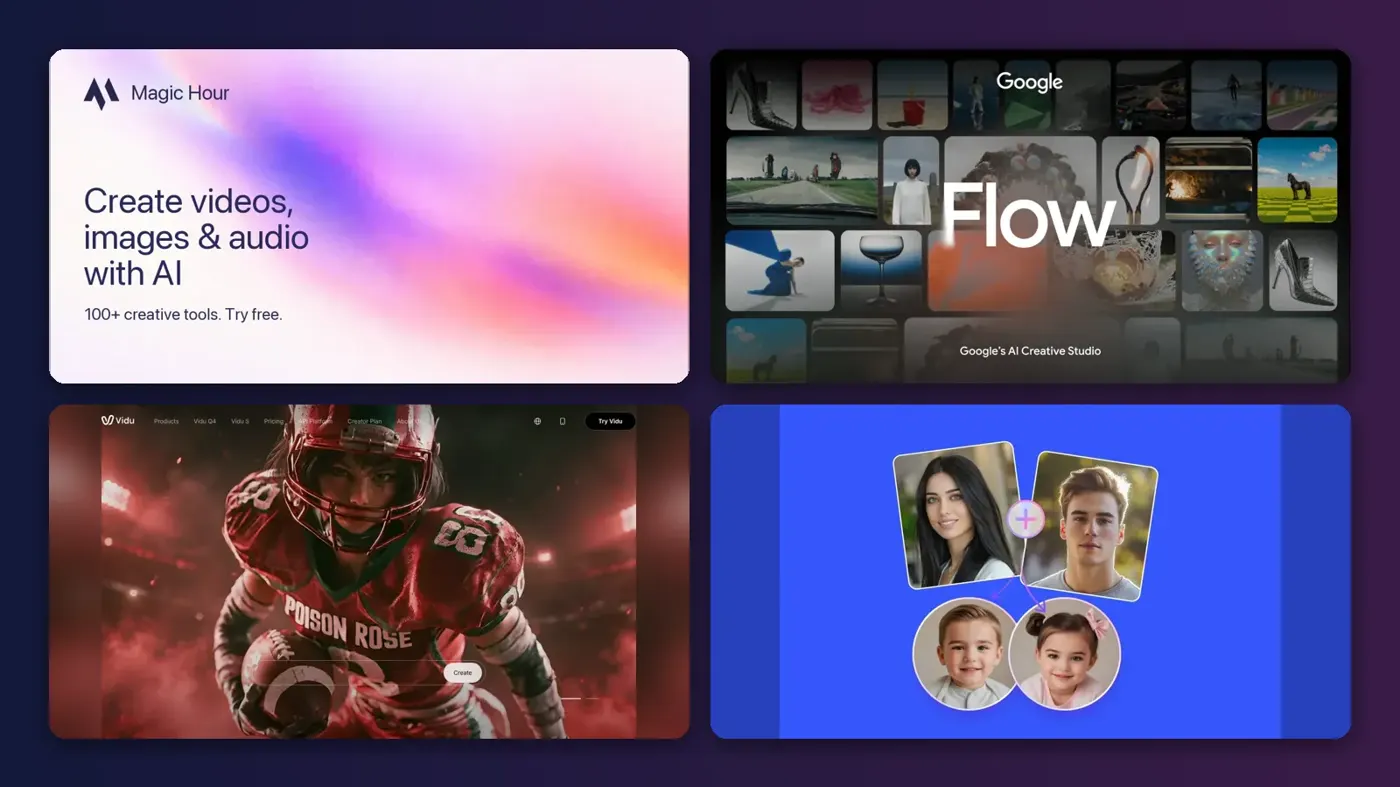
Here's the short version: the best free AI video extender for most people is Magic Hour, because it takes a clip you upload, adds 4 seconds of new footage and doesn't ask you to sign up. If your clip came out of an AI generator, Google Flow is the better free option, since its 50 daily credits cover several Veo 3.1 extensions. Vidu and Fotor round out the list.
An AI video extender doesn't loop or slow down your footage. It reads the last frames of a clip and generates new frames that continue the motion, so a shot that cuts off mid-step can finish the step. That's useful, but it's also where things go wrong: faces drift, products change shape and the join can jump.
I started with a long list and cut it hard. Only four tools passed the one test I cared about most: a free plan I could confirm on the vendor's own pricing or help page, plus a working extend feature. Plenty of sites call themselves a free AI video extender; far fewer show you what free actually includes.
Key takeaways
- Magic Hour is the only pick here that extends an uploaded clip with no account at all, at 4 seconds per run and 3 free generations a day.
- Google Flow gives everyone 50 credits a day, and a Veo 3.1 Lite extension costs 10 of them, so free users can run a handful of extensions daily.
- Vidu and Fotor both accept uploads and let you write a prompt for what happens next, but their free credit amounts are vague.
- Free extensions usually come with limits on resolution, commercial use or daily volume, so plan on paying if a client is involved.
Our ranking method
Nobody at The AI Future ran hands-on tests for this roundup, and there are no original screenshots. We compared each tool using its official product, pricing and help pages, published third-party guides and user reviews on Trustpilot, as of late October 2026. Then we ranked the picks on six things:
- Free plan, confirmed on the official site, and how much it really covers.
- Input type, meaning whether it accepts any uploaded video or only clips it generated itself.
- Seconds added per run and whether you can repeat the extension.
- Control, such as a text prompt for the continuation, an end frame or audio guidance.
- Output limits on the free plan, including watermarks, resolution and commercial use.
- Upgrade cost, judged by the cheapest paid plan.
Four is a short list. I'd rather give you picks I can back up than pad it with tools whose free tier I couldn't verify (the ones that didn't make it are further down).
The 4 best free AI video extenders at a glance
| # | Tool | Category | Best for | Free tier | Starts at |
|---|---|---|---|---|---|
| 1 | Magic Hour | Web extender | Uploaded clips, no sign-up | Yes (limited) | $12/mo |
| 2 | Google Flow | AI video studio | Extending Veo-generated clips | Yes (limited) | $4.99/mo |
| 3 | Vidu | AI video generator | Prompt-guided extensions up to 7s | Yes (limited) | $8.25/mo |
| 4 | Fotor | Editor with AI tools | 4s or 8s extensions with audio | Yes (limited) | $4/mo |
Notes: Magic Hour's $12 is the Creator plan billed at $144 a year, Google's $4.99 is Google AI Plus in the US, Vidu's $8.25 is Standard billed yearly ($10 month to month) and Fotor's $4 is Pro billed at $47.99 a year.
The best free AI video extenders in 2026, ranked
Magic Hour – best for uploaded clips with no sign-up
Magic Hour is a browser-based AI video and image platform whose free extender adds a 4-second AI continuation to any clip you upload, without an account.

Strengths
It's the most honest free offer on this list. The extender page spells it out: extensions use "the shared allowance of 3 free video generations per day," no account needed, and the free tool adds 4 seconds. Sign up and you get optional prompt and audio guidance; stay anonymous and it's fully automatic. Magic Hour's own comparison guide adds a 200 MB upload cap for the guest tool and is upfront that the guide is written by a vendor about its own product.
On Trustpilot, Magic Hour holds a 4.4 rating from 83 reviews. One reviewer wrote that it "covers most of the AI video, image, audio generations I can think of and would want to use." Another, posting on 1 November 2026, was blunt: "Very confusing to use." I'd guess that complaint is about the full app rather than the single-purpose extender, which is three steps long.
Key features
- Upload any clip and get a 4-second continuation added to the end.
- No account needed for the free tool.
- Optional text prompt and audio guidance after you sign up.
- Paid plans and credit packs add watermark-free exports and commercial use.
- Credits on paid plans and packs never expire.
Pros
- Works on your own footage, not just clips it made.
- No sign-up, no card.
- Clear free limits stated on the product page.
Cons
- Only 4 seconds per run on the free tool.
- Free output is for personal, non-commercial use only.
- The 3 daily generations are shared with Magic Hour's other video tools.
Magic Hour pricing: Free (3 video generations a day, shared), then paid plans from $144 a year for Creator, which works out to $12/month; Pro is $300 a year and Business $792 a year, per Magic Hour's billing docs (checked October 2026). See pricing
Related: Magic Hour AI review Best AI video generators
Google Flow – best for extending Veo-generated clips
Google Flow is Google's AI filmmaking tool, built on Veo and Gemini Omni models, and every Google account gets free daily credits that can pay for Extend generations.

Strengths
The free allowance is the clearest I found from a big vendor. Going by Google's Flow credits help page, you get 50 Flow credits a day with or without a subscription. Extend is listed as a generation type for Veo 3.1 Lite (10 credits for non-Ultra users), Veo 3.1 Fast (20 credits) and Veo 3.1 Quality (100 credits). So a free account can run up to five Lite extensions a day, but a single Quality extension costs twice your daily budget.
The catches are in the small print. Non-subscribers may not be able to generate video at peak times, "roughly 2 PM to 5 PM UTC," unused daily credits don't roll over, and the help page warns that one request can produce two generations, which doubles the cost. As far as I can tell, Extend continues clips made in Flow rather than any file you upload; Magic Hour's guide says the same of Veo extension through the Gemini API, which needs a Veo-generated source. User reviews are thin: Trustpilot lists just six reviews for labs.google, averaging 2.8, and they cover all of Google's Labs experiments, not Flow alone.
Key features
- 50 free credits every day for any Google account.
- Extend works with Veo 3.1 Lite, Fast and Quality.
- Gemini Omni Flash can edit uploaded and generated videos for 40 credits.
- 1080p upscaling is free for subscribers but not available to free users.
Pros
- Daily refill rather than a one-time trial.
- Access to Google's Veo 3.1 models for free.
- Credit costs per generation are published.
Cons
- Peak-hour blocks for free users.
- Extend is built for Flow-made clips, not arbitrary footage.
- No 1080p upscaling on the free tier.
Google Flow pricing: Free (50 credits a day), then Google AI Plus from $4.99/month in the US, which adds 200 Flow credits a month (checked October 2026). See pricing
Related: Best free AI video generators AI video prompt guide
Vidu – best for prompt-guided extensions up to 7 seconds
Vidu is an AI video generator with a dedicated extender that continues an uploaded clip by 1 to 7 seconds, guided by your prompt and an optional end frame.

Strengths
Vidu gives you more control than the other free picks. On the extender page, the steps are: upload a source clip, optionally add an end frame, choose Q2 Fast or Q2 Pro, set a length from 1 to 7 seconds and write a prompt describing how the scene continues. The end-frame option matters if you need the shot to land on a specific pose or product angle.
Reviews are rough, though. Vidu sits at 2.2 on Trustpilot from 18 reviews, and it's an unclaimed profile, so the sample's small. One paying user complained that "Characters change their appearance, body parts get cropped, the camera zooms in for no reason," and that credits were still deducted for failed runs. Honestly, that's the main risk with any extender, but it's worth hearing before you pay.
Key features
- Upload a clip and extend it by 1 to 7 seconds.
- Optional end frame to steer the final look.
- Choice of Q2 Fast or Q2 Pro for the extension.
- Free plan gets bonus credits on login and Q4 video at 540p for 4 credits a second.
- Paid plans allow commercial use and up to 4 videos at once.
Pros
- Most control over length of the four picks.
- End-frame targeting.
- Cheap Standard plan.
Cons
- Free credit amount isn't stated as a number.
- Low Trustpilot score with complaints about wasted credits.
- Commercial use is listed only on paid plans.
Vidu pricing: Free, then paid plans from $8.25/month billed yearly ($99) or $10 month to month for 800 credits (checked October 2026). See pricing
Related: Best image-to-video AI tools Best AI video generators
Fotor – best for 4s or 8s extensions with audio
Fotor is an online photo and video editor whose AI video extender adds 4 or 8 seconds to an uploaded clip and can extend or replace the audio too.

Strengths
Fotor is the only pick that treats sound as part of the job. Its extender page says you can keep the original audio track or have the tool generate new background music or sound for the added seconds, and you can tweak clarity and FPS before you generate. It accepts common formats including MP4 and MOV. The page also promises the tool is free to use with no watermark; Fotor's plans list a Basic tier that's "Free forever" with "Limited Free credits," so I'd expect you to run out quickly.
Fotor has a 3.5 Trustpilot rating from about 1,600 reviews, mostly about its photo tools. One reviewer put it simply: "Fotor is cheap." Another warned that "auto-renewal is enabled by default" on the yearly plan, which is the complaint I'd take most seriously.
Key features
- Extend a clip by 4 or 8 seconds.
- Keep the original audio or generate new sound for the extension.
- Prompt box to guide how the ending moves.
- Clarity and FPS settings before export.
- Accepts MP4 and MOV uploads.
Pros
- Audio extension built in.
- Longest single free run at 8 seconds.
- Lowest paid entry price here.
Cons
- Free credits are described only as "limited."
- Yearly plans auto-renew by default, per user reviews.
- Video is a side feature of a photo editor.
Fotor pricing: Free (limited credits), then Pro from $47.99 a year, about $4/month, for 100 credits a month (checked October 2026). See pricing
Related: How to edit a video with AI Best AI music extenders
The mechanics of AI video extension
Every tool here works the same way at the core. The model takes the final frames of your clip as context, predicts the next few seconds of motion and lighting, and renders them as new footage. A prompt, an end frame or an audio track narrows down what it predicts.
Two numbers decide whether a free plan is enough: seconds added per run and runs per day. Here's a worked example. Say you need to add 8 seconds to a 6-second clip of someone walking toward a door, and you plan for two attempts per usable result (a budgeting assumption, not a measured success rate).
| Tool | Seconds per run | Free runs a day | Runs needed for 8s, with retries |
|---|---|---|---|
| Magic Hour | 4 | 3 (shared) | 4, so two days |
| Google Flow (Veo 3.1 Lite) | Not stated in the help page | 5 (50 credits / 10) | Depends on clip length per run |
| Vidu | 1 to 7 | Not stated | At least 2, since one run tops out at 7s |
| Fotor | 4 or 8 | Not stated | 2 (one 8s run plus a retry) |
The table shows why Fotor's 8-second option is handy and why Magic Hour's 3-a-day cap bites. It also shows how much the vendors leave out.
Two of the four won't put a number on their free credits, which I find frustrating for a feature sold as free.
Failure modes to watch for
Drift is the big one. Each extension is a fresh prediction, so small changes to a face, a logo or a hand compound when you extend an extended clip. Magic Hour's guide tells you to watch for "identity changes, altered product details and an obvious join," and Vidu's Trustpilot reviews describe the same thing from the other side.
Fast cuts and motion blur at the end of a clip also cause trouble, because the model has a messy starting point. A clip that ends on steady motion is probably your best bet.
Then there's input type. A tool that only extends its own generations won't help with phone footage. Google Flow's Extend appears to be in that camp, while Magic Hour, Vidu and Fotor accept uploads. If you're working with real footage of people, extend only clips you own or have rights to, and be careful about generating new frames of someone who hasn't agreed to it; our guide to AI videos that look real covers labelling rules on YouTube, TikTok and in the EU.
Tools that didn't make the cut
Several well-known names have an extend feature but no free plan I could confirm, or no extend feature right now. Kling's Kling 4.0 guide lists uploading a video and extending it "multiple times, up to 2 minutes," but marks it "(Coming soon)"; I couldn't load Kling's membership page to confirm the free tier either. Our Kling AI guide has its current plans.
Higgsfield's extender offers Forward and Backward Extend in Cinema Studio for scenes up to 30 seconds, but its pricing page starts at $19 a month billed annually, and the free generations it lists are for other features. Pika's Free plan shows 0 credits a month ("packs only"). PixVerse's extender accepts uploaded MP4 or MOV files up to 50 MB and 30 seconds through its API, but its subscription page doesn't show a free tier.
Going by Magic Hour's roundup, Adobe Premiere's Generative Extend adds at most two seconds of video and Midjourney's extend only continues videos made in Midjourney; I couldn't confirm a free plan for either. The same roundup notes that Runway retired the Gen-3 Alpha models behind its old Extend feature in July 2026.
Choosing the right free AI video extender
Match the tool to where your clip came from
If the clip came from Flow, extend it in Flow. If it's phone footage or an export from another app, you need Magic Hour, Vidu or Fotor, since they take uploads.
Count seconds, not credits
Work out how many seconds you need and divide by seconds per run, then double it for retries. That gives you the real number of free days a job will take.
Check commercial rights before a client sees it
Magic Hour limits free output to personal, non-commercial use, and Vidu lists commercial use only on paid plans. For paid work, I'd budget for at least one month of a paid plan.
Try a simpler fix first
If a logo just needs two more seconds on screen, a freeze frame or end card is cheaper and won't drift. Save generation for shots where the action is unfinished. The same logic applies to audio; our AI music extender roundup covers stretching a soundtrack to fit.
Free vs paid: what you actually get
| Tool | Free plan | Cheapest paid plan | Main thing paying adds |
|---|---|---|---|
| Magic Hour | 3 generations a day, 4s each, no account | $144 a year (Creator) | Commercial use, no watermark, prompt and audio controls |
| Google Flow | 50 credits a day | $4.99 a month (AI Plus, US) | 200 extra credits a month, 1080p upscaling, no peak-hour block |
| Vidu | Bonus credits on login | $99 a year or $10 a month | 800 credits a month, commercial use, fast channel |
| Fotor | Limited free credits | $47.99 a year (Pro) | 100 credits a month, more concurrent jobs |
For a one-off fix, free is fine. If you extend clips every week, Google AI Plus is the cheapest upgrade with a clear credit number, and I think it's the best value of the four for anyone already making clips in Flow. For more on making the clips in the first place, see our guide on how to generate video with AI and the Higgsfield AI tutorial.
Final verdict
Magic Hour is my pick for most readers. It's the only tool here that lets you drop in any clip and get an extension back without an account, and its limits are written down plainly. If your clips come from Google's Veo models, Flow's daily credits probably go further. I'd only reach for Vidu or Fotor if you need a longer single run or audio, and I'd keep an eye on credit use with both.
FAQ
Can I extend a video with AI for free?
Yes. Magic Hour's free tool adds 4 seconds to an uploaded clip with no account, using a shared allowance of 3 free video generations a day. Google Flow, Vidu and Fotor also have free plans with limited credits.
Which free AI video extender accepts my own footage?
Magic Hour, Vidu and Fotor all accept uploaded clips. Google Flow's Extend seems built for clips generated in Flow, so it's less useful for phone footage.
How many seconds can an AI video extender add?
It depends on the tool: Magic Hour adds 4 seconds per free run, Vidu 1 to 7 seconds, and Fotor 4 or 8 seconds. You can extend again, but quality tends to drift with each pass.
Is a free AI video extender safe for commercial use?
Often not. Magic Hour restricts free output to personal, non-commercial use, and Vidu lists commercial use only on paid plans. Check the terms before using an extended clip for a client.
Does extending a video change the original footage?
No. The tools add newly generated frames after your clip ends; your original frames stay as they were. Keep a copy of the source anyway, in case the extension doesn't work out.