Best free AI sound effect generators in 2026: 6 picks for every budget
The best free AI sound effect generators in 2026, compared on free credits, licensing and control, from ElevenLabs and Stable Audio to open models you can run locally.
 Written byDr. Alap ZahidReviews And Guides Editor
Why you can trust The AI Future
Our writers research every product from its official pages, independent tests and user reports, link each claim to its source and correct mistakes openly. Unless an article says otherwise, we haven't tested the product hands-on ourselves. Companies can't pay for coverage or see reviews before they're published.
Read our editorial policy
Short answer: if you want an AI sound effect generator free of charge and good enough for real projects, start with ElevenLabs Sound Effects. Its free plan gives you 10,000 credits a month, every prompt returns four takes, and the SFX v3 model handles multi-part prompts better than anything else I came across. If you need sounds you can sell or monetise without paying a cent, Stable Audio's free plan is the safer pick, because it includes a commercial license.
Everything else on this list is a specialist. Adobe Firefly is for video editors who want effects timed to a clip, MyEdit is the no-signup-friction browser option, and the two open-weight models (Stable Audio 3 Small SFX and Meta's AudioGen) are for people happy to run Python on their own machine. I've kept the list to six because, honestly, most of the other "free SFX generator" sites I found are thin wrappers around these same models. If you're after music rather than one-shot effects, our Suno review is a better starting point.
Key takeaways
- ElevenLabs Sound Effects is the best all-round free option, with 10,000 monthly credits and clips from 0.1 to 30 seconds.
- Stable Audio is the only hosted pick here whose free plan includes a commercial license, though 50 credits a month won't go far.
- Adobe Firefly's Generate Sound Effects can sync effects to the action in a video and accepts your own voice as a reference.
- Stable Audio 3 Small SFX runs on a normal CPU with no GPU, which makes it the most practical free model to run locally.
- Meta's AudioGen is free to download but its weights are licensed for non-commercial use only.
Our ranking method
Nobody at The AI Future ran hands-on tests for this roundup, so there are no original screenshots or listening tests here. We compared each AI sound generator using official product pages, pricing pages, model documentation, published independent reviews and user ratings on sites like Capterra and Trustpilot, as of early November 2026. Then we ranked them on these criteria:
- Free allowance is how much you can generate each month without paying.
- Licensing covers whether you can use free output commercially, and on what terms.
- Prompt control is how precisely you can steer length, looping and the sound itself.
- Output quality is judged from published model specs (sample rate, clip length) and third-party reviews.
- Ease of use is how fast a non-technical person can get a usable file.
- Upgrade cost is the price of the cheapest paid plan if you outgrow the free one.
The 6 best free AI sound effect generators at a glance
| # | Tool | Category | Best for | Free tier | Starts at |
|---|---|---|---|---|---|
| 1 | ElevenLabs Sound Effects | Text to SFX | Best overall and soundboards | Yes (limited) | $6/mo |
| 2 | Stable Audio | Text to audio | Commercial use on a free plan | Yes (limited) | $12/mo |
| 3 | Adobe Firefly | Creative suite | Effects synced to video | Yes (limited) | $9.99/mo |
| 4 | MyEdit | Browser editor | Quick one-off effects | Yes (limited) | $5/mo |
| 5 | Stable Audio 3 Small SFX | Open-weight model | Running SFX locally on a CPU | Yes | Free |
| 6 | Meta AudioGen | Open-weight model | Research and hobby projects | Yes | Free |
The best AI sound generators in 2026, ranked
ElevenLabs Sound Effects – best for most people
ElevenLabs Sound Effects turns a text prompt into four sound effect variations in seconds, and it's included in the company's free plan alongside its voice tools.
Strengths
The newest model, SFX v3, is the reason it's at the top. Going by the developer docs, it follows prompts with several instructions more closely than the older v2 model, copes better with vocal and musical sounds, and is less likely to clip on high-pitched things like chimes and whistles. You can set an exact length from 0.1 to 30 seconds, turn on looping for ambient beds, and dial "prompt influence" up for literal results or down for looser ones. That's more control than any other hosted tool here.
There's also a fun extra if you were searching for an AI soundboard: the SB1 Infinite Soundboard lets you assign generated effects to pads, loop them and save presets for Discord or streaming. On Capterra, ElevenLabs holds a 4.7 rating from 25 reviews, with one solopreneur writing that "I liked the options to get started with a lower tier version and have the ability to upgrade to higher limits." Trustpilot is far less kind: 2.9 from 1,238 reviews, and its AI summary flags complaints about unexpected charges.
Key features
- Each generation gives you four samples to pick from.
- Clip length can be set from 0.1 to 30 seconds.
- Looping mode makes ambient sounds that repeat without an audible seam.
- An API is available if you want to generate effects inside your own app or game.
- The SB1 soundboard turns generated effects into playable pads.
Pros
- The free plan's 10,000 monthly credits are generous for occasional use.
- SFX v3 handles complex, multi-step prompts well.
- Fine control over duration and looping.
Cons
- The commercial license is listed from the paid Starter plan up, not on Free.
- Credits are shared with every other ElevenLabs tool, so voice work eats into your SFX budget.
- Trustpilot reviewers complain about billing surprises.
Some quick maths: with a fixed duration, effects cost 40 credits per second, so 10,000 free credits works out to roughly 250 seconds of audio a month. Plenty for a hobby project. Verdict: if you only try one tool, try this one.
ElevenLabs Sound Effects pricing: Free, then paid plans from $6/month (checked November 2026). See pricing
Related: Best AI voice generators compared Best free AI text-to-speech tools
Stable Audio – best for commercial use on a free plan
Stable Audio is Stability AI's web app for generating music, loops and samples from text, built on its Stable Audio 3 models and trained on licensed material.
Strengths
Licensing is the selling point. Every plan on Stable Audio's price list carries a commercial license, including the $0 tier, and the homepage says plainly that "You own what you make." For a YouTuber or indie developer who can't afford a rights headache, that matters more than a few extra credits. The Sampler tool is the part that's most useful for sound design, since it's built to create samples, kits and loops you can play on pads.
The catch is that Stable Audio leans toward music. In Dubspot's review of Stable Audio 3, the writer calls it "one of the more genuinely usable AI audio tools to land this year" but notes that none of the models do vocals or lyrics. For short Foley hits I think ElevenLabs is the stronger tool; for ambient beds, risers and textured loops, Stable Audio probably wins.
Key features
- Generations can run up to six minutes on paid plans.
- You can upload your own audio as a starting point for variations and edits.
- A DAW plugin is included on every plan, free tier too.
- The Sampler builds loops and one-shots you can play on pads.
Pros
- Commercial license on the free plan.
- Models trained on licensed data, according to Stability AI.
- Strong at ambient beds and loops.
Cons
- 50 free credits a month is roughly 12 full-mix generations, which isn't much.
- Built mainly for music, so short one-shot effects aren't its focus.
- No vocals, per Dubspot's review.
Verdict: pick it when the license matters more than volume.
Stable Audio pricing: Free, then paid plans from $12/month (checked November 2026). See pricing
Related: Suno AI review Best AI music extender tools
Adobe Firefly – best for effects synced to video
Adobe Firefly is Adobe's creative AI app, and its Generate Sound Effects tool makes custom effects that match the timing and action of a video clip.
Strengths
Adobe made Generate Sound Effects generally available on August 20, 2026, alongside Generate Music and Generate Speech. RedShark News reports that it's powered by the Firefly Audio Model and generates effects synced to what's happening on screen. The clever bit, per Tony Reviews Things, is that you can record a sound with your own voice and use it as a reference (go "whoosh" into your mic, get a polished whoosh back). That's a faster way to get timing right than describing it in words.
The free side is vague, though. Adobe introduced "a free experience with daily generations" but, as Tony Reviews Things points out, didn't say how many. On AI Productivity's pricing breakdown, Firefly scores 4.2 out of 5 from 44,387 reviews across eight platforms, and the $9.99 Standard plan includes up to 200 sound effects a month.
Key features
- Effects are generated to match the timing of an uploaded video.
- Voice recordings can be used as a reference for the generated sound.
- It runs in the browser on desktop and mobile, with nothing to install.
- Music and speech generation live in the same app.
Pros
- Video sync saves manual nudging on the timeline.
- Vocal reference input is quick and intuitive.
- Adobe positions its audio models as commercially safe.
Cons
- Adobe hasn't published the free tier's daily limit.
- The cheapest plan caps you at 200 effects a month.
- Best value only if you already use other Adobe tools.
Verdict: the obvious choice for editors who already live in Adobe's world.
Adobe Firefly pricing: Free with daily limits, then paid plans from $9.99/month (checked November 2026)
MyEdit – best for quick one-off effects
MyEdit is a browser-based photo, video and audio editor whose AI Sound Effect Generator turns text prompts of up to 800 characters into downloadable effects.
Strengths
It's simple. You type a description, preview the result and download it as MP3, WAV, FLAC or M4A, which is a wider choice of formats than most free tools give you. The prompt box allows up to 800 characters, so you can be specific about setting and texture. Looking at MyEdit's plans, every account (free or paid) gets 3 daily credits, and the Audio Pro plan adds 360 credits a month for $5 a month, billed yearly at $60.
User feedback is thin and not great. MyEdit's Trustpilot profile shows 2.3 from just 13 reviews, 77% of them one-star, and the profile is unclaimed, so I wouldn't read too much into it either way. I couldn't find how many credits a single sound effect costs, which makes the free allowance hard to judge.
Key features
- Prompts can run to 800 characters.
- Downloads come in MP3, WAV, FLAC or M4A.
- Three free credits refresh every day.
- The same account covers image, video and audio tools.
Pros
- Very low barrier: it all happens in a browser tab.
- Lossless WAV and FLAC downloads.
- Cheap upgrade at $5 a month.
Cons
- The per-effect credit cost isn't clearly published.
- Few independent reviews, and the Trustpilot ones are mostly negative.
- The $5 price needs an annual commitment.
Verdict: handy for a single effect today, less so for a whole project.
MyEdit pricing: Free, then paid plans from $5/month billed yearly (checked November 2026). See pricing
Stable Audio 3 Small SFX – best for running SFX locally on a CPU
Stable Audio 3 Small SFX is a free, open-weight sound effects model from Stability AI that runs on an ordinary CPU, no graphics card needed.
Strengths
This is the one I'd point developers to. The Stable Audio 3 GitHub repo lists Small-SFX at 433 million parameters, CPU-only and capable of clips up to 120 seconds, which is long for a sound effects model. Dubspot calls it "the workhorse of the family for sound designers", built for short effects, Foley and ambient textures, and notes that ComfyUI shipped official workflow templates on launch day.
Licensing is friendlier than you might expect. Under the Stability AI Community License, individuals and businesses earning under $1M a year can use the models commercially for free. The model card also says it was trained on licensed and Creative Commons data.
Key features
- It runs on a CPU, so a recent laptop can generate effects offline.
- Clips can be up to 120 seconds long.
- Inpainting lets you edit part of a sound or continue a short recording.
- ComfyUI templates are available for a node-based workflow.
Pros
- Completely free with no credits or monthly cap.
- Commercial use allowed under $1M annual revenue.
- Works offline once downloaded.
Cons
- You need to be comfortable with Python or ComfyUI.
- You must accept license terms on Hugging Face before downloading.
- No polished web app around it.
Verdict: the best free option if you don't mind a terminal.
Stable Audio 3 Small SFX pricing: Free for organisations under $1M in annual revenue (checked November 2026). See pricing
Meta AudioGen – best for research and hobby projects
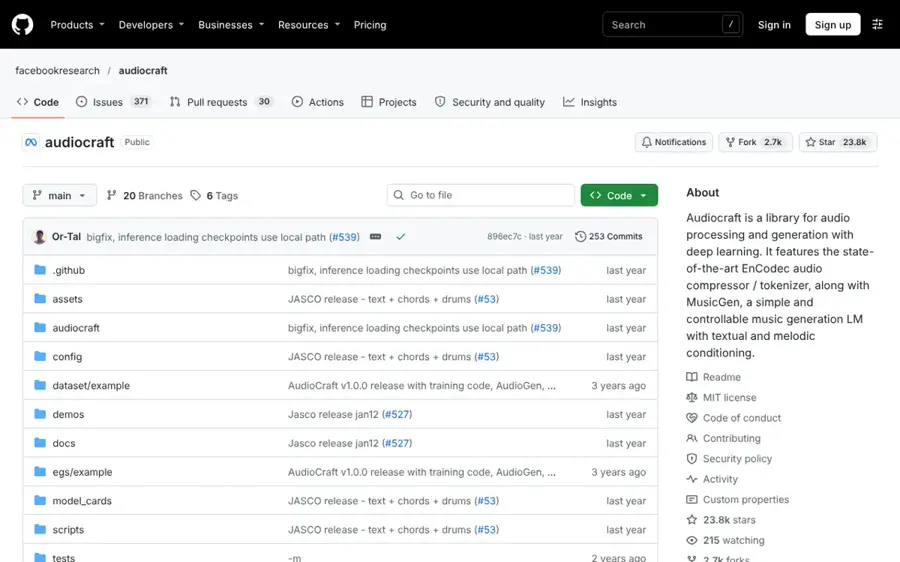
Meta AudioGen is a 1.5-billion-parameter text-to-sound model released as part of Meta's open-source AudioCraft library.
Strengths
AudioCraft is one of the most popular audio AI projects on GitHub, with about 23.8k stars, so there's a lot of community help when something breaks. AudioGen itself is a straightforward text-to-sound model: the model card's example generates five-second clips of a dog barking, an emergency siren and footsteps in a corridor from three plain prompts.
It's showing its age, though. Per the AudioGen docs, the model works on a 16kHz tokenizer and the medium models need a GPU with at least 16GB of memory. The bigger problem for creators is the license: the model weights are under Creative Commons Attribution-NonCommercial 4.0, so you can't use the output in paid work.
Key features
- One pre-trained model, audiogen-medium, at 1.5B parameters.
- You set clip duration in code.
- Training code is included if you want to fine-tune your own version.
- A Jupyter demo notebook comes with the repo.
Pros
- Free and fully open for experimentation.
- Large, active GitHub community.
- Good for learning how text-to-audio models work.
Cons
- Non-commercial license on the weights.
- Needs a 16GB GPU for the medium model.
- Lower audio fidelity than newer models.
Verdict: great for tinkering, wrong for client work.
Meta AudioGen pricing: Free, non-commercial use only (checked November 2026). See license
Choosing the right AI sound effect generator
Check the license before you check the sound
Two of the six tools here don't allow commercial use on their free tier (ElevenLabs Free and AudioGen). If you're monetising a YouTube channel or shipping a game, that's the first filter. Stable Audio and Stable Audio 3 Small SFX are the clear free options for paid work.
Match clip length to the job
A UI click needs half a second; a rainstorm bed might need minutes. ElevenLabs caps single clips at 30 seconds but loops them cleanly, while Stable Audio 3 Small SFX goes to 120 seconds.
Budget for the cleanup step
Generating the file is the fast part. As Summer Engine's guide for game developers puts it, "a .wav is not a game sound": you still have to trim the start, set the volume and wire it to the right event. I'd guess that step takes longer than generation for most people, so pick a tool that exports WAV, which leaves more room for editing.
Use voice tools for voices
Screams, laughs and crowd murmurs can work in an SFX model, but spoken lines won't come out well. For dialogue or phone greetings, a dedicated tool from our AI voicemail generator roundup will do a better job, and if you want a custom voice, there's a guide on how to train voice AI. Adding the finished audio to a clip is covered in how to add AI voice in video.
Free vs paid: what an AI sound effect generator free plan really gets you
Free plans are fine for testing, a handful of effects for a short video, or a game jam. They usually aren't enough for a steady weekly output, and the gap between tiers is mostly about volume and licensing rather than quality.
| Tool | Free allowance | Commercial use on free | Cheapest paid plan |
|---|---|---|---|
| ElevenLabs | 10,000 credits a month | No (from Starter) | $6/mo, 30,000 credits |
| Stable Audio | 50 credits a month | Yes | $12/mo, 660 credits |
| Adobe Firefly | Daily generations, limit unpublished | Not stated for free tier | $9.99/mo, up to 200 effects |
| MyEdit | 3 credits a day | Advertised as copyright-free | $5/mo billed yearly, 360 credits |
| Stable Audio 3 Small SFX | Unlimited (local) | Yes, under $1M revenue | Enterprise license only |
| Meta AudioGen | Unlimited (local) | No | None |
The local models look unbeatable on paper. They aren't free in time, though; setup can eat an afternoon, and AudioGen needs hardware most laptops don't have. For most creators, I think ElevenLabs' $6 Starter plan is the point where paying starts to make sense, mainly because it adds the commercial license.
Final verdict
If you only pick one, pick ElevenLabs Sound Effects: it seems to have the best prompt control of the hosted tools, the free credits are real, and the soundboard is a nice bonus. I'd switch to Stable Audio the moment a project needs a commercial license and you're not ready to pay. Developers who'd rather never think about credits again should probably go straight to Stable Audio 3 Small SFX. And if you also make mashups or remixes, our AI mashup maker list pairs well with any of these.
FAQ
Is there a completely free AI sound effect generator?
Yes, if you're willing to run it yourself. Stable Audio 3 Small SFX and Meta AudioGen are free to download with no usage caps. Hosted tools like ElevenLabs, Stable Audio, Firefly and MyEdit all have free tiers, but they're limited by credits or daily generations.
Can I use AI-generated sound effects in YouTube videos?
It depends on the tool's license. Stable Audio includes a commercial license on its free plan, while ElevenLabs lists commercial use from its $6 Starter plan. AudioGen's weights are non-commercial, so its output isn't suitable for monetised videos.
What is the best AI sound generator in 2026?
For most people, probably ElevenLabs Sound Effects. Stable Audio's better for loops and commercial use on a budget.
What's an AI soundboard?
It's a grid of pads that play sounds on demand, where you can generate the sounds with AI instead of uploading them. ElevenLabs' free SB1 Infinite Soundboard lets you create a custom effect for any pad, loop it and save the preset.
Do I need a powerful computer to make AI sound effects?
Not for the web tools, which run in your browser. For local models, Stable Audio 3 Small SFX runs on a CPU, while AudioGen's medium model needs a GPU with at least 16GB of memory.