Pop AI review: PopAi slides, PDF chat, pricing and the billing complaints
Pop AI (PopAi) turns prompts and PDFs into slides and lets you chat with long documents. Useful ideas, but read the billing complaints before you subscribe.
 Written byDr. Alap ZahidReviews And Guides Editor
Why you can trust The AI Future
Our writers research every product from its official pages, independent tests and user reports, link each claim to its source and correct mistakes openly. Unless an article says otherwise, we haven't tested the product hands-on ourselves. Companies can't pay for coverage or see reviews before they're published.
Read our editorial policy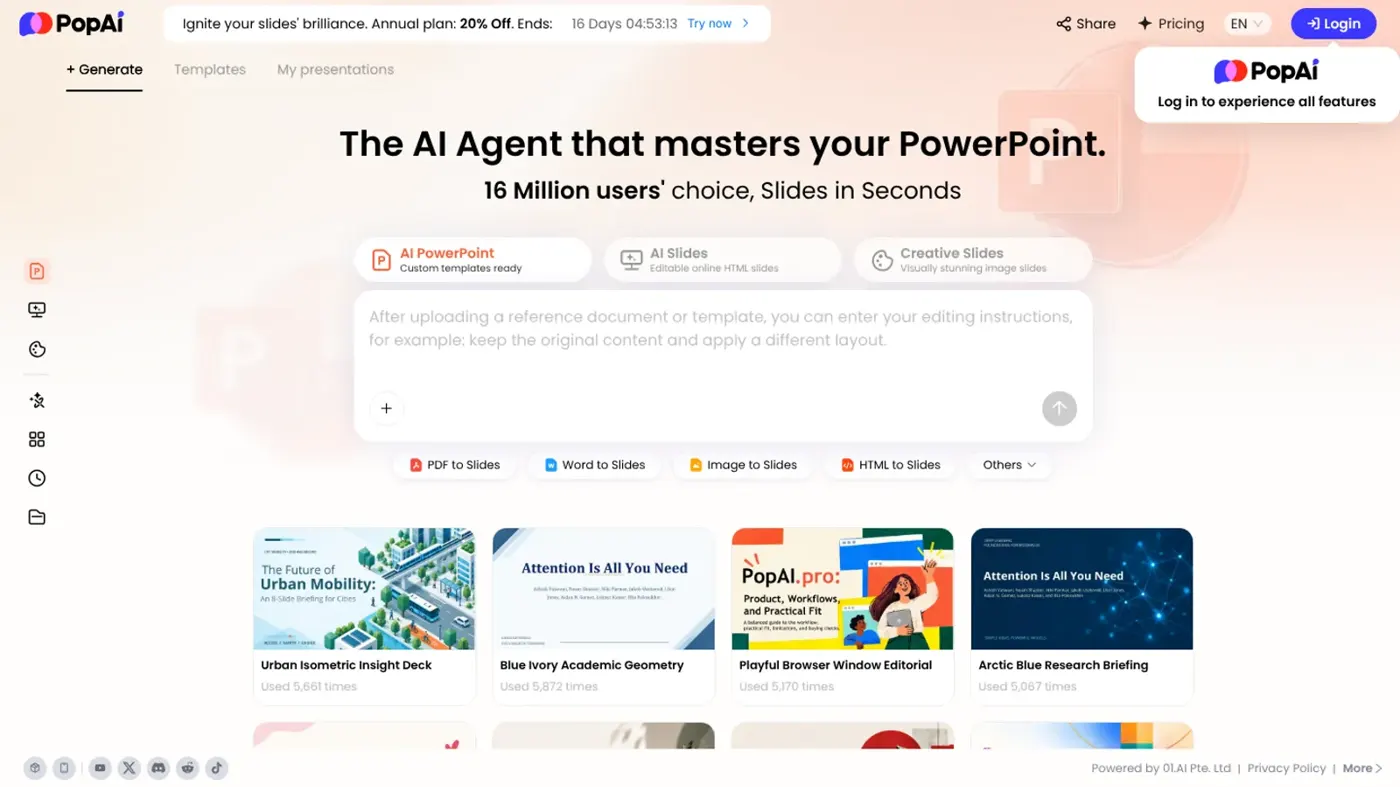
Our verdict on PopAi (Pop AI)
PopAi has useful ideas for turning documents into slides and chatting with long PDFs, but persistent billing and cancellation complaints make it hard to recommend. Try the free tier; if you pay, go monthly and track the renewal date, or start with Gamma instead.
Pricing Free plan; iOS subscription $12/month, $30/quarter or $99/year; AI Image Unlimited $47/month; web Pro and Unlimited plans priced at checkout
Visit PopAi (Pop AI)Pop AI (spelled PopAi by the company) is a browser and mobile app that turns prompts, PDFs and Word files into slide decks, lets you chat with long documents, and bolts on image, video and homework tools. It's free to start. Is it worth paying for? For occasional slide drafts, I think it can be. But the billing complaints around it are bad enough that I'd only subscribe with a calendar reminder set for the cancel date.
One quick clarification, because the names get mixed up. If you searched for "poppop ai" or "pop pop ai", you might be after PopPop AI, a different site entirely: it's a set of free audio tools (text to speech, a vocal remover, a song cover generator and a sound effects generator). This review covers PopAi, the document and presentation app at popai.pro.
Pop AI overview
PopAi calls itself a personal AI workspace. In practice it's several tools sharing one account: an AI presentation maker, a "chat with PDF" reader, an AI writing assistant, an image and video generator and, in the phone app, a homework solver. The App Store listing names the developer as 01.AI Pte. Ltd., a Singapore-registered company, and claims more than 100,000 users.
The presentation maker is the headline act now. The homepage leads with it, and most of the copy is about turning a topic or a file into an editable deck.
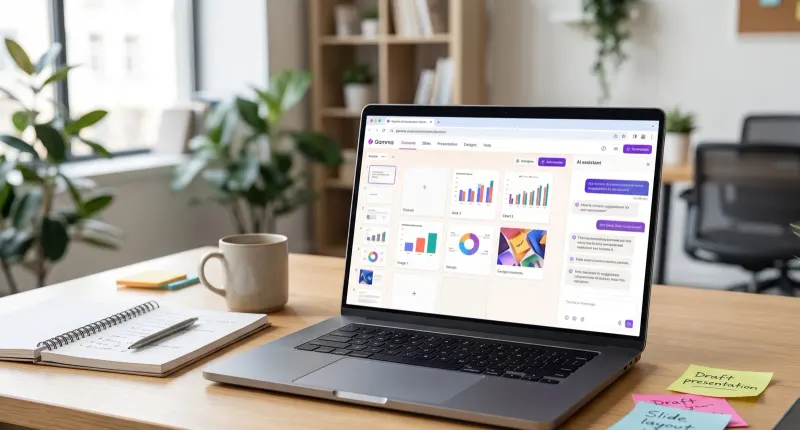
That focus makes sense to me. "Chat with your PDF" has become a free feature in most big assistants, so slides are probably where PopAi has the clearest reason to exist; whether it does them better than dedicated tools like Gamma is another question, and I'll get to it below.
Key features
AI presentation maker
You start with a prompt or upload source material: a PDF, a Word document, an existing PowerPoint file or a webpage. PopAi then proposes an outline, which you can edit (rename sections, reorder slides, cut points) before it builds the full deck. After that there's an online editor for text, images and layouts.
The outline step is the part I like most on paper. Fixing structure before a single slide exists is cheaper than fixing 12 finished slides. Exports go to PPTX or PDF, and you can share a link, though the presentation page notes that available exports "may vary by plan". So check what the free tier lets you download before you build anything that matters.
The app's latest update adds what it calls Agent PPT, with batch uploads, mixed image and document input, and automatic formatting.
Chat with PDF
The AI PDF reader is the feature PopAi first became known for. It handles up to 20 documents at once and up to 5,000 pages in total, which is enough for a full textbook. You get one-click summaries, notes alongside the text, mind maps generated from the document and a "Capture & Ask" tool: screenshot a chart or table and ask about it.
There's a Google Drive link too. Free users only get "a few upload attempts", which is vague (I'd have liked a number).
Image and video generation
The image generator offers three styles: realism, anime and abstract. The app's newest update says it added Qwen, Seed and Kling models for images and video. This is clearly a side feature, though, and the limits show it. If images are your main job, you'll get more from a dedicated tool; our list of the best AI image generators is a better starting point.
Homework helper and writing tools
The mobile app goes further than the website. You can snap a photo of a maths problem for a step-by-step solution, upload finished homework for grading, identify plants or objects from a photo, translate text and use a writing assistant for emails, blogs and reports. It's a lot of features for one app. Maybe too many; the store listing reads like a list of everything trending in AI apps, which isn't the same as doing each thing well.
Pop AI pricing and plans
Pricing is where PopAi gets murky. The pricing page describes two paid plans, Pro and Unlimited, with monthly or yearly billing. Pro has usage limits; Unlimited "removes most restrictions". What I couldn't find on that page, at least in a form I could read, was a plain price list for those two plans.
The figures I could pin down come from PopAi's own listings:
| Plan or product | Price | What you get |
|---|---|---|
| Free | $0 | Limited chat, a few PDF uploads, 1 image in total with no download and a watermark |
| iOS app subscription | $12/month, $30/quarter or $99/year | "Large usage volume" while subscribed |
| AI Image Unlimited (web) | $47/month | 10 images a day, 5 videos a day, downloads and no watermark |
| Pro and Unlimited (web) | Shown at checkout | Pro has set limits; Unlimited removes most of them |
One Trustpilot reviewer reported being billed US$14.99 a month for a plan called PopAi Plus, so web prices may differ from the app's. That $47 image plan surprised me, honestly. Ten images a day for that money is steep next to dedicated image tools.
Is Pop AI free? What the free plan really includes
Yes, you can sign up and use PopAi without paying. But the free tier is a sampler. On the image side it's one image in total, with no download. For PDFs it's "a few" uploads. Presentation exports depend on the plan. I'd treat the free plan as a way to judge output quality, not something you'll use weekly.
The cancellation fine print
Read this before you pay. You can upgrade from Pro to Unlimited at any time, but Unlimited can't be downgraded to Pro, and an annual plan can't be switched to monthly or quarterly until it ends. Cancellation keeps access until the end of the billing period, and there's a support address (customerservice@popai.pro) if you need help cancelling.
Performance and independent testing
I couldn't find a recent, detailed independent benchmark of PopAi's slides or PDF answers, so I won't pretend there's a score to quote. What does exist is a lot of user feedback, and it's lopsided.
On Trustpilot, PopAi has a TrustScore of 1.3 from 56 reviews, and 98% of them are one-star. The profile is unclaimed, and Trustpilot flags that the company hasn't invited reviews, which tends to pull scores down because unhappy people are the ones who go looking for a review site. Even so, the complaints are oddly consistent. Most are about billing rather than output.
A reviewer in Australia wrote in October that they were charged US$14.99 on 1 August, 1 September and 1 October, and only found the real cancellation screen through the Stripe billing portal. Another, in September, said the company asked them to fill in a survey before it would send cancellation instructions. A third, from 2025, called the app "user un-friendly" even on the paid version and said free ChatGPT got more done.
That's a pattern, not a one-off. To be fair, PopAi's own site is full of glowing testimonials about saved hours and clean PPTX exports, but they're unattributed, so I can't weigh them the same way.
My read? The product itself is probably fine for quick first drafts. The subscription handling is the real risk, and it's the kind of problem a feature update won't fix.
Best suited to
Students who need a rough deck from lecture notes or a reading, and who'll check every figure afterwards. PopAi also makes sense if you live in long PDFs and like the idea of mind maps and screenshot questions in one place; the 5,000-page limit is generous. Teachers turning lesson plans into slides might get some use from it too.
Who should skip it? Anyone who mainly wants images (the image plan's poor value), anyone who already pays for ChatGPT, Claude or Gemini and just needs PDF summaries, and anyone who doesn't want to babysit a subscription. If you're a student on a tight budget, our roundup of free AI tools for students has options with fewer strings attached.
Pop AI alternatives worth considering
- Gamma: the better-known AI presentation maker, with a free plan and a cleaner reputation. Read our Gamma AI review, or see more options in our Gamma AI alternatives roundup.
- Genspark: an AI agent workspace that also builds slides from research, and a sensible pick if you want the research and the deck in one go. See our Genspark AI review.
- NotebookLM: Google's free research tool for chatting with your own sources. If PDF Q&A is all you need, I'd try it before paying PopAi anything.
Verdict
PopAi does a lot, and the outline-first slide maker plus the big PDF limits are genuinely useful ideas. If it only had to win on features, I'd probably give it a 3.5. It doesn't, though. A Trustpilot page that's 98% one-star, with repeated stories of hard-to-find cancellation and charges that kept coming, drags it down for me, and prices that differ between the app and the web don't help.
Mixed feelings, then.
So here's my call: use the free tier to see whether the decks suit you. If they do and you pay, pick monthly, note the renewal date and cancel through your account or app store well before it. If you want an AI presentation maker you can recommend to a colleague without a warning attached, I'd start with Gamma instead.
FAQ
What is Pop AI?
Pop AI, written PopAi, is an AI app at popai.pro that makes presentations from prompts or files, lets you chat with PDFs and Word documents, writes text, generates images and video, and in its mobile app solves and grades homework from photos.
Is Pop AI free?
There's a free plan, but it's limited: a few PDF uploads, one image in total with no download, and exports that vary by plan. Paid plans are called Pro and Unlimited; the iOS app sells a subscription at $12 a month, $30 a quarter or $99 a year.
Is Pop AI the same as PopPop AI?
No. PopPop AI (poppop.ai) is a separate site with free audio tools, like text to speech and a vocal remover.
Is Pop AI safe and legit?
It's a real product, published by 01.AI Pte. Ltd. on the App Store. The main concern is billing: many Trustpilot reviews describe trouble cancelling and unwanted renewals. If you subscribe, I'd check your plan's renewal date and confirm the cancellation actually went through.
How do I cancel a Pop AI subscription?
On the web, manage it from your account settings; one user found the final step in the Stripe billing portal. If you subscribed through the iOS app, cancel in your Apple account settings at least 24 hours before renewal. You can also email customerservice@popai.pro for help.
What we like
- Outline-first presentation maker that accepts PDF, Word, PPTX and webpages
- Chat with up to 20 documents and 5,000 pages at once
- Mind maps and screenshot questions built into the PDF reader
- PPTX and PDF export plus link sharing
What could be better
- Trustpilot score of 1.3 from 56 reviews, mostly about billing and cancellation
- Free plan is very thin, with exports and uploads limited
- $47/month image plan is poor value for 10 images a day
- Web plan prices aren't clearly listed, and Unlimited can't be downgraded to Pro