7 best Granola AI alternatives in 2026 (free and paid)
Fathom, Otter.ai, Jamie and four more Granola AI alternatives, with current prices, free plan limits and which one fits bot-free or recorded meetings.
 Written byRahis SaifiCo-founder and news editor
Why you can trust The AI Future
Our writers research every product from its official pages, independent tests and user reports, link each claim to its source and correct mistakes openly. Unless an article says otherwise, we haven't tested the product hands-on ourselves. Companies can't pay for coverage or see reviews before they're published.
Read our editorial policy
The best Granola AI alternatives right now are Fathom if you want a strong free plan, Otter.ai if you want cheap live transcription, and Jamie if you want to keep Granola's no-bot approach. Granola's still a good app. But its free plan only keeps 30 days of meetings, and you can't play back the audio, so plenty of people end up shopping around.
I've ranked seven alternatives below with current prices and the trade-offs that matter most. Most of them send a bot into your call, which Granola doesn't, so that's the first thing to decide on.
Key takeaways
- Fathom has the most generous free plan here, with unlimited recordings and instant AI summaries.
- Jamie is the closest match to Granola's style, since no bot joins your call and data stays in the EU.
- Otter.ai and Tactiq are the cheapest paid options, at $8.33 and $8 a month on annual billing.
- Granola deletes audio after transcription, so pick Fathom, tl;dv or Read AI if you need recordings to replay.
- Fireflies.ai and tl;dv suit sales teams that want CRM sync and analytics across many calls.
Our ranking method
We ranked each tool on six criteria:
- Free plan value looks at how many meetings, minutes and summaries you get before paying.
- Capture method notes whether a visible bot joins the call or the app records device audio.
- Note quality is judged from published product details and public reviews of summaries and action items.
- Recording and playback checks whether you can rewatch or relisten to a meeting later.
- Integrations cover CRMs, Notion, Slack and the newer MCP links to Claude and ChatGPT.
- Paid value compares the cheapest paid plan with what it adds over the free tier.
Reasons people look for a Granola alternative
Granola's plans are simple. Basic is free, Business costs $14 per user a month, and Enterprise is $35. The free tier caps meeting history at 30 days, though, and it leaves out integrations with Notion, Zapier and HubSpot.
Playback is the other sticking point. Audio is deleted after transcription on every plan, so there's no recording to go back to if the summary misses something. That's a privacy win, and I'd guess it's partly deliberate. Still, for interviews or sales calls where tone matters, it's a real gap.
Some teams also want the opposite of Granola's quiet approach: a bot that joins automatically, records video and feeds a CRM without anyone pressing a button. If that's you, the bot-based tools below fit better.
The 7 best Granola AI alternatives at a glance
| # | Tool | Category | Best for | Free tier | Starts at |
|---|---|---|---|---|---|
| 1 | Fathom | Meeting recorder | Best free plan | Yes | $15/mo |
| 2 | Otter.ai | Live transcription | Cheap live transcripts | Yes (limited) | $8.33/mo |
| 3 | Jamie | Bot-free notetaker | Privacy and EU data | Yes (limited) | $37/seat/mo |
| 4 | Fireflies.ai | Meeting assistant | Sales and CRM teams | Yes (limited) | $10/mo |
| 5 | tl;dv | Meeting recorder | Multilingual teams | Yes (limited) | $18/mo |
| 6 | Read AI | Meeting assistant | Meeting coaching | Yes (limited) | $19.75/mo |
| 7 | Tactiq | Chrome extension | Browser-based calls | Yes (limited) | $8/mo |
The best Granola AI alternatives in 2026, ranked
Fathom – best for a free plan
Fathom records, transcribes and summarizes Zoom, Meet and Teams calls, with a free plan that doesn't cap recordings. Try it at fathom.ai.
Strengths
Fathom's free tier covers unlimited recordings, transcription and instant AI summaries. That's the main reason it tops this list. Granola gives you notes but no recording, while Fathom gives you both for nothing.
It now lets you choose between a bot and bot-free capture, although the bot-free mode is still a beta for Mac. Paid tiers add advanced summaries, AI action items, CRM field sync and coaching scorecards. I think most solo users won't need them for months.
Key features
- Unlimited recordings, transcription and storage on every plan.
- You can pick a bot or bot-free capture, with bot-free in beta on Mac.
- Clips and playlists let you share key moments from calls.
- Ask Fathom answers questions about a single call or, on higher tiers, all team calls.
- Integrations include Claude and ChatGPT, Slack, Zapier and a public API with MCP.
Pros
- Very generous free plan
- Video and audio playback, which Granola lacks
- HIPAA compliance with a standard BAA on team plans
Cons
- Advanced summaries and action items sit behind paid plans
- Bot-free capture is still a Mac beta
- CRM sync needs the Business tier
Fathom pricing: Free, then paid plans from $15/month. See pricing
Otter.ai – best for cheap live transcripts
Otter.ai transcribes meetings live, so you can read and highlight the conversation while it's happening. Try it at otter.ai.
Strengths
Otter's free Basic plan gives you 300 transcription minutes a month. The catch is a 30-minute limit per conversation, which cuts an hour-long meeting in half. Pro fixes most of that: 1,200 minutes a month and up to 90 minutes per conversation, for $8.33 a month billed annually or $16.99 monthly.
Students and teachers with a .edu email get 20% off Pro, which brings the annual plan to $6.67 a month. That's honestly the cheapest serious notetaker I could find. If you mostly sit in short stand-ups, the free plan might be all you need.
Key features
- Live transcripts appear during the meeting, with speaker labels.
- It connects to Zoom, Microsoft Teams and Google Meet.
- AI Chat answers questions across your meetings.
- Pro adds Salesforce, HubSpot and Zapier integrations.
- Custom vocabulary lets you add names and terms it should recognise.
Pros
- Low price on annual billing
- Real-time transcription you can follow along with
- Education discount for .edu users
Cons
- Free plan cuts conversations off at 30 minutes
- Only 3 file imports for the life of a free account
- Monthly billing roughly doubles the Pro price
Otter.ai pricing: Free, then paid plans from $8.33/month billed annually. See pricing
Related: Otter AI review
Jamie – best for privacy and EU data
Jamie is a bot-free meeting notetaker that keeps data in the EU, which makes it the nearest thing to Granola on this list. Try it at meetjamie.ai.
Strengths
Like Granola, Jamie doesn't send a bot into your call. It's ISO 27001 certified and GDPR compliant, and the client list leans heavily towards private equity and consulting firms, which tells you who it's built for.
The free plan is tight: 10 AI notes a month, and meetings over 30 minutes get cut off. Paid tiers raise the meeting limit to two or five hours and add Notion, Google Docs and OneNote exports. It's pricier than Granola, so I'd only switch if EU hosting is a hard requirement for you.
Key features
- No bot joins the call.
- Data stays in the EU.
- Ask Jamie lets you chat with your meeting history.
- Higher tiers connect to Salesforce, HubSpot and Asana, plus MCP for AI tools.
- Enterprise adds BYOK, CMEK and a DORA addendum for regulated firms.
Pros
- Same no-bot approach as Granola
- Strong compliance story for European teams
- Up to five-hour meetings on higher plans
Cons
- Free plan limited to 10 notes and 30-minute meetings
- Team plan costs $37 per seat, well above Granola's $14
Jamie pricing: Free, then paid plans; Team is $37/seat/month billed annually. See pricing
Fireflies.ai – best for sales and CRM teams
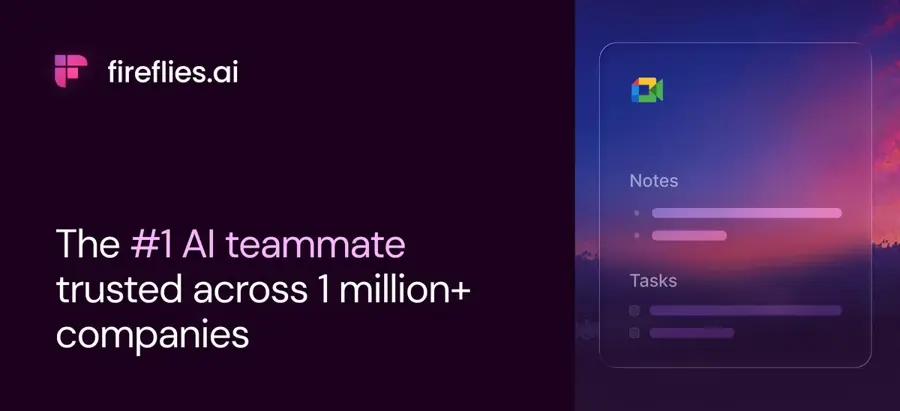
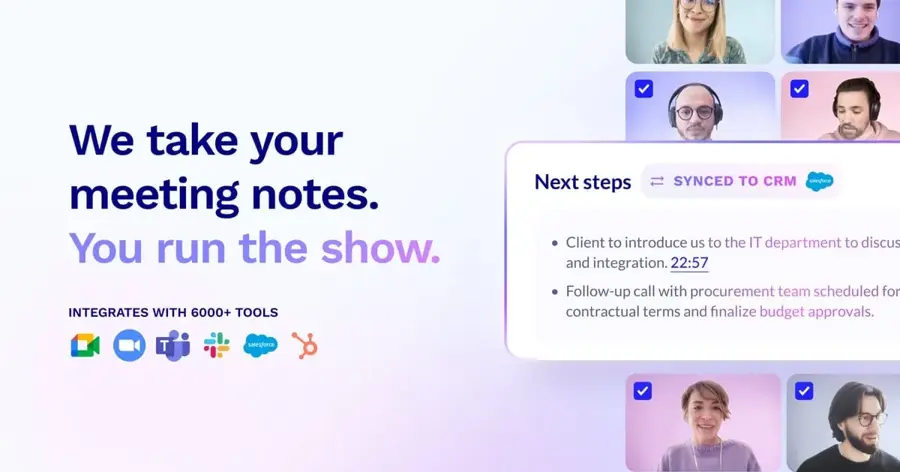
Fireflies.ai sends an assistant called Fred into your meetings to record, transcribe and summarize, then pushes notes to your other tools. Try it at fireflies.ai.
Strengths
Fireflies has unlimited transcription even on its free plan, in more than 100 languages. Storage is the limit: free teams get 400 minutes in total. Paid plans start around $10 a seat a month on annual billing, and they add video recording, downloads and unlimited integrations.
It's strongest as a team tool. Business adds conversation intelligence and team analytics, and Enterprise brings SSO, HIPAA readiness with a BAA and private storage. For a single person, it probably does more than you need.
Key features
- Transcription in 100+ languages, including on the free plan.
- AskFred answers questions about past meetings.
- Desktop, mobile and Chrome extension apps.
- Action items and a task manager on paid plans.
- The company says it doesn't train AI models on your meeting data.
Pros
- Unlimited transcription for free
- Wide language support
- Deep team analytics on Business
Cons
- Free storage of 400 minutes fills fast
- Uses a visible meeting bot by default
- AI credits are rationed on every tier
Fireflies.ai pricing: Free, then paid plans from about $10/month per seat billed annually. See pricing
tl;dv – best for multilingual teams
tl;dv records and transcribes video calls in more than 100 languages and turns them into AI notes and reports. Try it at tldv.io.
Strengths
The free plan includes unlimited recordings and transcription, but only 10 meetings with AI notes and 10 Ask AI queries. Recordings on free accounts are kept for up to three months. Pro, at $18 a seat a month billed annually, lifts the AI limits and adds custom note templates, global search and an MCP server.
Business ($29 per seat) is aimed at sales managers who want scheduled AI reports, playbook monitoring and objection handling across a whole team's calls rather than tidy notes for themselves. That's a different job from Granola's personal notepad, in my view.
Key features
- Unlimited video recordings and transcription on all plans.
- Transcription in 100+ languages.
- Pro includes an email follow-up drafter and 5,000+ integrations.
- MCP server, API and webhooks on Pro and above.
- Recordings can run up to three hours.
Pros
- Recordings you can rewatch
- Strong language support
- No usage-based AI fees on Business
Cons
- Free AI notes stop after 10 meetings
- Free data retention is capped at three months
- Pro costs more than Granola's Business plan
tl;dv pricing: Free, then paid plans from $18/month per seat billed annually. See pricing
Read AI – best for meeting coaching
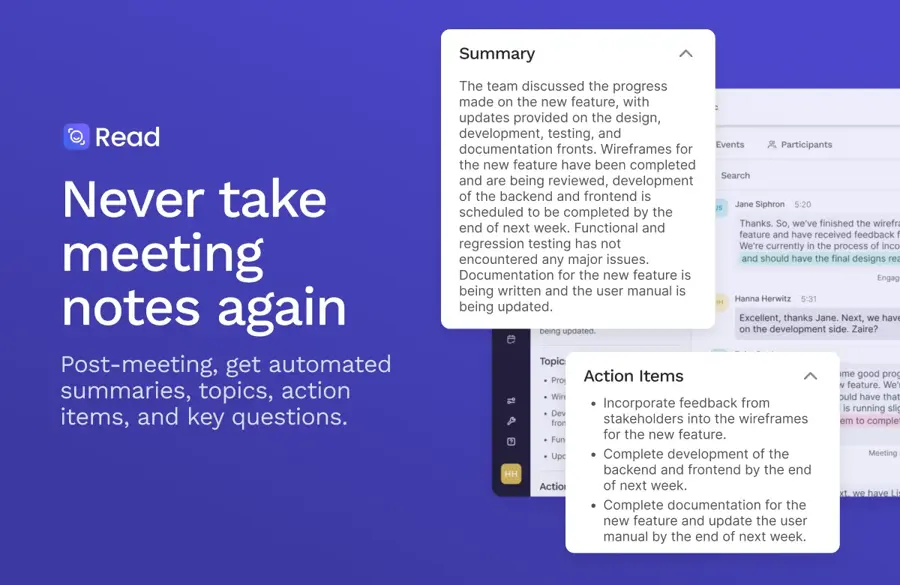
Read AI summarizes meetings and adds coaching metrics like talking speed and filler words, plus search across email and messages. Try it at read.ai.
Strengths
Read AI goes beyond notes. Each report includes a personal meeting coach, with metrics on pace, filler words and engagement. Ask Read searches across meetings, email and messaging, which is broader than Granola's chat over meetings alone.
The free plan is small (five meeting transcripts a month, and meetings up to an hour). Pro costs $19.75 a user a month billed annually. Video playback needs the $29.75 tier, which surprised me a little given the price.
Key features
- Live notes and metrics during the meeting.
- Meeting reports with summary, topics, action items and questions.
- Reports available in 16+ languages.
- Premium integrations with Notion, Salesforce, HubSpot, Jira and Zapier on paid plans.
- Apps for Windows, macOS, Android and iOS.
Pros
- Coaching metrics no other pick here offers in the same way
- Search across meetings, email and messages
- Unlimited meeting reports on paid plans
Cons
- Only five free transcripts a month
- Audio and video playback costs extra
- Enterprise+ needs at least five licences
Read AI pricing: Free, then paid plans from $19.75/month per user billed annually. See pricing
Tactiq – best for browser-based calls
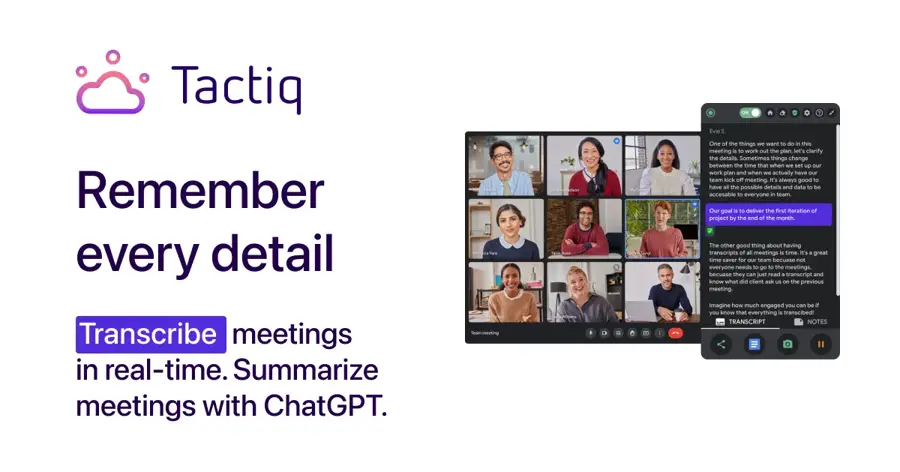
Tactiq is a Chrome extension that transcribes Google Meet, Zoom and Microsoft Teams calls and runs AI prompts on the transcript. Try it at tactiq.io.
Strengths
Tactiq is light. You install the free Chrome extension and get 10 transcripts and 5 AI credits a month. Pro is $8 a month on annual billing for unlimited transcripts; that makes it the cheapest paid plan here.
The AI credits are the squeeze. Pro still only includes 10 a month, and unlimited credits start on Team at $16.67. If you mainly want searchable transcripts, though, it's hard to beat on price. We've also compared it directly in Granola AI vs Tactiq.
Key features
- Free Chrome extension for Meet, Zoom and Teams.
- In-meeting AI and AI-generated insights.
- Global search across transcripts and insights.
- Google Drive and Notion integrations.
- Tactiq MCP and a Claude connector in beta on Business.
Pros
- Cheapest paid plan on the list
- Simple browser setup
- Education pricing for teachers and students
Cons
- Only 10 AI credits a month on Pro
- Built around Chrome, so desktop-app calls are less of a fit
Tactiq pricing: Free, then paid plans from $8/month billed annually. See pricing
Related: Granola AI vs Tactiq compared
Choosing the right Granola alternative
Decide whether a bot is acceptable
This matters more than price. If a visible bot would put clients off, stick with Jamie.
Check the per-meeting cap, not just monthly minutes
Otter's free plan stops at 30 minutes per conversation, and so does Jamie's. Read AI's free tier stops at an hour. If your meetings run long, those caps will bite before the monthly limit does.
Count AI credits separately from transcripts
Several tools give unlimited transcription but ration the AI. Fireflies, Tactiq and tl;dv all do some version of this. I'd look at how many summaries you'd actually need each week before choosing a plan, because a free tier with unlimited transcripts but only 10 AI notes can feel generous for a fortnight and then run dry halfway through a busy month. Tactiq's Pro plan, with 10 credits, is the clearest example.
Price the whole team on annual billing
Every price here is per seat, and annual billing changes things a lot: Otter's Pro is $8.33 a month on an annual plan but $16.99 if you pay month to month. For five people, that gap is over $500 a year.
Verdict
If you're leaving Granola because of the 30-day history or the missing recordings, I'd start with Fathom. Its free plan covers both problems, and you can test it for weeks without paying. Want to stay bot-free and don't mind the price? Jamie's the safer bet.
On a tight budget, Otter.ai or Tactiq will probably do the job for $8 or so a month. And honestly, if Granola's only flaw for you is the history limit, its $14 Business plan might still be the cheapest fix. Our Granola AI review covers that plan in more detail, and our roundup of AI note takers from audio has more options for recorded files.
FAQ
What is the best free alternative to Granola AI?
Fathom has the strongest free plan, with unlimited recordings, transcription and instant AI summaries. Fireflies.ai and tl;dv also give unlimited transcription for free, but they limit storage or AI notes. Otter.ai's free plan is useful for short calls, since it caps each conversation at 30 minutes.
Is there a Granola alternative that doesn't use a bot?
Yes. Jamie doesn't send a bot into your call, and Fathom has a bot-free beta on Mac. Most others here join as a visible participant.
Is Granola AI free?
Granola has a free Basic plan with AI notes, bot-free capture and apps for desktop, iOS, Android and Apple Watch. It keeps only 30 days of meeting history and leaves out most integrations. Business costs $14 per user a month and removes the history limit, and it also adds pre-meeting briefs, follow-up emails, API access and integrations with Notion, Zapier and HubSpot, which is a lot for the money if you were happy with the app anyway. Enterprise, at $35, adds SSO and HIPAA-compliant workspaces.
Which Granola alternative is cheapest?
Tactiq's Pro plan is $8 a month on annual billing and Otter.ai Pro is $8.33, so there's barely anything between them on price. Otter also gives .edu users 20% off, bringing Pro to $6.67 a month. Both are cheaper than Granola's $14 Business plan, though they handle notes differently.