Best email address generator AI tools in 2026: 8 picks, ranked
Use ChatGPT to name a new address and an alias service like Proton Pass or DuckDuckGo to protect your inbox. Eight picks, with prices.
 Written byMuhammad Usman SiddiquiFounder and editor-in-chief
Why you can trust The AI Future
Our writers research every product from its official pages, independent tests and user reports, link each claim to its source and correct mistakes openly. Unless an article says otherwise, we haven't tested the product hands-on ourselves. Companies can't pay for coverage or see reviews before they're published.
Read our editorial policy
Short answer: if you want an email address generator AI tool to come up with a good name for a new address, ask ChatGPT, which is free. If you want fresh addresses that hide your real inbox when you sign up for things, Proton Pass is the one I'd pick, and DuckDuckGo Email Protection is the best free option. Those two jobs get lumped together in search results, but they're different tools.
This list covers both. I've left out disposable "burner" generators built for mass sign-ups and fake accounts, since that's usually against the terms of the sites you'd use them on (and it's how spam gets made). Everything below is for one real person managing their own addresses.
Key takeaways
- Use an AI chatbot for naming ideas, then register the address with a normal provider like Gmail, Outlook or your own domain.
- Email alias services generate a unique forwarding address for each site, so a leak or a spammer only hits one alias you can switch off.
- DuckDuckGo Email Protection and Addy.io give you unlimited aliases for free, while Proton Pass and SimpleLogin cap free users at 10.
- Paid alias plans are cheap: Addy.io Lite costs $1 a month and Proton Pass Plus is $2.99 a month on a yearly plan.
- If you want a professional address on your own domain, Zoho Mail's free plan covers up to five users on one domain.
Our ranking method
We ranked each tool by how well it does its actual job for one person, using these criteria:
- Ease of creating a new address counts most, especially whether you can do it inside a sign-up form.
- The free tier is judged on how many addresses you get and what's held back.
- Reply support matters, because an alias you can't answer from is only half useful.
- Custom domain support decides whether your addresses can outlive the service.
- Privacy covers tracker removal, encryption options and whether the code is open source.
- Price is checked against what the cheapest paid plan adds.
- Legitimate use is a filter, so tools aimed at bulk fake accounts didn't make the list.
The naming assistant sits at the top because it's what most people searching this phrase seem to want. The alias services follow, in the order I'd recommend them.
The 8 best email address generator AI tools at a glance
| # | Tool | Category | Best for | Free tier | Starts at |
|---|---|---|---|---|---|
| 1 | ChatGPT | AI assistant | Naming ideas | Yes | $8/mo |
| 2 | Proton Pass | Password manager with aliases | Aliases plus passwords | Yes (limited) | $2.99/mo |
| 3 | DuckDuckGo Email Protection | Email alias service | Free unlimited aliases | Yes | Free |
| 4 | SimpleLogin | Email alias service | Open-source power users | Yes (limited) | $2.99/mo |
| 5 | Addy.io | Email alias service | Cheapest paid plan | Yes | $1/mo |
| 6 | iCloud Hide My Email | Email alias service | iPhone and Mac users | No | $0.99/mo |
| 7 | Firefox Relay | Email alias service | Firefox users | Yes (limited) | Free |
| 8 | Zoho Mail | Email hosting | A professional address on your domain | Yes (limited) | $1/mo |
The best email address generator AI tools, ranked
ChatGPT – best for naming ideas
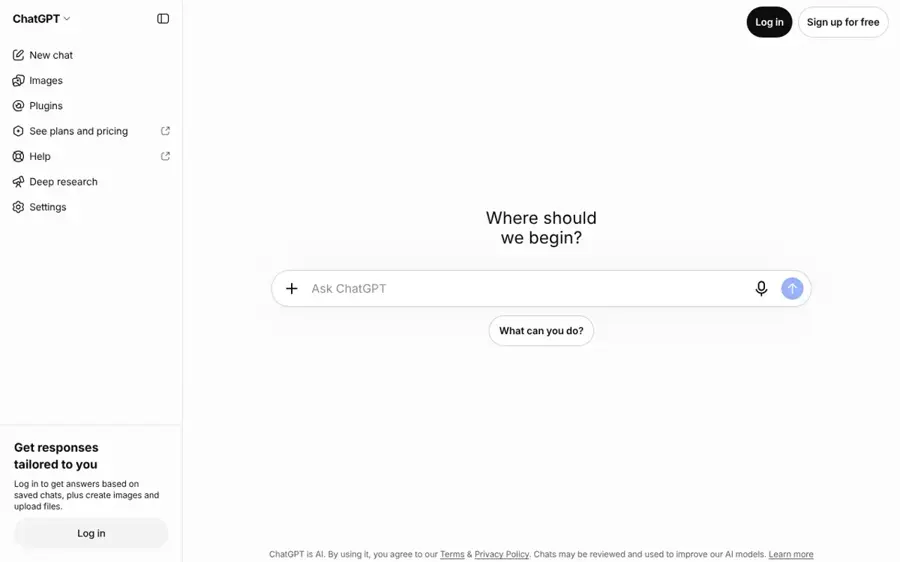
ChatGPT is OpenAI's general assistant, and it's the quickest way to brainstorm a professional or personal email address that's short, readable and likely still free to register.
Strengths
Most "AI email name generators" online are thin wrappers that shuffle your first and last name. ChatGPT does the same thing better, because you can give it rules: no numbers, under 20 characters, works for a freelance designer, avoid anything that looks like a typo. Ask for 20 options and then ask it to cut the list to five.
It can't check whether an address is taken. You still have to try each one at Gmail, Outlook or your domain host. That's a small chore, honestly, and I'd rather do it than pay for a dedicated naming tool.
Key features
- The free plan includes unlimited text chats with GPT-6, subject to abuse limits.
- You can set constraints like length, tone and industry in plain English.
- It can suggest matching domain names if you plan to buy your own.
- Projects let paying users keep naming work together with other branding notes.
Pros
- Free for this job.
- Handles detailed naming rules well.
- Useful for related tasks like a signature or bio.
Cons
- Can't check whether an address is available.
- The Go plan may include ads.
- Doesn't create or host the address itself.
ChatGPT pricing: Free, then paid plans from $8/month (Go) and $20/month (Plus) in the US. See pricing
Related: ChatGPT with GPT-6 review Best ChatGPT alternatives Best AI business name generators
Verdict: start here if your problem is "what should my address be?"
Proton Pass – best for aliases plus passwords
Proton Pass is Proton's end-to-end encrypted password manager, and it generates a hide-my-email alias for you while it saves the login.
Strengths
This is the setup I'd recommend to most people. When a sign-up form asks for an email, the browser extension creates an alias, generates a password and stores both in one step. You're fixing two problems (reused passwords and an exposed inbox) with one app.
On the plans page, the free tier gives you unlimited logins on unlimited devices and 10 aliases. Pass Plus lifts that to unlimited aliases and adds custom domains, a catch-all domain, extra mailboxes and the ability to start a new email from an alias. It also includes SimpleLogin Premium, which is a nice bonus for the money.
Key features
- Aliases are created inside the same flow that saves your password.
- Pass Plus supports your own domain for aliases.
- Dark Web Monitoring and a built-in 2FA authenticator come with the paid plan.
- Apps cover browsers, mobile and desktop.
- Passkeys work on all devices, including on the free plan.
Pros
- Two jobs in one app.
- Generous free password features.
- Paid plan bundles SimpleLogin Premium.
- Custom domains on the cheapest paid tier.
Cons
- Only 10 aliases on the free plan.
- Sending a new email from an alias needs Pass Plus.
- Switching password managers takes some effort if you already use one.
Proton Pass pricing: Free, then paid plans from $2.99/month on a 12-month plan. See pricing
Verdict: if you only pick one alias tool, pick this one.
DuckDuckGo Email Protection – best for free unlimited aliases
DuckDuckGo Email Protection is a free forwarding service that gives you a personal @duck.com address and unlimited private addresses, and strips hidden trackers from the mail it forwards.
Strengths
It's free with no alias cap. That alone puts it near the top. You keep using Gmail, Outlook or Apple Mail as normal; mail sent to your duck addresses arrives there with trackers removed, as the help page explains.
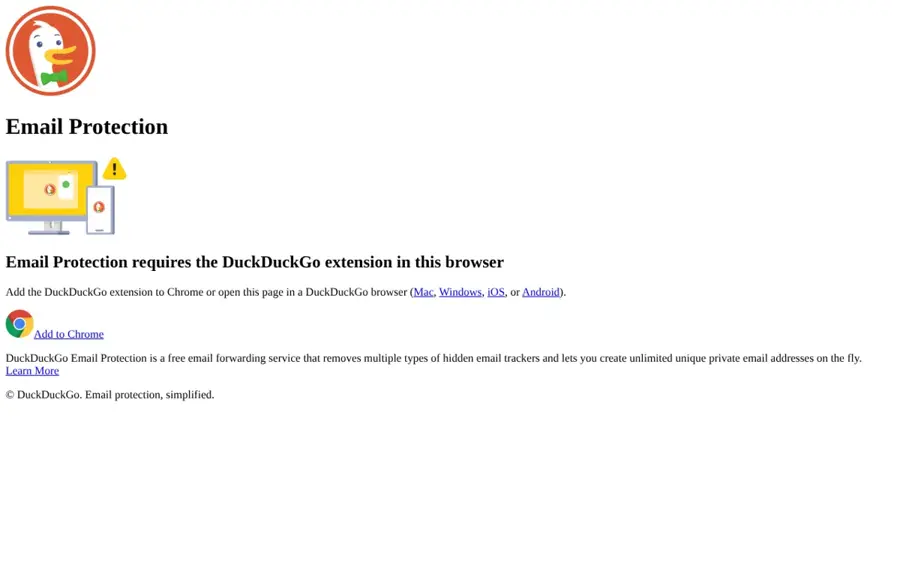
The catch is setup. You sign up from a DuckDuckGo mobile browser, desktop browser or extension, so it's probably best for people who already use DuckDuckGo. I'd also guess it's thinner on extras than the paid services, since there's no custom domain option.
Key features
- Unlimited unique private addresses, generated on the fly.
- Removes several kinds of hidden email trackers.
- Works with your existing inbox, so contacts don't change.
- Available through DuckDuckGo's browsers and extensions for Firefox, Chrome, Edge, Brave and Opera.
Pros
- Completely free.
- No limit on aliases.
- Tracker removal included.
Cons
- Sign-up runs through DuckDuckGo's own apps or extension.
- No custom domain support.
- Fewer management features than SimpleLogin or Addy.io.
DuckDuckGo Email Protection pricing: Free, with no paid plan. See details
Verdict: the obvious pick if you won't pay anything.
SimpleLogin – best for open-source power users
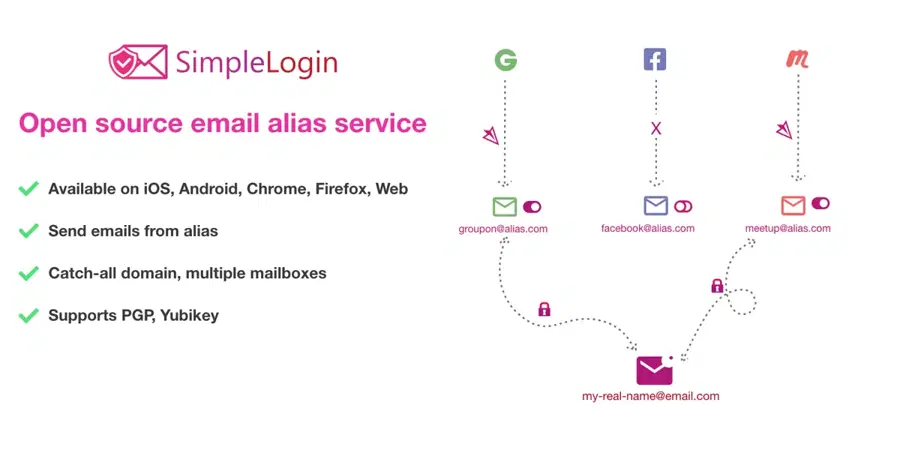
SimpleLogin is an open-source email alias service, now owned by Proton, that you can use as a hosted service or self-host.
Strengths
SimpleLogin is the alias tool for people who like control. Premium gives you unlimited custom domains, a catch-all domain, five subdomains, 50 directories, unlimited mailboxes and PGP encryption. It's open source too, and you can run it on your own server if you'd rather not trust anyone.
Its free plan is small: 10 aliases and one mailbox, though you can reply from an alias. Premium now includes Proton Pass's paid features as well, so in my view the two products are slowly becoming one subscription with two front ends.
Key features
- Reply from any alias on the free plan.
- Browser extensions for Chrome, Firefox and Safari, plus iOS and Android apps.
- Bring your own domain on Premium for addresses like contact@your-domain.com.
- PGP encryption for forwarded mail.
- Account security with TOTP and WebAuthn keys.
Pros
- Open source and self-hostable.
- Deep custom domain features.
- Premium includes Proton Pass Plus perks.
Cons
- Free plan caps you at 10 aliases.
- Overlaps heavily with Proton Pass, which can confuse buyers.
- More settings than casual users need.
SimpleLogin pricing: Free, then Premium from $2.99/month ($35.88 a year). See pricing
Verdict: pick it over Proton Pass only if you don't want a password manager attached.
Addy.io – best for the cheapest paid plan
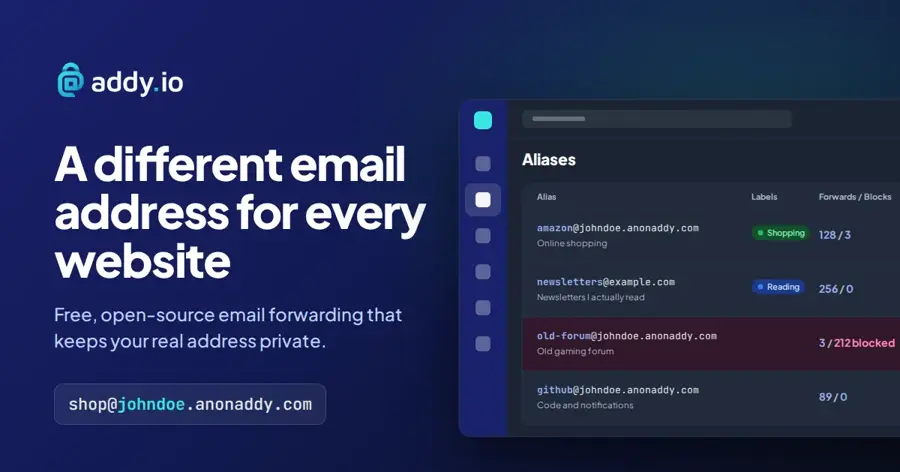
Addy.io (formerly AnonAddy) is an open-source forwarding service that gives every site its own address on a username domain like johndoe.anonaddy.com.
Strengths
The free plan is better than it looks. You get unlimited aliases on your username, so you can invent shop@ or bank@ on the spot without opening an app; the address appears in your dashboard when the first email lands. You also get 10 random aliases like x481n904@anonaddy.me for sign-ups where you don't want your username visible.
Lite costs $1 a month. That buys replies from aliases, one domain of your own, up to five inboxes and tracking-pixel blocking. It's the cheapest paid plan here, and frankly it's a bit of a bargain.
Key features
- Bitwarden's generator can create an Addy.io alias while it makes your password.
- Rules can block senders, add labels, rewrite subjects or fire a webhook.
- GPG encryption for forwarded mail.
- Open-source iOS and Android apps.
- A developer API for creating aliases from code.
Pros
- Unlimited username aliases for free.
- $1 entry plan.
- Works with Bitwarden.
Cons
- The free plan forwards only 10MB of mail a month.
- Replying from an alias needs a paid plan.
- Username aliases can link your accounts if the username is your real name.
Addy.io pricing: Free, then paid plans from $1/month. See pricing
Verdict: the best value if you'll pay a little.
iCloud Hide My Email – best for iPhone and Mac users
iCloud Hide My Email is Apple's alias feature, built into iCloud+ and Sign in with Apple, that creates random forwarding addresses for apps and websites.

Strengths
If you've got an iPhone and pay for iCloud storage, you probably already own this. It's built into Safari, Mail and Settings, and Sign in with Apple can hand an app a unique address ending in @privaterelay.appleid.com instead of your real one.
Apple's support page says it doesn't read or process the content of these messages beyond standard spam filtering, and it deletes them from its relay servers after delivery, usually within seconds. I like that it's spelled out plainly.
Key features
- Random, unique addresses that forward to your personal inbox.
- You can read and reply to mail sent to them.
- Works with Sign in with Apple for new app accounts.
- iCloud+ also includes Custom Email Domain and iCloud Private Relay.
Pros
- No extra app to install on Apple devices.
- Very cheap if you already pay for iCloud+.
- Replies work out of the box.
Cons
- Needs an iCloud+ subscription for full use.
- Awkward on Windows and Android.
- Addresses are random strings, so they're hard to remember.
iCloud Hide My Email pricing: No free plan for full use; it comes with iCloud+, which starts at $0.99/month for 50GB. See pricing
Verdict: use it if you live on Apple devices; skip it otherwise.
Firefox Relay – best for Firefox users
Firefox Relay is Mozilla's email and phone masking service, with five free email masks and a browser extension that fills them into sign-up forms.
Strengths
The free tier is simple: five email masks, the extension and tracker removal. That's enough for the handful of sites you trust least. Premium adds unlimited masks, a personal mozmail.com subdomain, anonymous replies and promo-email blocking.
There's a snag. On the Premium page, the paid plans currently show "Join the waitlist" rather than a sign-up button. Until that changes, I think most people are better off with one of the services above.
Key features
- Five free email masks.
- Tracker removal on forwarded mail.
- Premium adds a custom mozmail.com subdomain for making masks on the go.
- Phone masking is part of the higher tier.
Pros
- Backed by Mozilla.
- Clean, simple extension.
- Phone masks are rare among alias tools.
Cons
- Only five free masks.
- Paid plans are on a waitlist right now.
- Replies need Premium.
Firefox Relay pricing: Free; Premium plans are waitlist-only for new sign-ups. See plans
Verdict: fine for a few masks, but I wouldn't build on it today.
Zoho Mail – best for a professional address on your domain
Zoho Mail is a business email host that lets you create real addresses like you@yourbusiness.com, with a free plan for small teams.
Strengths
Once ChatGPT has helped you pick a name, you need somewhere to put it. Zoho's Forever Free plan hosts email for one domain and up to five users, with 5GB per user. Mail Lite starts at $1 per user per month, billed yearly.
The free plan has limits worth knowing. It doesn't include IMAP, POP or ActiveSync, so you'll be using Zoho's own web and mobile apps, and it's only offered in some data centers.
Key features
- Custom-domain email for up to five users free.
- Aliases let one mailbox receive mail for several addresses.
- Group addresses for shared inboxes like sales@.
- Paid plans add migration tools and larger attachments.
Pros
- Free custom-domain hosting is rare.
- $1 paid entry point.
- Room for a small team.
Cons
- No IMAP or POP on the free plan.
- Free plan isn't available in every region.
- You'll need to buy and set up your own domain.
Zoho Mail pricing: Free, then paid plans from $1/user/month billed yearly. See pricing
Related: Best AI business name generators
Verdict: the cheapest route to an address that looks professional.
Choosing the right email address generator
Decide which job you're hiring the tool for
A naming assistant and an alias service solve different problems. Need one address you'll put on a CV or business card? Use ChatGPT for ideas, then register it at a real provider. If you want many throwaway-style addresses that still reach you, use an alias service. Plenty of people need both, which is why ChatGPT and Proton Pass sit at the top.
Pick an alias service that can outlive its company
Custom domain support is the feature I'd weight most heavily. If your aliases live on your own domain, you can move them to another service later without updating hundreds of accounts. Proton Pass Plus, SimpleLogin Premium and Addy.io Lite all allow it; DuckDuckGo and Firefox Relay's free tier don't.
Check reply support before you commit
Sooner or later you'll need to answer a support email from an alias. SimpleLogin and Apple let you reply for free, while Addy.io and Firefox Relay keep it for paying users.
Keep it to one person and legitimate sign-ups
Aliases are for protecting your own inbox. Using generated addresses to make multiple accounts on a site, claim repeat free trials or send bulk mail usually breaks that site's terms, and the alias services can shut down addresses that get abused.
If you're writing a CV, a clean address matters more than you'd think; our AI resume builder roundup covers the rest of the page.
Free vs paid: what you actually get
For naming, free is enough. ChatGPT's free plan handles a brainstorm easily, and paying $8 or $20 a month just for this would be silly.
For aliases, the gap is bigger. Free plans give you either a small number of aliases (Proton Pass and SimpleLogin at 10, Firefox Relay at five) or unlimited aliases with fewer features (DuckDuckGo, and Addy.io's username aliases). Paying typically adds three things: replies or new emails from aliases, your own domain, and more inboxes to forward to. At $1 to $3 a month, I'd say it's one of the cheaper privacy upgrades you can buy.
| Tool | Free aliases | Custom domain | Cheapest paid |
|---|---|---|---|
| Proton Pass | 10 | Paid | $2.99/mo |
| DuckDuckGo | Unlimited | No | Free only |
| SimpleLogin | 10 | Paid | $2.99/mo |
| Addy.io | Unlimited (username) | Paid | $1/mo |
| Firefox Relay | 5 | No | Waitlist |
Final verdict
Most people should use two tools: ChatGPT to think of a good primary address, and Proton Pass to generate an alias for every site after that. Pass Plus at $2.99 a month is where I'd spend money, since it also handles passwords. If you won't pay anything, DuckDuckGo Email Protection is probably the smartest free choice, and Addy.io is the one to try if $1 a month is your ceiling.
FAQ
Can AI generate an email address for me?
AI can suggest the name, but it can't register it. Ask ChatGPT for options that fit your name, job and length limit, then check each one at Gmail, Outlook or your domain host. Alias services like Proton Pass create working forwarding addresses, though those aren't AI-driven in the chatbot sense.
What's the difference between an email alias and a temporary email?
An alias forwards to your real inbox for as long as you keep it, and many services let you reply from it. A temporary inbox usually vanishes after minutes or hours. Aliases are better for real accounts, since you'll still get password resets and receipts.
Is DuckDuckGo Email Protection really free?
Yes. It's a free service with unlimited private addresses and tracker removal, and there's no paid tier. You sign up through a DuckDuckGo browser or extension, then keep using your existing inbox.
Are email alias generators legal?
Using aliases to protect your own inbox is legal and common. Using them to create fake accounts, dodge bans or send spam can break a site's terms and, in some cases, the law. Stick to one account per site for yourself.
What makes a good professional email address?
Keep it short, use your real name or business name, and avoid numbers and odd spellings. Firstname@yourdomain.com is hard to beat, and a custom domain on Zoho Mail's free plan makes that affordable for small teams.