Best AI software for PC in 2026: 8 picks for Windows, ranked
Eight AI apps worth installing on a Windows PC in 2026, including ChatGPT, Copilot and private local models, with prices checked in November.
 Written byMuhammad Usman SiddiquiFounder and editor-in-chief
Why you can trust The AI Future
Our writers research every product from its official pages, independent tests and user reports, link each claim to its source and correct mistakes openly. Unless an article says otherwise, we haven't tested the product hands-on ourselves. Companies can't pay for coverage or see reviews before they're published.
Read our editorial policy
Short answer: if you want one piece of AI software for your PC, install the ChatGPT desktop app. It's free to start, it runs on Windows, and it now pulls in context from your files, screenshots and anything on your screen. If you'd rather not add anything, Microsoft Copilot is already on most Windows 11 machines. And if privacy matters more than polish, LM Studio runs AI models on your own hardware for nothing.
That's the quick version. Below are eight picks of AI software for PC, ranked for everyday Windows users, with prices checked in early November 2026. Honestly, the biggest surprise in my research was how much the free tiers now cover; most people probably won't need to pay anything for a few weeks.
Key takeaways
- ChatGPT is the best all-round AI for PC, and its Go plan costs $8 a month if you outgrow the free tier.
- Copilot is free with a Microsoft account, but the AI inside Word and Excel needs a Microsoft 365 plan from $9.99 a month.
- Google finally shipped a native Gemini app for Windows in September 2026, opened with Alt + Space.
- LM Studio and Ollama run open models locally, so your prompts don't have to leave your PC.
- Trustpilot scores for the big chatbot makers sit between 1.3 and 1.5 out of 5, mostly over billing and support, so check refund terms before you subscribe.
Our ranking method
Nobody at The AI Future ran hands-on tests for this roundup. We compared each tool using official product and pricing pages, independent coverage and public user reviews, as of early November 2026. We ranked them on six criteria:
- Native Windows support, meaning a real desktop app or a solid installer, not just a browser tab.
- Breadth of everyday use, such as writing, research, files and images.
- Free tier value, judged on what you get before paying.
- Price of the cheapest paid plan for one person.
- Privacy options, including whether anything can run on your own machine.
- Public user feedback from Trustpilot and similar sites, read with their known bias toward complaints in mind.
Prices are in US dollars. They can change by country and with promotions, so check the vendor's page before you buy.
The 8 best AI software for PC at a glance
| # | Tool | Category | Best for | Free tier | Starts at |
|---|---|---|---|---|---|
| 1 | ChatGPT | General assistant | All-round desktop AI | Yes | $8/mo |
| 2 | Microsoft Copilot | Built-in assistant | Windows and Office users | Yes | $9.99/mo |
| 3 | Claude | General assistant | Working with local files | Yes | $20/mo |
| 4 | Google Gemini | General assistant | Google account users | Yes | $19.99/mo |
| 5 | Perplexity Comet | AI browser | Research while browsing | Yes | $20/mo |
| 6 | Grammarly | Writing assistant | Writing in any app | Yes (limited) | $12/mo |
| 7 | LM Studio | Local AI | Private, offline chat | Yes | Free |
| 8 | Ollama | Local AI | Developers and tinkerers | Yes | Pay as you go |
Notes: Claude Pro is $17 a month if you pay yearly. Ollama is free for local models; its cloud models are billed per token or through a Pro plan.
The best AI software for PC in 2026, ranked
ChatGPT – best for all-round desktop AI
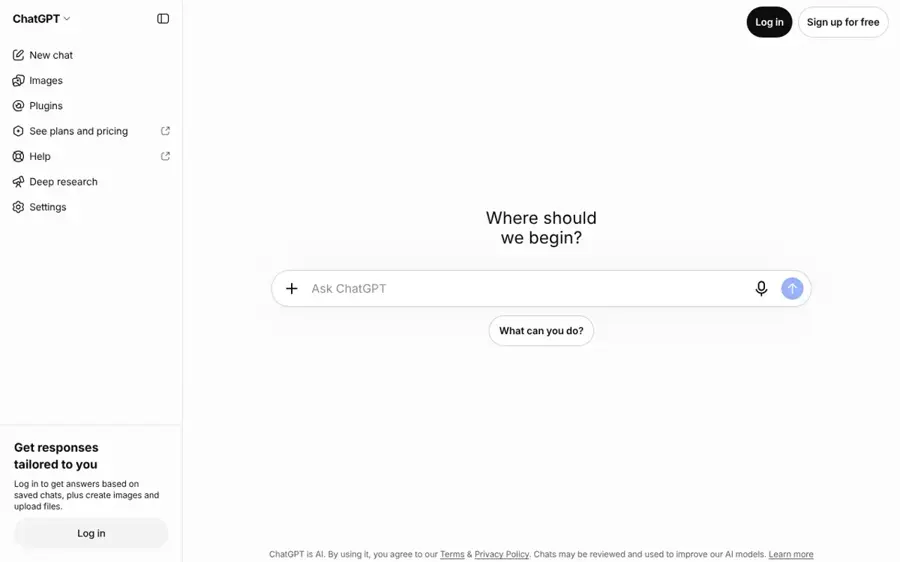
ChatGPT is OpenAI's general assistant, and its Windows desktop app handles chat, files, images, voice and delegated tasks from one window.
Strengths
The desktop app has grown well past a chat window. On the download page, OpenAI pitches it as bringing ChatGPT Work and Codex to your PC, "plus context from your email, screenshots, files, and anything on your screen." GPT-6 reached every consumer tier in October: Tech Insider reports the rollout hit Plus and Pro on October 7 and Free and Go a day later. Free users get GPT-6 Luna with unlimited text chats (subject to abuse guardrails), plus limited ChatGPT Work on desktop.
User sentiment is rougher than the feature list. OpenAI's Trustpilot page sits at 1.3 from 1,314 reviews, and one heavy user wrote that their experience "has been mediocre having issues like hallucinations, false assumptions, ignored requirements in prompts, etc." I'd still rank it first, because no other single app covers as much for $0.
Key features
- Unlimited text chats with GPT-6 on the free plan.
- ChatGPT Work for multi-step tasks, with limited access on the free desktop app.
- Screen and file context inside the Windows app.
- Image creation, voice chats and deep research, with higher limits on paid plans.
- Extensions for Excel, Word, PowerPoint and Google Sheets.
Pros
- The free tier's genuinely usable every day.
- One app covers writing, research, images and coding.
- Go at $8 is the cheapest paid plan on this list.
Cons
- The Go plan may include ads.
- Pro jumps straight to $100 a month.
- Poor public reviews for support and account problems.
ChatGPT pricing: Free, then paid plans from $8/month for Go and $20/month for Plus (checked November 2026). See pricing
Related: ChatGPT with GPT-6 review Best AI like ChatGPT
Verdict: if you only pick one, pick this.
Microsoft Copilot – best for Windows and Office users
Copilot is Microsoft's assistant, built into Windows 11 and available as a free Copilot app with a Microsoft account.
Strengths
Copilot's big advantage is that it's already there. As Tech Insider put it, Copilot "ships wired into the Windows taskbar, the Windows key, and the settings shell of every new PC." The free app covers chat, image generation and voice. Paid use comes through Microsoft 365: Dupple's breakdown of Microsoft's plans lists Personal at $9.99 a month, Premium at $19.99 (it replaced Copilot Pro) and a new Microsoft 365 Pro tier at $99.99.
The naming is a mess, though (Windows Central's writer jokes that Microsoft seems to have a different Copilot for each of its apps). For work accounts, Windows Central reported that from April 15, 2026, free Copilot Chat users lost Copilot inside Word, Excel, PowerPoint and OneNote unless their company buys a Microsoft 365 Copilot license. On Trustpilot, Copilot scores 1.5 from 515 reviews; one reviewer complained that image edits were ignored "even though the CP AI indicates it has done so."
Key features
- Free chat, image creation and voice in the Copilot app.
- Opens from the taskbar or a dedicated key on newer PCs.
- Copilot inside Word, Excel and Outlook with a Microsoft 365 plan.
- Business plans grounded in company email, files and meetings.
Pros
- Nothing to install on most Windows 11 PCs.
- Microsoft 365 Personal bundles Office and 1 TB of storage with the AI.
- Good fit if your files already live in OneDrive.
Cons
- Confusing product names and plan limits.
- Free work accounts lost in-app Copilot in Office.
- Low public ratings.
Microsoft Copilot pricing: Free, then Microsoft 365 plans from $9.99/month (checked November 2026). See pricing
Related: Microsoft AI and Copilot review
Verdict: start here if you already pay for Microsoft 365.
Claude – best for working with local files
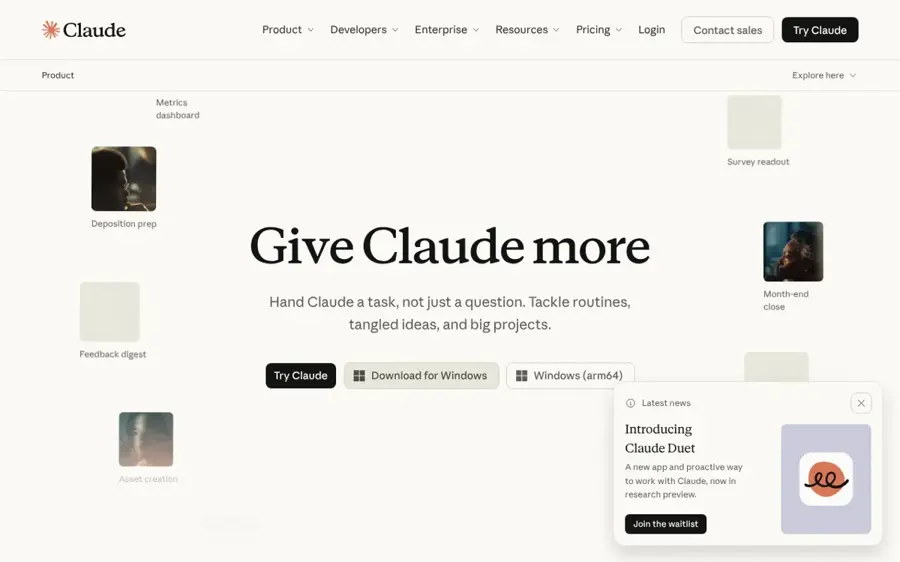
Claude is Anthropic's assistant, and its desktop app for Windows can connect to your local files, browser and apps through desktop extensions.
Strengths
Claude's desktop app does more on your PC than most chatbots. Going by Anthropic's download page, desktop extensions are "locally installed and provide access to your local file systems, browsers, and native applications," and a quick-entry shortcut opens Claude from anywhere. Paid plans add Claude Code and Claude Cowork for longer tasks. Every plan, including Free, gets up to a 1M-token context window on the plans page, which matters if you work with long documents.
The limits are the sore point. Anthropic reshuffled its top tiers in early November: UsagePricing tracked Max 20x becoming a separate $200 Ultra plan, with Max at $100. On Trustpilot (1.5 from 2,122 reviews), one user summed it up as "Impressive AI but wow, the support team is one of the worst I've encountered." I think Claude's the best pick here for long writing and file-heavy work, but light users may hit the free limits fast.
Key features
- Desktop extensions for local files, browsers and native apps.
- Quick entry from anywhere on your system.
- Up to a 1M-token context window on every plan.
- Claude Code and Cowork on paid plans.
- Enterprise deployment with MSIX installers on Windows.
Pros
- Deepest local file access of the big chatbots.
- Strong for long documents and writing.
- Pro drops to $17 a month on yearly billing.
Cons
- Usage limits come up often in user complaints.
- Opus models need a paid plan.
- Support has a poor reputation.
Claude pricing: Free, then paid plans from $20/month, or $17/month billed yearly (checked November 2026). See pricing
Related: Claude AI review
Verdict: the pick for people who live in documents.
Google Gemini – best for Google account users
Gemini is Google's assistant, and since September 2026 it has a native Windows app for Windows 10 and 11.
Strengths
Google took its time here. Google's launch post says you press Alt + Space to open Gemini over whatever you're working on, and the app can pull information from Gmail and Drive, hand tasks to the Gemini Spark agent, and make images with Nano Banana. Tech Insider confirms it runs on both x64 and ARM64 PCs, which covers Snapdragon laptops too.
It's a first release, and it shows. Tech Insider argues the app's "only system-level hook is a keyboard shortcut," while Copilot is built into Windows itself. On Trustpilot, Gemini scores 1.4 from 1,443 reviews, though many complaints are about voice commands and the mobile app rather than the PC. If your work runs through Gmail and Drive, I'd probably choose it over Copilot anyway.
Key features
- Alt + Space overlay that opens above any window.
- Answers grounded in Gmail and Google Drive.
- Image creation with Nano Banana and video with Gemini Omni.
- Gemini Spark agent for multi-step tasks.
Pros
- Free download with a Google account.
- Runs on x64 and ARM64 Windows PCs.
- Natural fit for Google Workspace users.
Cons
- Shallow Windows integration so far.
- Alt + Space can clash with other shortcuts.
- Weak public ratings.
Google Gemini pricing: Free, then Google AI Pro from $19.99/month (checked November 2026). See pricing
Related: Gemini vs ChatGPT
Verdict: worth it for Google users, not yet a Copilot killer.
Perplexity Comet – best for research while browsing
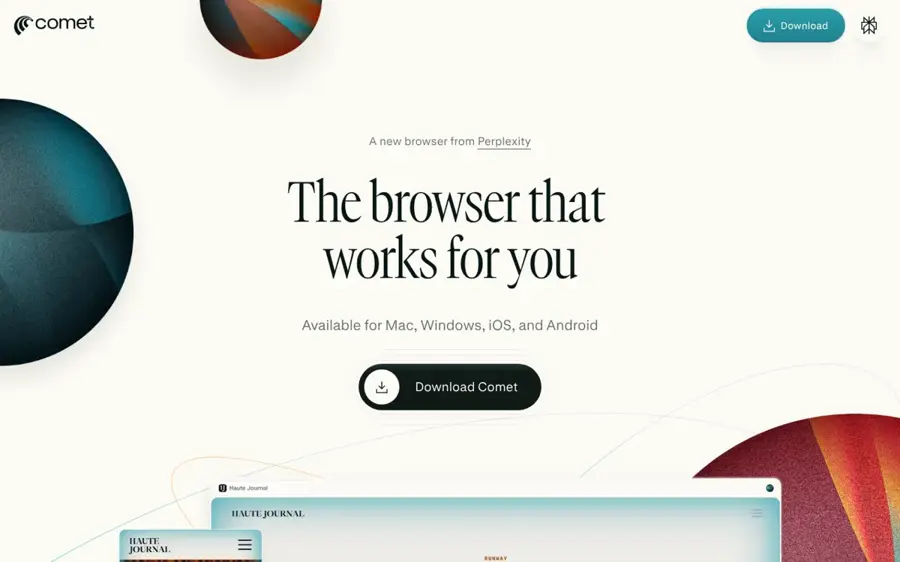
Comet is Perplexity's AI browser for Windows and Mac, with the Perplexity assistant built into every tab.
Strengths
Comet suits people who do most of their AI work on the web. Tom's Guide reports it's "entirely free to download and use," and that you can ask the assistant about the page you're viewing. Perplexity Pro, at $20 a month in Tom's Guide's coverage, adds more powerful searches.
Billing is the weak spot. Perplexity's Trustpilot page sits at 1.4 from 851 reviews, and even a satisfied subscriber wrote "The platform is good but as always is developing and improving" before criticising customer service. Switching your whole browser is a big ask (I'd try it as a second browser first).
Key features
- A full browser with Perplexity's assistant in the sidebar.
- Questions about the page you're reading.
- Import of bookmarks, passwords and history from your old browser.
- Cited answers from Perplexity search.
Pros
- Free to download and use.
- Good for research with sources.
- Works on Windows and Mac.
Cons
- Means changing browsers.
- Complaints about surprise charges after trials.
Perplexity Comet pricing: Free, then Perplexity Pro from $20/month (checked November 2026). See pricing
Related: Perplexity vs ChatGPT Perplexity Computer vs other AI agents
Verdict: great second browser, risky first one.
Grammarly – best for writing in any app
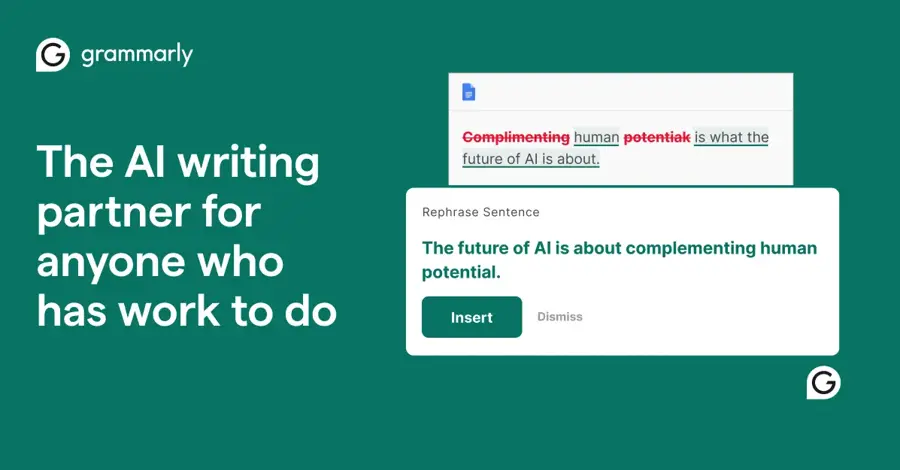
Grammarly is an AI writing assistant whose Windows desktop app checks and rewrites text inside other programs.
Strengths
Grammarly doesn't ask you to open a new window. The desktop page says it works in "1 million+ apps and programs," including Word, email clients and browsers, and you can switch it off in any app you'd rather keep private. On the plans page, the free tier includes 100 AI prompts a month and Pro raises that to 2,000 per member.
It also has the best public rating on this list: 3.1 from 10,492 reviews on Trustpilot. One Windows user did complain that changing tone in the Windows app "opens the Chrome one instead" of their default Edge browser. Small thing, but annoying.
Key features
- Grammar, spelling and tone suggestions across desktop apps.
- AI drafting and full-sentence rewrites.
- AI-text detection and plagiarism checks on Pro.
- A per-app off switch for private writing.
Pros
- Works inside the apps you already use.
- Best user rating here.
- Pro is cheaper than most chatbot plans.
Cons
- Only 100 AI prompts a month free.
- Upgrade pop-ups annoy some users.
Grammarly pricing: Free, then Pro from $12/month (checked November 2026). See pricing
Related: Grammarly AI review
Verdict: the easiest way to add AI to every text box on your PC.
LM Studio – best for private, offline chat
LM Studio is a free desktop app for downloading and running open AI models on your own PC, with a chat interface that feels like ChatGPT.
Strengths
LM Studio is the friendliest way to run AI locally. It's a free download for Windows (version 0.4.28 on the download page when I checked), and once a model is on your drive, your chats don't need the internet. The catch is hardware. LM Studio's system requirements ask for an x64 CPU with AVX2 or a Snapdragon X Elite chip, at least 16GB of RAM and 4GB of dedicated video memory.
Public reviews are too thin to mean much. LM Studio has only two reviews on Trustpilot, and the one about software behaviour concerns Linux file settings, not Windows. Local models are probably weaker than GPT-6 or Claude for hard tasks, but for drafts and private notes they're often enough.
Key features
- Download and chat with open models in one app.
- Fully offline chat once a model is downloaded.
- Supports x64 and ARM Windows PCs.
- A headless mode called llmster for servers.
Pros
- Free, with no account needed.
- Prompts stay on your PC.
- Easy for non-developers.
Cons
- Needs 16GB of RAM and a decent GPU.
- Local models trail the top cloud models.
- Big model files eat disk space.
LM Studio pricing: Free (checked November 2026). See pricing
Verdict: the pick if privacy beats convenience.
Ollama – best for developers and tinkerers
Ollama is an open-source tool for running open models locally on Windows, with optional cloud models for machines that can't keep up.

Strengths
Ollama is the developer's choice. Its home page claims 9M+ installs a month, and the GitHub counter showed 186.2K stars when I looked, which is a fair sign of how widely it's used. On Windows you install it with one PowerShell command from the download page, which also warns that "Large models are slow on a computer without a strong GPU." Ollama's hardware docs list Nvidia support from older GTX cards up to the RTX 50 series.
When your PC can't cope, cloud models fill the gap. Looking at the pricing page, local use needs no subscription, cloud models are billed per million tokens, and the Pro plan includes $60 of usage credits a month. I couldn't see Pro's dollar price on that page, so check it before you sign up.
Key features
- Runs open models locally from the command line or API.
- Cloud models for slower PCs, billed per token.
- OpenAI and Anthropic API compatibility for your own apps.
- Nvidia GPU support from GTX 750 cards upward.
Pros
- Free for local models.
- Huge developer community.
- Cheap cloud pricing for open models.
Cons
- Command line first, so less friendly than LM Studio.
- Large local models need a strong GPU.
Ollama pricing: Free for local use, then pay-as-you-go cloud usage or Pro and Max plans (checked November 2026). See pricing
Verdict: install it if you code; skip it if you don't.
Choosing the right AI software for PC
Start with what's already on your PC
Copilot is likely already pinned to your taskbar. Try it for a week before you install anything else, especially if you already pay $9.99 a month for Microsoft 365 Personal. If it's not enough, you've lost nothing.
Match the assistant to where your files live
Pick the AI that can see your work. Gmail and Drive users get the most from Gemini; OneDrive and Office users from Copilot; people with lots of local documents from Claude's desktop extensions.
Check your hardware before going local
Local AI isn't free if you need a new graphics card. LM Studio recommends 16GB of RAM and 4GB of dedicated video memory, and most budget laptops don't have that. If yours doesn't, Ollama's cloud models or a regular chatbot will probably serve you better.
Pay for one assistant, not three
The $20-a-month tiers from OpenAI, Anthropic, Google and Perplexity overlap heavily. In my view, most people should pay for one, keep the others on free plans, and only upgrade when they hit limits every week.
Free vs paid: what you actually get
Free plans are better than they were a year ago. ChatGPT's free tier gives unlimited GPT-6 text chats; Claude's free plan includes web search, memory and desktop extensions; Copilot and Gemini are free to download. What you don't get is volume. Free users get limited uploads, image creation and deep research on ChatGPT, and Claude Free has tighter limits every five hours and every week.
| Tool | Free plan covers | Cheapest paid plan adds |
|---|---|---|
| ChatGPT | Unlimited GPT-6 Luna chats, limited images and uploads | Go ($8): more uploads, images, voice and memory, may include ads |
| Microsoft Copilot | Chat, images and voice in the app | Personal ($9.99): Copilot in Office apps, 1 TB storage |
| Claude | Sonnet and Haiku, up to 5 projects | Pro ($20): Opus, Claude Code, Cowork, more usage |
| Grammarly | Grammar fixes, 100 AI prompts a month | Pro ($12): rewrites, tone changes, 2,000 prompts |
| LM Studio | Everything | No paid plan for the app |
So when should you pay? When you hit a limit more than once a week. That's my rule of thumb, and it's cheaper than guessing.
Final verdict
For most people, ChatGPT is the right AI software for PC: the free desktop app does the most, and $8 a month for Go is an easy step up. Copilot's the better choice if you already pay for Microsoft 365, and Claude's the one I'd pick for heavy document work. If you care more about privacy than raw ability, put LM Studio on a PC with 16GB of RAM and keep your chats at home.
FAQ
What is the best free AI software for PC?
ChatGPT's free desktop app is probably the best all-rounder, with unlimited GPT-6 Luna text chats. Copilot is free and already built into Windows 11. If you want something that works offline, LM Studio is free and runs open models on your own hardware, as long as you have about 16GB of RAM.
Can I run AI on my PC without the internet?
Yes. LM Studio and Ollama both download open models to your drive and run them locally, so chats don't need a connection once a model is installed. You'll want at least 16GB of RAM and a graphics card with 4GB or more of video memory, according to LM Studio's requirements. Cloud chatbots like ChatGPT need the internet.
Is Copilot free on Windows 11?
The Copilot app is free with a Microsoft account, with some usage limits. Using Copilot inside Word, Excel and PowerPoint needs a Microsoft 365 plan, starting with Personal at $9.99 a month. Work accounts need a Microsoft 365 Copilot license for the full in-app features since April 2026.
Does Gemini have a Windows app?
Yes. Google launched the Gemini app for Windows 10 and 11 on September 10, 2026. You download it from gemini.google/desktop and open it with Alt + Space. It supports x64 and ARM64 PCs and can pull information from Gmail and Drive.
Is it safe to use AI software on my PC?
Mainstream apps from OpenAI, Microsoft, Anthropic and Google are safe to install from their official sites. The bigger question is data: cloud chatbots send your prompts to their servers, and Claude, for example, uses chats for training unless you opt out. For sensitive work, local tools like LM Studio keep prompts on your machine.