8 best image analysis AI tools in 2026, compared side by side
The best image analysis AI for chat, camera search, OCR at scale and custom detection, with free tiers and real prices for each.
 Written byMuhammad Usman SiddiquiFounder and editor-in-chief
Why you can trust The AI Future
Our writers research every product from its official pages, independent tests and user reports, link each claim to its source and correct mistakes openly. Unless an article says otherwise, we haven't tested the product hands-on ourselves. Companies can't pay for coverage or see reviews before they're published.
Read our editorial policy
Short answer: for most people, the best image analysis AI is the chatbot you already pay for. ChatGPT is my first pick because it reads photos, screenshots, charts and handwriting well, and its Go plan costs $8 a month. If you're a developer who needs to tag or scan thousands of images automatically, skip the chat apps and use a pay-per-image API like Google Cloud Vision or Amazon Rekognition, which both cost about a tenth of a cent per image.
The split matters more than any single feature. Chat assistants are great at explaining one picture in plain words; cloud vision APIs are dull but cheap, and they're built to run on a million photos overnight. Then there's a third group, led by Roboflow, for teams that need to train their own model to spot something specific, like a cracked weld or a missing hard hat. I've ranked eight tools across those three groups below.
Key takeaways
- ChatGPT, Gemini and Claude all read images on their free plans, but uploads are capped, so heavy users will hit limits fast.
- Google Lens is the easiest free option for identifying plants, products, landmarks and text from your phone camera.
- Google Cloud Vision and Amazon Rekognition give you 1,000 free images a month, then charge roughly $1 to $1.50 per 1,000.
- Roboflow is the pick when off-the-shelf labels aren't enough and you need a custom detection model.
Our ranking method
We ranked each tool on six things, using official documentation, pricing pages and published independent results:
- Accuracy on everyday images, such as photos, screenshots, receipts and charts.
- Range of tasks, including text extraction, object detection, captioning and question answering.
- Free allowance and how quickly you'd outgrow it.
- Price once you pay, compared per month or per 1,000 images.
- Ease of use for someone who doesn't write code.
- Options for developers, such as an API, batch processing and custom training.
General assistants rank highest because they handle the widest spread of jobs for one person. The APIs rank lower only because they need some setup; for their job, they're probably the better buy.
The 8 best image analysis AI tools at a glance
| # | Tool | Category | Best for | Free tier | Starts at |
|---|---|---|---|---|---|
| 1 | ChatGPT | AI assistant | Explaining any image in plain words | Yes (limited) | $8/mo |
| 2 | Google Gemini | AI assistant | Budget pick and Google users | Yes (limited) | $4.99/mo |
| 3 | Claude | AI assistant | Documents, charts and diagrams | Yes (limited) | $20/mo |
| 4 | Google Lens | Visual search app | Identifying things with your camera | Yes | Free |
| 5 | Google Cloud Vision | Vision API | OCR and labels at scale | Yes (limited) | $1.50 per 1,000 images |
| 6 | Amazon Rekognition | Vision API | AWS teams and content moderation | Yes (limited) | $0.001 per image |
| 7 | Azure AI Vision | Vision API | Microsoft shops | Yes (limited) | Pay as you go |
| 8 | Roboflow | Custom vision platform | Training your own detector | Yes (limited) | $39/mo |
The best image analysis AI tools in 2026, ranked
ChatGPT – best for explaining any image in plain words
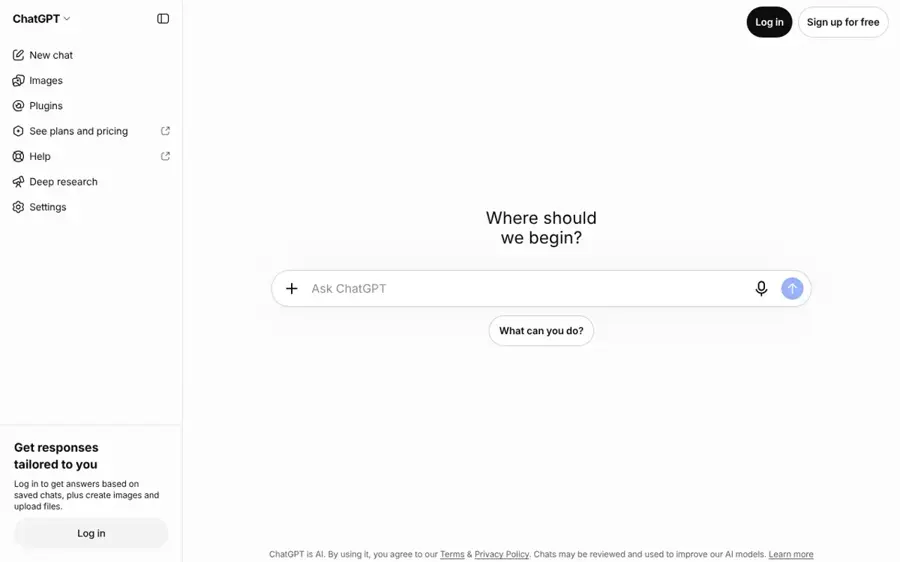
OpenAI's ChatGPT lets you upload a photo, screenshot or scan and ask questions about it in normal language, on the web and in its iOS and Android apps.
Strengths
If you only pick one tool, pick this one. It's flexible: you can hand it a blurry receipt, a whiteboard photo or an error-message screenshot and get a sensible answer, then ask follow-up questions in the same chat. GPT-6 now runs the paid plans, and the free plan gets the lighter GPT-6 Luna model.
The weak spot is the free tier. On the plans page, vision and uploads are both marked "Limited" for free users, so it's fine for a few images a day but not for real work.
Key features
- It reads photos, screenshots, PDFs and handwriting in the same chat.
- Voice with video lets you point your phone camera at something on paid plans.
- Data analysis can pull numbers out of a chart image into a table.
- It works on the web, iOS, Android and desktop.
- Projects keep related images and notes together on Plus.
Pros
- Handles the widest range of image questions of any tool here.
- Go is a cheap way in at $8 a month.
- Follow-up questions make it good for learning as well as extracting.
Cons
- Free uploads run out quickly.
- The Go plan may show ads.
- It can sound confident about details it has misread, so check numbers.
ChatGPT pricing: Free, then paid plans from $8/month (Go), $20 for Plus and $100 to $500 for Pro. See pricing
Related: ChatGPT GPT-6 review Best ChatGPT alternatives
Verdict: the safest default for anyone analysing images by hand.
Google Gemini – best for budget users and Google accounts
Google's Gemini assistant accepts images and files, and the same Google AI plans also raise your limits in Google Lens, Gmail and NotebookLM.
Strengths
Gemini is the cheapest serious upgrade here. Google AI Plus dropped to $4.99 a month in June and now comes with 400 GB of storage, which I think makes it a strong deal if you already live in Google Photos and Drive. Plus doubles your Gemini usage compared with the free tier.
Gemini's file handling is generous too. Google's subscription page talks about uploading up to 1,500 pages of documents, and its homework feature explains a photo of a problem step by step (handy for students, less so for business users).
Key features
- You can upload images, screenshots and long documents to one chat.
- Gemini Live lets you show it things through your phone camera.
- Paid plans add the Gemini 4 Hydrogen model, and Pro adds Gemini 4 Argon.
- It connects to Gmail, Drive and other Google apps.
Pros
- Lowest entry price of any paid assistant here.
- Storage is bundled, so the plan replaces a Google One bill.
- Good at photos of homework and printed text.
Cons
- The plan names and model names change often, which gets confusing.
- The free tier uses the smaller Flash-Lite model.
- Best features lean on you using other Google apps.
Google Gemini pricing: Free, then paid plans from $4.99/month (Google AI Plus); Ultra is $199.99. See pricing
Related: Gemini AI vs ChatGPT
Verdict: if $20 a month feels steep, start here.
Claude – best for documents, charts and diagrams
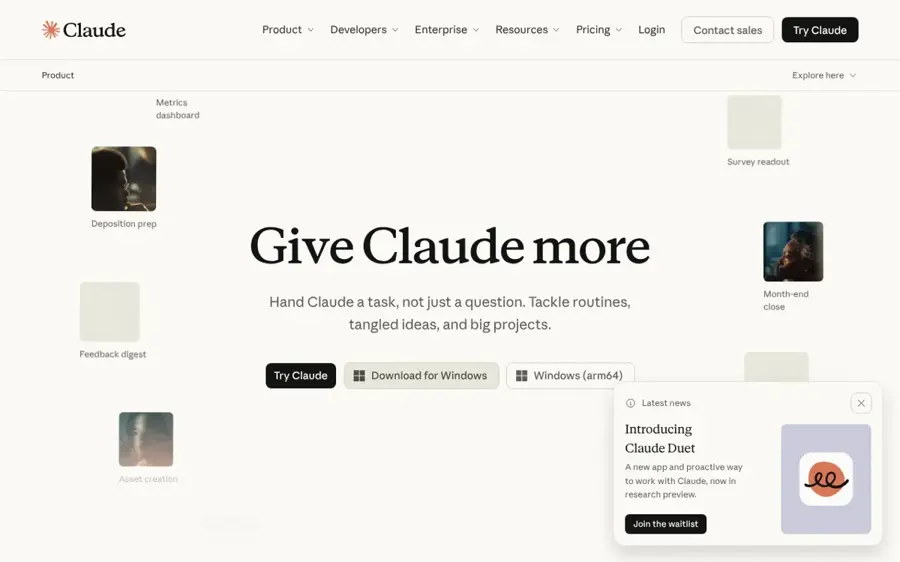
Anthropic's Claude reads images and PDFs you upload, and it's especially good with dense pages full of tables, charts and small print.
Strengths
Claude is the one I'd give a 40-page scanned report or a messy architecture diagram. Every plan, free included, has a context window of up to 1M tokens, so long multi-page uploads fit in one conversation. Its answers on charts tend to be careful about what it can and can't see, which I like.
It's less of a fit for casual photo questions on the go. There's no camera-first mode like Lens or Gemini Live, and the free plan's limits reset every five hours.
Key features
- It reads images, screenshots and PDFs, including tables and charts.
- Code execution can turn a chart or table image into a spreadsheet file.
- Free users get Sonnet and Haiku; paid plans add Opus.
- Projects keep reference images and documents together.
Pros
- Strong on long, text-heavy images and scans.
- Large context window even on the free plan.
- You can opt out of model training on every plan.
Cons
- No real camera or live-video mode.
- Usage limits are shared with everything else you do in Claude.
- Pro costs $20, more than Gemini or ChatGPT Go.
Claude pricing: Free, then paid plans from $20/month ($17 billed annually); Max is $100 and Ultra $200. See pricing
Related: Claude AI review Best Claude alternatives
Verdict: the best reader of paperwork on this list.
Google Lens – best for identifying things with your camera
Google Lens is Google's free visual search tool: point your camera or a screenshot at something and it tells you what it is.

Strengths
For quick, everyday image analysis, Lens is hard to beat, and it's free. It identifies plants, dog breeds, landmarks and artwork, finds where to buy a product, and copies or translates text in over 100 languages. It's built into the Google app, Chrome on desktop and the camera on some Android phones.
It's a search tool, though. Lens matches what you see against the web; it won't write you a detailed report about an image the way ChatGPT will.
Key features
- It identifies objects, plants, animals and landmarks from a photo.
- Text in images can be copied or translated live.
- Shopping results show where to buy a product you've photographed.
- You can hold the shutter button and ask a spoken question.
- Homework help finds explainers for maths and science problems.
Pros
- Completely free with no upload cap to worry about.
- Fast, and already on most Android phones.
- Translation of signs and menus is genuinely useful when travelling.
Cons
- Answers are web results, not careful analysis.
- Shopping results are limited to certain countries.
Google Lens pricing: Free. See Lens
Related: Lenso AI review
Verdict: install-free and good enough for most "what is this?" moments.
Google Cloud Vision – best for OCR and labels at scale
Google Cloud Vision is an API that detects labels, text, faces, landmarks, logos and unsafe content in images you send it, billed per image.
Strengths
This is where you go when you've got 50,000 product photos to tag or a folder of scanned invoices to read. The first 1,000 units each month are free, then most features cost $1.50 per 1,000 up to five million. Text detection drops to $0.60 per 1,000 above that, which is cheap for large OCR jobs.
Billing is per feature, per image. Run label detection and face detection on one photo and you're charged twice; I'd guess that catches out a lot of first-time users.
Key features
- Label detection tags what's in a photo.
- Text and document text detection handle OCR, including multi-page PDFs.
- Safe Search flags explicit content.
- Object localization returns where objects sit in the frame.
- Web detection finds matching images online for $3.50 per 1,000.
Pros
- 1,000 free units a month for every feature.
- Very low per-image cost at volume.
- Mature, well-documented API.
Cons
- Needs a Google Cloud account and some code.
- Per-feature billing adds up if you stack features.
- Returns labels and boxes, not written explanations.
Google Cloud Vision pricing: 1,000 free units a month, then from $1.50 per 1,000 images per feature. See pricing
Verdict: the default API for OCR-heavy projects.
Amazon Rekognition – best for AWS teams and moderation
AWS's Amazon Rekognition analyses images and video for labels, text, faces, celebrities, unsafe content and safety gear, all through an API.
Strengths
If your files already sit in Amazon S3, Rekognition is the obvious choice. The everyday calls (DetectLabels, DetectText, DetectModerationLabels) cost $0.0010 per image for the first million each month and $0.0008 after that, so 2.5 million label checks run to about $2,200. New accounts get 1,000 free images a month in each API group for 12 months.
Face search is where it gets sensitive. Rekognition can store face vectors and match people across photos, which is powerful and, in my view, something you should only use with clear consent and a legal review.
Key features
- Label, text and moderation detection on images.
- Face comparison and face search against a stored collection.
- Protective equipment detection for workplace safety checks.
- Video analysis is available as a separate product.
Pros
- Clear per-image pricing with volume discounts.
- Fits neatly into existing AWS setups.
- Good moderation tools for user-uploaded content.
Cons
- The free tier only lasts 12 months.
- Face features raise real privacy and legal questions.
- No friendly app for non-developers.
Amazon Rekognition pricing: No standing free plan (12-month free tier for new accounts), then from $0.001 per image. See pricing
Verdict: the pick for AWS users who moderate uploads at scale.
Azure AI Vision – best for Microsoft shops
Microsoft's Azure AI Vision, now part of Foundry Tools, tags images, reads text, writes captions and detects people and objects through an API.
Strengths
Azure's free F0 tier is the most generous of the three cloud APIs: 5,000 transactions a month, capped at 20 per minute. That's enough to prototype properly before you spend anything. It also writes captions and dense captions, which is closer to what a chatbot does than Google's or Amazon's plain labels.
Pricing is the frustrating part. The public page shows tiers but no dollar figures without signing in to the calculator, so budgeting takes extra steps.
Key features
- Image tagging, object detection and people detection.
- OCR through the Read feature.
- Captions and dense captions describe images in sentences.
- Custom image classification and object detection, in preview.
- Background removal is free on the Standard tier, in preview.
Pros
- 5,000 free transactions a month with no time limit stated.
- Captions give readable sentences on top of tags.
- Good fit for teams already on Azure.
Cons
- Prices aren't shown publicly without the calculator.
- Several features are still marked preview.
- The free tier's 20-per-minute cap is slow for batch jobs.
Azure AI Vision pricing: Free tier with 5,000 transactions a month, then pay-as-you-go per 1,000 transactions. See pricing
Verdict: worth it mainly if your company already pays Microsoft.
Roboflow – best for training your own detector
Roboflow is a platform for labelling images, training custom computer vision models and deploying them to the cloud or to devices like a Raspberry Pi.
Strengths
Generic labels won't tell you whether a solder joint is faulty. Roboflow will, once you've trained a model on your own examples. The free tier includes 10 credits a month, which Roboflow says is enough to train around 30 models or run 80,000 inferences, and it supports models like RF-DETR, YOLO26 and SAM 3.
It's more work than anything else here, honestly. You'll need labelled images and some patience, though the Roboflow Agent is meant to take you from an idea to a deployed model.
Key features
- Labelling tools and dataset management in one place.
- Training for dozens of model architectures.
- Cloud inference on autoscaling GPUs or self-hosted on Jetson and Raspberry Pi.
- Workflows chain models, logic and integrations.
- Model weights download on paid plans.
Pros
- The only pick here built for custom detection.
- Free tier is big enough for real experiments.
- Runs on cheap edge hardware.
Cons
- Credit-based pricing takes some working out.
- You need your own labelled data.
- Enterprise features like SLAs need custom pricing.
Roboflow pricing: Free, then paid plans from $39/month. See pricing
Verdict: overkill for one photo, ideal for a factory line.
Choosing the right image analysis AI tool
Count your images before you pick
Ten photos a week? A chat assistant is fine. Ten thousand a day needs an API, because chat apps cap uploads and can't run in a loop without the developer platform.
Match the output to the job
Chat assistants give you paragraphs. APIs give you tags, bounding boxes and extracted text as JSON, which is what a spreadsheet or database wants. Pick the format you'll actually use next.
Use a custom model only for narrow problems
If you need to spot one specific defect or object, Roboflow-style training is likely worth it. For general "what's in this photo" questions, the stock models are good enough and far less work.
Check the privacy terms for faces and documents
Uploading ID cards, medical scans or photos of people carries real risk. Claude lets you opt out of training on every plan; for cloud APIs, read the data terms before sending anything personal. Face matching of real people without consent can be illegal in many places.
Free vs paid plans for image analysis
Free plans are surprisingly useful here. Google Lens costs nothing, ChatGPT, Gemini and Claude all accept a handful of images a day, and the three cloud APIs each give you 1,000 to 5,000 free images a month.
For occasional use, I don't think you need to pay at all.
Paying makes sense in two situations. If you analyse images daily in a chat app, a $5 to $20 plan removes the upload caps and gives you the stronger model. If you're building something, the APIs' per-image pricing is so low (about $1.50 per 1,000 on Google) that the bill is probably the smallest part of the project.
| Tool | Free allowance | First paid step |
|---|---|---|
| ChatGPT | Limited uploads and vision | $8/mo Go |
| Google Gemini | Flash-Lite model, lower limits | $4.99/mo AI Plus |
| Claude | Limited, resets every 5 hours | $20/mo Pro |
| Google Lens | Free | None |
| Google Cloud Vision | 1,000 units/month per feature | $1.50 per 1,000 |
| Amazon Rekognition | 1,000 images/month for 12 months | $0.001 per image |
| Azure AI Vision | 5,000 transactions/month | Pay as you go |
| Roboflow | 10 credits/month | $39/mo |
Final verdict
Most people should start with ChatGPT; it's the most capable all-rounder, and $8 a month for Go is fair. Choose Gemini if you want the cheapest paid plan or already use Google's apps heavily. Choose Claude if your images are mostly documents and charts.
Developers have an easier call than it looks. Pick the cloud you're already on, whether that's Google Cloud Vision, Rekognition or Azure, because the price gap between them is small and switching clouds for a vision API rarely pays off. And if you're trying to make sense of AI-made pictures rather than real photos, our guide on how to tell if a photo is AI generated is a better place to start.
FAQ
What is image analysis AI?
It's software that looks at a picture and tells you what's in it: objects, text, faces, scenes or problems. Some tools answer in sentences, while APIs return labels and coordinates. Our explainer on computer vision in AI covers the basics.
Is there a free image analysis AI?
Yes. Google Lens is fully free, and the big three assistants all take a few images a day without paying.
Which AI is best for reading text from images?
For a few images, ChatGPT or Claude will do it in a chat. For thousands, Google Cloud Vision's text detection is probably the better value at $1.50 per 1,000, falling to $0.60 above five million.
Can AI analyse images of people?
It can, and Amazon Rekognition even offers face search against a stored collection of face vectors, priced separately from ordinary image checks. But it's a legal minefield, and rules differ a lot between countries and US states. Only analyse photos of people with their consent, and never use these tools to identify strangers.
Can these tools create images too?
ChatGPT and Gemini can, and Lens now has a create mode. If generation is your main goal, see our list of the best AI image generators.