Luminar AI review: what replaced it, pricing, pros and cons
Luminar AI is discontinued and Skylum now sells plain Luminar. We weigh its AI tools, $99 licence, Prime catch and Skylum's track record.
 Written byRahis SaifiCo-founder and news editor
Why you can trust The AI Future
Our writers research every product from its official pages, independent tests and user reports, link each claim to its source and correct mistakes openly. Unless an article says otherwise, we haven't tested the product hands-on ourselves. Companies can't pay for coverage or see reviews before they're published.
Read our editorial policy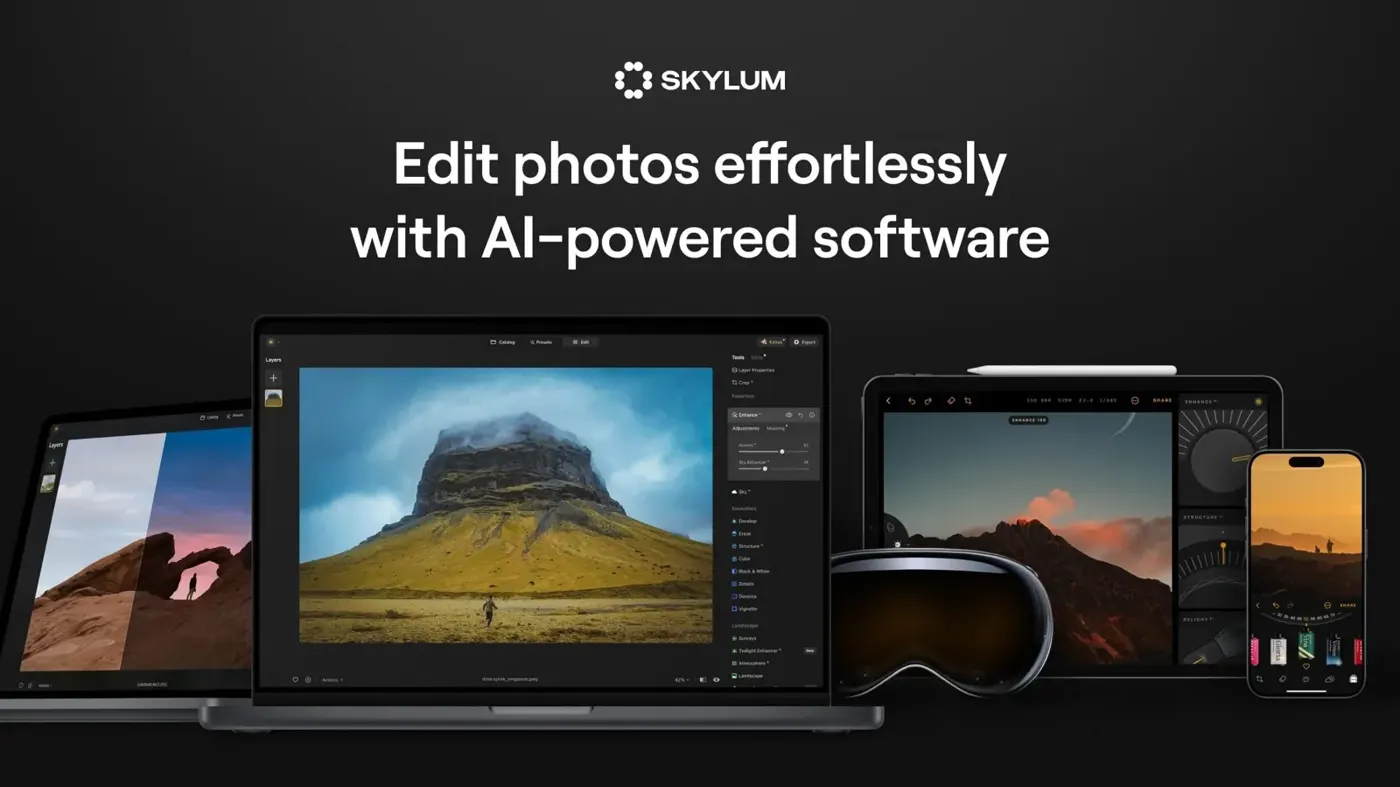
Our verdict on Luminar (formerly Luminar AI and Luminar Neo, Skylum)
Luminar AI is a dead end, but its successor Luminar is a capable, fairly cheap one-click editor for hobbyists who want quick skies and enhancements. Pros who need a fast catalogue, or anyone wanting a long-term guarantee, should probably look elsewhere.
Pricing No free plan; Desktop Only $99 one-time, All Platforms $139, Max $159 (includes 1 year of Luminar Prime); generative tools need Prime after year one
Visit Luminar (formerly Luminar AI and Luminar Neo, Skylum)Luminar AI is Skylum's old one-click photo editor, and you can't buy it any more. Skylum stopped selling it on October 3 after Luminar Neo replaced it, and this summer Neo itself dropped the "Neo" and became plain Luminar. So if you type "luminar ai" into a search bar now, you'll land on Skylum's AI editor page, which sells the current Luminar. I think that newer app is a decent buy for hobbyists who want quick, good-looking edits, though Skylum's habit of retiring products makes me cautious about calling it a safe long-term bet.
This review covers both: what happened to Luminar AI, and whether the Luminar that replaced it is worth your money now.
Luminar AI in brief
Luminar AI launched in 2020 as a template-driven editor for macOS and Windows. It suggested looks for each photo and leaned hard on automatic tools like sky replacement. It also dropped some things Luminar 4 had, layers included, which annoyed plenty of existing users.
Luminar Neo arrived as its successor, with layers back and newer tools such as Relight AI and Mask AI. For a while Skylum sold both side by side. That ended when Luminar AI came off sale on October 3, and the Neo launch drew a lot of complaints from owners who'd expected updates rather than a new product to buy.
The rename followed this summer. Skylum confirmed Luminar Neo would be called just Luminar, alongside a reworked interface. Honestly, that's the most sensible naming decision the company has made in years (the version soup had got silly).
If you still own Luminar AI, it keeps working on the machine where it's installed. Don't expect new features, though. Skylum's attention is on Luminar, and that's the product the rest of this review weighs up.
Key features
One-click AI edits
The core idea hasn't changed since Luminar AI: let the software do the boring work. On the product page you'll see more than 20 AI effects and tools, with SkyAI swapping skies and adding matching reflections in a click. Presets get suggested per image, much as templates did in the older app.
Enhance AI was rebuilt in the fall update that reached eligible users on October 28. It now sorts each photo into one of eight scenarios before it touches anything, and it protects bright areas instead of blowing them out. That's a direct answer to the over-processed look one-click sliders are known for. Whether it fully fixes it is another question.
Atmosphere and Smart Composition
Atmosphere used to lay prepared fog textures over a picture. The new version builds volumetric fog that takes its colour from the scene and reacts to light and depth, and the four old fog modes became separate presets.
Smart Composition replaces the old single crop suggestion. It reads the subject, where people are looking and the horizon, then offers several crops based on rules like thirds and the Golden Spiral. You pick one. I like that it hands the decision back to you; the earlier Composition AI was criticised in at least one French review for proposals that felt like a gimmick to experienced users.
AI Assistant and generative tools
The AI Assistant lets you describe a result in plain words, and it applies Luminar's own sliders to get there. You can see and change what it did afterwards.
That's a smarter design, I'd say, than a black box that spits out a finished image.
Alongside it sit GenErase, GenSwap and GenExpand for removing, replacing and extending parts of a photo, plus a Restoration tool for old prints. If you're curious how these compare with full image generators, our guide to the best AI image generators covers the other side of the fence.
Layers, RAW and plug-in use
Luminar handles RAW files from the major camera brands, edits non-destructively and supports layers and masks. It runs on its own or as a plug-in for Photoshop, Lightroom and Apple Photos. There's also a mobile app, and a web editor arrived with the fall update, with mobile-to-desktop sync working one way for now.
System requirements
You'll need at least an 8th-gen Intel Core i5 (or a Ryzen 5 on Windows), 8 GB of RAM with 16 GB recommended, and 10 GB of disk space. On a Mac, macOS 13 or later is required from version 1.28.1; Windows needs 64-bit Windows 10 version 1909 or newer. An SSD is recommended for best performance, and the display needs to be at least 1280x768. None of that's demanding for a recent computer, but older laptops with 8 GB of RAM will likely struggle once you start stacking masks and generative edits on large RAW files, which is exactly where Luminar's speed complaints tend to come from.
Pricing and plans
There's no free plan. Skylum sells perpetual licences, often at heavy discounts, and the list prices shown on the Luminar pricing page are struck through next to the sale prices, so the "real" price is hard to pin down.
| Plan | Price shown now | What you get |
|---|---|---|
| Desktop Only | $99 one-time (list $417) | Luminar on 2 computers forever, existing features, fall 2026 upgrade, 1 year of generative AI tools |
| All Platforms | $139 one-time (list $477) | Desktop plus mobile on 3 devices, web on 3 devices, cross-device editing, Spaces web galleries |
| Max | $159 one-time (list $546) | All Platforms plus 1 year of Luminar Prime: new features, generative tools and the asset library |
The fine print matters here. The licence is yours for good, but GenErase, GenSwap, GenExpand, Restoration and the AI Assistant only come with a year of access. After that you'll need Luminar Prime, the annual subscription that replaced Skylum's old season passes. Core tools like Sky AI and Background Removal AI stay usable without it.
That split frustrates me a little. You buy a "lifetime" licence for an AI editor, and the newest AI bits turn into a subscription. There's a 30-day money-back guarantee, which softens it somewhat.
Performance and independent testing
The longest-running complaint about Luminar is speed. It's often described as sluggish next to Lightroom or Capture One, with an interface that's slower and less predictable than rivals. Skylum's August release went straight at that. It claims exports up to 25% faster, masking that uses 33% less RAM, and preset previews that render four times quicker.
Those are vendor numbers, not lab results. I'd treat them as a direction of travel rather than a promise for your laptop.
An older gripe from one long-time Luminar writer still stands, as far as I can tell: to speed up rendering, Neo showed only the effects "below" the current tool in the stack, rather than previewing everything at once. The same writer stopped making Luminar tutorials because each relaunch made old guides outdated. That's a telling detail.
On the plus side, a French review that put the old Atmosphere AI through its paces found its depth mapping already produced believable fog. The new version should probably be better still, though I haven't seen a careful independent test of it yet.
Trust and track record
This is the part I'd weigh most.
Skylum has a pattern. It moved users from Aurora HDR to Luminar 4, then from Luminar 4 to Luminar AI, then from Luminar AI to Neo, each time as a new purchase rather than an update.
The latest example landed in October. Skylum announced it was closing Aperty, its AI portrait editor, on November 4. Aperty lifetime licences had sold for $250 with a promise of five years of updates, and it lasted about two. Skylum says Aperty's portrait tools now live inside Luminar.
None of that makes Luminar bad software. It does mean I wouldn't pay for a pre-order or a long promise from this company on trust alone.
Best suited to
Luminar suits hobbyists and casual photographers who want a polished landscape or portrait fast, without learning masks from scratch. (Our explainer on how AI is used for photos gives the wider picture.) It's also handy as a Lightroom or Photoshop plug-in for skies and fog, jobs where it's quicker than Adobe's own tools.
It's a weaker fit for pros who batch thousands of RAW files and need a fast, predictable catalogue. And if you just want to fix a few phone snaps, a free tool from our list of AI picture editors will likely do.
Luminar AI alternatives
Adobe Lightroom is the obvious rival: subscription-only, but with a stronger catalogue and AI masking. It's what most working photographers use.
Photoshop goes much further on generative fill and compositing, if you can handle the learning curve. Our walkthrough on how to use Photoshop AI shows the basics.
Capture One is the pick for tethered studio work and colour control. It costs more than Luminar and is less automatic, which is exactly why some people prefer it.
Verdict
Luminar AI itself is a dead end: don't buy a leftover key for it anywhere. Its successor, Luminar, is a capable and fairly cheap one-click editor that's had a genuinely useful year of fixes. I'd give it 3.5 out of 5. The Desktop Only licence at $99 is fair value if sky swaps and quick enhancements are what you're after. I'd skip Max unless you're sure you'll renew Prime, and I'd skip Luminar entirely if you need software you can count on for the next five years, because Skylum's record on that front is poor.
FAQ
Is Luminar AI still available?
No. Skylum stopped selling Luminar AI on October 3 after launching Luminar Neo, which has since been renamed Luminar. Existing copies still run, but they won't get new features. Skylum's Luminar AI web page now sells the current Luminar instead.
Is Luminar free?
No, there's no free plan.
The cheapest option shown now is the Desktop Only licence at $99, a one-time payment, and every plan has a 30-day money-back guarantee. Generative tools such as GenErase, GenSwap and GenExpand, plus Restoration and the AI Assistant, need a Luminar Prime subscription after the first year. Core AI tools like Sky AI and Background Removal AI keep working without it, so you aren't locked out of the app if you let Prime lapse.
What's the difference between Luminar AI and Luminar Neo?
Neo brought back layers, which Luminar AI lacked, and added tools such as Relight AI and Mask AI. Luminar AI was more template-driven and simpler. Neo is now just called Luminar and gets all of Skylum's updates.
Does Luminar work with Lightroom and Photoshop?
Yes. Luminar runs as a standalone app on macOS and Windows and as a plug-in for Adobe Photoshop, Adobe Lightroom and Apple Photos. That lets you send a photo out for a sky swap or fog effect and bring it back.
Is Luminar good for beginners?
Probably, yes. It's built around one-click AI edits and suggested presets, and the AI Assistant accepts plain-language requests. Beginners should check the hardware needs first, though: 8 GB of RAM is the minimum and 16 GB is recommended.
What we like
- Fast one-click edits such as SkyAI sky replacement and rebuilt Enhance AI
- Perpetual licence from $99 with a 30-day money-back guarantee
- Works standalone or as a plug-in for Photoshop, Lightroom and Apple Photos
- Fall update added volumetric fog, Smart Composition crops and an AI Assistant
- Layers, masks and RAW support
What could be better
- Luminar AI itself is discontinued and gets no new features
- Generative tools and AI Assistant need a Prime subscription after the first year
- Long-standing complaints that it feels slower than Lightroom or Capture One
- Skylum has repeatedly retired products, most recently Aperty