The Rundown AI review: is it worth it in 2026?
The Rundown AI's daily newsletter is free and quick. Its $29-a-month University Pro plan suits office workers, not engineers. Here's what you get.
 Written byMuhammad Usman SiddiquiFounder and editor-in-chief
Why you can trust The AI Future
Our writers research every product from its official pages, independent tests and user reports, link each claim to its source and correct mistakes openly. Unless an article says otherwise, we haven't tested the product hands-on ourselves. Companies can't pay for coverage or see reviews before they're published.
Read our editorial policy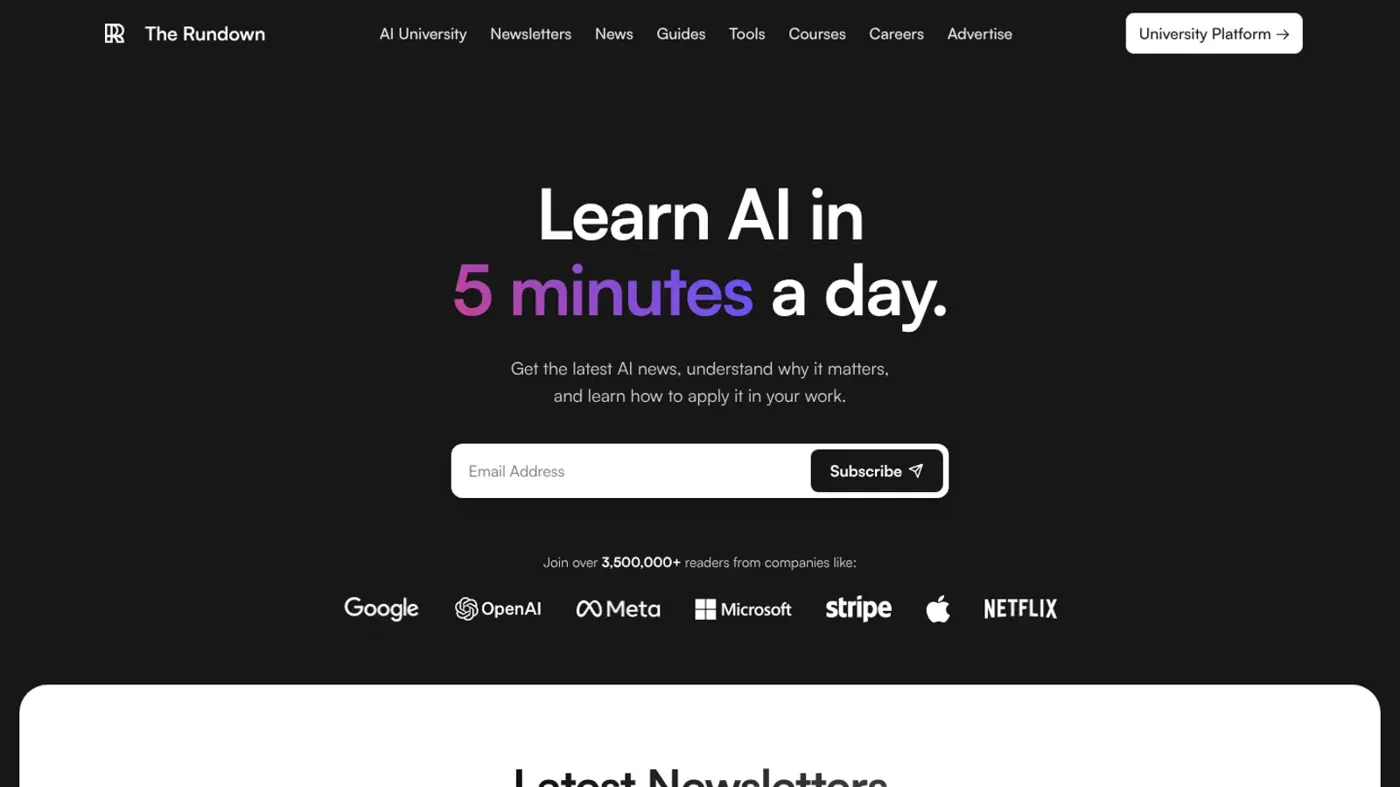
Our verdict on The Rundown AI
Subscribe to the free newsletter. Pay for University Pro month by month only if you're a non-technical professional with a specific course in mind; engineers and students should skip it.
Pricing Newsletter free; University Free $0; Pro $29/mo billed monthly (no refunds); Teams $290/seat/year, 20-seat minimum
Visit The Rundown AIThe Rundown AI is a free daily AI newsletter with a paid learning platform bolted on, called The Rundown University. The newsletter's worth subscribing to if you want a five-minute read on AI news each morning. The $29-a-month Pro plan is a harder call: I think it's fair value for office workers who want practical AI workflows, and poor value for anyone who wants technical depth.
That split matters, because most people searching "the rundown ai" only know the email. The company sells two different things, and you should judge them separately.
The Rundown AI at a glance
| Item | Details |
|---|---|
| Our rating | 3.5 out of 5 |
| Best for | Non-technical professionals who want short, practical AI lessons |
| Newsletter | Free |
| University Pro | $29/month, billed monthly, no refunds |
| Teams | $290 per seat per year, 20 seats minimum |
| Website | rundown.ai |
The Rundown AI in brief
Here's the short version. The Rundown AI, Inc. runs a daily AI newsletter founded by Rowan Cheung, plus a news site, a podcast called Rowan's Notes, a directory of AI tools and a paid course library. The pitch on the homepage is simple: "5 minutes a day" to get the latest AI news, why it matters and how to apply it at work.
Reader numbers depend on which page you land on. The main site claims "3,500,000+ readers", while the University's plans page says 2 million people read the newsletter and 32,000+ professionals learn on the platform. Both may be true for different lists (there are separate AI, tech and robotics newsletters), but I'd treat the bigger figure as a ceiling, not a headcount.
A 1.5 million gap is too big to be a rounding error.
The mental model I'd use is a funnel. The free email is the top. It builds trust and an audience, and that audience is the market for the University membership, team training and sponsored placements. None of that is sinister; it's how most media businesses work now. It does mean the newsletter has a commercial reason to keep you curious about the paid tier.
Key features
The daily newsletter
The core product is a short daily email covering the biggest AI stories, each with a line on why it matters. Recent headlines on the site give you the flavour: Serve Robotics opening its delivery network to outside developers, Tesla offering Cybercab to private buyers for $29,990, and an OpenAI study of 1,819 scientists. It's news-first and skimmable. Sister newsletters cover tech and robotics.
It costs nothing, so the only real price is inbox space.
Step-by-step guides
The University has a library of written guides on real work tasks. The plans page counts 221 of them, while the main site's copy says 300+ use cases, so the number you'll actually see probably sits somewhere in that range depending on what's counted. Free accounts can read the guides; downloads attached to some of them need Pro.
Courses and recorded workshops
Pro opens up "all 52 courses and recordings", plus 17 older recordings. Courses are built from live workshops, cut into short lessons, with a playground and a quiz. Recent titles include "You're Using 10% of Claude, Here's the Rest" (7 lessons, 1 hr 30 min), "Getting Real Work Out of Microsoft Copilot" (6 lessons, 1 hr 23 min) and "Claude Cowork 201" (7 lessons, 43 min). The course catalogue also lists NotebookLM for Work, Google Workspace Studio automations and an n8n content workflow workshop.
Notice the pattern. These are tool-specific, applied sessions for office work. You won't find maths, model training or Python-heavy engineering here, and the University's own landing page says so: it isn't for you if "You're looking for deep technical or engineering-level AI content". I appreciate that honesty; plenty of course sellers wouldn't print it.
Weekly live sessions and the Workflow Hub
Free members get one live session a week with Q&A. The recording is Pro-only, so if you miss it on a free account, it's gone. There's also a Workflow Hub where members share AI workflows, and that's open to both tiers.
Certification and partner perks
Pro includes the Rundown Certified Operator program: required courses and guides, then an assessment. It's a vendor credential, not an accredited qualification, so I'd expect it to carry modest weight with employers. Pro also lists 600+ partner deals on AI and software tools, with each partner deciding who qualifies, and the landing page promises one-year access to five partner tools valued at "$1656+" in total. Perk values like that are list prices, though. If you'd never pay for those five tools, they're worth far less to you.
Tool directory
The free tools section (branded Supertools) sorts AI products into categories and adds editorial shortlists such as best AI coding agents and best AI agent platforms. It's handy for browsing, but a directory run by a media company that also sells sponsorships deserves a little scepticism.
Pricing and plans
The University's plans are refreshingly short. Two personal tiers, one team option.
| Plan | Price | What you get |
|---|---|---|
| Newsletter | Free | Daily AI news email |
| University Free | $0, no card needed | Read 221 guides, one live session a week, Workflow Hub, progress tracking, first module of each course |
| University Pro | $29/month | Everything in Free, all 52 courses and recordings, 17 older recordings, guide downloads, session recordings, Certified Operator program, 600+ partner deals |
| Teams | $290 per seat per year | Pro for each person, managed rollout, monthly admin reports; 20 seats minimum, custom quote over 100 |
Three details in the small print matter. Pro is billed monthly in US dollars, you can cancel anytime, and "Payments aren't refunded." The page also says that joining at $29 a month locks that rate in for life. And I couldn't find an annual personal plan on the pricing page, which is unusual for a course subscription.
Here's a worked example with numbers. A year of Pro at $29 a month comes to $348. A team seat costs $290 a year, or $24.17 a month, which is the 17% saving the teams page quotes. The minimum is 20 seats, so the smallest team contract is $5,800 a year, paid up front. For a five-person startup, that's a bad deal: five individual Pro plans cost $1,740 a year. Teams only make sense once you've genuinely got 20 people who'll use it.
Is the free plan useful on its own? Probably yes, for a while. You can read every guide and attend the weekly session without paying, which is more than I expected. What you can't do is finish a course, since free accounts stop after the first module.
Performance and independent feedback
We didn't run our own course trials for this review, so this section leans on what the company publishes and what customers have written.
The company's own score is strong: the University page shows "4.5 stars from 1,179 members". That's a first-party number, though, and you can't see how it was collected.
Independent feedback is thin and much harsher. On Trustpilot, rundown.ai has a 2.7 TrustScore from just 9 reviews, with 67% of them 1-star. Trustpilot also flags that the company hasn't invited reviews, which usually skews a profile negative. Still, the complaints have a theme. One reviewer said they were charged "$999 despite me cancelling well in advance of the end of the trial". Another, back in December 2025, complained about being "silently charged fees just to access a 14-day trial". A third objected to unsolicited emails "multiple times a day".
The one positive recent review was brief: "I have enjoyed the daily newsletter. It is easy to subscribe and unsubscribe."
Nine reviews isn't a sample I'd draw firm conclusions from. The trial complaints refer to an older offer, too; the current page doesn't advertise a Pro trial and sells a flat $29 monthly plan. Even so, combined with the no-refund rule, I'd read every checkout screen carefully and set a calendar reminder if you're testing the waters.
Limits and failure points
There are some clear limits to keep in mind before you pay.
- Shelf life is short. Courses about specific tool versions (Claude Cowork, Copilot, Nano Banana Pro) age fast, so a library of 52 titles shrinks in practical value unless it's refreshed often.
- Depth is capped by design. If you want to understand transformers, fine-tuning or evaluation, this isn't the place.
- No refunds. A monthly plan limits the damage to $29, but you can't get it back.
- Inbox volume. Several newsletters plus promotional emails can pile up, and at least one Trustpilot reviewer found unsubscribing hard.
- Inconsistent numbers across pages (3.5 million vs 2 million readers, 221 vs 300+ guides) make it harder to know exactly what you're buying.
Best suited to
The newsletter suits almost anyone who wants to keep up with AI without reading ten sites. It's free, and it's built to be read in about five minutes.
University Pro fits a narrower group: marketers, managers, operations staff and consultants who use ChatGPT, Claude, Copilot or Google Workspace daily and want ready-made workflows. If you'd rather learn by watching someone build an automation than by reading docs, the format makes sense. It's also a reasonable pick for a manager who needs a whole department trained without designing a program, provided the team's at least 20 people.
Students and aspiring engineers should look elsewhere. Our guide to free AI courses is a better starting point, and there's more structure in the best AI courses for beginners.
The Rundown AI alternatives worth considering
Google's free AI courses
If you mainly want fundamentals and a recognisable name on a certificate, Google's training is worth comparing first. We cover the options in our Google AI courses guide. You'll get less on day-to-day workflows, but more on how the tech works.
A beginner course with a fixed end date
A one-off course can work out cheaper than an open-ended subscription if you only need the basics once. Our roundup of beginner AI courses compares paid and free picks.
Teaching yourself with good prompts
Much of what the workshops teach comes down to better prompting and context. Before paying $29 a month, I'd try our guide on writing better prompts for ChatGPT, Claude and Gemini and see how far it gets you, then browse the best AI productivity tools to apply it.
Verdict: who should use it and who should skip it
Subscribe to the newsletter. It's free, it's quick, and it's one of the easier ways to keep up with AI news without much effort.
Treat University Pro as a month-by-month tool, not a commitment. At $29 with no refunds, I'd start on the free account, read the guides, attend a live session or two, and only upgrade when there's a specific course you want to finish. If you're technical, or you'd just watch two videos and forget about it, skip it. My rating is 3.5 out of 5: a good newsletter and a decent applied library, held back by thin independent reviews, a no-refund policy and content that dates quickly.
FAQ
Is The Rundown AI free?
Yes, the daily newsletter's free. The Rundown University also has a free account that lets you read 221 guides, join one live session a week and try the first module of each course. Full courses, recordings and the certification program need Pro, which costs $29 a month and isn't refundable.
Who runs The Rundown AI?
It's run by The Rundown AI, Inc. Rowan Cheung founded the newsletter and hosts the podcast Rowan's Notes. The company also runs a news site, a tools directory and The Rundown University.
Is The Rundown University worth $29 a month?
I'd say it is if you're a non-technical professional who'll actually finish courses on tools like Claude, Copilot or NotebookLM. It's probably not worth it for engineers or students who want theory. Start with the free account first, since Pro payments aren't refunded.
Does The Rundown AI give certificates?
Pro members can join the Rundown Certified Operator program, which requires set courses and guides followed by an assessment. It's a company credential rather than an accredited qualification, so it'll likely help more as proof of practical skills than as a formal certificate on a CV. If a recognised credential is the goal, a university or Google course is probably the safer bet.
Can I cancel The Rundown AI Pro?
Yes. Pro is billed monthly in US dollars and you can cancel anytime. Payments aren't refunded, though, so cancelling stops the next charge rather than returning the current one. A few Trustpilot reviewers complained about charges after trials, so check your billing date before you sign up.
Ratings around the web
Ratings as of 18 Nov 2026. Scores change over time; follow the links for the latest.
What we like
- Free daily newsletter built for a five-minute read
- Free University account includes 221 guides and a weekly live session
- Pro includes 52 practical courses and recordings on tools like Claude, Copilot and NotebookLM
- Simple monthly pricing with a rate locked in for life
- Teams option with managed rollout and monthly admin reports
What could be better
- Pro payments aren't refunded
- Little technical or engineering depth, by the company's own admission
- Tool-specific courses date quickly
- Thin, negative independent reviews (2.7 on Trustpilot from 9 reviews) citing trial charges and email volume