Best free AI graphic generator tools in 2026: 7 picks compared
The best free AI graphic generator tools for social posts, flyers, logos and icons, ranked by free-plan value, usage rights and upgrade price.
 Written byDr. Alap ZahidReviews And Guides Editor
Why you can trust The AI Future
Our writers research every product from its official pages, independent tests and user reports, link each claim to its source and correct mistakes openly. Unless an article says otherwise, we haven't tested the product hands-on ourselves. Companies can't pay for coverage or see reviews before they're published.
Read our editorial policy
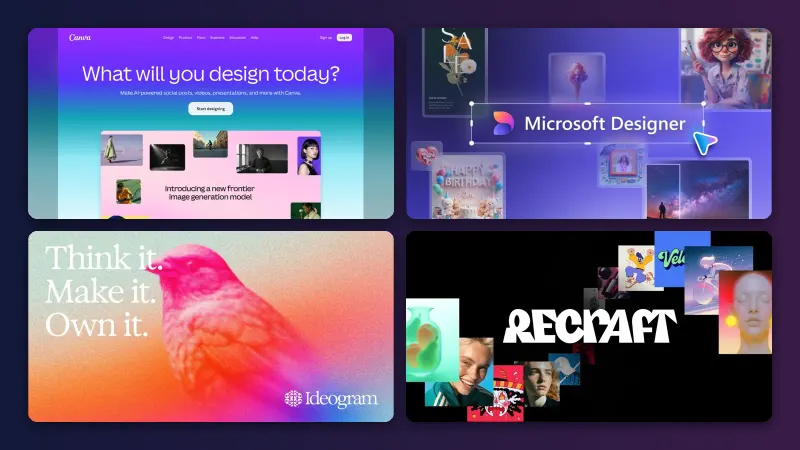
Short answer: if you want one free AI graphic generator for social posts, flyers and simple logos, start with Canva. Its free plan gives you the full drag-and-drop editor, 1.6 million templates and limited AI, which covers most small jobs. If you need clean text inside an image, use Ideogram; for icons and vector logos, Recraft is the specialist.
We compared seven tools using official plan pages, third-party pricing write-ups and user reviews on Capterra and Trustpilot, as of early November 2026. Nobody at the site ran hands-on tests. I've kept this list to general graphics; if you only want pictures from a prompt, our free text-to-image AI roundup goes deeper on that.
Key takeaways
- Canva is the safest first pick for most people because the free plan pairs AI with a full layout editor and a huge template library.
- Free plans almost always come with strings: public images on Ideogram and Recraft, no commercial rights on Recraft or Kittl, and small monthly AI allowances on Canva and Microsoft Designer.
- Ideogram and Recraft are better than general design apps at text and vectors, but they won't lay out a flyer for you.
- The cheapest useful upgrade on this list is ChatGPT Go at $8 a month, though Adobe Express Premium at $9.99 is the better deal if you mainly make marketing graphics.
Our ranking method
This is a research-based ranking. We didn't test the tools ourselves; we read the plan pages, help docs and independent coverage, then weighed each app on six criteria:
- Free plan value is how much real work you can finish before paying.
- Graphic range is whether it handles layouts (posts, flyers) as well as single images, logos and icons.
- Text handling is how reliably it puts readable words into a design.
- Usage rights cover who owns free-plan output and whether you can use it commercially.
- Upgrade price is the cost of the cheapest paid plan and what it adds.
- User sentiment is what reviewers say on Capterra and Trustpilot.
The 7 best free AI graphic generators at a glance
| # | Tool | Category | Best for | Free tier | Starts at |
|---|---|---|---|---|---|
| 1 | Canva | Design app | Social posts and flyers | Yes | $15/mo |
| 2 | Adobe Express | Design app | Marketing graphics on a budget | Yes | $9.99/mo |
| 3 | Ideogram | Image generator | Posters with readable text | Yes (limited) | $20/mo |
| 4 | Recraft | Vector generator | Icons and vector logos | Yes (limited) | $12/mo |
| 5 | Kittl | Design app | Typography and merch | Yes (limited) | $15/mo |
| 6 | Microsoft Designer | Design app | Quick one-off graphics | Yes (limited) | $20/mo |
| 7 | ChatGPT | AI assistant | Editing a graphic by chatting | Yes (limited) | $8/mo |
The best free AI graphic generators in 2026, ranked
Canva – best for social posts and flyers
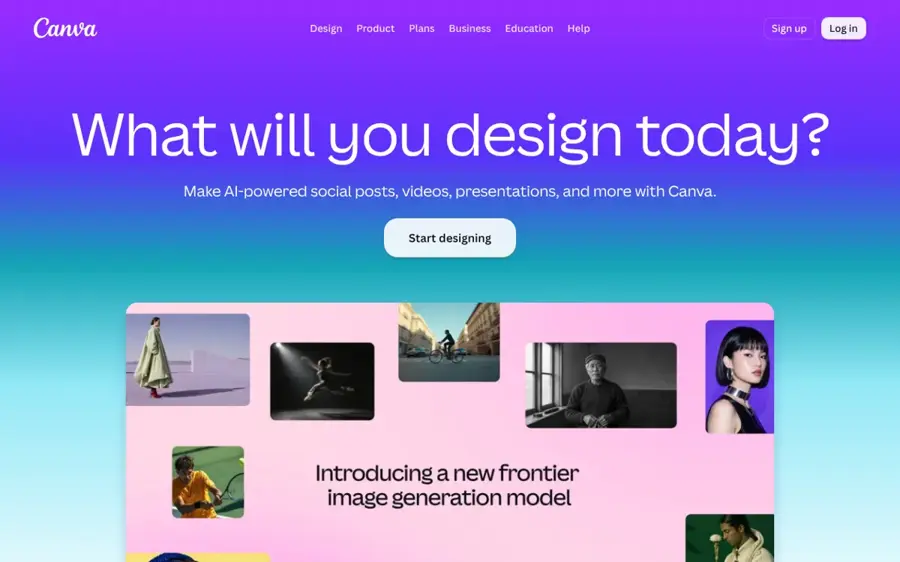
Canva is a browser and mobile design app with AI image generation and editing built into a template-based editor. Get started at canva.com.
Strengths
The free plan is the reason it's first. Looking at Canva's plans, Free includes the drag-and-drop editor, 1,000+ design types, 1.6M+ templates, 4.7M+ photos and graphics, one brand kit (three colours only) and 5GB of storage. The AI side is the stingy part: Free gets "limited access" to Standard and Premium AI, and Pro gets ten times as much. Krea's breakdown of the plans puts the free allowance at up to 20 AI uses, which I'd call enough for a few posts a week and not much more.
Users seem to agree it's easy. On Capterra, Canva has more than 13,000 reviews and a 4.7 ease-of-use score from 13,457 ratings; the review summary lists "Efficient flyer and poster creation" as a pro and "Frequent glitches and slowdowns" as a con.
Key features
- The editor covers posts, flyers, posters, logos and presentations in one place.
- AI image generation drops results straight into a layout.
- Magic Layers can be tried on the free plan.
- Pro adds AI resize, translate and background removal.
- Paid plans can buy an AI Pass add-on for heavier use.
Pros
- Largest free template library on this list.
- Good for full layouts, not just single images.
- Free plan has no time limit.
Cons
- Free AI allowance is small and shared across AI tools.
- Many of the best templates and assets are Pro-only.
- Capterra reviewers flag slowdowns and export quirks.
Canva pricing: Free, then Pro at US$144 a year for one person (about $15 a month if you pay monthly, per Capterra), checked November 2026. See pricing
Related: Best free AI banner generators Best AI image generators
Verdict: if you only pick one, pick Canva.
Adobe Express – best for marketing graphics on a budget
Adobe Express is Adobe's template-first design app for social posts, flyers, short videos and documents, with Firefly AI generation built in. Find it at adobe.com/express.
Strengths
Express is the closest rival to Canva, and the paid plan's cheaper. Going by Capterra's plan listing, the free tier includes 100,000+ templates, a million royalty-free stock assets and 4,000+ Adobe fonts, while Premium at $9.99 a month adds 250 generative credits per user each month. The catch on Free: Adobe gives "free daily generations" but, as Krea notes, it doesn't publish the exact count. That vagueness annoys me, because it makes the free plan hard to plan around.
Reviewers like the balance. One Capterra reviewer wrote that it's "pretty nice to use and gives a taste of Adobe features for free or at a really low cost." The same site's summary of 111 critical reviews points to slow loading, crashes and syncing problems, so it isn't flawless.
Key features
- Firefly text-to-image and generative fill sit inside the editor.
- The free plan includes content scheduling to one account per social network.
- Premium adds brand kits, one-click resize and video background removal.
- Files sync between the browser and the mobile apps.
Pros
- Premium is cheaper than Canva Pro.
- Large free font and stock library.
- Works well alongside Photoshop and other Adobe apps.
Cons
- Free AI limit isn't published.
- Some reviewers report lag and saving problems.
- Fewer free templates than Canva.
Adobe Express pricing: Free, then paid plans from $9.99/month (checked November 2026). See pricing
Related: How to use Photoshop AI
Verdict: choose Express over Canva if you already live in Adobe apps or want the cheapest paid tier.
Ideogram – best for posters with readable text
Ideogram is an AI image and video generator known for putting legible text into images, with guides for logos and transparent backgrounds. Try it at ideogram.ai.
Strengths
Text is where general image models still trip up, and it's Ideogram's speciality. Its help docs have dedicated workflows for text in images, making a logo and transparent backgrounds, plus task apps for jobs like resizing an ad. For a poster headline or a sale banner, I think that focus matters more than raw image quality.
The free plan's small, though. Free accounts get 30 credits a week, but only if you sign in with Google, Apple or Microsoft; email sign-ups get none, and everything you make on Free is public, per the plans guide (last verified 15 October 2026). On Trustpilot it scores 3.8 from 168 reviews, and one user called it "one of the best Canvas for inpainting specially if you are using it for characters."
Key features
- Text-to-image with strong lettering for posters and logos.
- A canvas editor for inpainting and extending images.
- Transparent background output for stickers and icons.
- Web, iOS and API access.
Pros
- Reliable text inside images.
- Logo workflow is documented step by step.
- Free credits refresh weekly.
Cons
- All free images are public.
- No free credits for email sign-ups.
- Not a layout tool, so you'll finish flyers elsewhere.
Ideogram pricing: Free, then Plus from $20/month, or $15/month billed yearly (checked November 2026). See pricing
Related: Best AI image generators AI art prompt guide
Verdict: use it for the headline graphic, then drop the result into Canva.
Recraft – best for icons and vector logos
Recraft is an AI image generator built for designers, with native vector output, reusable custom styles and its own V4.1 models. Visit recraft.ai.
Strengths
Most generators give you a flat PNG. Recraft can generate editable vector graphics directly, which is what you want for an icon set or a logo that has to scale; its homepage quotes an embroidery designer saying "Other AI tools don't offer this option." You can also drop in your own images to build a reusable style, which helps keep a set of icons consistent.
The free plan has hard limits. CostBench's breakdown lists 30 credits a day, Recraft models only and no commercial use, and Recraft's own plans FAQ confirms that free-plan images are owned by Recraft and shown in the public gallery. User sentiment is rough: Recraft scores 2.3 from 46 reviews on Trustpilot, with 76% one-star, many complaining about credit costs and refunds. To be fair, one reviewer there still called it "the best FREE AI Image Generating tool out there."
Key features
- Native vector (SVG) generation.
- Custom styles built from your own reference images.
- Paid plans add partner models such as Nano Banana, Flux and GPT Image.
- An API covers vectors, background removal and inpainting.
Pros
- Real vector output, rare among free tools.
- Daily free credits.
- Style consistency suits icon sets.
Cons
- Free output belongs to Recraft and can't be used commercially.
- Poor Trustpilot rating, mostly over billing.
- Refunds are discretionary and limited.
Recraft pricing: Free, then paid plans from $12/month (checked November 2026). See pricing
Verdict: great for drafting icons; pay before you use anything in a real brand.
Kittl – best for typography and merch
Kittl is a browser design app focused on typography, vector illustration and print-ready designs, with AI image tools included. See it at kittl.com.
Strengths
If your graphic is mostly lettering (a T-shirt, a badge logo, a retro poster), Kittl is probably a better fit than Canva. A 2026 plan guide from We Are Founders describes its text effects as "significantly more advanced" than Canva's and notes print-on-demand presets on the Expert plan. Free users get five projects, 500MB of storage, 100 AI tokens a month (about 50 images at two tokens each) and low-resolution, personal-use exports.
Kittl has the happiest users here. It's rated 4.7 from 1,263 reviews on Trustpilot, where one reviewer called it "a unique, easy to use, amazing platform."
Key features
- Advanced text effects you can stack on one word.
- AI image generation, background removal and upscaling.
- An infinite canvas for working on several artboards at once.
- Vector exports and a commercial licence on Pro.
Pros
- Strong typography tools.
- Very positive user reviews.
- Clear token costs per AI action.
Cons
- Free exports are low-res and personal use only.
- Only five projects on Free.
- No video, unlike Canva and Express.
Kittl pricing: Free, then Pro from $15/month, or $10/month billed yearly (checked November 2026). See pricing
Verdict: the pick for merch sellers, as long as you budget for Pro.
Microsoft Designer – best for quick one-off graphics
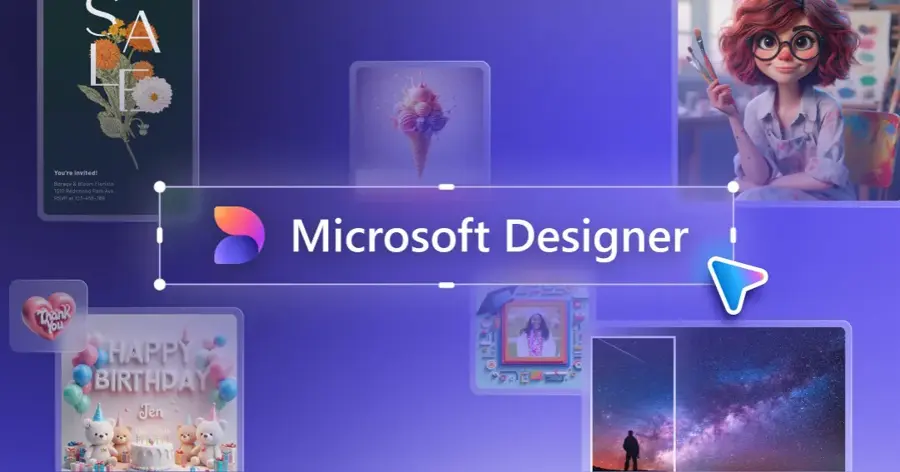
Microsoft Designer is Microsoft's free design app that turns a text prompt into images and template-based graphics, with AI photo editing. Open it at designer.microsoft.com.
Strengths
Designer is simple, and it plugs into Word and PowerPoint. Microsoft said in January 2025 that it would give Microsoft 365 Personal and Family subscribers more image creation than free users, using a monthly pool of AI credits. Thurrott reported at the time that Designer stays a free standalone app, with Copilot Pro at $20 a month for heavier use.
The free allowance shrank this year. In a July 2026 test, Knowara found the free tier capped at 15 AI credits a month, with each prompt using one credit and returning four variations; it also said free exports carry no watermark. Honestly, 15 a month is thin. Knowara estimates that's roughly four rounds of iteration.
Key features
- Prompt-to-design for social posts, cards and invitations.
- Generative erase for removing objects from photos.
- Built into Word and PowerPoint for Microsoft 365 subscribers.
- Web and mobile apps.
Pros
- No watermark on free exports, per Knowara.
- Very low learning curve.
- Useful if you already pay for Microsoft 365.
Cons
- Only 15 free AI credits a month.
- Microsoft doesn't make the current limits easy to find.
- Fewer templates than Canva or Express.
Microsoft Designer pricing: Free, with more credits through Microsoft 365 Personal or Family, or Copilot Pro at $20/month (checked November 2026). See pricing
Related: Microsoft AI review Bing AI review
Verdict: fine for a birthday card; too limited as your main tool.
ChatGPT – best for editing a graphic by chatting
ChatGPT is OpenAI's AI assistant, and its free plan includes limited image creation you can refine through conversation. Use it at chatgpt.com.
Strengths
The draw is iteration in plain language: "make the logo bolder, swap the blue for green, add a tagline." On OpenAI's plans, Free lists "limited image creation," Go adds more, and Plus promises "more complex and accurate image creation." OpenAI doesn't publish a fixed free image count. Engadget reported that image generation stays rate-limited on free accounts even after text chats became unlimited in August, and that Go costs $8 a month (with ads).
Users are harsh on the product overall. ChatGPT scores 1.6 from 3,935 reviews on Trustpilot, with the summary citing "sudden usage limits" among the complaints. I'd guess that's driven more by subscription and chat issues than by graphics, but it's worth knowing.
Key features
- Image generation and editing inside a chat.
- Upload a sketch or photo and ask for changes.
- Works on web, iOS and Android.
- Go and Plus raise image limits.
Pros
- Easiest way to make changes by describing them.
- Cheap upgrade with Go.
- One app for writing copy and making the graphic.
Cons
- No templates or layout editor.
- Free image limit isn't published.
- Free and Go plans may show ads.
ChatGPT pricing: Free, then Go from $8/month (checked November 2026). See pricing
Related: ChatGPT review Best AI like ChatGPT
Verdict: a handy sidekick, not a design tool.
Choosing the right free AI graphic generator
Pick a layout tool for anything with more than one element
A flyer has a headline, an image, a date and a logo. Canva, Adobe Express and Kittl let you arrange all four; Ideogram, Recraft and ChatGPT give you one image. So if you're making event flyers or carousel posts, start in a layout app and use a generator only for the hero image.
Check who owns free-plan output before you publish
This trips people up. Recraft keeps ownership of free images and bars commercial use, Kittl's free exports are personal use only, and Ideogram makes free images public. If the graphic's for a business, I'd treat a paid plan as part of the cost.
Match the tool to the format you need
Logos and icons need vectors if they'll be printed or scaled, which points to Recraft or Kittl Pro. Social posts are fine as PNGs. For wide web banners specifically, our separate banner roundup covers sizes and tools. Writing a clear prompt helps everywhere; this prompt guide applies to image tools too.
Count the free credits per week, not per day
Allowances look generous until you regenerate. Ideogram's 30 weekly credits, Kittl's 100 monthly tokens and Designer's 15 monthly credits can all disappear in one evening of trial and error. Plan for three or four attempts per finished graphic (my rough estimate, not a published figure).
Free vs paid: what you actually get
Paying mostly buys you three things: more AI generations, commercial rights and premium assets. The jump is biggest on Recraft and Kittl, where Free is closer to a demo.
| Tool | Free plan limit | Cheapest paid plan | Main paid upgrade |
|---|---|---|---|
| Canva | Limited AI, 1.6M+ templates | US$144/year | 10x AI, premium templates |
| Adobe Express | Daily generations (count unpublished) | $9.99/mo | 250 credits/month |
| Ideogram | 30 credits/week, public images | $20/mo | 2,400 credits, private images |
| Recraft | 30 credits/day, no commercial use | $12/mo | Ownership, partner models |
| Kittl | 100 tokens/month, low-res | $15/mo | Vector export, commercial licence |
| Microsoft Designer | 15 credits/month | $20/mo (Copilot Pro) | More daily generations |
| ChatGPT | Limited images | $8/mo | More images |
For a hobbyist, the free tiers of Canva and Ideogram together probably cover a month of posts. A small business is different. You'll want commercial rights and brand kits, and at $9.99 a month Adobe Express Premium is the cheapest way to get both in a full design app, going by the prices above.
Final verdict
Most people should start with Canva and add Ideogram when a design needs perfect text. That pair costs nothing and handles posts, flyers and simple logos. If you'd rather pay a little, I think Adobe Express Premium at $9.99 is better value than Canva Pro for solo marketers. Need icons or a scalable logo? Recraft's vectors are the standout, but read its free-plan terms first (and those Trustpilot reviews). And if you're worried these tools will make designers obsolete, I'm not convinced; we've looked at that question separately.
FAQ
What is the best free AI graphic generator?
For most people it's Canva, because the free plan combines AI generation with a full editor and 1.6 million templates. Ideogram is better if your graphic is mostly text.
Can I use free AI graphics commercially?
It depends on the tool. Recraft's free images belong to Recraft and can't be used commercially, and Kittl's free exports are personal use only. Check each app's licence before you put a graphic on a product or ad.
Which free AI tool is best for logos?
Recraft is strongest for vector logos and Ideogram for text-based logos. You'll likely need a paid plan on either to own and use the result commercially.
Are the best free AI image generators from text the same as graphic generators?
Not quite. Text-to-image tools make a single picture, while graphic generators like Canva and Adobe Express also handle layout, fonts and templates. Many people use both: a generator for the image and a design app to finish it.