7 best AI photo collage tools in 2026, compared on features and price
The best AI photo collage tools compared: Canva, Fotor, BeFunky, Google Photos and more, with free plans, prices and who each one suits.
 Written byBurhan AqibSenior writer, policy and analysis
Why you can trust The AI Future
Our writers research every product from its official pages, independent tests and user reports, link each claim to its source and correct mistakes openly. Unless an article says otherwise, we haven't tested the product hands-on ourselves. Companies can't pay for coverage or see reviews before they're published.
Read our editorial policy
If you want one AI photo collage tool and don't want to think about it, use Canva. Its free plan gives you thousands of collage templates, a drag-and-drop grid and a small allowance of AI features, and Pro costs US$144 a year when you need the paid AI edits. Already living in Google Photos? Its free Collage option is good enough for a quick family grid, and it's sitting on your phone already. Everything else on this list is a specialist, and I'd only pay for one if it does a job Canva can't.
An "AI collage" can mean two different things, which is why these tools look so different side by side. Some use AI to lay out your photos for you (auto-fill grids, one-click layouts). Others use AI to fix the photos inside the collage: erase a stranger, swap a background or stretch a cramped shot. The best picks do a bit of both.
Key takeaways
- Canva is the safest all-round pick, with a strong free plan and Pro at US$144 a year.
- Google Photos and PicCollage are the easiest options on a phone, and both are free to start.
- BeFunky's Collage Wizard and Fotor's auto-alignment do the layout work for you, which is the most useful kind of AI here.
- Picsart and Adobe Express make more sense if collages are only part of a bigger social media or design workload.
- Most paid AI features run on monthly credits, so check how many you get before you subscribe.
Our ranking method
We ranked each tool on research into its features, plans and limits, using the vendors' own pages and published reviews. These were the criteria that counted most:
- Layout help covers how much the tool arranges photos for you instead of making you drag every cell.
- AI photo fixes covers tools like object removal, background removal and image expansion inside the collage editor.
- Template range is the number and variety of ready-made collage layouts.
- The free plan is judged on what you can actually export without paying.
- Price is the cheapest paid plan and how AI credits work on it.
- Export quality includes resolution and file formats, which matters if you want to print.
- Device support covers whether it works on the web, phones or both.
The 7 best AI photo collage tools at a glance
| # | Tool | Category | Best for | Free tier | Starts at |
|---|---|---|---|---|---|
| 1 | Canva | Design platform | Most people | Yes | $144/yr |
| 2 | Fotor | Photo editor | Auto-filled grids and print exports | Yes (limited) | $8.99/mo |
| 3 | BeFunky | Photo editor | One-click layouts on a budget | Yes | $6.99/mo |
| 4 | Google Photos | Photo library app | Quick phone collages | Yes | Free |
| 5 | PicCollage | Mobile app | Cards and scrapbook-style collages | Yes | In-app |
| 6 | Picsart | Creative suite | Social creators | Yes (limited) | $10.50/mo |
| 7 | Adobe Express | Design platform | Adobe users and branded posts | Yes | $9.99/mo |
The best AI photo collage tools in 2026, ranked
Canva – best for most people
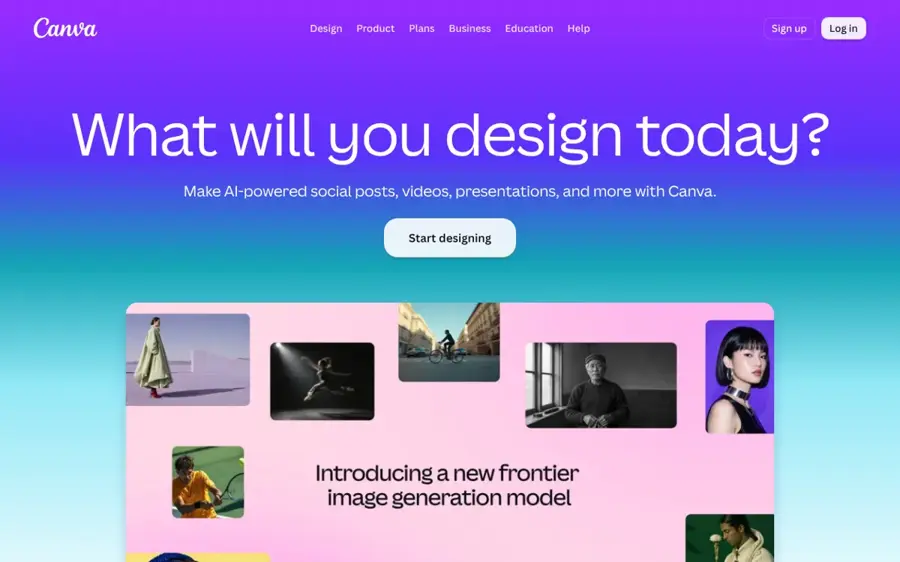
Canva is a browser and mobile design app with a free photo collage maker, a huge template library and a set of AI editing tools it calls Magic Studio.
Strengths
Canva wins because it's flexible without being hard. You can start from a template or a blank grid, add as many photos as you like and move every element around, and you don't even need an account to open the editor. The free plan's numbers are generous: 1.6 million-plus templates, 4.7 million-plus photos and graphics, and 5GB of cloud storage.
The AI split is where you'll feel the paywall. Magic Media (text to image) and Dream Lab are free, but Magic Eraser, Magic Edit, Magic Grab and Magic Expand are all marked Pro. Those four are the ones you'd actually use on collage photos, so I suspect most regular users end up paying. Still, if you only make a collage for a birthday now and then, free is plenty.
Key features
- Collage templates for print and digital, from cards to Instagram posts.
- Magic Eraser removes distractions from a photo (Pro).
- Magic Expand extends a shot past its frame so it fills a grid cell (Pro).
- Magic Media turns a text prompt into an image or video, on the free plan too.
- Real-time collaboration, so family or teammates can add their own photos.
Pros
- The free plan is strong enough for casual collages.
- Works the same on web, iOS and Android.
- Templates cover almost every occasion you can think of.
Cons
- The most useful AI photo fixes are Pro-only.
- Free AI use is capped, and Pro only gets "10x more AI than Free".
- So many templates can make browsing slow.
Canva pricing: Free, then Pro from US$144/year for one person (Business is US$250/year per person). See pricing
Related: Best AI collage makers Best AI image generators
Verdict: start here unless you've got a specific reason not to.
Fotor – best for auto-filled grids and print exports
Fotor is an online photo editor and design tool with a dedicated collage maker that fills grids for you and exports in high resolution.

Strengths
Fotor's collage maker leans hardest on the "AI arranges it" side. Its auto-alignment detects whether each photo is portrait or landscape and fills the layout without manual resizing, and when you swap two cells the grid adapts so nothing looks squashed. That's the tedious part of making a collage, honestly, so I'm glad someone automated it.
It's also one of the better options for printing. You can save in JPEG, PNG or PDF, and Fotor pitches its high-res export at posters and wall art. You get 2,000-plus layouts, plus a full photo editor with background removal and retouching right next to the collage.
Key features
- Auto-alignment fills grids based on each photo's orientation.
- Cell swapping keeps the layout balanced as you move photos.
- Pixel-level control over borders, margins and corner roundness.
- High-resolution JPEG, PNG and PDF export.
- Resizing presets for Instagram Stories, Facebook and Pinterest.
Pros
- Layout automation saves real time on big grids.
- Print-friendly exports, including PDF.
- Works on web and mobile.
Cons
- The free Basic plan comes with only limited credits for AI tools.
- The pricing page is built around AI credits and video models, which is confusing if you just want collages.
Fotor pricing: Free, then paid plans from about $8.99/month. See pricing
Related: Best AI collage makers Best AI photo retouching tools
Verdict: the pick for anyone printing a big grid of holiday photos.
BeFunky – best for one-click layouts on a budget
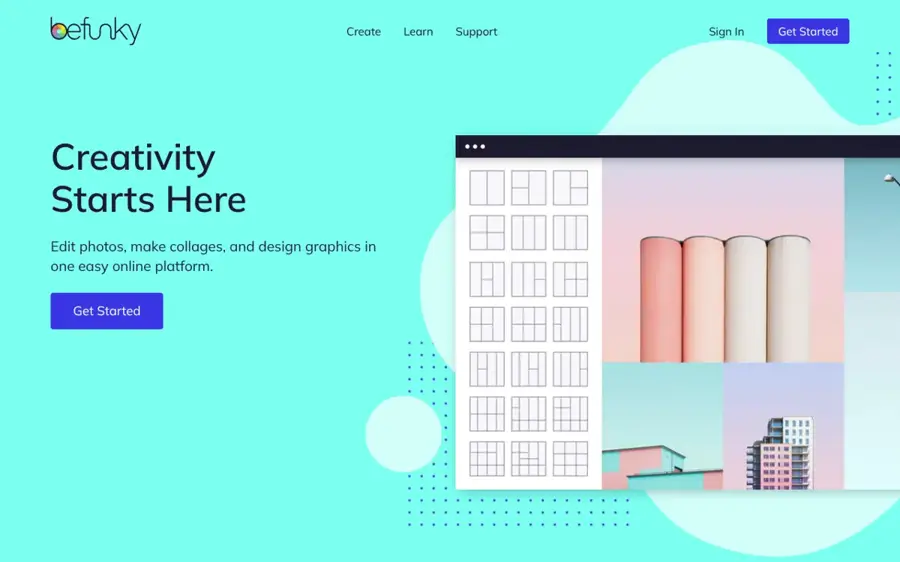
BeFunky is a web photo editor whose Collage Maker includes a Collage Wizard that builds a layout from your uploads in one click.
Strengths
The Collage Wizard is the feature to know. You upload your images and it builds a collage without cropping or clipping any of them, then you swap photos, resize cells or change colours by hand. For people who stare at an empty grid and freeze, that's a nice shortcut.
Price is the other draw. Plus works out to $6.99 a month on an annual plan, the cheapest paid option here, and Pro is $12.49 a month billed yearly. I'd say Plus is enough for collages; Pro mostly adds batch AI editing and batch background removal, which matter more to shops and marketers.
Key features
- Collage Wizard builds a layout automatically from your uploads.
- Full photo editor available without leaving the collage.
- Library of free stock images to fill gaps.
- Hundreds of fonts and text styles.
- Plus includes 1,000 AI credits a month for the image generator.
Pros
- Cheapest paid plan on this list.
- Many tools are free to use or preview.
- Works across phone, tablet and computer with one account.
Cons
- Monthly credits don't roll over.
- Premium features need a subscription, and some free tools are preview-only.
- The interface feels older than Canva's.
BeFunky pricing: Free, then Plus from $6.99/month billed annually. See pricing
Related: Best image combiner AI tools
Verdict: good value if you want the layout done for you and nothing more.
Google Photos – best for quick phone collages
Google Photos is Google's photo library app, and its Create tab includes a free Collage tool that works on photos you've already backed up. Open it at photos.google.com.

Strengths
The appeal is zero friction. Your photos are already in Google Photos, so you pick a few, choose Collage from the Create tab and you're done in under a minute. Google rebuilt the collage editor this year: version 7.82 of the Android app added template categories like Grid, Film and Classic, with borders you can adjust.
The AI here is more about the rest of the Create tab. Remix restyles a photo (comic, anime, 3D), and you can edit photos straight from the collage editor. It's not a design tool, though. Want text, stickers or a print-ready poster? Look elsewhere.
Key features
- Collage templates grouped into Grid, Film and Classic categories.
- Adjustable borders on most templates.
- Edit photos directly inside the collage editor.
- Remix restyles individual photos before you add them.
Pros
- Free, with no extra app to install for most Android users.
- Works on photos you've already backed up.
- Fastest route from camera roll to finished collage.
Cons
- Very little design control compared with Canva or Fotor.
- Some Create features rolled out in the US first.
- Generative features have daily limits unless you pay for Google AI Pro or Ultra.
Google Photos pricing: Free; storage and higher AI limits come with Google One and Google AI plans. See pricing
Related: Best AI family photo tools Best AI collage makers
Verdict: perfect for a five-photo grid of the weekend, and that's about it.
PicCollage – best for cards and scrapbook-style collages
PicCollage is a phone app for collages, greetings and scrapbooks, with grid layouts and AI-assisted photo edits. Find it at piccollage.com.

Strengths
PicCollage feels made for the family group chat. You drop photos into a grid, drag to change the layout, then tweak spacing and borders, and it handles anything from two photos to twelve. New designs arrive weekly, so seasonal templates (birthdays, holidays) are well stocked.
The AI side is modest, and I like that. You can wipe out a busy background or expand a shot so it fills its frame, each in a couple of taps. The company says 280 million-plus people use it, which tells you it's aimed squarely at casual users rather than designers.
Key features
- Grid layouts from two to twelve photos.
- Drag-to-resize cells with adjustable spacing and borders.
- AI background removal and photo expansion.
- Weekly new templates, stickers, fonts and backgrounds.
- Birthday cards you can text or print at home.
Pros
- Very easy on a phone.
- Strong seasonal and greeting-card templates.
- Free to start.
Cons
- Built for mobile, so it's a poor fit for desktop work.
- Subscription prices aren't published on its website; you only see them in the app.
PicCollage pricing: Free, with an optional in-app subscription (price shown in the app store). See pricing
Related: Best AI family photo tools
Verdict: the one I'd hand to a parent who wants a birthday card in five minutes.
Picsart – best for social creators
Picsart is a photo and video editing suite with a free Collage Maker and a large set of paid AI image and video models.
Strengths
Picsart's collage maker is simple: pick a template, drop images into the defined areas, and it takes care of sizing. Where it gets interesting is everything around it. Pro includes advanced background and object removal, a one-tap enhancer and bulk editing of up to 50 images at once, which helps if you're making product collages for a shop.
But you're paying for a lot you may never touch. Most of the pricing page is about AI video generations, AI agents and access from Claude Code or ChatGPT via MCP. Great for creators. For someone who wants a holiday collage? Probably overkill.
Key features
- Collage templates for birthdays, invites, mood boards and product posts.
- Advanced background and object removal on Pro.
- Bulk edit up to 50 images at once.
- One-tap image enhancer.
- 100GB of cloud storage on Pro.
Pros
- Strong photo clean-up tools next to the collage maker.
- Good for social and product content.
- Works on web and mobile.
Cons
- Pro is $15 a month if you pay monthly.
- The plans are credit-heavy and harder to compare.
- Far more features than a casual collage maker needs.
Picsart pricing: Free, then Pro from $10.50/month billed yearly ($15 monthly). See pricing
Verdict: worth it if you post every day; skip it for the occasional collage.
Adobe Express – best for Adobe users and branded posts
Adobe Express is Adobe's web and mobile design app, with collage templates and Firefly-powered AI editing. Try it at adobe.com/express.
Strengths
If you already pay for Adobe apps or use Firefly, Express is the natural choice, since your assets and fonts carry over. It's a Canva-style editor with templates for collages, social posts and flyers, and Adobe's generative tools are built in for things like removing backgrounds and filling gaps.
For everyone else, I think it's a close second to Canva rather than a reason to switch. Premium costs $9.99 a month, a little cheaper than Canva Pro paid monthly. Its template library feels smaller, in my view, and that's what matters most for collages.
Key features
- Collage templates for social posts, flyers and cards.
- Background removal in a click.
- Generative AI features from Adobe Firefly.
- Brand kits for consistent fonts and colours.
Pros
- Fits neatly with other Adobe apps.
- Free plan available.
- Premium is reasonably priced.
Cons
- Generative features use credits that run out.
- Less collage-specific automation than Fotor or BeFunky.
Adobe Express pricing: Free, then Premium from $9.99/month. See pricing
Related: Best AI collage makers
Verdict: choose it if you're already paying Adobe; otherwise Canva's a safer bet.
Choosing the right AI photo collage tool
Decide which kind of AI you actually need
Layout AI and photo-editing AI solve different problems. If arranging photos is the painful bit, pick Fotor or BeFunky. If your photos themselves need fixing (a photobomber, a cramped crop), you'll want Canva Pro, Picsart or Adobe Express.
Start on your phone if the photos live there
Google Photos and PicCollage skip the upload step entirely. That sounds minor. It isn't, when you're making a collage from 40 photos of a wedding.
Check export formats before you plan a print
Fotor exports PDF and high-resolution PNG, which print shops tend to prefer. A phone-only app might give you a screen-sized JPEG that looks soft on a poster, so check before you order a canvas.
Read the credit rules, not the headline price
BeFunky's monthly credits don't roll over, while Fotor's roll over for up to five months while you're subscribed. Small detail; real money if you only make collages around holidays.
Free vs paid: what you actually get
Free plans cover the basics surprisingly well. Canva, BeFunky, Fotor, Picsart, Google Photos and PicCollage all let you build and save a collage without paying. What you usually give up is the AI photo clean-up: Canva's Magic Eraser and Magic Expand, Picsart's advanced object removal and Fotor's batch tools all sit behind a subscription.
| Tool | Free plan gives you | Paying adds |
|---|---|---|
| Canva | 1.6M+ templates, 5GB storage, limited AI | 3.6M+ templates, Magic Eraser, Magic Expand, 10x AI |
| Fotor | Collage maker, limited credits | Monthly credits, batch background removal |
| BeFunky | Collage Maker, many free tools | Premium tools, 1,000 AI credits a month (Plus) |
| Picsart | Collage templates | Object removal, bulk edits, 100GB storage |
| Google Photos | Collage, Remix with daily limits | Higher generation limits with Google AI plans |
My rule of thumb: if you make fewer than one collage a month, stay free. If you make them for work, Canva Pro at roughly $12 a month (billed yearly) is probably the best value, because you'll use the rest of the app too.
Final verdict
Canva is the pick for most people, and I don't think it's especially close. It does layouts well, its free plan is generous and the Pro AI edits are the ones you'll want on collage photos. Pick Fotor or BeFunky if you'd rather have the grid built for you, and Google Photos if you just want something quick from your phone. I'd only reach for Picsart or Adobe Express when collages are a small part of a bigger creative job.
FAQ
What is the best free AI photo collage maker?
Canva is probably the best free option, because its free plan includes over 1.6 million templates, a drag-and-drop editor and limited AI. If you only work on a phone, Google Photos is quicker, since your pictures are already there and its Collage tool costs nothing.
Can AI make a collage from my photos automatically?
Yes. BeFunky's Collage Wizard builds a full layout from your uploads in one click without cropping them, and Fotor's auto-alignment fills a grid based on each photo's orientation. You can still swap photos and adjust borders afterwards if the first result isn't quite right.
Is there an AI collage maker for iPhone?
Plenty. PicCollage, Canva, Picsart, Fotor and Google Photos all run on iPhone, and PicCollage is the simplest of them for cards.
Can I print an AI photo collage?
Yes, as long as you export at high resolution. Fotor saves collages as high-res JPEG, PNG or PDF and pitches them for posters and wall art. Canva Business includes a 10% discount on print orders, which helps if you print often.
Is it OK to use AI on other people's photos in a collage?
Use photos you took or have permission to use, and ask before you edit someone's face or body with AI. Making deceptive or intimate edits of real people without consent is harmful and illegal in many places, whatever tool you use.