8 best AI collage makers in 2026, compared and ranked
The best AI collage makers for 2026, from Canva's free templates to Fotor's auto-filled grids and Gemini's generated collages, with prices checked.
 Written byBurhan AqibSenior writer, policy and analysis
Why you can trust The AI Future
Our writers research every product from its official pages, independent tests and user reports, link each claim to its source and correct mistakes openly. Unless an article says otherwise, we haven't tested the product hands-on ourselves. Companies can't pay for coverage or see reviews before they're published.
Read our editorial policy
Short answer: most people should start with Canva's free collage maker, because it has the deepest template library and its AI editing tools sit right inside the layout editor. If you want the grid built for you, Fotor and BeFunky auto-fill layouts from your photos for a few dollars a month. And if you'd rather an AI collage generator invent the whole composition, Google Gemini does that from a prompt.
The catch is that "AI collage maker" covers two different jobs: arranging 4, 9 or 20 real photos into a clean layout, or generating a new image that looks like a collage. I think most readers want the first, so that's how we weighted this list. (If you only need to blend two pictures into one scene, our guide to combining two images with AI is the better read.)
Key takeaways
- Canva is the safest first pick, with a free plan and Pro listed at US$144 a year on its plans page when we checked.
- Fotor and BeFunky are the cheapest way to get automatic layout filling, from $3.99 and $6.99 a month on annual billing.
- Google Photos already has a much better collage editor on Android, so check your phone before you pay for anything.
- Gemini is the pick for generated, stylised collages, but it won't give you precise control over a grid.
- Several budget tools have weak Trustpilot scores driven by auto-renewal complaints, so turn off auto-renew if you only need one project.
Our ranking method
Nobody at The AI Future ran hands-on tests for this roundup, and there are no original screenshots here. We compared each AI collage maker using official product and pricing pages, published reviews, third-party pricing trackers and user ratings, as of late October 2026. Each tool was scored on six criteria:
- Collage quality covers the depth and variety of layouts and templates.
- Real AI help means smart layout filling, auto-cropping or AI editing that actually changes the collage workflow.
- Free plan value asks how far you can get before a paywall or watermark appears.
- Price is the cheapest paid plan, monthly and annual.
- Export options cover resolution and file formats for print and social.
- User sentiment draws on ratings from Trustpilot, Capterra and app stores.
Prices are in US dollars and can change by country, app store and promotion. Canva's price is a good example: the figure we saw differed from US listings by $36 a year, so treat every number here as a starting point and check the vendor's page before you buy.
The 8 best AI collage makers at a glance
| # | Tool | Category | Best for | Free tier | Starts at |
|---|---|---|---|---|---|
| 1 | Canva | Design app | Most people | Yes | $12/mo |
| 2 | Adobe Express | Design app | Brand and print collages | Yes | $9.99/mo |
| 3 | Fotor | Photo editor | Auto-filled grids on a budget | Yes (limited) | $3.99/mo |
| 4 | Picsart | Mobile editor | Phone-first creators | Yes (limited) | $10.50/mo |
| 5 | BeFunky | Photo editor | One-click collages without cropping | Yes (limited) | $6.99/mo |
| 6 | Google Photos | Gallery app | Quick free collages on your phone | Yes | Free |
| 7 | Google Gemini | Chat assistant | Generated, stylised collages | Yes | $4.99/mo |
| 8 | Pixlr | Photo editor | Cheapest paid upgrade | Yes (limited) | $1.99/mo |
The best AI collage makers in 2026, ranked
Canva – best for most people
Canva is a browser and mobile design app with a free photo collage maker, a huge template library and its Magic Studio AI tools built into the same editor.
Strengths
Canva's collage page promises 1M+ templates and, more usefully, no fixed cell count: you can drop in as many images as you like and move every element. Magic Media (text to image) and Dream Lab are free, while Magic Edit, Magic Grab and Magic Expand are marked Pro. Honestly, Magic Expand is the one I'd pay for, since it fixes the classic collage problem of a photo that's slightly too tight for its cell.
On Trustpilot, Canva sits at 4.0 from 8,119 reviews. One October 2026 reviewer named the main gripe: "I Love using Canva i just wish there were less premium required things." The pricing is also a moving target. The plans page showed Pro at US$144 a year for one person when we checked, but PricingSaaS logged a rise to $180 a year in late July, and Photography Workout lists $18 a month or $180 a year. My guess is that the gap is regional.
Key features
- The collage editor lets you add any number of photos and move each one freely.
- Magic Expand, Magic Grab and Magic Edit are available on Pro.
- Magic Media turns text prompts into images on the free plan.
- Pro includes 141M+ premium photos, videos and graphics plus 100GB of storage.
- The free plan comes with 5GB of cloud storage and 1.6M+ templates.
Pros
- Biggest template library on this list
- Free plan is usable for real projects
- Works on web, iOS and Android
Cons
- Many elements and background removal sit behind Pro
- Pro price varies by region and has changed several times, going by PricingSaaS
- The template browser can feel crowded
Canva pricing: Free, then Pro from US$144/year (about $12/month), with Business at US$250/year per person (checked October 2026). See pricing
Verdict: if you only pick one, pick Canva.
Related: Best AI picture tools
Adobe Express – best for brand and print collages
Adobe Express is Adobe's template-based design app for images, video and documents, with Firefly generative AI and Adobe Stock built in.
Strengths
TechRadar's review calls Express "a powerful template-based service" and gives its pricing 4.5 out of 5, though it also flags that the AI can be hit and miss. For collages, the draw is the asset library. Going by Capterra's plan breakdown, the free plan has 100,000+ templates and 1M+ Adobe Stock assets, while Premium jumps to 200M+ stock assets, 30,000+ fonts and 250 generative AI credits a month.
One Capterra reviewer said it "gives a taste of Adobe features for free or at a really low cost." I'd lean towards Express over Canva if you already pay for Creative Cloud; Photography Workout points out that Express comes with that subscription and uses your Adobe fonts. It also recommends Canva or Express for anything you'll print.
Key features
- Firefly generates images and text effects from prompts in over 100 languages.
- Quick Actions remove backgrounds from photos in a few seconds.
- Brand kits keep fonts, colours and logos ready for every collage.
- Social scheduling posts finished designs to Instagram, Facebook, TikTok and others.
- Premium adds 250 generative credits per month.
Pros
- Large free template and stock library
- Firefly output is designed to be safe for commercial use
- Included with most Creative Cloud plans
Cons
- AI results are uneven, going by TechRadar
- Premium templates are mixed in with free ones
- Generative credits run out on heavy use
Adobe Express pricing: Free, then Premium from $9.99/month or $99.99/year, according to TechRadar and Capterra (checked October 2026)
Verdict: the better Canva for Adobe households.
Related: Best image combiner AI tools
Fotor – best for auto-filled grids on a budget
Fotor is an online photo editor and design tool whose collage maker detects photo orientation and fills grid layouts for you.

Strengths
Fotor's collage maker lists 2,000+ designer layouts and an "auto-alignment" feature that reads each photo's orientation and slots it into the grid without manual resizing. You can also set borders and margins to the pixel. That's the AI that actually saves time in a collage, as far as I can tell, more than any text-to-image button.
Price is the other draw. PricingSaaS lists Fotor Pro at $3.99 a month billed annually, or $10.99 month to month. On Trustpilot it scores 3.5 from 1,594 reviews, and one April 2026 reviewer opened with "Firstly, Fotor is cheap." The negatives cluster around billing: Trustpilot's own summary flags "unexpected annual" renewals and refund complaints.
Key features
- Auto-alignment fills grids based on each photo's orientation.
- The library has 2,000+ layouts.
- Borders, margins and corner roundness adjust to the exact pixel.
- Exports cover high-resolution JPEG, PNG and PDF.
- A built-in editor handles background removal, filters and retouching.
Pros
- Very low annual price
- Layout filling is genuinely automatic
- Print-ready PDF export
Cons
- Repeated complaints about annual auto-renewal
- Monthly billing costs nearly three times the annual rate
- Pricing is now built around AI credits most collage makers won't use
Fotor pricing: Free, then Pro from $3.99/month billed annually ($10.99 monthly), with Pro+ from $5.83/month annually, according to PricingSaaS (checked October 2026). See pricing
Verdict: the best value if you want the grid done for you.
Related: Best AI family photo tools
Picsart – best for phone-first creators
Picsart is a mobile and web photo and video editor with a free collage maker, AI image tools and a large creator community.
Strengths
Picsart's collage maker works on premade grids and frames where you simply drop each image into its area, and it pitches the tool for mood boards, vision boards and product spotlights. Photography Workout calls Picsart the "AI-first pick" for iPhone collages, citing AI backgrounds, cutouts and AI-assisted layouts.
Users seem to like it: Picsart rates 4.4 on Trustpilot from 1,781 reviews, the best score here, and one September 2026 reviewer wrote that "The options are the endless." My concern is the price ladder; the plans page is now built around Nano Banana Pro and Seedance video credits, which is a lot of AI you're paying for if all you want is a nine-photo grid.
Key features
- Premade collage grids and frames fill as you add photos.
- Templates cover birthdays, invites, holidays and social posts.
- Pro includes premium templates, fonts and stickers.
- The Batch Editor bulk-edits up to 50 images at once.
- Pro comes with 100GB of cloud storage.
Pros
- Highest Trustpilot score on this list
- Strong mobile apps
- Many AI editing tools in one place
Cons
- Paid plans are priced for heavy AI use
- Free tier limits premium templates and assets
- Overkill for simple grids
Picsart pricing: Free, then Pro from $10.50/month billed yearly ($15/month standard), with Ultra from $60/month billed yearly (checked October 2026). See pricing
Verdict: pick it if your collages start and end on your phone.
Related: Best AI photo booth tools Best AI picture tools
BeFunky – best for one-click collages without cropping
BeFunky is a browser-based photo editor, collage maker and graphic designer whose Collage Wizard builds a layout from your uploads automatically.
Strengths
The Collage Wizard is the reason BeFunky makes this list. You upload your images, and BeFunky says it'll create a collage "without cropping or clipping any of your pictures," which is the exact failure point of most grid tools. After that you can swap images, add or remove cells, change the aspect ratio and open the full photo editor without leaving the collage.
The user picture is rough, though. BeFunky scores 1.8 on Trustpilot, but that's from only 37 reviews, and Trustpilot notes the company hasn't invited reviews recently. Most complaints are about billing after cancellation. Going by PricingSaaS, Plus is $6.99 a month billed annually or $14.99 monthly, and a new Pro tier at $12.49 a month arrived in May 2026.
Key features
- Collage Wizard builds a layout from your photos without cropping them.
- Layouts let you change aspect ratio and add or remove cells.
- The photo editor opens inside the collage maker.
- Plus includes 1,000 AI credits a month for the image generator.
- Pro adds batch AI editing and batch background removal.
Pros
- Automatic layouts that keep whole photos
- Editing and collage in one tab
- Monthly AI credits on Plus
Cons
- Very low Trustpilot score, mostly billing complaints
- Monthly credits don't roll over
- Monthly billing is over double the annual rate
BeFunky pricing: Free, then Plus from $6.99/month billed annually ($14.99 monthly), according to PricingSaaS (checked October 2026). See pricing
Verdict: good tool, but set a cancellation reminder.
Google Photos – best for quick free collages on your phone
Google Photos is Google's photo backup and gallery app, and it includes a free collage maker with categorised templates.

Strengths
Google rebuilt the collage editor this year. Android Authority reported on 10 July 2026 that the new version was rolling out widely in Android app version 7.82, with templates sorted into categories like Grid, Film and Classic and a new Borders view. Its headline put it nicely: "Google Photos just graduated from collage college."
Is it really an AI collage maker? Partly. The app's App Store listing leans on AI editing (Magic Eraser, Unblur, Portrait Light) and natural-language search, which helps you find the photos for a collage fast. Photography Workout says 1.2M+ iOS users rate it 4.8 stars and calls it the "best free default" for people who already back up with it. It's free; that's the whole pitch.
Key features
- Collage templates are grouped into Grid, Film and Classic.
- A Borders view adjusts the borders on most templates.
- Magic Eraser and Unblur clean up photos before you place them.
- Natural-language search finds photos by what's in them.
- Every Google account gets up to 15GB of shared storage.
Pros
- Completely free
- Already installed on most Android phones
- Finds the right photos fast
Cons
- Far fewer templates than Canva or Fotor
- The new editor reached Android first
- No text-heavy or print-focused design tools
Google Photos pricing: Free, with extra storage sold through Google One (checked October 2026). See details
Verdict: try this before paying for anything.
Related: Best AI family photo tools
Google Gemini – best for generated, stylised collages
Google Gemini is Google's AI assistant, and its Nano Banana image models can turn several uploaded photos into one new composed image from a prompt.
Strengths
Gemini is the only true AI collage generator here, in the sense that it makes a new image instead of arranging yours. Google's image generation page lists photo combining among the free Nano Banana 2 features, with 2K output. SlashGear's walkthrough says you can upload up to 10 pictures at once; Google doesn't publish its own limit for the app. SlashGear also cites a comparison by YouTubers Corey McClain and Brock Mesarich in which Nano Banana was faster and better at keeping facial features than ChatGPT.
So you could upload six holiday photos and ask for a scrapbook-style collage with torn paper edges. I wouldn't use it for a precise 3x3 grid, though. The model reinterprets your photos, faces can drift, and there's no cell-by-cell control. We cover the merging side in more depth in our image combiner AI roundup.
Key features
- You upload several photos and describe the collage you want.
- Photo combining is part of the free Nano Banana 2 model.
- Free output goes up to 2K resolution.
- Follow-up prompts refine the result without starting over.
- It works in a browser and in the iOS and Android apps.
Pros
- Creates styles no template offers
- Free to start
- No design skills needed
Cons
- Little control over exact layout
- Faces and details can change from the originals
- Google doesn't publish exact daily image limits
Google Gemini pricing: Free, then paid plans from $4.99/month (Plus), with Pro at $19.99/month (checked October 2026). See pricing
Verdict: the fun option, not the precise one.
Pixlr – best for the cheapest paid upgrade
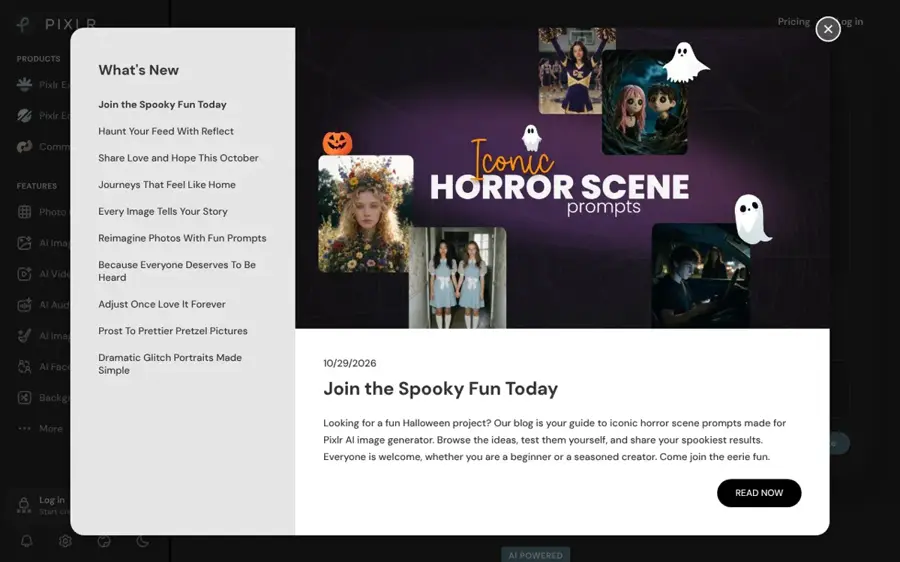
Pixlr is a web and mobile photo editor with a free online photo collage maker that suggests layouts based on how many photos you upload.
Strengths
Pixlr's collage maker suggests templates once you add your photos, based on the number of images, then lets you drag cells around and adjust spacing, borders and corners. It also handles 1:1 and 9:16 Instagram carousel and Stories sizes. The free version saves in PNG.
Plus is the cheapest upgrade on this list at $1.99 a month billed annually, according to PricingSaaS, and the plans page says it removes ads and gives unlimited saves. But Pixlr's Trustpilot score is 2.1 from 185 reviews. One June 2026 reviewer complained of "Sneaky auto renews in their terms of service," and going by its pricing FAQ, Pixlr won't refund a subscription once the payment goes through.
Key features
- Smart layout suggestions are based on how many photos you add.
- Cells, spacing, borders and corners are all adjustable.
- Instagram presets cover 1:1 and 9:16 formats.
- Plus removes ads and adds 80 monthly AI credits.
Pros
- Lowest paid price here
- Free collage maker in the browser
- Social-ready aspect ratios
Cons
- Poor Trustpilot rating and billing complaints
- No refunds after payment
- Free version shows ads and limits saves
Pixlr pricing: Free collage maker, then Plus from $1.99/month billed annually ($2.49 monthly), according to PricingSaaS (checked October 2026). See pricing
Verdict: fine for a quick grid, but I'd stay on the free version.
Choosing the right AI collage maker
Decide whether you want arranging or generating
Want your real photos kept intact in a layout? Choose Canva, Fotor, BeFunky, Pixlr or Google Photos. Want a new, stylised image built from them? Choose Gemini.
Look for auto-fill, not just a text-to-image button
The useful AI in a collage tool is the boring kind. Fotor's orientation-aware auto-alignment, BeFunky's no-crop Collage Wizard and Pixlr's count-based layout suggestions all save real minutes per collage. A built-in image generator is nice, but I doubt you'll use it much for a family photo grid.
Match export settings to where it's going
For prints, you want high-resolution PDF or PNG export; Fotor lists both, plus JPEG. For Instagram, you want 1:1 and 9:16 presets, which Pixlr and Canva include. Photography Workout suggests PicCollage or Unfold if most of your collages end up on Instagram, and that's a fair alternative if none of the eight above fit.
Turn off auto-renew after you subscribe
Fotor, BeFunky and Pixlr all draw Trustpilot complaints about annual renewals. If you're paying for one wedding album or one school project, buy a month and switch auto-renew off the same day. It's two minutes of admin, and it's probably the single most useful tip in this article.
Free vs paid: what you actually get
Free plans are surprisingly capable for collages. What you pay for is mostly assets and AI editing, not the layout itself.
| Tool | What's free | What paying adds |
|---|---|---|
| Canva | 1.6M+ templates, Magic Media, 5GB storage | Premium templates, Magic Expand and Edit, background remover, 10x more AI |
| Adobe Express | 100,000+ templates, 1M+ stock assets | 200M+ stock assets, 30,000+ fonts, 250 AI credits a month |
| Fotor | Collage layouts, limited AI credits | Monthly credits, batch background removal, brand kits |
| BeFunky | Collage maker, 20 AI images | Premium editing tools, 1,000 AI credits a month |
| Pixlr | Collage maker with ads | Ad-free, unlimited saves, 80 AI credits a month |
The BeFunky free allowance of 20 AI images comes from an October 2026 change logged by PricingSaaS. In my view, you should pay only when a specific paid feature fixes a specific problem; for Canva users, that's usually background removal or Magic Expand. If you mostly make one collage a year for a birthday, free is enough.
Final verdict
Start with Canva. It's free, its template range is the widest, and Pro adds the AI fixes (expand, grab, remove background) that collages actually need. If you're on a tight budget and want the layout built for you, Fotor at $3.99 a month on annual billing is the better value, as long as you watch the renewal date. And if you'd rather have something no template could produce, Gemini is worth a play, though I wouldn't trust it with a precise grid of family faces.
For more image tools beyond collages, see our best AI image generators roundup.
FAQ
What is the best free AI collage maker?
Canva is probably the best free AI collage maker for most people, thanks to 1.6M+ free templates and free Magic Media image generation. Google Photos is the easiest free option on a phone, since it's already installed on most Android devices and got a rebuilt collage editor in July 2026.
Can AI make a collage from my photos automatically?
Yes. Fotor, BeFunky and Pixlr all fill layouts automatically from your uploads, and you can still swap cells and adjust borders afterwards.
What's the difference between an AI collage maker and an AI collage generator?
An AI collage maker arranges your real photos into a layout and keeps them intact. An AI collage generator, like Google Gemini, creates a brand new image inspired by your uploads. Generators allow wild styles, but faces and details can change, so they're less suited to family keepsakes.
Can I print a collage made with these tools?
Yes, with the right export. Fotor exports high-resolution JPEG, PNG and PDF, which suits posters and wall art. Photography Workout recommends Canva or Adobe Express for anything you'll print. Check that you export at full resolution, because free plans sometimes limit size or add watermarks to premium elements.
Is it safe to use other people's photos in an AI collage?
Use photos you took or have permission to use, and ask before posting collages of other people publicly, especially children. Layout tools like Canva or Fotor keep photos as they are, so the main risk there is privacy. Generative tools like Gemini are different because they can alter faces and settings. Don't use them to create misleading or intimate images of real people; that's harmful, and it's illegal in many places.