Best AI mashup makers in 2026: 8 tools for stems, key matching and DJ mashups
The best AI mashup makers in 2026, from free stem splitters to DJ software, with prices and a plain guide to copyright before you publish.
 Written byBurhan AqibSenior writer, policy and analysis
Why you can trust The AI Future
Our writers research every product from its official pages, independent tests and user reports, link each claim to its source and correct mistakes openly. Unless an article says otherwise, we haven't tested the product hands-on ourselves. Companies can't pay for coverage or see reviews before they're published.
Read our editorial policy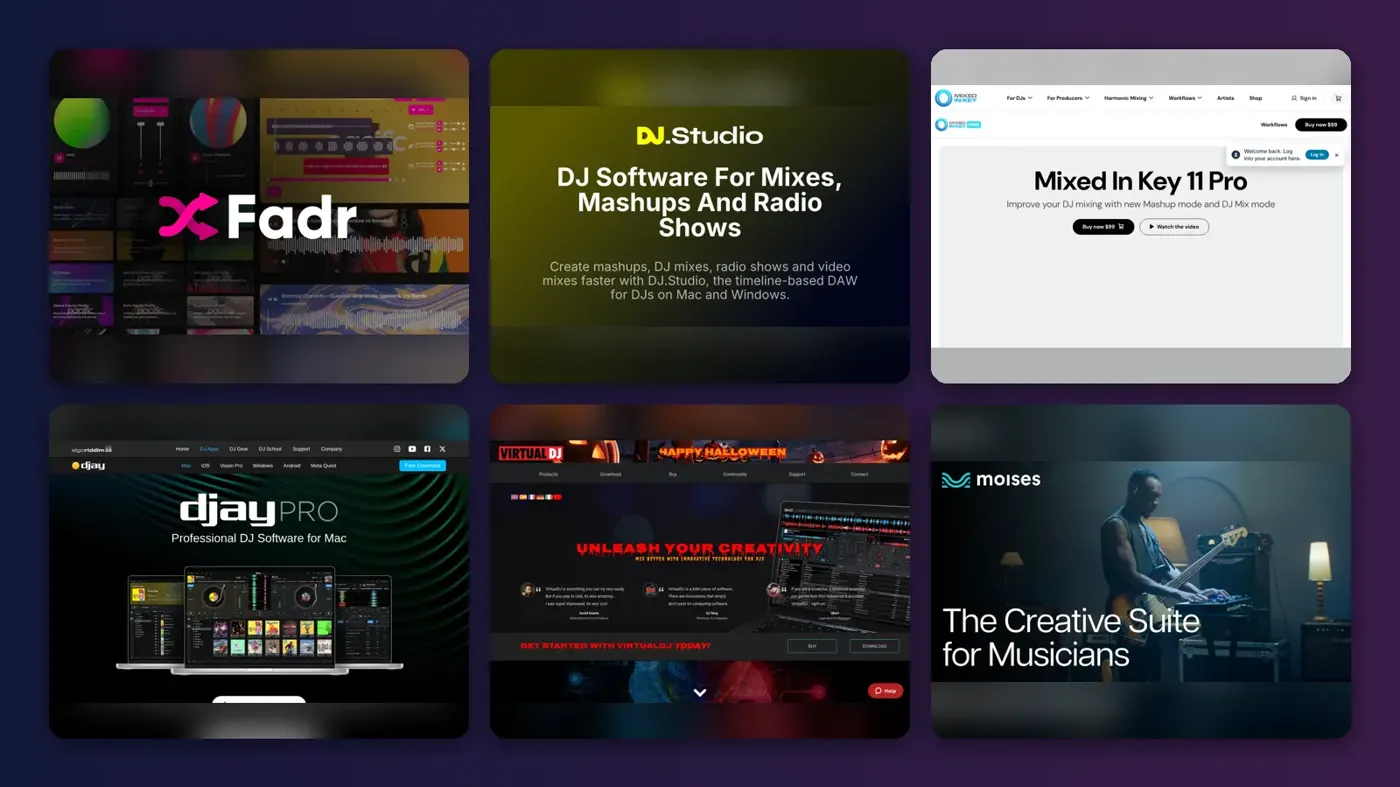
Short answer: if you want a free AI mashup maker that splits songs into stems and lets you layer them, start with Fadr. If you DJ and want finished, exportable mashups with key and tempo handled for you, I'd pay for DJ.Studio or Mixed In Key 11 Pro instead. Everything else on this list is a specialist: a live DJ app, a stem splitter or a one-click toy.
Making a mashup is one thing; publishing it is another, and that's where most people get caught out. Read the copyright section before you upload anything.
Key takeaways
- Fadr is the cheapest place to start, with unlimited stems and remixes free and Fadr Plus at $10 a month or $100 a year.
- DJ.Studio and Mixed In Key 11 Pro are one-time purchases of around $99, which suits DJs who hate subscriptions.
- Mashups of commercial songs usually need permission from the rights holders before you publish or monetise them, and YouTube's Content ID can block them automatically.
Our ranking method
Nobody at The AI Future ran hands-on tests for this roundup. We compared each AI music mashup tool using official product and pricing pages, app store listings, published reviews and user discussions, as of late October 2026, and ranked them on six criteria:
- Mashup workflow: how directly it gets you from two songs to one blend.
- Stem separation: how many parts it can pull out of a track.
- Key and tempo matching: whether it detects and fixes clashes for you.
- Export options: DAW, DJ software, audio or video.
- Price and free tier: what you get before paying, and the cheapest plan.
- Rights: what the vendor says about the music you put in and take out.
Prices are in US dollars, exclude tax unless stated, and can change by country and app store.
The 8 best AI mashup makers at a glance
| # | Tool | Category | Best for | Free tier | Starts at |
|---|---|---|---|---|---|
| 1 | Fadr | Stems and remix web app | Free stems and quick remixes | Yes | $10/mo |
| 2 | DJ.Studio | Mix and mashup editor | Finished mashups on a timeline | No | $99 one-time |
| 3 | Mixed In Key 11 Pro | Key analysis and mashup finder | Finding mashup ideas in your library | No | $99 one-time |
| 4 | djay Pro | DJ app | Live mashups on iPhone, iPad and Mac | Yes (limited) | $6.99/mo |
| 5 | VirtualDJ | DJ software | Live stem mashups at gigs | No | $4/mo |
| 6 | Moises | Stem separation app | Changing key and tempo of stems | Yes (limited) | $5.99/mo |
| 7 | LALAL.AI | Stem separation service | Clean acapellas and instrumentals | Yes (limited) | $7.50/mo |
| 8 | RaveDJ | One-click mashup site | Fun two-song mashups from links | Yes | Free |
Notes: LALAL.AI's $7.50 is the Lite plan billed annually, Moises' $5.99 is the iOS Premium price from an App Store tracker, and DJ.Studio's $99 is an approximate figure from its own 2026 buyer's guide.
The best AI mashup makers in 2026, ranked
Fadr – best for free stems and quick remixes
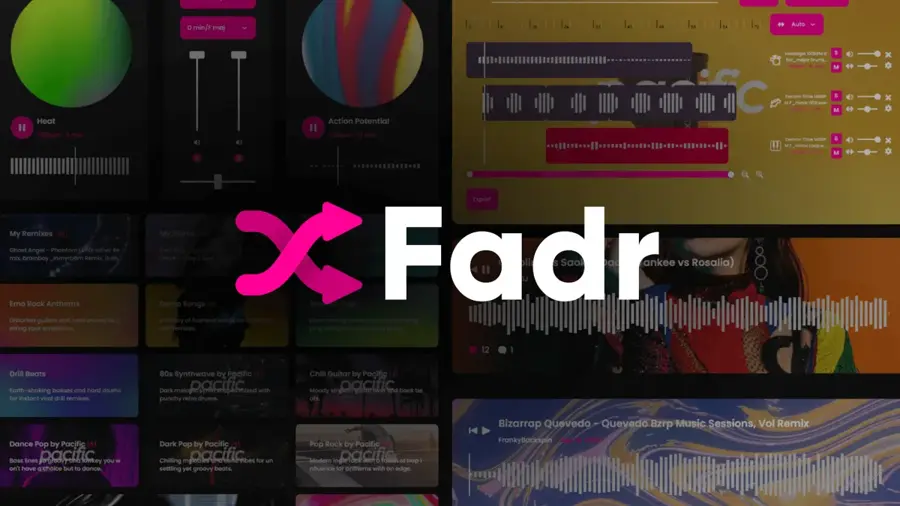
Fadr is a browser-based music tool that splits any song into stems, then lets you remix or DJ with them for free. Find it at fadr.com.
Strengths
The free plan is the headline. Going by Fadr's own FAQ, Fadr Basic is "free for life" and gives you unlimited stems, remixes and DJ sets with MP3 downloads. That's rare. ZIPDJ's 2026 roundup of AI mashup makers puts it this way: "Fadr is adept at isolating vocals, instruments, drums, and other elements and saving them as audio or MIDI files", and it adds that Fadr detects tempo, key and chord progressions (ZIPDJ).
What I like most is the Remix library. Alongside loop packs, it has a "Demo Songs" pack described as "a library of licensed songs for mashups and remixes", so you can practise without touching anyone's catalogue. Small thing, but it keeps beginners out of trouble.
Key features
- Stem splitting into vocals, melodies, drums and bass on the free plan.
- Plus adds finer stems such as lead and background vocals, piano, guitar, kick and snare.
- A Remix tool with loop packs and licensed demo songs.
- A browser DJ controller for mixing stems live.
Pros
- Unlimited free stems and remixes, which is unusually generous.
- Runs in a browser, so there's nothing to install.
- Licensed demo songs to practise with.
Cons
- Free downloads are MP3 only; lossless WAV needs Plus.
- It's not a one-click mashup button, so you'll still arrange the parts yourself.
Verdict: if you're just curious about mashups, this is probably where I'd start.
Fadr pricing: Free, then Fadr Plus at $10/month or $100/year (checked October 2026). See pricing
DJ.Studio – best for finished mashups on a timeline
DJ.Studio is desktop software for building DJ mixes and mashups on a timeline, with AI key and BPM analysis and optional stem separation. Find it at dj.studio.
Strengths
DJ.Studio is the tool closest to what most people picture when they search for the best AI mashup maker: you drop tracks in, it analyses key and tempo, and you arrange stems on a timeline before exporting. ZIPDJ ranked it first in its 2026 list. A testimonial on the plans page says stems and AI Beatgrid "make nearly all of my DJ mixes and mashups possible", though the company picked that quote.
The licence model is the other draw. Every plan is sold as a one-time licence for one user on two computers, with 12 months of updates; after that, a further year of updates costs $49. In DJ.Studio's own 2026 buyer's guide, it puts one-time licences at "about $99" and the Pro + Stems subscription at around $29 a month. I'd treat those as rough, because the live prices load in your local currency.
Key features
- Automatic key and BPM detection with harmonic suggestions.
- Stem separation into vocals, drums, bass and melodies on the Pro + Stems tier.
- Timeline editing of transitions and mashup sections.
- Export to audio, video, Ableton and playlists for other DJ software.
Pros
- Pay once and keep the version you own.
- Built for exporting finished mixes, not just live play.
- A 14-day money-back guarantee on one-time licences.
Cons
- No free plan, only a 7-day trial with exporting turned off.
- Stems cost extra over the base Studio plan.
- Most published praise comes from DJ.Studio's own blog and partners.
Verdict: the pick for DJs who want a polished mashup file at the end, not a live performance.
DJ.Studio pricing: No free plan, then one-time licences from about $99 or Pro + Stems at around $29/month (checked October 2026). See pricing
Related: Best AI music extender tools
Mixed In Key 11 Pro – best for finding mashup ideas in your library
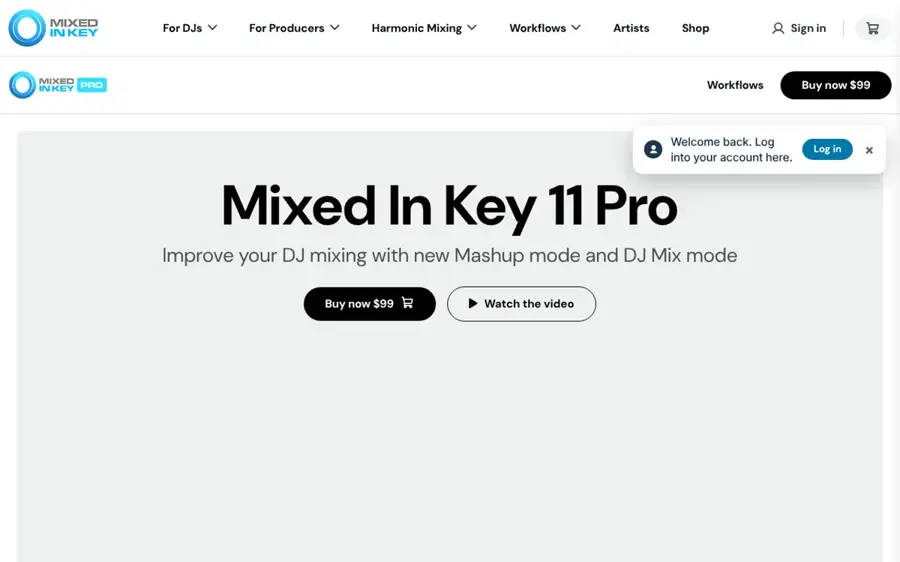
Mixed In Key 11 Pro analyses your music library for key, BPM and energy, then suggests tracks that will mash up well and lets you audition them beat-synced. Find it at mixedinkey.com.
Strengths
Mixed In Key's job has always been key detection, and the Pro version turns that into a mashup idea engine. Load a track into Deck A and it suggests partners for Deck B; version 11.2 added stem separation, pitch shifting on stems and a looping tool, as Magnetic Magazine reported. In We Are Crossfader's review (sponsored by Mixed In Key, which it discloses), the verdict was that Pro turns the app into "a potentially really important timesaver".
That same review lists the price at $99, against $58 for the standard version. One commenter replied: "a 3 day free trial would be ideal. It's a fair bit of money to commit without first testing it." Mixed In Key does offer a 30-day money-back guarantee on its shop, which softens that a bit.
Key features
- Key, BPM and energy level analysis across your whole library.
- A Mashup mode that suggests and beat-syncs compatible tracks.
- Stem export in any key, so an acapella can be shifted to fit.
- A DJ Mix mode for planning transitions and set lists.
Pros
- Uses the music you already own, so suggestions fit your crates.
- One-time purchase, no subscription.
- Exports ideas to Ableton, Logic or DJ.Studio for finishing.
Cons
- No free trial, only a refund window.
- It finds and tests mashups; you'll need other software to produce a polished final file.
- The main independent review we found was sponsored.
Verdict: honestly, it's the smartest tool here for the hardest part of mashups, which is knowing what to combine.
Mixed In Key 11 Pro pricing: No free plan, then $99 one-time (checked October 2026). See pricing
djay Pro – best for live mashups on iPhone, iPad and Mac
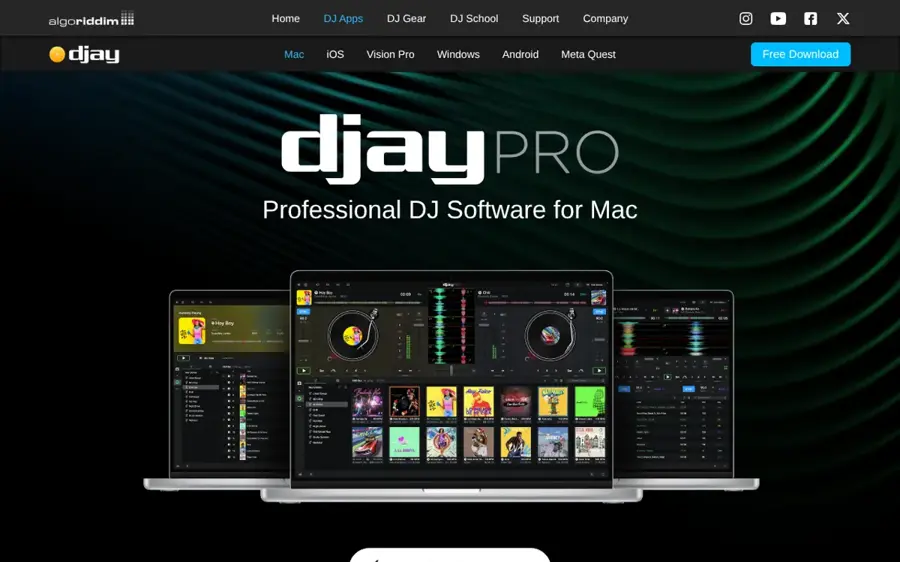
djay is Algoriddim's DJ app for iOS, Mac and Android, with Neural Mix to isolate vocals, drums and instruments in real time. Find it at algoriddim.com.
Strengths
djay is the most approachable way to mash songs up live. Neural Mix lets you pull the vocal off one track and lay it over the beat of another while both play, and the app has key detection, a looper with up to 48 loops per track and Automix. It's free to download on the App Store, and an App Store price tracker lists djay PRO at $6.99 a month or $49.99 a year, which matches the figures in DJ.Studio's buyer's guide.
There's a big catch for mashup makers, though. The listing says Neural Mix "cannot be used when streaming from Apple Music or Spotify", and there's "no recording available for streamed songs". So you'll need your own files. In a September 2026 community thread, a Mac user could only see the yearly PRO option in the app; a moderator pointed them to the Mac App Store's in-app purchase list instead.
Key features
- Neural Mix real-time separation of vocals, drums and instrumentals.
- Key detection and Fluid Beatgrid beat matching.
- A looper and sequencer for remixing on the fly.
- Support for 100+ MIDI controllers.
Pros
- Cheap PRO subscription by DJ software standards.
- Works on a phone or iPad, no laptop needed.
Cons
- No Neural Mix or recording with Spotify or Apple Music tracks.
- Built for live play rather than exporting a finished mashup file.
Verdict: the best live option if you're on Apple devices and own your music files.
djay Pro pricing: Free app with limits, then PRO from $6.99/month or $49.99/year (checked October 2026)
VirtualDJ – best for live stem mashups at gigs
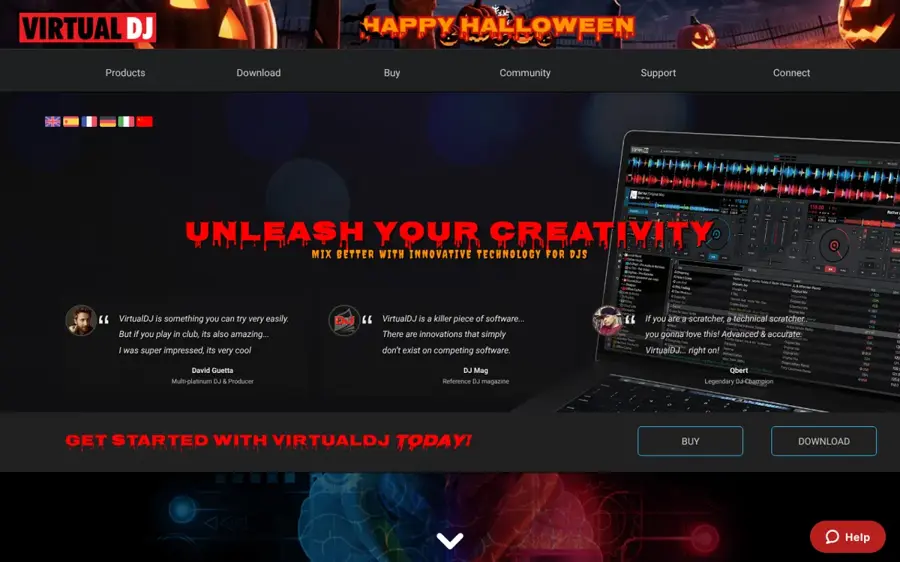
VirtualDJ is long-running DJ software for Windows and Mac with real-time stem separation and stem pads built for live mashups. Find it at virtualdj.com.
Strengths
VirtualDJ 2026 separates vocals, instruments, kicks and hi-hats in real time, and its homepage pitches Stem pads as the way to "create live mash-ups and remixes in real-time".
The licence tiers matter more than usual. On the buy page, Home costs $4 a month but can't be used at paid gigs and only works with entry-level controllers; Pro, at $19, is the tier that lists "High quality stems separation" and AI features. That's a lot of fine print.
Key features
- Real-time stem separation on any track.
- Stem pads for live mashups and remixes.
- ModernEQs that work on separated parts instead of frequencies.
- Works with almost any DJ controller on the Pro licence.
Pros
- Cheap entry price for home use.
- Stem tools designed for performing, not just prep.
- Business licences for clubs and DJ companies.
Cons
- The best stem quality and gig use need the $19 Pro tier.
- Infinity licence holders miss some new AI features.
- A steeper learning curve than one-click tools.
Verdict: worth it if you play out and want to build mashups live; overkill for a TikTok edit.
VirtualDJ pricing: No free plan listed, then Home from $4/month and Pro at $19/month (checked October 2026). See pricing
Moises – best for changing key and tempo of stems
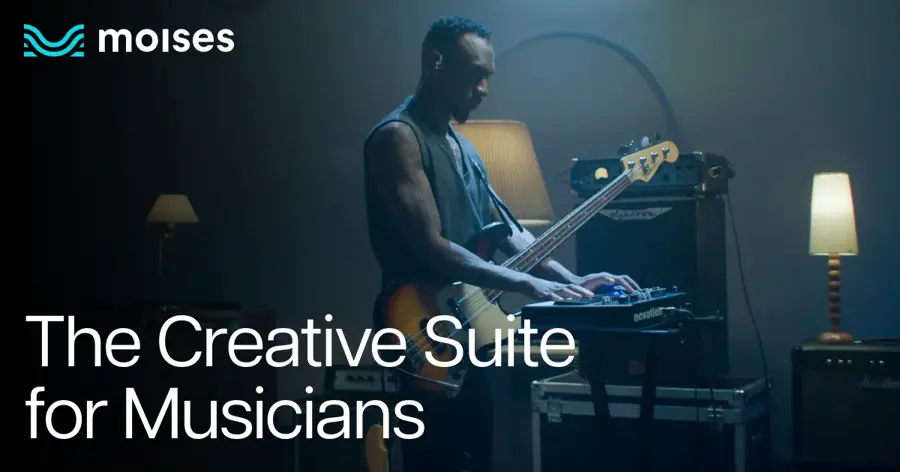
Moises is a stem separation and practice app for web, iOS and Android that also detects key and BPM and lets you shift both. Find it at moises.ai.
Strengths
Moises wasn't built for mashups, but it does two of the jobs a mashup needs: splitting a track and making it fit. The site says it separates "27 stem types", and the App Store listing lists a pitch changer, speed changer, key detection and stem export. Moises also says it trains only on licensed material and "will never train on your data", which I think matters more than most buyers realise.
Pricing is less clear, since the full table only appears after you log in. A March 2026 snapshot from App Pricing Lab lists Premium at $5.99 a month or $39.99 a year on iOS.
Key features
- Separation of vocals, drums, bass, guitar, piano, strings and more.
- Key detection and transposing to any of the 12 keys.
- Speed changing with BPM detection.
- Export of separated stems or a custom mix.
Pros
- Strong mobile apps, so you can prep stems on a phone.
- Clear stance on training only with licensed data.
- Free plan to try the basics.
Cons
- No mashup arrangement tools; you'll finish elsewhere.
- Prices hidden behind a login on the web.
- WAV export is desktop only.
Verdict: a good stem-and-key prep tool to pair with a free editor.
Moises pricing: Free, then Premium from $5.99/month on iOS (checked October 2026). See pricing
LALAL.AI – best for clean acapellas and instrumentals
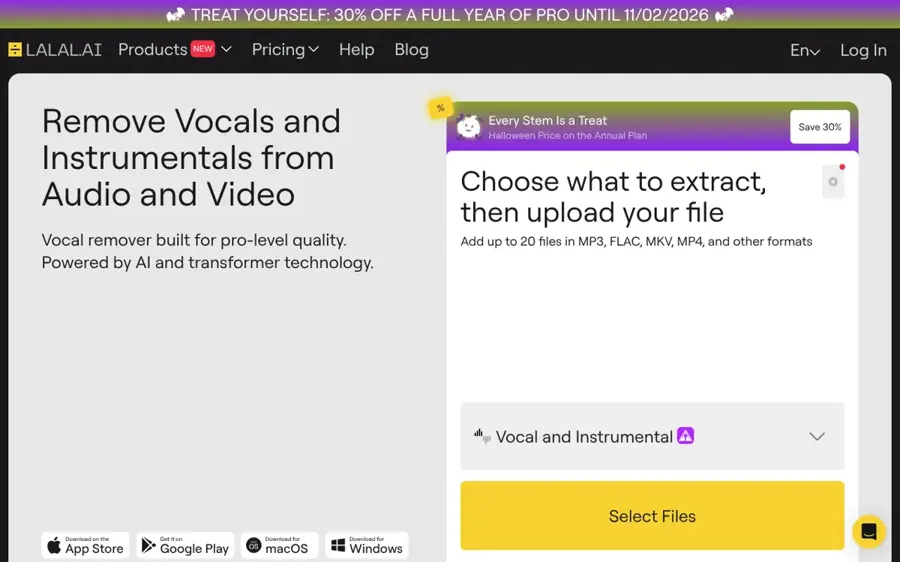
LALAL.AI is an online vocal remover and stem splitter, with desktop and mobile apps, that pulls vocals, drums, bass, guitar, piano and more out of a mix. Find it at lalal.ai.
Strengths
A mashup lives or dies on the acapella, and LALAL.AI is built for exactly that. It can split lead and backing vocals into separate files, which helps when a chorus has stacked harmonies you don't want. The pricing FAQ is unusually clear: paid plans get unlimited minutes in a slower Relaxed Queue plus 90 (Lite) or 250 (Pro) Fast Queue minutes a month.
I couldn't find a recent independent test of LALAL.AI worth citing, so the quality claims are the company's own.
Key features
- Vocal and instrumental separation from audio or video files.
- Lead and backing vocal splitting.
- Stems for drums, bass, guitar, piano and more.
- A VST plugin and API access on the Pro plan.
Pros
- Lead and backing vocal separation is handy for mashups.
- Unlimited Relaxed Queue minutes on paid plans.
- Clear, published plan limits.
Cons
- No key, tempo or arrangement tools for building the mashup itself.
- Fast Queue minutes don't roll over, and subscriptions are non-refundable.
Verdict: buy it for the acapellas, then build the mashup somewhere else.
LALAL.AI pricing: Free Starter plan, then Lite at $7.50/month ($90 billed annually) or Pro at $15/month ($180 billed annually) (checked October 2026). See pricing
RaveDJ – best for fun two-song mashups from links
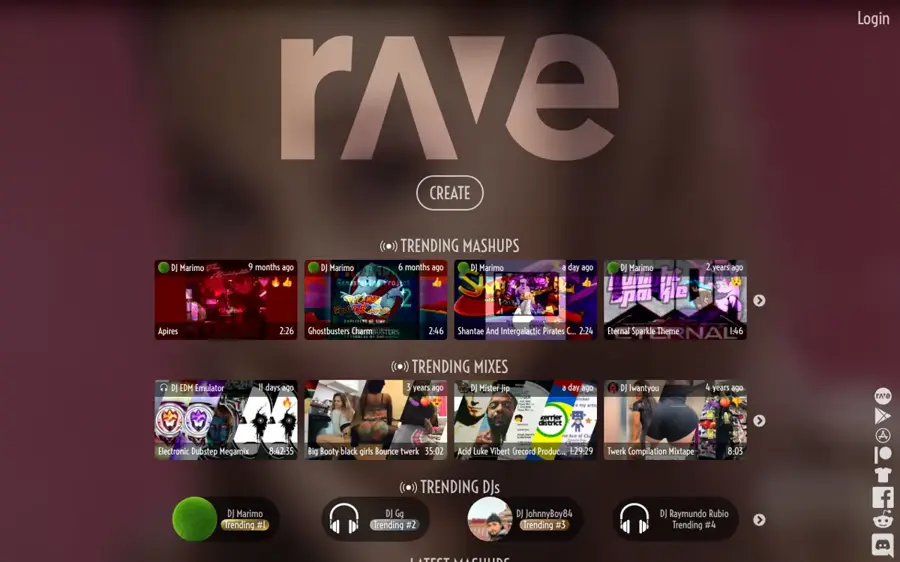
RaveDJ is a free website and app that mashes up songs you paste in as links and shares the results in a public feed. Find it at rave.dj.
Strengths
RaveDJ is the one-click option. DJ Mag described how it takes YouTube or Spotify links and offers a "Mash-up" button, and Digital DJ Tips found that "results never sound terrible, which is a feat in itself". The same piece also said "it kinda played fast and loose with song structure and the results were often wildly random". Fair, I think: it's a toy, and a fun one.
Two warnings. The public trending feed isn't filtered for younger users, and when we looked it carried some crude titles. And because you're mashing up commercial songs you don't own, anything you make here is the riskiest kind of mashup to publish.
Key features
- Mashups from pasted song links in a few clicks.
- Automatic key, BPM and structure analysis behind the scenes.
- Android and iOS apps alongside the website.
Pros
- Free, with no setup.
- Fastest way to hear whether two songs might work.
- Big public feed for ideas.
Cons
- Very little control over the result.
- Recent independent coverage is thin; most reviews we found are several years old.
- Unclear rights position for anything you publish.
Verdict: fine for a laugh with friends; not a tool for anything you plan to post.
RaveDJ pricing: Free; it asks users for support rather than selling a published paid plan (checked October 2026). See the site
Choosing the right AI mashup maker
Decide whether you're performing or publishing
djay Pro and VirtualDJ are built for live sets, where a mashup happens for the room and then it's gone. DJ.Studio and Fadr are better when you want a file at the end. Pick a side first.
Use your own files, not streams
Streaming integrations look convenient, but they often switch off the features you need. djay's listing is blunt that Neural Mix doesn't work with Spotify or Apple Music, and DJ.Studio notes that exported mixes still depend on properly licensed music files rather than streaming access. Buy the tracks, or use licensed packs like Fadr's demo songs.
Get key and tempo right before anything else
Most bad mashups clash on key, not beat. That's why I'd rank key detection above fancy effects: Mixed In Key, Moises and DJ.Studio all show you the key and let you shift a stem to match, which saves a lot of guessing.
Copyright: can you publish an AI song mashup?
Usually not without permission, if the songs are commercial releases. The U.S. Copyright Office's fair use FAQ puts it plainly: "Only the owner of copyright in a work has the right to prepare, or to authorize someone else to create, a new version of that work." A mashup is a new version of at least two works, and each song typically has two sets of rights: the recording (often a label) and the composition (often a publisher). To release or monetise a mashup legally, you'd normally need licences from all of them.
Fair use won't reliably save you. YouTube's fair use page says courts decide each case on its own facts and lists four factors, including whether the use harms the original's market; outside the US, rules differ, and the EU limits exceptions to categories such as quotation, parody and pastiche.
Platforms enforce this automatically. Going by YouTube's Content ID explainer, every upload is scanned, and a match can lead the rights holder to block the video, monetise it with ads, or just track it, sometimes differently by country. So a mashup might stay up in one place and vanish in another. I'm not a lawyer and this isn't legal advice; if money's involved, talk to one.
Safer routes exist. Mash up songs you wrote, stems from licensed packs, tracks released under licences that allow remixing, or songs where you've asked the artist and label. And please skip YouTube-ripping sites to get source audio; we don't link them, and they're a copyright problem on their own.
Free vs paid: what you actually get
Free plans are fine for learning. Paying mostly buys lossless audio, better separation and more minutes; it never licenses the songs themselves.
| Tool | Free plan | What paying adds |
|---|---|---|
| Fadr | Unlimited stems, remixes and DJ sets, MP3 downloads | Finer stems, WAV downloads and the Stems plugin for $10/month |
| djay Pro | Free app with limited features | PRO features, loops and samples across devices from $6.99/month |
| Moises | Vocals, drums and bass separation, key and BPM detection | Unlimited separation and more instrument types from $5.99/month on iOS |
| LALAL.AI | Starter plan for testing quality | Unlimited Relaxed Queue minutes, 90 or 250 Fast minutes, VST on Pro |
| DJ.Studio, Mixed In Key, VirtualDJ | Trial or refund window only | Full software by licence or subscription |
If you're also looking at AI song generators like Suno, which has its own plans from $8 a month billed yearly, note they make new music rather than blending existing songs. Our guide to AI music extenders and Suno AI review cover that side.
Final verdict
If you only pick one, pick Fadr: it's free, it handles the stems, and its licensed demo songs mean you can practise without a copyright headache. DJs who want finished mashup files should probably spend the roughly $99 on DJ.Studio, and add Mixed In Key 11 Pro if finding combinations is the bottleneck. I'd skip paying for anything until you've made a few mashups on a free plan and know which part of the process you actually struggle with.
FAQ
Can I post an AI music mashup on YouTube or TikTok?
You can upload it, but if it uses commercial songs it's likely to be flagged. On YouTube, Content ID can block, monetise or track a matching video for the rights holder, and you generally need permission to publish or earn from a mashup of other people's songs.
What's the difference between a mashup maker and an AI song generator?
A mashup maker combines parts of existing recordings. An AI song generator such as Suno creates new audio from a prompt. Some apps blur the line, but the copyright position is quite different, since a mashup reuses someone else's recording.
Do I need stems to make a mashup?
Not strictly, but they make it far easier. Separating the vocal from one song and the instrumental from another is how most AI song mashup tools work, whether they do it for you (RaveDJ, djay) or hand you the stems (Fadr, LALAL.AI, Moises).