7 best Dell AI Factory alternatives in 2026, compared
HPE, Lenovo, Cisco, Supermicro, NVIDIA DGX, Nutanix and Red Hat compared as Dell AI Factory alternatives, with pricing models, trade-offs and real user reviews.
 Written byFahad HashmiContributing writer, AI in energy and industry
Why you can trust The AI Future
Our writers research every product from its official pages, independent tests and user reports, link each claim to its source and correct mistakes openly. Unless an article says otherwise, we haven't tested the product hands-on ourselves. Companies can't pay for coverage or see reviews before they're published.
Read our editorial policy
Here's the short version. If you want a Dell AI Factory alternative, the closest like-for-like swaps are HPE Private Cloud AI, Lenovo's Hybrid AI Factory and Cisco Secure AI Factory, since all three sell NVIDIA-based GPU racks, storage, networking and software as one package. If price matters more than a single support contract, Supermicro is the usual pick, and if you already own hardware, a software layer like Nutanix Enterprise AI or Red Hat OpenShift AI may be all you need.
Dell's offering isn't small. Dell says it added 1,000 AI Factory customers in one quarter, reaching 5,000 by May 2026, and it's shipped more than 240 products and updates under the brand since 2024, as IT Pro reported. So you're after a better fit, not a better product: cheaper hardware, a different support model, or software that doesn't tie you to one server brand. I think that's a sensible question to ask before signing a seven-figure purchase order.
Key takeaways
- HPE Private Cloud AI is the most direct turnkey rival, with air-gapped options and expansion racks of up to 128 GPUs.
- Supermicro is the price-led choice for teams that can run their own cluster software.
- Nutanix Enterprise AI and Red Hat OpenShift AI are software platforms, so they run on hardware you already own, Dell's included.
- None of these vendors publish list prices for full AI factory stacks, so plan for a sales process and a custom quote.
Our ranking method
Nobody at The AI Future ran hands-on tests of these systems; you can't borrow a 72-GPU rack for a weekend. We compared each option using vendor product pages, press coverage, independent analysis and peer reviews on PeerSpot, as of early November 2026. We ranked them on seven criteria:
- Closeness to Dell's full-stack, single-vendor package.
- Scale, from a few GPUs to rack-scale NVL72 systems.
- Software and MLOps tooling included in the stack.
- Deployment choice, including on-premises, edge, air-gapped and colocated setups.
- Pricing model, including pay-as-you-go options.
- Lock-in risk, meaning how easily you could move workloads to other hardware.
The 7 best Dell AI Factory alternatives at a glance
| # | Tool | Category | Best for | Free tier | Starts at |
|---|---|---|---|---|---|
| 1 | HPE Private Cloud AI | Turnkey private AI stack | Closest like-for-like swap | No | Custom quote |
| 2 | Lenovo Hybrid AI Factory | Full-stack AI infrastructure | Pay-as-you-go hardware | No | Custom quote |
| 3 | Cisco Secure AI Factory | Networking-led AI stack | Security and networking teams | No | Custom quote |
| 4 | Supermicro AI SuperCluster | Rack-scale GPU clusters | Lower hardware cost | No | Custom quote |
| 5 | NVIDIA DGX | Reference AI platform | Straight-from-NVIDIA systems | No | Custom quote |
| 6 | Nutanix Enterprise AI | AI software platform | Governing models and agents | Yes (limited) | Custom quote |
| 7 | Red Hat OpenShift AI | Open source MLOps platform | Hardware-neutral software | Yes (limited) | Custom quote |
Notes: "Yes (limited)" means a free trial, not a free plan. Nutanix offers a hosted 4-hour Test Drive and Red Hat a 30-day Developer Sandbox.
Reasons teams look for a Dell AI Factory alternative
Price comes first. One GPU infrastructure guide from Introl puts Dell's premium at 20 to 30% over white-box vendors and quotes a list price of $45,000 for a Supermicro 8-GPU server against $65,000 for a Dell equivalent. Treat those numbers as a rough guide; they're from a services firm's blog, not from Dell.
Here's a worked example. Say you need 16 eight-GPU servers. At a $20,000 gap per server, that's $320,000 before GPUs, networking or support. Not trivial.
The same Introl guide lists longer lead times for custom configurations and proprietary replacement parts as Dell drawbacks. The other common worry is lock-in. Dell AI Factory is built mainly around NVIDIA, although Dell did add AMD Instinct MI355X servers in late 2025, according to IntuitionLabs. If you'd rather keep your software portable across server brands, a platform layer probably matters more to you than the rack itself.
Public user reviews of Dell AI Factory are scarce, which isn't unusual for deals sold through account teams.
The best Dell AI Factory alternatives in 2026, ranked
HPE Private Cloud AI – best for a like-for-like swap
HPE Private Cloud AI is a turnkey on-premises AI stack co-developed with NVIDIA, combining HPE servers and storage with NVIDIA AI Enterprise software. Learn more at hpe.com.
Strengths
It's the option Zacks calls Dell's closest rival, noting that Dell AI Factory with NVIDIA is "arguably the most direct alternative for HPE private cloud AI". HPE's mid-2026 update added NVIDIA RTX PRO 6000 Blackwell Server Edition GPUs, up to 20% more token throughput on existing hardware, air-gapped deployment and network expansion racks for up to 128 GPUs, per Value The Markets.
HPE's GreenLake platform manages more than 6.7 million systems, Zacks reports. User review line: PeerSpot lists the product but says it hasn't yet collected reviews,.
Key features
- It ships as a pre-integrated stack of HPE compute, storage and NVIDIA software.
- NVIDIA AI Enterprise and NIM inference microservices are included.
- Air-gapped deployment suits defence, healthcare and finance.
- Expansion racks scale to 128 GPUs.
Pros
- Closest single-vendor match to Dell's package
- Offline, air-gapped option
- GreenLake gives an OpEx route
Cons
- No public pricing
- Higher services costs, per Introl
- No public user reviews yet
HPE Private Cloud AI pricing: No free plan. Pricing is by quote, with GreenLake consumption options (checked November 2026). Official site
Related: Best enterprise AI solutions
Lenovo Hybrid AI Factory – best for pay-as-you-go hardware
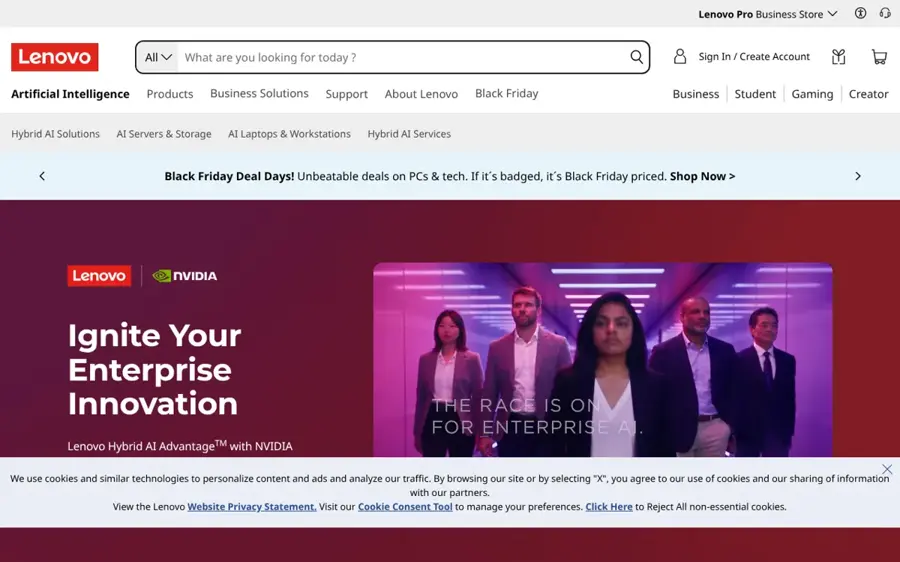
Lenovo's Hybrid AI Factory is a validated framework of ThinkSystem servers, storage, software and services, sold under the Lenovo Hybrid AI Advantage with NVIDIA banner. See it at lenovo.com.
Strengths
Lenovo's pitch is speed and financing. On its AI solutions page, Lenovo claims you can move from AI concept to deployment in as little as one week with validated designs. The TruScale pay-as-you-go model means you don't have to buy everything upfront, and at CES 2026 Lenovo added ThinkSystem SR675i and SR650i inference servers plus a rugged ThinkEdge SE455i rated for -5°C to 55°C, as Insider PH reported.
Neptune liquid cooling is the other draw, with IntuitionLabs citing a PUE as low as 1.1. User review line: I couldn't find verified public reviews of the Hybrid AI Factory itself.
Key features
- Validated designs pair Lenovo hardware with NVIDIA software.
- TruScale offers pay-as-you-go pricing.
- Neptune air and liquid cooling handles dense racks.
- Hybrid AI Factory Services cover design, deployment and operations.
Pros
- Pay-as-you-go option lowers upfront spend
- Strong liquid cooling record
- Edge servers for harsh sites
Cons
- No public pricing for full stacks
- Efficiency claims (such as 45x faster inference) are Lenovo's own
- No verified user reviews found
Lenovo Hybrid AI Factory pricing: No free plan. Quote-based, with TruScale consumption pricing available (checked November 2026). See solutions
Related: Best Lenovo AI server alternatives
Cisco Secure AI Factory – best for security and networking teams
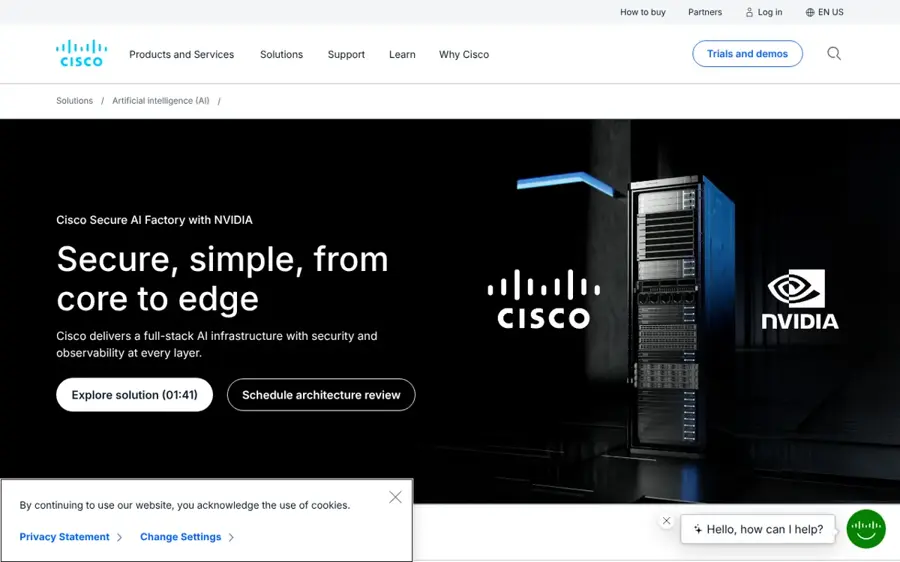
Cisco Secure AI Factory with NVIDIA is a full-stack design built on Cisco UCS servers, Cisco or NVIDIA Spectrum-X switching and Cisco AI Defense security. Find it at cisco.com.
Strengths
Where Dell starts with servers, Cisco starts with the network and security layer. You can buy pre-validated AI PODs managed on-premises with Nexus Dashboard, cloud-managed PODs through Nexus Hyperfabric, or build your own from parts; Cisco's solution page also lists Splunk observability and support for Red Hat OpenShift, Nutanix NKP and storage from NetApp, VAST Data, Hitachi Vantara and others.
On the hardware side, one PeerSpot reviewer of Cisco UCS C-Series servers wanted "more transparent licensing and support costs", which is a fair warning for any Cisco deal.
Key features
- AI Defense secures models, agents and workloads.
- Rack-scale configurations are now available.
- It supports Red Hat OpenShift, Nutanix NKP or upstream Kubernetes.
Pros
- Security built into every layer
Cons
- Licensing can be hard to read, per one reviewer
- More partners means more contracts to manage
- No public pricing
Cisco Secure AI Factory pricing: No free plan. Pricing is through Cisco or partners, starting with an architecture review (checked November 2026). Official site
Related: Best enterprise AI solutions
Supermicro AI SuperCluster – best for lower hardware cost
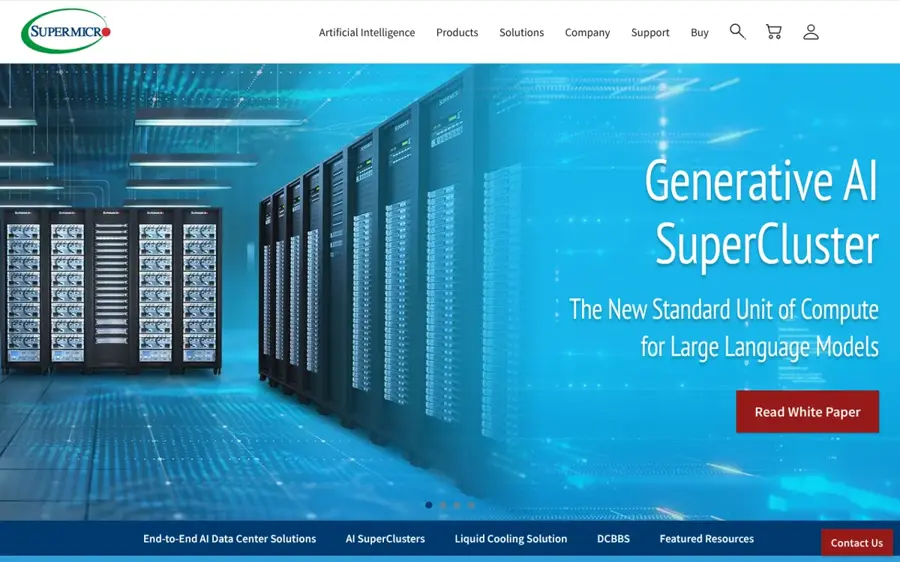
Supermicro builds and ships fully integrated, liquid- or air-cooled GPU racks and clusters, from single servers to thousand-GPU SuperClusters. See them at supermicro.com.
Strengths
Supermicro's scale is hard to ignore. It says it can build up to 5,000 racks per month, tests racks before shipping, and sells a liquid-cooled HGX B300 cluster of 144 nodes with up to 1,152 GPUs.
The catch is software. Introl lists "limited enterprise software tools" and "basic management capabilities" among Supermicro's trade-offs, so you'll likely pair it with NVIDIA AI Enterprise, OpenShift AI or Nutanix. Honestly, for a team with strong platform engineers, that's a fine trade. User review line: I couldn't find verified PeerSpot, G2 or Trustpilot reviews of the SuperCluster product.
Key features
- Full racks arrive integrated and tested.
- Liquid and air cooling options are available.
- HGX B300 and NVL72 rack-scale designs are offered.
- Building-block servers mix CPUs, GPUs and storage.
Pros
- Lower list prices than Dell, per Introl
- Huge manufacturing capacity
Cons
- Thinner management software
- Smaller services organisation than Dell or HPE
- Introl reports variable build quality
Supermicro AI SuperCluster pricing: No free plan. Quote-based (checked November 2026). Official site
NVIDIA DGX – best for straight-from-NVIDIA systems
NVIDIA DGX is NVIDIA's own AI platform, from single DGX systems to DGX SuperPOD clusters, managed with NVIDIA Mission Control. Learn more at nvidia.com.
Strengths
Every AI factory here runs NVIDIA silicon, so going to the source cuts out a layer. You can run DGX on premises, colocated, rented from managed service providers or in private clouds, and you get direct access to NVIDIA AI experts.
A PeerSpot reviewer running DGX in an HPC cluster said setup took about four hours, but warned "The prices for DGX are pretty high, and not everyone can afford them." That reviewer also flagged power consumption as the main weak spot.
Key features
- DGX SuperPOD covers on-premises and hybrid clusters.
- Mission Control handles full-stack AI operations.
- NVIDIA AI Enterprise software is tuned for the hardware.
Pros
- Direct NVIDIA support and expertise
- Flexible hosting, including rented capacity
Cons
- High prices, per a PeerSpot reviewer
- Heavy power draw
- NVIDIA-only by design
NVIDIA DGX pricing: No free plan. Sold through NVIDIA and partners by quote (checked November 2026). Official site
Related: AI laptops vs GPUs
Nutanix Enterprise AI – best for governing models and agents
Nutanix Enterprise AI is a software platform for running and governing models and AI agents across on-premises, edge and cloud environments, on any CNCF Kubernetes. Visit nutanix.com.
Strengths
This is the pick if what you actually need is control, not racks. Nutanix highlights a central Agent Gateway, a full audit trail of every MCP request, token rate limits to avoid "bill shock", and one endpoint for cloud and private models.
You can try it without buying anything: the Nutanix Test Drive includes a 4-hour Enterprise AI session for running models from Hugging Face or NVIDIA NIM. User review line: I couldn't find verified public reviews of Enterprise AI specifically.
Key features
- An Agent Gateway connects agents to enterprise tools.
- Token tracking and rate limits control spend.
- It runs on any CNCF Kubernetes, including Nutanix Kubernetes Platform.
Pros
- Hardware-agnostic, so it can run on Dell servers you already own
- Strong cost and access controls
- Free 4-hour hosted trial
Cons
- You still need GPUs from someone
- Pricing isn't public
Nutanix Enterprise AI pricing: No free plan beyond the Test Drive; pricing is by quote (checked November 2026). Official site
Related: Best cloud native AI platforms Best enterprise AI solutions
Red Hat OpenShift AI – best for hardware-neutral software
Red Hat OpenShift AI is a hybrid cloud platform for building, serving and running models and agents, based on open source tools like PyTorch, Kubeflow, MLflow and vLLM. Find it at redhat.com.
Strengths
OpenShift AI sits above the hardware, which makes it the strongest hedge against lock-in on this list. Red Hat lists vLLM serving, MLflow-based AgentOps, governed MCP servers, Models-as-a-Service and disconnected-mode support for private deployments. Cisco lists it as a supported platform in its Secure AI Factory, so it fits alongside at least one hardware stack here.
The free Developer Sandbox gives you a 30-day trial that includes OpenShift AI. User review line: PeerSpot says it hasn't yet collected reviews for OpenShift AI.
Key features
- vLLM handles efficient model serving.
- MLflow supports AgentOps and tracing.
- MCP servers govern agent access to tools.
- Disconnected mode supports air-gapped sites.
Pros
- Open source core reduces lock-in
- Runs on-premises, at the edge or in the cloud
- Free 30-day sandbox
Cons
- Needs Kubernetes and OpenShift skills
- No hardware, so it isn't a complete AI factory on its own
- No public user reviews on PeerSpot yet
Red Hat OpenShift AI pricing: Free 30-day sandbox, then subscription pricing by quote (checked November 2026). Official site
Related: Best cloud native AI platforms
Choosing the right Dell AI Factory alternative
Dell AI Factory bundles hardware, software and services, and you can swap any one of those without swapping the rest.
Buy a full stack if you want one throat to choke
HPE, Lenovo and Cisco each give you a single contract for racks, storage and software. I'd pick HPE for an air-gapped build, Lenovo if pay-as-you-go matters, and Cisco if your security team owns the project.
Split hardware from software to cut lock-in
If you put OpenShift AI or Nutanix on top, the server brand becomes a procurement choice instead of an architecture decision. That's probably the smartest long-term move for most mid-sized teams, in my view, and it lets you buy Supermicro or Dell racks on price.
Price the whole system, not the server
A cheaper server can cost more once you add your own engineers, cooling and support.
Our explainer on whether on-premise AI is cheaper than cloud AI covers the sums, and the guide to running AI on premises walks through the setup steps.
Check failure modes before you sign
Ask each vendor what happens when a GPU node dies mid-training, how long replacement parts take, and who you call at 2am when it does. I'd also ask for two reference customers of your size and actually phone them, since public reviews are thin for every product here and a sales deck won't tell you how a failed node gets handled.
Verdict
If you want what Dell sells but from someone else, HPE Private Cloud AI is the one I'd shortlist first, mostly because of its air-gapped option and 128-GPU expansion racks. For most teams, though, I suspect the better answer is to separate the layers: put Red Hat OpenShift AI or Nutanix Enterprise AI on top and buy GPU racks from whoever quotes the best price and lead time, which might well be Dell anyway.
FAQ
What is the best Dell AI Factory alternative?
HPE Private Cloud AI is the closest like-for-like alternative, since it's also a turnkey NVIDIA-based stack with servers, storage and software from one vendor. If cost matters most, Supermicro racks paired with software like Red Hat OpenShift AI are a common lower-cost route, though you'll need stronger in-house platform skills.
Is there a free alternative to Dell AI Factory?
Not for the hardware. The closest free options are trials: Red Hat's Developer Sandbox gives 30 days of access that includes OpenShift AI, and Nutanix runs a free 4-hour hosted Test Drive of Enterprise AI. Open source tools like vLLM and Kubeflow are free, but you'll still need GPU servers to run them.
How much does Dell AI Factory cost compared with alternatives?
None of these vendors publish full-stack prices; they're all quote-based. One guide from Introl puts Dell's premium at 20 to 30% over white-box vendors, with an 8-GPU Supermicro server listed at $45,000 against $65,000 for a Dell equivalent. Get competing quotes for the same configuration.
Can I run AI software from other vendors on Dell hardware?
Yes. Nutanix Enterprise AI runs on any CNCF Kubernetes platform, so it can sit on Dell PowerEdge servers, and that keeps your software portable.