8 best cloud native AI platforms in 2026: serverless GPU vs Kubernetes
The best cloud native AI platforms in 2026, from Modal and RunPod to KServe and Kubeflow, compared on GPU prices, scaling and lock-in.
 Written byMuhammad Usman SiddiquiFounder and editor-in-chief
Why you can trust The AI Future
Our writers research every product, link each claim to its source and correct mistakes openly. Companies can't pay for coverage or see reviews before they're published.
Read our editorial policy
Most teams shopping for cloud native AI platforms should probably start with Modal. You write Python, it spins GPUs up in seconds, bills by the second and scales to zero when traffic stops. If you need the cheapest raw GPU hours, rent from RunPod. Honestly, I'd pick Modal first for almost any Python team. If you already run Kubernetes and want full control, build on KServe and Kubeflow, or let GKE or SageMaker HyperPod manage the cluster for you.
This guide covers the infrastructure layer: where your models actually train and serve. If you want hosted model APIs and agent builders such as Amazon Bedrock, Gemini Enterprise Agent Platform or Microsoft Foundry, read our sister guide to AI development solutions first. Here we compare eight platforms for running your own models. Prices were checked on official pages in late October 2026.
Key takeaways
- Serverless GPU wins for spiky traffic, I think. Modal, RunPod Serverless and Baseten bill only while your code runs, so idle hours cost nothing.
- Per-hour list prices mislead. An H100 runs about $3.95 an hour on Modal, $3.99 as a RunPod pod and about $6.50 on Baseten. Utilization probably matters more than the sticker price.
- Kubernetes gives you control, not convenience, and that's a fair trade only with a platform team. KServe and Kubeflow are free, but you pay for the cluster and the engineers who run it.
- Hyperscalers are the better fit when your data and contracts already live there, since GKE and SageMaker AI plug into existing cloud security, billing and committed spend.
Our ranking method
Nobody at The AI Future ran hands-on tests or benchmarks for this roundup. We compared each platform using official product, pricing and documentation pages, project health data from the CNCF, and verified user reviews on PeerSpot and Software Advice, as of late October 2026. We scored each platform on seven criteria:
- Time to first deployment: how fast a small team can go from code to a live endpoint.
- Scaling behaviour: autoscaling, scale to zero and cold-start times.
- GPU access and price: which accelerators you can get, without quota fights, and at what hourly rate.
- Workload coverage: inference, training, batch jobs and agent sandboxes.
- Portability and lock-in: whether you can move the same code to another cloud or on-premises.
- Security and governance: SOC 2, HIPAA, audit logs, SSO and bring-your-own-cloud options.
- User feedback: what verified reviewers praise and complain about.
Managed serverless platforms rank highest because they remove the most work, which is a judgement call and one you may not share. Prices are in US dollars and change often.
The 8 best cloud native AI platforms at a glance
| # | Tool | Category | Best for | Free tier | Starts at |
|---|---|---|---|---|---|
| 1 | Modal | Serverless GPU | Python teams shipping AI apps | Yes (limited) | $250/mo (Team) |
| 2 | RunPod | GPU cloud and serverless | Cheap GPU hours | No | $0.27/hr |
| 3 | Baseten | Inference platform | High-traffic production inference | Yes (limited) | Pay as you go |
| 4 | Anyscale | Managed Ray | Distributed training and batch jobs | Yes (limited) | Pay as you go |
| 5 | Google Kubernetes Engine | Managed Kubernetes | Kubernetes AI on Google Cloud | Yes (limited) | $0.10/cluster-hr |
| 6 | Amazon SageMaker AI | Managed ML platform | AWS teams training at scale | Yes (limited) | Pay as you go |
| 7 | KServe | Open-source model serving | Self-hosted inference on Kubernetes | Yes | Free |
| 8 | Kubeflow | Open-source MLOps stack | Portable pipelines and training | Yes | Free |
The best cloud native AI platforms in 2026, ranked
Modal – best for Python teams shipping AI apps
Modal is a serverless cloud for AI that runs your Python functions on GPUs or CPUs, spinning containers up in seconds and billing per second.
Strengths
Modal removes the cluster entirely, which is its whole appeal. You decorate a function, deploy it and Modal handles containers, GPUs and autoscaling. On the pricing page, containers spin up and down in 1 to 2 seconds with no minimum usage time, and the homepage claims capacity spans more than 20 clouds with no quota requests. It also covers training, batch jobs and agent Sandboxes.
The per-second rates are clear: an H100 costs $0.001097 a second (about $3.95 an hour) and an A100 80 GB $0.000694 (about $2.50 an hour). A reviewer on Software Advice said Modal let their team concentrate "on the actual development of the video summarization application rather than building it," but noted "some restrictions regarding fine grained infrastructure customization" compared with traditional clouds.
Verdict: If you only pick one cloud native AI platform and your team writes Python, I'd pick Modal.
Key features
- Functions: turn any Python function into an autoscaling job or HTTPS endpoint.
- GPU range: from Nvidia T4 up to B200 and B300, billed per second.
- Sandboxes: isolated environments for agents and untrusted code.
- Training: single-GPU fine-tunes up to multi-node runs.
- Compliance: SOC 2 Type II, with HIPAA on Enterprise.
Pros
- Fastest path from code to a GPU endpoint
- Scales to zero, so idle time is free
- $30 a month of free compute on the Starter plan
Cons
- Less low-level infrastructure control than raw VMs or Kubernetes
- Region selection costs 1.15 to 1.75 times base prices, and non-preemptible runs cost 3 times
Modal pricing: Free Starter plan with $30/month in credits; then Team at $250/month plus compute, with $100/month in credits (checked October 2026). See pricing
RunPod – best for cheap GPU hours
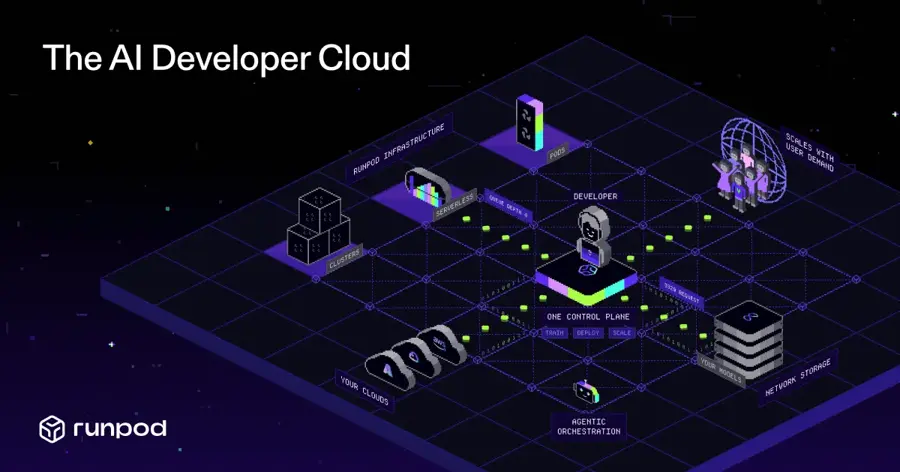
RunPod is a GPU cloud that rents dedicated GPU pods, serverless inference endpoints and multi-node clusters, billed per second.
Strengths
RunPod has the lowest entry prices on this list. On the pricing page (updated October 8, 2026), pods start from $0.27 an hour for an RTX A5000, an A100 at $1.79 and an H100 SXM at $3.99, across more than 30 regions. Clusters scale up to 64 GPUs with no commitment, so you won't be locked into a contract.
For APIs, RunPod Serverless turns any container into an autoscaling endpoint with scale to zero and what RunPod claims are sub-200ms FlashBoot cold starts. Serverless rates are higher than pods, which is fair: an H100 worker is listed at $5.39 an hour. We couldn't access verified user reviews to quote; the most visible endorsement is vendor-published, with Amjad Masad quoted on RunPod's own page praising its "elegant solution" for developers.
Verdict: Pick RunPod when price per GPU hour matters more than polish; you'll give up some convenience.
Key features
- Pods: dedicated GPU instances from consumer RTX cards to B300.
- Serverless: autoscaling endpoints with per-second billing.
- Clusters: multi-node jobs up to 64 GPUs, or reserved clusters for larger needs.
- Hub and public endpoints: deploy open models or call pre-deployed ones per request.
Pros
- Lowest hourly GPU prices we found on an official page
- Wide choice of GPU types
- Both full-control pods and serverless in one account
Cons
- No free tier
- You manage more of the stack yourself on pods
- Storage, such as idle volumes at $0.20/GB a month, adds up
RunPod pricing: No free plan; pay as you go from $0.27/hour for pods, with serverless workers from $0.58/hour (checked October 2026). See pricing
Baseten – best for high-traffic production inference
Baseten is an inference platform for serving open-source, custom and fine-tuned models at scale, in Baseten's cloud or your own.
Strengths
Baseten focuses on one job: fast, reliable inference. The homepage promises 99.99% uptime, custom kernels and caching in the Baseten Inference Stack, plus forward-deployed engineers who help tune your models. You can run on Baseten Cloud, single-tenant clusters or self-hosted in your own VPC, which likely matters for regulated teams.
Dedicated deployments bill by the minute, per the pricing page: an H100 is $0.10833 a minute (about $6.50 an hour) and a T4 $0.01052 (about $0.63 an hour). You don't pay for idle time. We found no verified independent reviews with quotable text; PeerSpot ranks Baseten fifth in its AI infrastructure category on its comparison page, based on reader engagement rather than reviews.
Verdict: Choose Baseten when latency and uptime are product features, not nice-to-haves. That $6.50 an hour stings, though.
Key features
- Dedicated deployments: custom models on GPUs from T4 to B200.
- Model APIs: pre-optimized open models priced per million tokens.
- Truss: Baseten's open-source standard for packaging models.
- Training: train models and deploy them on the same stack.
- Compliance: SOC 2 Type II certified and HIPAA compliant.
Pros
- Built for production latency and uptime
- Self-hosted and hybrid options
- Free credits for new accounts
Cons
- Highest H100 hourly rate in this group
- Volume discounts need a sales conversation
Baseten pricing: Basic plan at $0/month, pay as you go with free starter credits; Pro and Enterprise add volume discounts (checked October 2026). See pricing
Related: Best open source AI tools
Anyscale – best for distributed training and batch jobs
Anyscale is the managed platform for Ray, the open-source compute engine for scaling Python AI workloads across many machines, built by Ray's creators.
Strengths
Ray lets you scale ordinary Python code across a cluster for data processing, training, serving and reinforcement learning. The site cites 34.8k GitHub stars and more than 1,000 contributors. Anyscale adds managed clusters, observability and governance. The homepage says the same code runs on AWS, Google Cloud, Azure, Nebius or CoreWeave, and you can pool GPUs across clouds and Kubernetes clusters.
On the pricing page you get a hosted option or bring-your-own-cloud (BYOC) on VMs or Kubernetes, with prices in Anyscale credits (for example 0.5682 an hour for a T4 instance and 4.9591 for an A100). A reviewer on PeerSpot wrote that "the metrics dashboard, stands out because it shows GPU memory usage," though Anyscale has only one review there, rated 7.0.
Verdict: Pick Anyscale if your bottleneck is spreading big jobs across many GPUs. It's overkill otherwise.
Key features
- Managed Ray: Ray Data, Train and Serve without running the cluster.
- BYOC: deploy in your VPC or on-premises, using existing GPU reservations.
- Multi-cloud GPU pooling: share capacity across clouds and regions.
- Governance: SSO, SAML, SCIM and audit logs.
Pros
- Best fit for large distributed workloads
- Built on open-source Ray, so less lock-in
- $100 in credits to start
Cons
- Credit-based pricing is harder to compare
- Hosted plan has business-hours support only
Anyscale pricing: $100 in free credits; then pay as you go per instance hour, with committed contracts for discounts; H-series and B-series GPUs need a sales quote (checked October 2026). See pricing
Related: Best open source AI tools
Google Kubernetes Engine – best for Kubernetes AI on Google Cloud
Google Kubernetes Engine (GKE) is Google Cloud's managed Kubernetes service, with built-in support for GPUs and TPUs for training, inference and agent workloads.

Strengths
GKE is the managed middle ground. You keep Kubernetes portability, but Google runs the control plane. Going by the AI/ML documentation, it covers GPU and TPU access, model serving tutorials and Agent Sandbox for isolating untrusted code.
Looking at the prices, there's a flat $0.10 per cluster per hour, a monthly $74.40 credit that covers one zonal or Autopilot cluster, and a 99.95% control-plane SLA for Autopilot and regional clusters. A reviewer on PeerSpot valued "the ability to focus solely on my product without worrying about the Kubernetes infrastructure itself," but called the initial setup "quite challenging."
Verdict: Choose GKE if you want Kubernetes for AI and your data's already in Google Cloud.
Key features
- GPUs and TPUs: both accelerator types under one orchestrator.
- Autopilot mode: pay for Pod requests instead of managing nodes.
- Agent Sandbox: isolated execution for agent-generated code.
- Fleet tools: multi-cluster management and policy control at no extra cost.
Pros
- Most mature managed Kubernetes for AI
- Free tier covers one small cluster's management fee
- $300 in credits for new Google Cloud customers
Cons
- Setup and networking take Kubernetes skills
- On-demand GPU nodes are expensive; spot nodes need fault-tolerant jobs
Google Kubernetes Engine pricing: $74.40 monthly free-tier credit; then $0.10 per cluster per hour plus Compute Engine or Autopilot charges for nodes (checked October 2026). See pricing
Amazon SageMaker AI – best for AWS teams training at scale
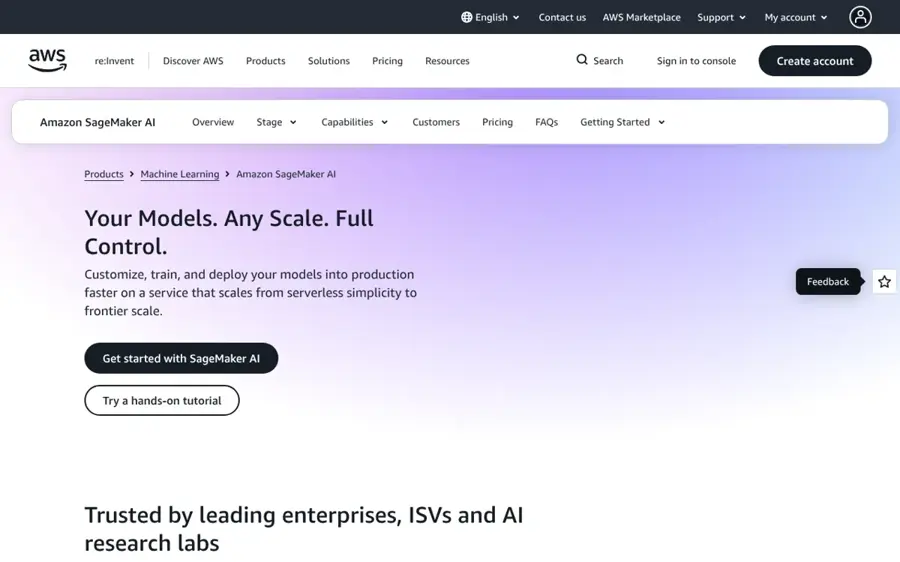
Amazon SageMaker AI is AWS's service for building, training and deploying your own models, from serverless notebooks to HyperPod clusters with thousands of accelerators.
Strengths
SageMaker AI is the AWS answer for teams that want to own their weights. AWS's own FAQ draws the line neatly: use Bedrock for serverless, pay-per-token access to models, and SageMaker AI when you need control over weights, training infrastructure and GPU types. The cloud native piece is SageMaker HyperPod, which AWS calls the only managed service offering both Slurm and Amazon EKS orchestration. It also runs open-source Ray clusters and claims fault recovery in under 2 minutes.
A reviewer on PeerSpot praised its integration with Lambda and S3 as "seamless if you are using AWS architecture," but warned that it is "extremely expensive for huge workloads."
Verdict: Choose SageMaker AI if you train or fine-tune your own models and already run on AWS.
Key features
- HyperPod: resilient training and inference clusters on Slurm or EKS.
- JumpStart: more than 1,000 pre-optimized models.
- Inference options: managed endpoints with multi-model packing and scale to zero.
- Governance: MLflow, Model Registry, Clarify and Model Monitor.
Pros
- Deepest AWS integration
- Kubernetes and Slurm on one managed cluster
- Free tier for the first two months
Cons
- Costs climb fast for large workloads
- Many separately billed components
Amazon SageMaker AI pricing: Free tier for two months (for example 50 training hours and 125 real-time inference hours on small instances); then pay as you go, or Savings Plans for committed use (checked October 2026). See pricing
Related: Best AI development solutions
KServe – best for self-hosted inference on Kubernetes
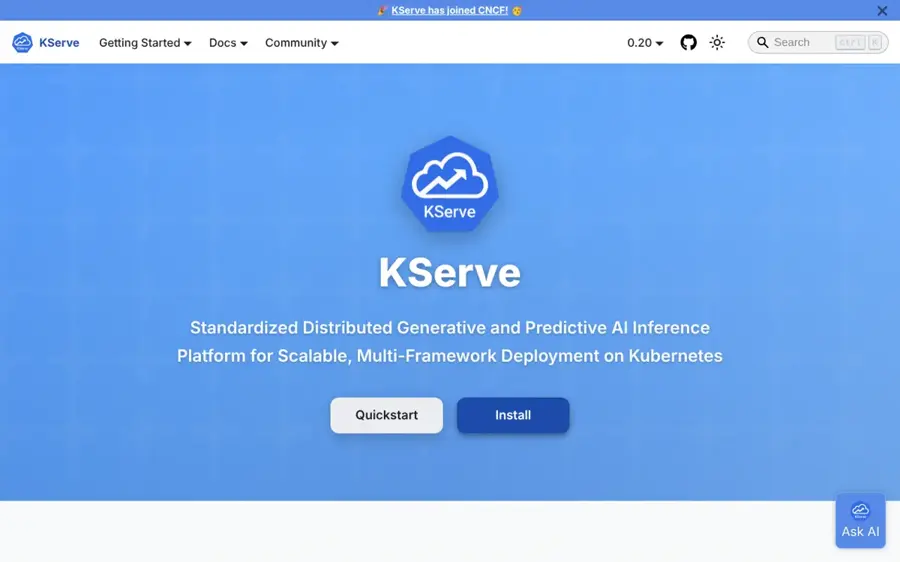
KServe is an open-source project that adds a standard model-serving layer to Kubernetes for both generative and predictive AI.
Strengths
KServe gives you a single Kubernetes resource, the InferenceService, that handles autoscaling, networking, health checks and server setup, per its official site. You can point it at a Hugging Face model, request a GPU and get an OpenAI-compatible chat endpoint.
KServe is a CNCF project, and the CNCF project page rates its health "Healthy (74)" with 2,543 total contributors from 626 organizations. That likely signals an active community.
Verdict: Choose KServe when you want managed-service features on your own Kubernetes clusters. Don't pick it without Kubernetes skills.
Key features
- InferenceService: one YAML resource to deploy a model.
- Standard inference protocol: consistent APIs across model servers.
- Canary rollouts: test new model versions on part of the traffic.
- Inference Graph: chain pre-processing, ensembles and multiple models.
Pros
- Free and open source
- Runs on any Kubernetes cluster, cloud or on-premises
- No vendor lock-in
Cons
- You need Kubernetes expertise to install and run it
- No vendor support unless you buy a distribution
KServe pricing: Free, open source; you pay only for the Kubernetes cluster and GPUs it runs on (checked October 2026). See pricing
Related: Best open source AI tools
Kubeflow – best for portable pipelines and training
Kubeflow is an open-source collection of tools for running the full machine learning lifecycle on Kubernetes, from notebooks to pipelines, training and model registry.
Strengths
Kubeflow literally calls itself "the Cloud Native AI platform" on its homepage. It's modular: Kubeflow Pipelines for workflows, Trainer for distributed fine-tuning across PyTorch, JAX, DeepSpeed and others, Katib for hyperparameter tuning, Notebooks and Kubeflow Hub for model metadata. Its introduction says you can use the same code on a laptop, on-premises or in any cloud, and that it began as Google's way of running TensorFlow on Kubernetes.
The CNCF project page rates Kubeflow "Healthy (80)" with 5,908 total contributors, though it shows contributor numbers down 15% on the previous year. Vendors also sell packaged Kubeflow distributions if you want support, and that's where most teams without a platform group will probably end up.
Verdict: Pick Kubeflow when portability across clouds and on-premises matters more than speed of setup.
Key features
- Kubeflow Pipelines: portable, repeatable ML workflows.
- Kubeflow Trainer: distributed training and LLM fine-tuning.
- Katib: AutoML and hyperparameter tuning.
- Kubeflow Hub: registry for models, versions and artifacts.
Pros
- Free, open source and vendor neutral
- Use only the parts you need
- Pairs naturally with KServe for serving
Cons
- Heavy to install and operate without a platform team
- Community activity has dipped year on year
Kubeflow pricing: Free, open source; you pay for your Kubernetes infrastructure or a vendor distribution (checked October 2026). See pricing
Related: Best open source AI tools
Cloud native AI vs managed hyperscaler platforms
The platforms above run your models. Managed hyperscaler platforms such as Amazon Bedrock, Gemini Enterprise Agent Platform and Microsoft Foundry mostly run other people's models behind an API. The trade-off looks like this.
| Question | Cloud native (Modal, KServe, Ray) | Managed hyperscaler (Bedrock, Gemini, Foundry) |
|---|---|---|
| What you pay for | GPU and CPU time | Tokens, images or feature usage |
| Model choice | Any open or custom model you can load | The provider's catalog of hosted models |
| Control over weights | Full | Limited to supported fine-tuning |
| Ops work | Low (serverless) to high (Kubernetes) | Lowest |
| Best for | Custom, open or fine-tuned models at volume | Fast access to frontier models and agents |
Choose a managed platform if you want frontier models with no infrastructure. Bedrock, for example, bills per token and offers 50% off for batch jobs, per its prices. Choose cloud native infrastructure if you serve open or fine-tuned models at steady volume, need data to stay in your VPC, or want to avoid per-token markups. Our AI development solutions guide compares the managed side in detail, and our explainer on whether on-premise AI is cheaper than cloud AI covers the hardware question.
Choosing the right cloud native AI platforms
Match the platform to your traffic shape
Spiky or unpredictable traffic suits serverless, and that's the case for most early products: Modal, RunPod Serverless or Baseten. Steady, round-the-clock load suits reserved pods, GKE node pools or committed contracts, where per-hour rates drop.
Be honest about your Kubernetes skills
Kubeflow and KServe are free, but someone has to patch, upgrade and debug the cluster. Without a platform engineer, a serverless platform will probably cost less in total.
Compare utilization, not list prices
Modal's own example shows 75 reserved GPUs at $3 an hour costing $5,400 a day, against $4,740 for an average of 50 serverless GPUs at $3.95. That gap only exists if your load actually drops, so model your real usage first.
Free versus paid
Free tiers here are trial budgets or free software, not free GPUs.
| Platform | Free option | What paid adds |
|---|---|---|
| Modal | Starter plan with $30/month in credits, 10 GPU concurrency | Team: 50 GPU concurrency, unlimited seats, rollbacks |
| Baseten | Starter credits on new accounts | Volume discounts, self-hosting, dedicated support |
| Anyscale | $100 in credits | BYOC, 24x7 enterprise support |
| GKE | $74.40 monthly cluster credit; $300 Google Cloud credit | More clusters and GPU nodes |
| SageMaker AI | Two-month free tier on small instances | GPU training, HyperPod, production endpoints |
| KServe and Kubeflow | Free open-source software | Vendor distributions and support |
| RunPod | None | Pay per second from the first minute |
Credits cover a proof of concept. GPU time is the real bill, so set budgets and alerts before launch. I wouldn't skip that step.
Final verdict
Most teams should start with Modal: it's the quickest way to run your own models on GPUs and you pay nothing while idle. Choose RunPod for the cheapest GPU hours, Baseten when inference speed and uptime drive revenue, and Anyscale for large distributed jobs on Ray. If you're committed to Kubernetes, GKE and SageMaker HyperPod manage the hard parts, while KServe and Kubeflow give you a free, portable stack you run yourself. If you mostly need frontier models, skip the infrastructure and use a managed platform from our AI development solutions roundup.
FAQ
What is a cloud native AI platform?
A cloud native AI platform runs AI training and inference on containers that scale automatically, usually using Kubernetes or a serverless runtime. Examples include Kubeflow and KServe on Kubernetes, managed Ray on Anyscale, and serverless GPU clouds such as Modal and RunPod. You bring your own models instead of calling a vendor's API.
Is serverless GPU cheaper than renting GPUs?
It depends on utilization. Serverless per-hour rates are often higher, such as $5.39 for a RunPod serverless H100 against $3.99 for a pod. But you pay nothing when idle. For spiky traffic serverless usually wins; for steady 24/7 load, dedicated or reserved GPUs are cheaper.
Is Kubeflow free?
Yes. Kubeflow is free, open-source software, as is KServe. You still pay for the Kubernetes cluster, GPUs and storage it runs on, plus the engineering time to operate it. Vendors also sell supported Kubeflow distributions if you want help.
Should I use Bedrock or SageMaker AI?
AWS's own guidance is to use Bedrock for serverless, pay-per-token access to hosted models, and SageMaker AI when you need control over model weights, training infrastructure and GPU types. Many AWS teams use both: Bedrock for frontier models, SageMaker for their own.
Sources
- Modal: The platform for production AI (Modal)
- Pricing: Pay per second for GPUs and CPUs (Modal)
- Modal reviews (Software Advice)
- The AI Developer Cloud (Runpod)
- GPU Cloud Pricing (Runpod)
- Serverless GPU Platform for AI Inference (Runpod)
- Inference Platform: Deploy AI models in production (Baseten)
- Cloud Pricing (Baseten)
- Production-scale AI with Ray (Anyscale)
- Pricing (Anyscale)
- Anyscale Platform vs Baseten (PeerSpot)
- Scale Machine Learning & AI Computing (Ray)
- AI/ML orchestration on GKE documentation (Google Cloud)
- Google Kubernetes Engine pricing (Google Cloud)
- Google Kubernetes Engine reviews (PeerSpot)
- Amazon SageMaker AI (AWS)
- Amazon SageMaker HyperPod (AWS)
- Amazon SageMaker AI pricing (AWS)
- Amazon SageMaker reviews (PeerSpot)
- KServe (KServe)
- KServe project page (CNCF)
- Kubeflow (Kubeflow)
- Introduction (Kubeflow)
- Kubeflow project page (CNCF)
- Amazon Bedrock (AWS)
- Amazon Bedrock Pricing (AWS)