AI laptops vs GPUs in 2026: which to buy for local AI and training
AI laptops with NPUs run Windows features; GPUs run big local models and training. Here's which hardware fits which AI job, with current prices.
 Written byRahis SaifiCo-founder and news editor
Why you can trust The AI Future
Our writers research every product from its official pages, independent tests and user reports, link each claim to its source and correct mistakes openly. Unless an article says otherwise, we haven't tested the product hands-on ourselves. Companies can't pay for coverage or see reviews before they're published.
Read our editorial policy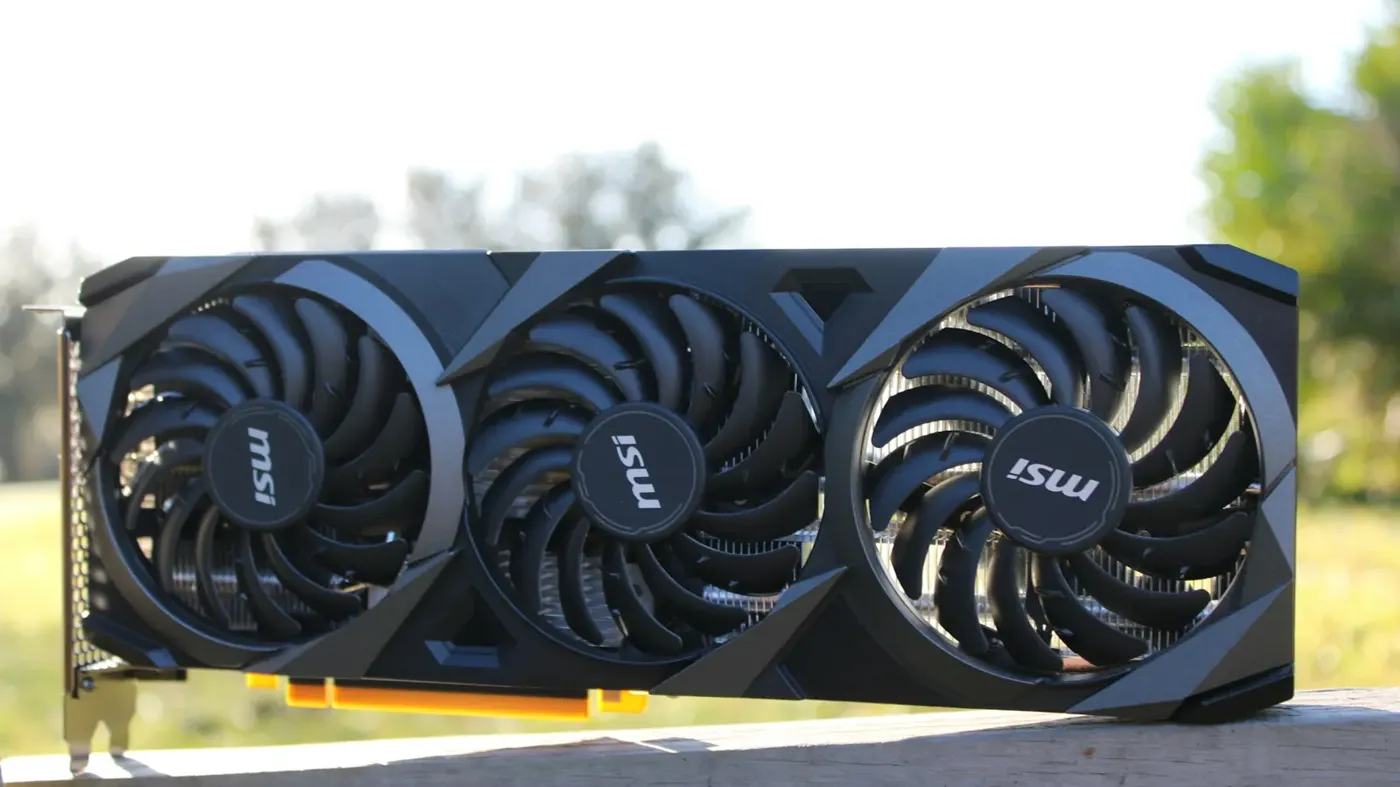
If you're weighing AI laptops vs GPUs, here's the short answer. A Copilot+ "AI PC" is built to run Windows' own AI features on battery, while a discrete NVIDIA GPU (on your desk or rented in the cloud) is what actually runs big local models fast and trains them. The NPU figure on the sticker, usually 40 to 80 TOPS, tells you very little about chatbot speed. Memory does.
There's one big exception. Apple's MacBook Pro, with up to 128GB of unified memory, can hold models that won't fit on any consumer graphics card, and that makes it the best laptop for local LLMs in my view, as long as you don't need CUDA.
I compared the options using official spec and pricing pages (checked 2 November 2026) and published benchmarks from ComputingForGeeks, Digital Applied and others. Nobody at The AI Future ran these machines for this piece. Honestly, the thing that surprised me most wasn't a spec at all: it was how far graphics card prices have drifted from their launch prices this year.
Quick verdict: AI laptops vs GPUs by use case
- Get a Copilot+ laptop for battery life, Windows AI features and small on-device models, but don't buy one expecting to run Llama-class models on the NPU.
- Get a MacBook Pro with 64GB or 128GB of unified memory if you want to run 30B to 70B models on the move and can live without CUDA.
- Get a desktop NVIDIA card if speed on models up to 32B matters most, or if you fine-tune with PyTorch.
- Rent cloud GPUs for full training runs and anything that needs more than 32GB of fast VRAM.
Side-by-side comparison table
| Copilot+ AI laptop | MacBook Pro (Apple silicon) | Desktop NVIDIA GPU | Cloud GPU | |
|---|---|---|---|---|
| AI hardware | NPU, 40+ TOPS required | Neural Engine plus GPU with Neural Accelerators | RTX 50 series, CUDA and Tensor cores | H100, B200 and older data-centre cards |
| Memory for models | 16GB RAM minimum, shared | 16GB to 128GB unified | 16GB to 32GB VRAM | 40GB to 180GB per GPU |
| Memory bandwidth | About 135 to 152 GB/s (Snapdragon) | 153 to 614 GB/s | Nearly 1.8 TB/s (RTX 5090) | Not listed on most price pages |
| Main software | Windows ML, ONNX | Metal, MLX, llama.cpp | CUDA, PyTorch, vLLM, Ollama | CUDA, PyTorch |
| Best for | Windows AI features, small models | Big local models, quiet and portable | Fast inference up to 32B, LoRA fine-tuning | Full training, big batch jobs |
| Starting price | $999 at the 2024 launch | $1,999 (M6, 16GB) | About $780 street (RTX 5060 Ti 16GB) | $1.09 per GPU-hour (Lambda, A6000 48GB) |
Sources for every figure are linked in the sections below.
Features compared
NPU TOPS and the Copilot+ bar
Microsoft's developer guide describes Copilot+ PCs as Windows 11 machines with an NPU that can do more than 40 trillion operations per second. Tom's Hardware adds the rest of the minimum spec: at least 16GB of RAM and 256GB of storage.
That 40 TOPS line is a gate for Windows features like Recall and Live Captions. It isn't an LLM rating, a point Digital Applied makes too. Digital Applied's 2026 buyer's guide lists the Snapdragon X2 Elite at 80 TOPS with 152 GB/s of bandwidth, nearly double the first Snapdragon X Elite's 45 TOPS, yet its bandwidth is only about 13% higher, so the ceiling on token speed barely moves.
Software is the other catch. Going by Digital Applied, Ollama, llama.cpp and LM Studio don't route work to the NPU at all; they run on the integrated GPU or CPU. Microsoft's own guide says many NPUs only handle integer maths such as INT8, so models have to be converted, or "quantized" first. I think that's fine for Phi Silica and 4B-class models. For anything bigger, the NPU just sits there.
Apple silicon and unified memory
Apple's chips don't separate system RAM and graphics memory. The GPU can use most of the pool, which is why a laptop can load a model that a $2,000 graphics card can't.
On the MacBook Pro spec sheet, the new M6 model comes with 16GB (153GB/s) or 24GB and 32GB (170GB/s). The M5 Pro goes to 64GB at 307GB/s. The top M5 Max, with a 40-core GPU, reaches 128GB and 614GB/s. That last configuration is the one local-LLM people want, because a 70B model at 4-bit needs roughly 40GB, according to ComputingForGeeks.
The downside is software. ComputingForGeeks puts it plainly: on a Mac "the CUDA software ecosystem is not there", so you run llama.cpp and MLX rather than vLLM, and prompt processing is slower than on a comparable NVIDIA card.
VRAM and CUDA on discrete GPUs
NVIDIA's RTX 5090 has 32GB of GDDR7. NVIDIA calls it the most powerful GeForce GPU it's made, and ComputingForGeeks lists nearly 1.8 TB/s of bandwidth, close to three times the M5 Max's figure. Speed follows.
CUDA is the bigger advantage for training. PyTorch, vLLM, Unsloth and most research code assume an NVIDIA card first; Macs and AMD get support later, if at all. If you plan to fine-tune, I'd treat CUDA as close to non-negotiable. (Our explainer on what a GPU does in AI covers the basics.)
Laptop versions exist, but they're cut down. NVIDIA's laptop spec table gives the RTX 5090 Laptop GPU 24GB of GDDR7 and 896 GB/s, against the desktop card's 32GB. The RTX 5080 Laptop GPU gets 16GB, and the 5070 Laptop GPU can ship with as little as 8GB.
The in-between machines
Two boxes blur the line. AMD's Ryzen AI Max+ 395 (Strix Halo) supports up to 128GB of LPDDR5x-8000 on a 256-bit bus, with a 50 TOPS NPU. Digital Applied credits its integrated GPU, not the NPU, with running a quantized 70B at around 14 tokens per second.
NVIDIA's DGX Spark is a small desktop with 128GB of unified memory and CUDA. NVIDIA says it can fine-tune models up to 70 billion parameters and run inference on models up to 200 billion. It's a developer box, though, and Starry Hope's roundup found a DIY rig of three RTX 3090s generating 124 tokens per second on a 120B model where the Spark managed 38.
Local model and training performance
The brief for this comparison asked for side-by-side runs. We didn't run any, so the numbers below come from people who did.
ComputingForGeeks rented an RTX 5090 and measured 250 tokens per second on an 8B model and 71 on a 32B model with Ollama, at 4-bit. A 70B model didn't fit. Every card in that test cleared 100 tokens per second on the 8B model, which the authors call "well past reading speed", so I'd say the 5090 is overkill for plain chat and much better suited to coding agents that chew through long prompts.
Against a Mac, the same guide cites community llama.cpp results showing the RTX 5090 generating 290 tokens per second to a 60-core M3 Ultra's 88, and processing prompts 13 times faster. The Mac's answer is capacity: it holds models the 5090 can't load.
NPU laptops sit far below both. Digital Applied's bandwidth maths caps an 8B model at roughly 34 tokens per second on Snapdragon X2 Elite, in theory, and that's on the integrated GPU. Microsoft's on-device Phi Silica model hits up to about 20 tokens per second, a vendor figure with no published independent benchmarks, according to the same guide.
Training is where the gap is largest. ComputingForGeeks says QLoRA fine-tuning on a 24GB card handles models up to about 14B, while a full fine-tune of even a 7B model needs more than 80GB, which is "rental hardware, not desk hardware". No Copilot+ NPU is designed to train models; Microsoft's guide only talks about running them. If you're new to this, our guide to training an AI model and the comparison of AI inference vs training explain why the two jobs need different hardware.
Pricing compared
Prices below were checked on 2 November 2026. Street prices for graphics cards move weekly, so treat them as a snapshot.
| Option | Memory | Price | Source |
|---|---|---|---|
| MacBook Pro 14-inch, M6 | 16GB unified, 1TB SSD | $1,999 | TidBITS |
| MacBook Pro 14-inch, M5 Pro | 24GB unified and up | $2,499 | TidBITS |
| Mac Studio, M5 Ultra | 96GB unified and up | From $5,499 | ComputingForGeeks |
| NVIDIA RTX 5060 Ti 16GB | 16GB GDDR7 | About $780 to $830 street | ComputingForGeeks |
| NVIDIA RTX 5090 | 32GB GDDR7 | $1,999 MSRP; about $7,900 to $9,000 street | ComputingForGeeks |
| NVIDIA DGX Spark | 128GB unified | $4,699 after February's rise | Starry Hope |
| Lambda A6000 instance | 48GB per GPU | $1.09 per GPU-hour | Lambda |
| Lambda H100 SXM instance | 80GB per GPU | $3.99 to $4.29 per GPU-hour | Lambda |
| Lambda B200 instance | 180GB per GPU | $6.69 to $6.99 per GPU-hour | Lambda |
Apple's prices have climbed too. PPC Land points out the entry MacBook Pro launched at $1,599 in October 2025, so today's $1,999 is 25% higher. The M6 model is on pre-order and ships from 6 November, per Apple's store.
The RTX 5090 numbers are the ones that really stand out. ComputingForGeeks blames a GDDR7 shortage for street prices "more than triple MSRP", with occasional $1,999 Founders Edition drops selling out in minutes. At $7,900 for the card alone, I'd probably look hard at a 128GB Mac or a few months of cloud time first.
Renting is cheaper than it looks for occasional work. ComputingForGeeks works out that a new RTX 4090 at $4,500 against a cloud 4090 at roughly $0.40 an hour breaks even near 11,000 hours, about 15 months of running nonstop. Most hobby GPUs sit idle most of the week. For a broader cost view, see whether on-premise AI is cheaper than cloud AI.
Reviewer verdicts on each
On AI laptops, Digital Applied's guide is blunt: a Copilot+ machine's "headline TOPS number tells you almost nothing about whether it can run a local LLM at a usable speed". Its advice for buyers wanting all-day battery and Windows features is to get one anyway: "Just don't expect it to be your 30B inference box."
On GPUs versus Macs, ComputingForGeeks sums it up in one line: "buy the 5090 if your models are 32B and smaller and you care about speed, and buy the Mac if you need 70B and up in one quiet box." For most people starting out, the same guide suggests a used RTX 3090 first, then a 5090 once you've outgrown it, although its own figures show used 3090s now listing at $1,700 and up.
On the DGX Spark, Starry Hope quotes NotebookCheck's verdict that the Spark was a "$4,000 AI supercomputer challenged by $2,199 mini PC with better real-time performance", meaning an AMD Strix Halo box with the same 128GB.
Which to buy for each job
For everyday work with built-in AI features
Get a Copilot+ laptop with 16GB or more. Live Captions, Studio Effects and on-device rewriting run on the NPU and don't drain the battery. Don't pay extra for a higher TOPS number; I doubt you'd notice the difference in daily use.
For running local chatbots on a laptop
A MacBook Pro is my pick. 24GB to 32GB on the M6 should handle 8B to 14B models; 64GB on an M5 Pro opens up 32B; 128GB on the M5 Max is the only laptop configuration here that can comfortably load a 70B. If you need Windows, look for a Ryzen AI Max+ 395 machine with 128GB, or an RTX 5090 Laptop GPU with 24GB. Check what each model actually is first, since our primer on how LLMs work explains why size matters so much.
For fast local inference and image generation at a desk
A desktop RTX card. The 16GB RTX 5060 Ti is the cheap entry point; the 5090 is far quicker but, at current street prices, hard to justify unless you run it every day. NVIDIA also promotes optimized ComfyUI workflows for RTX cards, which tips image generation further its way.
For fine-tuning and training
Use a 24GB or 32GB NVIDIA card for QLoRA on models up to about 14B, and rent H100s or B200s for anything bigger. A full fine-tune that needs more than 80GB of memory won't fit on any laptop on sale. Teams buying hardware for this can read our guide on where to buy an AI server.
For students and tight budgets
Probably neither. A normal laptop plus cloud time at $1 to $4 an hour will likely cover a semester of coursework for less than one RTX 5090 costs today.
FAQ
Can a Copilot+ PC run a local LLM?
Yes, but usually not on its NPU. Tools like Ollama and LM Studio run models on the integrated GPU or CPU, according to Digital Applied, so speed depends on memory bandwidth. Small models of 3B to 8B parameters are realistic; 30B and up isn't.
Are TOPS a good way to compare AI laptops?
Only for Windows features. Microsoft uses 40 TOPS as the Copilot+ threshold, but token speed for LLMs tracks memory bandwidth and capacity. An RTX 5090 Laptop GPU is rated at 1,824 AI TOPS by NVIDIA, which shows how different the scales are.
Is a MacBook Pro good for AI training?
It's fine for small experiments with PyTorch or MLX. For serious training, most code expects CUDA, so an NVIDIA GPU or rented cloud GPU is the safer bet.
How much VRAM do I need for local AI?
ComputingForGeeks suggests 12GB as the floor, 16GB for 13B models, 24GB to 32GB for 32B models and about 40GB or more for a 70B model at 4-bit. On a Mac, count unified memory instead, leaving room for the operating system.
Is it cheaper to rent a cloud GPU than buy one?
For occasional use, it seems so. Lambda charges from $1.09 per GPU-hour for a 48GB A6000, and an RTX 5090 currently costs thousands above its $1,999 list price. Buying makes more sense if the card runs most of the day, every day.