Best AI generator for anime art in 2026: 8 picks compared
Midjourney's Niji 7 leads for anime art, with Leonardo AI the best free option. Here are eight anime generators compared on style, consistency and price.
 Written byMuhammad Usman SiddiquiFounder and editor-in-chief
Why you can trust The AI Future
Our writers research every product from its official pages, independent tests and user reports, link each claim to its source and correct mistakes openly. Unless an article says otherwise, we haven't tested the product hands-on ourselves. Companies can't pay for coverage or see reviews before they're published.
Read our editorial policy
The best AI generator for anime art is Midjourney, specifically its Niji 7 model, which was built with Spellbrush purely for anime and manga illustration. It costs at least $10 a month, though, and there's no free plan. If you want something free, start with Leonardo AI's 150 daily tokens or the image tools inside ChatGPT and Gemini. That covers most people.
Below are eight picks, ranked for anime work specifically: clean line art, consistent characters, stylised eyes and hair, and prices that make sense for a hobby. I've left out generators that are built mainly around NSFW content, which rules out a surprising chunk of the anime niche (honestly, more than I expected).
Key takeaways
- Midjourney's Niji 7 is the strongest anime-specific model you can pay for, starting at $10 a month.
- Leonardo AI has the most usable free plan for anime, with 150 tokens a day, but your images are public on it.
- OpenArt is the one to look at if you need the same character to hold up across a comic or a series of posts.
- ChatGPT and Gemini are the easiest way to turn your own photo into an anime-style picture, and both have free tiers.
- If you plan to sell anything, check the plan's usage rights before you pay, since free tiers often come with limits.
Our ranking method
We ranked each tool on six things that matter for anime and manga art in particular.
- Anime style quality looks at line work, faces, eyes and hair, and whether outputs look like real illustration rather than a generic 3D render.
- Character consistency asks whether you can keep the same face and outfit across several images.
- Prompt control covers style references, negative prompts, aspect ratios and how literally the model follows you.
- Editing asks whether you can fix one hand or one expression without starting again.
- Free access looks at what you can make without paying, and whether those images stay private.
- Value and rights compares what $10 to $20 a month buys and whether commercial use is allowed.
Anime-specific models rank highest. General assistants rank lower here, even though they're great all-rounders, because their anime output tends to look a bit flatter and you get fewer style controls.
The 8 best AI anime art generators at a glance
| # | Tool | Category | Best for | Free tier | Starts at |
|---|---|---|---|---|---|
| 1 | Midjourney | Art generator (Niji 7) | Anime illustration quality | No | $10/mo |
| 2 | Leonardo AI | Creative platform | Free daily anime art | Yes | $12/mo |
| 3 | OpenArt | Multi-model studio | Consistent characters and comics | Yes (limited) | $14/mo |
| 4 | ChatGPT | General assistant | Turning photos into anime | Yes (limited) | $8/mo |
| 5 | Google Gemini | General assistant | Budget edits and restyles | Yes (limited) | $4.99/mo |
| 6 | Ideogram | Design and text | Anime posters with text | Yes (limited) | $15/mo |
| 7 | Adobe Firefly | Creative suite | Commercial-safe work | Yes (limited) | $9.99/mo |
| 8 | Canva | Design platform | Anime social graphics | Yes (limited) | $12/mo |
Ideogram's $15 is billed annually ($20 month to month), and Canva Pro is $144 a year.
The best AI generators for anime in 2026, ranked
Midjourney – best for anime illustration quality
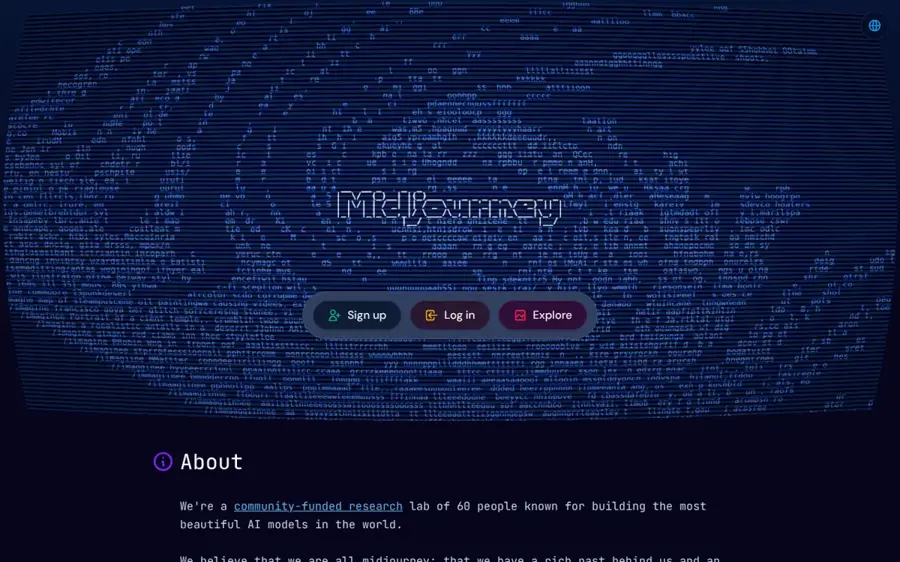
Midjourney is a paid image generator, and its Niji model, made with Spellbrush, is tuned only for anime and manga art. You use it through the Midjourney web app or Discord.
Strengths
Niji 7 arrived on January 8, 2026, a year and a half after the previous Niji version. Its big upgrade is coherency: sharper eyes, cleaner small details like floating petals, and better handling of very specific requests ("a girl with four arms, each holding an ice cream" is the sort of prompt the team shows off). That's exactly where older anime models fell apart.
There's a trade-off. The launch post warns that Niji 7 is more literal, so loose, vibes-only prompts may not land like they used to. Style references (sref) carried over; character references (cref) didn't. I think that last one stings if you're building a recurring character, so keep it in mind. Verdict: if anime art is the main thing you make, this is the one to pay for.
Key features
- Niji 7 is selected with --niji 7 in Discord or from the version menu on the web.
- Style references let you copy the look of an existing image.
- Personalisation and moodboards are being added for Niji 7 after its rating task.
- Paid plans include general commercial terms, with Pro or Mega required for companies over $1 million in yearly revenue.
- Standard and higher plans get unlimited image generations in Relax mode.
Pros
- The most polished anime-specific model on this list
- Strong at faces, eyes and detailed backgrounds
- Unlimited Relax images from the $30 Standard plan
- Clear commercial-use terms on paid plans
Cons
- No free plan at all
- Character reference (cref) isn't supported in Niji 7
- Stealth mode for private images only comes with Pro ($60) and Mega
- Literal prompting takes some relearning
Midjourney pricing: No free plan; paid plans from $10/month (Basic), then Standard $30, Pro $60 and Mega $120, with 20% off yearly. See pricing
Related: Best AI image generators Best free text-to-image AI tools
Leonardo AI – best for free daily anime art
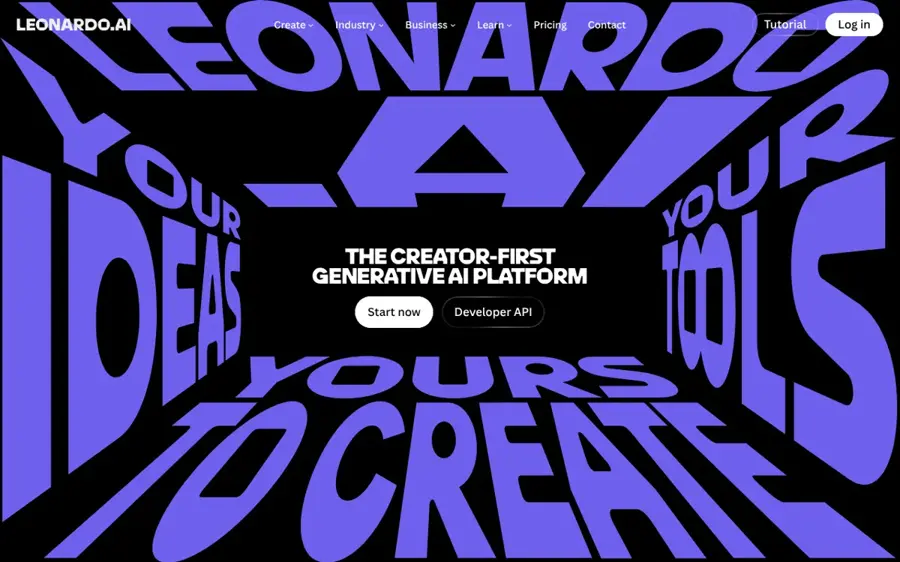
Leonardo AI is a browser-based image platform with dozens of models, style presets and custom model training, and it gives you free tokens every day.
Strengths
Free users get 150 tokens a day, which is enough to try anime styles properly instead of burning a one-off trial in ten minutes. Paying opens up 80+ models and lets you train your own, which is handy if you want a model that sticks to one character or art style. Its Lucid Origin model is pitched as a flexible general model, so you can push it towards illustration with presets.
The free plan has catches. Creations are public, you're limited to the Auto model, and you can't pick third-party models. Token maths also confuses a lot of people. Still, for a hobbyist who wants anime art without a subscription, I'd say it's the best starting point here.
Key features
- 150 free tokens refresh every day.
- Paid plans add 80+ models, including third-party ones.
- The Essential plan includes 10 custom model trainings.
- Paid tokens roll over into a bank worth three months of allowance.
- Video generation is included, even on the free plan.
Pros
- Most generous ongoing free tier for anime work
- Custom model training for recurring characters
- Cheap $12 entry plan
- Lots of style presets to steer outputs
Cons
- Free images are public
- Free plan is locked to the Auto model
- Token costs vary by model and are hard to predict
Leonardo AI pricing: Free (150 tokens a day), then paid plans from $12/month (Essential); Premium $30 and Ultimate $60. See pricing
Related: Leonardo AI review Best AI image generators
OpenArt – best for consistent characters and comics
OpenArt is an all-in-one studio that puts several leading image models behind one subscription, with a dedicated anime generator and character tools.
Strengths
Consistency is OpenArt's pitch for anime. Its character feature locks a face, outfit and look so the same protagonist holds up across a webcomic chapter, and Edit Image lets you redo just one region (a wrong sword hand, say) without losing the rest. You can switch between models such as GPT Image 2, Nano Banana 2 Lite, Kling Omni and Seedream 5.0 Pro in the same workspace.
Credits are the weak spot. A basic image costs one or two credits, which is fine, but video and training can eat a plan quickly, and subscription credits don't roll over. Probably the best pick if you're making a comic. Less so if you only want the odd wallpaper.
Key features
- Character tool keeps one face and outfit consistent across images.
- Edit Image fixes a single region without regenerating everything.
- Several top image models are available under one plan.
- Custom model training costs 500 to 2,000 credits.
- Aspect ratios suit webtoon panels and social posts.
Pros
- Best character consistency for anime series here
- Many models without juggling subscriptions
- Cheap per image for stills
Cons
- Free plan is only a small one-time credit grant
- Credits reset monthly and don't roll over
- Video jobs can drain credits fast
OpenArt pricing: Free (a small one-time credit grant), then paid plans from $14/month (Essential, 4,000 credits), or $7/month billed yearly. See pricing
Related: OpenArt AI review Best AI avatar generators from photos
ChatGPT – best for turning photos into anime
ChatGPT is OpenAI's general assistant, and its built-in image creation can redraw an uploaded photo or a plain-English description in an anime style.
Strengths
ChatGPT isn't an anime specialist, but it's the easiest way in. You upload a selfie, ask for a cel-shaded anime version, then refine it by chatting ("make the background a rainy Tokyo street"). It follows long, conversational instructions well, and edits hold up over several turns.
The downside is control. You don't get style references, seeds or negative prompts like you would elsewhere, and the free tier's image limit is vague. Plus at $20 gets "more complex and accurate image creation", which is about as specific as OpenAI gets. Verdict: great for quick fun, weaker for a consistent art style.
Key features
- Image creation is available on the free plan, with limits.
- You can edit images by describing changes in conversation.
- Photo uploads can be restyled as anime.
- Pro plans offer unlimited, faster image creation.
Pros
- Free to try with no setup
- Best at following long, chatty instructions
- You probably already have an account
Cons
- Fewer fine style controls than Midjourney or Leonardo
- Free image limits aren't clearly stated
- Anime output can look generic without careful prompts
ChatGPT pricing: Free (limited image creation), then paid plans from $8/month (Go); Plus $20/month; Pro from $100/month. See pricing
Related: ChatGPT with GPT-6 review Gemini AI vs ChatGPT
Google Gemini – best for budget edits and restyles
Google Gemini is Google's assistant, with image generation and editing on every plan, including the free one.
Strengths
Gemini is good at editing an existing picture and blending several images, and it can keep a character recognisable across a short series. That makes it handy for turning a group photo into an anime-style poster. It's also the cheapest paid option here: Google AI Plus costs $4.99 a month and doubles the free usage limits.
Its style leans less painterly than Midjourney, and limits on the free tier can shift. Honestly, though, at under $5 I wouldn't overthink it. If you need help writing prompts, our guide to Gemini photo prompts walks through it.
Key features
- Image generation and editing are on the free plan.
- It blends multiple uploaded images into one scene.
- Google AI Plus doubles free usage limits.
- Google AI Pro gives four times the free limits.
Pros
- Cheapest paid plan on this list
- Strong at photo restyles and multi-image edits
- Keeps a character fairly consistent across a series
Cons
- Less stylised than anime-specific models
- Free limits change without much notice
Google Gemini pricing: Free, then paid plans from $4.99/month (Google AI Plus); Google AI Pro $19.99; Ultra $199.99. See pricing
Related: Gemini AI vs ChatGPT
Ideogram – best for anime posters with text
Ideogram is an image generator known for rendering readable text, which matters for anime-style posters, covers and merch.
Strengths
Most anime generators mangle lettering. Ideogram doesn't, so it's the pick for a fake light-novel cover, a convention flyer or a title card with Japanese-style layout. It also has a character feature that keeps one character consistent across poses and outfits from reference images, plus custom models trained on your own references.
Free credits go fast, and pure illustration quality trails Niji 7. I'd use it alongside a stronger anime model rather than on its own.
Key features
- Text rendering handles titles and captions well.
- Character keeps one design consistent from reference images.
- Custom models can be trained on your own art.
- Batch generation runs many prompts at once.
Pros
- Best text in images on this list
- Character consistency from references
- Usable free tier for testing
Cons
- Free credits run out in a single session
- Anime line work is a step behind Midjourney
Ideogram pricing: Free (limited), then paid plans from $15/month billed annually (Plus, $20 monthly); Pro at $60/month. See pricing
Related: Best AI image generators
Adobe Firefly – best for commercial-safe work
Adobe Firefly is Adobe's image generator, built into Photoshop and Express and positioned around commercial use.
Strengths
If you're a freelancer making anime-style art for a brand, Firefly's clear commercial positioning and its Photoshop link are the selling points. You can generate a character, then clean it up with real editing tools. The $9.99 Standard plan comes with 2,000 credits.
For pure anime flavour, I don't think it's anyone's first choice; results tend to look polished but less like a genuine anime frame. It earns its place on safety and workflow, not style.
Key features
- Generations move straight into Photoshop and Adobe Express.
- Credit-based plans start at 2,000 credits a month.
- Commercial use is a central part of the offer.
- Generative fill lets you edit parts of an image.
Pros
- Clear commercial-use positioning
- Excellent follow-up editing in Photoshop
- Cheap entry plan
Cons
- Anime style is less convincing than specialists
- Free allowance is vague
- Higher credit tiers get expensive
Adobe Firefly pricing: Free (limited), then paid plans from $9.99/month (Standard, 2,000 credits); Pro $19.99. See pricing
Related: Best AI image generators
Canva – best for anime social graphics
Canva is a design platform with AI image generation built into its editor, so anime images drop straight into templates.
Strengths
Canva makes sense when the anime picture is one part of something bigger: a YouTube thumbnail, an Instagram post, a club event poster. You generate, then add text and layout in the same place. Pro costs $144 a year and gives you 10 times the AI usage of the free plan, plus 3.6 million templates.
Image quality isn't close to the leaders, and the free plan only covers about five Dream Lab generations a month. Fine for occasional use.
Key features
- AI images land directly in the design editor.
- Pro includes 10 times more AI usage than Free.
- An AI Pass add-on is available on Pro and Business.
- Millions of templates for posts and thumbnails.
Pros
- Easiest way to turn anime art into finished graphics
- Pro plan covers far more than AI
Cons
- Only about 5 free generations a month
- Anime quality trails dedicated generators
Canva pricing: Free (about 5 Dream Lab generations a month), then paid plans from $144/year (Pro, about $12/month); Business $250 per person per year. See pricing
Choosing the best AI generator for anime art
Pick a specialist if anime is your main style
General assistants can do anime, but a tuned model like Niji 7 gets eyes, hair and line weight right far more often. If you make anime art weekly, $10 a month for Midjourney Basic is probably money well spent. Weekly or less? A free tier will do.
Check character consistency before you start a series
One great image is easy. Twenty matching panels aren't. OpenArt, Ideogram and Leonardo (through trained models) all have ways to keep a character stable, while Niji 7 currently lacks cref. Plan for this before you've drawn chapter one.
Read the privacy rules on free plans
Leonardo's free creations are public, and Midjourney only hides your images on the $60 Pro and $120 Mega plans. If you're sketching a character for a project you haven't announced, that matters.
Learn to prompt for style, not just subject
Words like "cel shading", "90s anime screencap", "chibi" or "webtoon panel" change results a lot. Our AI art prompt guide and the overview of AI art styles are good places to start, and if you're after a more Western look, see whether AI can make a cartoon.
Respect real people and real artists
Only restyle photos of yourself or people who've agreed to it, and don't make sexual or deceptive images of real people; that's harmful and illegal in many places. Copying a named living artist's style for commercial work is also a grey area I'd steer clear of.
Free vs paid: what you actually get
| Tool | Free allowance | Main free limit | Cheapest paid |
|---|---|---|---|
| Midjourney | None | Paid only | $10/mo |
| Leonardo AI | 150 tokens a day | Images are public | $12/mo |
| OpenArt | Small one-time credit grant | Runs out quickly | $14/mo |
| ChatGPT | Limited image creation | Unclear daily cap | $8/mo |
| Google Gemini | Image generation and editing | Lower usage limits | $4.99/mo |
| Canva | About 5 generations a month | Very small | $144/yr |
Paying, in short, buys three things: more images, private generations and clearer usage rights. For a casual fan, the free tiers of Leonardo, ChatGPT and Gemini together are plenty. Once you're posting regularly or selling prints, though, I'd move to a paid plan, mainly for the rights. Our roundup of free text-to-image AI tools has more no-cost options.
Final verdict
If you only pick one, pick Midjourney with Niji 7. It's the model that looks most like real anime illustration, and $10 a month is a fair price for that. On a zero budget, go with Leonardo AI and accept that your images are public. And if you're building a comic with a recurring cast, I'd put OpenArt first, mostly for its character locking. The rest are useful, just less focused on anime.
FAQ
What is the best AI generator for anime art?
Midjourney's Niji 7 model is the strongest anime-specific option right now. It was built with Spellbrush for anime and manga, handles eyes and fine detail well, and costs from $10 a month. If you need a free option, Leonardo AI's 150 daily tokens are the best place to start.
Is there a free AI anime art generator?
Yes. Leonardo AI gives you 150 free tokens a day, and ChatGPT and Google Gemini both include limited image creation on their free plans. Free plans usually come with catches, though: Leonardo's free images are public, and the assistants don't publish exact daily caps.
Can I turn my photo into anime with AI?
You can. ChatGPT and Gemini are the simplest: upload your photo and ask for an anime or cel-shaded version, then refine it in chat. Only do this with photos of yourself or people who've agreed, and never create sexual or misleading images of real people.
Can I sell AI-generated anime art?
Often, yes, but it depends on the plan. Midjourney's paid plans include general commercial terms, though companies earning over $1 million a year need Pro or Mega. Check each tool's terms, and be careful with copyrighted characters, since owning the image doesn't give you rights to someone else's character.
Does Niji 7 support character reference?
No. Niji 7 dropped cref, Midjourney's character reference feature, though style reference (sref) still works. The Niji team says a replacement is in the works. Until then, OpenArt or Ideogram are better if you need the same character across many images.