6 best monogram generator AI tools in 2026, compared
The best monogram generator AI tools for free designs, vector files and business logos, with prices, licences and which one to pick.
 Written byMuhammad Usman SiddiquiFounder and editor-in-chief
Why you can trust The AI Future
Our writers research every product from its official pages, independent tests and user reports, link each claim to its source and correct mistakes openly. Unless an article says otherwise, we haven't tested the product hands-on ourselves. Companies can't pay for coverage or see reviews before they're published.
Read our editorial policy
Short answer: if you want a monogram generator AI tool that's free and easy, start with Canva. If you need a clean vector file you can send to an embroiderer or printer, pay for Recraft. And if the letters keep coming out garbled in other tools, Ideogram is the one that tends to get the text right. Everything else on this list is a specialist, and I'd only reach for it when you have a specific job in mind.
A monogram looks simple: two or three initials, maybe a frame. That's exactly why it's hard for AI. Image models have a long history of mangling letters, so the tool you pick matters more here than it does for, say, a landscape picture. I've ranked six options below on how well they handle letters, what file you can actually download, and what you'll pay for the right to use it. For broader picks, our best AI image generators roundup covers the general-purpose models.
Key takeaways
- Canva is the easiest free starting point because it mixes monogram templates with AI image tools in one editor.
- Recraft and Ideogram can both produce vector artwork, which you'll want for embroidery, engraving and signage.
- Free plans often come with strings: Recraft's free images are public and not licensed for commercial use.
- Looka suits a small business that wants a monogram logo plus business cards and social kits, paid as a one-off package.
- Check the licence before you put a monogram on products you sell.
Our ranking method
We ranked these tools on the things that make or break a monogram, not on general image quality:
- Letter accuracy is whether the tool reliably spells the initials you asked for.
- File output is whether you can export a vector (SVG, PDF or EPS) as well as a PNG.
- Control is how easily you can change the font, layout, frame and colours after the first result.
- Licence covers who owns the result and whether commercial use is allowed on your plan.
- Free tier is how much you can make and download without paying.
- Price is the cheapest paid plan that gets you a usable, licensed file.
The 6 best monogram generator AI tools at a glance
| # | Tool | Category | Best for | Free tier | Starts at |
|---|---|---|---|---|---|
| 1 | Canva | Design editor | Free monograms from templates | Yes | $144/yr |
| 2 | Recraft | AI vector generator | SVG monograms for print and embroidery | Yes (limited) | $12/mo |
| 3 | Ideogram | AI image generator | Accurate letters from a prompt | Yes (limited) | $20/mo |
| 4 | Kittl | Typography design tool | Script and vintage lettering | Yes | $15/mo |
| 5 | Looka | AI logo maker | Business monogram logos | Yes (limited) | $20 one-off |
| 6 | VEED | Prompt-based generator | Quick monogram ideas | Yes | Paid plans |
The best monogram generator AI tools, ranked
Canva – best for free monograms from templates
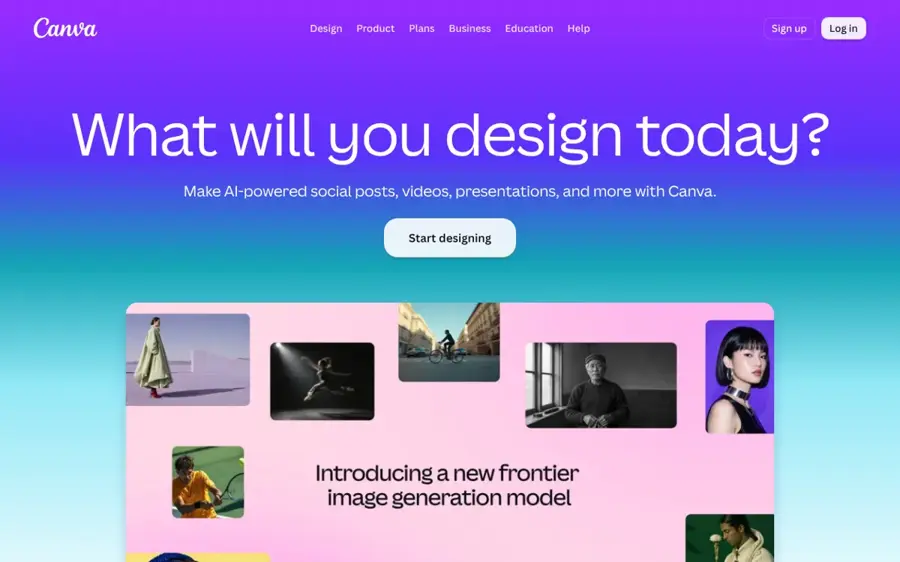
Canva is a browser design editor with a dedicated monogram maker: you start from a template, swap in your initials and use its AI tools to add images or effects.
Strengths
Canva's big advantage is that it doesn't rely on AI to draw the letters. You pick a real font from a template, type your initials, and they'll be spelled correctly every time. The AI side (Magic Media for text-to-image and Dream Lab, both free) comes in when you want a floral wreath, a crest or a watercolour background around those letters.
That split is, I think, the smartest way to make a monogram right now. Fonts handle the letters; AI handles the decoration. It's also where most people already make wedding invitations and labels, so your monogram ends up next to everything else you'll print it on.
Key features
- A monogram template library you can search from inside the editor.
- Magic Media turns a text prompt into an image on the free plan.
- Dream Lab is listed as free for production-quality visuals.
- Pro adds Magic Edit, Magic Eraser and Magic Expand for tidying images.
- Pro also gets 10 times more AI use than Canva Free.
Pros
- Letters are always correct because they're real fonts.
- The free plan is usable for a personal monogram.
- Easy to drop the design onto invitations, labels and cards.
Cons
- Template monograms can look like other people's template monograms.
- The best AI editing tools sit behind Pro.
- It isn't a true AI monogram generator: you're still arranging letters yourself.
Canva pricing: Free, then Pro at US$144 a year for one person. See pricing
Related: Best AI image generators Best AI tools for T-shirt design
Verdict: the default pick for most people, and free for a one-off.
Recraft – best for SVG monograms for print and embroidery
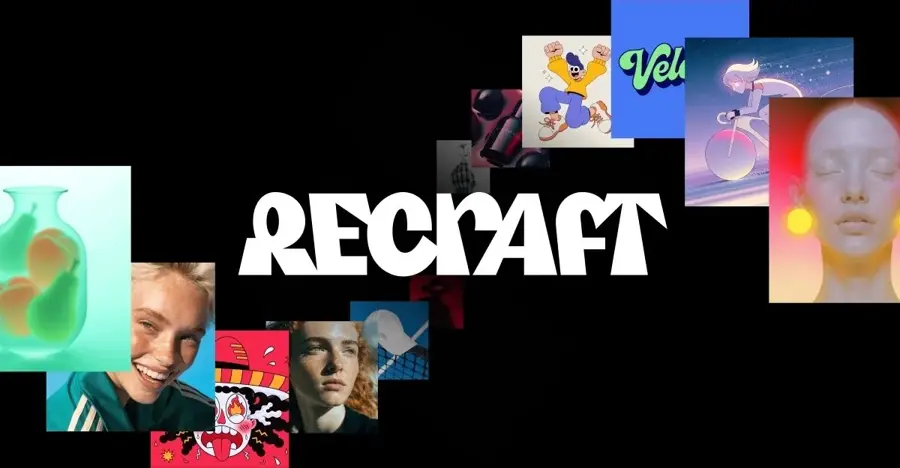
Recraft is an AI image generator built for designers, and its standout trick is generating vector artwork you can export as a scalable file.
Strengths
If your monogram's going on a towel, a ring or a shop sign, a PNG won't cut it. Embroiderers and engravers usually want vectors, and Recraft's whole pitch is image and vector generation in one place. You can describe "interlocked A and J in a thin gold circle, art deco" and get something you can scale without blurring.
The licence is the part to read slowly. On the free plan, images belong to Recraft, appear in the community gallery and aren't licensed for commercial use. Paid plans give you full ownership and commercial rights for everything made while you're subscribed (and you keep those rights after you cancel). Honestly, for a wedding monogram I'd pay for one month just for that peace of mind.
Key features
- Vector generation alongside regular raster images.
- The free plan lets you upload up to three images a day and gives two images per prompt.
- Top-up credits never expire and stay usable after a subscription ends.
- Custom styles you can reuse so a set of monograms matches.
- An API for developers who want monograms inside their own app.
Pros
- Vector output suits embroidery, engraving and print.
- Paid images stay private and yours after cancelling.
- The entry plan is cheap.
Cons
- Free-plan images are public and not for commercial use.
- AI-drawn letters can still need a few retries to get right.
- Credit costs vary by model, which makes budgeting fiddly.
Recraft pricing: Free, then Basic from $12/month ($10/month billed yearly) for 1,000 credits; Pro starts at $20/month. See pricing
Related: Best AI image generators
Verdict: pay for this one if the monogram needs to leave the screen.
Ideogram – best for accurate letters from a prompt
Ideogram is an AI image generator known for rendering readable text inside images, which is exactly what a monogram needs.
Strengths
Most image models treat letters as shapes, so "M&K" can come back as "MKK" or something unreadable. Ideogram has built its name on getting text right, and that makes it probably the best pure prompt-to-monogram tool here. You can ask for a style ("Victorian script, embossed on cream card") and let the model design the whole thing, not just the wreath around it.
It also has a dedicated vector model now. Going by the credit table, a vector image with Ideogram Vector 1 costs 13, 16 or 20 credits depending on quality, and converting an existing image to a vector costs 10. One credit is one US cent of list price, so a vector monogram works out to well under a dollar.
Key features
- Strong text rendering for initials and names.
- Ideogram Vector 1 for SVG-style artwork.
- Background removal for 1 credit per image.
- Unlimited slow-queue generations on every paid plan.
- Private generation from the Plus plan up.
Pros
- Fewer misspelled letters than typical image models.
- Free plan gives 30 credits a week.
- Clear per-action credit costs before you run anything.
Cons
- Free images aren't private.
- Thirty weekly credits only stretches to a handful of high-quality images.
- No template editor, so fine layout tweaks mean re-prompting.
Ideogram pricing: Free, then Plus at $20/month ($15/month billed yearly) with 2,400 credits. See pricing
Related: Best AI image generators
Verdict: the one to try when other tools keep misspelling your initials.
Kittl – best for script and vintage lettering
Kittl is a browser design tool focused on typography, vector illustration and print-ready graphics, with AI generation built in.
Strengths
Kittl sits halfway between Canva and Recraft. You get a proper editor with text effects (curved text, outlines, badges) plus AI image tools, and the output leans toward the vintage, script and badge styles that monograms love. It's popular with print-on-demand sellers, which tells you a lot about where it's strongest.
The Pro plan's commercial licence covers designs sold on up to 500,000 products. That's a bigger number than most of us will ever need, and it's the main reason I'd pick Kittl over Canva if you're selling monogrammed mugs or tote bags.
Key features
- Text effects suited to crests, badges and curved lettering.
- SVG and PDF vector exports on Pro.
- AI image and vector generation paid with monthly AI credits.
- Brand kits on the Expert plan.
- A template library with free and premium designs.
Pros
- Typography tools are stronger than in general image generators.
- Commercial licence suits print-on-demand sellers.
- Cheap when billed yearly.
Cons
- The free plan is personal use only.
- Busier interface than Canva for a first-timer.
- AI credits run out faster on vector generations.
Kittl pricing: Free, then Pro at $15/month ($10/month billed yearly). See pricing
Related: Best AI tools for T-shirt design
Verdict: the best fit if your monogram's headed for products you sell.
Looka – best for business monogram logos
Looka is an AI logo maker: you enter your business name, pick styles you like, and it generates logo options, many of which can be built around your initials.
Strengths
Looka isn't really a monogram generator; it's a logo generator that happens to do lettermarks well. The difference matters if you're a business. Once you've settled on a logo, its Brand Kit uses your logo, colours and fonts to fill in 300+ templates for business cards, social profiles and email signatures.
Pricing works differently from the others. You can design for free, but you pay to download: a basic package of around $20 gets you a single PNG, and the roughly $65 premium package adds SVG, EPS and PDF files. That one-off model is likely cheaper than a subscription if you only need a logo once.
Key features
- AI logo generation from your business name and style choices.
- Unlimited edits while you design, before paying.
- A Brand Kit with 300+ matching marketing templates.
- Vector logo files in the premium package.
Pros
- One-off payment, no subscription needed for the logo.
- Good if you also need business cards and social kits.
- Letters are typeset, so they're spelled correctly.
Cons
- The cheapest package is a single PNG, which is too limited for print.
- Results lean toward safe, corporate styles.
- Not suited to decorative wedding or gift monograms.
Looka pricing: Free to design, then one-off logo packages from $20. See pricing
Verdict: a sensible choice for a small business, and overkill for a wedding.
VEED – best for quick monogram ideas
VEED is mainly a video editor, but it has a free AI monogram logo generator that turns a typed description of your initials and style into an image.
Strengths
VEED's monogram page is about as low-friction as these tools get: no credit card, type your initials, describe the arrangement (interlocked, stacked, circular frame) and pick serif, sans-serif or script. Its own example prompt is a good template to borrow: "interlocked JM monogram, classic serif, dark navy and gold, circular border".
I'd treat it as a sketchpad. It's great for seeing ten directions in five minutes before you build the final version in Canva or Recraft. (The paid plans are priced for video editing, so they're not worth buying just for monograms.)
Key features
- Prompt-based monogram generation from initials and a style description.
- Templates to start from, such as negative-space letter logos.
- Iterate on the prompt as many times as you need.
- An AI image editor to make matching brand visuals.
Pros
- Free to start with no card.
- Fast way to explore styles.
- Clear prompt guidance on the page.
Cons
- Raster images only, so you'll need a vector elsewhere for print.
- Paid plans are built around video, not design.
VEED pricing: Free, then paid plans billed per seat. See pricing
Related: Best AI image generators
Verdict: free inspiration, not a finished file.
Choosing the right monogram generator AI tool
Decide where the monogram will end up first
A monogram for an Instagram profile picture and one for embroidered napkins need different files. Screen-only? Any PNG works. Anything stitched, engraved, cut from vinyl or printed large needs a vector, which points you to Recraft, Ideogram's vector model, Kittl Pro or Looka's premium package.
Let fonts do the letters when accuracy matters
AI image models have improved a lot at text, but a wedding invitation with a misspelled initial is a disaster you can't undo once it's printed. If you only need classic initials in a frame, a template tool like Canva is the safer choice. Use AI for the ornament.
Read the licence before you sell anything
This is the bit people skip. Recraft's free images aren't licensed for commercial use, Kittl's free plan is personal only, and Ideogram's free images are public. If the monogram goes on products or a business sign, budget for at least one paid month.
Write a specific prompt
Vague prompts give you generic results. Name the letters and their order, the arrangement (interlocked, stacked, side by side), the type style, the frame and two colours at most. "Interlocked E and R, thin serif, olive green, laurel wreath, white background" will get closer than "elegant wedding monogram".
Free vs paid: what you actually get
For a personal, screen-only monogram, you probably don't need to pay anything. Canva's free plan and VEED's generator will both get you there, and Ideogram's 30 weekly credits are enough for a few attempts.
Paying buys you three things. First, vector files: Kittl puts unlimited SVG and PDF exports on Pro, and Looka saves them for the $65 package. Second, ownership and privacy, since free images on Recraft and Ideogram are public. Third, commercial rights, which matter the moment you sell a monogrammed product.
| Tool | Free plan limit | Cheapest paid option | Vector export |
|---|---|---|---|
| Canva | Templates and free AI tools | Pro, $144/year | Yes, on Pro |
| Recraft | Limited credits, public images, no commercial use | Basic, $12/month | Yes |
| Ideogram | 30 credits a week, public images | Plus, $20/month | Yes, via Ideogram Vector 1 |
| Kittl | Personal use only | Pro, $15/month | Yes, on Pro |
| Looka | Design free, pay to download | $20 one-off (PNG only) | Yes, in the $65 package |
My rough rule: if the monogram is for one event, pay for a single month of Recraft or Ideogram and cancel. If it's a business mark, Looka's one-off package is likely better value than a year of anything.
Final verdict
If you only pick one, pick Canva. It's free, the letters are guaranteed to be right, and it's where you'll likely design the invitations or labels anyway. I'd only move to Recraft or Ideogram when you need a vector for embroidery or engraving, or when you want the AI to design the letterforms themselves instead of choosing from fonts. And if you're starting a business, Looka's lettermark logos are a sensible shortcut, though I'd hire a designer for anything you plan to trademark.
FAQ
Can AI make a monogram for free?
Yes. Canva's monogram maker and VEED's monogram generator are both free to use, and Ideogram gives free users 30 credits a week. The catch is usually the file type or the licence: free results tend to be PNGs, and some free plans don't allow commercial use.
Which AI monogram generator spells letters most reliably?
Template tools that use real fonts, like Canva and Looka, spell your initials correctly every time. Among pure prompt-based generators, Ideogram is known for strong text rendering, so it's the one I'd try first.
What file format do I need for an embroidered monogram?
Most embroidery and engraving shops ask for a vector file such as SVG, EPS or PDF. Recraft, Ideogram's vector model, Kittl Pro and Looka's premium package can all produce one. A high-resolution PNG may work for simple jobs, but check with the shop first.
Can I use an AI monogram as my business logo?
You can, as long as your plan gives you commercial rights. Recraft's paid plans, for example, give you full ownership and commercial use of images made while subscribed. Trademarking AI-generated artwork is a separate legal question, so it's worth asking a lawyer if the logo really matters to your brand.
How do I write a good monogram prompt?
Name the letters in order, say how they're arranged (interlocked, stacked or side by side), choose a type style, add a frame and limit the colours to one or two. Specific prompts get you closer on the first try. Our guide on how to use Midjourney has more prompt tips that carry over to other tools.