Best AI for t shirt design in 2026: 7 tools compared side by side
The best AI for t-shirt design in 2026, compared on commercial licences, print resolution, text rendering and price, from Kittl to Midjourney.
 Written byMuhammad Usman SiddiquiFounder and editor-in-chief
Why you can trust The AI Future
Our writers research every product from its official pages, independent tests and user reports, link each claim to its source and correct mistakes openly. Unless an article says otherwise, we haven't tested the product hands-on ourselves. Companies can't pay for coverage or see reviews before they're published.
Read our editorial policy
Short answer: the best AI for t shirt design is Kittl if you sell on print-on-demand sites, because it pairs an AI generator with vector export and a commercial licence in one editor. If your shirts are mostly slogans, use Ideogram for the lettering. Everything else here is a specialist, and I'd only pay for one of them once you know which job you keep running into.
Two things trip up most new sellers, and neither is about how pretty the image looks. The first is the licence: several free plans don't let you sell what you make. The second is resolution, since a typical AI image is smaller than a shirt print needs. I've covered both plainly below, after the picks.
Key takeaways
- Kittl is the most complete AI t-shirt design generator for print-on-demand sellers, with vector export and a commercial licence from $15 a month.
- Free plans at Recraft, Leonardo AI and Kittl don't include commercial rights, so don't sell designs made on them.
- A Midjourney image tops out at 2048 x 2048 pixels, which prints sharply only up to about 13.6 inches wide at 150 DPI.
- In the US, purely AI-generated artwork probably can't be copyrighted, so anyone could copy a design you didn't change by hand.
Our ranking method
Nobody at The AI Future ran hands-on tests for this piece. We compared each tool using its official plans and terms, published guides from print-on-demand companies, and user ratings on Trustpilot and Capterra, all as of late October 2026. We ranked them on six things:
- Commercial rights, and which plan you need before you can legally sell.
- Print readiness, meaning export resolution, transparent backgrounds and vector output.
- Text rendering, because slogan tees are a big share of the market.
- Editing tools after generation, so you can fix and lay out a design without switching apps.
- Price of the cheapest plan that allows selling.
- User feedback from public review sites.
Prices are in US dollars and can change with promotions or your country.
The 7 best AI tools for t-shirt design at a glance
| # | Tool | Category | Best for | Free tier | Starts at |
|---|---|---|---|---|---|
| 1 | Kittl | Design editor with AI | Print-ready POD layouts | Yes (limited) | $15/mo |
| 2 | Ideogram | Image generator | Slogan and text tees | Yes (limited) | $20/mo |
| 3 | Recraft | Vector generator | Scalable vector art | Yes (limited) | $12/mo |
| 4 | Canva | Design editor with AI | Beginners on a budget | Yes | $144/yr |
| 5 | Adobe Express | Design editor with AI | Adobe users | Yes | $9.99/mo |
| 6 | Midjourney | Image generator | Detailed illustration | No | $10/mo |
| 7 | Leonardo AI | Image generator | Cheap experimenting | Yes (limited) | $12/mo |
The best AI for t shirt design in 2026, ranked
Kittl – best for print-ready POD layouts
Kittl is a browser design editor built around typography and vector graphics, with an AI image generator, background remover and upscaler inside it. See kittl.com.
Strengths
Kittl wins because it handles the boring last mile. Printify's guide to AI t-shirt tools suggests generating art elsewhere, then using Kittl for vector cleanup and halftones and laying out "production-ready apparel layouts in a single window". The Expert plan adds export presets for Printful, Printify, Amazon Merch and Redbubble, going by this breakdown of Kittl plans, so you don't have to remember each platform's canvas size.
Users seem happy, too. Kittl holds a 4.7 score from 1,263 reviews on Trustpilot, where one reviewer in March 2026 called it "a unique, easy to use, amazing platform." That's a much warmer reception than most AI image tools get.
Key features
- An AI image generator sits inside a full design editor.
- Paid plans export SVG and PDF vectors at full resolution.
- Built-in background removal and upscaling cut out extra apps.
- Over 1,400 fonts come with the paid plans.
- The Expert plan includes print-on-demand export presets.
Pros
- Commercial licence covers up to 500,000 products on Pro.
- Vector export means no blurry prints at large sizes.
- Strong typography tools for text-led designs.
Cons
- The free plan is personal use only, with low-resolution exports.
- Pro's 1,000 AI tokens a month can run out if you generate heavily.
Kittl pricing: Free, then paid plans from $15/month, or $10/month billed yearly (checked October 2026)
Related: Best AI sticker generators
Verdict: if you only pick one tool, pick Kittl Pro.
Ideogram – best for slogan and text tees
Ideogram is an AI image generator known for rendering readable text inside images, with tools for editing, backgrounds and upscaling. Try it at ideogram.ai.
Strengths
Most generators still mangle lettering. Printify's guide says Ideogram "renders flawless, legible typography integrated directly into the graphic", which is exactly what a slogan tee needs (I'd still proofread every letter before ordering a sample). The Ideogram docs describe text and background tools you can use after generating, so you can often skip a separate editor for simple designs.
The licence is friendly. Ideogram's terms of service say it doesn't "restrict your ability to use User Output for your own purposes (including for commercial purposes)". Reviews are mixed but positive: a 3.8 score from 168 reviews on Trustpilot, where one January 2026 reviewer wrote, "We had great results using Ideogram."
Key features
- Text rendering is its main strength.
- Free accounts get 30 credits a week when signing in with Google, Apple or Microsoft.
- Paid plans keep generating in a slower queue after credits run out.
- Upscaling and image edits are built in, though they cost credits.
Pros
- Strong lettering for quote and slogan shirts.
- Commercial use isn't restricted by the terms.
- Unlimited slow-queue generation on Plus and above.
Cons
- Free plan images are public, so competitors can see your ideas.
- Output is raster, so you'll need a vectorizer for large prints.
- Email-and-password signups get no free credits.
Ideogram pricing: Free, then paid plans from $20/month, or $15/month billed yearly (checked October 2026). See pricing
Related: Best AI image generators AI photo prompt guide
Verdict: the go-to for words on shirts.
Recraft – best for scalable vector art
Recraft is an AI image generator that can output vector graphics, with tools to vectorize, remove backgrounds and upscale. Visit recraft.ai.
Strengths
Vectors solve the resolution problem outright, and Recraft is one of the few generators built for them. Its model lineup now runs to Recraft V4.1, and its toolset includes a vectorizer and upscaler. On the plans page, paid plans grant "full ownership and commercial rights for all images generated while subscribed", and you keep those rights after cancelling.
Reviews are the worry. Recraft has a 2.3 score from 44 reviews on Trustpilot, with 77% of them one star; an October 2026 reviewer said it "failed to follow my uploaded design references, producing generic, low-quality results." Refunds are tight too, as Recraft only considers one if you've used fewer than 30 credits.
Key features
- Text-to-vector generation with SVG export on paid plans.
- A built-in vectorize tool for converting raster art.
- Background removal and upscaling.
- Private generation on paid plans.
Pros
- Native vector output scales to any print size.
- Commercial rights survive after you cancel.
- SVG export starts on the cheapest paid plan.
Cons
- Free plan output is owned by Recraft and can't be used commercially.
- Poor Trustpilot rating, mostly over refunds and prompt-following.
Recraft pricing: Free, then paid plans from $12/month, or about $10/month billed yearly (checked October 2026, via a third-party price breakdown). See pricing
Related: Vectorizer AI review
Verdict: great idea, shaky reviews; start on Basic monthly, not yearly.
Canva – best for beginners on a budget
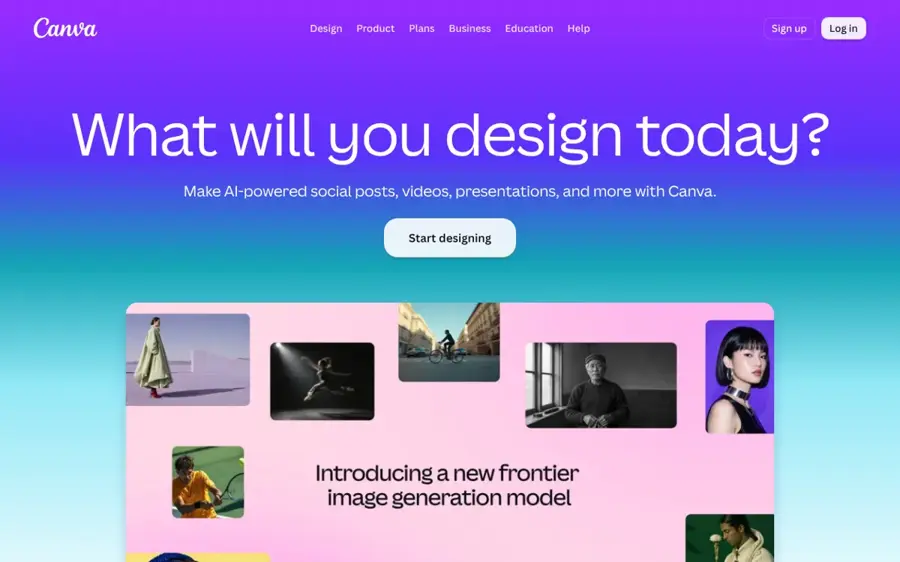
Canva is a drag-and-drop design app with AI image generation, background removal and millions of templates. Start at canva.com.
Strengths
If you've never designed a shirt, Canva's the least intimidating start. Looking at the price list, Pro costs $144 a year and gives you 10 times more AI use than the free plan, plus premium templates and AI tools like background removal. Canva's AI product terms say you own your output and "may use your Output for any lawful purpose", though they also warn that other users may get similar results.
It has 4.0 stars from 8,119 reviews on Trustpilot. One October 2026 reviewer put the main free-plan gripe well: "i just wish there were less premium required things such as having no background when downloading pictures". Transparent backgrounds matter for shirts, so plan on Pro.
Key features
- AI image generation shares a monthly allowance that grows with your plan.
- Background remover and resize tools on Pro.
- 3.6 million templates on paid plans.
- Custom canvas sizes for print templates.
Pros
- Very low learning curve.
- Clear ownership of AI output in the terms.
- Business plan gets 10% off Canva Print orders.
Cons
- AI images are less distinctive than dedicated generators.
- Transparent PNG downloads need a paid plan.
- No native vector generator.
Canva pricing: Free, then Pro at $144/year (checked October 2026). See pricing
Related: Best AI image generators Free AI banner generators
Verdict: the cheapest sensible start for a first shop.
Adobe Express – best for Adobe users
Adobe Express is Adobe's quick design app, with Firefly generative AI built in for text-to-image and editing. See adobe.com/express.
Strengths
Adobe pitches Firefly as safer for commercial work, and the Capterra listing describes Premium's 250 monthly generative credits as "Commercially Safe". If you're already paying for Adobe apps, it fits into the files and fonts you have. Capterra users rate it 4.6 from 1,244 reviews, though some reviewers there feel "the subscription model can be expensive" for small businesses.
Key features
- 250 generative AI credits a month per user on Premium.
- Over 30,000 Adobe Fonts on Premium.
- 200 million-plus Adobe Stock assets on paid plans.
- Brand kits and template locking on Teams.
Pros
- Firefly's commercial-safety positioning reduces licensing worry.
- Huge font library for text designs.
- Free plan available to try.
Cons
- 250 credits a month is modest for heavy generating.
- Less specialised for apparel than Kittl.
Adobe Express pricing: Free, then Premium from $9.99/month (checked October 2026)
Related: Best AI picture tools
Verdict: worth it mainly if you're in Adobe's world already.
Midjourney – best for detailed illustration
Midjourney is an AI image generator known for rich, stylised artwork, used through its website or Discord. Visit midjourney.com.
Strengths
For vintage, botanical or highly detailed illustration, Midjourney is the specialist Printify's guide recommends. Its commercial terms are simple: you own what you make, even after cancelling, but companies grossing over $1,000,000 a year need the Pro or Mega plan.
The problems are size and support. Images upscale to 2048 x 2048 pixels at most, per the upscaler docs, and Midjourney itself points you to third-party upscalers for anything bigger. Its Trustpilot score is 1.7 from 373 reviews; one September 2026 reviewer complained, "It doesn't follow prompt instructions."
Key features
- Subtle and Creative upscalers double image size.
- Unlimited relaxed image generation from the Standard plan up.
- Stealth mode keeps work private on Pro and Mega.
- Annual billing cuts prices by 20%.
Pros
- Distinctive illustration quality.
- Commercial use on every paid plan for small sellers.
- Ownership continues after you cancel.
Cons
- No free plan.
- Max 2048-pixel output needs extra upscaling for full-front prints.
- Images are public unless you pay $60 a month for Pro.
- Very poor Trustpilot rating.
Midjourney pricing: No free plan; paid plans from $10/month, or $8/month billed yearly (checked October 2026). See pricing
Verdict: best art, most cleanup.
Leonardo AI – best for cheap experimenting
Leonardo AI is an image generator with many models, style controls and image-to-image tools. Try it at leonardo.ai.
Strengths
Leonardo's free tier is generous for testing ideas: 150 tokens a day, according to a 2026 pricing breakdown on DEV Community, which works out to roughly 15 polished images daily. Users like it a lot, with 4.7 stars from 1,568 reviews on Trustpilot; one October 2026 reviewer said, "I find Leonardo to have the most intuitive interface".
The catch is the licence. That same breakdown says free images carry a watermark and no commercial licence, so you'll need Apprentice before anything goes on a shirt.
Key features
- Daily free tokens that reset at midnight UTC.
- Choice of several models, including premium ones on higher plans.
- Background removal and upscaling for tokens.
- Private generations on paid plans.
Pros
- Big free allowance for practice.
- Strong user ratings and support reviews.
- Commercial licence from the cheapest paid plan.
Cons
- Token maths is confusing.
- Free output is watermarked and not for sale.
Leonardo AI pricing: Free, then paid plans from $12/month, or $10/month billed yearly (checked October 2026)
Related: Leonardo AI review Best AI image generators
Verdict: practise here for free, sell elsewhere or upgrade.
Choosing the right AI for t-shirt design
Match the tool to the look you sell
Text shirts, illustration shirts and logo-style shirts need different engines. Printify's guide pairs Ideogram with text, Midjourney with illustration and Kittl with vector cleanup, and I think that split holds up. One tool rarely does all three well.
Generate parts, not whole shirts
A Mockey write-up of print-on-demand seller discussions found that sellers who make progress use AI for pieces (a dog, a flower, a retro badge) and then add their own text and layout. That's probably the single best habit to copy. It also gives you more human input, which matters for copyright.
Check the design on a mockup before you publish
Sellers in that same write-up put designs on a mockup first, because art that looks great on screen can sit too small or look off on fabric.
Budget for one paid plan, not three
The cheapest commercial plans here cost $10 to $15 a month. Stacking three of them before your shop has made a sale is, in my view, the most common way to lose money on print on demand.
Print resolution: the limit most AI tools hit
Here's the maths. Printful's print file guide gives a maximum t-shirt print area of 12 x 16 inches and calls 150 DPI "the sweet spot", with 150 to 300 DPI ideal. So a full-front print needs at least 1800 x 2400 pixels, and 3600 x 4800 for 300 DPI.
Most AI images fall short. A square Midjourney upscale is 2048 x 2048 pixels, which covers about 13.6 inches at 150 DPI but only 6.8 inches at 300 DPI; a 2:3 portrait upscale (1792 x 2688) almost exactly fills the 12 x 16 area at 150 DPI. That's fine for a chest print, tight for a full front.
You've got three fixes. Use a tool with vector export (Kittl or Recraft), run the image through a dedicated upscaler, or keep the design smaller. Printful also wants PNG or JPEG files in sRGB, up to 200 MB, and its Design Maker flags low-resolution files before you order. Transparent PNG backgrounds matter too: a white box printed on a black shirt is the classic beginner mistake.
Commercial use and licensing
Read the plan, not the marketing. Free plans differ a lot:
| Tool | Can you sell free-plan designs? | Paid plan rights |
|---|---|---|
| Kittl | No, personal use only | Commercial licence, up to 500,000 products on Pro |
| Ideogram | Terms don't restrict commercial use, but images are public | Same rights, plus private generation |
| Recraft | No, Recraft owns free output | Full ownership and commercial rights |
| Canva | You own AI output, subject to Canva's terms | Same, with more AI allowance |
| Midjourney | No free plan | You own output; Pro or Mega needed above $1M revenue |
| Leonardo AI | No, watermarked and no commercial licence | Commercial licence from Apprentice |
Owning an image isn't the same as being able to protect it. In March 2026 the US Supreme Court declined to hear Stephen Thaler's case, leaving in place rulings that human authorship is a "bedrock requirement of copyright", as PetaPixel reported; the Copyright Office has also rejected registrations for Midjourney-made images. In practice, a shirt design that's pure AI output is likely free for anyone to copy, so add your own text, layout and edits. Separately, don't prompt for brand logos, celebrities or cartoon characters. No AI licence covers someone else's trademark. Our explainer on whether you can copyright AI art goes further.
Free vs paid: what you actually get
Free tiers are for practice. Kittl's free plan gives 5 projects and low-resolution exports; Recraft's gives about 30 credits a day; Ideogram's gives 30 credits a week; Leonardo's gives 150 tokens a day. Of those four, only Ideogram's terms let you sell what you make without worry, and Ideogram's free images are public for anyone to browse.
Paying gets you three practical things: commercial rights, private generation and print-quality exports. For most new sellers, I'd guess one $10 to $15 plan covers the first few months, and you can read our guide to making money with AI before committing.
Final verdict
Kittl is my pick for most sellers. It's the only tool here that seems built around the whole job of a t-shirt, from generating art to exporting a vector at the right size, and the Pro licence is clear about selling. Add Ideogram if your shop is mostly slogans. I'd skip Midjourney until you've sold a few shirts, because its 2048-pixel ceiling and public images on cheaper plans add work that a beginner doesn't need (and its support reviews are rough, honestly).
FAQ
Which AI is best for t shirt design?
Kittl is probably the best all-round choice, because it combines AI generation, vector export and a commercial licence from $15 a month. Ideogram is better for text-heavy slogan shirts, Recraft for native vector art, and Midjourney for detailed illustration if you're willing to upscale the files.
Can I sell t-shirts with AI-generated designs?
Usually yes, on a paid plan. Kittl, Recraft and Leonardo AI don't allow commercial use on their free plans, while Midjourney has no free plan. Avoid trademarks and famous characters, and remember that purely AI art likely can't be copyrighted in the US.
What resolution do I need for a t-shirt print?
Printful suggests 150 to 300 DPI on a print area of up to 12 x 16 inches, which means at least 1800 x 2400 pixels. Most AI images are smaller, so use vector export, an upscaler, or a smaller print.
Is there a free AI t-shirt design generator I can sell from?
Ideogram's terms don't restrict commercial use of output, and Canva's AI terms say you own your output, so both free plans can work. But Ideogram's free images are public, and Canva's free plan doesn't give transparent downloads, so a paid plan is still the practical choice.