Best female AI voice generators in 2026: 8 picks for narration, ads and e‑learning
The best female AI voice tools in 2026 for narration, ads, e-learning and accessibility, with free limits, licences and real prices compared.
 Written byBurhan AqibSenior writer, policy and analysis
Why you can trust The AI Future
Our writers research every product from its official pages, independent tests and user reports, link each claim to its source and correct mistakes openly. Unless an article says otherwise, we haven't tested the product hands-on ourselves. Companies can't pay for coverage or see reviews before they're published.
Read our editorial policy
Short answer: if you want the most natural female AI voice for narration or ads, start with ElevenLabs, filter its Voice Library by gender and accent, and pay $6 a month once you need a commercial licence. If you're producing training courses, WellSaid is the safer pick, because every voice comes from licensed voice-actor recordings. And if you don't want to spend anything, Microsoft Clipchamp and the open Kokoro model both give you usable female voices for free.
This roundup covers text-to-speech tools for real work: narration, ads, e-learning and accessibility. I've left out companion, "AI girlfriend" and adult voice apps on purpose (they're a different product category, and not one we recommend). I've also skipped any tool whose main pitch is copying a real person's voice. Cloning a real woman's voice without her consent is harmful, and in a growing number of places it's illegal.
Key takeaways
- ElevenLabs' models hold the top two spots on a public blind-listening leaderboard, and its free plan gives you about 10 minutes of audio a month.
- WellSaid's voices are modeled on licensed recordings from real voice actors, which makes it the easiest choice to defend to a legal or L&D team.
- Clipchamp's AI voiceover is free for every user and offers feminine, masculine and neutral voices in 80 languages.
- Developer APIs from Microsoft and Google list their female voices by name, such as Ava and Jenny on Azure or Aoede and Kore on Google Cloud.
- Most free tiers ban commercial use, so check the licence before a voice goes into an ad or a paid course.
Our ranking method
Nobody at The AI Future ran hands-on tests or generated sample audio for this article. We compared the tools using their official pricing and voice pages, the Artificial Analysis voice arena (where listeners vote blind between paired clips), published comparisons and public user reviews, all as of late October 2026. I've included 8 picks, because those are the ones I could check properly.
These were the criteria, in rough order of weight:
- Female voice range: how many female voices there are, in which accents, and how easy they are to find.
- Voice quality, judged from blind-vote rankings and independent reviews rather than vendor demos.
- Control over pace, pitch, emphasis and pronunciation.
- Usage rights on each plan, especially for ads and paid courses.
- Cost per month at the entry level, and what the free tier really allows.
- Fit for accessibility work, such as captions, timing data and API access.
- User feedback from Trustpilot, Capterra or GitHub.
The 8 best female AI voices at a glance
| # | Tool | Category | Best for | Free tier | Starts at |
|---|---|---|---|---|---|
| 1 | ElevenLabs | Voice platform | Most natural female voices | Yes (limited) | $6/mo |
| 2 | WellSaid | Studio voice over | E-learning narration | Yes (limited) | $10/mo |
| 3 | Murf AI | Studio voice over | Ads and explainer videos | Yes (limited) | $19/mo |
| 4 | Microsoft Clipchamp | Video editor | Free video voiceovers | Yes | Microsoft 365 Personal |
| 5 | Azure Speech | Developer API | Accessibility apps | Yes | Pay as you go |
| 6 | Google Cloud Text-to-Speech | Developer API | High-volume projects | Yes | $4 per 1M chars |
| 7 | Kokoro | Open model | Free offline voices | Yes | Free |
| 8 | TTSMaker | Web TTS | Free commercial use | Yes | Free |
Annual billing is shown where it's the cheapest way in (WellSaid and Murf). Google's $4 rate is for its WaveNet and Standard voices; the newer Chirp 3: HD voices cost more after the free quota.
The best female AI voice generators in 2026, ranked
ElevenLabs – best for the most natural female voices
ElevenLabs is a voice AI platform for text to speech, voice design, dubbing and cloning, with a community Voice Library you can filter to female voices only. Start at elevenlabs.io.
Strengths
Quality is the main reason it's first. On the Artificial Analysis leaderboard, Eleven v4 Turbo and Eleven v4 sit in first and second place with Elo scores of 1336 and 1334, each from more than 2,000 blind votes. The Voice Library claims more than 10,000 voices, and going by the Voice Library guide, you can filter them by gender, language, accent and use case (a "Narration" category, for example).
Users are split. ElevenLabs scores 2.9 from 1,220 reviews on Trustpilot; one October 2026 reviewer summed it up as "Great product, confusing docs," while another complained that "one prompt for a 20 second video is like half of my credits." I'd watch the credit meter closely in your first month.
Key features
- A Voice Library you can filter by gender, language, accent and use case.
- About 10 minutes of free audio a month on 10,000 credits.
- Voice Design creates a new voice from a text description.
- 74 languages listed on every plan.
- Some shared voices carry Live Moderation, which screens text for prohibited content.
Pros
- Top-ranked voice quality in blind listening votes.
- Huge choice of female voices and accents.
- Commercial licence from $6 a month.
Cons
- No commercial licence on the free plan.
- Community voices vary a lot in quality.
- Trustpilot reviewers complain about credit use and billing.
Verdict: if you only pick one tool, pick this one.
ElevenLabs pricing: Free, then paid plans from $6/month (checked October 2026). See pricing
Related: Best AI voice generators compared Best free AI voices
WellSaid – best for e-learning narration
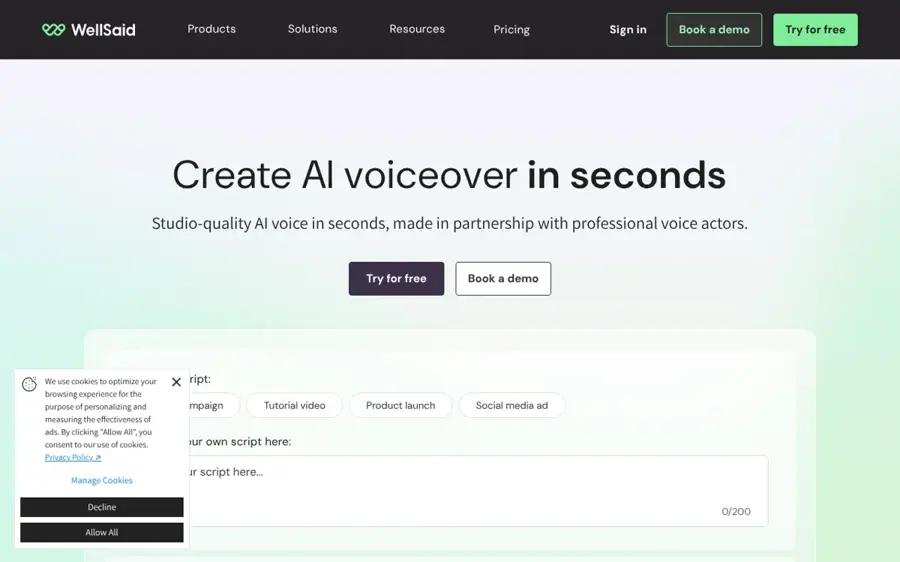
WellSaid is a voice over studio for corporate and training content, built on voices modeled from licensed voice-actor recordings. Visit wellsaid.io.
Strengths
Provenance is WellSaid's selling point. Its homepage lists 280+ voices, each "modeled on licensed recordings from real voice actors," and says every voice includes full commercial usage rights on paid plans. Dupple's comparison describes it as built for "training departments and e-learning teams that need the same voice to sound identical across hundreds of modules recorded over months" (Dupple). For a course with 40 modules and one consistent female narrator, that's exactly the job.
The catch is volume and language. On the plans page, Starter and Pro include English voices only, with other languages reserved for Enterprise, and the free tier allows just 3 download minutes a month with no commercial rights. WellSaid Studio has 4.4 from 14 reviews on Capterra; one content developer called it "the most customizable, natural, human-sounding voices that I have used," while a founder wrote that they "could only use it for a month after the free trial due to the high price."
Key features
- Voices built from licensed voice-actor recordings.
- Caption files with each clip on paid plans.
- A shared pronunciation library for product names and jargon.
- English accents including British, South African and Australian.
- A Speech Marks API for word-level timing, useful for captions.
Pros
- The clearest answer on where a voice came from.
- Consistent delivery across long course series.
- Unlimited regeneration on paid plans.
Cons
- Non-English voices need an Enterprise plan.
- Download minutes are tight on Starter.
- Small Capterra sample.
Verdict: the pick for L&D teams who'll get asked about voice rights.
WellSaid pricing: Free, then paid plans from $10/month billed annually, or $19 billed monthly (checked October 2026). See pricing
Related: Best AI voice generators compared How to add AI voice in video
Murf AI – best for ads and explainer videos
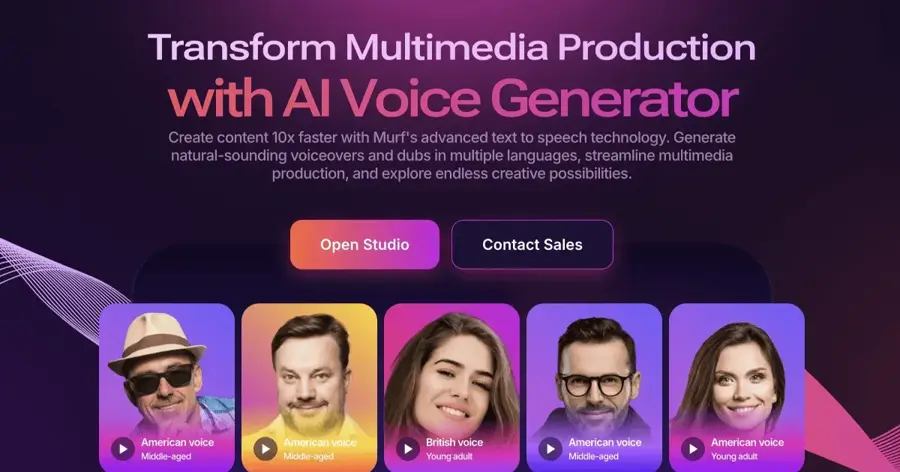
Murf AI is a studio-style voice over tool where you paste a script, pick voices and tune delivery on a timeline. Try it at murf.ai.
Strengths
Murf suits marketers who want a polished read without touching an API. The Murf homepage lists 200+ voices across 35+ languages and says its Gen2 model supports "fine-grained controls for tone, pacing, and emphasis," built on "ethically sourced speech." There's also a Canva add-on, which is handy if your ads start life as Canva designs.
Murf holds 4.6 from 186 reviews on Trustpilot. One UK marketer said they "threw in some text with a female UK voiceover. We liked Ruby." Not everyone's happy, though: an April 2026 reviewer found "the actual Studio interface is a total nightmare to navigate." On quality, Murf Speech Gen 2 sits at 986 Elo on the Artificial Analysis arena, well behind the leaders, and Dupple's verdict is that "the voices are good, not class-leading." I think that's fair for a 30-second explainer, where clarity matters more than drama.
Key features
- 200+ voices across 35+ languages.
- Timeline editing synced to video or slides.
- Tone, pace and emphasis controls in Gen2.
- A Canva add-on for designers.
Pros
- Easy for non-technical teams.
- Commercial rights on the entry paid plan.
- Strong Trustpilot score.
Cons
- Free plan doesn't allow downloads.
- Voices rank low in blind votes.
- Some users find the studio laggy.
Verdict: a solid choice for a marketing team that makes ads every week.
Murf AI pricing: Free, then paid plans from $19/month billed annually, or $29 billed monthly, per Smallest.ai (checked October 2026). See pricing
Related: Best AI voice generators compared How to add AI voice in video
Microsoft Clipchamp – best for free video voiceovers
Microsoft Clipchamp is a browser video editor with a built-in AI voiceover tool that's free for anyone with a personal Microsoft account. Try it at clipchamp.com.
Strengths
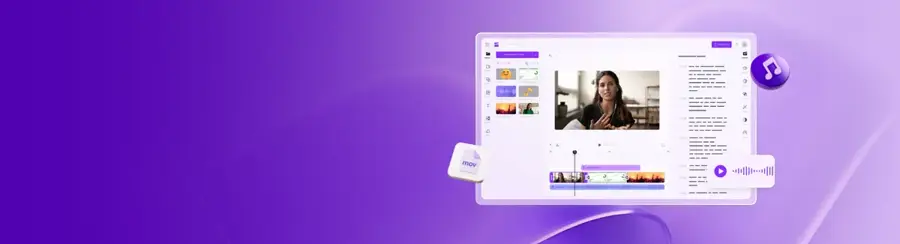
If the voice is going into a video anyway, Clipchamp saves you a step. Looking at the voiceover feature page, you get 400 voices in 80 languages, in "feminine, masculine, and neutral tones," with pitch and emotion controls and speed from 0.5x to 2x. You can also export just the MP3 and transcript for free. Pronunciation fixes are low-tech: misspell the word as it sounds.
Clipchamp has 4.8 from 7,374 reviews on Trustpilot, and a reviewer on 1 November 2026 wrote, "Text-to-speech is good and make it easy. Thank you Clipchamp." Trustpilot flags that the company hasn't invited reviews recently, so the sample may skew.
Key features
- Free AI text to speech for all users.
- Feminine, masculine and neutral voices in 80 languages.
- Pitch, emotion and speed controls.
- AI subtitles for videos watched with the sound off.
- Watermark-free 1080p exports on the free plan.
Pros
- No separate voice tool needed.
- Strong user ratings.
Cons
- Basic controls next to a dedicated voice studio.
- No voice library filters as detailed as ElevenLabs'.
- 4K exports need Microsoft 365.
Verdict: the easiest free option for social and YouTube videos.
Microsoft Clipchamp pricing: Free, with premium features included in Microsoft 365 Personal and Family subscriptions (checked October 2026). See pricing
Related: How to add AI voice in video Best free AI voices
Azure Speech – best for accessibility apps
Azure Speech is Microsoft's cloud speech service, with named neural and HD voices you call through an API or the Speech Studio portal. See the Azure text to speech overview.
Strengths
Azure is where a developer building a reading app or an accessible kiosk should probably look first. The HD voices list includes female US English personas such as Ava, Aria, Emma, Jenny, Nova, Phoebe and Serena, and these HD voices detect emotion in the input text and adjust tone to match. There's even an Ava3 voice in preview tuned for podcast content. SSML lets you set pitch, pauses, rate and pronunciation, and viseme events can drive lip movements for "lip-reading communication," as Microsoft puts it in the service overview.
Azure HD 2.5 scores 1145 Elo on the Artificial Analysis arena. The free F0 tier on the Azure price list gives you 0.5 million neural characters a month. Paid per-character rates didn't load when I checked, so I can't quote them. I couldn't find a user rating specific to Azure's text to speech either.
Key features
- Named female HD voices, including Ava, Emma and Jenny.
- Standard neural voices in 100+ languages and locales.
- SSML control over pitch, pauses and pronunciation.
- Viseme data for facial animation.
- Custom voices, with limited access for responsible use.
Pros
- Fine control for accessibility products.
- Free monthly quota with no expiry.
- Better blind-vote score than Google's HD voices.
Cons
- Developer setup, no simple studio for beginners.
- Paid prices weren't visible when checked.
- Custom voices need an application.
Verdict: the developer's pick when control matters more than charm.
Azure Speech pricing: Free F0 tier, then pay as you go (checked October 2026). See pricing
Related: Best free AI text-to-speech tools
Google Cloud Text-to-Speech – best for high-volume projects
Google Cloud Text-to-Speech is a developer API with a large free monthly quota and a set of named Chirp 3: HD voices. Details at cloud.google.com/text-to-speech.
Strengths
Of the 30 voices on the Chirp 3: HD list, 14 are marked female, including Aoede, Kore, Leda and Zephyr, and the set covers more than 50 languages and locales. Going by Google's price table, Chirp 3: HD is free for the first 1 million characters a month, then $30 per million; WaveNet and Standard voices are free up to 4 million, then $4 per million. You must enable billing first, and overages charge automatically.
Chirp 3: HD scores 1062 Elo on the Artificial Analysis arena, so it's a long way behind the leaders. Still, for an e-learning library with thousands of short audio clips, the free quota is hard to argue with.
Key features
- 14 female Chirp 3: HD voices.
- 1 million free Chirp 3: HD characters a month.
- 4 million free WaveNet or Standard characters a month.
Pros
- The biggest free quota here.
- Very cheap at scale on WaveNet.
Cons
- Billing account required.
- No browser studio for non-developers.
- HD voices rank low in blind votes.
Verdict: the budget choice for apps and large course catalogues.
Google Cloud Text-to-Speech pricing: Free monthly quota, then pay as you go from $4 per million characters (checked October 2026). See pricing
Related: Best free AI text-to-speech tools
Kokoro – best for free offline voices
Kokoro is an open-weight text-to-speech model with 82 million parameters and Apache-licensed weights, so you can run it on your own machine. Get it from Hugging Face.
Strengths
Kokoro has 54 voices, and by my count 29 of them are female. The voice list grades each one: American English af_heart gets an A and af_bella an A-, while British English bf_emma gets a B-. Several others score a D, so stick to the top grades. The same page warns that voices can rush on long passages over about 400 tokens, which means chunking your script.
On the Artificial Analysis arena, Kokoro 82M v1.0 scores 1062 Elo at $0.65 per million characters when hosted, the same score as Google's Chirp 3: HD. The GitHub repository has about 9,900 stars. One warning from the model card: sites with "kokoro" in their domain aren't affiliated and may be scams.
Key features
- 29 female voices across English, Japanese, Mandarin, Hindi and more.
- Apache 2.0 licence, commercial use allowed.
- Quality grades published for every voice.
- Runs in a free Google Colab notebook.
Pros
- No usage caps or accounts.
- Permissive licence.
- Runs on modest hardware.
Cons
- Needs Python and some setup.
- Many non-English female voices grade C or D.
- Fake Kokoro websites to avoid.
Verdict: the best zero-cost option if you can run a notebook.
Kokoro pricing: Free and open source (checked October 2026). See pricing
Related: Best open source AI tools Best free AI voices
TTSMaker – best for free commercial use
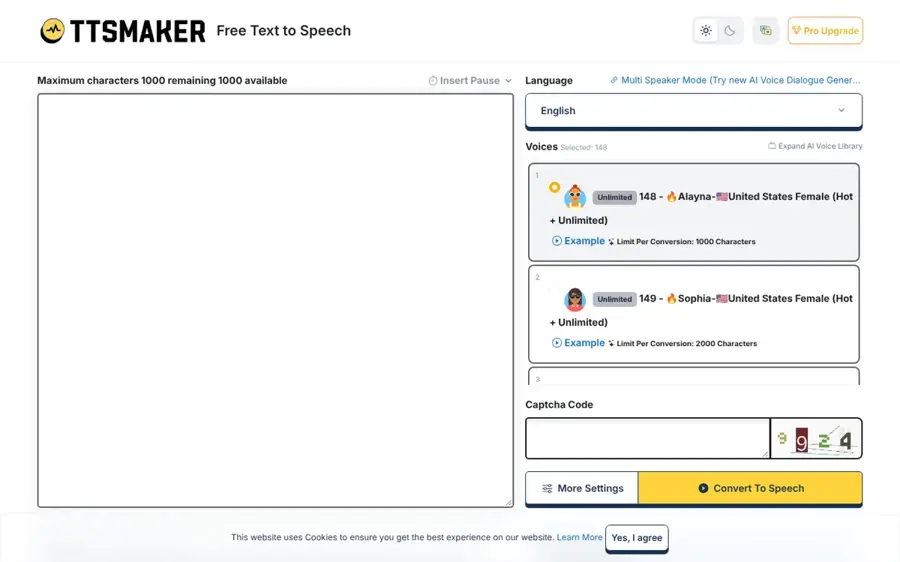
TTSMaker is a simple web text-to-speech tool with a weekly free allowance and a licence that allows commercial use. Use it at ttsmaker.com.
Strengths
The licence is the reason it's here. On TTSMaker's homepage, the free limit is 20,000 characters a week (some voices are unlimited), and you can use the audio "for any lawful purpose, including commercial use, with no fees and no additional permission required."
I couldn't find a reliable third-party rating, and the site doesn't say how many of its voices are female. So listen to a few before you build a series on one.
Key features
- 20,000 free characters a week.
- Free commercial use of generated audio.
- Rate and volume settings.
- An API and email support.
Pros
- Clear commercial terms at no cost.
- No setup.
Cons
- No independent quality ratings found.
- Long texts can take a few minutes.
- Basic voice controls.
Verdict: fine for a small-budget ad, but sample it first.
TTSMaker pricing: Free; we didn't find a published paid plan (checked October 2026). See pricing
Related: Best free AI text-to-speech tools
Choosing the right female AI voice
Match the voice to the job, not the demo
A breathy, intimate read that sounds great in a demo can be tiring across a 20-minute training module. For e-learning, pick a clear, even voice and keep it for the whole series. Ads usually want more energy and a shorter read; ElevenLabs' accent and use-case filters or Murf's emphasis controls help there. Honestly, I'd shortlist three voices and play each over the same 60-second script before deciding.
Check the licence before a voice goes public
ElevenLabs puts its commercial licence on the $6 Starter plan. WellSaid's free tier and Murf's free plan both exclude commercial rights, per WellSaid and Smallest.ai. TTSMaker and Kokoro are the clear free options for paid work.
Plan for accessibility from the start
If your audio supports learners with visual impairments or reading difficulties, timing and captions matter as much as the voice itself. WellSaid includes caption files on paid plans, Clipchamp adds AI subtitles for free, and Azure's SSML lets you slow the rate or add pauses for tricky terms.
Never clone a real woman's voice without consent
Use a stock or designed voice, your own voice, or one you've licensed in writing. In the US, the NO FAKES Act, which would make people and companies liable for unauthorised digital replicas of someone's voice, cleared the Senate Judiciary Committee unanimously on 18 June 2026, and Tennessee's ELVIS Act already protects voice rights, according to Holland & Knight. ElevenLabs' prohibited use policy also lets people report their voice being used without consent. Our guide to making an AI voice of someone covers the consent side in more detail.
Free vs paid: what you actually get
Free plans are mostly for auditioning voices. ElevenLabs gives about 10 minutes a month, WellSaid 3 download minutes, and Murf 10 minutes in total with no downloads at all. None of those three let you use the audio commercially.
Paying buys three things: commercial rights, more minutes and better controls. Murf's $19 Creator plan works out to 24 hours of generation a year, or about two hours a month, per Smallest.ai; WellSaid's $10 Starter adds unlimited regeneration and caption files. The exceptions are Clipchamp, TTSMaker and Kokoro, which stay free for real work, and the developer APIs, whose free quotas (0.5 million characters on Azure, up to 4 million on Google) are big enough that a small project may never pay. My guess is most solo creators can stay free until they publish their first paid ad or course.
Final verdict
For most people, I think ElevenLabs is the best place to find a female AI voice in 2026: it ranks highest in blind votes, its filters make browsing quick, and $6 gets you a commercial licence. Training teams should lean towards WellSaid for its licensed-actor voices, even though non-English work pushes you to Enterprise. If you're on zero budget, Clipchamp covers video and Kokoro covers everything else, which still surprises me a little. Need more options? Our AI voice generator roundup and list of free AI voices go wider.
FAQ
What is the most realistic female AI voice?
Going by blind listening votes, ElevenLabs is the most realistic right now: Eleven v4 Turbo and Eleven v4 hold the top two places on the Artificial Analysis leaderboard. You can filter its Voice Library to female voices by accent and use case. Realism also depends on the script, so test with your own text.
Is there a free female AI voice generator?
Yes. Microsoft Clipchamp's AI voiceover is free for every user, with feminine voices in 80 languages. TTSMaker gives 20,000 free characters a week and allows commercial use. Kokoro is a free open model with 29 female voices, but you'll need Python.
Can I clone a real woman's voice with AI?
Only with her clear, written consent. Cloning someone's voice without permission breaks most platforms' rules and can be illegal; Tennessee's ELVIS Act protects voice rights, and the federal NO FAKES Act cleared a Senate committee in June 2026. Use stock voices, designed voices or your own voice instead. If someone clones your voice, ElevenLabs lets you report it.
Can I use female AI voices in ads and paid courses?
Yes, if your plan grants commercial rights. ElevenLabs includes them from $6 a month, WellSaid from $10 and Murf from $19 (both billed annually). Their free tiers don't. TTSMaker and Kokoro allow commercial use at no cost, so they suit small paid projects.
Which female AI voice is best for e-learning?
WellSaid is probably the safest choice for e-learning. Its voices are built from licensed voice-actor recordings, paid plans include caption files, and a shared pronunciation library keeps product terms consistent across modules. The downside is that Starter and Pro plans include English voices only; other languages need an Enterprise plan.