Best AI documentation tools in 2026: 8 picks for every budget
The best AI documentation tools for developer docs, wikis and process guides, with current prices, free plans and real user ratings.
 Written byDr. Alap ZahidReviews And Guides Editor
Why you can trust The AI Future
Our writers research every product from its official pages, independent tests and user reports, link each claim to its source and correct mistakes openly. Unless an article says otherwise, we haven't tested the product hands-on ourselves. Companies can't pay for coverage or see reviews before they're published.
Read our editorial policy
Short answer: if you're publishing developer or product docs, start with Mintlify's free Starter plan or GitBook, and only pay when you need their AI agents. If your "documentation" is really an internal wiki, the AI that's already in Confluence or Notion is probably enough. And if you need step-by-step process guides, Scribe or Guidde will save you more hours than any writing assistant.
Below are the eight AI documentation tools I think are worth a look in late 2026, with prices, user ratings and the catch for each. The price gap surprised me: you can run a polished docs site for $0, or pay $450 a month for the same vendor's AI features.
Key takeaways
- Mintlify, GitBook and ReadMe all have free plans that cover a public docs site, so you don't need to pay just to get started.
- The serious AI features (writing agents, docs chat for readers, auto-updates from code) sit on paid tiers that start at $65 to $450 a month per site.
- Internal wikis are cheaper per person: Confluence Standard includes Rovo AI from $5.78 per user a month.
- Process documentation is a different job, and screen-capture tools like Scribe and Guidde handle it far better than text-first platforms.
- User ratings vary a lot, and billing complaints show up for several of these vendors, so read the renewal terms before you pay annually.
Our ranking method
Nobody at The AI Future ran hands-on tests for this roundup. We compared the tools using their official pricing pages and product docs, plus published user reviews on Capterra, Trustpilot and AWS Marketplace, as of early November 2026. We ranked them on six criteria:
- AI usefulness for writers, such as drafting, updating and checking docs.
- AI usefulness for readers, such as search and chat that answers questions from your docs.
- How well the tool fits developer workflows like Git sync and API references.
- Free plan quality and how far it gets a small team.
- Price for a typical small team once you need the AI features.
- User ratings and the complaints that come up in reviews.
Developer-docs platforms rank highest because that's what most people searching for AI documentation tools seem to want. Wikis and capture tools rank lower overall, but they're the better choice for their own jobs. Prices are in US dollars and can change, so check each vendor before you buy.
The 8 best AI documentation tools at a glance
| # | Tool | Category | Best for | Free tier | Starts at |
|---|---|---|---|---|---|
| 1 | Mintlify | Docs platform | Developer docs | Yes | $450/mo |
| 2 | GitBook | Docs platform | Product docs on a budget | Yes | $65/site/mo |
| 3 | Confluence | Team wiki | Atlassian teams | Yes | $5.78/user/mo |
| 4 | Notion AI | Workspace | Small-team knowledge bases | Yes (limited) | $10/member/mo |
| 5 | Document360 | Knowledge base | Customer help centers | No | Quote |
| 6 | ReadMe | API docs | API reference docs | Yes | $250/mo |
| 7 | Scribe | Process capture | Step-by-step guides | Yes | $13/seat/mo |
| 8 | Guidde | Video capture | Video how-to guides | Yes (limited) | $19/mo |
Notes: GitBook, Mintlify, ReadMe, Scribe and Guidde prices are for annual billing. Notion's Plus plan only includes an AI trial (full Notion AI starts on Business at $20 per member), and Scribe's team price needs at least five seats.
The best AI documentation tools in 2026, ranked
Mintlify – best for developer docs
Mintlify is a hosted docs platform for software and API companies, with Git-backed Markdown and an AI agent that drafts updates for you. See it at mintlify.com.
Strengths
Mintlify's free tier is more generous than I expected. Starter covers five editor seats, hosting, search, a custom domain, Git sync, an API playground and an MCP server, so AI coding assistants can read your docs directly. Your content stays in Git as Markdown or MDX, which means you can leave later without a painful export.
The paid AI is where it gets interesting. Going by the agent docs, it can research your repos and Slack threads, write or update pages, run build checks and then open a pull request for review. One AWS Marketplace reviewer singled out the GitHub integration and preview builds, which let them share in-progress docs with stakeholders. I couldn't find a large pool of public ratings, though: Mintlify's Trustpilot page has just two reviews.
Key features
- Docs live in Git as Markdown or MDX.
- The AI agent drafts changes and opens pull requests.
- Autopilot and the reader-facing assistant come with Pro.
- Every site gets an MCP server and llms.txt for AI tools.
- An interactive API playground is included on the free plan.
Pros
- Free plan covers a full public docs site for up to five editors.
- No lock-in, since content stays in your repo.
- Unlimited editor seats on Pro.
Cons
- The jump from $0 to $450 a month is steep for a small startup.
- Very few public user reviews to judge it by.
- It's built for developer docs, not internal wikis.
Mintlify pricing: Free, then Pro from $450/month billed annually or $540 billed monthly (checked November 2026). See pricing
Related: Cursor review for writing code and docs side by side Claude AI review
Verdict: the best pick if your docs live next to your code, as long as you can live on Starter until the AI is worth $450.
GitBook – best for product docs on a budget
GitBook is a block-based docs editor with GitHub and GitLab sync, AI search for readers and a writing agent on higher plans. Find it at gitbook.com.

Strengths
GitBook's main appeal is price per site. On the plans page, Essential costs $65 a site per month billed annually and includes $20 of AI credits, the AI Assistant "Ask" feature, a custom domain and analytics. Ultimate, at $249, adds the GitBook Agent for writing and editing, a full chat sidebar for readers and AI insights that show which questions your docs failed to answer.
That insights feature is the one I'd actually pay for. It turns reader questions into a to-do list for your writers. Reviews are mixed, though: GitBook holds 3.3 from 23 reviews on Trustpilot, and one older review from December 2021 complained that after a major update "everything lags badly".
Key features
- Published docs automatically get an MCP server.
- Two-way sync with GitHub or GitLab.
- Auto-generated, interactive API documentation.
- Adaptive content shows or hides sections for specific users.
- The agent and assistant can work inside Slack, Linear and GitHub.
Pros
- Free plan for individuals.
- Much cheaper entry point than Mintlify for team features.
- Visual editor suits non-developers.
Cons
- The writing agent needs Ultimate at $249 a site.
- Extra team members cost $12 per user per month.
- Middling Trustpilot score with complaints about performance.
GitBook pricing: Free, then paid plans from $65/site/month billed annually (checked November 2026). See pricing
Related: Best AI writing tools alternatives
Verdict: the sensible middle ground for product teams who want AI help without a $5,000-plus annual bill.
Confluence – best for Atlassian teams
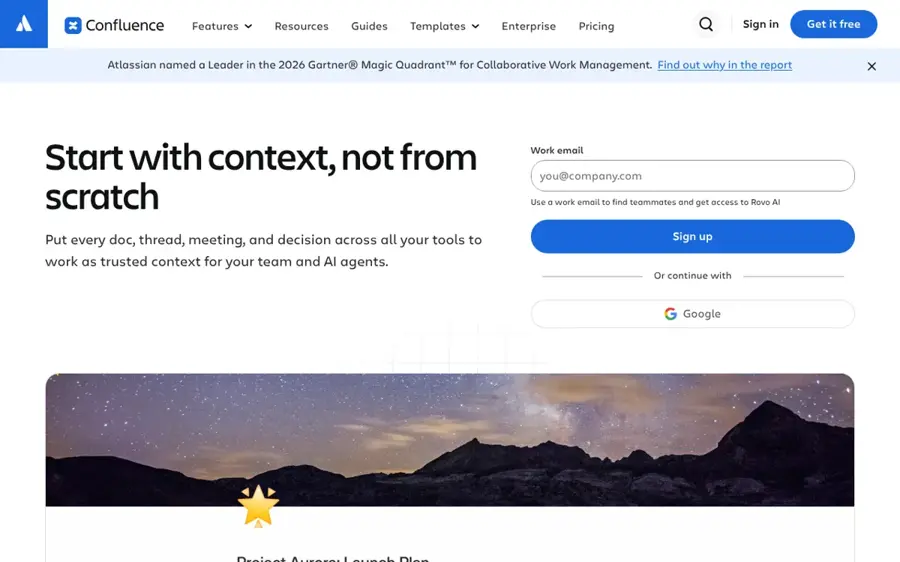
Confluence is Atlassian's team wiki, and its paid plans now include Rovo AI search, chat and agents. Get it at atlassian.com.
Strengths
If your team already runs on Jira, this is the low-friction choice. Looking at Atlassian's prices, the free plan covers 10 users, and Standard at $5.78 per user a month adds Rovo Search, Chat and Agents, 250 GB of storage and free guest access. Premium is $11.16 per user and adds unlimited whiteboards and a 99.9% uptime SLA.
Users like it for internal docs: Confluence scores 4.5 from 3,721 reviews on Capterra. Search is the sore point. One reviewer there wrote that "it frequently surfaces old, archived pages instead of the latest documentation." Rovo is supposed to fix exactly that, so I'd guess search quality is the first thing to check during a trial.
Key features
- Rovo AI search, chat and agents on Standard and above.
- Templates for meeting notes, onboarding docs and procedures.
- Page history, permissions and real-time editing.
- Databases and whiteboards inside the wiki.
Pros
- Cheapest per-user AI on this list.
- Works closely with Jira.
- Huge review base with a strong average.
Cons
- Search can surface outdated pages.
- Reviewers report formatting trouble with complex tables.
- Atlassian's Trustpilot score is 1.2, with complaints about unexpected charges and support.
Confluence pricing: Free for up to 10 users, then paid plans from $5.78/user/month (checked November 2026). See pricing
Related: Best AI tools for productivity
Verdict: for internal engineering docs in an Atlassian shop, it's hard to beat on price.
Notion AI – best for small-team knowledge bases
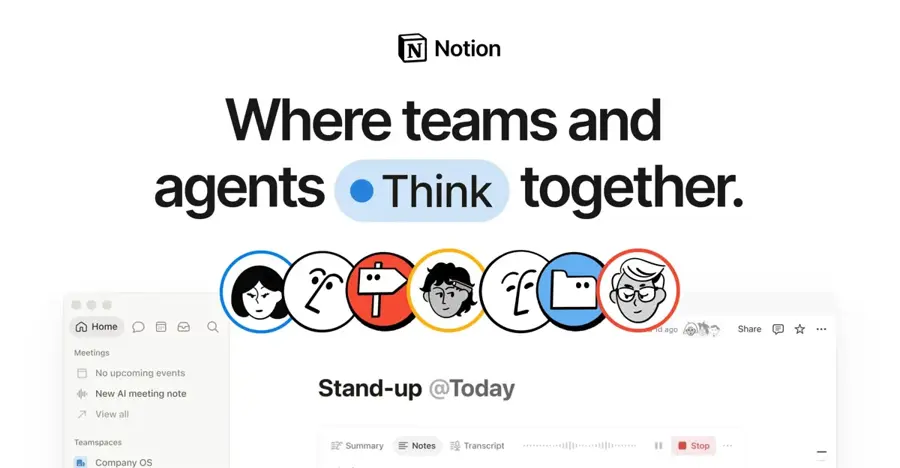
Notion is an all-in-one workspace for docs, wikis and databases, and its AI agent can write, summarize, translate and search across your pages. Try it at notion.com.
Strengths
Notion works best when your documentation is mixed up with everything else: specs, meeting notes, onboarding checklists. According to Activepieces' October 2026 breakdown, Plus costs $10 per seat a month billed annually and Business is $20. That matters because, on Notion's own plan grid, Free and Plus only get a trial of Notion AI. The full Notion Agent, AI Meeting Notes and Enterprise Search start on Business.
Honestly, the per-workspace billing is the part I'd watch. Every member takes a paid seat, so upgrading for AI raises the bill for everyone. Notion's Trustpilot rating is 2.2 from 442 reviews, and the review summary there mentions people being locked out of paid features and struggling with unexpected charges.
Key features
- Notion Agent for chat, drafting, autofill and translation.
- AI Meeting Notes on Business.
- Enterprise Search across connected apps (in beta).
- Custom Agents billed at $10 per 1,000 Notion credits.
- Pages can be published as public sites.
Pros
- One tool for docs, notes and project tracking.
- Flexible databases for structured docs.
- Plus is a cheap entry point at $10 a seat.
Cons
- Real AI access needs the $20 Business plan.
- Poor Trustpilot score with billing complaints.
- Not built for versioned developer docs.
Notion AI pricing: Free (AI trial only), then paid plans from $10/member/month, with full AI on Business at $20 (checked November 2026). See pricing
Related: Notion AI review Best AI tools for productivity
Verdict: good for scrappy teams whose docs are part of a wider workspace, but budget for Business if AI is the point.
Document360 – best for customer help centers
Document360 is a knowledge base platform for customer-facing help centers, SOPs, user manuals and API docs, with AI tools for both writers and readers. Visit document360.com.
Strengths
This is the most help-desk-oriented tool here. On its homepage you'll see AI search, an AI chatbot, an article summarizer and text-to-audio for readers, plus an AI writing agent, duplicate-content detection and a glossary generator for writers. It connects to Slack, Intercom, Zendesk, Salesforce, GitHub and more than 60 other tools.
User reviews are strong. Document360 scores 4.7 from 297 reviews on Capterra, where one reviewer praised its "powerful search, category management, version control, and analytics features". Another said the editor "can also feel slightly laggy or fiddly when working with complex tables or large documentation projects."
Key features
- AI search and chatbot for readers.
- AI writing agent and duplicate-content detection.
- Custom review workflows for subject matter experts.
- Embeddable help center for your app or site.
- Markdown and WYSIWYG editors with revision history.
Pros
- Highest Capterra score of any pick here.
- Built for support teams and ticket deflection.
- Migration help from older systems.
Cons
- No public prices; you'll need a sales call.
- Analytics only work per workspace, one reviewer noted.
- Editor can lag on large projects.
Document360 pricing: No free plan; pricing is quote-based, with a free trial (checked November 2026). See pricing
Related: Best AI writing tools alternatives
Verdict: the pick for support-led companies with hundreds of articles, if you don't mind negotiating price.
ReadMe – best for API reference docs
ReadMe is a developer hub for API references, guides and changelogs, with AI writing, linting and a docs chatbot. Check it out at readme.com.
Strengths
ReadMe's interactive API reference is its calling card. One Capterra reviewer called it "one of the best API reference tools I've ever used", because readers can try calls straight from the page. The free Starter plan includes a custom domain, usage analytics, llms.txt and an MCP server.
Pro at $250 a month (billed annually) adds the ReadMe Agent, AI Linter, AI Writer, branching and private docs. Want the reader chatbot on the free plan? Ask AI is a $150-a-month add-on. That's a lot for a chatbot, in my view. And the review base is thin: only four reviews on Capterra, one of which complained about incomplete OpenAPI 3.0 support.
Key features
- Interactive API reference with bi-directional sync.
- AI Writer and AI Linter on Pro.
- Ask AI chatbot for readers.
- Changelog, recipes and forums.
- Usage analytics on every plan, including Starter.
Pros
- Strong free plan for a single API.
- Cheaper Pro tier than Mintlify.
- API usage insights on the dashboard.
Cons
- Ask AI costs $150 a month extra on Starter.
- Free plan allows one published version.
- Very few public reviews.
ReadMe pricing: Free, then Pro from $250/month billed annually (checked November 2026). See pricing
Related: Cursor review
Verdict: choose it if your product is an API and the reference is what customers read most.
Scribe – best for step-by-step guides
Scribe records you doing a task in your browser or desktop apps and turns it into a written guide with screenshots. Get it at scribe.com.

Strengths
Most process docs never get written because writing them is tedious. Scribe skips the writing. One Trustpilot reviewer summed it up: "So I despise creating SOPs (even as a systems person). They are just tedious and everyone makes them differently." The tool lets people hit record, do the task and share the result.
Prices are reasonable on paper. On Scribe's plans, Basic is free in the browser, Pro Personal is $25 a seat billed annually ($35 monthly) and Pro Team is $13 a seat with a five-seat minimum. Still, Scribe's overall Trustpilot score is 2.9 from 27 reviews, and a February 2026 review complained of being charged $780 for an annual plan after signing up for what they thought was monthly.
Key features
- Auto-generates guides with screenshots from a recording.
- Works with web, mobile and desktop apps on Pro.
- Screenshot editing and redaction.
- Export to PDF, HTML and Markdown.
- Auto-redaction of PII and PHI on Enterprise.
Pros
- Fastest way to document a click-by-click process.
- Free browser plan.
- Exports drop into other docs tools.
Cons
- Billing complaints on Trustpilot.
- Team plan needs at least five seats.
- Not a home for long-form docs.
Scribe pricing: Free, then paid plans from $13/seat/month billed annually (checked November 2026). See pricing
Related: Best AI SOP generators
Verdict: the fastest route from "nobody wrote this down" to a usable guide; just double-check the billing period at checkout.
Guidde – best for video how-to guides
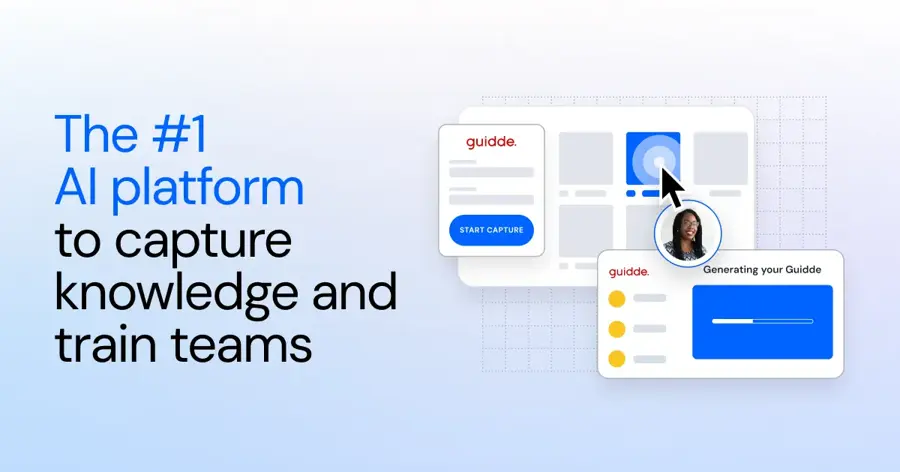
Guidde captures a workflow in your browser and produces both a narrated video and a written step-by-step guide. See guidde.com.
Strengths
Guidde is the video version of Scribe. Per its Chrome Web Store listing, you speak naturally while recording and the AI cleans that up into a voiceover with more than 400 voices, and it can translate guides into over 50 languages. It also blurs personal data automatically and says customer data isn't used to train its models.
Going by the plan list, the free tier caps you at 25 how-to videos, Pro costs $19 a month billed annually ($29 monthly) and Business is $39 per creator for up to five creators. I couldn't find a third-party rating I could read: GetApp shows no reviews yet, so you're mostly relying on vendor claims here.
Key features
- Records once and outputs a video plus a written guide.
- AI voiceovers in 400-plus voices.
- Auto-translation into 50-plus languages.
- Turns PDFs and slide decks into videos on Business.
- Exports videos, PPTs and PDFs on Pro.
Pros
- Useful free tier for trying it out.
- Video and text from one recording.
- Cheap Pro plan.
Cons
- Free plan limited to 25 videos and web apps only.
- Desktop app capture needs Business.
- Little independent user feedback to go on.
Guidde pricing: Free, then paid plans from $19/month billed annually (checked November 2026). See pricing
Related: Best AI SOP generators
Verdict: worth it for training and onboarding teams whose users would rather watch than read.
Choosing the right AI documentation tools
Decide who reads the docs first
Customers reading an API reference need Mintlify, ReadMe or GitBook. Staff reading internal procedures need Confluence or Notion. Mixing those up is the most expensive mistake you can make here, because public docs platforms charge per site and wikis charge per user.
Pay for reader-facing AI only if traffic justifies it
A docs chatbot sounds great, but ReadMe charges $150 a month for Ask AI and GitBook's full chat sits on the $249 Ultimate plan. If a few hundred people read your docs each month, I think good search and clear writing will do more for them than a chat sidebar.
Keep your content portable
Mintlify keeps docs as Markdown in Git, and GitBook syncs with GitHub. Given how fast pricing here changes, you'll probably switch vendors one day.
Use capture tools alongside a docs platform
Scribe and Guidde don't replace a knowledge base. They feed one. A common setup is to record a guide in Scribe, export it as Markdown and drop it into Confluence or Document360, and for meeting knowledge a notetaker like Otter.ai does a similar job.
Check the healthcare angle separately
"Documentation" means something very different in a clinic. If you're after AI that writes clinical notes, none of these fit; see our Abridge review and our guide to AI SOAP notes tools instead.
Free vs paid: what you actually get
The free tiers here are better than in most AI categories. The AI isn't.
| Tool | What's free | Main thing you pay for |
|---|---|---|
| Mintlify | Full docs site, 5 editors, MCP server | Agent, assistant, Autopilot ($450/mo) |
| GitBook | Individual docs site, Git sync | Team access, AI Ask ($65/site/mo) |
| ReadMe | One project, API reference, MCP server | AI Writer, Linter, Agent ($250/mo) |
| Confluence | Wiki for 10 users | Rovo AI ($5.78/user/mo) |
| Notion | Workspace with AI trial | Full Notion Agent ($20/member/mo) |
| Scribe | Browser guides with links and embeds | Desktop capture, branding, exports |
| Guidde | 25 how-to videos | Unlimited videos, no watermark |
Put simply, free plans get you publishing, and paid plans get you AI that writes or answers. For a team of five on Confluence Standard, that's about $29 a month for AI search and chat; on Mintlify Pro it's $450 whatever the team size. Those numbers suggest small internal teams should probably stay with a wiki, while companies whose docs drive sales can justify the developer platforms.
General assistants like Claude or ChatGPT are the $20 alternative for drafting, but you'll be copying text between windows all day.
Final verdict
If you only pick one, pick Mintlify. Its free plan is the most complete docs site on this list, your content stays in Git, and the paid agent is the most capable docs-specific AI I came across in the research. The $450 price is the real catch, and I'd stay on Starter until a writer's time costs more than that each month.
Choose GitBook for AI help at a fraction of the price, or Confluence if your team lives in Jira. For undocumented processes, get Scribe.
FAQ
Which AI tool is best for documentation?
For developer and product docs, Mintlify is the strongest all-round choice, with a free plan for five editors and an AI agent on its $450-a-month Pro plan. GitBook is the budget alternative from $65 a site. For internal wikis, Confluence with Rovo starts at $5.78 per user a month, and Scribe is best for process guides.
Are there free AI documentation tools?
Yes, but the free plans mostly cover publishing, not AI. Mintlify, GitBook and ReadMe all host a docs site for free, and Confluence is free for 10 users. Scribe and Guidde have free capture plans, with Guidde capped at 25 videos. Notion's free plan only includes a trial of its AI.
Can ChatGPT or Claude write my documentation?
They're good at first drafts of READMEs and how-to articles if you paste in the code or steps. They can't host, version or sync docs with your product, so you'll still want a docs platform for publishing.
Is AI-written documentation accurate enough to publish?
Not without review. That's why Mintlify's agent opens pull requests by default and Document360 supports review workflows with subject matter experts. AI drafts can get details like parameter names or UI steps wrong, so someone who knows the product should check every change before it goes live.