Best AI SOP generators in 2026: 8 tools compared
The best AI SOP generators for 2026, from free screen-capture tools like Scribe and Tango to full SOP platforms like Whale and Trainual, with current prices.
 Written byMuhammad Usman SiddiquiFounder and editor-in-chief
Why you can trust The AI Future
Our writers research every product from its official pages, independent tests and user reports, link each claim to its source and correct mistakes openly. Unless an article says otherwise, we haven't tested the product hands-on ourselves. Companies can't pay for coverage or see reviews before they're published.
Read our editorial policy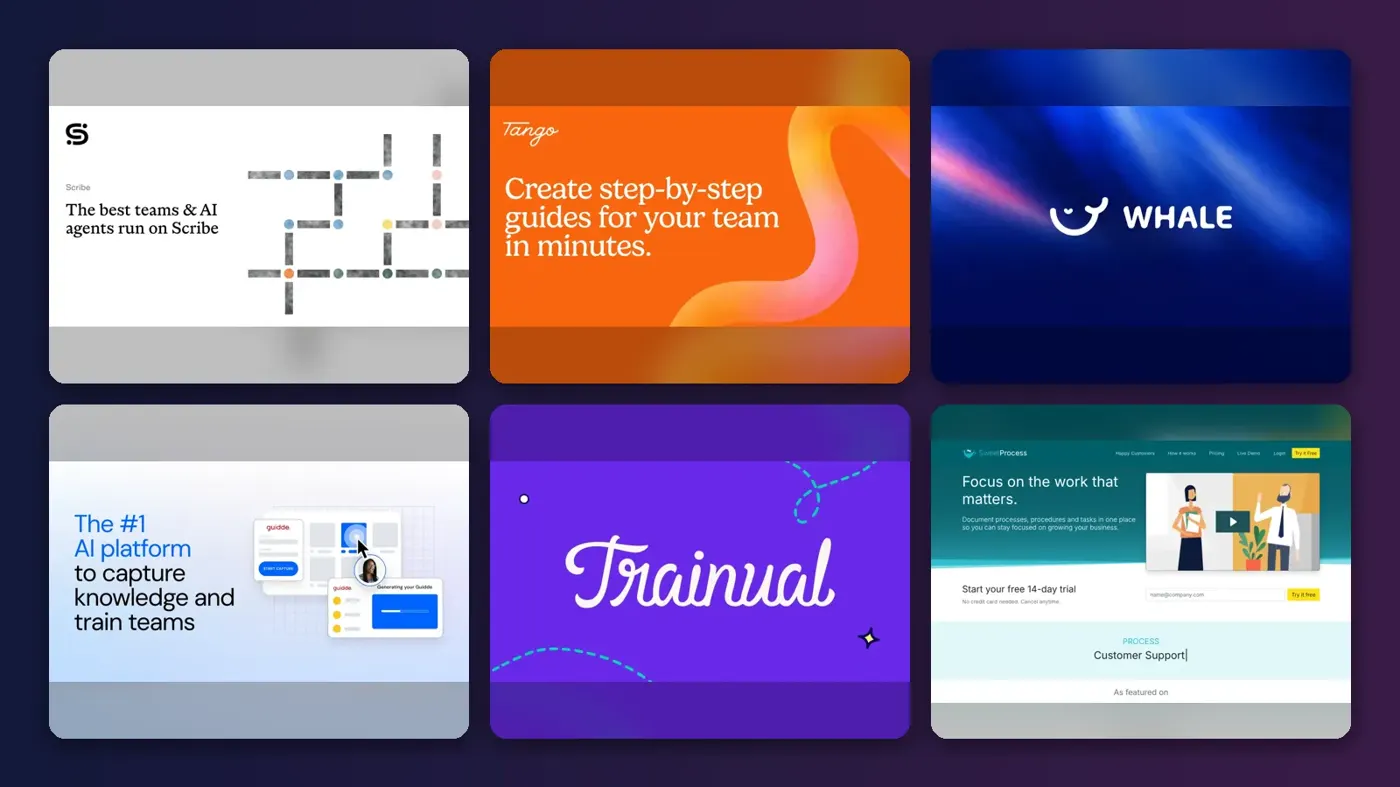
Short answer: if you want an AI SOP generator that writes a procedure while you do the task, start with Scribe. Its free plan turns browser clicks into a step-by-step guide with screenshots, and paid seats start at $13 a month on a five-seat team plan. If you need the whole SOP system (training, quizzes, sign-off), look at Whale or Trainual instead, and budget a lot more.
The tools split into camps. Capture tools (Scribe, Tango, Guidde) watch your screen and draft the guide, while SOP platforms (Whale, Trainual, SweetProcess, Process Street) store, assign and track procedures with AI drafting bolted on. ChatGPT sits apart: free, decent at text SOPs, and blind to what your software looks like. I think most small teams will pair a capture tool with wherever they already keep documents.
Key takeaways
- Scribe is the safest starting point for software-based SOPs, with a free plan and a Pro Team seat at $13 a month billed annually.
- Tango is the cheapest capture tool for small teams at $15 per user per month for three or more people, but its free plan stops at five shared workflows.
- Whale and Trainual are full SOP and training systems, and their prices reflect it: Whale's paid plans start at $249 a month and Trainual won't publish prices at all.
- SweetProcess has the simplest bill of the lot, a flat $99 a month (or $82.50 billed yearly) for up to 10 people.
- ChatGPT can draft a text SOP for free, though it can't capture screenshots, assign the SOP or prove anyone read it.
Our ranking method
Nobody at The AI Future ran hands-on tests for this roundup, so there are no original screenshots here. We compared each AI SOP generator using official pricing pages, product pages, verified user reviews on Capterra and the Chrome Web Store, and independent pricing trackers, as of late October 2026. We scored each tool on six criteria:
- Capture speed covers how quickly the tool turns real work (clicks, video or a prompt) into a usable first draft.
- Editing and accuracy covers how much cleanup the draft needs, judged from user reviews.
- SOP management covers storage, versioning, assignment and read tracking.
- Free plan value asks what you get before paying anything.
- Small-team price asks what a five to 10 person team would actually pay.
- Security covers redaction of sensitive data, SSO and compliance options.
Capture speed and small-team price carried the most weight. Prices are in US dollars and can change.
The 8 best AI SOP generators at a glance
| # | Tool | Category | Best for | Free tier | Starts at |
|---|---|---|---|---|---|
| 1 | Scribe | Screen capture | Browser workflow SOPs | Yes | $13/seat/mo |
| 2 | Tango | Screen capture | Budget capture for small teams | Yes (limited) | $15/user/mo |
| 3 | Whale | SOP platform | All-in-one SOPs and training | Yes (limited) | $249/mo |
| 4 | Guidde | Video capture | Video SOPs with AI voiceover | Yes (limited) | $19/mo |
| 5 | Trainual | Training platform | Onboarding-led SOPs | No | Custom quote |
| 6 | SweetProcess | SOP platform | Flat-rate pricing | No | $82.50/mo |
| 7 | Process Street | Workflow checklists | Recurring checklists | No | Custom quote |
| 8 | ChatGPT | General assistant | Drafting text SOPs | Yes | $8/mo |
Notes: Scribe's $13 seat needs a five-seat minimum, Whale's and SweetProcess's prices are for a whole team billed yearly, and Guidde's $19 is per creator on annual billing.
The best AI SOP generators in 2026, ranked
Scribe – best for capturing browser workflows
Scribe records what you do in a web app and turns each click into a written step with an annotated screenshot, so the SOP exists the moment you finish the task.
Strengths
Scribe's pitch is speed, and the Capterra reviews mostly back it up. The app holds a 4.8 rating from 41 reviews on Capterra, where one virtual assistant wrote that "It can take hours to create SOP's" and that capture "ensures accuracy when creating detailed instructional guides, no missing steps accidentally." Scribe's own homepage claims seven million users and use at 94% of the Fortune 500 (vendor figures, so treat them as marketing).
The weak spots are the editor and the price of the desktop app. A construction project manager on the same page said the "Editor can sometimes be clunky," and a web designer called "The premium price for using Scribe on a desktop" too high. That second point matters: on the plans page, desktop and mobile capture only arrive with Pro Personal at $25 a month billed yearly ($35 month to month). Verdict: the default choice for anyone documenting browser work.
Key features
- The free Basic plan works in the browser with any web app.
- Pro plans add branding, screenshot editing and redaction.
- Guides export to PDF, HTML and Markdown on paid plans.
- Enterprise adds automatic redaction of PII and PHI, SSO and translations.
Pros
- Genuinely useful free plan for browser SOPs.
- Low per-seat price on the team plan.
- Strong user ratings on Capterra.
Cons
- Desktop app capture needs a paid plan.
- Pro Team needs at least five seats.
- Screenshots sometimes need manual fixing, going by reviews.
Scribe pricing: Free, then paid plans from $13/month per seat on annual billing (checked October 2026). See pricing
Related: Best AI tools for productivity
Tango – best for budget capture for small teams
Tango is a Chrome extension that captures a process as you click through it and turns it into an annotated how-to guide, with on-screen walkthroughs on higher plans.
Strengths
Tango does roughly what Scribe does, for a little less money once a team passes two people. Its extension sits at 4.6 out of 5 on the Chrome Web Store, and one reviewer there wrote, "It takes maybe five minutes to make something that would've taken me hours to write out previously."
Not every review is that kind. A Pro customer in September 2026 said that once capture stops, the extension "is extremely slow to finish, if it does at all." The free plan is also tight: five shared workflows and browser capture only. Verdict: a cheaper Scribe for teams of three or more, as long as five free guides is enough to judge it.
Key features
- Browser capture is free, with desktop capture on Pro.
- Pro adds voice and video embeds, screenshot blurring and viewer insights.
- Exports cover PDF, Markdown and HTML on Pro.
- Enterprise adds PII detection, multi-path workflows and translation into 15 languages.
Pros
- $15 per user for teams of three or more.
- Up to 10 free users per workspace.
- Version history and branding on Pro.
Cons
- Free plan caps you at five shared workflows.
- Some users report slow or failed guide generation.
- Automatic PII redaction is Enterprise only.
Tango pricing: Free, then paid plans from $15/month per user for teams of three or more (checked October 2026). See pricing
Whale – best for all-in-one SOPs and training
Whale is SOP software that captures processes, stores them on boards, builds training flows and quizzes, and answers staff questions through an AI agent called Coral.

Strengths
Whale goes further than the capture tools. Coral can turn a screen or phone recording into a video guide, draft an SOP from scratch, write quizzes and flag outdated steps, and it answers staff questions in Slack and Teams. That's the closest thing here to a complete SOP system.
The review picture is mixed, though. Whale shows "4.8/5 on G2" on its own site, while Capterra lists just six reviews averaging 3.7. And the price jumped: Waybook's competitor roundup, written by a rival vendor, says Whale's pricing also increased substantially. Honestly, $249 a month for three creators is a big step up from a free plan. Verdict: the right pick when you want training and sign-off, not just guides.
Key features
- The free plan covers one creator and up to 10 members.
- A video-to-SOP converter and screen recorder come on every plan.
- Scale adds unlimited documentation, training flows, AI quizzes and PDF or Word export.
- Advance adds e-signatures, AI voiceovers and enforced SSO.
Pros
- SOPs, training and Q&A in one place.
- Free plan to try it with a small team.
- Hosting in the EU or US, plus SOC 2.
Cons
- Paid plans start at $249 a month billed yearly.
- Free plan gets only 20 AI credits, one time.
- Very few independent reviews on Capterra so far.
Whale pricing: Free, then paid plans from $249/month billed yearly, with three creators included (checked October 2026). See pricing
Related: Best AI tools for HR teams
Guidde – best for video SOPs with AI voiceover
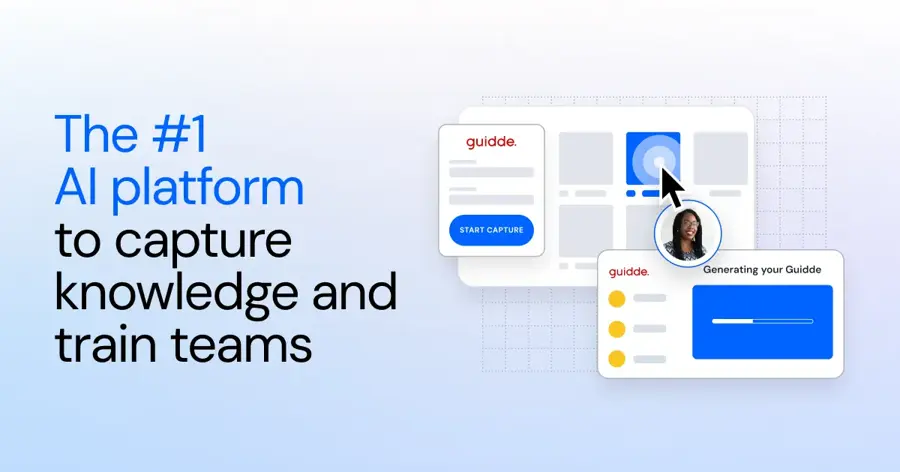
Guidde records a web workflow and turns it into a narrated how-to video plus a step-by-step guide, using AI voices so you don't have to record your own.
Strengths
If your team learns better from video, Guidde's the specialist. Plans list 200+ AI voices on lower tiers and 400+ on higher ones, plus auto captions and a "Magic Mic" that turns what you say during capture into a cleaned-up voiceover.
User feedback is rougher than for Scribe or Tango. The extension rates 4.3 out of 5 on the Chrome Web Store, and a February 2026 reviewer warned that "unless you're paying for the two highest plans you're in for a rude awakening!" Another simply wrote "Can not even blur" (blurring is a Pro feature, for what it's worth). Verdict: worth it for video-first teams; I'd skip it if text guides will do.
Key features
- The free plan allows up to 25 how-to videos with a voiceover.
- Pro removes the watermark and exports videos, PPTs and PDFs.
- Business adds desktop app capture, interactive demos and analytics.
- Enterprise adds translation, PII redaction and Guidde Ask for answers from your guides.
Pros
- Narrated videos without recording audio.
- Generous 25-video free allowance.
- Docs and slides can become videos on Business.
Cons
- Desktop capture needs Business at $39 per creator.
- Free videos carry a watermark.
- Weaker store rating than its rivals.
Guidde pricing: Free, then paid plans from $19/month per creator billed annually ($29 monthly) (checked October 2026). See pricing
Related: Best AI video generators
Trainual – best for onboarding-led SOPs
Trainual is a training and documentation platform where SOPs live inside role-based training paths, with AI that drafts processes and writes tests.
Strengths
Trainual treats an SOP as something to train on, then check. Describe a process and the AI drafts a step-by-step version you can edit; it can also generate quizzes and suggest role responsibilities. There are 500+ free templates, and the company says it suits firms with 25 to 1,000 employees.
It's well liked. Trainual holds 4.8 from 510 reviews on Capterra, where an operations chief summed it up as "Easy to add content, quiz employees, keep track of who is completing their training, and to search for content!" The catch is cost and lock-in. Prices are quote-only across four plans, according to CostBench, and a $1,000 one-time implementation fee applies. One Capterra reviewer also flagged the "inability to export out in a good format." Verdict: great for structured onboarding, overkill for a five-person shop.
Key features
- AI writes SOP drafts and quizzes from a short prompt.
- Org charts and role charts link people to their processes.
- Higher plans add e-signatures, SSO and an MCP server for custom AI agents.
Pros
- Strong Capterra rating from a large review base.
- Training, testing and tracking built in.
- Dedicated implementation help for four to six weeks.
Cons
- No public prices.
- $1,000 implementation fee.
- Exporting content out is clumsy, going by reviews.
Trainual pricing: No free plan; pricing is by quote only (checked October 2026). See pricing
Related: Best AI tools for HR teams
SweetProcess – best for flat-rate pricing
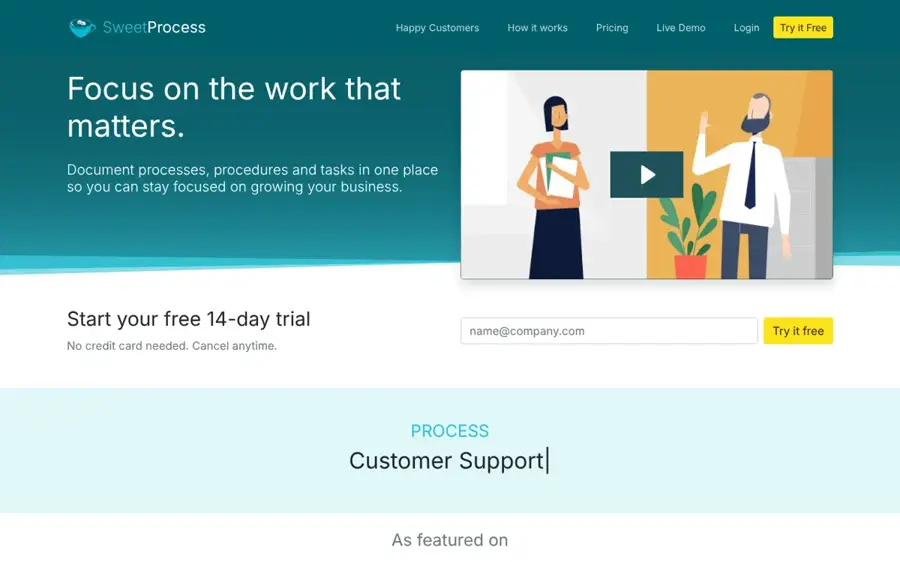
SweetProcess is a long-running SOP tool for documenting procedures, processes and policies, with AI drafting from a title and a browser plugin that records clicks.
Strengths
The billing is the selling point. SweetProcess charges $99 a month, or $82.50 a month billed yearly, for up to 10 people with every feature included, then $5 a month per extra person. The AI side is simple: on the homepage, you "just think of the document title, AI will do the rest."
No free plan, though. You get a 14-day trial with no card, and Toolradar notes a 30-day money-back guarantee and unpublished "exclusive pricing" for teams under 10. Waybook, a rival, sums it up as a "Simple, checklist-driven process hierarchy". I'd guess that simplicity is exactly why it's lasted. Verdict: the budget pick for a 10-person ops team that hates per-seat maths.
Key features
- AI generates a procedure or policy from a document title.
- A browser plugin turns clicks into a procedure.
- Procedures can be assigned as tasks and tracked step by step.
- Version history lets you roll back any document.
Pros
- Predictable team price.
- All features on one plan.
- PDF and Word export.
Cons
- No free plan.
- AI drafting is basic next to Whale or Trainual.
SweetProcess pricing: No free plan; $99/month for up to 10 members, or $82.50/month billed yearly (checked October 2026). See pricing
Process Street – best for recurring checklists
Process Street turns SOPs into runnable workflows with conditional logic, approvals and due dates, and its Process AI can build a workflow from a few instructions or an uploaded document.
Strengths
Process Street suits SOPs you run over and over, like onboarding or audits. With Process AI, you describe the process or upload an existing document and it drafts the workflow, task instructions included. Users seem happy: it scores 4.7 from 652 reviews on Capterra, and one reviewer liked "Being able to build checklists with conditional logic, approval steps and due dates means nothing gets missed."
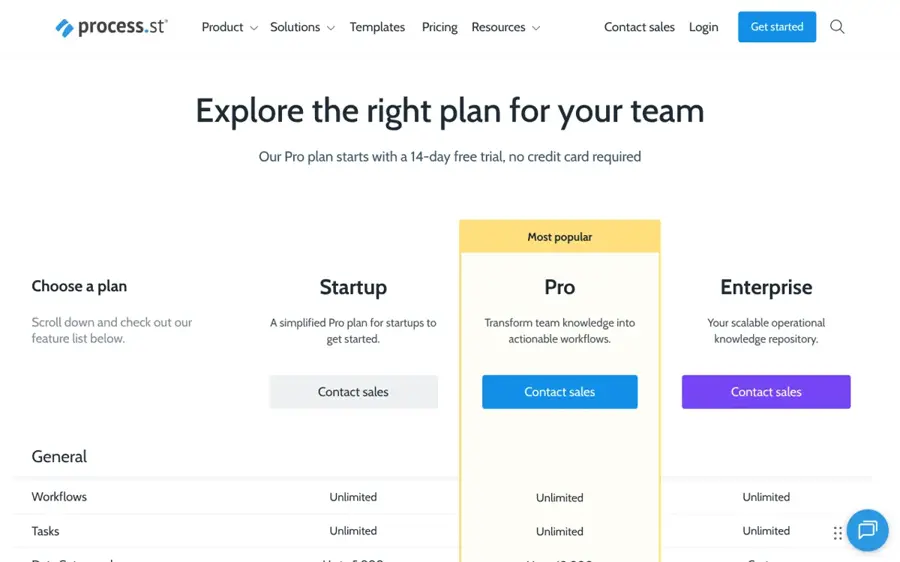
Prices are a different story. The plans page names Startup, Pro and Enterprise tiers and a 14-day Pro trial, but no dollar figures, and Waybook says Process Street moved to fully quote-gated pricing. Another Capterra reviewer complained "the layout of the page is too skinny of a column." Verdict: pick it for compliance-heavy checklists, not for screenshot guides.
Key features
- AI builds workflows from text instructions or uploaded documents.
- Conditional logic, approvals and enforced task order are built in.
- Apps cover iOS, Android, Slack and Microsoft Teams.
Pros
- Strong for repeatable, auditable processes.
- Large Capterra review base.
- Plenty of automation connectors, including Zapier and Make.
Cons
- No public prices.
- No screen capture for click-by-click guides.
- Interface layout draws complaints.
Process Street pricing: No free plan; a 14-day Pro trial, then pricing by quote (checked October 2026). See pricing
ChatGPT – best for drafting text SOPs
ChatGPT is OpenAI's general assistant, and with a clear prompt it'll draft an SOP's purpose, scope, roles and numbered steps in under a minute.
Strengths
For SOPs that don't happen on a screen (opening a café, handling a refund, cleaning a machine), a chat assistant is probably the fastest first draft you'll get. It's free, and paid plans start around $8 a month for Go and $20 for Plus, according to CometAPI.
But ChatGPT doesn't know your systems. It can't take screenshots, it'll happily invent a step that sounds right, and it gives you nothing for assigning or tracking SOPs. Free use is also capped; CometAPI, citing OpenAI's help centre, says free users get 10 messages every five hours before being switched to a smaller model. Verdict: a good drafting partner, and a poor place to keep the final SOP.
Key features
- Drafts SOPs from notes, transcripts or a short prompt.
- Can reformat an existing SOP into a template or checklist.
- File uploads let you turn old documents into cleaner procedures.
Pros
- Free to start.
- Works for physical, non-software processes.
- Fast at restructuring messy notes.
Cons
- No screen capture or screenshots.
- Can invent plausible but wrong steps.
- No storage, assignment or read tracking.
ChatGPT pricing: Free, then paid plans from about $8/month (checked October 2026)
Related: ChatGPT review Best AI like ChatGPT
Choosing the right AI SOP generator
Match the tool to where the work happens
Browser work (CRM updates, invoicing, ad setup) suits Scribe or Tango. Physical work doesn't. For a warehouse pick, you'll want Whale's phone recording or a ChatGPT draft.
Decide whether you need tracking or just guides
Guides are cheap. Proof that people read and followed them isn't, and that's where the monthly bill climbs past $80 with Whale, Trainual or SweetProcess. Choose Scribe if you only need guides people can open; choose Trainual or Whale if a manager has to sign off that a new hire is trained, because both can attach quizzes to a procedure and record who passed.
Check redaction before you record anything sensitive
Capture tools screenshot everything on the page, customer emails and all. Automatic PII redaction is Enterprise-only at Scribe, Tango, Guidde and Whale, so on cheaper plans you're blurring by hand (easy to forget).
Price the team, not the starting seat
Seat minimums change the maths fast. Scribe's $13 seat needs five seats, so that's $65 a month at minimum, while SweetProcess covers 10 people for $82.50. For a three-person team, Tango at $15 each comes to $45. Run your real headcount through each pricing page before committing.
Free vs paid: what you actually get
The free plans are better than I expected, but each one has a hard stop. Here's what the free tiers include, going by each vendor's plans page in October 2026.
| Tool | Free plan limit | Main thing you pay to get |
|---|---|---|
| Scribe | Browser capture, link sharing and embeds | Desktop capture, branding, exports |
| Tango | 5 shared workflows, up to 10 users | Unlimited workflows, desktop capture |
| Guidde | Up to 25 how-to videos | No watermark, exports, blurring |
| Whale | 1 creator, 10 members, 20 AI credits once | Unlimited docs, training flows, quizzes |
| ChatGPT | Limited messages and uploads | Higher limits and better models |
Trainual, SweetProcess and Process Street have no free plans.
My take: a solo consultant or a team under five can probably run on Scribe's free plan plus ChatGPT for a long time. Once you need branded exports, desktop capture or more than a handful of guides, paying $13 to $25 a seat is fair. The jump to a full platform at $249 a month only makes sense when SOPs are tied to onboarding or compliance.
Final verdict
If you only pick one, pick Scribe. It's the most proven of the "ai sop" capture tools, the free plan is useful on day one, and the team plan is cheap enough that nobody will need a budget meeting. I'd switch to Tango only if you're a team of three or four and the five-seat minimum bothers you.
For a real SOP system, the choice is Whale versus Trainual, and I think Whale's published pricing and free plan make it the easier one to evaluate. Trainual is the safer bet on reviews, with 510 of them averaging 4.8 on Capterra, but you won't see a price until you've sat through a demo and agreed to a $1,000 setup fee. If AI drafting is all you need, ChatGPT and a good prompt will get you surprisingly far for nothing. Teams already using Notion can also keep SOPs there; our Notion AI review covers what its AI features cost.
FAQ
What is an AI SOP generator?
It's software that drafts a standard operating procedure for you, by recording the task or writing from a prompt.
What is the best AI SOP generator for free?
Scribe's free Basic plan is the strongest free option for browser-based processes, since it captures steps and screenshots in any web app. For non-software processes, ChatGPT's free plan can write a text SOP from a description.
Can ChatGPT write an SOP?
Yes. Give it the task, the people involved and any rules, then ask for purpose, scope, responsibilities and numbered steps; check each step, because it can invent plausible details that are simply wrong for your business.
Are AI-generated SOPs accurate?
Capture-based SOPs match what you clicked, though users still report fixing screenshots and wording, and prompt-based drafts are only as good as your input. I'd treat any AI draft as a first pass for a process owner to review.
How much does SOP software cost?
Capture tools run about $13 to $25 per seat a month. Platforms cost more: SweetProcess is $82.50 a month billed yearly for 10 people, Whale starts at $249, and Trainual and Process Street are quote-only.