7 best AI schedule makers in 2026, compared and ranked
The best AI schedule makers in 2026 for planning your own week or building staff rotas, with current prices, free plans and honest downsides.
 Written byFahad HashmiContributing writer, AI in energy and industry
Why you can trust The AI Future
Our writers research every product from its official pages, independent tests and user reports, link each claim to its source and correct mistakes openly. Unless an article says otherwise, we haven't tested the product hands-on ourselves. Companies can't pay for coverage or see reviews before they're published.
Read our editorial policy
Here's the short version: the best AI schedule maker for most people is Motion if you'll pay for full automation, or Reclaim.ai if you want a free plan that sits on top of Google Calendar or Outlook. An AI schedule maker takes your tasks, their durations and deadlines, plus your existing meetings, and places blocks on your calendar for you. When something moves, it recalculates. The tools below differ mostly in how much of your day they're allowed to touch.
I've split the list into two kinds of schedule. Five picks plan your own week (tasks, focus time, study blocks). Two build shift rotas for a team of hourly staff, which is a different problem with different maths. If you just need a one-off weekly timetable for exams or a new routine, honestly, a free chatbot will probably do the job before you pay anyone.
Key takeaways
- Motion is the most automatic option, but it has no free plan and its Pro AI tier is $19 per seat per month billed monthly.
- Reclaim.ai has the strongest free plan for personal scheduling, though it only plans one week ahead on that tier.
- For shift rotas, Connecteam is free for businesses with up to 10 users, while Deputy's auto-scheduling starts on its Core plan.
- ChatGPT's free tier can draft a study or work timetable in seconds, but it won't keep that schedule updated when your week changes.
- Clockwise, a popular option, shut down on March 27, 2026, so older roundups that rank it are out of date.
Our ranking method
Nobody at The AI Future ran hands-on tests for this roundup, and there are no original screenshots here. We compared each tool using official product and pricing pages, published third-party reviews and user ratings on Trustpilot, Capterra and the App Store, as of early November 2026. We ranked them on six criteria:
- Scheduling depth, meaning how much of the planning the AI does on its own.
- Re-planning, or how well the tool reacts when a meeting or shift changes.
- Calendar support across Google, Microsoft and other accounts.
- Free tier, judged on whether you can do real work without paying.
- Price per person once you're on a paid plan.
- User sentiment from public review sites, weighted by how many reviews there are.
Personal planners rank above shift tools because more of you are looking for them. If you manage a café or a care team, skip to picks 6 and 7.
The 7 best AI schedule makers at a glance
| # | Tool | Category | Best for | Free tier | Starts at |
|---|---|---|---|---|---|
| 1 | Motion | AI task planner | Fully automatic task scheduling | No | $19/mo |
| 2 | Reclaim.ai | Calendar layer | Habits and focus time | Yes | $8/mo |
| 3 | SkedPal | AI task planner | Rules-based time blocking | No | $9.95/mo |
| 4 | Trevor AI | Daily planner | Cheap daily planning | Yes | $5/mo |
| 5 | ChatGPT | General assistant | One-off timetables | Yes | $8/mo |
| 6 | Connecteam | Shift scheduling | Small-team rotas | Yes | $29/mo |
| 7 | Deputy | Shift scheduling | Auto-scheduling hourly staff | No | $5/user/mo |
Notes: Reclaim's $8 and SkedPal's $9.95 are annual-billing prices. Connecteam's $29 is a flat monthly fee for the first 30 users on annual billing, and Deputy's $5 Lite plan doesn't include auto-scheduling.
The best AI schedule makers in 2026, ranked
Motion – best for fully automatic task scheduling
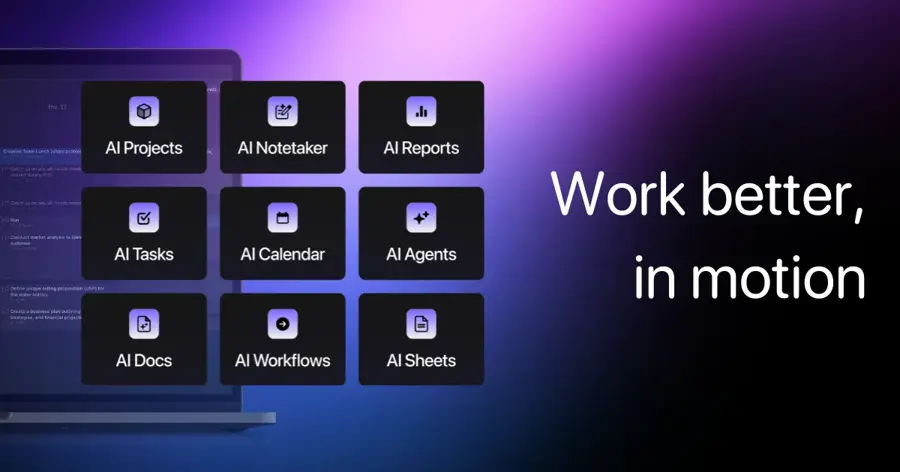
Motion is an AI work app that puts your calendar, tasks and projects in one place and builds your daily plan from deadlines, durations and priorities.
Strengths
Motion's pitch is that you stop deciding when to do things. You add a task with a deadline and an estimate, and the planner slots it around your meetings, then reshuffles when the day changes. Asian Efficiency, a time-management training firm, calls it the best all-in-one in its 2026 roundup, describing it as wanting "to replace your calendar, your task manager, and your project manager with one AI-powered system."
User feedback is split. Motion sits at 3.7 on Trustpilot from 579 reviews, and Trustpilot's own review summary says people like the automated planning but complain about "expensive annual subscriptions" and free trials that converted to paid without notice. I'd take that seriously: set a reminder before your trial ends.
Key features
- The AI Task Planner schedules tasks by priority, deadline and duration.
- Plans re-run automatically when meetings move or tasks slip.
- Pro AI includes 7,500 AI credits per seat each month.
- Apps are available for iOS, Android and desktop.
Pros
- Handles tasks and meetings as one planning problem.
- Can replace a separate task manager and project tool.
- Annual billing cuts Pro AI to about $12.73 a month, per Asian Efficiency.
Cons
- No free plan, only a 7-day free trial.
- In-app purchase prices on iPhone are listed at $44.99 a month, far above the web price.
- The mobile app is a companion and isn't meant to be used without a computer.
Motion pricing: No free plan, then paid plans from $19 per seat per month (checked November 2026). See pricing
Related: Best AI scheduling assistants Best AI tools for productivity
Reclaim.ai – best for habits and focus time
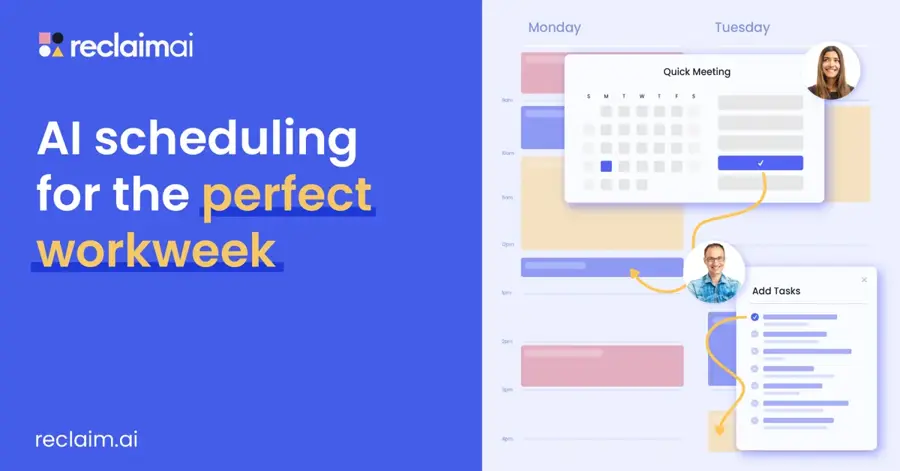
Reclaim.ai is an AI layer for Google Calendar and Outlook that books focus time, habits, breaks and tasks around your meetings and moves them when things change.
Strengths
Reclaim doesn't ask you to switch calendars, which is why I'd start most people here. You set goals (say, ten hours of deep work a week and a daily lunch), and it holds flexible blocks that show as busy. On the plans page, the free tier gets five AI agents covering focus time, habits, buffer time, smart meetings and meeting quality, plus one calendar sync and one scheduling link.
The catch is the setup. Reclaim scores 2.1 on Trustpilot from 24 reviews (a small, unclaimed profile), and one August 2026 reviewer complained it "Added hundreds of focus time and lunches to my gcal (with no warning)". Another reviewer, in her third year as a subscriber, said it "has helped me sync family commitments as well as work". Both can be true. Defaults matter.
Key features
- Focus Time sets a weekly target and defends it as meetings move.
- Habits are recurring blocks that reschedule themselves.
- Smart Meetings finds slots for recurring team meetings.
- The Business plan schedules up to 12 weeks ahead.
- Paid plans add unlimited task integrations.
Pros
- Works on top of the calendar you already use.
- Useful free plan for one person.
- Clockwise's own shutdown notice points former users to Reclaim.
Cons
- The free plan only schedules one week ahead.
- Google Calendar and Outlook only.
- Can flood your calendar if you skip the settings.
Reclaim.ai pricing: Free, then paid plans from $8 per seat per month billed annually, or $10 monthly, per Asian Efficiency's July 2026 price check (checked November 2026). See pricing
Related: Reclaim AI review Best AI scheduling assistants
SkedPal – best for rules-based time blocking
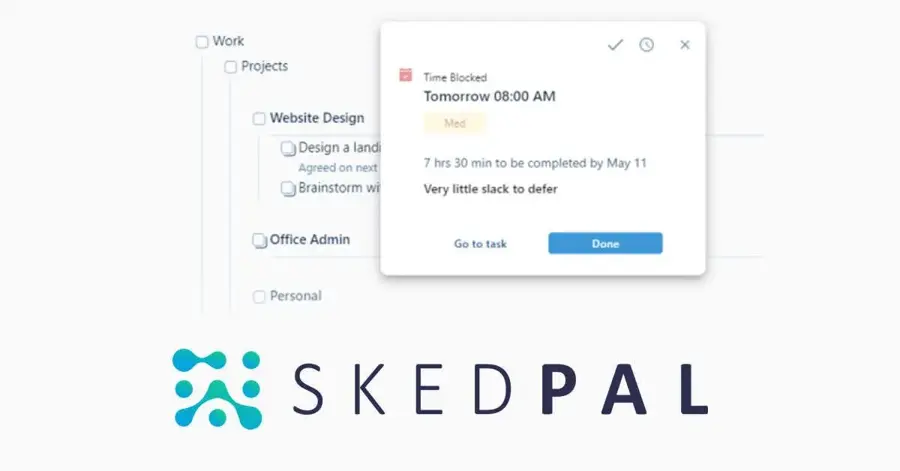
SkedPal is an AI task scheduler that plans your to-do list into time windows you define, such as deep work mornings or admin afternoons.
Strengths
SkedPal suits people who like control. You define "time maps" and budgets, then let the scheduler pack tasks into them. It rates 4.5 on Capterra from 171 reviews, and one software user there wrote that "The amount of functionality and flexibility you have at your fingertips to tailor your schedule is far greater with Skedpal than anything else (e.g., Motion, Reclaim, etc.)".
That flexibility has a cost. A master's student on the same page said the phone app is "still a bit too rough around the edges" for much beyond adding tasks, and a January 2026 reviewer complained about not being able to freeze a subscription. I think it's the best pick here for spreadsheet-minded planners, and probably the worst for anyone who wants to set it and forget it.
Key features
- AI scheduling covers a 21-day window on the entry plan and 60 days on the higher one.
- Two-way sync with Google, Office 365 or iCloud calendars.
- A prioritisation board ranks tasks before they're scheduled.
- Time budgeting sets hours per zone, such as deep work or admin.
Pros
- Very fine control over when each type of task can land.
- Supports iCloud, unlike Reclaim.
- 14-day trial with no card required.
Cons
- No free plan.
- Steeper learning curve than any other personal planner here.
- The entry plan syncs only one external calendar.
SkedPal pricing: No free plan, then paid plans from $9.95 per month billed annually (checked November 2026). See pricing
Related: Best AI scheduling assistants
Trevor AI – best for cheap daily planning
Trevor AI is a web-based day planner that pulls your tasks and calendars together, estimates how long tasks take and suggests time blocks you accept with a click.

Strengths
Trevor is lighter than Motion or SkedPal, and that's the appeal. Its "Plan My Day" button builds a schedule, but you stay in charge of the drag and drop. Going by its homepage, it syncs with Google and Microsoft calendars in real time and connects to task managers such as Todoist.
Independent feedback is thin. Its Trustpilot page shows a single review from August 2025 (positive, in Norwegian), which tells you almost nothing. That's the main reason it isn't higher.
Key features
- AI predicts task duration and suggests open slots.
- Plan My Day builds a daily schedule in one step.
- Focus mode adds a timer, notes and an AI task breakdown.
- Pro connects several Google and Microsoft calendar accounts.
Pros
- Free tier for personal use.
- The cheapest paid plan on this list.
- You approve blocks, so it won't rearrange your week without asking.
Cons
- Very few public user reviews.
- The advertised price may include a 25% sign-up discount.
- Less automatic re-planning than Motion.
Trevor AI pricing: Free, then Pro from $5 per month billed annually, or $6 monthly (checked November 2026). See pricing
Related: Best AI scheduling assistants Best AI tools for studying
ChatGPT – best for one-off timetables
ChatGPT is OpenAI's general assistant, and you can ask it to draft a study plan, weekly routine or project timeline from a plain-language description.
Strengths
Not every schedule needs a calendar app. If you're planning six weeks of revision around three exams, a prompt with your dates, subjects and hours available gets you a draft table in seconds, which you can copy into whatever calendar you use. The free plan includes unlimited text chats with GPT-6, and Plus adds scheduled tasks. Going by OpenAI's help page, ChatGPT can run "one-time or recurring tasks", such as a daily reminder of what's due.
Sentiment about OpenAI as a company is poor: its unclaimed Trustpilot profile scores 1.3 from 1,313 reviews, with frequent complaints about ignored instructions. For timetables, that matches what I'd expect. Check its arithmetic on hours before you trust the plan.
Key features
- Drafts schedules as tables from a plain description.
- Scheduled tasks can send one-time or recurring reminders.
- Free plan includes unlimited everyday text chats.
Pros
- Free for basic timetable drafts.
- Easy to revise by asking for changes.
Cons
- Doesn't place blocks on your calendar or re-plan when things change.
- Can make mistakes with totals and overlaps.
- Scheduled tasks need a paid plan.
ChatGPT pricing: Free, then Go from $8 per month and Plus from $20 per month in the US, per Layer3Labs' October 2026 comparison (checked November 2026). See pricing
Related: ChatGPT with GPT-6 review Best AI like ChatGPT
Connecteam – best for small-team rotas
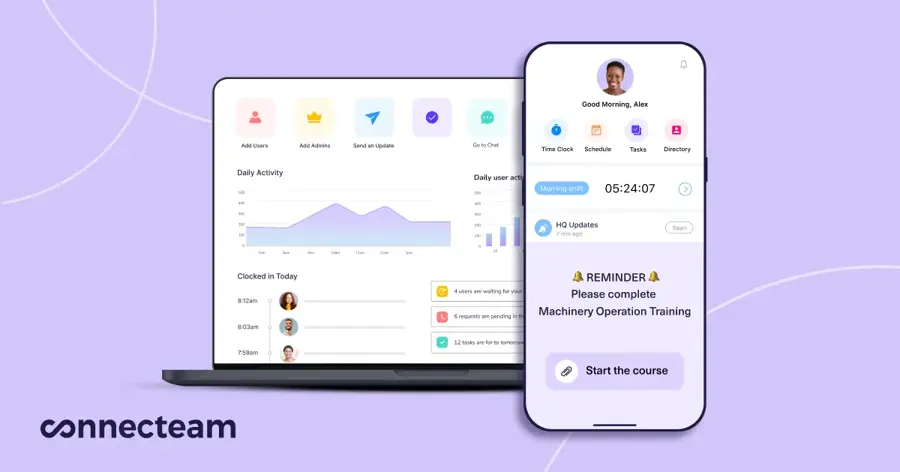
Connecteam is a workforce app for deskless teams that combines shift scheduling, a time clock, forms and chat.
Strengths
For a small business, the free plan is the headline. Connecteam says its shift scheduler is free for businesses with up to 10 users. Its scheduling page also promises to "Auto-schedule your team with AI that considers availability, roles, labor laws, and costs". On the price list, though, auto-assigning shifts appears under the $99 Expert tier, so I wouldn't assume the free plan includes the AI part.
Users like it. Connecteam rates 4.7 on Trustpilot from 1,916 reviews, and one September 2026 reviewer wrote: "The platform is very useful to create work rotas and organise time off and holidays."
Key features
- AI auto-scheduling weighs availability, roles, labour laws and costs.
- Open shifts that qualified staff can claim, with approval.
- Repeating shifts and templates from the Advanced plan.
- GPS time clock and payroll integration.
Pros
- Free for up to 10 users.
- Flat pricing for the first 30 users.
- Strong user ratings on a large review base.
Cons
- Auto-assign sits on the pricier Expert tier.
- Monthly billing costs more than annual ($35 vs $29 on Basic).
Connecteam pricing: Free for up to 10 users, then paid plans from $29 per month for the first 30 users billed annually (checked November 2026). See pricing
Related: Best AI tools for productivity
Deputy – best for auto-scheduling hourly staff
Deputy is a workforce management app for hourly teams that builds and fills shifts from business demand and staff availability.
Strengths
Deputy's plan comparison describes auto-scheduling as a way to "Automatically build and fill shifts based on business needs and staff availability". According to Costbench's November 2026 price check, that feature, along with demand forecasting, starts on the Core plan.
Ratings depend on where you look. Deputy has 4.6 from 775 reviews on Capterra but 2.7 from 137 on Trustpilot, where an August 2026 reviewer said the software "works as it should aside from some bugs here and there" but criticised its reliance on AI support replies. Small employers also grumble about pricing: one June 2026 reviewer felt they pay "the same as a huge company" despite few weekly hours.
Key features
- Auto-scheduling builds and fills shifts from demand and availability.
- Shift templates for weeks, months or custom periods.
- Clock-in apps with geofencing and face-recognition kiosks.
- Business insights compare forecast and actual wage costs.
Pros
- Deep auto-scheduling for multi-site hourly teams.
- Per-user pricing that stays under $10.
- Strong Capterra rating on a large review base.
Cons
- No free plan.
- Auto-scheduling isn't on the cheapest Lite plan.
- Trustpilot reviewers report slow support.
Deputy pricing: No free plan, then Lite from $5 per user per month billed annually, with Core (which adds auto-scheduling) at $6.50 (checked November 2026). See pricing
Related: Best AI tools for productivity
Choosing the right AI schedule maker
Decide whose time you're scheduling
Personal planners (Motion, Reclaim, SkedPal, Trevor) juggle one person's tasks against one person's meetings. Shift tools (Connecteam, Deputy) solve a coverage problem: enough qualified people on every shift, within labour rules and budget. Buying the wrong category is the most common mistake I'd expect, and no amount of AI fixes it.
Pick the automation level you'll tolerate
Motion moves things without asking. Trevor suggests and waits. Reclaim sits in between, defending blocks it created while leaving your fixed meetings alone (unless you mark them flexible). If a calendar that rearranges itself sounds stressful, start with a tool that asks first.
Check calendar support before anything else
Reclaim only covers Google Calendar and Outlook. SkedPal adds iCloud. If your work calendar is locked down by IT, you may not be allowed to connect any of these, so ask before you sign up.
Use a chatbot for one-off plans
A revision timetable or a new gym routine doesn't need a $19 subscription. Draft it in ChatGPT, paste it into your calendar, and only pay for a planner once you're re-planning every week. Give it your fixed commitments, hours per day and deadlines in one message (our guide to writing better AI prompts has more).
Free vs paid: what you actually get
Free tiers here mostly cap how far ahead the AI plans, or how many people you can schedule. Paid tiers lift those caps. The table sums it up.
| Tool | Free plan limit | What paying adds |
|---|---|---|
| Reclaim.ai | 1 user, 1-week range, 1 calendar sync | 8-week range and 3 syncs on Starter |
| Trevor AI | Personal use | Multiple calendars, recurring tasks, progress analytics |
| ChatGPT | Drafts and chats | Scheduled tasks on Plus |
| Connecteam | Up to 10 users | More users, templates, auto-assign on Expert |
| Motion, SkedPal, Deputy | Trial only | Everything |
Here's a worked example with numbers. Say you're a team of five planners. On Motion Pro AI at the $19 monthly price, that's 5 × $19 × 12 = $1,140 a year. On annual billing at about $12.73, it drops to roughly $764. Reclaim Starter at $8 per seat billed annually works out to $480 a year, and its free plan costs nothing if each person only needs one calendar and a week of lookahead. That gap (about $660 a year between Motion monthly and Reclaim annual) is roughly what full task automation costs over protected focus blocks.
For shift teams, the maths flips. A 25-person café on Deputy Core at $6.50 per user billed annually pays $162.50 a month, while Connecteam Basic is a flat $29 for the first 30 users. Connecteam's auto-assign needs Expert at $99 a month, which is still cheaper than Deputy Core at that headcount. Above 30 users, Connecteam adds a per-user fee.
Limits and failure modes
Each personal planner here depends on your time estimates. If you say a report takes two hours and it takes five, Motion or SkedPal will confidently book the wrong day, then cascade the slip into everything after it. That's the failure mode I'd watch for in week one.
The second failure is over-reach. The Reclaim review quoted above, about hundreds of lunch blocks appearing without warning, is a settings problem, but it's a real one. Shift tools break differently: if availability data is stale, auto-scheduling fills a rota with people who can't come. ChatGPT's drafts, meanwhile, go out of date the moment a meeting moves.
Final verdict
If I were picking for a busy professional, I'd start on Reclaim's free plan, because it costs nothing and doesn't replace your calendar. Move to Motion only if you find yourself manually reshuffling tasks every day; at $19 a month that's a fair trade for some people and overkill for most. Students and anyone with a one-off timetable should probably stick with ChatGPT's free tier. For hourly teams under 10 people, Connecteam's free plan is hard to argue with, and I think Deputy earns its fee once you've got several sites and sales data to forecast from.
FAQ
What is an AI schedule maker?
An AI schedule maker is software that takes your tasks, deadlines, durations and existing calendar events, then places time blocks for you automatically. Tools like Motion and Reclaim.ai re-plan when meetings move. Shift tools like Deputy do the same for staff rotas, using availability and business demand.
Is there a free AI schedule maker?
Yes. Reclaim.ai has a free plan for one user with a one-week scheduling range, Trevor AI is free for personal use, and Connecteam's shift scheduler is free for businesses with up to 10 users. ChatGPT's free plan can also draft timetables, though it won't sync them to your calendar.
Can ChatGPT make a schedule for me?
It can draft one in seconds if you list your fixed commitments, hours and deadlines. It won't put the plan on your calendar or update it, so check the totals yourself.
Is Clockwise still available?
No. Clockwise announced that its team is joining Salesforce and that the product would no longer be available starting on March 27, 2026. Its shutdown notice recommends moving scheduling links to another service such as Reclaim, says Focus Time blocks it created will be removed from your calendar, and says user data will be deleted shortly after the cut-off with no confirmation sent. If you still see it ranked in a roundup, that list is out of date.
Which AI schedule maker is best for students?
For most students, ChatGPT's free tier is enough to draft a revision timetable, and Trevor AI's free plan can turn it into daily calendar blocks. If you want something that re-plans automatically around classes, Reclaim's free tier is the next step. See our list of AI tools for studying for more.