Best AI video dubbing tools in 2026: 8 picks compared
HeyGen leads for lip-synced video and ElevenLabs for cheap, natural audio dubs. Here are the 8 best AI video dubbing tools, with real per-minute costs.
 Written byMuhammad Usman SiddiquiFounder and editor-in-chief
Why you can trust The AI Future
Our writers research every product from its official pages, independent tests and user reports, link each claim to its source and correct mistakes openly. Unless an article says otherwise, we haven't tested the product hands-on ourselves. Companies can't pay for coverage or see reviews before they're published.
Read our editorial policy
Short answer: if there's a face on screen, start with HeyGen, because it re-animates the speaker's mouth to match the new language and its Creator plan costs $29 a month, or $24 billed yearly. If you only need the audio translated (a podcast, a voiceover, a screen recording), ElevenLabs is the better buy at $6 a month. Those are the two best AI video dubbing tools for most people in 2026, and everything else below is a specialist.
I've kept this list to eight picks, not twelve. Those are the tools whose prices, limits and dubbing features I could check on their own pages in late October 2026, and whose user ratings I could find. Honestly, that matters more here than in most categories, because dubbing is billed by the minute and the fine print decides what you pay.
Key takeaways
- HeyGen is the safest pick for talking-head video, since lip sync is built into its video translation and the free plan lets you try it on one-minute clips.
- ElevenLabs gives you the most natural cloned voices for the money, but it dubs audio only and won't move anyone's lips.
- Per-minute costs vary a lot: Vozo's $29 plan works out to about $0.58 per dubbed minute, while Rask AI's $39 plan is about $1.56.
- YouTube's built-in auto dubbing is free for eligible channels, though you can't edit the dubs it makes.
- Only clone your own voice, or a voice you have written permission to use, and label realistic synthetic content where the law or the platform asks you to.
Our ranking method
Nobody at The AI Future ran hands-on tests for this roundup, and there are no screenshots of our own projects here. We compared each tool using its official pricing and help pages, a published comparison by Dupple, YouTube's own documentation and public Trustpilot ratings, all as of late October 2026. Then we ranked them on six criteria:
- Dubbing quality, judged from vendor claims we could check and from independent write-ups.
- Lip sync, meaning whether the tool can change mouth movement or only swaps the audio track.
- Voice cloning, so the dub still sounds like the original speaker.
- Language coverage, counted from each vendor's own list.
- Cost per dubbed minute on the cheapest plan that includes dubbing.
- User sentiment, taken from Trustpilot scores and the reviews behind them.
Prices are in US dollars and exclude tax unless stated. They change often, so check the vendor's page before you pay.
The 8 best AI video dubbing tools at a glance
| # | Tool | Category | Best for | Free tier | Starts at |
|---|---|---|---|---|---|
| 1 | HeyGen | AI video platform | Talking-head video with lip sync | Yes (limited) | $29/mo |
| 2 | ElevenLabs | Voice AI platform | Natural voices on a budget | Yes (limited) | $6/mo |
| 3 | Rask AI | Dubbing and translation | Wide language coverage | Yes (limited) | $39/mo |
| 4 | Vozo | Dubbing and translation | Cheap minutes with lip sync | Yes (limited) | $29/mo |
| 5 | Synthesia | AI video platform | Corporate training teams | Yes (limited) | $19/mo |
| 6 | YouTube auto dubbing | Built-in platform feature | YouTube creators | Yes | Free |
| 7 | Descript | Video editor | Teams already editing in Descript | Yes (limited) | $16/mo |
| 8 | Dubverse | Dubbing and translation | Indian languages on a budget | No | $18/mo |
Two notes on that table. Descript's dubbing only comes with its $50 Business plan, and Dubverse has a two-day free trial rather than a free plan.
The best AI video dubbing tools in 2026, ranked
HeyGen – best for talking-head video with lip sync
HeyGen is an AI video platform whose video translation re-voices your clip in another language, can clone the speaker's voice and adjusts lip movement to match.
Strengths
Lip sync is the reason it's first, and I think it's the feature most buyers underrate until they see a badly synced dub. In Dupple's October 2026 comparison, HeyGen is the top pick for anyone dubbing video "where someone's face is on screen", and the same write-up names re-animating the mouth as the step where most rivals fall down. On HeyGen's plans page, Creator opens up 175+ languages and dialects, while the free plan stops at 30+ and gives only limited trial access to lip-sync translation.
Users seem happy, mostly. HeyGen sits at 4.2 on Trustpilot from more than 5,000 reviews, though a lot of the recent ones are marked "Invited", so I'd read that score with a little caution. One October reviewer wrote: "Extremely easy to create an avatar!"
Key features
- Video translation with voice cloning and lip sync in one step.
- 175+ languages and dialects on paid plans.
- Videos up to 30 minutes on Creator and Pro.
- Translation script editing and proofreading on Pro.
- Credits roll over for one month on monthly plans.
Pros
- Lip sync is part of the core product, not an add-on.
- Free plan lets you check quality before paying.
- One tool for avatars and dubbing if you need both.
Cons
- The pricing page doesn't say how many credits a translated minute uses, so you can't work out a per-minute cost upfront.
- Editing the translated script needs the $49 Pro plan.
- You're paying for a lot of avatar features if you only want dubbing.
HeyGen pricing: Free, then paid plans from $29/month, or $24/month billed yearly (checked October 2026). See pricing
Related: HeyGen AI review How to use HeyGen
Verdict: pick HeyGen if your viewers will watch the speaker's mouth.
ElevenLabs – best for natural voices on a budget
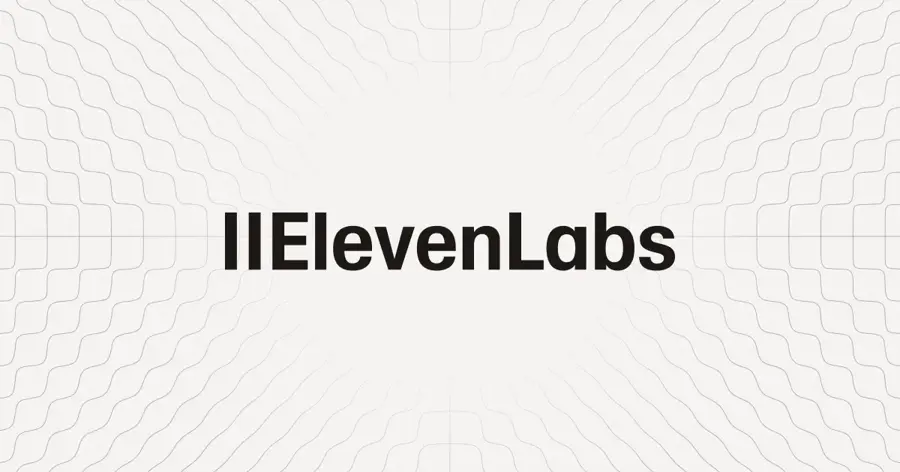
ElevenLabs is a voice AI platform for text to speech, cloning and dubbing, and its dubbing tool translates speech while keeping each speaker's voice.
Strengths
Its new Dubbing v2 model works from the original audio, not a transcript, so tone and emotion carry across, going by the dubbing page. Coverage is wide too: the dubbing guide puts it at 90+ languages, with a 2 GB and 180-minute limit per upload. And you can paste a YouTube or TikTok link instead of uploading a file, which is handy.
The price is what sells it. It's likely the cheapest way to get watermark-free dubs on this list, and Dupple worked out that automatic dubbing without a watermark comes to roughly $0.60 a minute on the $6 Starter plan. The catch is plain: there's no lip sync. Trustpilot users are split, giving it 2.9 from about 1,200 reviews; one reviewer summed it up as "Great product, confusing docs."
Key features
- Dubbing in 90+ languages with the original speaker's cloned voice.
- Automatic speaker detection for clips with several people.
- Edit the transcript or translation and regenerate single segments in the web app.
- Upload files or paste a link from YouTube, TikTok and other sites.
- Commercial licence and instant voice cloning from the Starter plan.
Pros
- Very low entry price for watermark-free dubs.
- Voices that keep the speaker's tone.
- Long uploads, up to 180 minutes.
Cons
- Audio only: the lips won't match the new language.
- Free-plan dubs carry a watermark you can't remove.
- Credits are shared with text to speech, so they go quickly.
ElevenLabs pricing: Free (10,000 credits a month, about 10 minutes of audio), then paid plans from $6/month; Creator is $22/month (checked October 2026). See pricing
Related: Best free AI voices Best AI voice generators
Verdict: the best value if nobody's face is in the shot.
Rask AI – best for wide language coverage
Rask AI is a dedicated video translation and dubbing tool with a line-by-line editor, voice cloning and multi-speaker lip sync.
Strengths
Rask's appeal is reach. Every plan includes dubbing into 135+ languages, and voice cloning works into 57 of them, per its plans page. Billing is easy to follow: one minute of final video in one language uses one minute of your allowance, and you aren't charged again for re-dubbing a segment until you're happy.
Lip sync costs more than it looks. Enhanced lip sync uses three extra minutes for every minute of video, so a lip-synced minute eats four. User reviews are thin and mixed, with a 2.2 Trustpilot score from 31 reviews. One June 2026 reviewer called it "quite impressive", while an older one said the trial went well "but with real size videos it was absolutely useless."
Key features
- Dubbing into 135+ languages on every plan.
- Voice cloning into 57 target languages.
- Line-by-line editor for transcript, timing and speaking speed.
- Multi-speaker lip sync and SRT import or export.
- Unused minutes roll over on annual plans.
Pros
- Widest language list here.
- Free re-dubs of segments before you approve.
- Clear per-minute billing.
Cons
- Lip sync quadruples the minutes you use.
- Monthly plans lose unused minutes at the end of each cycle.
- Low Trustpilot score, from a small sample.
Rask AI pricing: Free trial with 3 minutes, then paid plans from $39/month for 25 minutes (checked October 2026). See pricing
Verdict: worth it if you need rarer languages; otherwise the per-minute maths is steep.
Vozo – best for cheap minutes with lip sync
Vozo is a video localization tool that combines translation, dubbing with voice cloning, lip sync and on-screen text translation.
Strengths
The numbers surprised me. On Vozo's price list, the $29 Creator plan includes 50 dubbing minutes, 15 lip sync minutes and 15 visual translate minutes a month, which is about $0.58 per dubbed minute. That's roughly a third of Rask's rate. It also supports 113 source and 165 target languages, and Creator handles videos up to 60 minutes.
It has the best user score here: 4.8 on Trustpilot from 383 reviews. In October 2026 one reviewer wrote, "I am extremely satisfied with the result of my first lip sync effort." I'd still want to see more independent coverage before calling it a HeyGen replacement.
Key features
- Translate and dub with voice cloning in 165 target languages.
- Separate lip sync minutes on every paid plan.
- Visual translate for text that appears inside the frame.
- Custom translation prompt, proofreading editor and glossary.
- API access from the Creator plan.
Pros
- Lowest cost per dubbed minute among the paid picks.
- Lip sync included, not a pricey upgrade.
- Very strong Trustpilot rating.
Cons
- Lip sync minutes are much tighter than dubbing minutes.
- Fewer independent reviews than the bigger names.
- Free plan is limited to three projects.
Vozo pricing: Free (6 dubbing minutes), then paid plans from $29/month (checked October 2026). See pricing
Verdict: the budget pick if you want lip sync without HeyGen's credit maths.
Synthesia – best for corporate training teams
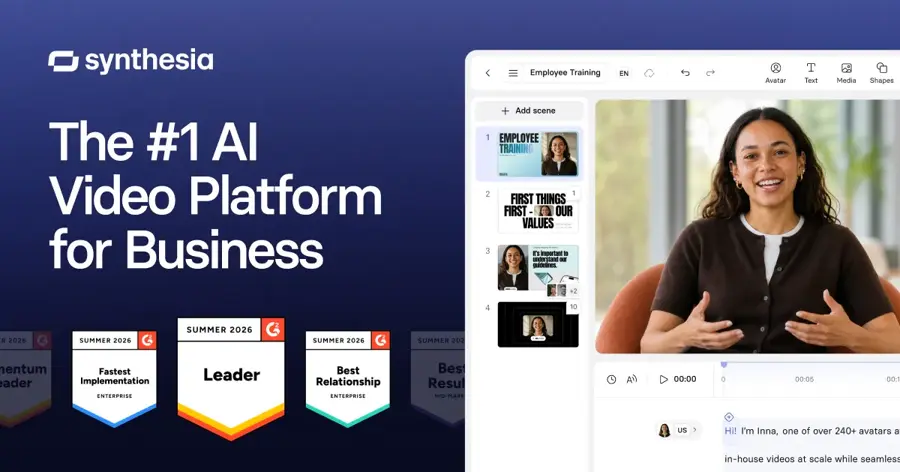
Synthesia is an AI avatar video platform used mostly by businesses, and it can also translate and dub uploaded videos.
Strengths
It's built for training, HR and internal comms teams. Dupple calls it "the safe corporate choice", and Synthesia itself claims it's trusted by over 90% of Fortune 100 companies. On its pricing page, the free plan includes 10 minutes of video or dubbing a month, self-serve plans can dub into 70+ languages and Enterprise reaches 140+. Lip sync is available, but it uses double the credits.
Users rate it 3.8 on Trustpilot from 1,830 reviews. Trustpilot's summary of recent reviews praises how easy it is, while noting complaints about strict content restrictions and tight credit limits.
Key features
- Dubbing that keeps the original speaker's voice, accent and tone.
- Optional lip sync at 2x credits.
- Brand glossary for product names and jargon.
- Transcript editing with a change history.
- Dubbing API for larger workflows.
Pros
- Monthly free allowance covers real testing.
- Strong fit for companies that also make avatar videos.
- Glossary and audit trail suit regulated teams.
Cons
- Self-serve plans cap out at 70+ dubbing languages.
- Lip sync doubles credit use.
- Heavier than a solo creator needs.
Synthesia pricing: Free, then paid plans from $19/month (checked October 2026). See pricing
Related: Best AI video generators
Verdict: a sensible choice for L&D teams, overkill for a YouTube channel.
YouTube auto dubbing – best for YouTube creators
YouTube auto dubbing is a free YouTube Studio feature that adds translated audio tracks to your uploads automatically.

Strengths
It costs nothing and needs no export. YouTube said in May 2026 that more than 6 million viewers watch over 10 minutes of auto-dubbed content every day, and that the feature now covers 27 languages, PPC Land reported. Expressive speech, which carries over pitch and energy, has launched in eight of them. I'd guess most small channels will find that good enough for a first test.
The limits are real, though. YouTube's help page is blunt that "You cannot edit automatic dubs", and English videos get the widest choice of targets while many other languages can only dub into English. Videos over 120 minutes don't qualify. In the same PPC Land piece, YouTube's product lead said auto-dubbed versions get about 75% of the original's average view duration.
Key features
- Dubs generated automatically for new uploads.
- Optional manual review before dubs go live.
- Experimental lip sync on some channels.
- Dubbed videos are labelled "auto-dubbed" in the description.
Pros
- Free for eligible channels.
- No files to manage or re-upload.
- Viewers can switch back to the original track.
Cons
- No way to fix a mistranslation line by line.
- Works only on YouTube.
- Language pairs are limited outside English.
YouTube auto dubbing pricing: Free for eligible channels (checked October 2026). See details
Related: How to make AI videos for YouTube
Verdict: turn it on first, then pay for a tool only if the free dubs aren't good enough.
Descript – best for teams already editing in Descript
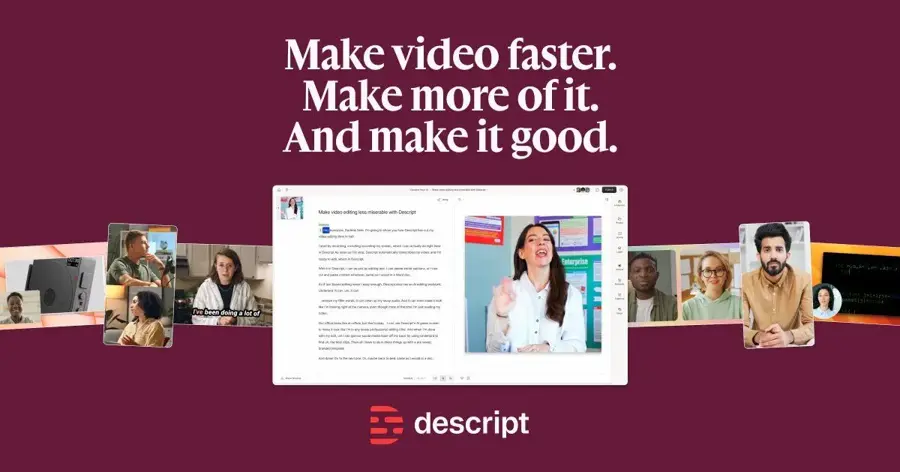
Descript is a text-based video and podcast editor, and its Business plan adds translation and dubbing in 30+ languages.
Strengths
If your team already cuts video in Descript, dubbing in the same project saves an export and a second subscription. Looking at the plans, translation with proofreading for captions and dubbing sits on Business at $50 per person a month (billed annually), with 40 media hours and 1,500 AI credits.
Sentiment is weak, though. Descript scores 2.6 on Trustpilot from 292 reviews, and the summary there says AI features "consume subscription credits far too quickly". One long-time user wrote, "I've been paying $30/mo for almost 4 years now," before complaining that recent limits cut how many videos they could make.
Key features
- Translate and dub video in 30+ languages.
- Proofreading for translated captions and dubs.
- A "Do not translate" list for names and terms.
- Edit video by editing its transcript.
Pros
- Dubbing inside an editor you may already pay for.
- Proofreading step before export.
- Team features like Brand Studio on the same plan.
Cons
- Dubbing needs the $50 Business plan.
- Fewer languages than the dedicated tools.
- Poor recent Trustpilot reviews about credits.
Descript pricing: Free, then paid plans from $16/month billed annually; dubbing starts at $50/month (checked October 2026). See pricing
Related: Descript AI review
Verdict: only worth it for dubbing if Descript is already your editor.
Dubverse – best for Indian languages on a budget
Dubverse is an India-based AI dubbing and subtitling tool with credit-based plans in rupees or dollars.
Strengths
Dupple's comparison rates it as strong value "if your markets are Hindi, Tamil, Telugu or Bengali". It's cheap on paper: going by the Dubverse plans, Pro costs $18 a month or $9 a month on yearly billing, and dubbing uses 4 credits a minute, so 50 credits give you about 12.5 minutes.
A few details gave me pause. The Pro plan's translations are labelled "Hawk Translations (GPT 3.5)", which is an older model, and voice cloning only comes on the $30 Supreme plan. Lip sync is Enterprise only. I couldn't find a Trustpilot score for Dubverse, so the third-party view here comes from Dupple alone.
Key features
- Dubbing, subtitling and AI voice generation from one credit pool.
- Videos up to 60 minutes on Pro and 150 on Supreme.
- Transcript customiser and redo by range.
- VTT and XML downloads.
Pros
- Low yearly price.
- Focus on South Asian languages.
- No project expiry.
Cons
- Only about 12.5 dubbing minutes a month.
- No self-serve lip sync.
- Voice cloning costs extra.
Dubverse pricing: No free plan (2-day free trial), then paid plans from $18/month, or $9/month billed yearly (checked October 2026). See pricing
Verdict: a niche pick for Hindi-first channels that don't need lip sync.
Choosing the right AI video dubbing tools
Decide on lip sync first
This one choice cuts the list in half. Choose HeyGen, Vozo, Rask AI or Synthesia if a speaker's face fills the frame. Choose ElevenLabs if it's a voiceover, a podcast clip or a screen recording, because you're paying for lip sync you'll never see otherwise. If you'd rather narrate a video yourself with a synthetic voice than translate one, our guide on how to add AI voice in video walks through it.
Work out the cost per finished minute
Headline prices mislead. A 10-minute video dubbed into three languages is 30 minutes on Rask AI, which is more than the whole $39 Creator allowance of 25. Add lip sync and it's 120 minutes. On Vozo, the same job fits inside the $29 plan's 50 dubbing minutes, but not its 15 lip sync minutes. I'd do this sum for your real monthly output before picking a plan.
Plan for a human review
None of these tools is perfect. YouTube lets you approve dubs before they publish but not change them; HeyGen keeps script editing for Pro; Rask lets you fix line by line on every plan. For anything with product names, legal terms or jokes, I think a fluent speaker should check the script before you publish.
Get written consent before you clone anyone's voice
Cloning your own voice for dubs is the easy case. YouTube lists "Cloning one's own voice to create voice overs or dubs" among uses that don't need an AI disclosure, per its disclosure rules.
Cloning anyone else is different. Tennessee's ELVIS Act added voice protection against AI misuse back in 2024, and a US Senate committee voted unanimously on June 18, 2026 to advance the federal NO FAKES Act, which would give people a right to control AI copies of their voice, Enterprise DNA reported. In the EU, Article 50 of the AI Act has applied since August 2, 2026: deepfakes must be disclosed as artificial, with fines up to EUR 15 million or 3% of turnover, according to Didit's summary.
My rule is simple: get it in writing, and say when a dub is synthetic. Our guide to making an AI voice of someone covers the consent steps.
Free vs paid: what you actually get
Free tiers here are for testing, not publishing. Here's what each one gives you, based on the pricing pages linked above:
| Tool | Free allowance | Main catch |
|---|---|---|
| HeyGen | 3 videos a month, up to 1 minute each | Watermark, limited lip-sync trial |
| ElevenLabs | 10,000 credits a month | Watermarked dubs, no commercial licence |
| Rask AI | 3 minutes | One-off trial |
| Vozo | 6 dubbing and 2 lip sync minutes | 3 projects only |
| Synthesia | 10 minutes of video or dubbing a month | 9 avatars, 1 editor |
| YouTube auto dubbing | Unlimited on eligible videos | No editing, YouTube only |
Paying mostly buys three things: no watermark, a commercial licence and more minutes. ElevenLabs is the clearest example, since its $6 Starter plan adds the commercial licence, instant voice cloning and watermark-free dubs. If you're only after a free narration voice rather than a translated dub, our list of the best free AI voices goes further.
Final verdict
If you only pick one, pick HeyGen for on-camera video. Its lip sync is the hardest part to get right, and $24 to $29 a month is fair for what you get. Audio-first creators should probably start with ElevenLabs at $6 and upgrade only when credits run short. Vozo is the one I'd watch: its per-minute pricing undercuts everyone, and if its strong user ratings hold up as more independent reviews arrive, it could move up this list. YouTubers should switch on auto dubbing before spending anything at all.
FAQ
What is the best AI video dubbing tool in 2026?
For talking-head video, HeyGen is the strongest all-round choice because lip sync is built in. Creator costs $29 a month or $24 billed yearly.
Is there a free AI video dubbing tool?
Yes. YouTube auto dubbing is free for eligible channels and covers 27 languages, though you can't edit the dubs. HeyGen, ElevenLabs, Vozo, Synthesia and Rask AI also have free plans or trials, but they add watermarks or cap you at a few minutes, so treat them as tests.
How much does AI dubbing cost per minute?
From the October 2026 plans, Vozo works out to about $0.58 a dubbed minute on its $29 plan, Dubverse about $1.44 on Pro and Rask AI about $1.56 on Creator. Dupple estimates ElevenLabs at roughly $0.60 a minute on Starter. Lip sync usually costs extra minutes or credits.
Can AI dubbing match lip movements?
Some can. HeyGen, Vozo, Rask AI and Synthesia offer lip sync; ElevenLabs only replaces the audio.
Is it legal to clone someone's voice for dubbing?
Cloning your own voice is generally fine. Cloning someone else without permission can break platform rules and, in places such as Tennessee under the ELVIS Act, the law. The EU now requires deepfakes to be disclosed. Get written consent and label synthetic dubs where required.