Best AI PCB design tools in 2026: 6 picks for placement and routing
The best AI PCB design tools in 2026, from Flux to Quilter and DeepPCB, with real prices and a plain look at what AI routing still can't do.
 Written byFahad HashmiContributing writer, AI in energy and industry
Why you can trust The AI Future
Our writers research every product from its official pages, independent tests and user reports, link each claim to its source and correct mistakes openly. Unless an article says otherwise, we haven't tested the product hands-on ourselves. Companies can't pay for coverage or see reviews before they're published.
Read our editorial policy
Here's the short version. If you want one tool that goes from a plain-English idea to a routed board, Flux is the most complete AI PCB design option right now. If you already have a schematic and just want placement and routing done, Quilter and DeepPCB are the two to look at. And if your company already pays for Cadence or Siemens, the AI features inside those suites are probably where you should start.
None of them replaces the engineer who signs off the board. I'd say that's the single most useful thing to understand before you spend money: these tools are very good at the routine 80% of layout and still shaky on the nets that make or break a design (DDR, RF, tight impedance control). Prices below were checked in late October and early November 2026.
Key takeaways
- Flux is the only pick here that covers requirements, schematic, layout, simulation and manufacturing files in one browser project.
- Quilter and DeepPCB work on boards you've already captured in Altium, KiCad or another ECAD tool, then hand the result back in that tool's format.
- DeepPCB has the only fully public self-serve price: $30 for one hour of AI routing, after a free 30-minute trial.
- Cadence Allegro X AI and Siemens Xpedition Standard are quote-only and make most sense if your team already runs those platforms.
- Every vendor in this list either says or implies that critical nets, signal integrity sign-off and DFM review stay with a human.
Our ranking method
Nobody at The AI Future ran hands-on tests for this roundup. We compared the tools using official product and pricing pages, published third-party write-ups (including a workflow guide from JLCPCB) and one public head-to-head routing test, as of late October 2026. We ranked them on six criteria:
- Workflow coverage, meaning how many stages (schematic, placement, routing, checks) the AI handles.
- Fit with existing ECAD tools such as Altium, KiCad, Cadence and Siemens.
- Honesty about limits, so vendors that spell out what the AI won't do score higher.
- Independent evidence, from tests or reviews not written by the vendor.
- Price transparency, since quote-only tools are harder to budget for.
- Access for individuals and small teams, including free tiers and trials.
Vendor claims (hours saved, boards that "booted first time") are attributed as claims. I've kept the list to six because those are the tools I could verify properly; there are others, like CELUS and Circuit Mind, but they stop at the schematic and BOM, so they aren't really layout tools.
The 6 best AI PCB design tools at a glance
| # | Tool | Category | Best for | Free tier | Starts at |
|---|---|---|---|---|---|
| 1 | Flux | AI-native EDA | Idea to routed board in one tool | No | $80/mo (annual) |
| 2 | Quilter | Autonomous layout | Placing and routing an existing schematic | Yes (limited) | Custom quote |
| 3 | DeepPCB | AI autorouter | Routing a board you've already placed | Yes (limited) | $30 per hour |
| 4 | Cadence Allegro X AI | Enterprise EDA | Allegro X teams | No | Custom quote |
| 5 | Siemens Xpedition Standard | Enterprise EDA | PADS and Xpedition users | No | Custom quote |
| 6 | JITX | Code-driven EDA | High-frequency boards defined in Python | Yes (limited) | Custom quote |
The best AI PCB design tools in 2026, ranked
Flux – best for idea to routed board in one tool
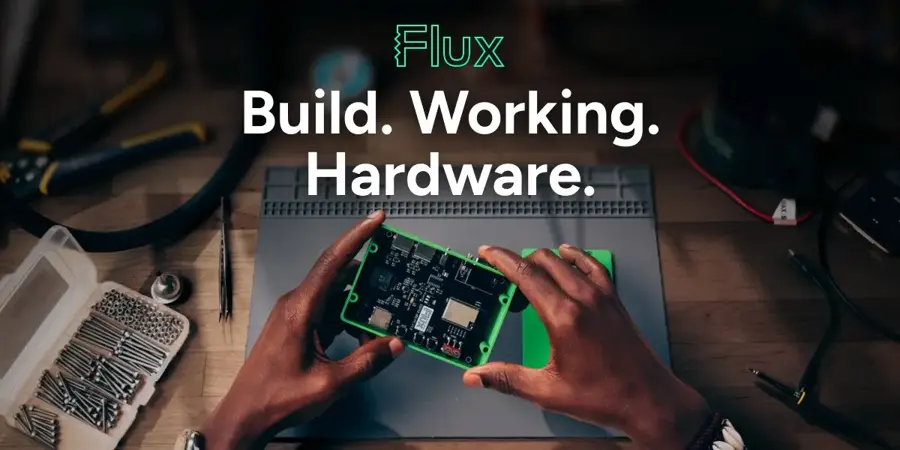
Flux is a browser-based design suite built around an AI agent that can plan a circuit, pick parts, draw the schematic, place, route and run checks inside one shared project.
Strengths
Flux is the broadest tool here by a distance. Going by its homepage, the agent covers PCB layout (placement, routing, stackups and design rule checks), enclosures, starter firmware in beta, and manufacturing files with live part pricing from Digi-Key, Mouser and LCSC. It also runs SPICE, full-wave electromagnetic and thermal simulation on the routed board. You can even connect it to Claude Code, Cursor or ChatGPT through MCP, which I think is a smart move for teams who already live in those tools.
The catch is complexity. JLCPCB's guide notes that Flux positions its AI Auto-Layout for simple to medium-complexity boards and that critical traces may still need manual routing. That matches what I'd expect from an all-in-one tool: wide, not deep.
Key features
- An AI agent edits the real schematic, board and 3D model in your project.
- Built-in SPICE, signal integrity, power integrity and thermal simulation.
- Electrical and manufacturing rule checks run on every schematic and board.
- Part picks are checked against live stock and price from several distributors.
- Shared team workspaces with AI usage pooled across editors.
Pros
- Covers the whole flow from brief to Gerber, drill and BOM files.
- Runs in a browser, so there's nothing to install.
- MCP connection lets general coding agents work on Flux projects.
Cons
- No free plan any more; editing private projects needs a paid plan after the 7-day trial.
- AI work is metered in Agent Compute Units, so heavy use costs extra at $2 per unit.
- Auto-layout is aimed at simple to medium boards.
Flux pricing: No free plan (7-day trial). Build is $100/month, or $80/month billed annually; Pro is $250/month, and Teams is $500/month for five editors, according to PricingSaaS's tracker, which logged Flux dropping its $50 Explore plan on 2 November 2026 (checked November 2026). See pricing
Related: Best CAD AI generators What agentic AI is and how agents work
Quilter – best for placing and routing an existing schematic
Quilter is a physics-driven AI layout engine: you upload a captured design with its outline, stackup and rules, and it returns several placed-and-routed candidates in your own ECAD format.

Strengths
Quilter does placement as well as routing, which is the hard part an old-style autorouter never touched. Electronics For You lists support for differential pairs, impedance-controlled nets, keepouts, BGA fanouts and stackup-aware routing, with files coming from Altium, Cadence, Siemens Xpedition or KiCad. The company says it learned layout on millions of synthetic boards and doesn't train on customer data. Its headline claim is a two-board, 843-component, 8-layer Linux computer that, per Quilter's own summary, booted on the first try.
Independent evidence is thinner. In a public test by AnyPCBA, a PCB assembly firm, posted on DEV, Quilter left 54 unrouted nets on a 414-net open-source board where DeepPCB left 12, and the author flagged "traces that got thin for no reason". One test, one set of boards. Still, worth knowing.
Key features
- Generates multiple full placement and routing candidates per run.
- Routes around anything you pre-route, such as RF or BGA fan-outs.
- Returns a standard board file you can open in your existing tool.
- Cloud, private cloud on AWS, or self-hosted on Kubernetes with NVIDIA GPUs.
- A first-project onboarding session of about an hour and a half with a Quilter engineer.
Pros
- Handles placement, not just routing.
- Unlimited iterations on a project without extra cost.
- Free tier for non-commercial use.
Cons
- No public price for commercial work; you pay per unrouted pin.
- Doesn't generate schematics.
- JLCPCB notes length matching, RF routing and blind or buried vias are still in development.
Quilter pricing: Free for non-commercial use, then per-pin pricing for commercial projects on request (checked October 2026). See pricing
Related: Best CAD AI generators
DeepPCB – best for routing a board you've already placed
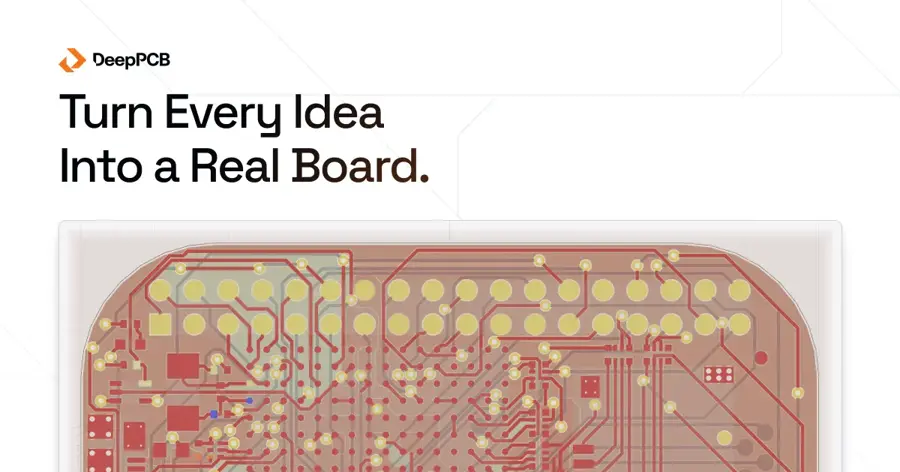
DeepPCB is a cloud routing engine trained with reinforcement learning that routes the routine nets on a placed board while you keep the critical ones.
Strengths
I like how blunt DeepPCB is about its limits. Its homepage says outright that it isn't for production layout where yield sets the bar, or for "DDR nets, length matching, advanced impedance control, and RF-specific constraints". It takes placed boards from Altium, KiCad (via a plugin), EasyEDA, Zuken, and OrCAD, Allegro or Eagle through Specctra DSN. A setup assistant called Cooper reads the stackup, net classes and differential pairs, and you can tell it in plain language what to protect.
In the AnyPCBA test mentioned above, DeepPCB finished nearly 10% more of the routes on average than Quilter. DeepPCB's own example board was 99.5% routed in 1 hour 51 minutes against an estimated 56 hours by hand.
Key features
- Routes to your clearances, net classes and layer assignments.
- Cooper checks setup in plain language before routing starts.
- Stop and resume on paid credit.
- Pay-as-you-go handles up to 8 layers and 1,200 airwires.
Pros
- The only transparent self-serve price in this list.
- Works with KiCad and EasyEDA, so hobbyists aren't locked out.
- Clear statement of what it won't do.
Cons
- No placement; you need a finished floor plan first.
- Self-serve tops out at 8 layers and 1,200 airwires.
- Not meant for high-speed or production-grade routing.
DeepPCB pricing: Free 30-minute trial (one board, up to 4 layers), then $30 for one hour, $280 for 10 hours or $800 for 30 hours (checked October 2026). See pricing
Related: Best CAD AI generators How to train an AI model
Cadence Allegro X AI – best for Allegro X teams
Cadence Allegro X AI is the generative placement and routing add-on inside the Allegro X Design Platform, aimed at enterprise teams with constraint-driven workflows.
Strengths
Cadence launched it in April 2023. Digital Engineering reported at launch that it automates placement, metal pouring and critical net routing, with fast signal and power integrity analysis built in, and Cadence claimed a 10X or greater cut in turnaround time. Electronic Design noted it targets small to medium PCBs and lets you generate variants by adjusting physical, mechanical and electrical constraints.
The appeal is the Sigrity X link. If your SI and PI checks already live in Cadence, keeping AI layout inside the same constraint system probably saves more time than any standalone tool would.
Key features
- Generative placement that explores many candidate layouts.
- Automated power and ground plane creation.
- Critical net routing within your Allegro constraint set.
- Uses cloud compute to run jobs in parallel.
Pros
- Lives inside the Allegro X platform your team may already use.
- Tight hookup to SI, PI and thermal analysis.
- Free trial available on request.
Cons
- No public pricing.
- Only useful if you already license Allegro X.
- The launch speed claims come from Cadence; I couldn't find an independent benchmark.
Cadence Allegro X AI pricing: No free plan; pricing by quote, trial on request (checked October 2026). See pricing
Related: Best CAD AI generators
Siemens Xpedition Standard – best for PADS and Xpedition users
Siemens Xpedition Standard is Siemens' next step up from PADS Professional, with an AI-enabled workflow, DFM analysis and autorouting in its comparison table.

Strengths
Siemens split its AI push for smaller teams into two products. Digital Engineering reported that PADS Pro Essentials adds a CELUS-powered front end for AI-assisted schematic and BOM generation, while Xpedition Standard adds advanced routing automation, native 3D layout, and token-based access to HyperLynx signal integrity analysis without a full tier upgrade. On the PADS page, current PADS Professional users get an Xpedition Standard companion seat at no extra cost, which is a decent deal if you're already paying.
Honestly, the AI here is more assistant than autopilot. I'd treat it as a reason to upgrade within Siemens, not a reason to switch to it.
Key features
- AI-assisted schematic and BOM generation through CELUS in the Essentials tier.
- Autorouting and DFM analysis in Xpedition Standard.
- Token-based add-ons for HyperLynx SI and rigid-flex design.
- 500GB of cloud storage on the Professional Premium and Xpedition Standard tiers.
Pros
- Upgrade path from PADS without changing vendors.
- Pay-per-use access to HyperLynx analysis.
- Free companion seat for current PADS Professional users.
Cons
- No public prices.
- Siemens doesn't describe fully autonomous placement and routing.
- Aimed at existing Siemens customers.
Siemens Xpedition Standard pricing: No free plan listed; contact Siemens or a reseller for a quote (checked October 2026). See pricing
Related: Best CAD AI generators
JITX – best for high-frequency boards defined in Python
JITX turns requirements, stackups and SI targets into Python design code that your approved AI model edits, then generates schematics and board structures and runs HFSS simulations on your own hardware.
Strengths
JITX is the odd one out, and I think it's the most interesting for serious high-speed work. Your AI writes and revises code; JITX supplies the routing solvers, pin assignment and HFSS interface. On its homepage, the company describes optimising a 56 GHz PCIe gen 7 BGA launch in five HFSS runs, and it quotes Honeywell Aerospace's director of engineering saying the time and effort for that cycle was "greatly reduced".
The barrier is obvious: you need people comfortable writing Python. JLCPCB's guide flags that too.
Key features
- Designs live as Python code you can review, diff and reuse.
- Sets up HFSS ports, sweeps and boundaries from requirements.
- Runs locally with your organisation's approved AI model.
- Integrations with KiCad, Altium and Siemens tools, plus air-gapped installs.
Pros
- Data and models stay on your infrastructure.
- Simulation results feed directly into the next design edit.
- Free for open-source hardware.
Cons
- Needs Python skills on the team.
- Free plan only covers CERN OHL-Permissive designs; proprietary work is enterprise-only.
- No public enterprise price.
JITX pricing: Free for open-source designs, then enterprise pricing by quote (checked October 2026). See pricing
Related: Best free AI coding assistants
AI routing and placement: what it can and can't do
An AI router follows the rules you give it and nothing else. It'll respect clearances, net classes and keepouts. It won't know that a trace carries a sensitive analog signal unless you've encoded that somewhere.
The AnyPCBA write-up lists the gaps plainly: high-speed nets such as DDR, PCIe or 10G Ethernet still need manual SI work, AI routers "love vias", and the tools don't understand design intent like thermal coupling between parts. JLCPCB makes the sharper point that a DRC-clean board "confirms geometry, not electrical performance"; passing DRC only proves the board meets the rules you typed in, and those may not match your fab house's limits.
| Task | AI tools today | Still on the engineer |
|---|---|---|
| Routing general signals and power | Good on simple to medium boards | Review via count and odd trace widths |
| Placement | Quilter, Flux and Allegro X AI generate candidates | Thermal, mechanical and connector decisions |
| Design rule checks | Run automatically in most tools | Making sure the rules match your fabricator |
| Signal and power integrity | Simulated in Flux, Cadence and JITX | Sign-off, impedance against the real stackup |
| DDR, RF, length matching | Mostly out of scope | Pre-route by hand |
A worked example, using DeepPCB's numbers. Say a board takes about 2 hours of routing time. At the single-hour rate that's $60; buy the 10-hour pack and it's $56 (10 hours for $280 works out at $28 an hour). DeepPCB estimates the same job at around 56 hours by hand. Even if you knock that estimate in half and add four hours of cleanup, you're probably still saving a week of engineer time for under $100 in credit. That math is why I think AI routing is worth a trial on any team doing frequent respins.
Choosing the right AI PCB design tools
Match the tool to what you already have
If you've only got an idea, Flux is the natural fit. Got a finished schematic? Look at Quilter. A placed board that just needs wiring is DeepPCB's job.
Stay inside your current ECAD where you can
Cadence and Siemens shops will get more from the AI already in their suites than from bolting on a new tool. Altium users are a slightly odd case: JLCPCB points out that Altium doesn't describe its own layout automation as AI, so most Altium teams would export to Quilter or DeepPCB for that.
Pre-route the critical nets yourself
Both Quilter and DeepPCB are built for this: route your clocks, differential pairs and RF paths by hand, then let the AI finish. Quilter only charges for unrouted pins, so pre-routing also cuts the bill.
Budget for review time, not just licences
Even Quilter's own homepage quotes a board that took 38.5 hours of human cleanup (against 428 hours quoted for manual layout). That cleanup is real time. Plan for it.
Free vs paid: what you actually get
Free options are narrow but useful. Quilter's free tier gives non-commercial users unlimited iterations; JITX is free indefinitely for designs released under CERN OHL-Permissive v2; DeepPCB gives you 30 minutes on one board of up to 4 layers and 100 components. Flux and Cadence offer trials, not free plans.
Paying gets you commercial rights (Quilter, JITX), bigger boards (DeepPCB goes up to 8 layers and 1,000 components on pay-as-you-go), team workspaces and support. For a student or hobbyist, I'd start with Quilter's free tier and a KiCad project. For a funded startup, Flux Build at $80 a month on annual billing is the easiest line item to justify.
Final verdict
My pick for most small hardware teams is Flux, because it's the only tool here that handles the whole job and checks its own work with real simulation. If you already have a schematic and a deadline, Quilter is probably the stronger layout engine, though the independent evidence is still one public test. Enterprise teams should look at Allegro X AI or Xpedition Standard first. In every case, keep an engineer on DRC, SI and DFM sign-off; nothing in this list claims to remove that step.
FAQ
Which AI is best for PCB design?
For an all-in-one workflow, Flux. For autonomous placement and routing of an existing schematic, Quilter. For cheap, fast routing of a placed board, DeepPCB at $30 an hour. The best choice depends on where in the flow you need help.
Can ChatGPT design a PCB?
Not on its own. JLCPCB's guide says a general model can draft a circuit or drive EDA software through an agent, but the board still needs EDA tools, datasheet checks and engineering review. Flux does let ChatGPT, Claude Code and Cursor connect to its projects through MCP.
Is AI PCB routing better than a traditional autorouter?
It seems to be, for routine nets. Quilter and Allegro X AI also handle placement, which old autorouters didn't. But AnyPCBA's test still found odd trace widths and lots of vias, so review the output closely.
Is there a free AI for PCB design?
Yes, with limits. Quilter is free for non-commercial use, JITX is free for open-source designs, and DeepPCB has a 30-minute free trial.
Will AI replace PCB designers?
I doubt it, at least not soon. Every vendor here leaves high-speed nets, manufacturability and final sign-off to engineers. Our piece on whether engineers will be replaced by AI covers the wider question, and if you're also designing enclosures, see our roundup of CAD AI generators.