Best AI timeline generators in 2026: 7 picks for every budget
The seven best AI timeline generators in 2026, from prompt-to-design tools like Venngage to Preceden for accurate dates, with free plan limits and prices.
 Written byMuhammad Usman SiddiquiFounder and editor-in-chief
Why you can trust The AI Future
Our writers research every product from its official pages, independent tests and user reports, link each claim to its source and correct mistakes openly. Unless an article says otherwise, we haven't tested the product hands-on ourselves. Companies can't pay for coverage or see reviews before they're published.
Read our editorial policy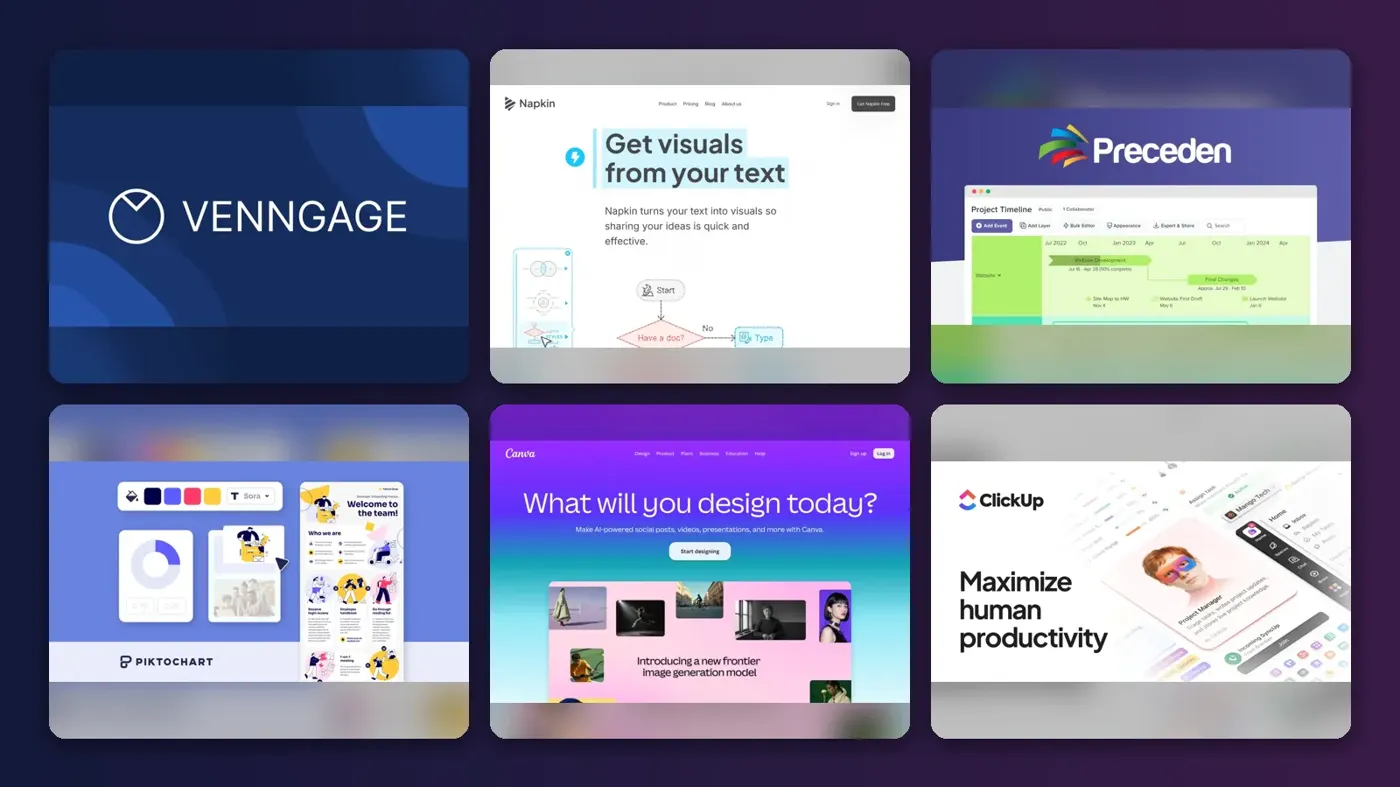
Short answer: if you want a good-looking timeline from a single prompt, start with Venngage's AI timeline generator. If your events already live in notes or a document, Napkin AI turns that text into a visual faster than anything else here. And if accuracy matters more than looks (legal cases, history projects, roadmaps with real dates), pay the $10 a month for Preceden.
That's the whole decision for most people. The rest of this guide covers seven AI timeline generators with prices checked in late October 2026, what each one's free plan really lets you export, and where every tool falls short. I've leaned on budget throughout, because the gap between "free" and "usable for a client" is wider than the landing pages suggest.
Key takeaways
- Venngage, Napkin AI and Piktochart all build a timeline from a typed prompt, then hand you an editor to fix it.
- Preceden is the pick when dates need to be spaced accurately, since it plots events on a scaled axis instead of a decorative layout.
- Most free plans cap exports or add a watermark, so budget roughly $9 to $19 a month for clean, client-ready files.
- ClickUp only makes sense if your timeline is a live project plan that changes every week.
Our ranking method
Nobody at The AI Future ran hands-on tests for this roundup. We compared each timeline maker AI tool using official product and pricing pages, published hands-on reviews (SoftPicker's timeline comparison and Elizabeth Harrin's Preceden review among them) and user ratings on Capterra and G2, as of late October 2026. Then we scored them on six criteria:
- AI generation, meaning whether it can draft a timeline from a prompt or a pasted document.
- Date handling, covering scaled axes, overlapping events and BC or approximate dates.
- Editing control after the AI draft is done.
- Free plan limits, especially watermarks and export formats.
- Price for one person paying their own way.
- Export and sharing options, such as PowerPoint, PDF, embed codes and live links.
Prices are in US dollars and can change by country or promotion, so check before you buy.
The 7 best AI timeline generators at a glance
| # | Tool | Category | Best for | Free tier | Starts at |
|---|---|---|---|---|---|
| 1 | Venngage | Infographic maker | Prompt-to-timeline designs | Yes (limited) | $19/mo |
| 2 | Napkin AI | Text-to-visual AI | Turning notes into visuals | Yes | $9/mo |
| 3 | Preceden | Dedicated timeline maker | Accurate, data-heavy timelines | Yes (limited) | $10/mo |
| 4 | Piktochart | Infographic maker | Cheap AI infographics | Yes (limited) | $10/mo |
| 5 | Canva | Design suite | Free template timelines | Yes | $12/mo |
| 6 | ClickUp | Project management | Live project timelines | Yes (limited) | $9/mo |
| 7 | Visme | Presentation and design | Interactive business timelines | Yes | $12.25/mo |
The best AI timeline generators in 2026, ranked
Venngage – best for prompt-to-timeline designs
Venngage is an infographic maker with a dedicated AI timeline generator: you type a prompt describing your events and dates, and it returns an editable, designed timeline.

Strengths
Venngage gets the top spot because it's the most complete prompt-first option. Its generator page suggests prompts as specific as a "three-year PhD project starting September 2024", and you can either generate from scratch or start with a template and edit it with AI. Venngage also has brand kits on its Business plan and accessibility tools such as an automatic alt text generator and colour contrast checker, which matter if your timeline ends up in a public report.
Users seem happy with it. On Capterra, Venngage holds a 4.6 rating from 314 reviews, and one reviewer summed up the main appeal: "The templates are versatile, and customization is simple." The same page flags the obvious complaint, though: 42% of reviews about pricing were negative, mostly about the limited free version.
Key features
- A prompt box generates a full timeline layout in seconds.
- AI credits refresh daily, with 80 a day on the free plan.
- Brand kits pull in your colours, fonts and logo.
- Accessibility tools include an alt text generator and contrast checker.
- Business plans export to PDF and PowerPoint.
Pros
- The prompt-to-design flow is the most polished on this list.
- Accessibility features are rare in this category.
- Daily AI credits suit people who make visuals in small bursts.
Cons
- The free plan stops at 5 designs and 6 image uploads.
- PDF and PowerPoint export need the Business plan, not Premium.
- SoftPicker found some premium templates aren't clearly marked until you try to use them.
Venngage pricing: Free, then paid plans from $19/month (checked October 2026). See pricing
Verdict: worth it if you make several timelines a month and want them to look designed, not drawn.
Related: Best AI tools for productivity
Napkin AI – best for turning notes into visuals
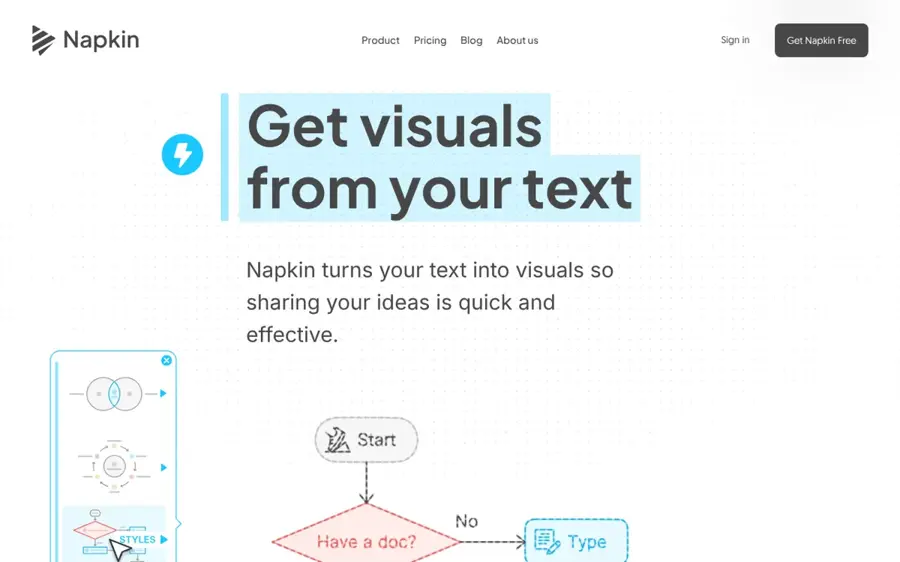
Napkin AI turns text you paste or write into diagrams, flowcharts and timeline graphics, which you then restyle and export.
Strengths
Napkin works the other way round from Venngage. You don't describe the timeline you want; you select text you already have (a project brief, meeting notes, a history summary) and it offers visual options for it. Fastio's Napkin AI review lists timeline as one of the formats you can pick, and says the whole cycle from paste to export takes under 30 seconds.
The same review reports that "Users on G2 rate Napkin 4.4 out of 5". It's honest about the weak spot, too: unstructured prose produces generic visuals, because the AI reads headings and bullets better than paragraphs. I think that's fine for timelines, since a list of dated events is about as structured as text gets.
Key features
- Generates visuals from any text you select in the editor.
- Imports PPT, DOC, PDF, HTML and Markdown files.
- Credits cost roughly one per word selected for generation.
- Paid plans add SVG and PowerPoint export plus brand styles.
Pros
- Fastest route from existing notes to a finished graphic.
- The free plan's 500 weekly credits go a long way for short timelines.
- Plus is cheap at about $9 a month billed annually.
Cons
- Free exports carry Napkin branding and are PNG or PDF only.
- No direct Google Slides, Notion or Figma connection, according to Fastio.
- Layouts can start to look alike after a few generations.
Napkin AI pricing: Free, then paid plans from $9/month billed annually, or $12 month to month (checked October 2026). See pricing
Verdict: the best value pick if your timeline starts life as a document.
Related: Napkin AI review
Preceden – best for accurate, data-heavy timelines
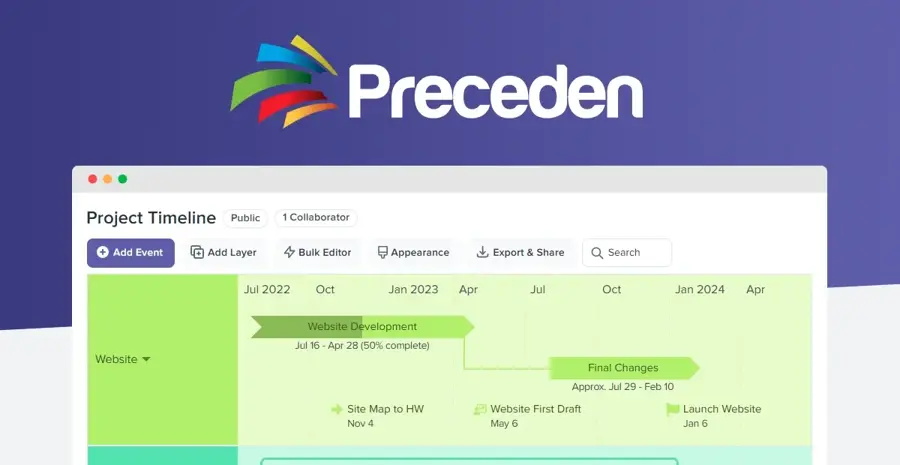
Preceden is a dedicated timeline maker with a free AI generator, layers, dependencies and exports to PowerPoint, Excel and PDF.
Strengths
Preceden has been around since 2010 and says it's helped more than 800,000 people build timelines, from legal cases to family history. What sets it apart is the scaled date axis. In SoftPicker's seven-tool comparison, the reviewer noted that "If your events span 50 years, the spacing reflects that accurately", something design tools like Canva can't do. It also handles BC dates, approximate dates and exact start times.
The AI part is modest. Preceden's own homepage admits Timeline Maker AI "works best for well-known historical events", so treat it as a starting draft for anything personal or business-specific. Project manager Elizabeth Harrin, reviewing it at Rebel's Guide to PM, wrote: "I love the interface, and I love how my timelines look on the screen." She did wish the bulk editor could add dependencies, though.
Key features
- Events sit on a proportionally scaled date axis.
- Layers group events by person, topic or project.
- Over 3,600 icons and Creative Commons image search.
- Spreadsheet import from XLSX or CSV on paid plans.
- Private, password-protected or secret-link sharing.
Pros
- The only tool here built purely for timelines.
- Exports to PowerPoint, CSV and Excel even on the free plan.
- A 15-day money-back guarantee on paid plans.
Cons
- Free timelines are capped at 10 events, plus 5 of your own on AI-made ones.
- Visual styling is plain next to Venngage or Canva.
- The AI is weaker on niche or private topics.
Preceden pricing: Free, then paid plans from $10/month billed annually, or $25 month to month (checked October 2026). See pricing
Verdict: if your dates have to be right, this is the one.
Piktochart – best for cheap AI infographics
Piktochart is an infographic and report maker whose AI timeline generator turns a prompt or uploaded notes into an editable timeline infographic.

Strengths
Piktochart covers the same ground as Venngage for about half the price. Its AI timeline page lets you start from rough notes, a project brief or lesson material, and every generated visual stays editable. Pro costs $10 a month billed annually, and students and educators can get it for $39.99 a year, which is the cheapest paid route on this list.
On Capterra, 96% of Piktochart's 198 reviewers rated it above 4 stars, and it scores 4.7 for ease of use. Honestly, the free plan surprised me in the wrong way: it allows just 2 downloads.
Key features
- Generates timelines from prompts, notes or uploaded documents.
- Free accounts get 60 AI credits a month; Pro gets 500.
- Brand colours, fonts and logos on paid plans.
- Presentation mode and website embedding.
Pros
- Lowest paid price among the infographic tools here.
- Big education and nonprofit discounts.
- Strong ease-of-use scores from reviewers.
Cons
- Only 2 downloads on the free plan, and PNG only.
- PDF and PowerPoint export start at the Business tier.
Piktochart pricing: Free, then paid plans from $10/month billed annually, or $15 month to month (checked October 2026). See pricing
Verdict: my pick for students and teachers on a tight budget.
Related: Best free AI tools for students
Canva – best for free template timelines
Canva is a general design app with a free timeline maker built on templates, plus Canva AI features on its paid plans.
Strengths
Canva isn't really an AI timeline generator; it's a template library with a good editor. That's still why it's on the list. SoftPicker rated it 9/10, the top score in its timeline comparison, after finding over 200 timeline templates and finishing a 15-event timeline in about 12 minutes. Free users get 1.6 million+ templates in total and can export PNG, JPG or PDF.
The AI side is thinner on the free plan. Canva's plans page lists only "limited access" to its AI on Free, while Pro gets 10 times more AI use and Canva AI 2.0. SoftPicker also points out that Canva timelines are static images with no automatic date scaling.
Key features
- Hundreds of timeline templates you can edit for free.
- Real-time collaboration through a shared link.
- Huge stock library of photos, icons and charts.
- Pro adds Canva AI 2.0 and premium templates.
Pros
- The most generous free plan for finished, exportable designs.
- Most people already know the editor.
- Good for timelines that need to look polished on social media or in class.
Cons
- Little true AI generation on the free plan.
- Events aren't spaced by date; you place everything by hand.
Canva pricing: Free, then paid plans from $12/month ($144 a year for Pro) (checked October 2026). See pricing
Verdict: start here if you want $0 spent and don't mind arranging things yourself.
Related: Best free AI tools for students
ClickUp – best for live project timelines
ClickUp is a project management app with timeline and Gantt views and a built-in AI assistant, ClickUp Brain, that works across your tasks and docs.

Strengths
Every other tool here makes a picture of a timeline. ClickUp makes the timeline out of your actual tasks, so moving a deadline moves the bar. In its own roundup of AI timeline generators (which, unsurprisingly, ranks ClickUp first), the company says Brain analyses meeting notes, chat threads and project data to build and maintain a timeline. That's a vendor claim, so I'd weigh it accordingly.
Reviewers on Capterra give it plenty of credit (4,643 reviews, 95% positive sentiment), but speed is a sore point. One reviewer put it bluntly: "ClickUp is super slow; it lags, freezes, and takes forever to do anything."
Key features
- Timeline, Gantt, calendar, list and board views of the same tasks.
- Dependencies stop a task starting before its prerequisite is done.
- Milestones mark launches and handoffs.
- ClickUp Brain AI included on Business and above.
- Gantt chart PDF export on Business.
Pros
- The timeline updates as the project changes.
- Unlimited Gantt charts from the $9 Core plan.
- Free plan allows unlimited members.
Cons
- Timeline view is only a trial on Free and Core; you need Business at $17.
- Overkill for a one-off timeline graphic.
- Capterra reviewers frequently mention lag on big projects.
ClickUp pricing: Free, then paid plans from $9/user/month billed yearly, with timeline view on Business at $17 (checked October 2026). See pricing
Verdict: only worth it if the timeline is the project, not a slide about it.
Visme – best for interactive business timelines
Visme is a presentation and design tool whose timeline maker adds animation, clickable links and data import from Excel or Google Docs.
Strengths
Visme earns its place for one reason: interactivity. Its timeline maker lets you add animation, hover effects and clickable links, then publish the timeline as a live webpage or embed it. SoftPicker gave it 8/10 and called the animation "the standout", though its test timeline took 18 minutes against Canva's 12.
I'd rank it last for AI, though. The timeline page leans on templates and data import, and the AI it mentions is about on-brand templates rather than drafting events from a prompt.
Key features
- Horizontal, vertical, project and roadmap timeline templates.
- Import milestones from Excel, Google Docs or Google Analytics.
- Animation, hover effects and clickable links.
- Publish as a webpage, embed, or download as PNG, PDF or HTML.
Pros
- The best interactive output of any tool here.
- Charts can sit right next to the timeline.
- Free plan includes unlimited projects.
Cons
- Weakest AI generation on this list.
- PowerPoint and HTML5 export need the Business plan.
- Slower to build in than Canva, per SoftPicker.
Visme pricing: Free, then paid plans from $12.25/month billed annually (checked October 2026). See pricing
Verdict: pick it when people will click through the timeline, not just glance at it.
Related: Gamma AI review
Choosing the right AI timeline generator
Decide first whether dates or design matter more
This is the split that decides almost everything. Design tools (Venngage, Piktochart, Canva, Visme) place events wherever they look good, so ten years and ten days can take up the same space. Preceden spaces them by real time. For a history assignment or a court chronology, choose Preceden. For a company milestones slide, choose a design tool.
Match the tool to where your events already live
If you've got a document full of dates, Napkin or Piktochart can read it directly. A spreadsheet? Preceden and Visme both import one. If the events are tasks in a project, ClickUp avoids retyping them at all.
Check the export format before you build anything
It's the most common trap. Venngage keeps PDF and PowerPoint for Business, Piktochart allows 2 PNG downloads on Free, and Napkin watermarks free exports. Preceden is the odd one out, letting free users export to PowerPoint and Excel. Figure out where the timeline is going (a slide, a report, a website) and confirm that format is on the plan you're buying.
Write a prompt with dates, not themes
Every generator here does better with dated events than a vague brief. Venngage's tips ask for milestones with start and end dates, plus the style you want.
Free vs paid: what you actually get
| Tool | Free plan limit | Main paid upgrade |
|---|---|---|
| Venngage | 5 designs, 80 AI credits a day, public sharing | Unlimited designs; PDF/PPT on Business |
| Napkin AI | 500 AI credits a week, branded PNG/PDF | No branding, SVG and PPT export |
| Preceden | 10 events per timeline | No event limit, spreadsheet import |
| Piktochart | 2 downloads, 60 AI credits a month | Unlimited downloads, 500 credits |
| Canva | Free templates, limited AI | Premium templates, Canva AI 2.0 |
| ClickUp | Timeline view as a trial only | Timeline view and AI on Business |
| Visme | Limited templates and downloads | Premium assets, PDF and PPTX |
For a single school project, free is probably enough: Canva or Preceden will get you there. Paying makes sense once you need unbranded files for clients or more than a handful of timelines a month. I'd guess most freelancers land on Napkin Plus or Piktochart Pro at about $9 to $10 a month, while teams that need brand kits drift towards Venngage Business.
Final verdict
If you only pick one, pick Venngage. It's the most complete AI timeline generator I found in the research, and the prompt-to-design flow is what most people searching for one actually want. That said, $19 a month isn't cheap for occasional use, and I'd steer budget-conscious readers to Napkin AI or Piktochart instead.
The one exception is accuracy. Preceden's scaled axis does something none of the design tools try to do, and for legal, academic or long-range planning work I think it's the better buy even with plainer visuals.
FAQ
What is the best AI timeline generator?
For most people, Venngage is the best AI timeline generator in 2026 because it turns a single prompt into a designed, editable timeline. Napkin AI is better value if your events are already in a document, and Preceden is the better choice when dates must be spaced accurately on a real time scale.
Is there a free AI timeline maker?
Yes. Venngage, Napkin AI, Preceden, Piktochart, Canva and Visme all have free plans. The catches differ: Napkin adds branding, Piktochart allows only 2 downloads, Venngage caps you at 5 designs and Preceden limits timelines to 10 events. Canva has the most generous free exports but very little AI, so pick based on which limit you can live with.
Can ChatGPT make a timeline?
A general chatbot can draft the list of events and dates, which you can then paste into Napkin, Piktochart or Preceden to turn into a visual. That's often the quickest workflow. Just check every date it gives you, because chatbots can get historical details wrong, and none of these timeline tools will catch the mistake.
Which AI timeline tool is best for students?
Piktochart is probably the best fit, since its education plan costs $39.99 a year for Pro. Canva is the strongest fully free option. For history projects with BC dates, use Preceden.
Can I export an AI timeline to PowerPoint?
Yes, but usually on a paid plan. Napkin AI exports PPT on Plus, Venngage and Visme on their Business tiers, and Piktochart on Business. Preceden is the exception: its free plan already exports timelines to PowerPoint, PDF, PNG, CSV and Excel.