Best free AI coding assistants in 2026: 7 picks compared by their free plans
The best free AI coding assistants in 2026, compared by what their free plans actually include, from Copilot's 2,000 completions to local models in Cline.
 Written byFahad HashmiContributing writer, AI in energy and industry
Why you can trust The AI Future
Our writers research every product from its official pages, independent tests and user reports, link each claim to its source and correct mistakes openly. Unless an article says otherwise, we haven't tested the product hands-on ourselves. Companies can't pay for coverage or see reviews before they're published.
Read our editorial policy
Here's the short version. The best free AI coding assistants in 2026 are GitHub Copilot Free for everyday autocomplete in the editor you already use, Google Antigravity for the most generous free agent, and Cline if you want open source and the option to run models on your own machine. Devin Desktop (the app formerly called Windsurf) is the pick if you mostly want unlimited Tab completions. I'd start with Copilot Free, because it costs nothing, plugs into VS Code, JetBrains and more, and gives you 2,000 completions a month before you have to think about upgrading.
The free tier picture has changed a lot this year, though. Amazon closed Q Developer to new sign-ups, Google shut down the free Gemini Code Assist plan, Windsurf got a new name and Cursor's free plan now sits inside a bundle with Grok and X Premium. If an older list told you to install any of those, it's probably out of date.
Key takeaways
- GitHub Copilot Free is the safest default: 2,000 inline completions a month plus a small allowance of AI credits for chat and agent mode.
- Google Antigravity replaced Gemini Code Assist for individuals on June 18, 2026, and its free tier gives you a weekly agent quota on Gemini 3.8 Flash with unlimited Tab completions.
- Free agent quotas are small almost everywhere, so the real question is which limit you'll hit first: completions, chat or agent runs.
- Cline is the only pick here that's fully open source and can run on local models through Ollama or LM Studio for $0 in API fees.
- Claude's free plan is useful for explaining and writing code in chat, but Claude Code itself needs a paid plan.
Our ranking method
Nobody at The AI Future ran hands-on tests or took screenshots for this roundup. We compared each free plan using the official pricing pages and docs, published independent reviews and developer forum threads, as of late October 2026. We ranked the tools on six criteria:
- Free plan size, meaning how many completions, chats or agent runs you get before a hard stop.
- Editor fit, meaning whether it works inside VS Code, JetBrains or the terminal, or forces a new app.
- Model access on the free tier, including whether you're locked to one house model.
- Agent ability, meaning whether the free plan can edit several files and run commands.
- Stability of the offer, since several free tiers changed or vanished in 2026.
- Upgrade cost, meaning the price of the cheapest paid plan when you outgrow the free one.
The 7 best free AI coding assistants at a glance
| # | Tool | Category | Best for | Free tier | Starts at |
|---|---|---|---|---|---|
| 1 | GitHub Copilot | Editor extension | Everyday autocomplete | Yes (limited) | $10/mo |
| 2 | Google Antigravity | Agent IDE and CLI | Free agent work | Yes (limited) | $20/mo |
| 3 | Devin Desktop (Windsurf) | AI code editor | Unlimited Tab completions | Yes (limited) | $20/mo |
| 4 | Cline | Open-source agent | Local models and BYOK | Yes | $9.99/mo |
| 5 | Kiro | Agent IDE | Spec-driven work on AWS | Yes (limited) | $20/mo |
| 6 | Claude | Chat assistant | Explaining and drafting code | Yes (limited) | $20/mo |
| 7 | Cursor | AI code editor | Trying an agent-first editor | Yes (limited) | $8/mo |
Prices are in US dollars and were checked in late October 2026. Cline's $9.99 is the optional ClinePass subscription; the extension itself is free and you can pay per token instead. Cursor's $8 Plus plan only runs Grok models.
The best free AI coding assistants in 2026, ranked
GitHub Copilot – best for everyday autocomplete
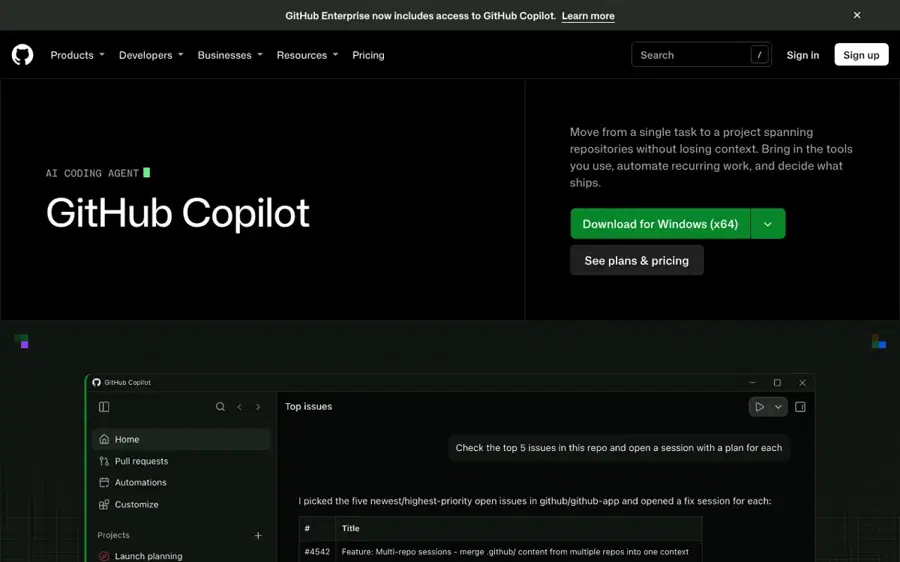
GitHub Copilot is GitHub's coding assistant for VS Code, Visual Studio, JetBrains, Xcode, the terminal and github.com, and its free plan needs nothing more than a GitHub account.
Strengths
Copilot Free has the clearest numbers of any plan here. On GitHub's plan comparison, the free tier gets 2,000 inline completions a month, Copilot Chat in the IDE and on GitHub, agent mode and MCP support, plus "an allowance of GitHub AI Credits" for chat and agents. You're limited to auto model selection, so you can't pick Claude or GPT yourself.
The billing model changed on June 1. GitHub's announcement says credits are now consumed by tokens at each model's API rate, and that "code completions and Next Edit suggestions remain included in all plans and do not consume AI Credits." For a free user, that's good news: your autocomplete cap and your chat budget are separate pools. Honestly, I think 2,000 completions covers a hobby project or a student's coursework, but a full-time developer accepting suggestions all day will probably run through it in two or three weeks.
Key features
- Inline suggestions and next edit suggestions in most major editors.
- Copilot Chat in the IDE, on github.com, in GitHub Mobile and in Windows Terminal.
- Agent mode and MCP servers are available on the free plan.
- Copilot CLI works from your terminal on every plan.
- Verified students get Copilot Student free, with the same credit-based setup.
Pros
- Works inside the editor you already use
- Completions don't eat into your chat credits
- Clear, published completion cap
- Cheap upgrade at $10 a month
Cons
- No model choice on the free tier
- Code review is limited to "Review selection" in VS Code
- Not available if your organization already gives you Copilot
GitHub Copilot pricing: Free, then paid plans from $10/month for Pro (checked October 2026). See pricing
Related: Microsoft AI review
Google Antigravity – best for free agent work
Google Antigravity is Google's agent-first coding app and CLI, and it's now where individual Gemini coding users go after Gemini Code Assist's free tier ended.
Strengths
Google's Gemini Code Assist page confirms that from June 18, 2026, the IDE extensions and Gemini CLI stopped serving free individual accounts, and points users to Antigravity. Going by the Antigravity plans docs, every account gets Gemini 3.8 Flash as the core agent model, unlimited Tab completions and access to all product features, including scheduled tasks and the CLI. Free users get "a meaningful quota, refreshed weekly."
That wording is the problem. One independent review on Preuve AI calls the free tier "a real coding agent" but says Google "describes its quotas in words instead of numbers" and changed them several times this year. Developers moving over from Gemini CLI haven't been kind either; one forum post complains that "the models share quotas, while in Gemini CLI they don't." I'd use it for side projects and keep a second tool around for the days it locks you out.
Key features
- Unlimited Tab completions on every plan, including free.
- Gemini 3.8 Flash as the default agent model.
- Available as a desktop app, a CLI and IDE extensions.
- Scheduled tasks and parallel agents.
- Paid Google AI plans add higher quotas refreshed every five hours.
Pros
- A full coding agent at no cost
- Unlimited Tab completions
- Gemini Flash is fast for routine edits
Cons
- No published numbers for the free quota
- Quota rules changed repeatedly in 2026
- No bring-your-own-key option for extra capacity
Google Antigravity pricing: Free, then paid quotas through Google AI plans from $20/month (checked October 2026). See pricing
Related: Google Gemini vs other AI models
Devin Desktop (Windsurf) – best for unlimited Tab completions
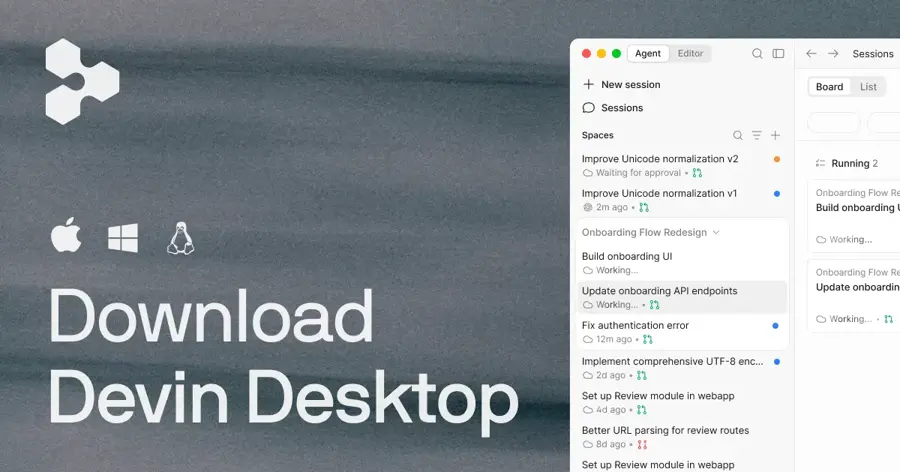
Devin Desktop is Cognition's AI code editor, renamed from Windsurf on June 2, 2026, with a free plan that keeps Tab completions and inline edits uncapped.
Strengths
If you searched for Windsurf, this is it. Cognition's Devin Desktop FAQ says it's "the same IDE, same editor, and has the same features," now opening to an Agent Command Center for managing several agents, and that pricing didn't change. On the plans page, Free includes unlimited Tab completions, unlimited inline edits, "light quota to code with agents" and limited model availability.
That mix is unusual. Most free tiers cap autocomplete and give you a few agent runs; Devin Desktop does the opposite, which suits people who mainly want fast suggestions while they type. A DEV Community write-up notes the new Devin Local agent was rewritten in Rust and claims "up to 30% fewer tokens on most tasks" (a vendor claim, not an independent benchmark). The rename may confuse some IT allowlists, since the app binary is now called Devin.
Key features
- Unlimited Tab completions and inline edits on the free plan.
- Agent Command Center groups local and cloud sessions by status.
- Devin Local agent with OS-level sandboxing.
- Your old Windsurf rules and settings still work.
Pros
- No cap on autocomplete
- Familiar VS Code-style editor
- Settings carried over from Windsurf automatically
Cons
- Agent quota on the free tier is described only as "light"
- Limited model choice until you pay
- You have to switch editors to use it
Devin Desktop pricing: Free, then paid plans from $20/month for Pro (checked October 2026). See pricing
Cline – best for local models and BYOK
Cline is an open-source coding agent for VS Code, JetBrains, the terminal and a desktop app, and you can point it at almost any model, including ones running on your own computer.
Strengths
Cline is the only pick here where free can mean truly free. The Cline docs list three ways to get a model: its own usage billing with "free model options," a flat $9.99 ClinePass for open coding models, or your own keys for cloud providers and local runtimes. Every action needs your approval before it runs, which I like for an agent that can execute terminal commands.
Cost is the catch if you use paid APIs. A DEV Community review puts a typical agent loop at roughly $0.20 to $0.30 on Claude Sonnet 4.5 and concludes that Cline "can be dramatically cheaper than Cursor or Copilot, or dramatically more expensive, depending on how much you use it." The same review lists the license as Apache 2.0. With a local model through Ollama the API bill drops to zero, though a small model on a laptop won't plan a large refactor as well as a frontier model.
Key features
- Reads and writes files, runs terminal commands and drives a browser.
- Works with OpenRouter, Anthropic, OpenAI, Gemini, Bedrock and local Ollama or LM Studio.
- Runs in VS Code, JetBrains, Cursor, Zed and a standalone CLI.
- Kanban board for running several agents in parallel worktrees.
- MCP support for custom tools.
Pros
- Open source, with no subscription required
- Full model freedom, including local models
- Human approval on every action
Cons
- API costs can climb fast for heavy users
- Local models need decent hardware
- More setup than a sign-in-and-go tool
Cline pricing: Free and open source; optional ClinePass from $9.99/month, or pay your model provider directly (checked October 2026). See pricing
Related: What is LLM AI?
Kiro – best for spec-driven work on AWS
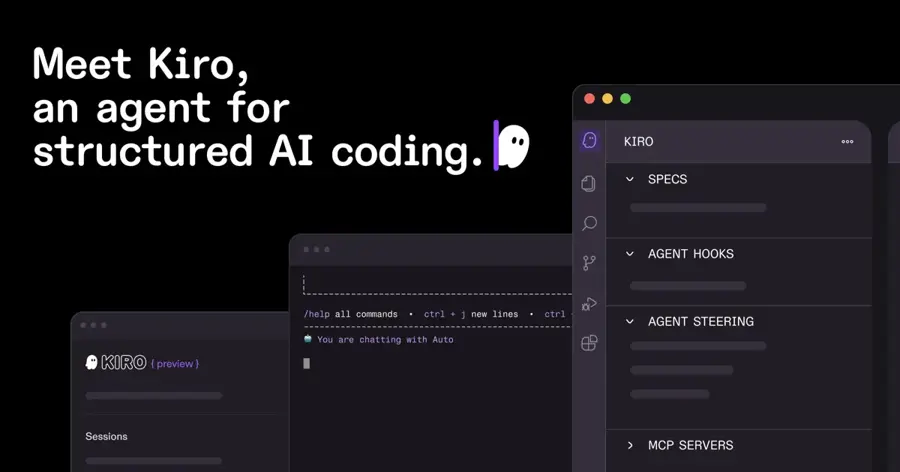
Kiro is Amazon's agentic IDE and CLI, built around writing a spec before the code, and it's the replacement for Amazon Q Developer in the IDE.
Strengths
You can't sign up for Amazon Q Developer's free tier any more. AWS's end-of-support post says new Free Tier accounts were blocked from May 15, 2026, and the IDE plugins reach end of support on April 30, 2027. (Existing Q users still see 50 agentic requests a month on the old free tier until then.) New users get Kiro instead.
On Kiro's pricing, the "perpetual Kiro Free tier" includes 50 credits, with access to open-weight models and Claude Sonnet 4.5. A simple prompt can cost less than one credit, while a spec task usually costs more, so I'd guess 50 credits is enough to judge the workflow and not much more. One reviewer on DEV Community wrote that they first saw the spec step as "extra friction" until it caught an authentication edge case before any code existed.
Key features
- Spec mode turns a request into requirements, data models and tasks before coding.
- Hooks run checks on save or commit.
- Steering files keep project conventions in context.
- Model picker includes Claude, GPT-5.6 and open-weight models on paid plans.
Pros
- Spec workflow catches design gaps early
- Claude Sonnet 4.5 on the free tier
- First Pro upgrade comes with 500 trial credits
Cons
- 50 free credits goes quickly
- Separate IDE, not a plugin for your current editor
- Free tier isn't available in Kiro Enterprise or GovCloud
Kiro pricing: Free, then paid plans from $20/month for Pro (checked October 2026). See pricing
Related: How to create an AI agent
Claude – best for explaining and drafting code
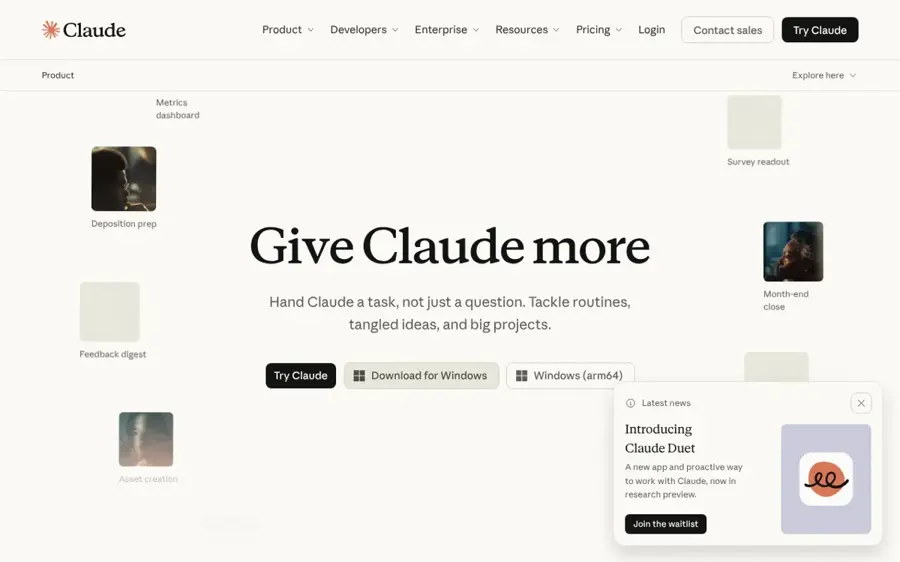
Claude is Anthropic's AI assistant, and its free plan handles coding questions, debugging and small scripts in chat, with code execution and Artifacts included.
Strengths
Claude's free tier isn't an editor tool. Looking at the plan comparison, Free includes Sonnet and Haiku models, Artifacts, file creation with code execution, up to five Projects and a context window of up to 1M tokens, but Claude Code is marked "No" until you pay. So you'll be pasting code into a chat, not letting an agent loose on your repo.
For learning, that's fine. Paste a stack trace, ask why a regex fails, or get a first draft of a function with an explanation you can read line by line. I think it's the best free option on this list for understanding code, as opposed to producing a lot of it. Usage is capped every five hours and weekly, and Anthropic doesn't publish exact numbers for the free tier.
Key features
- Sonnet and Haiku models on the free plan.
- Code execution and file creation inside the chat.
- Artifacts for small web apps and interactive previews.
- Context window of up to 1M tokens for large files.
Pros
- Clear explanations of unfamiliar code
- Large context for long files and logs
- No editor setup needed
Cons
- Claude Code requires a paid plan
- No inline completions
- Free usage limits aren't published as numbers
Claude pricing: Free, then paid plans from $20/month for Pro (checked October 2026). See pricing
Related: Claude AI review Claude vs ChatGPT
Cursor – best for trying an agent-first editor
Cursor is an AI code editor built on VS Code, now owned by SpaceXAI and sold as part of The X Subscription alongside Grok and X Premium.

Strengths
Cursor is probably still one of the most capable AI editors around, with parallel agents, cloud agents and its own Composer models. The free plan, though, is thin. On Cursor's pricing page, Free lists "Limited agent requests" and "Limited Chat requests" from a usage pool shared with Grok that refreshes weekly. There's no longer a separate Hobby plan.
The paid ladder is the bigger story, and our Cursor review covers it in detail. The $8 Plus plan runs Grok models only; on Premium ($30) and above, Claude, GPT and Gemini are billed separately at API rates. Cursor also bought Continue, the open-source assistant: Continue's site now says it "has joined Cursor," while its open-source code stays available. I'd treat Cursor's free plan as a trial, not a daily driver.
Key features
- Agents window for running several agents in parallel.
- Cloud agents that keep working after you close your laptop (paid tiers).
- Fast inline completions in a VS Code-based editor.
- Usage pool shared across Cursor and Grok, refreshed weekly.
Pros
- Strong agent features once you pay
- Familiar VS Code base
- Weekly refresh, so one heavy day doesn't end your month
Cons
- Free limits aren't published as numbers
- Cheapest paid plan is limited to Grok models
- Third-party models cost extra even on $200 Ultra
Cursor pricing: Free, then paid plans from $8/month for Plus (checked October 2026). See pricing
Related: Cursor review
Choosing the right free AI coding assistant
Pick the limit you'll hit first
Free plans meter different things. Copilot caps completions at 2,000 a month but doesn't charge them against chat credits; Antigravity and Devin Desktop leave Tab completions uncapped but ration agent work. If you mostly accept autocomplete while typing, an uncapped Tab plan probably matters more than agent runs.
Here's a rough worked example. Say you code three hours a day, five days a week, and accept about 40 suggestions an hour. That's 120 a day, 600 a week and roughly 2,400 in a month, which is over Copilot Free's limit by around the fourth week. A student coding an hour a day would use about 800.
Stay in your editor when you can
Copilot and Cline install as extensions in VS Code and JetBrains. Devin Desktop, Kiro, Antigravity and Cursor want you in their own app. Switching editors for a free plan seems like a bad trade unless you were planning to switch anyway.
Run local models for private code
If your code can't leave your machine, Cline with Ollama or LM Studio is the obvious route. Ollama lists running models locally with no subscription. Continue's open-source extensions for VS Code and JetBrains also support local setups, though after the Cursor deal I wouldn't bet on new features there. Expect weaker results than frontier cloud models on big, multi-file tasks.
Check AI-written code before you ship it
None of these tools guarantees safe code. Pair whichever one you choose with a scanner from our list of AI code security tools, several of which have free tiers too. If you review other people's pull requests, our guide on how to tell if code is AI generated may help.
The weak spots of free plans
Each free tier here has a failure mode you'll want to know about before a deadline depends on it.
- Quotas without numbers: Antigravity, Devin Desktop, Cursor and Claude describe free limits as "meaningful," "light" or "limited," so you can't plan around them.
- Shared pools: in Antigravity, one forum user reports that running out on one model locks you out of the others; Cursor's pool is shared with Grok chat and images.
- Model lock-in: Copilot Free gives you auto model selection only, and Cursor Plus is Grok-only.
- Disappearing offers: Gemini Code Assist's free tier and new Amazon Q Developer sign-ups both ended in 2026.
Free vs paid: what you actually get
The jump to paid is mostly about agent capacity and model choice, not better autocomplete. Here's how the cheapest paid plans compare.
| Tool | Free plan | Cheapest paid plan | Main upgrade |
|---|---|---|---|
| GitHub Copilot | 2,000 completions, small credit allowance | $10/mo Pro | 1,000 base credits plus 500 flex, model choice |
| Google Antigravity | Weekly quota, Gemini 3.8 Flash | $20/mo Google AI Pro | Quota refreshed every five hours |
| Devin Desktop | Light agent quota, unlimited Tab | $20/mo Pro | Frontier models, cloud agents |
| Cline | Free extension, your own keys or local models | $9.99/mo ClinePass | 2–5x usage on open coding models |
| Kiro | 50 credits | $20/mo Pro | More credits, premium models |
| Claude | Sonnet and Haiku in chat | $20/mo Pro | Claude Code, Opus |
| Cursor | Limited agent and chat | $8/mo Plus | Shared pool, Grok models only |
Copilot Pro at $10 is the cheapest real upgrade, going by GitHub's credit table, and it removes the completion cap. Claude Pro is $20 a month in the US and is the cheapest way to get Claude Code.
Final verdict
If you install only one, make it GitHub Copilot Free. It's the one plan with a published completion cap, it works in the editor you already have, and the $10 upgrade is cheap when you outgrow it. Add Cline if you want an agent you control, especially with a local model for private code, and keep Claude's free chat open for the "why is this broken" questions. Antigravity has the most generous free agent right now, but I wouldn't build a work routine around a quota Google won't put a number on.
FAQ
What is the best free AI coding assistant in 2026?
For most people it's GitHub Copilot Free, because it gives you 2,000 completions a month plus chat and agent mode inside VS Code, JetBrains and other editors. If you want unlimited autocomplete, Devin Desktop and Google Antigravity don't cap Tab completions on their free plans.
Is GitHub Copilot still free?
Yes. Copilot Free is available to individual developers who don't already get Copilot through an organization. Verified students can get Copilot Student, and some open-source maintainers and teachers qualify for free Copilot Pro.
What happened to Gemini Code Assist's free tier?
Google stopped serving free individual accounts in the Gemini Code Assist IDE extensions and Gemini CLI on June 18, 2026. It now points those users to Antigravity, which has its own free tier.
Can I still use Amazon Q Developer for free?
Only if you already had an account. New Free Tier sign-ups were blocked from May 15, 2026, and the IDE plugins reach end of support on April 30, 2027. AWS recommends Kiro, which has a free tier with 50 credits.
Is there a free AI coding assistant that runs offline?
Cline can run with local models through Ollama or LM Studio, so your code stays on your machine and you pay nothing for API calls. You'll need a reasonably powerful computer, and local models are likely to struggle with large, multi-file changes.
Does Claude's free plan include Claude Code?
No. Claude Code is listed for Pro, Max, Ultra, Team and Enterprise plans. The free plan still handles coding help in chat, with code execution and Artifacts.