7 best AI conclusion generators in 2026: free and paid picks compared
The best AI conclusion generators for drafting endings to your own reports, blog posts and essays, compared on controls, free limits and price.
 Written byMuhammad Usman SiddiquiFounder and editor-in-chief
Why you can trust The AI Future
Our writers research every product from its official pages, independent tests and user reports, link each claim to its source and correct mistakes openly. Unless an article says otherwise, we haven't tested the product hands-on ourselves. Companies can't pay for coverage or see reviews before they're published.
Read our editorial policy
Short answer: most people should start with Grammarly's free AI conclusion generator, because it asks for your text, a length and a tone, and then hands you an ending you can edit inside a writing app you may already use. If your draft is long, like a 30-page report, paste it into Claude or ChatGPT instead; a general chatbot reads the whole thing, while the single-box tools work best from a short summary of your key points.
One thing before the list. An AI conclusion generator is a drafting aid for writing you've already done: your report, your blog post, your essay. Treat what it gives you as a rough first pass to rewrite in your own words. If you're a student, check your school's (and your teacher's) AI policy first; many classes don't allow AI-written text in graded work, and handing in a generated ending as your own can count as misconduct. Our explainer on how AI policies work covers the basics.
Key takeaways
- Grammarly's conclusion generator is free and lets you pick a length and a tone such as academic or professional.
- Claude and ChatGPT are the better choice for long documents, because they can read the full draft before writing the ending.
- Originality.ai has the most settings of the free single-purpose tools, including bullet or numbered-list output and several languages.
- You don't need a paid plan for occasional conclusions; ChatGPT Go costs $8 a month and Google AI Plus $4.99 if you want more room.
- Students should follow their school's AI rules and treat any generated conclusion as a rough draft to rewrite.
Our ranking method
Nobody at The AI Future ran hands-on tests for this roundup. We compared each tool using its official product and pricing pages, third-party ratings on Trustpilot and published coverage, as of early November 2026. We ranked them on six criteria:
- Draft-first input, meaning the tool works from your own text or key points instead of a topic alone.
- Controls for tone, length and format.
- How much you can do free before you hit a limit or a sign-up wall.
- The price of the cheapest paid plan, if you need one.
- How well it handles long documents.
- Third-party ratings, read with care (chatbot ratings on Trustpilot lean heavily on billing complaints).
We left out paraphrasers sold as detector bypass tools and anything pitched at passing off AI text as your own work.
The 7 best AI conclusion generators at a glance
| # | Tool | Category | Best for | Free tier | Starts at |
|---|---|---|---|---|---|
| 1 | Grammarly | Writing assistant | Most people | Yes | $12/mo |
| 2 | Claude | General assistant | Long reports | Yes (limited) | $20/mo |
| 3 | ChatGPT | General assistant | Quick rewrites on a budget | Yes | $8/mo |
| 4 | Google Gemini | General assistant | Google Docs users | Yes | $4.99/mo |
| 5 | Originality.ai | Free writing tool | Fine control over format | Yes | Free |
| 6 | Mailmodo | Free writing tool | Short blog and email endings | Yes | Free |
| 7 | Ahrefs | Free writing tool | Marketers already on Ahrefs | Yes (limited) | Free |
The best AI conclusion generators in 2026, ranked
Grammarly – best for most people
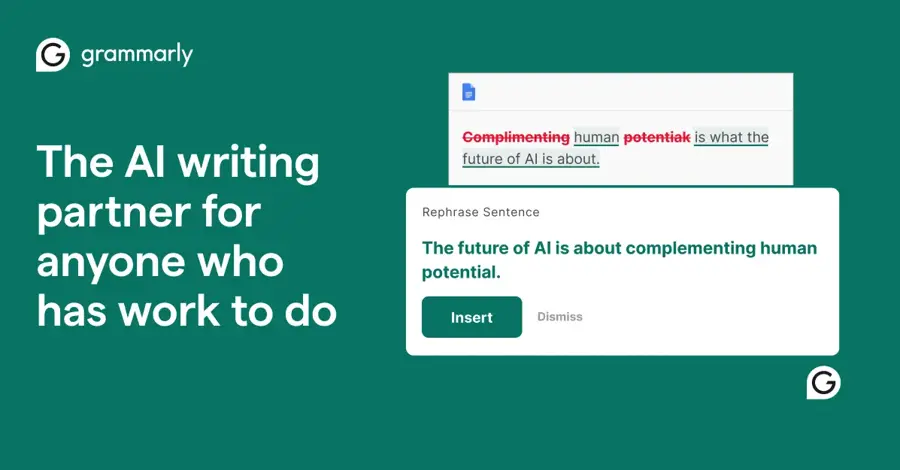
Grammarly's free AI conclusion generator turns your pasted text or key points into a conclusion of the length and tone you choose, and the wider Grammarly app then checks it as you edit.
Strengths
The workflow is simple: paste your text or key points, decide on a length, pick a tone (academic, professional and scientific are among the options), then adjust the result with Grammarly's suggestions. The examples on the page run from a 100-word ending to a 250-word one, so you can see the scale before you start. It's free, with "no ads, no hidden fees", going by the tool page.
I like that the generator sits next to an editor you'll keep using afterwards. That's the real advantage here; a conclusion is rarely right on the first pass. On Trustpilot, Grammarly scores 3.1 from 10,492 reviews, which is middling but far better than any of the chatbots below.
Key features
- You can paste a full draft or just a list of key points.
- Length options cover short and long endings.
- Tone settings include academic, professional and scientific.
- Grammarly's grammar and tone suggestions apply to the result.
- The free plan includes 100 AI prompts a month.
Pros
- Free with no ads.
- Clear length and tone controls.
- Easy to edit the output in the same app.
Cons
- The sample endings on its own page lean on stock lines like "secure a more sustainable world".
- Free AI prompts are capped at 100 a month.
Grammarly pricing: Free, then paid plans from $12/month for Pro (checked November 2026). See pricing
Related: Grammarly AI review Best grammar AI tools
Verdict: if you only pick one, pick this. I think it's the safest starting point for most writers.
Claude – best for long reports
Claude is Anthropic's AI assistant, and because it reads a whole document before replying, it's the strongest option here when your conclusion has to reflect 20 or 30 pages of findings.
Strengths
On Anthropic's plans page, the free tier includes the Sonnet and Haiku models, file creation, web search and up to five Projects, and the context window is listed as up to 1M tokens across plans. In practice that means you can upload a long report, ask for a 150-word conclusion that names your three main findings, and then ask it to cut the hedging or match your opening paragraph.
The weak spot is limits. Free use is marked simply as "Limited", and Claude's Trustpilot page sits at 1.5 from 2,122 reviews, with the site's summary pointing to usage caps and unexpected charges. I'd treat that rating as a warning about billing and limits, not about writing quality.
Key features
- A long context window lets it read a whole report or thesis chapter.
- Projects keep your draft and style notes in one place.
- You can ask for several versions and compare them.
- Model training is opt-out on every consumer plan.
Pros
- Handles very long drafts well.
- Good at following specific editing instructions.
- Free tier includes file uploads and Projects.
Cons
- Free usage limits aren't spelled out and can run out mid-session.
- Poor Trustpilot rating, mostly over billing and caps.
- No dedicated tone or length buttons; you write the prompt.
Claude pricing: Free, then paid plans from $20/month for Pro in the US (checked November 2026). See pricing
Related: Claude AI review Claude vs ChatGPT
Verdict: the pick for anyone ending a long, data-heavy document.
ChatGPT – best for quick rewrites on a budget
ChatGPT is OpenAI's chatbot, and its free plan is generous enough to draft, shorten and retone a conclusion several times in one sitting.
Strengths
Looking at the plan list, the free tier now includes unlimited text chats with GPT-6 (subject to abuse guardrails), but the free Instant model has a 27K context window and takes roughly 12 pages of text as input. That's fine for a blog post or a 2,000-word essay. For longer reports, I'd paste a summary of your sections rather than the full file.
If you outgrow free, ChatGPT Go costs $8 a month in the US, as MacRumors reported when it launched worldwide, and Plus is $20 a month. Go may include ads. The chatgpt.com Trustpilot page shows 1.6 from 3,935 reviews, which is low.
Key features
- Unlimited text chats on the free plan, within guardrails.
- Free input of roughly 12 pages per message.
- Projects and custom GPTs on Plus let you save a house style.
- Works on web, iOS and Android.
Pros
- Cheapest paid upgrade among the big chatbots apart from Google AI Plus.
- Fast for trying five or six versions of an ending.
- Free plan covers most short documents.
Cons
- Free context is small for long reports.
- Free and Go plans may show ads.
- Low Trustpilot score.
ChatGPT pricing: Free, then paid plans from $8/month for Go (checked November 2026). See pricing
Related: ChatGPT with GPT-6 review Best AI like ChatGPT
Verdict: the best value if you want a cheap paid plan.
Google Gemini – best for Google Docs users
Google Gemini is Google's AI assistant; the free app can draft conclusions in Canvas, and higher plans put Gemini inside Docs so you can work on the ending where the report already lives.
Strengths
The free plan includes the Flash-Lite model, Canvas, Gems and Deep Research, going by Google's plan overview. Canvas is the useful part: you can paste a draft and ask for a closing paragraph you then edit in place. Google AI Plus now costs $4.99 a month, TechRepublic reported, down from $7.99 at launch.
The catch is that Gemini in Docs and Sheets is listed under Google AI Pro and Ultra, not Plus, on the Google One comparison. So the cheap plan doesn't get you the in-document workflow. Gemini's Trustpilot page is at 1.4 from 1,443 reviews. Honestly, I'd only pay for Pro if you already live in Google Workspace.
Key features
- Canvas lets you edit a generated conclusion beside your draft.
- Gems save reusable instructions, such as your preferred tone.
- Google AI Plus includes 400GB of storage and higher Gemini limits.
- Gemini in Docs comes with Google AI Pro and Ultra.
Pros
- Cheapest paid plan on this list.
- Canvas suits editing a closing section.
- Free plan includes Deep Research.
Cons
- Docs integration needs a pricier plan than Plus.
- Free plan uses the lighter Flash-Lite model.
- Lowest Trustpilot score here.
Google Gemini pricing: Free, then paid plans from $4.99/month for Google AI Plus (checked November 2026). See pricing
Related: Gemini vs ChatGPT
Verdict: a sensible choice if your drafts already sit in Google Drive.
Originality.ai – best for fine control over format
Originality.ai's free conclusion generator reads your pasted or uploaded text and lets you set tone, detail level, audience, length and keywords before it writes an ending.
Strengths
It has more dials than any other free single-box tool here. You can output a paragraph, a numbered list or bullet points (handy for slide decks), work in several languages, highlight part of the result to request a rewrite, and switch between versions. Originality.ai's company page on Trustpilot rates 4.5 from 1,368 reviews, though those reviews mostly concern its paid checking service, not this free tool.
One thing gave me pause. The tool page still says it runs on GPT-3.5, an older OpenAI model, so the writing may feel flatter than the chatbots above. It's likely just an out-of-date page, but I can't confirm that.
Key features
- Paste or upload the text you want to conclude.
- Settings cover tone, detail level, audience, length and keywords.
- Output can be a paragraph, numbered list or bullets.
- Several input and output languages.
- Highlight-to-edit and multiple versions.
Pros
- Most format options of the free tools.
- Works from your actual draft.
- Strong company rating on Trustpilot.
Cons
- The page names GPT-3.5 as the model behind it.
- Lots of settings for a one-paragraph job.
Originality.ai pricing: Free for the conclusion generator (checked November 2026). Open the tool
Related: Originality AI review Best AI writing tools alternatives
Verdict: pick it when you need bullets or a set word target.
Mailmodo – best for short blog and email endings
Mailmodo's free AI conclusion generator builds a short ending from a summary of your key points, a tone and a word-count band.
Strengths
It's built for marketers. You give it a brief overview ("the impact of remote work on productivity" is the page's own example), choose one of five tones (formal, friendly, persuasive, inspirational or neutral) and pick a length from under 50 words up to 150 to 200. That's about right for a blog post or newsletter sign-off.
It doesn't read a full draft, so the result only knows what you tell it. Mailmodo has no reviews on Trustpilot yet (0 reviews), so there's no independent rating to lean on.
Key features
- Works from a short summary of your key points.
- Five tone options.
- Word-count bands from under 50 to 200 words.
- You can tweak inputs and generate again.
Pros
- Simple and free.
- Tone choices suit marketing copy.
- Tight length control for short pieces.
Cons
- No full-draft input, so details can get lost.
- No third-party ratings to check.
Mailmodo pricing: Free for the conclusion generator (checked November 2026). Open the tool
Related: Best AI writing tools alternatives
Verdict: fine for a quick blog sign-off, too thin for a report.
Ahrefs – best for marketers already on Ahrefs
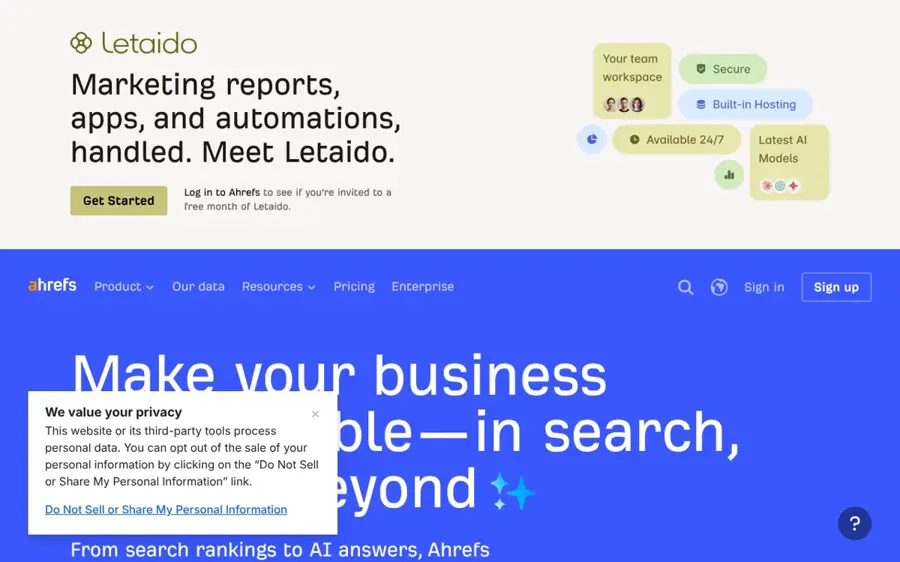
Ahrefs' free AI conclusion generator is one of the SEO company's free writing tools, and it turns your main points into a short conclusion for articles, reports or papers.
Strengths
Ahrefs pitches it at three jobs: academic papers, business reports and presentations, and blog posts. You enter your key messages and get a draft ending to refine. The tool now asks you to sign in with an Ahrefs Free account, which is a small hurdle if you just want one paragraph.
Its main appeal, I suspect, is for content teams who already use Ahrefs for SEO. Ahrefs' Trustpilot page shows 2.1 from 322 reviews, mostly about its paid SEO data rather than this tool.
Key features
- Generates a conclusion from your main points.
- Pitched at academic, business and blog writing.
- Sits alongside Ahrefs' other free writing tools, including a grammar checker.
- Free with an Ahrefs Free account.
Pros
- No payment needed.
- Handy for teams already using Ahrefs.
- Simple single-box interface.
Cons
- Requires an account to try.
- Few controls compared with Originality.ai.
- Weak Trustpilot rating for the company overall.
Ahrefs pricing: Free with an Ahrefs Free account; Ahrefs' paid plans are for its SEO suite (checked November 2026). See pricing
Related: Best AI writing tools alternatives Best grammar AI tools
Verdict: use it if you're already signed in; otherwise start with Grammarly.
Choosing the right AI conclusion generator
Match the tool to your draft's length
For anything under about 2,000 words, a free single-box tool like Grammarly or Mailmodo is enough. Past that, you'll want a chatbot that reads the whole file. ChatGPT's free plan takes around 12 pages per message, while Claude lists a much larger context window, so it's the safer bet for a full report or dissertation chapter.
Give it your key points, not just a topic
Tools that only see a topic probably write the most generic endings. Paste your actual findings or argument, or at least three bullet points of what you showed. You'll get something closer to your piece, and you'll spend less time cutting filler about "the future" (which, frankly, most conclusions could lose). Our guide to writing better prompts for ChatGPT, Claude and Gemini goes further.
Rewrite the output in your own voice
Generated endings tend to restate your points and then add a vague claim about the future. Keep the first part, cut the second. Our roundup of grammar AI tools can help with the final polish.
Check the rules before you use it on graded work
Schools set very different AI rules. Some allow AI for brainstorming but not for final text; others ban it outright on assessed essays. Ask your teacher if you're unsure, and keep your own notes and drafts so you can show how you wrote the piece. For the bigger debate, see our look at AI in schools, pros and cons.
Free vs paid: what you actually get
For most people, free is enough. Grammarly, Originality.ai, Mailmodo and Ahrefs all offer their conclusion tools at no cost, and the free tiers of ChatGPT, Claude and Gemini handle occasional use.
| Tool | Free version | Cheapest paid plan | What paying adds |
|---|---|---|---|
| Grammarly | Conclusion generator plus 100 AI prompts a month | Pro, $12/mo | 2,000 AI prompts a month plus advanced writing features |
| ChatGPT | Unlimited text chats, about 12 pages per input | Go, $8/mo | More messages and uploads, longer memory |
| Claude | Sonnet and Haiku, limited usage | Pro, $20/mo | Higher limits, Opus model, Research |
| Google Gemini | Flash-Lite model, Canvas | AI Plus, $4.99/mo | Higher limits, 400GB storage (Docs needs AI Pro) |
Paying makes sense in two cases: you write long reports every week and keep hitting free limits, or you want the AI inside the app where you write. If you just need the occasional blog post ending, I don't think any subscription here is worth it for that alone.
Final verdict
Start with Grammarly. It's free, it has the right controls, and it puts the ending straight into an editor where you'll fix it. Choose Claude if your document is long and the conclusion has to pull together many findings. Choose ChatGPT Go if you want a cheap paid plan for lots of quick rewrites. I'd skip paying for anything else unless you already use Google Workspace or Ahrefs daily, and whichever tool you use, the final words should be yours.
FAQ
What is an AI conclusion generator?
An AI conclusion generator is a tool that reads your text or key points and drafts a closing paragraph. Most let you set length and tone. Grammarly, Originality.ai and Mailmodo have free dedicated versions, while chatbots like ChatGPT and Claude do the same job through a prompt. You should still edit the result before using it.
Is there a free conclusion AI tool?
Yes. Grammarly, Originality.ai and Mailmodo all have free conclusion generators, and Ahrefs has one behind a free account. The free tiers of ChatGPT, Claude and Gemini work too.
Can I use an AI conclusion generator for school essays?
Only if your school and teacher allow it. Many schools ban AI-written text in graded work, and some allow it only for brainstorming. Check the policy, keep your drafts, and if you do use a tool, treat its output as a starting point you rewrite in your own words rather than text to hand in.
Which AI is best for writing a conclusion to a long report?
Claude is probably the best fit, because its plans list a context window of up to 1M tokens, so it can read a full report before drafting the ending. ChatGPT's free plan takes roughly 12 pages per message, which suits shorter documents. For either one, tell it which findings matter most.
How do I make an AI-generated conclusion better?
Give the tool your real findings, not just a topic, and ask for a specific length. Then rewrite: cut vague claims about the future, check that every point matches your body text, and end with the one idea your reader should keep. Reading it aloud helps you catch phrasing that doesn't sound like you.