Zorq AI review 2026: features, pricing, pros and cons
Zorq AI bundles 25+ image, video and voice models into one credit-based subscription from $14 a month. Here's what you get, what it costs and the catches.
 Written byDr. Alap ZahidReviews And Guides Editor
Why you can trust The AI Future
Our writers research every product from its official pages, independent tests and user reports, link each claim to its source and correct mistakes openly. Unless an article says otherwise, we haven't tested the product hands-on ourselves. Companies can't pay for coverage or see reviews before they're published.
Read our editorial policy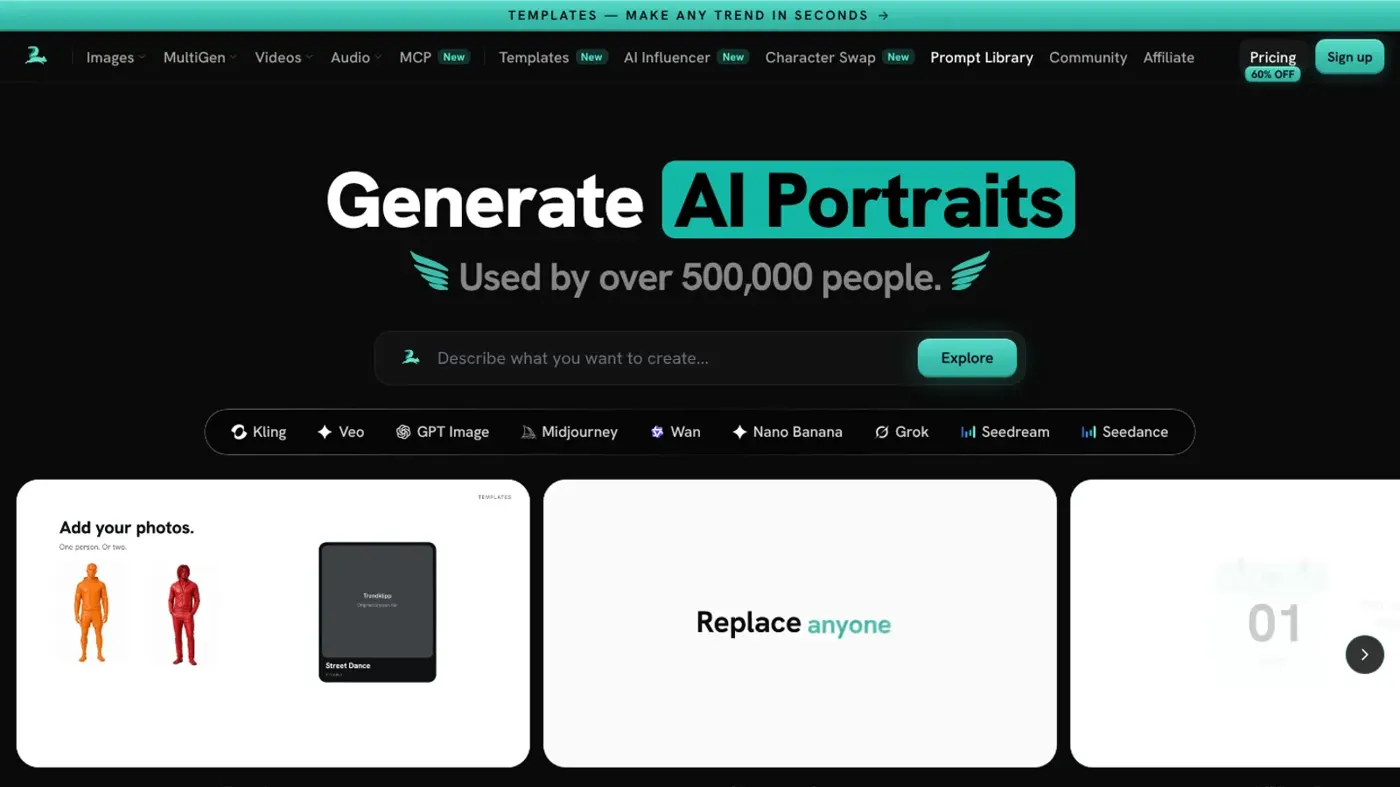
Our verdict on Zorq AI (Zorqai AB)
Zorq AI is a legitimate multi-model creative app that's worth a monthly Starter plan if you regularly switch between video and image engines. Skip it if you only use one model or want a real free plan.
Pricing Starter $14/mo (200 credits, $121/yr); Creator $49/mo (800 credits, $329/yr); Unlimited $249/mo (5,000 credits, $1,490/yr); credit packs from $9.99 for subscribers
Visit Zorq AI (Zorqai AB)Zorq AI is a browser-based app that puts 25+ image, video and voice models behind one subscription and one credit balance. It's run by Zorqai AB, a company registered in Sweden, it's legit in the sense that it's a real product with real terms, and plans start at $14 a month. Whether it's good value is a different question, and I think the honest answer is "only if you'll really use several models".
Nobody at The AI Future ran hands-on tests for this review, so you won't find stopwatch timings from me here. Instead, we went through Zorq's own pages, terms and pricing, the third-party write-ups that exist and the handful of user reviews out there, as of late October 2026. Where somebody else did the testing, I'll name them.
One thing surprised me straight away. For a young app, there's a lot of noise around the name: copycat pages, an App Store listing from a different company, and review blogs written by competitors.
More on that further down, because it matters if you're about to type in your card details.
Zorq AI in brief
Going by the about page, Zorq AI was founded in 2025 and is built by "a small, product-obsessed team in Sweden". The pitch is simple: creators shouldn't need five subscriptions to make one piece of content. So instead of paying Kling, Google and OpenAI separately, you pay Zorq, and Zorq passes your prompt to whichever model you pick.
It runs in the browser. You sign in with Google or Apple, and there's nothing to install. The model list on Zorq's own model index is long: GPT Image 2, Grok Imagine, Midjourney, several Seedream versions, Nano Banana Pro and Kling's image models on the picture side, plus WAN, Kling, Seedance, Google Veo and Sora for video, and MiniMax and ElevenLabs for voice.
If you searched "zorqai ai" or something close, this is the same thing. The official site is zorqai.com, and Zorq says plainly that sites on other domains using the name aren't affiliated with it.
Key features
Image generation from many models
This is the core. You type a prompt or upload references, pick a model, pick a quality level, and generate. Costs are shown per model before you run anything. The cheap end is very cheap: Seedream 5.0 Lite costs 1 credit per image, according to the model index, while GPT Image 2 at High quality and 4K costs 22 credits per image. That's a 22x spread inside one app, so the model you choose matters far more than the plan.
Image resolutions run 1K, 2K and 4K, but the FAQ says 4K needs the Unlimited plan. Expect 10 to 60 seconds per image, by Zorq's own estimate.
Video generation and extensions
Video is where your credits go. WAN 2.7 costs 4 credits per second at 720p and 5 at 1080p, so a 5-second 720p clip is 20 credits. Over on the pricing doc (last updated August 2026), Seedance and Kling are listed at roughly 3 to 6 credits per second and Google Veo 3.1 at about 8 to 10. Videos top out at 1080p depending on the model, and Zorq estimates one to five minutes per render.
MultiGen batches and Smart Mode
MultiGen runs several prompts, models or settings in parallel, which is handy for ad testing. Smart Mode is the opposite idea: you describe what you want in plain language, and an agent picks the model and writes the prompt for you. I like that option for beginners, though I'd guess it won't always choose the cheapest model for the job (Zorq doesn't say how it decides).
AI Influencer, lipsync and motion control
The AI Influencer tool builds a consistent virtual character with a reference sheet showing the face and body from several angles. Motion Control copies the movement from a reference video onto a character image, using Kling 2.6 and 3.0 motion models. There's also lipsync for talking avatars.
These are the features that need the most care. Zorq's safety page says you need explicit consent to use a real person's face or voice, public figures included, and the service is for adults only. I'd take that seriously: making deceptive or intimate content of real people without consent is harmful, and it's illegal in many places.
Voice, music and upscaling
Text-to-speech costs 2 to 3 credits per generation and a voice clone costs 4, while the model list also includes ElevenLabs Music, MiniMax Music and an upscaler. Handy extras. I doubt anyone signs up for Zorq mainly for audio, though.
Zorq AI pricing and plans
Here's what the live plans page showed when we checked in October 2026.
| Plan | Monthly | Annual | Credits per month |
|---|---|---|---|
| Starter | $14 | $121/year (about $10/mo) | 200 |
| Creator | $49 | $329/year (about $27/mo) | 800 |
| Unlimited | $249 | $1,490/year (about $124/mo) | 5,000 |
Subscribers can also buy one-time packs, from 100 credits for $9.99 up to 4,000 for $269. Subscription credits reset each period and don't carry over; packs stay until you spend them. The August pricing doc adds that Unlimited makes image generation free of credits and is the only plan with 4K, while Creator adds a realism enhancer and priority support.
Two things bugged me here. First, Zorq's own pages don't agree with each other. The about page still says Starter is $9 a month billed annually, the August pricing doc says $108 a year, and the live checkout page says $121. Trust the checkout page, and screenshot it.
Second, the free option is fuzzy. The about page promises "free starter credits" with no card needed, but an older FAQ from April 2026 says "There is no free tier." The model index mentions just 2 free welcome images for new accounts, so I'd assume the free taste is tiny.
How far do 200 credits go? By my rough maths, using Zorq's own per-second rates, that's about two 8-second Veo 3.1 clips, or roughly ten 5-second WAN 2.7 clips at 720p. It's plenty for images and thin for premium video.
Read the refund policy before you pay. You can get a first subscription refunded within 7 days only if you haven't used any credits, and a 6% fee comes off. Renewals and top-ups aren't refundable. The terms add that you can't drop to a smaller plan or switch from yearly to monthly mid-subscription, and that a one-click upgrade offer after checkout charges your stored card as soon as you press it. None of that's hidden, but it's stricter than I'd like.
The good bit: failed generations are refunded in credits automatically, according to the support page. Payments go through Whop.
Performance and independent testing
There isn't much independent testing yet. Zorq doesn't train its own models, so output quality is really the quality of Kling, Veo, Seedream and the rest. What Zorq controls is the wrapper: speed, pricing, failures and support.
The most detailed hands-on account I found comes from Dora at NemoVideo, who ran 14 test generations between March 15 and 20, 2026. She logged 35 to 50 seconds per four-image batch and 2 to 4 minutes for image-to-video, and found character consistency "okay for two shots, hit-or-miss for three+". Keep in mind NemoVideo sells a competing video tool. The post also avoids naming the engines it used, so I'd treat it as a rough guide at best.
Wondershare's Filmora review (again, a competitor) calls Zorq a tool for "users who only need to generate isolated raw visual assets" and flags the lack of a free trial and non-rolling credits. Its prices ($15 a month, a $299 Unlimited plan) don't match today's, which tells you how quickly Zorq's pricing moves.
Reliability is the one real signal from users, and it's a single data point. On Trustpilot, the only review so far praises Motion Control at first, then says "the generated video gets glitchy around the 3rd second and starts looping/repeating the same motion instead of finishing smoothly." That's one person, so it proves little. Still, it lines up with what you'd expect from motion-transfer models in general.
Privacy and your prompts
This part's easy to miss. Under the terms, you grant Zorq a perpetual, royalty-free licence to reuse the prompt text you write in prompt libraries, templates, tutorials and marketing (prompts in Business Studio are excluded, and Zorq says it strips out personal details first). Your uploads and outputs stay yours. The privacy policy also lists Microsoft Clarity session recordings, plus Meta and OpenAI ad pixels if you accept advertising cookies. If you write client-confidential prompts, I'd think twice.
The copycat problem
Zorq repeats, almost on every page, that zorqai.com is its only domain. That's for good reason. An App Store app called Zorq AI Motion Control Video is sold by PEPR AI Limited, not Zorqai AB, with weekly subscriptions at $14.99 or $17.99. I couldn't confirm any link between the two companies, so I wouldn't assume it's the same product. Third-party listings also carry older prices; the Chinese directory AI Bot, for example, still lists $15, $39, $99 and $299 plans.
Best suited to
Zorq makes the most sense for short-form marketers and UGC ad makers who want to compare Kling, Seedance and Veo side by side without three subscriptions. That's the sweet spot. It's also a decent fit if you mostly make images and are tempted by the Unlimited plan's credit-free image generation, though $249 a month is a lot.
It's a poor fit for anyone who wants a free plan to play with, anyone who needs a timeline editor (you'll still finish clips in CapCut or similar), and anyone who only uses one model. If you only ever use Kling, buying Kling directly is probably simpler.
For a wider view, our AI video generator roundup and best AI image generators compare the main options, and our guide to AI video prompts will help you waste fewer credits wherever you end up.
Zorq AI alternatives worth considering
Higgsfield
Higgsfield is the closest match: another multi-model video app aimed at social creators. Zorq even has a dedicated Higgsfield comparison page, which says something about who it sees as its rival. Our Higgsfield AI review covers its plans and credit maths.
OpenArt
If you're mainly after images, OpenArt is probably the better-known image platform, with a wide choice of models. See our OpenArt review for what users think of it.
Kling, direct
Kuaishou's Kling is behind several of Zorq's video and motion features. Going straight to the source cuts out the middleman, and our Kling AI guide walks through it. You can also compare tools in our image to video AI roundup.
Verdict
Zorq AI is a real, actively updated product from a named Swedish company, and the multi-model idea is genuinely useful if you hop between engines. I like the automatic credit refunds on failed runs and the upfront credit costs per model. But the pricing keeps shifting, the free option is murky, the refund rules are tight, and there's almost no independent testing or user feedback yet.
My take: try it on a monthly Starter plan, not annual, and only if you already know you want two or more of its models. If you're happy with one engine, skip it.
FAQ
Is Zorq AI legit?
Yes, as far as I can tell. It's operated by Zorqai AB in Sweden, has published terms, privacy and refund policies, and takes payments through Whop. Just make sure you're on zorqai.com, since Zorq says other domains using the name aren't linked to it.
Is Zorq AI free?
Not really. The about page mentions free starter credits with no card required, but an April FAQ said there's no free tier, and the model index mentions only 2 free welcome images. You can also earn credits by sharing work in the community (5 to 100 per approved post) or posting tutorials (500 to 1,000).
How much does Zorq AI cost?
In October 2026, Starter was $14 a month for 200 credits, Creator $49 for 800 and Unlimited $249 for 5,000, with annual billing cheaper. Check the live plans page, because Zorq's older pages list different prices.
Can I use Zorq AI images and videos commercially?
Yes. The terms allow personal and commercial use of outputs, but the safety page notes each model's provider has its own terms, and AI output may not be protected by copyright everywhere.
Is there a Zorq AI app?
Zorq runs in the browser on desktop and mobile. There's an iPhone app called Zorq AI Motion Control Video, but it's sold by PEPR AI Limited, and I couldn't verify that it's connected to Zorqai AB. Its weekly plans cost $14.99 or $17.99, which works out far pricier than Zorq's own Starter plan if you keep one running for a month.
Does Zorq AI use my content to train AI?
Zorq says it doesn't train its own models on your content. It does keep a licence to reuse the text of your prompts, and your inputs are sent to third-party model providers under their own policies.
Ratings around the web
Ratings as of 12 Nov 2026. Scores change over time; follow the links for the latest.
What we like
- 25+ image, video and voice models, including Kling, Veo, Seedance and GPT Image, under one credit balance
- Credit cost shown per model before you generate
- Failed generations refunded in credits automatically
- Commercial use of outputs allowed on paid plans
- Unlimited plan makes image generation free of credits
What could be better
- Pricing differs across Zorq's own pages and has changed often
- Free option is tiny or unclear
- Refunds only within 7 days with no credits used, minus a 6% fee
- Prompt text can be reused by Zorq in libraries and marketing
- Very little independent testing or user feedback so far