10 best AI project management tools in 2026, compared
The 10 best AI project management tools compared on AI features, plans and price, with Wrike as our top pick from small business to enterprise.
 Written byMuhammad Usman SiddiquiFounder and editor-in-chief
Why you can trust The AI Future
Our writers research every product from its official pages, independent tests and user reports, link each claim to its source and correct mistakes openly. Unless an article says otherwise, we haven't tested the product hands-on ourselves. Companies can't pay for coverage or see reviews before they're published.
Read our editorial policy
The best AI project management tools now do more than write task descriptions: they triage requests, flag risks and run small agents inside your projects. My top pick is Wrike, because it's one of the few that scales cleanly from a free plan for a handful of people to governed AI agents for a big PMO. If your team already lives in Asana or monday.com, their AI is good enough that switching probably isn't worth it. If you only need help planning your own week, Motion is a different, more personal kind of tool.
Below you'll find ten tools with real AI built in (not a chatbot bolted onto a to-do list), what each one charges, and who I think each one suits.
Key takeaways
- Wrike is our top pick for teams from small business to enterprise, with a free plan, a $10 Team plan and AI agents on the Business tier and up.
- Most vendors now meter AI with credits or action limits, so the sticker price per seat rarely tells you the full AI cost.
- Asana, monday.com and ClickUp all keep their serious AI on paid plans; their free tiers are mostly for trying the basics.
- Jira and Smartsheet suit teams with established processes (software sprints and spreadsheet-style project tracking) more than first-time buyers.
- Motion and Nifty are the picks for small teams that want AI to plan the work for them rather than report on it.
Our ranking method
The order below is our editorial call, based on each vendor's published features, pricing and fit for different team sizes. We looked at these criteria:
- Depth of AI: whether it can act (agents, automations, routing) or only summarise and draft.
- Fit across team sizes, from a free or cheap entry plan up to enterprise controls.
- Price clarity, including how AI usage is metered and whether you can see prices without a sales call.
- Core project management strength, such as Gantt charts, workload views and dependencies.
- Governance and security for AI, like admin controls and permissions that agents respect.
- Integrations and connections to outside AI assistants, such as MCP servers.
The 10 best AI project management tools at a glance
| # | Tool | Category | Best for | Free tier | Starts at |
|---|---|---|---|---|---|
| 1 | Wrike | Work management platform | Small business to enterprise | Yes | $10/user/mo |
| 2 | Asana | Work management platform | Cross-team coordination | Yes (limited) | $10.99/user/mo |
| 3 | monday.com | Work OS | Visual boards with AI columns | Yes (limited) | $9/seat/mo |
| 4 | ClickUp | All-in-one workspace | Teams that want one app for everything | Yes (limited) | $9/user/mo |
| 5 | Smartsheet | Spreadsheet-style work management | Spreadsheet-minded PMOs | No | $9/member/mo |
| 6 | Notion | Docs and projects workspace | Docs-heavy teams | Yes (limited) | $10/seat/mo |
| 7 | Jira | Software project tracker | Software and IT teams | Yes | $8.48/user/mo |
| 8 | Airtable | No-code database | Custom, data-heavy workflows | Yes (limited) | $20/user/mo |
| 9 | Motion | AI planner and scheduler | Auto-scheduling tasks | No | $19/seat/mo |
| 10 | Nifty | Project management app | Small teams on a flat price | Yes (limited) | $79/mo flat |
Prices are the lowest paid tier billed yearly. Nifty's flat price covers 10 members.
The best AI project management software, ranked
Wrike – best for small business to enterprise
Wrike is a work management platform with AI built into tasks, request forms, automation rules and dashboards, plus AI agents and an assistant called Wrike Copilot on its higher tiers.
Strengths
What sets Wrike apart, in my view, is how evenly its plans step up. A five-person agency can start on the Free plan, move to Team at $10 a user a month (2 to 15 users, with AI Essentials), then grow into Business at $25 for 5 to 200 users. Above that sit Pinnacle and a new Apex tier with custom pricing. Few tools on this list cover that whole range without making you switch products halfway.
The AI is split into two packages. AI Essentials covers the everyday stuff: AI in work items for drafting, editing and summaries, AI in request forms and automation rules, dashboard highlights, and Board AI that can build an action plan or group items by topic. AI Elite, from Business up, adds agents, Wrike Copilot, AI widget creation and a whiteboard assistant. Wrike also runs an MCP server, so you can connect outside assistants, and it's pitching "Workmates": external agents that you assign and @mention, working inside the same permissions and audit trail as your people.
The customer examples on that page are specific, which I like. One manager at the College of American Pathologists says the intake agent saved "about 3.25 hours per idea"; another at AppFolio describes a 15–20 minute sprint-close routine shrinking to about a minute. Those are vendor-picked stories, of course, but they show the agents doing real triage and routing rather than writing nicer task titles.
Key features
- AI Essentials on the Team plan covers drafting, summaries, AI in request forms and Board AI.
- AI agents on Business and above can triage, route, classify and update work.
- Wrike Copilot answers questions about your projects and summarises work.
- An MCP server lets outside AI assistants act on Wrike data under your permissions.
- Interactive Gantt charts, custom workflows and resource and capacity planning come with the paid plans.
- Security certifications include SOC 2 Type II and ISO 27001, with an EU data center in Paris.
Pros
- A clear path from a free plan to enterprise without changing tools
- AI agents work inside existing permissions, which matters for larger teams
- Strong resource planning and Gantt charts for classic project work
- Customer examples on its site show agents doing real triage
Cons
- AI agents and Copilot start on Business, not Team
- Business and higher plans are annual only, and seats are sold in groups of five
- AI Elite actions are capped by plan, with extra action packs priced on request
- Pinnacle and Apex prices aren't published
Two practical points before you buy. Wrike sells seats in batches (groups of five up to 30 seats), so a seven-person team pays for ten. And it recommends a guided deployment for teams of 20 or more, which adds cost and time. Neither is a deal-breaker, but they're easy to miss.
Wrike pricing: Free, then paid plans from $10/user/month billed yearly (Business is $25; Pinnacle and Apex are custom). See pricing
Related: Best AI tools for productivity
Asana – best for cross-team coordination
Asana is a work management app whose AI includes AI Teammates, an AI Studio workflow builder and AI Meetings, layered on top of its lists, boards and timelines.
Strengths
Asana's AI is aimed at coordination. Its plans page lists more than 30 AI Teammates, each set up for a different job, with Asana Dash routing work to the right one. AI Studio is a no-code builder for putting AI steps into workflows, and every paid plan gets AI Assists inside tasks, goals and projects.
The catch is the metering. Starter includes five AI Teammate requests per user a month, capped at 50 per account, and 50,000 AI Studio credits. That's enough to try things, not to run a department on. I'd budget for extra credits if agents are the reason you're buying.
Key features
- AI Teammates take on specific jobs, with Asana Dash suggesting what's next.
- AI Studio builds no-code workflows with AI steps.
- AI Meetings, from Advanced, suggest action items and owners from calls.
- Timeline and Gantt views come with Starter.
- Capacity planning and goals arrive on Advanced.
Pros
- Polished, easy-to-learn interface
- AI Assists included on every paid plan
- Unlimited free guests on Starter for clients and contractors
Cons
- No AI on the free Personal plan
- Tight request caps on AI Teammates
- Capacity planning needs Advanced at $24.99
Asana pricing: Free, then paid plans from $10.99/user/month billed yearly ($13.49 monthly). See pricing
Related: Asana AI review Best AI tools for productivity
monday.com – best for visual boards with AI columns
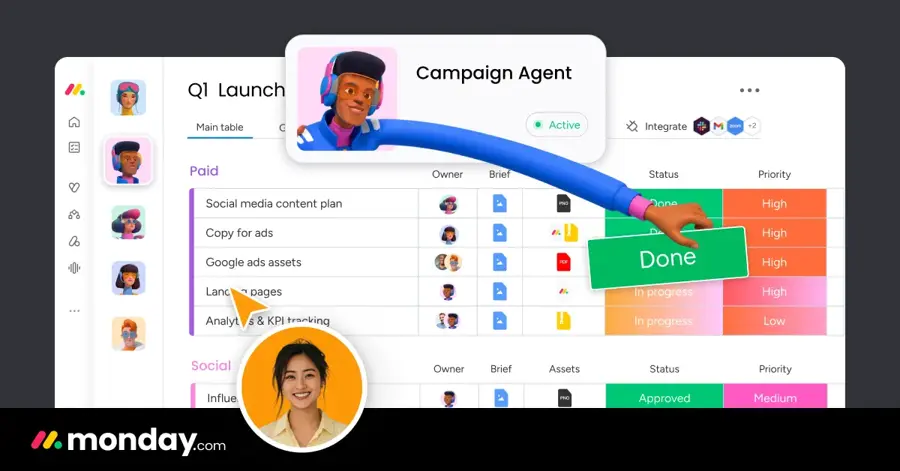
monday.com is a colourful board-based work platform with an AI assistant called Sidekick, AI agents, AI columns and a meeting notetaker, all paid for with AI credits.
Strengths
AI columns are the feature I'd point a monday.com team to first. They run repetitive work right inside a board (sorting, summarising, extracting details), which is where most monday.com users already spend their day. Sidekick sits on top as a context-aware assistant, and Standard adds the notetaker.
The credit model is unusually open. Looking at the prices, Basic includes 100 credits per seat, and monday.com reckons a three-person team typically uses around 800 to 1,200 credits a month. You can top up whenever you need.
Key features
- Sidekick is an AI assistant that works across your boards.
- AI agents handle specialised tasks, with limited access on Basic.
- AI columns run repetitive work inside a board.
- The AI meeting notetaker arrives on Standard.
- An AI workflow builder links agents and automations on higher tiers.
Pros
- Very visual and quick for non-technical teams
- Credits are explained with real examples
- Unlimited free viewers on Standard
Cons
- The free plan has no AI and tops out at two seats
- Plans start at three seats, so solo users overpay
- Heavy AI use means buying more credits
monday.com pricing: Free, then paid plans from $9/seat/month billed yearly (minimum three seats). See pricing
Related: Best AI tools for productivity
ClickUp – best for teams that want one app for everything
ClickUp is an all-in-one workspace for tasks, docs, chat and dashboards, with its Brain AI, AI fields, AI automations and autopilot agents metered through pooled credits.

Strengths
ClickUp throws a lot of AI at you. AI fields fill in task data, AI dashboard cards summarise progress, and AI automations can run on the credits each plan pools across users (1,000 per user a month on Core, 1,500 on Business). There's also a Max plan at $100 a user that lifts most AI limits, which tells you how heavy some teams' usage gets.
Honestly, the breadth is both the appeal and the problem. If you want docs, chat and projects in one place, ClickUp is probably the most complete option here; if your team gets lost in menus, it'll feel crowded.
Key features
- Brain AI models are a trial on Core and unlimited from Business.
- AI fields and AI dashboard cards summarise and fill in task data.
- An unlimited AI notetaker comes with Business.
- Connected search reaches Google Drive, OneDrive, Gmail, Teams and Slack on higher plans.
- MCP calls are allowed on every plan, with daily caps that rise by tier.
Pros
- Free Forever plan with unlimited members
- Credits are pooled across the team
- Covers docs, chat and tasks in one app
Cons
- No AI credits on the free plan
- The plan table is long and confusing
- Unlimited AI needs the $100 Max plan
ClickUp pricing: Free, then paid plans from $9/user/month billed yearly. See pricing
Related: Best AI tools for productivity
Smartsheet – best for spreadsheet-minded PMOs
Smartsheet is a spreadsheet-style work management platform that's added conversational AI features and connections to outside AI tools to its grid, Gantt and portfolio views.
Strengths
If your project office runs on spreadsheets, Smartsheet feels familiar from the first click. The Pro plan now includes conversational AI features, and Business adds connections to external AI tools plus workload tracking and unlimited automations. Enterprise brings portfolios and scenario planning.
Its AI story is thinner than Wrike's or Asana's, as far as I can tell from the plans page; there's no agent line-up to match theirs. Where it shines is structure and reporting for large programmes.
Key features
- Conversational AI features are included on Pro.
- Business connects Smartsheet to external AI tools.
- Gantt, table, board and calendar views come on every plan.
- Portfolios and scenario planning arrive with Enterprise.
Pros
- Familiar for anyone who lives in spreadsheets
- Unlimited free contributors on Pro
- Strong portfolio tools at the top end
Cons
- No free plan, only a 30-day trial
- Pro caps you at 250 automations a month
- Less agent-style AI than the top picks
Smartsheet pricing: No free plan, then paid plans from $9/member/month billed yearly (Business is $19). See pricing
Notion – best for docs-heavy teams
Notion is a docs, wiki and projects workspace with Notion Agent for chat, writing, autofill and translation, plus Custom Agents that run tasks on their own.
Strengths
Notion is where I'd send a team whose projects are mostly documents: specs, briefs, meeting notes. Notion Agent and AI Meeting Notes come with Business at $20 a seat, and Custom Agents can take over repetitive jobs. They're free to try, then billed at $10 per 1,000 monthly Notion credits.
It isn't a classic project tool, though. You won't get Wrike-style resource planning, and I think larger PMOs would miss it fast.
Key features
- Notion Agent chats, generates, autofills and translates.
- Custom Agents handle repetitive tasks on credits.
- AI Meeting Notes come with Business.
- Workers (in beta) let developers build agent tools with custom code.
Pros
- Docs and projects live in one place
- Free and Plus plans include an AI trial
- Flexible databases for tracking work
Cons
- Full AI needs Business at $20 a seat
- Custom Agents cost extra in credits
- Light on scheduling and resource planning
Notion pricing: Free, then paid plans from $10/seat/month. See pricing
Related: Notion AI review Best AI tools for productivity
Jira – best for software and IT teams
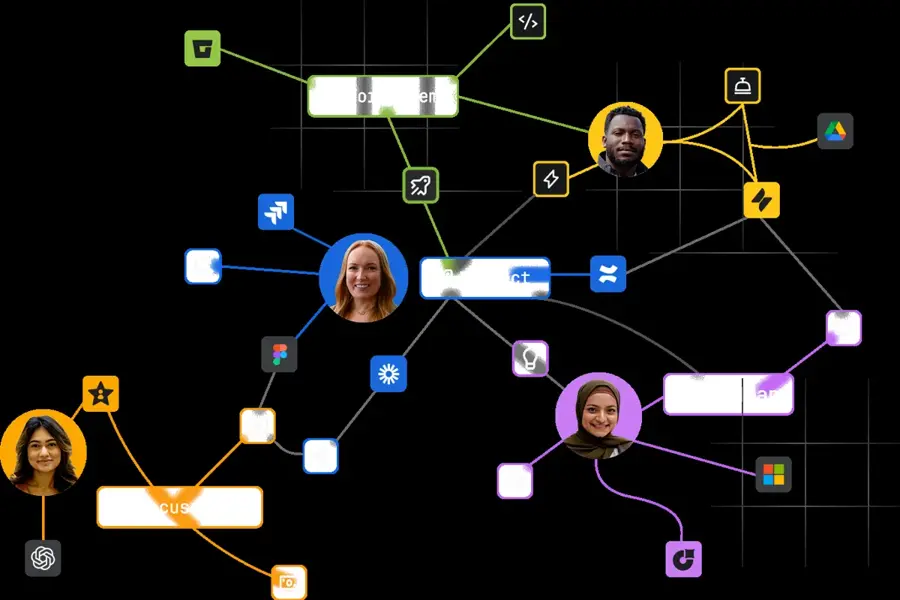
Jira is Atlassian's issue and project tracker for software teams, with Rovo search, chat and agents built in from the Standard plan.
Strengths
For engineering teams, Jira's still the default, and Rovo makes it more useful for project managers who sit next to them. Standard at $8.48 a user brings Rovo Search, Chat and Agents. Monthly Rovo credits rise from 70 per user on Standard to 150 on Premium.
The free plan's genuinely usable for up to 10 users. Outside software and IT, though, I'd probably pick something friendlier.
Key features
- Rovo Search, Chat and Agents come with Standard.
- Rovo credits are included per user each month, rising by plan.
- AI-driven reports and dashboards are available.
- Premium adds cross-team planning and dependency management.
Pros
- Free for up to 10 users
- Low entry price for Rovo AI
- Deep fit with software workflows
Cons
- Steep learning curve for non-technical teams
- Rovo use is limited by monthly credits
- Advanced planning sits on Premium
Jira pricing: Free for up to 10 users, then paid plans from $8.48/user/month. See pricing
Airtable – best for custom, data-heavy workflows
Airtable is a no-code database for building your own apps and trackers, with AI credits included on every plan, even Free.

Strengths
Airtable suits teams whose "projects" are really structured data: content calendars, product launches, inventory. It's also the most generous here on free AI, with 500 AI credits per editor a month on the Free plan and 15,000 per paid user on Team.
You'll build more yourself, though. There's no ready-made project template that matches Wrike or Asana out of the box.
Key features
- The Free plan includes 500 AI credits per editor each month.
- Team includes 15,000 AI credits per paid user each month.
- AI admin controls come with Business.
- Portals let outside guests see selected data, as a paid add-on.
Pros
- AI on the free plan
- Very flexible data model
- Read-only collaborators don't count as paid seats
Cons
- Takes setup work to become a project tool
- Business jumps to $45 a user
- Record limits can force an upgrade
Airtable pricing: Free, then paid plans from $20/user/month billed yearly ($24 monthly). See pricing
Motion – best for auto-scheduling tasks
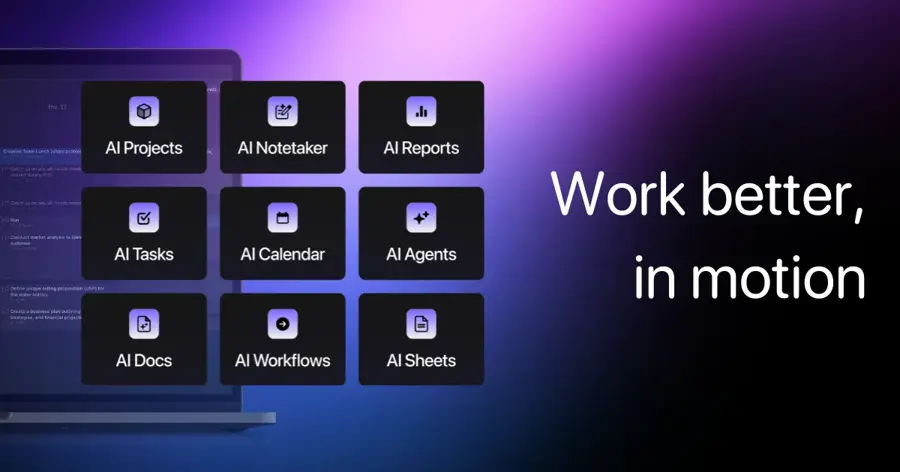
Motion is an AI planner that schedules your tasks and projects onto your calendar automatically, alongside AI docs, notes, meetings and workflows.
Strengths
Motion works the other way round from most tools here. Rather than tracking what you planned, its AI Task Planner decides when you'll do each task and moves things as priorities shift, separating the "do date" from the due date. For a founder or a small team juggling client work, that's a genuinely different kind of project management AI.
The homepage claims are big (one user line credits it with $700k a year in extra business), and I'd take those as marketing. The pricing is straightforward, at least: Pro AI includes 7,500 credits per seat a month.
Key features
- The AI Task Planner schedules and reprioritises work on your calendar.
- AI Projects and Tasks build plans from descriptions.
- An AI meeting notetaker and AI docs come with Pro AI.
- Business AI adds capacity planning, Gantt charts and time tracking.
Pros
- Plans your day for you, not just your project
- Simple two-plan pricing
- Apps for iOS, Android and desktop
Cons
- No free plan, only a free trial
- Gantt charts need Business AI at $29
- Less suited to large, multi-team programmes
Motion pricing: No free plan, then paid plans from $19/seat/month billed yearly. See pricing
Nifty – best for small teams on a flat price
Nifty is a project management app with tasks, milestones, docs and chat, plus Orbit AI, which builds whole projects from a short description.
Strengths
Nifty's pricing is the draw. Pro costs a flat $79 a month for 10 members, Business is $124 for 30, and $399 covers unlimited members, all billed annually. For a small agency, that's easier to predict than per-seat billing.
Orbit AI turns a description into lists, tasks, owners and due dates, drafts docs and turns chats into tasks. It's narrower than Wrike's agents, but I'd guess it covers most of what a 10-person team needs.
Key features
- Orbit AI builds projects with tasks, owners and due dates from a prompt.
- It drafts docs and turns chat messages into tasks.
- Milestones, discussions and portfolios are built in.
- An MCP connection lets you update work from your AI chat.
Pros
- Flat pricing for teams up to 10 or 30
- Free plan with unlimited members
- Per-member option from $10 for very small teams
Cons
- The free plan is limited to two projects
- AI is less advanced than the top picks
- Only 100 MB of storage on the free plan
Nifty pricing: Free, then paid plans from $79/month flat billed yearly (or $10/member). See pricing
Related: Nifty AI review Best AI tools for productivity
Choosing the right project management AI
Start with your team size, not the feature list
A five-person team and a 500-person PMO need different things. Wrike's plan range (Team for 2 to 15 users, Business for up to 200) suits growing companies; Motion and Nifty suit small teams; Jira and Smartsheet suit established processes.
Price the AI separately from the seats
Almost every tool here meters AI. Ask what a month of real use costs before you sign.
Check that agents respect permissions
Agents that can update work are useful, and risky if they see too much. Wrike, Airtable and ClickUp all list AI governance or admin controls; I'd treat that as a must for anything above a small team.
Run a short trial on a real project
Most of these have a free plan or trial. Wrike and Smartsheet both offer trials of their paid tiers without a credit card, so there's little reason to buy blind; put one live project through the tool for two weeks, with the people who'll actually use it, and watch whether the AI saves them time or just adds another panel to ignore.
FAQ
What is the best AI project management tool?
For most teams, I'd pick Wrike, because it covers everything from a free plan to enterprise-grade AI agents in one product. Asana and monday.com are close behind if you prefer their interfaces.
Is there a free AI project management tool?
Partly. Airtable gives 500 AI credits per editor on its Free plan, and Notion's free plan includes an AI trial. Wrike, Asana, monday.com and ClickUp have free plans, but their AI mostly sits on paid tiers.
Will AI replace project managers?
Probably not soon. These tools take over triage, status updates and scheduling, but someone still has to make the calls.
Which AI project management software suits small businesses?
Wrike's Team plan at $10 a user, Nifty's flat $79 a month and Motion's $19 a seat are the three I'd look at first, depending on whether you want structure, predictable cost or automatic scheduling.