Asana AI review 2026: AI Teammates, Dash, AI Studio and pricing
Asana AI adds agents, an assistant called Dash and AI automations to every paid plan. We weigh the features, the per-request pricing and where it breaks.
 Written byFahad HashmiContributing writer, AI in energy and industry
Why you can trust The AI Future
Our writers research every product from its official pages, independent tests and user reports, link each claim to its source and correct mistakes openly. Unless an article says otherwise, we haven't tested the product hands-on ourselves. Companies can't pay for coverage or see reviews before they're published.
Read our editorial policy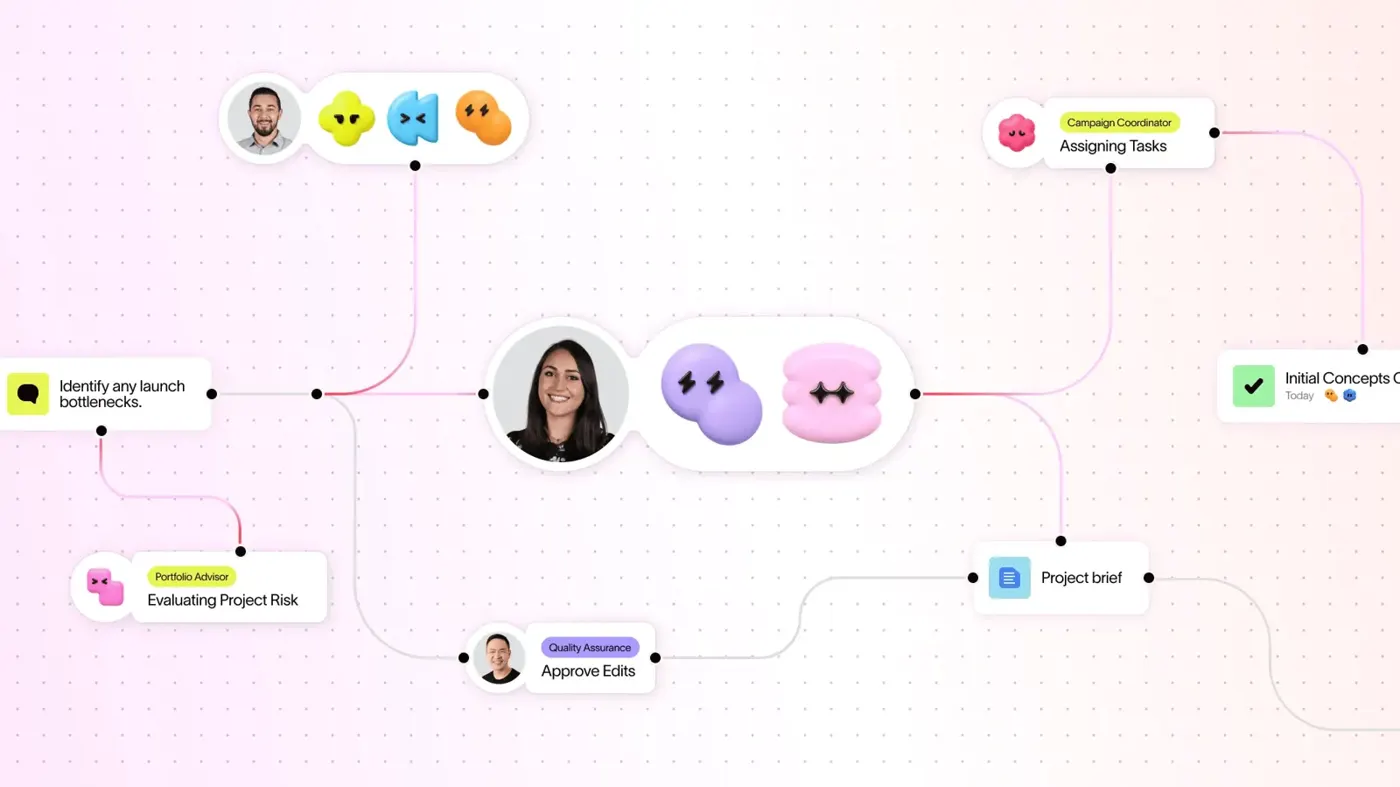
Our verdict on Asana AI (Asana)
Asana AI is a sensible, well-designed add-on for teams already on Asana Advanced or Enterprise, best started on one high-volume workflow with an admin watching the budget. Small teams and anyone choosing a project tool for its AI should probably wait until the metering and cost tools mature.
Pricing Personal free (no AI Teammates); Starter $10.99/user/mo annual ($13.49 monthly); Advanced $24.99/user/mo annual ($30.49 monthly); Enterprise and Enterprise+ via sales. Paid plans include 5 AI requests per user/mo (cap 50 per account, 250 on Enterprise); extra requests $0.50 prepaid or $0.60 pay as you go
Visit Asana AI (Asana)Here's the short version. Asana AI is the set of AI features built into Asana: prebuilt agents called AI Teammates, a personal assistant called Asana Dash, a no-code automation builder called AI Studio, and connectors that let ChatGPT or Claude work with your Asana data. It comes with every paid plan, from $10.99 per user a month, but the included AI allowance is small and you pay per request once you go past it.
My take, as of early November 2026: if your team already runs its work in Asana, the AI is worth switching on and watching closely. If you're shopping for a project tool mainly because of the AI, I'd hold off. The agents seem capable, yet the metering is new, the setup takes real effort, and the loudest complaints in Asana's own community forum are about credits that run out faster than anyone planned.
Nobody at The AI Future ran hands-on tests for this review. We built it from Asana's pricing and product pages, Asana's own answers to customer questions, independent news coverage, partner write-ups, about 35 recent posts in the Asana Community forum, and third-party ratings. Where someone else did the testing, I name them.
Asana AI in brief
Asana launched what it calls Agentic Work Management on June 4, 2026 at its Work Innovation Summit in London, a week after buying the no-code agent builder StackAI for $75 million upfront. The pitch is that Asana is now an "operating system for human-agent teams", where people and AI agents share one plan.
That plan is the Work Graph, Asana's map of who's doing what, by when, across tasks, projects and goals. Agents read and write to it with the same permissions as the person who triggers them. As The New Stack reports, Asana doesn't train its own models; its chief product officer, Arnab Bose, said the company uses "a variety of models under the covers" and that the real work is "all about the harness". On Asana's AI page, the partners are named as OpenAI and Anthropic, with Asana picking the model for each task and partners barred from training on your data.
So, is Asana AI? Asana is a work management app first. The AI is a layer on top, and you can't buy it separately.
Asana AI features
AI Teammates (Asana's AI agents)
AI Teammates are shared agents you assign work to like a colleague. There are now 30+ prebuilt Teammates for marketing, operations and IT, plus industry versions, and you can build your own. The Q3 release on October 22 added integrations with Google Drive, OneDrive, Gmail, Google Calendar, Outlook, Slack, Microsoft Teams, Canva and HubSpot.
Each Teammate has a profile, instructions, reference files and a memory that picks up feedback. Cirface, an Asana consulting partner, says initial setup takes 30 to 45 minutes, then 2 to 3 weeks to optimise, and in February it counted a cap of about 11 uploaded documents per Teammate. That second figure may have changed since. Teammates can't connect to Notion yet, going by Asana's own webinar Q&A from late October.
Asana Dash
Dash is the personal one. Asana bills it as an AI "chief of staff" that captures follow-ups from meetings, Slack and email, turns them into tasks, gives you a morning brief and hands work to the right Teammate, as ITPro describes. One Asana partner wrote on October 1 that Dash is "now live for everyone" after a beta that began in July.
A lot of Dash work is free. Finding, summarising and answering questions about your Asana data doesn't use an AI request; web search, integrations, long-form writing and handing off to a Teammate do.
AI Studio
AI Studio is the rules engine with an AI step in it. You build "when X happens, do Y" automations for intake, triage and routing, and an AI action can classify or draft along the way. It runs on its own pool of credits, separate from AI requests. In one forum thread, a user listed GPT-5, GPT-5.2 and GPT-5.4 among the models they could pick for a rule.
AI Connectors and MCP
If you'd rather stay in ChatGPT, Claude, Gemini or Copilot, Asana's MCP connectors let those assistants read and act on your Asana work. For teams that already pay for a chatbot (see our Claude AI review), this is probably the cheapest way to get AI into Asana, because the outside assistant does the thinking.
Asana AI pricing and plans
Prices below were checked on Asana's plans page in late October 2026, in US dollars.
| Plan | Price per user | AI Teammates and Dash | AI Studio credits |
|---|---|---|---|
| Personal | $0 (up to 2 users) | Not included | Not included |
| Starter | $10.99/month annually, $13.49 monthly | 5 requests per user/month, max 50 per account | 50K per account/month |
| Advanced | $24.99/month annually, $30.49 monthly | 5 requests per user/month, max 50 per account | 75K per account/month |
| Enterprise | Contact sales | 5 requests per user/month, max 250 per account | 200K per account/month |
| Extra AI requests | $0.50 each prepaid, $0.60 pay as you go | Any paid plan | Sold separately |
The free Personal plan gives you unlimited tasks and projects, list, board and calendar views, and 100+ integrations. It doesn't include AI Teammates, as Asana confirmed in its webinar Q&A. AI Studio also comes in paid Plus and Pro tiers, and I couldn't find a published price for either.
The request meter is fairly new. UsagePricing spotted the per-request rates on October 15 and notes that in September, AI Teammates was still a contact-sales add-on. A request is one successful unit of work, so failed or cancelled runs don't count. Admins get alerts at 65%, 85% and 100% of the allowance, the pool resets each cycle with no rollover, and there's no per-team quota or personal usage dashboard yet.
A worked example with numbers
Take a 20-person marketing team on Advanced, billed annually. Seats cost 20 × $24.99, or $499.80 a month. The AI allowance looks like 20 × 5 = 100 requests, but the account cap is 50, so that's what you get.
Now say you put a Teammate on campaign intake that runs 10 times a working day. That's roughly 220 requests a month, plus whatever Dash hand-offs people make. At 300 requests a month, the 250 above your allowance cost $150 pay as you go or $125 prepaid. That's a 25 to 30% bump on the seat bill, which honestly surprised me for a feature sold as "included".
Performance and independent testing
I haven't found an independent benchmark of Asana AI, so the evidence comes in three kinds: vendor case studies, partner experience and user reports. Treat them in that order of caution.
Asana's headline numbers are big. Via The New Stack, Asana says FedEx saw a 9x improvement in speed to market and reclaimed more than 1,200 hours a year in marketing, and the fashion brand COS cut campaign setup time by 90%. Of the 200 companies in early access, 93% let Teammates create and change items without a human doing it first. Those are vendor figures, not audited results, and early adopters are likely the keenest customers.
The forum gives a messier picture. In one thread, a user found that Dash listed every task title correctly while AI Studio kept skipping items, even after switching models. An Asana employee replied that this is expected: listing every item is deterministic work, and "an LLM-based workflow is not the best tool for it". A team that built a meeting-transcript Teammate called Bob found it replying to comments and burning extra requests for a couple of weeks; tighter instructions fixed it.
The only video I could find that walks through the product at length is Cirface's guide to building a project manager and an auditor Teammate (about 51,600 views in early November). Cirface sells Asana consulting, so it's a builder's view, not a neutral review.
Limits and failure modes
- Credits drain faster than people expect. One admin wrote that "we ran out of credits in 2 weeks" because users picked AI Studio without realising their rules used AI.
- Building a good Teammate costs requests. A small nonprofit's admin said they turned theirs off because "I burn a month of credits just building and tweaking one teammate."
- You can't always tell what costs money. A user noted that with Dash, "nothing tells me which side (free or paying) before the result".
- Something useful got removed. Since Dash arrived, the inline "Recommend edits" button for fixing a comment's spelling has gone, and one team says it's now "five steps instead of one".
- Model choice is out of your hands. Gemini can't be chosen as the model behind Asana AI, and if your policy bans OpenAI or Anthropic, Asana's advice is to wait.
Larry Berger, a long-time Asana consultant on the forum, put the trade-off well: plain automations are "always cheaper, often simpler, and sometimes better (deterministic instead of probabilistic)". I'd use that as a rule of thumb. Put AI on the judgement calls and keep fixed rules for everything else.
Best suited to
Asana AI makes the most sense for mid-size and large teams that already live in Asana and run repeatable, judgement-heavy work: campaign intake, request triage, contract or SOW review, status reporting across a portfolio. On its AI page, Asana says marketing, operations and IT teams are the most common users, which fits.
It's a weaker fit for two-person teams (the free plan has no AI Teammates), for anyone who wants predictable flat pricing, and for organisations whose security policies rule out OpenAI or Anthropic. If you're wondering what all this means for PM jobs, our piece on whether AI will replace project managers covers that question; for the bigger picture on agents, see what agentic AI is.
Asana the app is well liked overall. It holds 4.5 out of 5 from 13,777 reviews on Capterra, though one recent reviewer there wrote that "it can occasionally feel like a full-time job just managing the project management tool." Those scores are about Asana as a whole, not the AI.
Asana AI alternatives worth considering
- Monday.com AI: a similar mix of agents and AI automations inside a work management app, and The New Stack notes Monday ships autonomous agents too. Read our Monday AI review before you compare quotes.
- Notion AI: better if your team's work is mostly documents and wikis with light task tracking. Our Notion AI review covers its agents and credits.
- A chatbot plus Asana's MCP connector: if you already pay for Claude or ChatGPT, connecting it to Asana gets you summaries and task updates without buying extra requests. You lose shared, always-on Teammates, though.
For a wider view, our best AI tools for productivity roundup compares assistants that aren't tied to one project app.
Verdict
I'd rate Asana AI 4 out of 5. I think the design is sound: agents that share the same plan and permissions as your team are a better idea than another chat window, and Dash's free tier of questions and summaries is genuinely useful. Asana's published per-request price is also clearer than the credit tables many rivals use.
But the allowance is thin (50 requests a month for a whole Starter or Advanced account), the tooling to predict costs isn't there yet, and you'll spend weeks tuning a Teammate before it's reliable. If your team is already on Asana Advanced or Enterprise, turn it on, give one admin the budget dashboard, and start with a single high-volume workflow. If you're a small team or you're choosing a project tool for its AI, I think you're better off waiting a couple of release cycles.
FAQ
Is Asana AI?
Asana itself is a work management app, not an AI tool, but it now has AI built in. Asana AI includes AI Teammates (agents), Asana Dash (a personal assistant), AI Studio (AI automations) and MCP connectors for ChatGPT, Claude, Gemini and Copilot. It's included on Starter, Advanced and Enterprise plans, with usage limits.
Is Asana AI free?
Not really. The free Personal plan doesn't include AI Teammates. Paid plans from $10.99 per user a month include 5 AI requests per user, capped at 50 per account on Starter and Advanced, plus AI Studio credits. Many Dash actions, like summaries and questions about your work, don't use requests. For a small team that just wants AI help writing task descriptions, I'd guess the connector route through a chatbot you already pay for is the cheaper option.
What is Asana AI Studio and how much does it cost?
AI Studio is Asana's no-code builder for automations that include an AI step, such as classifying requests or drafting replies. AI Studio Basic is included on paid plans with 50K, 75K or 200K credits a month depending on tier. Plus and Pro tiers cost extra; Asana doesn't publish their prices.
What are Asana AI agents?
Asana calls its agents AI Teammates: shared agents you assign tasks to, with instructions, files and memory. There are 30+ prebuilt ones, and each successful piece of work uses one AI request.
How much do extra Asana AI requests cost?
Extra requests cost $0.50 each if you buy prepaid packs, or $0.60 each on pay as you go, billed monthly with an optional spend cap. Annual customers can use prepaid requests at any point in their contract. Failed, timed-out or cancelled tasks aren't charged.
What video reviewers say
— Cirface
Videos load from YouTube only when you press play.
Ratings around the web
Ratings as of 12 Nov 2026. Scores change over time; follow the links for the latest.
What users are saying
We read about 35 posts across nine Asana Community forum threads about Dash, AI Teammates and AI Studio from late September to early November 2026. Users like Dash for finding and fixing work in bulk and say well-tuned Teammates run smoothly, but the most common thread is cost: credits and requests running out, and no clear signal of what an action will cost. Forum posts skew towards problems, so this sample is likely more negative than the wider user base.
Common praise
- Dash finds hard-to-find work and handles bulk fixes
- Well-instructed AI Teammates run reliably once tuned
- Free Dash actions let users test AI Studio instructions without spending credits
Common complaints
- AI Studio credits and AI requests run out fast, including during Teammate setup
- No way to tell in advance whether a Dash action costs a request
- Inline AI edit button removed in favour of Dash; AI Studio can skip items on deterministic jobs
Based on: Manage AI use credit expectations (Asana Community), Dash: clarifying if a message costs a request (Asana Community), Dash: what to ask, 12 use cases rated (Asana Community), Design and test AI Teammate before it goes live (Asana Community), Bring back Recommend edits in the comment toolbar (Asana Community), Instruction to stop AI Teammate answering every comment (Asana Community), Differences in execution results between Dash and Studio (Asana Community), Do you find it difficult to ask AI Teammates to take on tasks? (Asana Community)
What we like
- AI Teammates, Dash and AI Studio Basic included on every paid plan
- 30+ prebuilt AI Teammates with Gmail, Outlook, Slack, Teams, HubSpot and Canva integrations
- Agents work inside the Work Graph with the same permissions as the user
- Many Dash actions, such as summaries and questions about your work, use no requests
- Published per-request price with spend caps and usage alerts
What could be better
- Small included allowance: 50 AI requests a month per Starter or Advanced account
- Forum users report burning through credits in weeks, partly while building and tuning Teammates
- No usage calculator, per-team quotas or personal usage dashboard yet
- Model choice limited to Asana's OpenAI and Anthropic partners